

Microsoft's Exchange Team announced an immediate policy change that will start blocking Exchange Web Services (EWS) access for mailboxes licensed only with frontline/Kiosk plans beginning March 1, 2026, and reiterated the broader EWS retirement timetable that culminates with Exchange Online disabling EWS globally later in 2026.
EWS (Exchange Web Services) is the long‑standing SOAP-based API set that has enabled programmatic access to Exchange mailboxes for mail, calendar, contacts, and other mailbox operations. For years Microsoft has encouraged developers to migrate to the Microsoft Graph API, which offers a modern RESTful interface, broader capabilities, and tighter integration with Microsoft 365 security and identity features.
In 2018 Microsoft said it would stop making feature updates to EWS. In 2023 and through subsequent updates Microsoft set a retirement timeline for EWS in Exchange Online, with blocking of EWS requests to Exchange Online scheduled to begin during 2026. As part of the ramp to retirement, the Exchange Team has published operational changes that steadily tighten control over who and what can use EWS in Exchange Online.
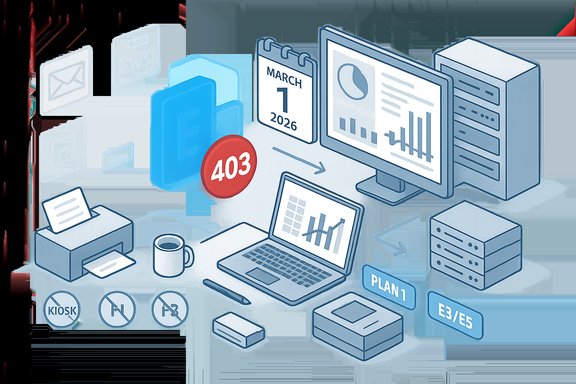
The December announcement specifically addresses license‑level access control: beginning March 1, 2026, EWS requests for mailboxes that are only assigned the following license types will be blocked:
The technical move strengthens security and aligns actual behavior with published service descriptions, but it also creates real operational and cost challenges—especially for organizations that built lightweight or device‑dependent workflows around low‑priced frontline licenses. The path forward is a mixture of targeted short‑term mitigations (licensed service accounts, selective licensing) and medium‑to‑long‑term modernization (migrate to Microsoft Graph, adopt OAuth, redesign for least privilege).
The recommended next steps are straightforward: run the EWS usage reports, map dependencies, create a prioritized migration and mitigation plan, and engage vendors and procurement to validate licensing and replacement strategies. Enforce those steps early to avoid 403‑driven outages on March 1, 2026, and to prepare for the broader EWS retirement actions later in 2026.
Source: Microsoft Exchange Team Blog Update to EWS Access for Kiosk / Frontline Worker Licensed Users | Microsoft Community Hub
 Background
EWS (Exchange Web Services) is the long‑standing SOAP-based API set that has enabled programmatic access to Exchange mailboxes for mail, calendar, contacts, and other mailbox operations. For years Microsoft has encouraged developers to migrate to the Microsoft Graph API, which offers a modern RESTful interface, broader capabilities, and tighter integration with Microsoft 365 security and identity features.In 2018 Microsoft said it would stop making feature updates to EWS. In 2023 and through subsequent updates Microsoft set a retirement timeline for EWS in Exchange Online, with blocking of EWS requests to Exchange Online scheduled to begin during 2026. As part of the ramp to retirement, the Exchange Team has published operational changes that steadily tighten control over who and what can use EWS in Exchange Online.
The December announcement specifically addresses license‑level access control: beginning March 1, 2026, EWS requests for mailboxes that are only assigned the following license types will be blocked:
- Exchange Online Kiosk
- Microsoft 365 and Office 365 F1
- Microsoft 365 and Office 365 F3
Why this change matters
This announcement is one more step in a multi‑phased deprecation and hardening effort around EWS in Exchange Online. There are three converging drivers for this move:- Security: EWS provides deep mailbox access and has historically been abused in sophisticated breaches and post‑compromise exfiltration scenarios. Tightening protocol access reduces the attack surface and allows more granular policy and telemetry enforcement.
- Control and parity: Microsoft is closing gaps between EWS and Microsoft Graph functionality and is adding administrative controls (reports, tenant/user flags) to make EWS visibility and control manageable for tenants.
- Migration to modern APIs: Microsoft is steering customers toward Microsoft Graph as the single, supported platform for accessing Exchange Online data and building integrations.
Who is impacted
Directly impacted
- Users with mailboxes that carry only Exchange Online Kiosk, Microsoft/Office 365 F1, or Microsoft/Office 365 F3 licenses.
- Applications, scripts, printers, multifunction devices, or third‑party integrations that rely on a frontline user’s mailbox credentials and EWS access.
- Administrators who have not audited their tenant for EWS usage by license class.
Indirectly impacted
- Organizations using frontline mailboxes as service accounts for automated tasks that rely on EWS.
- ISVs and third‑party vendors that target Kiosk/F1/F3 accounts in their deployment guides.
- Customers who assumed the service description limitations were only contractual and not enforced.
Technical specifics and behavior changes
- Effective March 1, 2026, EWS requests originating against mailboxes that are only assigned one of the frontline/Kiosk license SKUs listed above will be rejected with HTTP status 403 (Forbidden).
- The enforcement is license‑based: if a mailbox is assigned another active license that grants EWS rights, EWS access will continue for that mailbox.
- Microsoft has modified EWS control mechanics in recent months—administrators can now use the EWSEnabled tenant and user flags to control EWS at both levels. There has been a change to how org and user flags are evaluated to ensure consistent enforcement.
- Separate but related: Microsoft is phasing out EWS more broadly in Exchange Online with additional restrictions and a global cutoff later in 2026. Administrators should expect progressive enforcement steps between March and the full retirement.
Immediate admin impact: typical scenarios
- A frontline worker licensed with F3 uses a third‑party mobile app or a small in‑house script that authenticates to their mailbox using EWS. That integration will start failing with 403 responses on March 1, 2026.
- Shared or delegated access patterns where EWS is used by a service account may be affected if the service account’s license set does not include EWS rights.
- Multifunction printers or legacy devices that use a frontline mailbox for scan‑to‑email via EWS will fail unless reconfigured.
Strengths of Microsoft’s approach
- Better security posture: Enforcing license‑based access reduces a broad class of inadvertent exposures where low‑privilege frontline accounts were used by apps with full mailbox capability.
- Administrative clarity: The change aligns actual behavior with published service descriptions, reducing ambiguity for auditors and compliance teams.
- Incremental enforcement: By implementing staged controls (tenant/user flags, usage reporting, license enforcement, timeline to full retirement) Microsoft gives tenants time to discover and remediate EWS dependencies.
- Push towards modern auth and Graph: Consolidating platform access on Microsoft Graph brings modern authentication, conditional access, Microsoft Purview controls, and richer telemetry.
Risks, operational downsides, and unknowns
- Cost and license overhead: The most immediate operational concern is cost. Upgrading frontline workers from F1/F3/Kiosk to E3/E5 or adding Exchange Plan 1/2 licenses increases licensing spend. Organizations must evaluate whether to relicense users, consolidate access through fewer service accounts, or migrate integrations away from EWS.
- Third‑party vendor readiness: Many ISVs—especially line‑of‑business and vertical vendors—may still rely on EWS. Some vendors or legacy appliances may lack Microsoft Graph support, requiring product replacements or vendor‑led migration projects.
- Migration complexity: For custom scripts, connectors, or in‑house tools, migrating SOAP‑based EWS logic to Microsoft Graph is nontrivial. Parity gaps exist for specific operations; while Microsoft is closing many of these gaps, some scenarios will require refactoring or re‑architecting.
- Potential enforcement surprises: If license assignment is not centrally tracked, organizations risk production outages on March 1, 2026, particularly for large distributed device fleets (printers, kiosks, scanners) and small app vendors embedded in frontline workflows.
- Limited independent coverage: This specific license enforcement was published by the Exchange Team; broad third‑party coverage of this narrow enforcement change is sparse at the time of writing. Administrators should treat the announced date as authoritative but monitor tenant messages and admin center notices for tenant‑specific guidance.
Detection: how to find EWS dependencies
The recommended approach to discover EWS usage in your tenant is layered:- Use Exchange Online EWS usage reports in the Microsoft 365 admin center to enumerate apps, clients, and mailbox access volumes that depend on EWS. These reports show application IDs, volumes, and usage patterns.
- Query your tenant’s Azure AD sign‑in logs and Exchange logs for service principal and app IDs that rely on EWS endpoints, and correlate IP addresses and app names to known vendors or internal apps.
- Inspect service accounts and delegated mailbox access where frontline mailboxes may be used as credentials.
- Search configuration repositories, device fleets, and automation tooling for EWS endpoint URIs or SOAP payload signatures.
- Engage with your procurement and vendor management teams to inventory third‑party vendors that integrate with Exchange mailboxes.
Migration and mitigation strategies
Below are practical strategies for avoiding disruption and modernizing integrations.Short term (fast mitigation)
- Reassign licenses selectively. If a frontline user or mailbox must keep EWS access, assign a concurrent license with EWS rights (for example, Exchange Online Plan 1 or higher) to that account.
- Create a small number of licensed service accounts. Consolidate programmatic access into centrally managed, properly licensed service accounts instead of assigning expensive E3/E5 licenses to many frontline workers. Ensure this complies with licensing terms.
- Use shared mailboxes where possible. Shared mailboxes can sometimes be a workaround; however, verify whether your integration scenario supports shared mailboxes and whether EWS access is permitted.
- Switch devices to an SMTP/OAuth path or vendor‑recommended alternative. For SMTP submission or scan‑to‑email devices, move to OAuth‑enabled SMTP or vendor‑provided connectors.
Medium term (remediation)
- Migrate code to Microsoft Graph. Reimplement EWS logic using Microsoft Graph where possible. Graph uses OAuth and provides modern security features like conditional access and DLP integration.
- Use Microsoft migration tools and guidance. Microsoft provides mapping guidance, migration tools, and an AI‑assisted migration tutorial to help convert EWS calls to Graph equivalents.
- Test and redeploy. Validate behavior under Graph for all primary scenarios, including calendar free/busy, delegate access, and complex mailbox queries.
Long term (architectural changes)
- Redesign integrations for least privilege and modern auth. Adopt OAuth, app‑only tokens, and Managed Identities for app access. Avoid using frontline user credentials for service automation.
- Consolidate mail processing in cloud services. Where appropriate, move mailbox processing to Azure services or Microsoft 365‑native flows that integrate with Graph and modern security controls.
Licensing and cost considerations
- Frontline license SKUs are designed for worker scenarios with limited mailbox functionality. They are intentionally lower cost and do not include the same feature set as enterprise SKUs.
- Organizations should perform a cost/benefit analysis before reassigning heavy EWS‑capable licenses broadly across frontline users. Consider targeted licensing for service accounts or limited user subsets that actually need advanced mailbox access.
- Microsoft’s licensing logic chooses the most “superior” active license to grant mailbox capabilities. This means a mailbox that has an E3 assigned plus a Kiosk license will inherit E3 features; if E3 is removed, the mailbox will be demoted to Kiosk features.
- Any plan to relicense at scale should be coordinated with procurement, licensing specialists, and finance, and should include vendor discussions where third‑party appliances are involved.
Risk assessment and security considerations
- Blocking EWS for low‑privilege frontline licenses reduces lateral attack surface: malicious actors who obtain frontline credentials will have fewer protocol avenues to exfiltrate mailbox data.
- Consolidating EWS access into fewer, well‑managed service accounts can improve visibility and apply stronger authentication controls (e.g., conditional access, MFA, managed identities).
- Migrating to Graph enables more granular permission scopes and better observability, which improves incident response capability.
- However, consolidating access into service accounts can create single points of failure if those accounts are not rigorously protected. Use privileged identity management, just‑in‑time access, and strong token lifecycle controls.
- The transition period carries risk of outages. Ensure change management, clear communications to business units, and rollback plans for critical systems.
Action plan (recommended steps for IT teams)
- Inventory (immediate)
- Run EWS usage reports and gather Azure AD and Exchange sign‑in logs. Identify all apps, service principals, IPs, and mailboxes that use EWS.
- Classify (within 1–2 weeks)
- Categorize dependencies: business‑critical, replaceable, or obsolete. Map each dependency to owner, vendor, and remediation effort.
- Mitigate (within 30 days)
- For business‑critical dependencies that cannot migrate before March 1, 2026, provision an appropriate license (Exchange Plan 1/2 or E3/E5) for the mailbox or migrate the workload to a properly licensed service account.
- Migrate (2–6 months depending on scale)
- Prioritize migration of client‑facing and high‑volume EWS usage to Microsoft Graph. Use available mappings, SDKs, and migration tooling. Test and validate in non‑production tenant.
- Harden (ongoing)
- Apply conditional access, modern authentication (OAuth), least‑privilege app permissions, and continuous monitoring. Decommission legacy EWS scripts and connectors post‑migration.
- Communicate
- Notify impacted business units and vendors of the March 1, 2026 enforcement date and the October 2026 wider retirement. Provide timelines for remediation and testing windows.
- Engage vendors
- Require vendor roadmaps for Microsoft Graph support. If vendors cannot migrate, plan alternate solutions or replacement vendors.
- Validate licensing
- Work with licensing specialists to model cost impacts and ensure compliance. Avoid ad‑hoc license assignments without documenting business justification.
Practical examples and considerations
- Example: A hospital uses F3‑licensed kiosks for employees and a scanning fleet that emails lab results using kiosk mailbox credentials. If the scanners use EWS to authenticate and submit messages, those scans will fail after March 1, 2026. Options: reassign an Exchange Plan 1 license to a small number of service mailboxes used by scanners; or update scanners to use OAuth SMTP submission (if supported) or a gateway that authenticates via a properly licensed account.
- Example: A retail chain uses F1 mailboxes for point‑of‑sale notifications. An internal script aggregates messages via EWS. Reassigning a single centrally‑managed service account with Exchange Plan 1 may be less expensive than upgrading thousands of endpoints.
Caveats and what remains uncertain
- The March 1, 2026 date and 403 behavior are the announced enforcement actions for license‑based blocking. Organizations should still monitor tenant messages and admin center advisories for tenant‑specific timelines and any carve‑outs.
- Some parity gaps between EWS and Microsoft Graph remain for niche scenarios; migration may require product redesign or feature work. Where feature parity is missing, organizations should open support/feature requests and evaluate architectural changes.
- Where third‑party vendor statements differ from Microsoft guidance, prioritize the official Microsoft tenant notifications and plan accordingly, but engage vendors early to get a migration timeline.
Conclusion
This license‑based enforcement step is a clear signal that EWS in Exchange Online is transitioning from a legacy, permissive protocol to a tightly controlled service that will be phased out in favor of Microsoft Graph and modern authentication. The March 1, 2026 enforcement date for frontline/Kiosk licenses is immediate and actionable: organizations must inventory EWS usage now, decide whether to reassign licenses or migrate integrations, and protect service accounts and applications that retain EWS capability.The technical move strengthens security and aligns actual behavior with published service descriptions, but it also creates real operational and cost challenges—especially for organizations that built lightweight or device‑dependent workflows around low‑priced frontline licenses. The path forward is a mixture of targeted short‑term mitigations (licensed service accounts, selective licensing) and medium‑to‑long‑term modernization (migrate to Microsoft Graph, adopt OAuth, redesign for least privilege).
The recommended next steps are straightforward: run the EWS usage reports, map dependencies, create a prioritized migration and mitigation plan, and engage vendors and procurement to validate licensing and replacement strategies. Enforce those steps early to avoid 403‑driven outages on March 1, 2026, and to prepare for the broader EWS retirement actions later in 2026.
Source: Microsoft Exchange Team Blog Update to EWS Access for Kiosk / Frontline Worker Licensed Users | Microsoft Community Hub
