

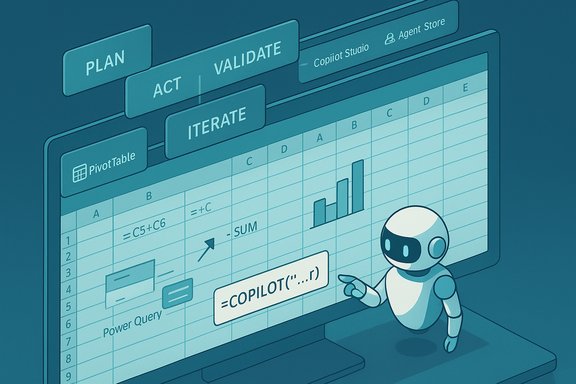
Microsoft is preparing a significant upgrade to Excel that brings an agent-driven workflow — Agent Mode — and a new worksheet function, =COPILOT, designed to let Copilot act directly inside workbooks and formulas, accelerating everything from data cleanup to report generation while introducing fresh governance and validation requirements for IT teams.
Background
Microsoft has steadily moved Copilot from a sidebar helper into a platform of coordinated agents that plan, act, validate, and iterate inside native Office artifacts. The shift toward an “agentic” user experience is reflected across Word, Excel, PowerPoint and Outlook, and it is coupled with a management plane — Copilot Studio, an Agent Store, and Entra Agent ID — aimed at making agents discoverable, governable, and auditable. This platform-level framing matters because Agent Mode does not operate in isolation; it is part of a broader Copilot architecture that supports model routing, tenant controls, and connector-based grounding.Excel has long been the “last mile” for business workflows — the place where exported reports, ad-hoc analysis, and reconciliations are assembled. Copilot’s evolution inside Excel shifts more of that heavy lifting to AI agents that can create sheets, write formulas, build PivotTables, and produce visuals from a short natural-language brief, while surface-level audit trails and intermediate artifacts enable human review. The design intent is to speed repetitive workflows without making results opaque.
What is Agent Mode in Excel?
The Plan → Act → Validate loop
Agent Mode is an in-canvas Copilot experience that treats a user’s natural-language brief as a multi-step job. Rather than returning a single text reply, the agent:- Plans a sequence of workbook edits (which sheets, tables, formulas, pivots and charts to create).
- Acts by performing those edits directly in the workbook so users see editable artifacts.
- Validates outputs with checks and produces reconciliation or validation sheets.
- Iterates based on user feedback and clarifying questions.
Native Excel artifacts, not black boxes
A key design decision is that Agent Mode produces native Excel constructs — formulas, tables, PivotTables, Power Query transforms and charts — rather than hiding outputs in closed, cloud-only blobs. That choice preserves editability for power users who may need to harden generated models into production artefacts. Still, agent-generated solutions can include multi-layer formula chains and indirect references that require careful review before being used in financial or regulatory reports.Model routing and provider choice
Agent Mode supports routing reasoning tasks to different model providers. Microsoft’s platform allows tenant admins some control over routing and the selection of underlying reasoning models. In practice, this means organizations with appropriate licensing can choose between OpenAI models and Anthropic models for certain flows, giving them options for different reasoning styles and compliance postures. This model choice introduces variability in outputs and makes governance configuration a crucial deployment step.The =COPILOT function: Copilot on the grid
What it does
Microsoft is introducing a worksheet-level function, =COPILOT(..., that enables formulas to call Copilot directly from cells. The function will be able to:- Generate or refactor formulas from natural language.
- Classify or summarize ranges of data.
- Return arrays (spill-aware) and interoperate with native functions.
- Provide inline previews and plain-English explanations for generated formulas.
 18) that combine the convenience of natural-language prompts with the interoperability of Excel formulas. Early documentation and previews highlight preview-and-commit flows where Copilot shows a live preview and an explanation before inserting a generated formula.
Why it matters
Formulas are Excel’s power engine but also its steepest learning curve. The COPILOT function is designed to lower that barrier by letting users express intent in plain English while retaining the transparency of seeing the generated formula and a short explanation. This has immediate implications for analysts, finance teams, and anyone who builds repeatable spreadsheet logic. The function is particularly useful when:- Creating complex nested formulas (SUMIFS + FILTER + XLOOKUP, etc.
- Producing classification labels or short summaries from text columns
- Automating recurring, formula-driven transformations across datasets
Availability and rollout — what to expect
Public reporting and roadmap notes show staged rollouts for Agent Mode and COPILOT functionality. Some industry trackers and product notes point to early web-first availability and staged desktop parity. Specific scheduling reported by different outlets and roadmap items indicates a roll-out window spanning late 2025 into early 2026, with some items (including COPILOT function previews) expected in early 2026. Because vendors often adjust timelines during staged rollouts, these dates should be treated as tentative until tenant message-center notifications or Microsoft deployment notices appear in the Microsoft 365 admin center.- Agent Mode: announced as web-first (Excel for the web) with desktop parity to follow; rollout windows reported in late 2025 and continuing into early 2026.
- =COPILOT function: documented in preview materials and shown in on-grid composer demos; stage rollout expected around early 2026 in preview channels.
Practical capabilities and real-world use cases
Agent Mode and COPILOT will try to automate many common Excel tasks. Practical examples that have been demonstrated or described in previews include:- Data consolidation and reconciliation across multiple sheets, including detection and removal of repeated headers and generation of reconciliation summary sheets.
- Natural-language generation of nested formulas and in-place refactoring of existing logic (e.g., converting manual VLOOKUP chains into dynamic-array-enabled XLOOKUP + FILTER constructs).
- Automated dashboard creation: build PivotTables, apply conditional formatting, and create charts based on a brief like “Show YoY revenue by product and highlight top 5 regions.”
- Summaries, classifications and short textual analysis run inside spreadsheets via =COPILOT to, for example, classify customer feedback or produce executive summaries from numeric tables.
- Guided Power Query generation and data-cleaning flows for common ETL tasks (remove duplicates, standardize dates, split columns).
Governance, compliance and security implications
Identity, discovery and lifecycle controls
Microsoft pairs agent-level features with management tooling: Copilot Studio for authoring agents, an Agent Store for discovery and pinning, and Entra Agent ID for agent identity and lifecycle. Treating agents as managed identities enables organizations to apply conditional access, lifecycle policies, and role-based permissions to agent activities. These capabilities are critical for enterprise adoption because they place agents within existing identity and control frameworks.Data residency, connectors and tenant controls
Many Agent Mode features depend on cloud-saved workbooks (OneDrive or SharePoint) and AutoSave. Cross-document ingestion and external data lookups require tenant opt-in and connector configuration. Microsoft’s approach uses OAuth/OIDC for connectors and expects tenant admins to register and manage connector credentials via Entra — which improves security posture but also requires careful configuration to avoid unintentional data exposure.Model routing, logging and reproducibility
Because the platform can route tasks to different models (OpenAI, Anthropic, Microsoft-tuned models), outputs may vary depending on the routing policy in effect at the time of execution. Organizations should require:- Model-routing policies to be explicit and auditable.
- Logging of agent runs and a snapshot capability that records the agent’s plan, model version used, and inputs/outputs for reproducibility and compliance.
Purview, Defender and DLP integration
Microsoft positions Copilot within its broader security stack (Purview, Defender). Enterprises should integrate Copilot usage with data classification and DLP policies to prevent sensitive content from being used in model prompts unless explicitly allowed. These integrations provide extra layers of protection but will rely on correct tagging and policy enforcement.Risks, limitations and caveats
- Accuracy and hallucination risk: Agent Mode will not be perfect; generated formulas and transformations can produce incorrect results. Human validation is mandatory for financial reporting and regulated workflows.
- Operational variability: Model updates and routing policies can change outputs over time, making reproducibility a governance concern. Versioning and logging are essential.
- Overreliance and skill erosion: Heavy dependence on agents may erode spreadsheet skills among analysts. Organizations should pair AI adoption with training and review processes.
- Data exposure: Cloud routing and model-provider choices mean that sensitive workbook contents may be processed outside the tenant boundary unless in-country processing is configured. Use tenant controls and Purview to mitigate this risk.
- Licensing and access gating: Copilot features typically require Copilot-eligible licensing; some agent features may be preview-limited or tied to specific subscription tiers. Confirm license entitlements before planning deployments.
Preparing your tenant and teams — a practical checklist
- Confirm licensing: verify which accounts have Copilot-eligible entitlements and whether agent features require additional seats or preview opt-ins.
- Pilot in non-critical workloads: start with small, well-scoped pilots (e.g., operational reports, consolidated exports) rather than financial close processes.
- Configure model routing policies: decide whether to permit Anthropic/OpenAI routing and enforce model choice for high-sensitivity tasks.
- Enforce storage and AutoSave policies: require OneDrive/SharePoint storage and AutoSave for agent workflows that depend on cloud-saved workbooks.
- Define review and sign-off rules: mandate human review and version snapshots for any AI-generated workbook used in reporting.
- Enable logging and snapshotting: capture agent plans, actions, and the model version used for audit trails.
- Integrate with Purview and DLP: classify sensitive data and block or allow Copilot prompts according to policy.
- Train the team: run workshops on how to interpret generated formulas, validate outputs, and refine prompts to get predictable results.
Admin and developer considerations
Administrators will need to think beyond “turn it on.” Copilot’s agentic features require:- Tenant-level policy design that specifies which users, groups, and document classes are permitted to use agents.
- Connector governance to approve external sources and prevent unauthorized outbound data access.
- Agent lifecycle management — using Copilot Studio and Agent Store controls — to publish, version and retire agents.
- Observability and incident response to detect incorrect agent outputs and replay agent runs when incidents occur.
What early adopters should measure
When running pilots, capture metrics that quantify both productivity and risk:- Time saved per task (e.g., consolidation or report build).
- Error rate reduction (post-human-review vs. manual processes).
- Number of iterations required before human sign-off.
- Incidents where agent output required rollback or correction.
- Compliance and data exposure incidents (if any).
Conclusion
Agent Mode and the =COPILOT function represent a major inflection point for Excel: they promise to compress multi-step spreadsheet craftsmanship into brief-driven agent workflows while preserving native Excel artifacts and auditability. For analysts and data workers, these tools can materially speed everyday tasks like reconciliation, formula generation and dashboard creation. For IT and security teams, they create new governance responsibilities — model routing, connector management, tenant policies, and robust logging are now business-critical.Adoption will not be frictionless: model variability, accuracy gaps, and the potential for sensitive data exposure require measured pilots, explicit review rules, and clear lifecycle controls for agents. Organizations that pair aggressive, outcome-focused pilots with conservative governance and precise measurement will likely realize the most sustainable gains.
The functionality is rolling out in stages and may appear first in web previews before desktop parity is achieved; administrators should monitor tenant notifications and roadmap posts for exact dates and licensing details. As these agentic capabilities reach more users, Excel will increasingly function not merely as a spreadsheet but as an agentic canvas—one that requires both human judgment and new operational discipline to deliver reliable business outcomes.
Source: Windows Report Microsoft Brings Agent Mode and New =COPILOT Function to Excel
