

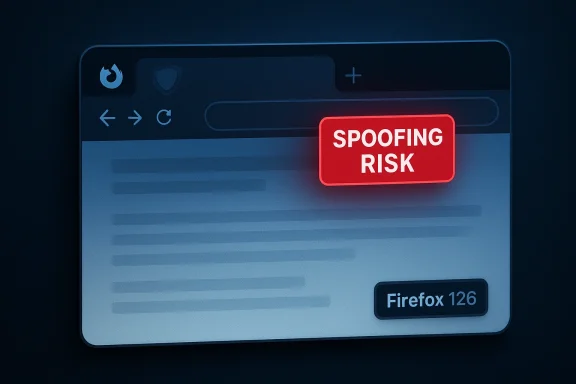
When a Firefox user encountered a network error while loading a page, the browser could leave the previous page’s content visible while showing an empty address bar — a confusing state that attackers could use to hide the real destination and attempt a spoofing attack. The bug, tracked as CVE-2024-4773, was fixed in Firefox 126 and disclosed by Mozilla in its security advisory on May 14, 2024.
Browsers rely on a tight coupling between the displayed content and the visual cues that indicate origin: the URL bar, security indicators (padlocks), and process isolation boundaries. When those cues are inconsistent with the rendered page, users can be misled into trusting content that did not come from the expected origin. CVE-2024-4773 falls squarely into this class of UI integrity or spoofing problems: the renderer displayed previous page content while the URL bar was blank, creating an opportunity for an attacker to mask a spoofed page’s true origin.
Mozilla rated the issue as low impact in the advisory and explicitly fixed it in Firefox 126. The National Vulnerability Database (NVD) and several Linux vendors incorporated the same description in their advisories, confirming the product/version scope: Firefox versions earlier than 126.
Key concerns:
Third-party security analyses that dissected the fix note that correcting the ordering of state changes and ensuring that a network-error path clears or updates UI state before restoring content are typical hardening steps in such fixes. These analyses also emphasize testing around BFCache (back-forward cache), process retention/swap behavior and external helper hand-offs, since all can influence what the renderer and chrome UI display at any time. Those writeups supply useful test cases for security QA teams but should be validated against Mozilla’s official bug notes for technical precision.
The practical path is straightforward: update to Firefox 126 (or the corresponding patched ESR/packaged version), validate with targeted QA tests, and include UI-origin consistency checks in ongoing browser security testing. For environments that delay updates, raise awareness among users and apply compensating detection rules at the network and endpoint levels.
This bug’s inclusion in a broader security update that also addressed memory-safety issues underscores one operational lesson: regularly updating complex client software like browsers is a high-return, low-friction security investment. The fix resolves the immediate spoofing vector; the enduring task for browser vendors and security teams is to keep UI state transitions robust against timing, process-swap and network-failure edge cases so that users can continue to rely on visual cues to make safe decisions.
Source: MSRC Security Update Guide - Microsoft Security Response Center
 Background and overview
Browsers rely on a tight coupling between the displayed content and the visual cues that indicate origin: the URL bar, security indicators (padlocks), and process isolation boundaries. When those cues are inconsistent with the rendered page, users can be misled into trusting content that did not come from the expected origin. CVE-2024-4773 falls squarely into this class of UI integrity or spoofing problems: the renderer displayed previous page content while the URL bar was blank, creating an opportunity for an attacker to mask a spoofed page’s true origin.Mozilla rated the issue as low impact in the advisory and explicitly fixed it in Firefox 126. The National Vulnerability Database (NVD) and several Linux vendors incorporated the same description in their advisories, confirming the product/version scope: Firefox versions earlier than 126.
What exactly happened: technical synopsis
The observable symptom
The visible effect reported and reproduced in bug tracking was simple and alarming: after a network error during page load, the browser could display the previously visited page while its address bar had been cleared or shown no URL. This mismatch — content appearing to belong to one origin while the URL bar shows nothing — is the crux of the spoofing risk.Probable mechanism (what developers and reviewers said)
Mozilla’s advisory links a specific bug report (Bug 1875248) and attributes the issue to how the browser handled page transitions when a subsequent load failed. Third-party analyses observed that the defect triggers on particular sequences of navigation, response headers and process transitions — for example, when the navigation would cause a process swap or involve the ExternalHelperAppService path used for helper apps and content that’s treated outside the normal HTML-bodied renderer. Public analysis also mentions cases such as a 404 response with Content-Type application/octet-stream as a trigger in some repros, although that pattern is derived from secondary analysis and should be viewed as diagnostic rather than canonical.Why a blank URL bar matters
The address bar is the user’s primary source of truth for origin. A blank or absent URL opens two attack angles:- Confusion and social engineering: Users may trust displayed content without a visible URL, making phishing pages and credential prompts more convincing.
- UI spoofing: Attackers could deliberately cause navigation failures to create a mismatched state that masks origin indicators or even overlays UI elements, complicating detection.
Impact and exploitability
Severity and reach
Mozilla labeled the issue as low impact in their advisory; NVD and distro advisories reflect the same description without elevating the severity. That said, low severity for a spoofing vector does not render it irrelevant — the context of use matters. An attacker who can reliably reproduce the blank-URL state on target systems and combine it with social-engineering techniques could conduct successful phishing or credential-harvesting attacks on victims.Attack scenarios to consider
- A malicious site intentionally triggers a network error after displaying decoy content, so the user sees legitimate-looking content with no origin displayed.
- A man-in-the-middle (MITM) in an untrusted network induces errors at specific moments to force the display mismatch, then serves spoofed or injected content in the gap.
- A multi-stage attack where the blank-bar state is used as a stepping stone for a credential prompt or for overlaying a deceptive UI element.
Denial-of-Service and availability concerns
While CVE-2024-4773 is primarily a spoofing/visual integrity issue, the broader advisory cycle that included this CVE also fixed memory-safety and other stability bugs in the same release. Some of those fixes address denial-of-service and process stability issues; system administrators should treat the Firefox 126 update as a general stability and security patch. Ubuntu’s security notice bundled CVE-2024-4773 alongside multiple flaws fixed in a single coordinated update.Timeline and disclosure
- May 14, 2024: Mozilla published the security advisory covering Firefox 126 and listed CVE-2024-4773 with a short description. The advisory references Bug 1875248.
- May–June 2024: Linux distributors and downstream vendors (for example Ubuntu) published security notices aligning with Mozilla’s fixes and shipped updated packages.
- After disclosure: third-party vulnerability databases and security vendors recorded the CVE and published technical summaries and risk assessments. These secondary writeups sometimes provide repro details or expand on potential attack patterns; they should be used to deepen defensive testing but treated cautiously until matched to vendor-supplied diagnostics.
How to verify if you're affected and how to remediate
Products and versions
- Affected: Firefox versions earlier than 126 (desktop release). The advisory explicitly names Firefox and indicates the fix is present in Firefox 126. Enterprises using Firefox ESR or packaged builds should consult their vendor’s packaging notes for the equivalent patched ESR release.
Simple verification steps
- Check your Firefox version: open the browser’s About dialog (Help → About Firefox). If the version is < 126, you are in the affected range.
- For managed environments, query your software inventory or endpoint management system for installed Firefox package versions and build numbers.
Immediate remediation (recommended)
- Update to the latest Firefox release or at least to Firefox 126. Mozilla’s advisory and downstream vendor notices indicate that the patch is included in that release. This is the definitive remediation.
- If you cannot update immediately, apply compensating controls:
- Educate users not to enter credentials or sensitive data if the address bar is blank or behaves unexpectedly.
- Block or monitor traffic to suspicious domains using proxy/IDS rules that flag unusual navigation sequences or repeated network errors.
- Harden endpoint detection rules to flag when the browser UI state diverges from expected URL-to-content mappings (this is complex but possible for high-security environments).
Step-by-step update (consumer)
- Open Firefox.
- Click the menu → Help → About Firefox.
- Allow the browser to download and install updates.
- Restart the browser when prompted.
For managed or offline environments, obtain the updated installer or package from your vendor and proceed with your normal deployment process.
Detection, logging, and forensic considerations
What to look for in logs
- Browser telemetry or enterprise EDR logs that capture navigation errors, repeated failed navigations, or unusual sequences of 4xx/5xx responses paired with page-rendering events.
- Proxy logs that show navigation attempts followed by aborted or failed content downloads at precise intervals — this pattern can be part of a repro chain. Third-party analyses observed particular HTTP response patterns in repros, but these are not universal; use them as heuristics rather than definitive indicators.
Reproducing the condition safely
Security teams that need to test whether the patched behavior addresses their concerns should reproduce the steps in controlled lab environments — not on production systems. Use internal testbeds, instrumented network proxies and capture tools to validate that when a network error occurs, the display and URL bar remain consistent and that no content-origin mismatch appears. If you rely on automated scanners, ensure they simulate the timing and response characteristics that trigger the condition in a real browser.Why this matters for enterprises and high-risk users
Enterprises, especially those with high exposure to targeted phishing (finance, critical infrastructure, government), should treat UI-spoofing vectors seriously despite "low" CVE ratings. A low-severity vulnerability used as part of a phishing chain can lead to credential theft, lateral movement and business email compromise.Key concerns:
- Attackers can combine minor UI flaws with social engineering and domain impersonation to materially increase success rates.
- Managed environments that delay browser updates for compatibility testing are more exposed; a coordinated testing and patch roll-out plan is essential.
- Browser security is layered: a single UI inconsistency can undermine other protections (e.g., HTTPS indicators) if users rely on visual cues.
Developer and vendor perspective: what the fix changed
Mozilla’s fix prevents the browser UI from presenting the prior content with an empty address bar after failed navigations. The change adjusts the navigation/error-handling flow so that the URL bar and other origin indicators are kept consistent with the renderer state even when a network error occurs during a process transition or when external helper paths are involved. The specific bug reference is Bug 1875248 in Mozilla’s bug tracker; the advisory lists it as the canonical implementation reference.Third-party security analyses that dissected the fix note that correcting the ordering of state changes and ensuring that a network-error path clears or updates UI state before restoring content are typical hardening steps in such fixes. These analyses also emphasize testing around BFCache (back-forward cache), process retention/swap behavior and external helper hand-offs, since all can influence what the renderer and chrome UI display at any time. Those writeups supply useful test cases for security QA teams but should be validated against Mozilla’s official bug notes for technical precision.
Practical recommendations (concise checklist)
- For all users: Update to Firefox 126 or later immediately. This is the only reliable fix for CVE-2024-4773.
- For IT teams: Inventory deployed Firefox versions and prioritize patch rollouts for desktops and kiosks. Include ESR channels and packaged builds in the audit.
- For security teams: Add test cases for navigation error handling and UI-origin consistency to your browser security QA playbook. Simulate network failures and process transitions in an instrumented lab.
- For high-risk users: If you cannot update, treat blank or inconsistent address-bar states as a red flag — do not enter credentials or sensitive data and report the condition to your security ops team. ([moz.mozilla.org/en-US/security/advisories/mfsa2024-21/)
Strengths, limitations, and risk assessment
Strengths of the response
- Mozilla’s advisory was concise and included explicit bug references and the exact fixed release, giving organizations a clear remediation target. Vendor and distro alignment (NVD, Ubuntu, others) provided consistent messaging for downstream patch management.
Limitations and unknowns
- The public advisory deliberately limits detailed exploitability specifics to avoid enabling attackers; thus, reproduction details in secondary writeups vary and occasionally contradict. Analysts should treat third-party repro notes as hypotheses to test rather than definitive exploit recipes.
- NVD entries sometimes lag vendor data on scoring; for CVE-2024-4773 the NVD page listed the description but did not at the time include a vendor-adjusted CVSS vector. This can create temporary ambiguity for risk scoring in automated vulnerability-management systems.
Where risk persists
- The underlying class of problems — UI integrity lapses due to navigation and state-management edge cases — is perennial. Fixing a single bug reduces risk but does not eliminate the category; browsers must continuously harden the timing and state transitions that govern UI chrome and origin indicators. The fact that multiple related spoofing/CSP/overlay issues routinely appear together (as seen across Firefox advisories over time) highlights the need for ongoing fuzzing and UI-focused security testing.
Practical test cases for security QA teams
- Simulate a navigation to a legitimate site, then cause a controlled network error mid-load (for example, using an intercepting proxy to drop the connection after the initial response headers).
- Observe whether previously loaded content remains visible while the address bar is cleared or displays inconsistent origin data.
- Repeat with helper-app responses and with content served as non-HTML MIME types (e.g., application/octet-stream) to evaluate the ExternalHelperAppService paths described in secondary analyses.
- Test across process-isolation boundaries, especially where BFCache/back-forward caching might change process assignment.
- Automate the above with repeatable timing variations to capture race conditions.
Final assessment and closing thoughts
CVE-2024-4773 is a potent reminder that security is not only about memory corruption or remote code execution; visual integrity and UI trust are core security properties for any browser. Although Mozilla assigned a low impact rating and the issue requires specific conditions to exploit, the potential for clever attackers to combine UI inconsistencies with social engineering means defenders should treat the fix seriously.The practical path is straightforward: update to Firefox 126 (or the corresponding patched ESR/packaged version), validate with targeted QA tests, and include UI-origin consistency checks in ongoing browser security testing. For environments that delay updates, raise awareness among users and apply compensating detection rules at the network and endpoint levels.
This bug’s inclusion in a broader security update that also addressed memory-safety issues underscores one operational lesson: regularly updating complex client software like browsers is a high-return, low-friction security investment. The fix resolves the immediate spoofing vector; the enduring task for browser vendors and security teams is to keep UI state transitions robust against timing, process-swap and network-failure edge cases so that users can continue to rely on visual cues to make safe decisions.
Source: MSRC Security Update Guide - Microsoft Security Response Center
