

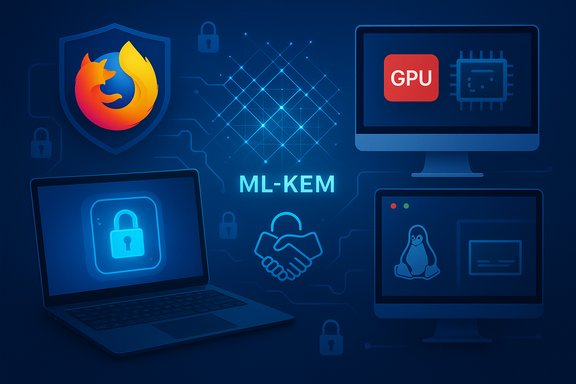
Mozilla’s stable channel has picked up a substantial set of updates with the rollout of Firefox 146, a release that pairs practical end-user conveniences—like a built‑in, device‑local backup for Windows 10—with forward‑looking cryptography and platform hardening across macOS and Linux. The release consolidates work across rendering, accessibility, developer ergonomics, and security: automatic backups for Windows 10 profiles; a dedicated GPU process on macOS; native fractional scaling on Wayland; and the first shipment of ML‑KEM post‑quantum key material for WebRTC. These changes are shipping as a progressive rollout on desktop and are framed by Mozilla as an incremental, feedback‑driven deployment.
Firefox’s release cadence has been steady for years, but releases like 146 show a blend of usability and infrastructure improvements that matter to both everyday users and technical implementers. The official release notes for Firefox 146 were published when the version was first offered to release‑channel users on December 9, 2025, and they list new consumer features, developer platform upgrades, and enterprise‑level policy changes. This release arrives at a practical inflection point for Windows users: Windows 10 reached end‑of‑support on October 14, 2025, a milestone that has left many users choosing between upgrading to Windows 11, switching platforms, or running on out‑of‑support systems. Mozilla’s introduction of a local, cross‑platform restoreable backup specifically aimed at Windows 10 users therefore reads as an attempt to ease migrations to newer systems or to alternate platforms.
Those gains come with realistic tradeoffs: local backups raise device security considerations; the post‑quantum benefit depends heavily on ecosystem uptake and on the concrete handshake model used by Mozilla (details that require scrutiny in the implementation bug tracking). For users, administrators, and developers, the sensible path is measured adoption—test the new capabilities, enforce encryption and policy controls where appropriate, and track upstream documentation for handshake and interoperability specifics as the ecosystem evolves.
Source: heise online Firefox 146 with Backup Function and Post-Quantum Cryptography
 Background / Overview
Firefox’s release cadence has been steady for years, but releases like 146 show a blend of usability and infrastructure improvements that matter to both everyday users and technical implementers. The official release notes for Firefox 146 were published when the version was first offered to release‑channel users on December 9, 2025, and they list new consumer features, developer platform upgrades, and enterprise‑level policy changes. This release arrives at a practical inflection point for Windows users: Windows 10 reached end‑of‑support on October 14, 2025, a milestone that has left many users choosing between upgrading to Windows 11, switching platforms, or running on out‑of‑support systems. Mozilla’s introduction of a local, cross‑platform restoreable backup specifically aimed at Windows 10 users therefore reads as an attempt to ease migrations to newer systems or to alternate platforms. What’s new for end users
Local backups for Windows 10: what to expect
Firefox 146 introduces a new backup workflow for Windows 10 users that automatically saves profile data—passwords, bookmarks, and other browser data—to the local device daily. The backups can be optionally encrypted with a user‑chosen password and are designed to be portable: a restore can be performed when setting up a fresh Firefox install on any operating system. Mozilla describes the feature as a progressive rollout, meaning not all users will see it immediately. Key consumer implications:- Benefit: Easier migration of personal browser data when moving across devices or upgrading an OS; avoids a full reliance on cloud sync for a local, encrypted copy.
- Benefit: Cross‑platform restores mean Windows users can restore to Linux or macOS installations of Firefox.
- Risk: Local backups are as secure as the device and the chosen encryption password; if malware or an unauthorized user can access that device, unencrypted backups (or weak passwords) are vulnerable.
- Caveat: The rollout is staged; not all Windows 10 users will have immediate access. Enterprises can manage the behavior through a new BrowserDataBackup policy in Firefox for Enterprise.
- Use a strong, unique backup password if you enable encryption.
- Keep an encrypted off‑device copy (for example, on an encrypted external drive) if you need a recovery path after a ransomware event or a disk failure.
- If you already use Firefox Sync, understand the tradeoffs: Sync stores encrypted data on Mozilla servers to keep devices synchronized, while this backup produces a device‑local, optionally password‑protected snapshot—both can coexist depending on your privacy posture.
macOS: dedicated GPU process for stability
Firefox 146 enables a dedicated GPU process on macOS by default. The GPU process groups WebGPU, WebGL and Mozilla’s own WebRender into a separate child process; when graphics drivers or GPU code encounter a fatal error, the browser avoids a full application crash by restarting only the GPU process. This improves browser stability for graphics‑heavy pages and WebGPU workloads. Why it matters:- Stability: Graphic driver crashes are common culprits for browser terminations—process isolation reduces blast radius.
- Performance tradeoffs: A dedicated GPU process can impose additional memory usage and inter‑process communication overhead; how that behaves on older Macs will depend on system RAM and GPU driver characteristics.
- Developer visibility: Web developers testing WebGPU workloads may see clearer recovery semantics when the underlying GPU process restarts rather than the entire browser closing unexpectedly.
Linux: native fractional scaling on Wayland
On Wayland desktop sessions, Firefox 146 now supports fractional (non‑integer) display scaling natively, a meaningful quality‑of‑life improvement for high‑DPI displays. Historically Firefox could fall back to Xorg compatibility layers for scaling, which often produced slightly blurry UI rendering. With native Wayland fractional scaling, users on modern GNOME and KDE desktops should experience sharper UI, properly scaled content, and fewer artifacts. Operational notes:- This improves the experience when the system UI is configured at values like 125% or 150% rather than integer-only scaling.
- The long‑term GNOME/KDE directions of relying on Wayland make this a necessary step to keep Firefox visually consistent on Linux desktops.
Other user-facing updates
- New Tab Weather: An opt‑in weather card in the new tab page is available to users in the EU and some other regions; location detection can be enabled or users can set location manually.
- Skip Results: The search UX can be configured to show direct results as you type, skipping a separate results page—rolled out progressively.
- Accessibility: The built‑in time picker for <input type="time"> and <input type="datetime-local"> now has full keyboard and assistive technology support. The Colors dialog was reorganized to help users of screen magnifiers. These changes reduce the need for custom, inaccessible controls on web pages.
Developer and platform changes
Web platform: CSS and WebCrypto upgrades
Firefox 146 includes a set of developer‑oriented improvements:- contrast-color: the CSS function that computes a contrasting color is now supported; current spec limits returns to black or white but that restriction is expected to be lifted later. This helps implement accessible foreground/background contrast programmatically.
- @scope: The CSS at‑rule @scope is supported, enabling authors to restrict styles to a DOM subtree without overly specific selectors.
- WebCrypto: Firefox now supports compressed elliptic curve public points in WebCrypto, which reduces the transmitted size of EC public keys by nearly half while still allowing the full point to be reconstructed mathematically—useful for bandwidth constrained contexts and storage.
- The CSS features reduce the friction for creating more robust, scoped, and accessible UI code.
- Compressed EC points in WebCrypto are a bandwidth and storage improvement; developers should validate cross‑browser compatibility (some formats and WebAuthn contexts mandate uncompressed encodings depending on the specification). RFCs and COSE/JWK conventions still call out exact encodings for different contexts—double‑check target platforms.
Firefox Labs widened and developer ergonomics
Firefox Labs—Mozilla’s experimental feature playground—was decoupled from participation in studies or telemetry collection, meaning any desktop user can opt into Labs and test experimental features. This expands the test population and could accelerate feature hardening, but it also broadens the user base that can be exposed to in‑progress features. Enterprises will want to consider how Labs access is governed in managed environments.Security: post‑quantum key material for WebRTC (ML‑KEM)
Firefox 146 marks a major security upgrade: the browser sends an ML‑KEM (Module‑Lattice‑Based Key Encapsulation Mechanism) post‑quantum key share during the DTLS 1.3 handshake for WebRTC connections. ML‑KEM is NIST‑standardized as a module‑lattice KEM (FIPS 203) and is designed to be resilient to attackers with large quantum computers. Mozilla’s release notes explicitly state Firefox now sends a PQ key share as part of WebRTC DTLS. Why ML‑KEM matters:- Post‑quantum readiness: ML‑KEM and related lattice‑based schemes are part of the industry’s path to quantum‑resistant key exchange primitives. NIST’s standardization makes ML‑KEM a formal choice for migration plans.
- WebRTC is a vector: real‑time communications are widely used for conferencing and direct browser‑to‑browser connections; adding PQ material into that handshake is a practical early step toward long‑term confidentiality against future quantum adversaries.
- Interoperability: For a PQ key share to be useful, both endpoints and intermediate components must support the scheme. If the remote peer or relay (e.g., media servers, TURN/STUN intermediaries that terminate DTLS) doesn’t support ML‑KEM, the PQ key share will simply be ignored or negotiation will fall back—deployment effects will therefore be uneven across the WebRTC ecosystem. This is not a criticism of Mozilla’s move, rather a practical note: encrypting in a world of mixed deployed clients requires hybrid and incremental strategies.
- Implementation details (hybrid vs pure PQ): Mozilla’s release notes say Firefox sends a post‑quantum key share during the DTLS‑1.3 handshake but do not fully enumerate whether Firefox uses hybrid key exchange (classical + PQ combined) or an alternative fallback. Hybrid key exchange—where a classical group and a PQ group are combined—is the generally recommended pattern today because it preserves protection against present‑day active attackers while adding PQ material. The precise on‑the‑wire behavior and chosen parameter sets should be reviewed in the implementation bug or the project’s security design documents for full technical confirmation. This detail was not exhaustively specified in the high‑level release notes and should be treated as implementation‑dependent until you review the underlying RFCs or Mozilla Bugzilla entries.
- Performance: PQ primitives (especially lattice schemes) have improved dramatically, but there is still CPU and bandwidth cost compared to existing elliptic‑curve DH; in WebRTC scenarios on constrained devices (mobile or low‑power IoT gateways), the performance impact should be evaluated.
Enterprise and migration notes
- Direct2D deprecation: Firefox 146 removes Direct2D support on Windows. Organizations and users who rely on Direct2D must migrate to Firefox ESR 140.0 or higher to retain that rendering backend. This is a consequential choice for managed fleets with specialized rendering pipelines or legacy driver dependencies.
- Enterprise policies: a BrowserDataBackup policy has been added to allow administrators to enable or disable profile backup and restore. The Firefox for Enterprise 146 notes enumerate additional policy and bug fix details specific to corporate deployments. Administrators should review the Enterprise release notes and test the backup and restore workflow before broadly enabling it.
- Windows 10 EOL context: Given Windows 10’s end‑of‑support, the local backup function can ease migrations to Windows 11 or other OSes; however, companies should still pursue managed migration plans and avoid running browsers on unsupported OSes where security updates from the OS vendor are no longer delivered.
Critical analysis: strengths, tradeoffs, and open questions
Strengths
- Real, practical migration help: The built‑in backup is a direct, user‑centric feature that reduces friction when migrating between OSes or reinstalling the browser—important both for consumers and help desks.
- Forward‑looking crypto: Shipping ML‑KEM key material into WebRTC is a clear, proactive step toward quantum resistance—Mozilla is moving beyond research prototypes into shipping production builds with PQ material. That matters for long‑lived data and communications.
- Platform hardening: The macOS GPU process isolation and the Wayland fractional scaling improvements show attention to platform realities—stability and visual fidelity are user‑visible wins.
Tradeoffs and risks
- Local backup security surface: Device‑local backups are convenient but increase the attack surface on the device. If users neglect encryption, or choose weak passwords, recovery archives can be leaked. This risk is not unique to Mozilla, but the convenience of automatic daily backups heightens the need for user guidance and enterprise policy controls.
- Interoperability and clarity for PQ deployment: The utility of ML‑KEM depends on wider ecosystem support. Without coordinated adoption across WebRTC endpoints, servers, and SDKs, the benefit will initially be asymmetric. Mozilla’s release notes do not fully specify whether the DTLS handshake is hybridized with classical key exchange, so there is a transparency gap that security‑minded implementers will want closed via bugzilla or protocol design docs. Treat the PQ rollout as incremental.
- Driver and performance variability: The macOS GPU process model reduces crash impact, but may change memory patterns and driver interactions. Organizations with custom GPU pipelines should test workloads to ensure no regressions. Wayland scaling is excellent for modern desktops, but setups that still rely on Xorg compatibility may need to verify behavior.
Unverifiable or unspecified claims (flagged)
- The release notes say Firefox sends a post‑quantum key share in DTLS 1.3 handshakes for WebRTC, but the exact handshake composition (pure PQ vs hybrid PQ+classical, chosen parameter sets like ML‑KEM‑512/768/1024, or fallback rules in mixed ecosystems) is not fully documented in the high‑level release page. Those specifics are implementation details likely described in Mozilla’s engineering bugs or in the WebRTC implementation code; readers requiring absolute operational certainty should consult the project’s Bugzilla entries or the WebRTC source diffs. This is flagged as unverifiable from the release notes alone.
What power users and administrators should do now
- Verify whether your instance of Firefox 146 has the Windows‑backup feature enabled (it is a progressive rollout); consider enabling the BrowserDataBackup enterprise policy if you want to control it centrally. Test backup and restore workflows in a lab environment before enabling broadly.
- If you manage conferencing infrastructure, check whether your TURN/STUN relays, SFUs, and media servers are updated or ready to interoperate with post‑quantum key material. Test cross‑client calls between updated Firefox instances and older clients to observe negotiation behavior and performance.
- Evaluate stability and memory usage on macOS machines after enabling the dedicated GPU process; confirm that drivers and GPU toolchains in your environment do not provably regress.
- Keep security hygiene: for local backups, insist on strong passwords and advise users to keep encrypted copies off‑device if they need robust disaster recovery. Understand how the local backup differs from Firefox Sync and plan accordingly.
Conclusion
Firefox 146 is a substantial release that blends immediate practicality—a transportable, device‑local backup for Windows 10 users and improved UI/accessibility—with strategic forward motion in cryptography and platform reliability. Shipping ML‑KEM key material for WebRTC and support for compressed elliptic curve points in WebCrypto signals a deliberate alignment with NIST’s post‑quantum standards and an optimization posture for WebCrypto’s bandwidth profile. The macOS GPU process and native Wayland scaling enhance resilience and visual fidelity across modern desktop platforms.Those gains come with realistic tradeoffs: local backups raise device security considerations; the post‑quantum benefit depends heavily on ecosystem uptake and on the concrete handshake model used by Mozilla (details that require scrutiny in the implementation bug tracking). For users, administrators, and developers, the sensible path is measured adoption—test the new capabilities, enforce encryption and policy controls where appropriate, and track upstream documentation for handshake and interoperability specifics as the ecosystem evolves.
Source: heise online Firefox 146 with Backup Function and Post-Quantum Cryptography
