

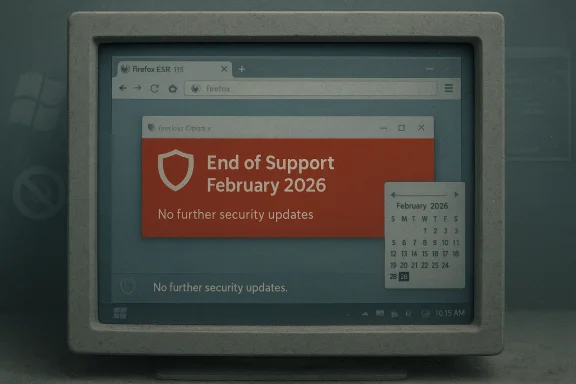
Mozilla will stop delivering security updates for Firefox on Windows 7, Windows 8, and Windows 8.1 as the maintenance window for the Firefox 115 Extended Support Release (ESR) closes at the end of February / early March 2026, leaving those legacy Windows installs without any mainstream, actively maintained desktop browser.
A long tail of compatibility and customer support kept Windows 7 and Windows 8 alive in the wild long after Microsoft stopped issuing platform patches. Microsoft ended official support for Windows 7 and Windows 8.1 on January 10, 2023, and browser vendors followed: Google and Microsoft moved their Chromium-based browsers off those platforms in early 2023, and vendors gradually carved away formal support over the following months.
Mozilla was the last major browser vendor to keep a mainstream browser receiving security fixes on these legacy Microsoft operating systems. The compromise was to freeze feature development and backport critical security fixes to the Firefox 115 code base via the ESR channel. That arrangement extended the usable life of many older PCs and gave administrators and hobbyists extra time to plan upgrades. But Mozilla has now announced that this special maintenance stream will end with ESR 115’s maintenance window closing in late February / early March 2026.
This is not a hypothetical or distant change — it’s the practical termination of the last broadly used, actively patched web browser for Windows 7/8 systems. Once ESR 115 is no longer patched, those systems will have no mainstream browser receiving security updates from a major vendor.
Source: How-To Geek Windows 7 and Windows 8 are losing their last web browser
 Background
A long tail of compatibility and customer support kept Windows 7 and Windows 8 alive in the wild long after Microsoft stopped issuing platform patches. Microsoft ended official support for Windows 7 and Windows 8.1 on January 10, 2023, and browser vendors followed: Google and Microsoft moved their Chromium-based browsers off those platforms in early 2023, and vendors gradually carved away formal support over the following months.Mozilla was the last major browser vendor to keep a mainstream browser receiving security fixes on these legacy Microsoft operating systems. The compromise was to freeze feature development and backport critical security fixes to the Firefox 115 code base via the ESR channel. That arrangement extended the usable life of many older PCs and gave administrators and hobbyists extra time to plan upgrades. But Mozilla has now announced that this special maintenance stream will end with ESR 115’s maintenance window closing in late February / early March 2026.
This is not a hypothetical or distant change — it’s the practical termination of the last broadly used, actively patched web browser for Windows 7/8 systems. Once ESR 115 is no longer patched, those systems will have no mainstream browser receiving security updates from a major vendor.
Timeline: how we got here
Microsoft’s platform EOL (the trigger)
- Microsoft’s official end-of-support date for Windows 7 and Windows 8.1 was January 10, 2023. After that date, the operating systems stopped receiving security patches from Microsoft except under special extended support programs.
Chromium vendors exit
- Google signalled that Chrome would require Windows 10 or later starting with versions scheduled for early 2023; Microsoft confirmed that Edge (Chromium-based) and WebView2 would also cease receiving new feature and security updates for Windows 7/8 in January 2023. In short order, Chromium-based mainstream browsers were no longer a secure option on legacy Windows.
Mozilla’s temporary lifeline
- Mozilla released Firefox 115 in July 2023 and designated the 115 ESR branch as the last major Firefox build that would continue to run on Windows 7, 8, and 8.1. Instead of moving those users straight onto modern release trains, Mozilla kept a focused ESR maintenance window to deliver security fixes for as long as it was feasible. That maintenance window was extended multiple times as Mozilla balanced user impact and development cost; the most recent extension runs into late February / early March 2026.
What Mozilla is actually doing (the technical specifics)
- Firefox 115 is the final major release that supports Windows 7, Windows 8, and Windows 8.1. Users on those platforms were moved into the Firefox 115 ESR maintenance branch for security backports.
- Updates in that ESR branch are explicitly security and stability focused: Mozilla is not backporting new web platform features, performance improvements, or long-term compatibility changes to the ESR 115 baseline. Once ESR maintenance ends, no further security fixes will be produced for those operating systems.
- Mozilla’s public messaging is explicit: unsupported operating systems “receive no security updates and have known vulnerabilities,” and maintaining Firefox for those platforms without Microsoft’s support is costly and risky for users. The company therefore recommends upgrading to Windows 10/11 or moving to a modern Linux distribution if the hardware can’t run newer Windows.
Who is affected — and how many machines are we talking about?
- Global telemetry and web analytics show the share of Windows 7 and Windows 8 devices has dwindled to a small fraction of the desktop market, but not zero. StatCounter’s snapshot for early 2026 reports Windows 7 at roughly ~1% of desktop Windows versions worldwide, with Windows 8 and 8.1 together below 1%. That translates to millions of machines globally — a small percentage of the total, but still a meaningful population for enterprises with older hardware and hobbyists who keep legacy PCs alive.
- The remaining Windows 7 and Windows 8 devices tend to fall into a few categories:
- Embedded or industrial systems where certified software only works on older Windows.
- Home hobbyists and collectors who run legacy games, drivers, or devices.
- Budget-constrained users with older hardware that cannot reliably upgrade to Windows 10 or 11.
- Offline or air-gapped systems serving single-purpose roles.
What this means in practice — risk assessment
A patched browser is not a panacea, but it reduces the immediate window of exposure to browser-level vulnerabilities. When that last maintenance stream ends:- New browser exploits affecting modern web APIs, TLS handling, or rendering code will remain unpatched on Windows 7/8. Attackers will increasingly be able to weaponize those gaps.
- Even with a patched browser, an out-of-support OS still has kernel and driver-level vulnerabilities that a browser patch cannot fix. In other words, a maintained browser mitigates some risk but does not convert an unsupported OS into a secure platform. Security defenders call this an incomplete mitigation: it lowers browser-specific exposure but leaves systemic risk.
- Compatibility erosion is also practical: modern websites may adopt new standards, TLS versions, or certificate-handling behaviors that older engines cannot fully implement. Over time, site breakage and degraded experience will become common.
Practical alternatives and their trade-offs
If your machine runs Windows 7 or Windows 8, you now have a finite window to choose a sustainable path forward. Each option has trade-offs.1) Upgrade Windows (best long-term path)
- Move to Windows 10 or Windows 11 where hardware permits. That immediately restores compatibility with all major browsers and reduces the attack surface from an unsupported OS. Microsoft and vendors recommend this, and it’s the most straightforward route for modern web compatibility.
- Access to current browsers and security updates.
- Fewer compatibility surprises on modern websites.
- Some older machines can’t run Windows 10/11 comfortably.
- May require hardware replacement (storage, CPU, TPM/secure boot considerations).
2) Migrate to Linux (excellent for many older PCs)
- Many Linux distributions offer modern builds of Firefox, Chromium and other browsers that work on older hardware. For older machines that can boot from Linux, switching often yields better security and modern browser compatibility without buying new hardware. Mozilla itself lists Linux as a recommended fallback for users who cannot upgrade Windows.
- Active security updates and current browsers.
- Lighter-weight desktop environments are available for older CPUs and limited RAM.
- Some hardware (very old Wi-Fi chips, printers, or proprietary drivers) can be problematic.
- 32-bit x86 machines are increasingly difficult to support with mainstream Linux distributions.
3) Use a maintained alternative browser or fork (partial, short-to-medium term)
- Projects and forks like Supermium (a Chromium fork aimed at legacy Windows) and browsers such as Pale Moon provide continued compatibility for older Windows. These projects can fill the gap for users who can’t or won’t change OS. But they come with limitations: smaller developer teams, less frequent vulnerability backports, and differing levels of standards support.
- Keeps web access on older Windows installs.
- Often customized for legacy-system performance.
- Security update cadence, auditability, and sandboxing may not match mainstream vendors.
- Web compatibility and modern feature support can be incomplete.
- Using third‑party builds may expose users to supply-chain risk if binaries are not auditable.
4) Isolate legacy systems (defensive containment)
- If you must keep a legacy Windows device online, restrict its web access: use it only for trusted internal applications, place it behind strict network segmentation, employ DNS-based content filtering, and avoid general web browsing. Consider using a separate modern device for general web access.
- Reduces exposure without major migration effort.
- Allows legacy systems to serve narrow roles securely for some time.
- Not a long-term fix; new exploit techniques can bypass controls.
- Operational complexity and maintenance burden.
Guidance: immediate steps for administrators and hobbyists
- Confirm your browser and channel
- If you are still on Windows 7/8 and using Firefox, check that you are running Firefox 115 ESR and that automatic updates are enabled so you receive the final ESR security patches through the maintenance cutoff. Mozilla’s help pages make it clear 115 is the last major build for those platforms.
- Plan and schedule an upgrade or migration
- Treat the late-February / early‑March 2026 window as a hard deadline for planned transitions. Start migration projects, hardware refresh cycles, or Linux pilot installs now rather than later to avoid a scramble after support ends.
- Harden legacy endpoints while you transition
- Disable legacy plugins, remove unused software, enable modern TLS and cipher suites if the browser allows it, and keep endpoint protection signatures current. Consider network-level mitigations: proxy filtering, content security policies, and segmented VLANs.
- Evaluate Linux distributions for old hardware
- Lightweight desktops and conservative distros can revive older PCs. But be realistic about 32-bit machines: many modern distributions are dropping 32-bit builds or never supported them; Debian and several derivatives have been moving away from i386 builds, limiting options for truly ancient 32-bit CPUs. If your machine is 64-bit and supports SSE2/AVX as needed, Linux will be the easiest path.
- Use a modern device for high-risk tasks
- Banking, email, and other sensitive activities should be performed on a fully patched, modern OS and browser. Keep the legacy machine strictly for low-risk or offline tasks.
Alternatives beyond the obvious — assessing forks and aftermarket browsers
A number of community and niche projects try to keep modern browsing alive on legacy platforms. Two types are particularly relevant:- Chromium forks for legacy Windows (e.g., Supermium): these attempt to backport Chromium to older Windows APIs and supply frequent patches. Supermium’s project pages and repositories make clear it targets Windows XP through Windows 8 and tries to deliver an up-to-date Chromium-like engine on older hosts. However, these projects rely on small teams; their security model, release cadence, and supply‑chain assurances differ from mainstream vendors. If you evaluate such a browser, check the developer’s update cadence, community auditability, and the origin of binaries.
- Firefox forks and older-engine browsers (e.g., Pale Moon, Waterfox derivatives): Pale Moon continues to support Windows 7 and targets a subset of users who prefer the pre‑Quantum Firefox architecture. That said, Pale Moon uses a different engine (Goanna) and does not always follow modern web-platform changes, which can produce compatibility issues with modern sites. These browsers are useful for specific workflows, but they are not a drop-in replacement for mainstream browsers in terms of security posture and web compatibility.
The bigger picture: why vendors drop support, and what this signals
Modern browser codebases are complex, with dependencies on OS APIs, modern cryptography, and a cadence of rapid feature and security updates. Supporting ancient operating systems imposes serious engineering cost:- Backporting security fixes to obsolete OS APIs is labor-intensive and error-prone.
- Testing across diverse legacy configurations multiplies QA effort.
- Maintaining secure sandboxing and process isolation on old kernel/driver stacks is often impossible without platform vendor cooperation.
Final assessment and recommendations
- Fact: Firefox 115 ESR is the last Mozilla-maintained browser version for Windows 7, 8, and 8.1, and ESR maintenance for those platforms stops with the late‑February / early‑March 2026 window. You should assume no further security updates for mainstream browsers on those OSes after that point.
- Risk: Continuing to use Windows 7/8 for general web browsing after ESR maintenance ends is a high security risk. Browsers are a primary attack vector; once patches stop, exploits will follow and the system becomes increasingly dangerous to use online.
- Immediate actions:
- If you have critical systems still on Windows 7/8, plan a migration now — either hardware replacement with Windows 10/11, or migration to a supported Linux distribution for devices that can run it.
- If migration isn’t immediately possible, harden and isolate those endpoints and move sensitive online tasks to a modern, patched device.
- Treat alternative browsers and forks as temporary fixes only after carefully vetting update cadence and binary provenance.
- Longer-term: vendors will continue to prune legacy platform support as the majority of users move forward. The responsibility for safe browsing ultimately lies with keeping both the browser and the operating system within a supported lifecycle. That’s the only sustainable way to keep web access safe and usable.
Source: How-To Geek Windows 7 and Windows 8 are losing their last web browser
