

Mozilla’s announcement that “Firefox will continue to support Windows 10 for the foreseeable future” changes the security calculus for millions of PCs — but it does not erase the risks introduced by Microsoft’s end of free OS servicing, and treating this as anything other than a stopgap would be a mistake.
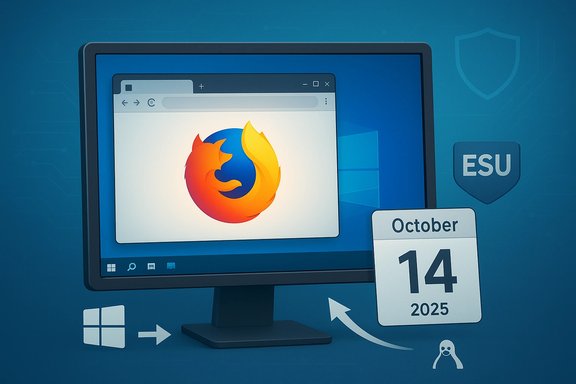
Microsoft formally ended mainstream, free support for Windows 10 on October 14, 2025, a hard milestone that stopped routine monthly cumulative security updates for consumer and most business editions of Windows 10 unless devices enroll in Microsoft’s Extended Security Updates (ESU) program. Almost immediately after that vendor-level announcement, Mozilla published a clear, consumer-facing position: Firefox’s Release-channel builds will continue to run on Windows 10 and will receive the same feature updates, bug fixes, and rapid security patches that users on Windows 11 receive today. That pledge includes Mozilla’s commitment to respond quickly to vulnerabilities — in some cases with targeted security updates within 24 hours — and explicit guidance urging users who can to upgrade to Windows 11, while offering ESU as the practical fallback for those who cannot. This coverage is important because it separates two distinct layers of platform protection. Browsers and operating systems defend different threat surfaces: keeping Firefox updated reduces web-facing risk (malicious sites, drive-by exploits, renderer bugs), but it cannot patch kernel, driver, firmware, or boot-chain vulnerabilities that only Microsoft’s OS updates can fix. In short, an up‑to‑date browser lowers some risk, but it is not a substitute for a supported operating system.
Source: BetaNews Mozilla commits to updating Firefox on Windows 10
 Background / Overview
Microsoft formally ended mainstream, free support for Windows 10 on October 14, 2025, a hard milestone that stopped routine monthly cumulative security updates for consumer and most business editions of Windows 10 unless devices enroll in Microsoft’s Extended Security Updates (ESU) program. Almost immediately after that vendor-level announcement, Mozilla published a clear, consumer-facing position: Firefox’s Release-channel builds will continue to run on Windows 10 and will receive the same feature updates, bug fixes, and rapid security patches that users on Windows 11 receive today. That pledge includes Mozilla’s commitment to respond quickly to vulnerabilities — in some cases with targeted security updates within 24 hours — and explicit guidance urging users who can to upgrade to Windows 11, while offering ESU as the practical fallback for those who cannot. This coverage is important because it separates two distinct layers of platform protection. Browsers and operating systems defend different threat surfaces: keeping Firefox updated reduces web-facing risk (malicious sites, drive-by exploits, renderer bugs), but it cannot patch kernel, driver, firmware, or boot-chain vulnerabilities that only Microsoft’s OS updates can fix. In short, an up‑to‑date browser lowers some risk, but it is not a substitute for a supported operating system. What Mozilla actually promised — and what it didn’t
The promise: Release-channel parity and rapid security response
Mozilla’s statement is precise: Windows 10 will remain a primary platform for Firefox users and will receive Release‑channel feature updates, performance improvements, bug fixes, and the same security-patch cadence as Windows 11. This is a deliberate departure from how Mozilla handled older, truly legacy OSes (Windows 7/8), where support often shifted to ESR-only security backports. Key elements of Mozilla’s commitment:- Continued Release-channel feature updates on Windows 10 (not just ESR security backports).
- Rapid security fixes, with the capability to ship emergency updates quickly.
- Practical migration help: enabling Firefox Sync, Backup/restore options, and in‑browser messaging to notify users if policy changes.
The limits: Mozilla cannot patch Windows
Mozilla repeatedly acknowledges the limit of what a browser vendor can deliver. Firefox updates cannot fix vulnerabilities in the Windows kernel, drivers, boot chain, or firmware. Those are Microsoft responsibilities and are covered only by OS-level updates or the ESU program. Mozilla’s advice — upgrade to Windows 11 if feasible, or enroll in ESU if you must stay on Windows 10 — reflects that reality.The ambiguity: “Foreseeable future” is not a guarantee
The term “foreseeable future” is deliberately non-committal. Vendor support commitments are subject to change based on telemetry, engineering costs, security posture, and shifting user bases. Historically, vendors (including Mozilla) have altered support for legacy platforms when the cost of maintaining compatibility or the security profile forced a re-evaluation. Treat Mozilla’s pledge as pragmatic mitigation — valuable, but reversible.Why this matters: short-term gains and long-term gaps
Short-term benefits (0–12 months)
- Immediate reduction in web-facing attack surface: an actively‑patched browser lowers risk from malicious web pages, phishing trickery, and browser-layer exploits.
- Practical migration tooling: Mozilla’s emphasis on Firefox Sync and new Backup Assistant features (introduced in recent releases) reduces friction for users moving devices or upgrading OSes. Those tools make it easier to preserve bookmarks, passwords, and settings.
- Complementary mitigation via ESU: enrollment in Microsoft’s consumer ESU program can restore OS-level security updates for a defined window, making the combined posture reasonably strong for the short term.
Medium to long-term risks (12–36+ months)
- OS-level vulnerability accumulation: once Microsoft’s free servicing ends, new kernel/driver/firmware vulnerabilities discovered after the cutoff will not be patched on unenrolled Windows 10 devices. Attack chains that pivot from a browser exploit to a kernel-level escape can still succeed even if Firefox itself is current.
- Ecosystem drift and compatibility decay: hardware vendors, third-party apps, security tools, and driver vendors will progressively move focus to Windows 11 and newer platforms. Over time this reduces the practicality of staying on Windows 10 even if Firefox remains supported.
- Sustainability risk for Mozilla: ongoing Release-channel support on an unsupported OS is costly. Continued support depends on usage telemetry and engineering feasibility; a change in either could force Mozilla into a more restricted support posture.
The Microsoft ESU angle: how it actually works (and what it costs)
Microsoft’s Consumer Extended Security Updates (ESU) program provides a time‑limited, security-only bridge for Windows 10 devices that meet enrollment prerequisites. The program runs through October 13, 2026, for consumer devices enrolled in the consumer ESU pathway, after which Windows 10 devices without other support arrangements will no longer receive critical and important security patches from Microsoft. Important practical facts about ESU:- ESU is security-only: no feature updates or non‑security bug fixes are included.
- Enrollment mechanics: Microsoft offered free enrollment routes tied to Windows Backup and a Microsoft Account for some consumers; paid options and Microsoft Rewards redemptions were also announced in various regions. Some reporting indicates a $30 paid one-year option for certain markets. Verify enrollment eligibility and regional differences in Microsoft’s ESU documentation.
- Timebox: consumer ESU runs through October 13, 2026 — it is a bridge, not a long-term support program. Plan migration during the ESU window.
Practical guidance for users and IT teams
Mozilla’s announcement changes the calculus — but not the need for action. Here are targeted recommendations, arranged by user profile.Home users (younger hardware, eligible for upgrade)
- Check Windows 11 compatibility with PC Health Check or Settings > Windows Update. If eligible, plan to upgrade within a maintenance window. Back up first.
- Enable Firefox Sync now to preserve bookmarks, passwords, open tabs, and settings. This makes moving to a new Windows 11 machine or a fresh install seamless.
- Keep Firefox on the Release channel and ensure automatic updates are enabled. That preserves feature parity and maximum security coverage on Windows 10 until you move.
Home users (older hardware, cannot run Windows 11)
- Enroll in the Consumer ESU if you need continued OS-level security updates through the ESU window. Confirm Microsoft account requirements and local rules in your region.
- Harden the device: enable Windows Defender real‑time protections, minimize installed software, remove unneeded drivers, and avoid exposing the device to risky networks.
- Consider alternate OS options: a mainstream Linux distribution or ChromeOS Flex can repurpose older hardware with supported update mechanisms. Factor in application compatibility and personal comfort with the change.
IT admins and small businesses
- Inventory and prioritize: identify high‑exposure devices (e.g., internet-facing or employee endpoints) and plan migration or ESU enrollment in phases.
- Use compensating controls: network segmentation, application allow‑listing, privilege reduction, and endpoint detection and response (EDR) minimize risk while migration is underway.
- Avoid indefinite ESU dependence: treat ESU as a bridge for measured migration, not a long-term operating model. Budget and plan for hardware refresh or OS transition within the ESU calendar.
Technical specifics to verify now
A number of prominent technical claims are central to this transition; these are verified across Mozilla, Microsoft, and third‑party reporting.- Windows 10 end-of-support date: October 14, 2025. This is Microsoft’s published lifecycle milestone.
- Consumer ESU window: Microsoft’s consumer ESU program extends security-only coverage through October 13, 2026 for devices that enroll and meet prerequisites.
- Firefox policy: Mozilla will continue Release-channel feature and security updates on Windows 10 — not just ESR or security backports. This appears in Mozilla’s official blog and support pages.
Feature and workflow changes in Firefox that matter to Windows 10 users
Recent Firefox releases include features designed to reduce migration friction and protect user data during OS transitions. These are practical additions that complement Mozilla’s support pledge.- Backup Assistant (Windows 10): a local backup and restore flow surfaced in onboarding that creates an encrypted, portable archive of bookmarks, passwords, extensions and other profile data. This makes moving between Windows versions — or to a new device — easier without sole reliance on cloud sync.
- Continued Release-channel parity: Firefox’s engineering teams plan to keep a consistent feature set and security cadence across Windows 10 and 11 as long as the support posture remains. That avoids fragmentation of extension compatibility and web platform features.
Risk analysis: strengths and potential weaknesses
Strengths of Mozilla’s approach
- Immediate mitigation for web-delivered threats: targetted, rapid security updates for Firefox cut the attacker window considerably.
- Preserves user choice and continuity: users who cannot or do not want to upgrade to Windows 11 retain a modern browser with feature parity. This reduces churn and helps preserve the web experience.
- Practical migration tooling: Sync and the Backup Assistant reduce the migration friction that often leads users to abandon a preferred browser when moving devices.
Weaknesses and unresolved risks
- The browser cannot fix platform vulnerabilities: any kernel or driver flaw discovered post-cutoff remains unpatched on unenrolled Windows 10 devices, creating a persistent escalation path for attackers. Browser updates are necessary but not sufficient.
- Long-term sustainability: maintaining Release-channel parity on an unsupported OS imposes engineering and QA costs. Mozilla may revisit this posture if the cost/benefit calculus changes.
- Ecosystem fragmentation: as device and driver vendors move on, compatibility issues may surface that cannot be resolved at the browser level. Over time this makes Windows 10 less viable for real-world use.
Quick checklist: immediate actions you can take
- Enable Firefox automatic updates and verify you’re on the Release channel.
- Turn on Firefox Sync and validate that bookmarks and passwords restore correctly to a test profile or second device.
- If your PC can run Windows 11, plan and test an upgrade; if it can’t, enroll in Microsoft’s consumer ESU or plan an alternative OS/hardware migration.
- Harden Windows 10 endpoints: use up‑to‑date endpoint protection, reduce administrative privileges, segment legacy machines, and maintain off‑device backups.
Conclusion
Mozilla’s decision to keep Firefox current on Windows 10 is welcome and pragmatically helpful: it preserves web-facing security for a large installed base and reduces migration friction with Sync and backup tooling. That pledge gives users and administrators a concrete window of safer operation while they plan and execute migrations. But the core truth remains immutable: browsers protect the web-facing layer; operating systems protect the platform. Without Microsoft’s OS updates — or an ESU enrollment — kernel, driver, firmware, and boot-level vulnerabilities will persist and cannot be patched by any browser vendor. Treat Mozilla’s pledge as a significant mitigation, not an indefinite fix. Use the breathing room wisely: enable Sync, ensure automatic updates, enroll in ESU if needed, harden legacy devices, and build a migration schedule. The safest long-term outcome is a supported OS stack — whether that’s Windows 11, a supported Linux distribution, or a modern device replacement.Source: BetaNews Mozilla commits to updating Firefox on Windows 10
