

I spent a year on Linux and forgot to miss Windows — the story many readers are hearing now is not a single-person fad but a broader, measurable shift in how people treat the desktop, driven by Windows 10’s end-of-support, new Windows features that push cloud and AI integration, and the practical maturity of Linux as a daily driver.
Over the last 24 months the desktop computing conversation split into two parallel narratives: Microsoft accelerating Windows toward AI-first experiences and tighter cloud integration, and a growing number of users testing alternatives — notably desktop Linux — for control, privacy, and performance. The timeline that framed many of these decisions was concrete: Windows 10 reached the end of mainstream security and feature updates on October 14, 2025, a firm lifecycle milestone that pushed cautious users either to upgrade to Windows 11, buy Extended Security Updates for a short bridge, or try something else entirely. That deadline and Microsoft’s product direction form the context for the accounts and reporting under review.
At the same time, other Windows stories were tugging user attention in different directions: argument and friction around browsers (Internet Explorer’s slow retirement, Edge’s new feature push, and continued dominance of Chrome among many users), frequent Insider-channel updates that introduce both useful features and short-term regressions, and weekly app roundups that show Microsoft’s Store ecosystem remains active. These are the six threads the reporting gathers together: personal Linux migration narratives, browser market shifts, Windows cumulative updates and build previews, guidance about what to expect in upcoming builds, and curated “best apps” lists that show what keeps users tied to Windows.
Where the reporting is weakest — and where readers should apply caution — is in extrapolating hobbyist outcomes to enterprise or mission-critical scenarios. The personal triumphs of a switcher do not replace vendor support contracts, certified hardware ecosystems, or corporate application compatibility matrices. Administrators and professionals should treat migration narratives as useful case studies but not as turnkey playbooks for large fleets.
There are also legitimate privacy and stability trade-offs on the Windows side that inform migration decisions. Microsoft’s move toward identity‑driven restore and AI features is an engineering choice with policy and operational consequences. These trade-offs — convenience vs. control, identity portability vs. local ownership — are the root of many users’ decisions to try alternatives. The reporting highlights both real improvements (faster recoveries, easier device reprovisioning) and real concerns (telemetry surfaces, patch regressions). Treat the new features as tools to use with discipline rather than blanket reasons to trust or distrust a platform.
One final caution: some specific patch identifiers and older cumulative update numbers (for example older Creators Update build labels) appear in the historical record and can be confusing when recycled into modern migration conversations. If you are actioning a migration plan, verify the current build and KB numbers for your machine rather than relying on historical build labels — the Windows servicing landscape changes over time and the operational meaning of a build number from 2017 differs from a current Insider build. When a claim about a specific build or KB is critical to your plan, validate it against the active update catalog and your own environment.
The conversation is not binary. The real win for users and organizations is plural: test alternatives with safe fallbacks, use identity-driven and cloud recovery features as helpful additions (not replacements), and decide based on measured compatibility checks for your specific workloads. These are the tactical, verifiable steps that made the year-long Linux experiments in the reporting succeed — and the same disciplined steps will let anyone evaluate whether the Linux path is right for them.
Source: The Verge https://www.theverge.com/features/8...m/series/best-windows-10-apps-this-week-122/]
 Background
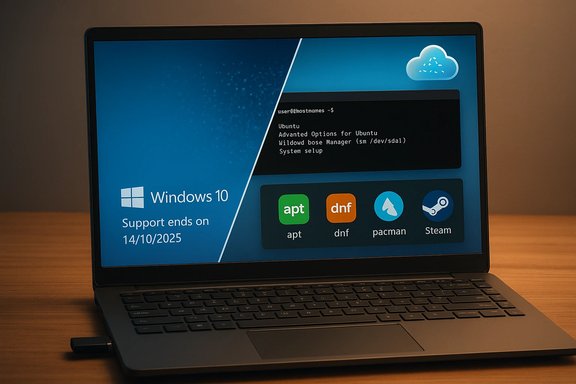
Over the last 24 months the desktop computing conversation split into two parallel narratives: Microsoft accelerating Windows toward AI-first experiences and tighter cloud integration, and a growing number of users testing alternatives — notably desktop Linux — for control, privacy, and performance. The timeline that framed many of these decisions was concrete: Windows 10 reached the end of mainstream security and feature updates on October 14, 2025, a firm lifecycle milestone that pushed cautious users either to upgrade to Windows 11, buy Extended Security Updates for a short bridge, or try something else entirely. That deadline and Microsoft’s product direction form the context for the accounts and reporting under review.At the same time, other Windows stories were tugging user attention in different directions: argument and friction around browsers (Internet Explorer’s slow retirement, Edge’s new feature push, and continued dominance of Chrome among many users), frequent Insider-channel updates that introduce both useful features and short-term regressions, and weekly app roundups that show Microsoft’s Store ecosystem remains active. These are the six threads the reporting gathers together: personal Linux migration narratives, browser market shifts, Windows cumulative updates and build previews, guidance about what to expect in upcoming builds, and curated “best apps” lists that show what keeps users tied to Windows.
Overview of the primary reporting
Personal migration: Linux as a daily driver
Multiple first-person accounts and community threads describe the same arc: curiosity → trial (live USB, virtual machines) → distro hopping (Mint, Fedora, KDE, Arch experiments) → eventual daily-driver adoption. Common technical learning points are consistent: the command line becomes a friend, package managers replace installer hunting, GRUB and os-prober failures appear in dual-boot setups, and multimedia DRM/codecs can create unexpected gaps. The lived experience is often more about empowerment than deprivation — users discover they don’t miss large parts of Windows once they learn the equivalent Linux tools.Browser dynamics: IE retirement and Chrome’s standing
Internet Explorer’s deprecation has been a long, staged process; Microsoft folded legacy compatibility into Edge IE Mode and continues to nudge users toward Edge with deeper OS integration. Yet user behavior surveys and community feedback show Chrome remains the dominant choice for many people who prioritize extension ecosystems, web compatibility, and cross-device sync. Microsoft’s attempts to promote Edge — and to route certain OS actions into Edge-first flows — have provoked pushback and motivated tools and scripts that redirect Edge-bound requests to a user’s preferred browser.Windows servicing and builds: frequent changes, visible fixes
Microsoft’s Insider preview channels (Canary, Dev, Beta) are active testbeds where new UI tweaks, recovery features, and bug fixes appear early — but not without trade-offs. Recent builds attempt to polish the taskbar, File Explorer, and developer workflows, while known issues (PIN and biometrics oddities on Copilot+ PCs, Hyper‑V and WSL quirks in some Canary builds) underline the risks of running early snapshots. Enterprise-facing recovery tools and identity-driven restore features attempt to reduce migration friction, but administrators are warned these are complements, not substitutes, for full-image backups and disciplined key escrow practices.App curation: why the Store still matters
Weekly app roundups show the Microsoft Store remains a useful discovery layer for utilities, small games, and device firmware changes — a practical complement to package managers on Linux and third-party installers on Windows. These lists reveal what users actually try and adopt, and help explain why consumers have inertia with Windows despite some feature fatigue.Why the migration stories are credible — and verifiable
The personal narratives are impactful because they rest on verifiable, technical building blocks:- Package-management workflows (apt, dnf, pacman) simplify installation and updates in a way Windows only recently approached with winget. This observation shows up repeatedly in migration accounts and is consistent with package manager behavior documented across distros.
- Application coverage is broader than many assume: major services (Chrome, Discord, many cloud clients) publish Linux builds or are available as web apps, and compatibility layers (Wine, Proton) or virtualization provide fallback for Windows-only titles. That reality reduces the “app tax” many cite as the barrier to leaving Windows.
- Valve’s Proton and ecosystem work materially improved gaming on Linux, increasing the Steam hardware survey share and creating tangible incentives for distro authors to ship gaming-friendly kernels and patches. Multiple community threads and reporting confirm momentum in this area.
Strengths of the Linux migration argument
- Control and transparency. Linux gives users granular control over updates, telemetry, and process visibility in ways Windows only partially exposes. That matters both for hobbyists who enjoy tinkering and for privacy-minded users who want fewer vendor defaults.
- Recovery and tooling. Tools like Timeshift and snapshot-capable package managers let users test big changes with fast rollbacks — a real advantage for people who want to experiment without risking permanent breakage. The migration accounts consistently cite snapshots and external imaging as essential safety steps.
- Performance on older hardware. Several reports and community tests show Linux distributions often breathe new life into older laptops blocked from Windows 11 upgrades. That pragmatic performance benefit is a major motivator for some users.
- Gaming and compatibility progress. Proton, VKD3D‑Proton, DXVK and associated tooling have made large portions of modern game libraries playable on Linux, and specialized gaming distros (CachyOS, Bazzite, Nobara) package kernels and patches to reduce friction for end users.
Risks and real-world limitations
- Application gaps remain. Some creative, engineering, and enterprise software remains Windows-only or performs poorly via Wine/Proton. For users dependent on those titles, Linux is not a complete replacement without acceptable workarounds (VM, cloud-hosted Windows). This is a recurring, cross-verified limitation in the coverage.
- Anti-cheat and multiplayer edge cases. Kernel-mode anti-cheat systems used by some competitive titles frequently break on Linux or require dual-boot/Windows VMs. Gamers must verify each title individually; ProtonDB and distro forums are essential references.
- Hardware and driver edge cases. New Wi‑Fi chips, fingerprint readers, and vendor-supplied device control panels can be problematic on Linux without vendor-supported drivers. Live-USB testing is non-negotiable for hardware compatibility validation.
- Support and accountability. Linux support is community-centric; professional, vendor-backed phone support is rare. For many enterprises and non-technical users, that can be a showstopper.
- Operational complexity for teams. For IT managers, the identity-first recovery and migration tools Microsoft is shipping reduce some friction but do not replace disciplined imaging, BitLocker key escrow, and app deployment pipelines. Firms should treat these identity-backed restores as complementary helpers, not replacements.
The Windows side: what’s changed and what matters
Update cadence, Insider builds, and feature risk
The Insider channels demonstrate a rapid innovation cadence: new UI changes, recovery features, and Store improvements appear quickly and are tested with real users. That accelerates feature development but also exposes some early regressions (PIN/biometrics issues on Copilot+ devices, Hyper-V and WSL inconsistencies in certain Canary builds). For technically confident users and testers, this is a welcome trade-off; for everyone else it’s a cause to prefer Beta or Release Preview channels.Edge, IE retirement, and browser economics
Internet Explorer’s desktop era wound down years ago, and Microsoft has shifted legacy compatibility into Edge’s IE Mode. Microsoft now invests in Edge features and system-level integration to make it stickier, but user adoption remains contested. Tools that reroute Edge-bound OS actions to Chrome or Firefox exist because many users find Edge’s default priming intrusive. Real user preference still leans toward Chrome for extension richness and cross-device continuity in many segments.Recovery, identity, and enterprise controls
Microsoft’s recent enterprise features aim to make migrations less painful: identity-backed restores, cloud rebuild helpers, and more granular UEFI firmware lockdowns for certain Surface models. These are valuable — but they increase cloud and identity dependency, meaning organizations must escrow BitLocker keys and keep an independent imaging pipeline ready. Administrators should pilot these features carefully before broad adoption.Practical, verified migration checklist (for curious readers)
- Boot a live USB of a friendly distro (Linux Mint, Fedora, or Ubuntu) and verify Wi‑Fi, sound, and printing in the “Try” session. Do not proceed without that hardware validation.
- Image your Windows system (full disk image + verified restore) and copy that image to external media you trust. This is the single best mitigation against accidental data loss.
- Use a dual‑boot test period (30–90 days) running real work on Linux before considering deleting a Windows partition. That gives you a realistic sense of gaps.
- For gaming, consult ProtonDB and test anti-cheat compatibility for priority titles. If essential titles require Windows, keep a small Windows VM or a secondary partition.
- Set up snapshot/rollback tooling (Timeshift, multiple kernels retention) and test restoring before you update major system components.
- For enterprise use, escrow keys, test OOBE/identity restore scenarios, and maintain full-image backups as canonical recoverability paths. Do not replace existing DR plans with experimental identity‑first features alone.
What to watch next — concrete signals that will matter
- Adoption metrics for Linux among Steam users, and whether Valve/third-party devs increasingly ship Linux-friendly builds or sign-post support for Proton. A rising Steam share alters commercial incentives.
- Microsoft’s posture on local accounts and OOBE: if further Insider changes enforce online account requirements, expect more users to consider alternatives. Recent previews already tightened local-account workarounds in some flows.
- The vector of AI features (Copilot, Recall) and how Microsoft governs telemetry and snapshot behavior. Privacy controls, encryption guarantees, and enterprise admin tools will determine whether these features are broadly acceptable or provoke sustained pushback.
- The persistence of Edge integration at the OS level and whether users continue to resist via third‑party redirection tools. That tug-of-war has implications for browser market dynamics and the user experience.
Critical analysis — strengths, blind spots, and final judgement
The strongest, most verifiable claim across the reporting is procedural: many capable users can and do move to Linux as a daily driver without losing core functionality, provided they verify hardware, accept a modest learning curve, and keep fallback options. That conclusion is repeatedly confirmed in community writeups, distro documentation, and the availability of mainstream apps for Linux.Where the reporting is weakest — and where readers should apply caution — is in extrapolating hobbyist outcomes to enterprise or mission-critical scenarios. The personal triumphs of a switcher do not replace vendor support contracts, certified hardware ecosystems, or corporate application compatibility matrices. Administrators and professionals should treat migration narratives as useful case studies but not as turnkey playbooks for large fleets.
There are also legitimate privacy and stability trade-offs on the Windows side that inform migration decisions. Microsoft’s move toward identity‑driven restore and AI features is an engineering choice with policy and operational consequences. These trade-offs — convenience vs. control, identity portability vs. local ownership — are the root of many users’ decisions to try alternatives. The reporting highlights both real improvements (faster recoveries, easier device reprovisioning) and real concerns (telemetry surfaces, patch regressions). Treat the new features as tools to use with discipline rather than blanket reasons to trust or distrust a platform.
One final caution: some specific patch identifiers and older cumulative update numbers (for example older Creators Update build labels) appear in the historical record and can be confusing when recycled into modern migration conversations. If you are actioning a migration plan, verify the current build and KB numbers for your machine rather than relying on historical build labels — the Windows servicing landscape changes over time and the operational meaning of a build number from 2017 differs from a current Insider build. When a claim about a specific build or KB is critical to your plan, validate it against the active update catalog and your own environment.
Conclusion
The most important takeaway is pragmatic and simple: switching a daily-driver from Windows to Linux is now a realistic, practical option for a growing number of users — particularly those who value control, privacy, performance on older hardware, or who can accept modest maintenance overhead. That reality exists alongside a parallel truth: for many professionals, gamers bound to anti-cheat, and enterprises with Windows-dependent line-of-business applications, staying with Windows (and adopting Microsoft’s new recovery and admin tools carefully) remains the sensible choice.The conversation is not binary. The real win for users and organizations is plural: test alternatives with safe fallbacks, use identity-driven and cloud recovery features as helpful additions (not replacements), and decide based on measured compatibility checks for your specific workloads. These are the tactical, verifiable steps that made the year-long Linux experiments in the reporting succeed — and the same disciplined steps will let anyone evaluate whether the Linux path is right for them.
Source: The Verge https://www.theverge.com/features/8...m/series/best-windows-10-apps-this-week-122/]
