

TechPowerUp’s recent frontpage poll — asking whether long‑time Windows users would consider moving away from Microsoft’s desktop ecosystem now that Windows 10 has reached end of support — captured a blunt moment of choice for many readers: a non‑trivial share of the site’s audience signalled they’re ready to test or even commit to alternatives rather than upgrade into Windows 11. This reaction is neither accidental nor purely emotional. It sits at the intersection of a firm Microsoft lifecycle deadline, the practical limits of hardware compatibility for Windows 11, and a set of policy and pricing moves that make sticking with Windows 10 progressively harder or more expensive for consumers and small organisations. The poll is a directional snapshot of a broader trend reshaping the desktop: curiosity has turned into cautious migration for many, and a core group of enthusiasts are leading the way.
This is not a wholesale market turnover overnight. The Windows ecosystem remains dominant, and enterprise inertia, niche application dependencies, and familiarity all slow mass conversion. But the poll—backed by download surges and platform telemetry—signals a durable trend: when the cost of staying increases and good alternatives exist, a visible minority will vote with their feet. For readers and IT decision‑makers, the responsible path is clear and practical: inventory your needs, back up your data, test alternatives in non‑destructive modes, and plan migrations where appropriate while using ESU as a measured runway, not a destination.
Appendix: Quick terms glossary for readers
Source: TechPowerUp TechPowerUp Readers Willing to Move Away from Windows after Windows 10 EOL: Frontpage Poll
 Background
What changed: Windows 10’s official end of support
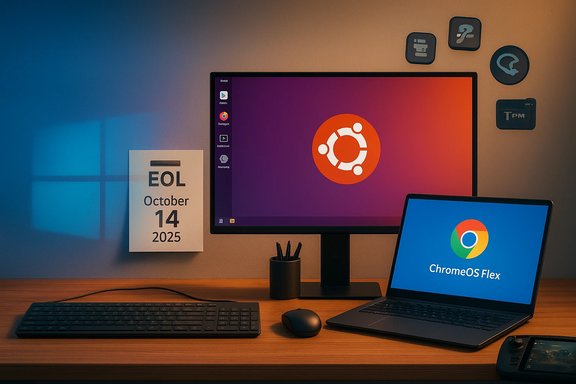
Microsoft formally ended mainstream support for Windows 10 on October 14, 2025. After that date, retail Windows 10 editions — Home and Pro included — stopped receiving the regular stream of security and quality updates that shipped during the operating system’s active lifecycle. Microsoft’s own guidance states that while devices will continue to function, they will no longer receive feature updates, security fixes, or technical assistance unless a device is placed on a supported path. This calendar‑driven cutoff is the factual pivot that forced many users to consider three clear options: upgrade to Windows 11 where the hardware permits, buy temporary protection via Microsoft’s Extended Security Updates (ESU) program, or migrate to an alternative operating system.Microsoft’s ESU and the practical limits of the bridge
Microsoft did provide a consumer‑facing ESU program intended as a short‑term bridge, but that program comes with conditions and limits. ESU extends security‑only updates through a limited window (consumer ESU availability runs into October 2026), and enrollment paths include account tie‑ins or a modest fee; Microsoft’s pages and industry coverage make it clear this is a time‑boxed, security‑only stopgap and not a permanent fix. For many users the ESU tradeoff — a temporary safety net with account or cost conditions — is enough to prompt them to investigate other long‑term options.Summary of the TechPowerUp frontpage poll and the surrounding context
- The TechPowerUp frontpage poll asked whether readers would abandon Windows after Windows 10 reached end of support. The poll results reflect a community of enthusiasts and PC users who are more technically inclined, cost‑sensitive, and often more privacy‑aware than a general population sample.
- While the poll itself is an imperfect sample (site readership skews enthusiast‑heavy), it serves as a leading indicator of how motivated, tech‑savvy users approach end‑of‑life (EOL) moments. Many respondents reported willingness to try Linux distributions, ChromeOS Flex, or cloud‑hosted Windows (Windows 365/Azure Virtual Desktop) as replacements or stopgaps.
- The poll’s findings are best read alongside independent market signals: post‑EOL download spikes for migration‑focused Linux distributions, small but meaningful increases in Linux share on gaming platforms, and sharp public debate about Microsoft’s upgrade prompts and account requirements. These signals together suggest more than idle curiosity — they show elevated testing and trial activity among power users and early adopters. Independent community trackers and vendor reports highlight notable interest spikes for migration‑friendly Linux releases in the immediate aftermath of the EOL date.
Why readers (and many real‑world users) are willing to move away from Windows
1. A hard deadline changes the calculus
An explicit end‑of‑support date transforms theoretical risk into a time‑bound decision. With security updates no longer guaranteed, the risk of running Windows 10 online escalates measurably. The deadline created urgency for households, schools, and small organisations — groups for which the cost of replacing hardware or paying for ESU can be a real barrier. Microsoft’s own advisory messaging reinforced the need to upgrade, enroll in ESU, or migrate, making the decision less abstract and more immediate.2. Windows 11 hardware gates exclude many otherwise healthy PCs
Windows 11’s minimum hardware requirements — notably TPM 2.0, Secure Boot, and a modern CPU baseline — have left a significant number of otherwise functional PCs ineligible for a supported in‑place upgrade. For cost‑sensitive users, replacing otherwise serviceable hardware just to obtain vendor support is a poor economic choice; Linux and ChromeOS Flex present a low‑cost way to keep that hardware useful while maintaining vendor patching. This hardware reality is a decisive factor pushing some users toward non‑Windows options.3. ESU design and account requirements
Microsoft’s consumer ESU provides a narrow escape hatch, but enrollment mechanics (including account tie‑ins in some scenarios) and the time‑limited nature of ESU prompted privacy‑conscious users and those who dislike cloud‑centric account requirements to consider leaving the platform entirely. The price‑sensitivity of home users also matters: while ESU can be inexpensive for a single device, the cumulative cost across multiple machines and the knowledge that ESU is temporary make migration or hardware refresh more attractive for many.4. Improved alternatives and a better compatibility story
Modern Linux distributions — particularly those positioning themselves as migration‑friendly — invested in easier onboarding, OneDrive and cloud integration, and compatibility tooling in the years leading up to Windows 10’s EOL. That preparation paid off: post‑EOL, several Linux projects reported download spikes and greater testing by Windows users. For many TechPowerUp readers the combination of cost savings, regained control over telemetry, and improved app compatibility (via Wine, Proton, or virtualization) made alternatives worth trying.5. Gaming and the Linux compatibility push
Valve’s Proton and the Steam Deck ecosystem have meaningfully lowered the barrier for gamers to experiment with Linux. Steam’s monthly telemetry trends showed Linux clearing symbolic thresholds on the platform, and community‑visible compatibility improvements encouraged gamers to test non‑Windows setups rather than accepting an expensive hardware refresh. For a gaming‑centric readership, that dynamic is a powerful motivator to try alternatives.Critical analysis: strengths of the migration impulse — and the trade‑offs
Strengths and real advantages
- Cost efficiency and device longevity. Linux and ChromeOS Flex can extend the useful life of older hardware, delaying capital expenditure for families, schools, and charities.
- Security by active patching. Unlike an unsupported Windows 10 install, active Linux distributions generally continue to receive kernel and package updates; for many use cases this restores a vendor‑patching model.
- Privacy and user control. Many users who dislike Microsoft’s telemetry and account‑centralising tendencies see Linux as a way to regain control over data collection and system behaviour.
- Better immediate compatibility for many workflows. Web apps and cross‑platform tooling mean that a surprising amount of everyday work already runs in the browser or in portable apps, reducing friction for migration.
Practical and technical risks
- Application compatibility. Some professional or niche Windows apps — heavy Adobe workflows, bespoke enterprise software, or certain device vendor utilities — remain tough to migrate. Workarounds (Wine, virtualization, VMs) exist but carry complexity and potential performance trade‑offs.
- Hardware drivers and peripherals. Edge cases — printers, vendor‑specific power management, and newer Wi‑Fi chipsets — still create headaches for some Linux users, particularly on ultrabooks or devices with proprietary blobs.
- Support and SLA expectations. Households may accept community support, but organisations require predictable vendor SLAs. Large‑scale migration without managed support can create operational risk.
- Security inertia for novices. New users who install an unfamiliar OS and then misconfigure package sources or skip basic hardening can create new vulnerabilities; migration must be accompanied by sensible security education and steps.
- Fragmentation and long‑term vendor support. The Windows ecosystem benefits from vendor‑backed device certification. Moving to Linux may expose users to a more fragmented support model and require familiarity with open‑source troubleshooting.
Practical migration paths and a short checklist for TechPowerUp readers
Migration options (overview)
- Upgrade to Windows 11 if the device is supported — preserves the Microsoft ecosystem and receives ongoing patches.
- Purchase the consumer ESU for a temporary, security‑only extension while planning migration or hardware refresh.
- Migrate to a mainstream Linux distribution (Ubuntu, Linux Mint, Zorin OS, Fedora) or ChromeOS Flex for web‑centric workflows.
- Use cloud or virtual desktops (Windows 365, Azure Virtual Desktop) if you need a Windows environment without replacing local hardware.
- Continue running Windows 10 in offline or highly hardened setups only as a last resort; treat it as a temporary, monitored state.
A practical migration checklist (step‑by‑step)
- Back up everything: full image, plus user data exports and cloud sync checks.
- Create a live USB or VM to test the target OS — do not overwrite your main system yet.
- Validate critical applications: test native alternatives, Wine/Proton, or virtualised Windows for necessary apps.
- Check peripherals: printers, scanners, and specialised hardware should be tested for driver compatibility.
- Harden the environment: enable disk encryption, set non‑admin daily accounts, and configure automatic updates and backups.
- Stage the migration: pilot on a secondary device or a single user before rolling out widely.
- Maintain a rollback plan: keep the Windows image and an offline backup until the new setup is proven stable.
What the TechPowerUp poll says about the broader market dynamic
The poll’s signal—readers expressing willingness to move away from Windows—echoes several independent indicators from the post‑EOL period: migration‑focused Linux releases reported record download numbers, Steam’s platform telemetry showed small but symbolic Linux share gains, and numerous small organisations publicly posted migration pilots. Together these signals reveal a layered migration pattern rather than a single sudden exodus: enthusiasts and cost‑sensitive users are the first movers; enterprises will move more slowly, guided by compliance and application constraints; and OEMs and ISVs will respond depending on how sustained the demand becomes. That dynamic creates opportunity for Linux vendors, refurbished OEMs, and service providers; it also forces Microsoft to manage optics and channel incentives as the market adjusts.What to watch next (short list)
- Whether OEMs and retailers expand refurbished or Linux‑preloaded SKUs for budget buyers.
- How ISVs respond: whether more major desktop apps offer Linux builds or better web/PWA alternatives.
- If Microsoft adjusts ESU mechanics, pricing, or eligibility in response to consumer and regulatory feedback.
- Longitudinal metrics: does initial trial interest convert into durable adoption, or do many users return to Windows after testing?
- Channel moves from system integrators and managed service providers offering migration paths and SLAs for Linux desktops.
Conclusion: a decisive moment — not an irreversible flip
The TechPowerUp frontpage poll captures a motivated, technically literate cohort’s reaction to a clear vendor deadline: Windows 10’s end of support on October 14, 2025 changed the default expectation for many users. For a meaningful subset of enthusiasts and cost‑sensitive households, the combination of ESU constraints, Windows 11 hardware gates, and improved Linux/ChromeOS alternatives produced the exact outcome one would expect: increased testing and, for some, permanent migration away from Windows for at least a portion of their daily computing.This is not a wholesale market turnover overnight. The Windows ecosystem remains dominant, and enterprise inertia, niche application dependencies, and familiarity all slow mass conversion. But the poll—backed by download surges and platform telemetry—signals a durable trend: when the cost of staying increases and good alternatives exist, a visible minority will vote with their feet. For readers and IT decision‑makers, the responsible path is clear and practical: inventory your needs, back up your data, test alternatives in non‑destructive modes, and plan migrations where appropriate while using ESU as a measured runway, not a destination.
Appendix: Quick terms glossary for readers
- EOL / EoS (End of Life / End of Support): The vendor’s formal cutoff for delivering regular updates and support.
- ESU (Extended Security Updates): Microsoft’s paid/time‑limited security patching program for devices past mainstream support.
- TPM (Trusted Platform Module): A hardware security requirement used by Windows 11 as part of its device baseline.
- Proton / Wine: Compatibility layers enabling Windows games and apps to run on Linux; key to gaming migrations.
Source: TechPowerUp TechPowerUp Readers Willing to Move Away from Windows after Windows 10 EOL: Frontpage Poll
