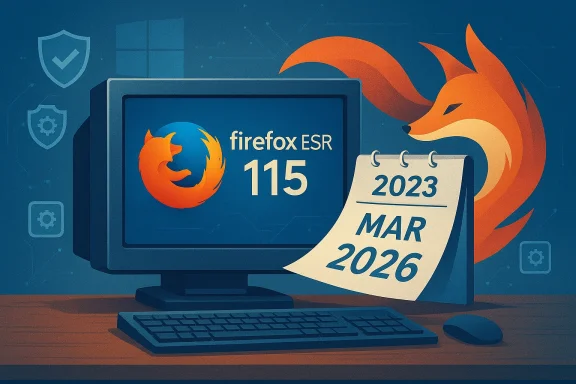
Mozilla has quietly given Windows 7 and its siblings another lease on life by keeping the Firefox 115 Extended Support Release (ESR) safety net open for a little while longer — but that extra time is both a pragmatic lifeline for legacy users and a final countdown that IT teams and hobbyists should treat seriously.
For nearly three years Mozilla maintained a deliberate exception: Firefox 115 was designated as the last feature release compatible with Windows 7, Windows 8, and Windows 8.1, and users of those operating systems were automatically moved to the ESR channel so they could continue receiving security updates while Mozilla evaluated the practicality of long-term maintenance. That ESR maintenance window has been extended repeatedly, most recently — according to Mozilla’s Future Releases blog — to cover legacy Windows builds through March 2026.
At the same time, Mozilla’s support documentation and multiple reporting outlets frame the practical cutoff as the end of February 2026 for the day-to-day security maintenance delivered via the ESR branch, so readers should treat the safe, conservative deadline as late February 2026.
This story has been covered across the tech press and has generated discussion in Windows-focused communities and forums, where the extension and its eventual closure are already shaping migration planning and security advice.
Treat the ESR maintenance window as what it is: a final phase that eases, but does not erase, the need to migrate to supported platforms and browsers. Security posture, compliance requirements, and the long arc of web compatibility all favor upgrading or moving to Linux on older hardware. Use the ESR window to plan and execute migrations deliberately — don’t wait for the cutoff and then react.
Mozilla’s extension was useful and responsible; the pressing work now is for admins and users to translate that breathing room into concrete migration and mitigation plans before the ESR maintenance window closes in late February 2026.
Conclusion: Firefox on Windows 7 refused to die for a while, but the clock is running. Treat the extra time as an opportunity to migrate safely — not as a reason to put migration planning off any longer.
Source: Neowin Firefox on Windows 7 refuses to die, gets another six months of support
 Background / Overview
For nearly three years Mozilla maintained a deliberate exception: Firefox 115 was designated as the last feature release compatible with Windows 7, Windows 8, and Windows 8.1, and users of those operating systems were automatically moved to the ESR channel so they could continue receiving security updates while Mozilla evaluated the practicality of long-term maintenance. That ESR maintenance window has been extended repeatedly, most recently — according to Mozilla’s Future Releases blog — to cover legacy Windows builds through March 2026.At the same time, Mozilla’s support documentation and multiple reporting outlets frame the practical cutoff as the end of February 2026 for the day-to-day security maintenance delivered via the ESR branch, so readers should treat the safe, conservative deadline as late February 2026.
This story has been covered across the tech press and has generated discussion in Windows-focused communities and forums, where the extension and its eventual closure are already shaping migration planning and security advice.
Why Firefox lingered on legacy Windows
Mozilla’s trade-off: security vs. engineering cost
Mozilla’s decision to maintain Firefox 115 ESR on legacy Windows releases was driven by three practical factors: user base, security risk mitigation, and engineering cost.- There remained a non-trivial population of Firefox users on Windows 7/8/8.1 and older macOS versions who would otherwise be left with unpatched browsers. Continuing ESR updates for that cohort reduced immediate exposure to browser-level vulnerabilities.
- Browsers are a major attack surface; leaving them unpatched on end‑of‑life platforms increases risk significantly. ESR maintenance offered a predictable, narrow channel to backport critical security fixes without keeping full feature development compatibility alive.
- Backporting modern security fixes to an older codebase and older platform toolchains is costly. It involves engineering time, testing matrix expansion (older Windows APIs, older TLS/cipher behaviors, legacy dependencies), and QA that scales poorly. The ESR approach reduced the scope but still required continuous resource allocation. Ghacks and TechSpot both describe this balancing act and note the engineering burden that ultimately limits indefinite extensions.
A multi-stage wind-down, not a sudden cut
Mozilla did not abruptly stop support; it staged the wind-down:- Firefox 115 was released (July 2023) and designated the last feature release for those legacy platformated to ESR to receive targeted security maintenance rather than full release cadence changes.
- Mozilla announced and then re-evaluated additional six-month extensions as real-world numbers and engineering constraints evolved.
What changed with the most recent extension
The dates and the small-print
Mozilla’s public statements and its Future Releases notes indicate the most recent extension covered the legacy Windows and older macOS builds through March 2026. However, Mozilla’s official support page and multiple reporting outlets indicate the actual ESR maintenance builds scheduled by Mozilla run through the end of February 2026 — effectively making the operational cutoff the last day of February 2026. This discrepancy appears to be a difference between the public-facing calendar language ("through March 2026") and the ESR branch maintenance scheduling (final releases landing in late February). Administrators should treat the conservative date — end of February 2026 — as the practical deadline for receiving security updates.What’s covered and what isn’t
- Firefox 115 ESR will continue to receive security and stability patches on Windows 7/8/8.1 for the maintenance window; feature development and modern compatibility work will remain absent for those builds.
- After the maintenance window closes, those installations will no longer receive Mozilla security patches — meaning any new browser vulnerabilities discovered after that cutoff will not be fixed in the legacy builds.
The implications: security, compliance, and real-world risk
Immediate security impact
When a browser vendor stops issuing security updates, the consequences are straightforward: newly discovered exploits that target the browser or rely on browser behavior will remcted machines. For Windows 7-era devices that already lack platform-level security updates from Microsoft, losing browser updates compounds risk substantially. The combination of an unpatched OS and an unpatched browser creates a high-probability path to compromise via drive‑by downloads, malicious web content, or targeted exploitation of browser bugs.Enterprise and regulatory risk
Organizations that must meet compliance standards (PCI-DSS, HIPAA, SOC 2, etc.) face a sharper calculus. Running unsupported OSes or browsers can violate internal security policies and external compliance requirements. IT teams should inventory endpoints and document compensating controls — but those measures (network segmentation, restricted browsing, strict application whitelisting) are stopgaps, not substitutes for supported software on production systems. Windows Forum community threads highlight admins already planning migrations and documenting risk mitigation strategies in response to Mozilla’s timetable.Legacy hardware and the digital divide
Not every user can upgrade hardware. Many IoT controllers, ATMs, industrial control systems, lab equipment, or older consumer devices simply cannot run Windows 10/11. For those users, the ESR extension provided an important short-term protection. But the eventual end-of-life for ESR forces choices:- Pay for extended platform support if available (Microsoft offered ESU in the past for some Windows 7 workloads — those programs are specific, time-limited, and not a universal solution).
- Migrate the device workload to a supported OS or to a Linux distribution that receives security updates and supports modern browsers.
- Accept residual risk and harden the environment with network-level controls and browser restrictions.
Options for users and IT managers: a practical migration checklist
If you or your organization are still running Windows 7 / 8 / 8.1 desktops, treat Mozilla’s ESR maintenance cutoff as a trigger to act. Here’s a prioritized checklist:- Inventory: Identify every machine still running Windows 7/8/8.1 and catalog installed browsers, applications, and local data volumes.
- Risk classification: Separate devices by role — internet-connected user desktops, isolated lab machines, embedded systems, etc.
- Upgrade where possible:
- If the hardware supports Windows 10 or Windows 11, plan and test an upgrade. Modern Windows releases restore vendor security patching and broaden browser options.
- Consider Linux migration:
- For older hardware that cannot reliably run newer Windows, evaluate Linux distributions (desktop-friendly LTS releases) that receive security updates and ship modern browsers or can run recent Firefox builds. Mozilla itself suggests Linux for machines that can't be upgraded to a supported Windows release.
- Apply compensating controls for remaining legacy devices:
- Network isolation, web proxy filtering, strict firewall rules, and denying access to high-risk sites can reduce exposure.
- Long-term: formal decommissioning timetable and replacement budget.
Technical realities: what ESR 115 means for compatibility and extensions
Feature stagnation and web compatibility
Firefox 115 ESR is a modern browser as of mid‑2023, but it will not receive ongoing feature upgrades that newer Firefox branches enjoy. That means:- New web platform features and standards will not be added to the ESR build.
- Sites that adopt bleeding-edge APIs may progressively diverge in functionality or performance when accessed from ESR 115.
Extension and ecosystem support
Extensions generally continue to work on ESR until the APIs they depend on change or are deprecated. Because ESR 115 freezes the upstream API surface for legacy platforms, many existing extensions will keep working — but developers may eventually target newer API versions, leaving legacy users behind. This dynamic makes ESR a good short-term bridge but a poor long-term strategy for evolving browser ecosystems.Strengths of Mozilla’s approach — and where it fell short
Strengths
- Pragmatism: By creating a narrow ESR channel for legacy OS users, Mozilla balanced safety and resource constraints. The approach targeted security fixes specifically rather than a full compatibility maintenance program.
- Transparency and stagined extensions and public re-evaluations gave admins and communities time to plan migrations. Forums and Windows-focused outlets documented each re-evaluation, producing practical migration guidance.
- Risk reduction for vulnerable populations: Users on older hardware — often with limited upgrade paths — rections they otherwise would not have. That is an important user-first ethic in practice.
Shortcomings and risks
- Ambiguous messaging on dates: The difference between wording on the Future Releases calendar ("through March 2026") and the ESR maintenance build schedule (final builds in late February) created confusion. Organizations need clear, single-date cutoffs for compliance and patch management.
- Not a long-term solution: ESR extensions are temporary; engineering costs and security surface evolution make indefinite support infeasible. Stakeholders who treated ESR as a permanent fix may have been lulled into complacency.
- Uneven industryMozilla pulled back, most Chromium-based browsers had already ended official support for Windows 7/8.1, narrowing viable browser options for legacy OS users. That limits migration pathways that keep the old OS in place but modernize the browser.
Community reaction and practical narratives
Windows-focused forums and community threads show two predictable but important patterns: gratitude and urgency.- Gratitude: Many hobbyists and IT admins welcomed the extensions as a practical concession to the reality that some hardware simply cannot be upgraded. The ESR maintenance window allowed controlled, staged upgrades and reduced immediate exposure. Community posts captured those relief moments as admins bought time.
- Urgency: Conversation threads also shifted to migration planning — documenting cutoff dates, posting migration guides, and listing Linux distributions or lightweight Windows upgrade options. Those threads turned Mozilla’s extension into a project deadline for many small businesses and home users alike.
The pragmatic path forward: recommendations for different audiences
For individual users on older PCs
- Test whether your PC can run Windows 10 or Windows 11; if so, upgrade after backing up data and checking driver compatibility.
- If upgrade isn’t feasible, consider a reputable Linux distribution (Ubuntu LTS, Linux Mint, or similar) that receives updates and runs modern Firefox builds.
- If you must remain on Windows 7, restrict internet use, enable network protections, and avoid sensitive transactions from the legacy device.
For small businesses and IT teams
- Start immediate inventory and prioritize replacements for internet-facing machines and devices that handle sensitive data.
- Apply network-level compensating controls for devices awaiting replacement.
- Consider phased migrations and document the residual risk for auditors and stakeholders. Forum migration threads provide tested checklists and real-world troubleshooting notes.
For organizations with embedded or specialized hardware
- Explore isolation strategies, application virtualization, or network segmentation- Investigate vendor-supported upgrades or consult the equipment vendor for long-term support options.
- Where possible, migrate critical web-facing workflows to supported endpoints.
What to watch next (and what Mozilla might do)
Mozilla’s public-facing language leaves room for re-evaluation, and the community has seen a pattern of six‑month extensions in the past. However, the engineering and testing cost of backporting fixes to ESR 115 on legacy APIs makes repeated, indefinite extensions unlikely. Expect the following:- Conservative operational deadline: treat late February 2026 as the end of ESR maintenance for Windows 7/8/8.1.
- More focused guidance from vendors and the community on migration tooling and Linux alternatives as the ESR window closes.
- Continued debate about vendor responsibility to users on legacy hardware versus practical limits of software maintenance.
Final analysis: a measured ending, not an apocalypse — but not a reprieve either
Mozilla’s repeated extensions for Firefox 115 ESR on Windows 7/8/8.1 were an empathetic, pragmatic move that recognized real-world constraints. They bought time for users and organizations that face hardware, budget, or operational limitations. That said, ESR extensions are temporary concessions, not long-term strategies.Treat the ESR maintenance window as what it is: a final phase that eases, but does not erase, the need to migrate to supported platforms and browsers. Security posture, compliance requirements, and the long arc of web compatibility all favor upgrading or moving to Linux on older hardware. Use the ESR window to plan and execute migrations deliberately — don’t wait for the cutoff and then react.
Mozilla’s extension was useful and responsible; the pressing work now is for admins and users to translate that breathing room into concrete migration and mitigation plans before the ESR maintenance window closes in late February 2026.
Conclusion: Firefox on Windows 7 refused to die for a while, but the clock is running. Treat the extra time as an opportunity to migrate safely — not as a reason to put migration planning off any longer.
Source: Neowin Firefox on Windows 7 refuses to die, gets another six months of support