This is a cached version of the page. The site is temporarily undergoing maintenance.

Firefox ESR 115 Extends Windows 7 Support Through Feb 2026 Plan Migrations Now

  • Thread Author
Mozilla has quietly given Windows 7 and its siblings another lease on life by keeping the Firefox 115 Extended Support Release (ESR) safety net open for a little while longer — but that extra time is both a pragmatic lifeline for legacy users and a final countdown that IT teams and hobbyists should treat seriously.

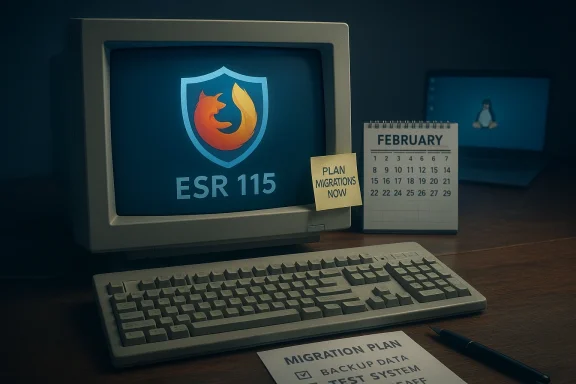
Old computer shows Firefox ESR 115; sticky note reads Plan migrations now beside a February calendar.Background / Overview​

For nearly three years Mozilla maintained a deliberate exception: Firefox 115 was designated as the last feature release compatible with Windows 7, Windows 8, and Windows 8.1, and users of those operating systems were automatically moved to the ESR channel so they could continue receiving security updates while Mozilla evaluated the practicality of long-term maintenance. That ESR maintenance window has been extended repeatedly, most recently — according to Mozilla’s Future Releases blog — to cover legacy Windows builds through March 2026.
At the same time, Mozilla’s support documentation and multiple reporting outlets frame the practical cutoff as the end of February 2026 for the day-to-day security maintenance delivered via the ESR branch, so readers should treat the safe, conservative deadline as late February 2026.
This story has been covered across the tech press and has generated discussion in Windows-focused communities and forums, where the extension and its eventual closure are already shaping migration planning and security advice.

Why Firefox lingered on legacy Windows​

Mozilla’s trade-off: security vs. engineering cost​

Mozilla’s decision to maintain Firefox 115 ESR on legacy Windows releases was driven by three practical factors: user base, security risk mitigation, and engineering cost.
  • There remained a non-trivial population of Firefox users on Windows 7/8/8.1 and older macOS versions who would otherwise be left with unpatched browsers. Continuing ESR updates for that cohort reduced immediate exposure to browser-level vulnerabilities.
  • Browsers are a major attack surface; leaving them unpatched on end‑of‑life platforms increases risk significantly. ESR maintenance offered a predictable, narrow channel to backport critical security fixes without keeping full feature development compatibility alive.
  • Backporting modern security fixes to an older codebase and older platform toolchains is costly. It involves engineering time, testing matrix expansion (older Windows APIs, older TLS/cipher behaviors, legacy dependencies), and QA that scales poorly. The ESR approach reduced the scope but still required continuous resource allocation. Ghacks and TechSpot both describe this balancing act and note the engineering burden that ultimately limits indefinite extensions.

A multi-stage wind-down, not a sudden cut​

Mozilla did not abruptly stop support; it staged the wind-down:
  • Firefox 115 was released (July 2023) and designated the last feature release for those legacy platformated to ESR to receive targeted security maintenance rather than full release cadence changes.
  • Mozilla announced and then re-evaluated additional six-month extensions as real-world numbers and engineering constraints evolved.
This staged approach minimized shock for organizations and individuals still running legacy desktops, and it gave admins time to plan migrations or alternative mitigations. Community discussion and Windows-centered forums tracked those milestone announcements and migration guidance closely.

What changed with the most recent extension​

The dates and the small-print​

Mozilla’s public statements and its Future Releases notes indicate the most recent extension covered the legacy Windows and older macOS builds through March 2026. However, Mozilla’s official support page and multiple reporting outlets indicate the actual ESR maintenance builds scheduled by Mozilla run through the end of February 2026 — effectively making the operational cutoff the last day of February 2026. This discrepancy appears to be a difference between the public-facing calendar language ("through March 2026") and the ESR branch maintenance scheduling (final releases landing in late February). Administrators should treat the conservative date — end of February 2026 — as the practical deadline for receiving security updates.

What’s covered and what isn’t​

  • Firefox 115 ESR will continue to receive security and stability patches on Windows 7/8/8.1 for the maintenance window; feature development and modern compatibility work will remain absent for those builds.
  • After the maintenance window closes, those installations will no longer receive Mozilla security patches — meaning any new browser vulnerabilities discovered after that cutoff will not be fixed in the legacy builds.

The implications: security, compliance, and real-world risk​

Immediate security impact​

When a browser vendor stops issuing security updates, the consequences are straightforward: newly discovered exploits that target the browser or rely on browser behavior will remcted machines. For Windows 7-era devices that already lack platform-level security updates from Microsoft, losing browser updates compounds risk substantially. The combination of an unpatched OS and an unpatched browser creates a high-probability path to compromise via drive‑by downloads, malicious web content, or targeted exploitation of browser bugs.

Enterprise and regulatory risk​

Organizations that must meet compliance standards (PCI-DSS, HIPAA, SOC 2, etc.) face a sharper calculus. Running unsupported OSes or browsers can violate internal security policies and external compliance requirements. IT teams should inventory endpoints and document compensating controls — but those measures (network segmentation, restricted browsing, strict application whitelisting) are stopgaps, not substitutes for supported software on production systems. Windows Forum community threads highlight admins already planning migrations and documenting risk mitigation strategies in response to Mozilla’s timetable.

Legacy hardware and the digital divide​

Not every user can upgrade hardware. Many IoT controllers, ATMs, industrial control systems, lab equipment, or older consumer devices simply cannot run Windows 10/11. For those users, the ESR extension provided an important short-term protection. But the eventual end-of-life for ESR forces choices:
  • Pay for extended platform support if available (Microsoft offered ESU in the past for some Windows 7 workloads — those programs are specific, time-limited, and not a universal solution).
  • Migrate the device workload to a supported OS or to a Linux distribution that receives security updates and supports modern browsers.
  • Accept residual risk and harden the environment with network-level controls and browser restrictions.

Options for users and IT managers: a practical migration checklist​

If you or your organization are still running Windows 7 / 8 / 8.1 desktops, treat Mozilla’s ESR maintenance cutoff as a trigger to act. Here’s a prioritized checklist:
  • Inventory: Identify every machine still running Windows 7/8/8.1 and catalog installed browsers, applications, and local data volumes.
  • Risk classification: Separate devices by role — internet-connected user desktops, isolated lab machines, embedded systems, etc.
  • Upgrade where possible:
  • If the hardware supports Windows 10 or Windows 11, plan and test an upgrade. Modern Windows releases restore vendor security patching and broaden browser options.
  • Consider Linux migration:
  • For older hardware that cannot reliably run newer Windows, evaluate Linux distributions (desktop-friendly LTS releases) that receive security updates and ship modern browsers or can run recent Firefox builds. Mozilla itself suggests Linux for machines that can't be upgraded to a supported Windows release.
  • Apply compensating controls for remaining legacy devices:
  • Network isolation, web proxy filtering, strict firewall rules, and denying access to high-risk sites can reduce exposure.
  • Long-term: formal decommissioning timetable and replacement budget.
Each step above is operationally achievable, but requires time and planning — the ESR extension was effectively Mozilla buying organizations that breathing room.

Technical realities: what ESR 115 means for compatibility and extensions​

Feature stagnation and web compatibility​

Firefox 115 ESR is a modern browser as of mid‑2023, but it will not receive ongoing feature upgrades that newer Firefox branches enjoy. That means:
  • New web platform features and standards will not be added to the ESR build.
  • Sites that adopt bleeding-edge APIs may progressively diverge in functionality or performance when accessed from ESR 115.
For many sites, especially enterprise intranet applications or long-standing web services, ESR 115 will remain functional. But consumer-facing services that rapidly adopt new JS APIs, security mitigations, or authentication flows could present compatibility gaps over time.

Extension and ecosystem support​

Extensions generally continue to work on ESR until the APIs they depend on change or are deprecated. Because ESR 115 freezes the upstream API surface for legacy platforms, many existing extensions will keep working — but developers may eventually target newer API versions, leaving legacy users behind. This dynamic makes ESR a good short-term bridge but a poor long-term strategy for evolving browser ecosystems.

Strengths of Mozilla’s approach — and where it fell short​

Strengths​

  • Pragmatism: By creating a narrow ESR channel for legacy OS users, Mozilla balanced safety and resource constraints. The approach targeted security fixes specifically rather than a full compatibility maintenance program.
  • Transparency and stagined extensions and public re-evaluations gave admins and communities time to plan migrations. Forums and Windows-focused outlets documented each re-evaluation, producing practical migration guidance.
  • Risk reduction for vulnerable populations: Users on older hardware — often with limited upgrade paths — rections they otherwise would not have. That is an important user-first ethic in practice.

Shortcomings and risks​

  • Ambiguous messaging on dates: The difference between wording on the Future Releases calendar ("through March 2026") and the ESR maintenance build schedule (final builds in late February) created confusion. Organizations need clear, single-date cutoffs for compliance and patch management.
  • Not a long-term solution: ESR extensions are temporary; engineering costs and security surface evolution make indefinite support infeasible. Stakeholders who treated ESR as a permanent fix may have been lulled into complacency.
  • Uneven industryMozilla pulled back, most Chromium-based browsers had already ended official support for Windows 7/8.1, narrowing viable browser options for legacy OS users. That limits migration pathways that keep the old OS in place but modernize the browser.

Community reaction and practical narratives​

Windows-focused forums and community threads show two predictable but important patterns: gratitude and urgency.
  • Gratitude: Many hobbyists and IT admins welcomed the extensions as a practical concession to the reality that some hardware simply cannot be upgraded. The ESR maintenance window allowed controlled, staged upgrades and reduced immediate exposure. Community posts captured those relief moments as admins bought time.
  • Urgency: Conversation threads also shifted to migration planning — documenting cutoff dates, posting migration guides, and listing Linux distributions or lightweight Windows upgrade options. Those threads turned Mozilla’s extension into a project deadline for many small businesses and home users alike.

The pragmatic path forward: recommendations for different audiences​

For individual users on older PCs​

  • Test whether your PC can run Windows 10 or Windows 11; if so, upgrade after backing up data and checking driver compatibility.
  • If upgrade isn’t feasible, consider a reputable Linux distribution (Ubuntu LTS, Linux Mint, or similar) that receives updates and runs modern Firefox builds.
  • If you must remain on Windows 7, restrict internet use, enable network protections, and avoid sensitive transactions from the legacy device.

For small businesses and IT teams​

  • Start immediate inventory and prioritize replacements for internet-facing machines and devices that handle sensitive data.
  • Apply network-level compensating controls for devices awaiting replacement.
  • Consider phased migrations and document the residual risk for auditors and stakeholders. Forum migration threads provide tested checklists and real-world troubleshooting notes.

For organizations with embedded or specialized hardware​

  • Explore isolation strategies, application virtualization, or network segmentation- Investigate vendor-supported upgrades or consult the equipment vendor for long-term support options.
  • Where possible, migrate critical web-facing workflows to supported endpoints.

What to watch next (and what Mozilla might do)​

Mozilla’s public-facing language leaves room for re-evaluation, and the community has seen a pattern of six‑month extensions in the past. However, the engineering and testing cost of backporting fixes to ESR 115 on legacy APIs makes repeated, indefinite extensions unlikely. Expect the following:
  • Conservative operational deadline: treat late February 2026 as the end of ESR maintenance for Windows 7/8/8.1.
  • More focused guidance from vendors and the community on migration tooling and Linux alternatives as the ESR window closes.
  • Continued debate about vendor responsibility to users on legacy hardware versus practical limits of software maintenance.
If Mozilla were to continue extending ESR beyond the stated window, it would likely be framed as a narrowly defined security-only patch program with strict conditions. For planning purposes, do not assume further extensions; plan migrations accordingly.

Final analysis: a measured ending, not an apocalypse — but not a reprieve either​

Mozilla’s repeated extensions for Firefox 115 ESR on Windows 7/8/8.1 were an empathetic, pragmatic move that recognized real-world constraints. They bought time for users and organizations that face hardware, budget, or operational limitations. That said, ESR extensions are temporary concessions, not long-term strategies.
Treat the ESR maintenance window as what it is: a final phase that eases, but does not erase, the need to migrate to supported platforms and browsers. Security posture, compliance requirements, and the long arc of web compatibility all favor upgrading or moving to Linux on older hardware. Use the ESR window to plan and execute migrations deliberately — don’t wait for the cutoff and then react.
Mozilla’s extension was useful and responsible; the pressing work now is for admins and users to translate that breathing room into concrete migration and mitigation plans before the ESR maintenance window closes in late February 2026.
Conclusion: Firefox on Windows 7 refused to die for a while, but the clock is running. Treat the extra time as an opportunity to migrate safely — not as a reason to put migration planning off any longer.

Source: Neowin Firefox on Windows 7 refuses to die, gets another six months of support
 

Mozilla’s second postponement of the planned end-of-life for Firefox on Windows 7 has turned what should have been a straightforward retirement into a multi‑stage, public countdown — and it raises uncomfortable questions about who bears the cost of keeping legacy PCs safe in 2026. Mozilla’s Extended Support Release (ESR) branch centered on Firefox 115 has been kept alive through repeated extensions, with the organization announcing an official extension in September 2025 and then shipping final ESR security fixes in February 2026, effectively moving the practical end-of-support through the end of February / early March 2026.

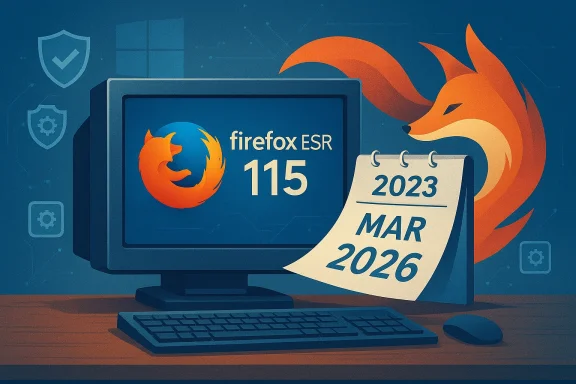
Firefox ESR 115 shown on a monitor with a calendar marked March 2026.Background / Overview​

For years Firefox was one of the last mainstream browsers to tolerate older desktop operating systems. When Mozilla shipped Firefox 115 in July 2023 it explicitly designated that release as the last feature build compatible with Windows 7, Windows 8 and Windows 8.1, and then shifted support for legacy platforms to an Extended Support Release (ESR) maintenanct could backport security fixes without keeping the current codebase burdened by old OS constraints. That ESR track became the de facto lifeline for many users and small organizations unwilling or unable to upgrade their hardware or OS.
The practical timeline has been messy. Mozilla announced an extension of the ESR 115 maintenance window in September 2025 that kept the branch alive through March 2026, with a planned re‑evaluation in early 2026. Community repositories, independent coverage, and Mozilla’s security advisories show that dot‑release security fixes continued into laluding a security advisory tied to ESR 115.33 dated February 24, 2026 — effectively making late February 2026 the moment when that safety net finally snapped. ([mozilla.org](Security Vulnerabilities fixed in Firefox ESR 115.33 article explains the timeline and technical realities behind those delays, evaluates why Mozilla kept extending support, lays out the risks for users who remain on legacy Windows builds, and offers a pragmatic migration and mitigation playbook for consumers and IT teams. The analysis draws from Mozilla’s own statements, independent reporting, and community threads that tracked each extension.

Why Mozilla Kept Pushing the Deadline​

1) A humanitarian and practical choice​

Mozilla’s extended support choices have a clear human element: large numbers of users still use older hardware that cannot cleanly upgrade to Windows 10 or 11, and many institutions — small nonprofits, community centers, developing‑market schools, and aging infrastructure in industrial settings — still rely on those machines. By maintaining ESR 115 for legacy platforms, Mozilla reduced the immediate security harm that would have resulted from a sudden cut‑off. The September 2025 extension explicitly framed the move as giving “users more time toeping security protections available.

2) Engineering tradeoffs and backport costs​

Supporting old OSes is not merely a checkbox — it’s an engineering burden. Backporting fixes, testing on legacy APIs, and keeping build infra in shape for older libraries and certificate stores consumes scarresources. Mozilla has repeatedly signaled that continued support is costly and increases risk; keeping ESR 115 alive required engineers to maintain parallel testing matrices and to track compatibility with modern webat cost‑benefit calculus explains why extensions were presented as time‑boxed re‑evaluations rather than permanent guarantees.

3) Ecosystem pressure and real‑world security telemetry​

Browser vendors operate under a transparency and responsibility pressure: abandoning users outright can produce immediate security consequences, as attackers quickly shift focus to unpatched targets. Mozilla had to weigh public‑facing security telemetry, enterprise feedback, and community outcry when deciding whether to extend ESR maintenance windows. Multiple media outlets and community forums tracked those deliberations and highlighted that Mozilla repeatedly re‑evaluated theto evolving conditions.

Timeline: Key Dates You Need to Know​

  • July 2023 — Firefox 115 ships and is designated the last feature release compatible with Windows 7/8/8.1; affected users were moved onto ESR 115 for security updates.
  • September 4, 2025 — Mozilla announces an extension: Firefox ESR 115 will receive security updates on Windows 7/8/8.1 until March 2026; decision to be re‑evaluated in early 2026.
  • February 2026 — Mozilla’s release cadence for ESR 115 includes security fixes and advisories through late February; security advisories tied to ESR 115.33 are dated February 24, 2026, signaling the last major ESR fixes.
  • End of February / Early March 2026 — ESR maintenance becomes effectively closed for legacy Windows builds; mainstream reporting and support docs shift the operational end‑of‑support window to this period. ([windowscentral.com](Mozilla confirms end of Firefox support on Windows 7 single clarity point: Mozilla’s own public calendar and blog set the extension through March 2026, but actual security releases and advisories landed in late February 2026 — making the calendar extension and the real‑world maintenance window both relevant to anyone managing legacy devices.

What This Means for Users and Administrators​

Immediate technical the ESR maintenance window closes, users on Windows 7/8/8.1 will no longer receive security updates from Mozilla for Firefox. That includes fixes for new zero‑day vulnerabilities and routine hardening patches. Security advisories released in February 2026 were among the last patches for ESR 115.​

  • Without browser patches, an attacker who can get arbitrary web content into a legacy browser can exploit known flaws to run code, seed malware, or steal credentials — and older operating systems often lack modern kernel mitigations. The combination multiplies risk.
  • Add‑on signing, DRM behavior, and root certificate expirations are additional brittle surfaces. Several community posts and technical notes flagged that past expirations (e.g., signing certificates) can break add‑on updates and media playba itself is updated. That underscores the fragility of indefinite maintenance on deprecated platforms.

Practical user options (short list)​

  • Upgrade the OS: Move to Windows 10 or Windows 11 where supported; this is the cleanest path to ongoing browser and OS security updates.
  • Switch to a supported Linux distribution: Many lightweight and user‑friendly Linux distros include up‑to‑dand run well on older hardware. Mozilla itself suggested switching to Linux where Windows upgrade is not possible.
  • Isolate and minimize exposure: Keep legacy machines offline except for essential tasks, network‑segment them, or use them only for local work that doesn’t involve sensitive web authentication.
  • Use virtualized or proxied browsing: Run modern browsers in a maintained machine; or use an enterprise web gateway that isolates web rendering from the endpoint. These options reduce attack surface but add management complexity and cost.

Deep Dive: Why a Browser EOL on an Old OS Is Risky​

The gap between browser fixes and OS mitigations​

Browser security fixes often patch exploitation paths that, if combined with operating‑system weaknesses, enable full compromise. Modern OSes have mitigations like Control Flow Guard, improved ASLR, and hardened sandboxing that make exploitation of a patched vulnerability far harder. Legacy OSes lack many of these defenses; when the browser stops receiving security fixes, the lack of OS hardening becomes an accelerant for attackers. That’s why Mozilla framed ESR extensions as time‑limited: the longer the company maintains backports, the more technical debt it accumulates in trying to recreate modern mitigations inside an older runtime.

Supply‑chain and certificate risks​

Several community threads highlighted certificate and signing issues that can affect extensions, DRM, and update mechanics for legacy browsers. Root certificate rotation and signature algorcation in past years) are not trivial to backport; if a signing root expires, even a patched browser can fail to validate updates or signed content. Those brittle, external dependencies make indefinite support increasingly infeasible.

The false comfort of “still working”​

A common pattern in forums is users reporting their old setup "still works," and assuming they’re safe because day-to-day browsing appears normal. That’s deceptive; attackers often weaponize subtle, targeted vectors that will not be visible in casual use. The moment a maintenance branch is closed, the probability of undetected compromise rises steadily. Community moderators and security researchers repeatedly warn against equating functionality with safety.

Enterprise and Institutional Considerations​

How to avoid being forced into a reactive scramble​

Large organizations should treat the ESR closure as a predictable policy inflection, not an emergency. Steps for IT teams:
  • Inventory all endpoints and classify which are running unsupported OSes and why.
  • Prioritize by business impact and exposure; label any system that handles sensitive data as high priority.
  • Plan migrations with concrete timelines (OS upgrades, hardware refresh, or migration to Linux).
  • Implement compensating controls for systems that cannot be upgraded quickly: network segmentation, jump hosts, managed web proxies, and strict access controls.
  • Test compatibility for legacy applications before mass upgrades; some business apps require older stacks for compatibility, and those may need containerization or dedicated hardened enclaves.
Those steps reflect standard lifecycle management but must be accelerated in light of ESR closures: every month of delay increases exposure. Community migration guides and forum threads documented practical patterns and pitfalls for admins performing this work.

Cost tradeoffs​

Upgrading thousands of endpoints carries real cost. For many small organizations the cheapest choice remains to keep hardware longer and accept a higher operational risk. That moral hazard is precisely what drove Mozilla’s repeated extensions — but it does not change the structural reality: deferred upgrades are a transfer of cost from the vendor to end users and their defenders. IT leaders must weigh the price of upgrades against risk exposure, potential regulatory repercussions, and the business cost of a real breach.

Migration Playbook: Handsrs and IT)​

Below is a clear, actionable sequence for moving off legacy setups or mitigating risk if you must keep them.

Step 1 — Audit (1–3 days)​

  • Inventory devices, browser versions, installed add‑ons, and critical software dependencies.
  • Tag devices that cannot be upgraded due to hardware limitations, proprietary software, or cost constraints.

Step 2 — Short‑term hardening (days–weeks)​

  • Configure legacy machines to auto‑block risky content: disable unnecessary plugins, enable click‑to‑play for rich content, and remove outdated extensions.
  • Use a modern, centrally managed DNS/resolver with filtering to block known malicious domains.
  • Place legacy machines behind a controlled network segment or VPN that limits internet interaction.

Step 3 — Migration plan (weeks–months)​

  • For compatible hardware: upgrade to Windows 10/11 using a tested image.
  • For incompatible hardware: evaluate lightweight Linux distributions (Ubuntu LTS, Linux Mint, Debian) and test application compatibility.
  • Ftraints: create a phased rollout with pilot groups, rollback plans, and documented testing.

Step 4 — Replace or compensate (ongoing)​

  • Where upgrades aren’t feasible, implement a virtual desktop infrastructure (VDI), remote browser isolation, or a managed cloud kiosk fcentralized logging and endpoint detection on any machine that still runs legacy software.

Step 5 — End‑of‑life cleanup​

  • Decommission unsupported machines proactively once replacements are stable.
  • Retire credentials and service accounts that were used only on legacy endpoints to reduce persistence risk.
This sequence preserves productivity while moving risk off aging endphas documented each step with practical scripts and imaging tips; the forums remain a useful repository for migration artifacts and common gotchas.

What Mozilla Could Have Done Differently — and What They Did Well​

Strengths in Mozilla’s approach​

  • Responsible staging: The phased, time‑boxed extensions gave many users a chane instead of prompting an immediate security cliff. That reduced immediate exposure and provided breathing room for sensitive environments. ([blog.mozilla.org]**: Mozilla’s announcements and release calendar entries were explicit that ESR 115 was a maintenance exception and that the extension was temporary, which is a better approach than a silent drop.

Shortcomings and risks​

  • Ambiguity and changing dates: Repeated re‑evaluations and shifting calendar notes created confusion in some quarters; end users and administrators reported inconsistent signals about the exact cut‑off. That unenterprise planning and risks procrastination. Independent reports and community threads tracked those confusing shifts.
  • Dependency visibility: Some operational dependencies — like certificate expiry and add‑on signing — could have been communicated more proactively to reduce surprises. Community posts show those hidden failure modes cause acute user friction when the EOL is enforced.

Frequently Asked Technical Questions​

Q: Was Firefox 115 really the final build for Windows 7/8/8.1?​

A: Yes — Firefox 115 (maintained via the ESR branch) was the last feature release intended to run on those older Windows versions; subsequent mainstream releases assume APIs and features unavailable on legacy OSes. Mozilla explicitly designated 115 as that cut‑off.

Q: Could Mozilla have continued rolling security patches indefinitely?​

A: Practically no — the engineering and QA cost would grow rapidly, and reliance on deprecated OS behavior and libraries introduces brittle, untested interactions. Mozilla chose time‑limited extensthat growing technical debt.

Q: Are other browsers also dropping legacy Windows support?​

A: Yes. Chromium‑based browsers and other mainstream vendors stopped supporting Windows 7 and 8.x earlier, which is why Firefox’s ESR safety net was unusual to begin with. Mozilla’s final closure aligns Firefox with the broader ecosystem trend away from legacy desktop support.

Risk Matrix: How Bad Is It, Really?​

  • High Risk: Devices used for online banking, corporate logins, or with admin credentials — these must be upgraded immediately or isolated.
  • Medium Risk: Home machines used for social media and email — risk is real but manageable in short term with good hygiene (password managers, 2FA, limited privileges).
  • Low Risk: Air‑gapped or strictly local machines used for legacy production tasks with no internet access — still a maintenance overhead, but less exposed.
The matrix is a practical. Community migration threads repeatedly emphasize prioritizing high‑risk systems first.

Final Assessment and Recommendations​

Mozilla’s repeated postponements were an ethically defensible and technically pragmatic response to a real problem: many users needed more time to migrate away from unsupported Windows builds. Yet extensions cannot be a permanent substitute for platform modernization. The practical end of ESR 115 maintenance in late February / early March 2026 restores clarity: the vendor safety net has been withdrawn and organizations and individuals must act.
My recommended priorities:
  • If you manage critical infrastructure, upgrade or isolate now. Don’t wait for more re‑evaluations.
  • If you’re an individual on old hardware, consider a lightweight Linux migration if Windows 10/11 isn’t an option.
  • If you must keep a legacy Windows box online for a narrow purpose, network‑isolate it and avoid logins or financial activities from it.
  • For IT teams: treat the ESR closure as a rehearsal for other end‑of‑life events — build inventory discipline and automated patching pipelines now.
Mozilla’s ESR extensions bought time and avoided an abrupt security catastrophe. But the series of delays is a reminder that software lifecycles have real human consequences — and that ultimate responsibility for secure endpoints rests with owners and administrators who must plan, act, and invest to keep users safe.

Conclusion​

The story of Firefox’s staggered exit from Windows 7 is not just about version numbers and calendar entries; it’s a case study in policy, engineering limits, and the social responsibilities of a browser vendor. Mozilla chose to extend an ESR safety net multiple times, giving many users desperately needed breathing room — but the underlying reality didn’t change: legacy operating systems are a growing vector for exploitation, and indefinite support is neither technically sustainable nor fair to maintainers.
If you or your organization still rely on Windows 7, Windows 8, or Windows 8.1, treat the ESR 115 extensions as a final grace period, not a permanent refuge. Plan a practical migration, harden what remains, and accept that the era of indefinite compatibility has ended; staying informed and proactive is the only reliable path to safety.

Source: Windows Report https://windowsreport.com/mozilla-delays-end-of-firefox-support-on-windows-7-again/
 

Back
Top