

FlyOOBE 2.0.770 arrives as a major redesign of a small but influential toolkit that has helped enthusiasts and IT pros install Windows 11 on machines Microsoft considers unsupported, but the release also amplifies the long-standing trade-offs between convenience, compatibility, and security that come with bypassing vendor- enforced protections.
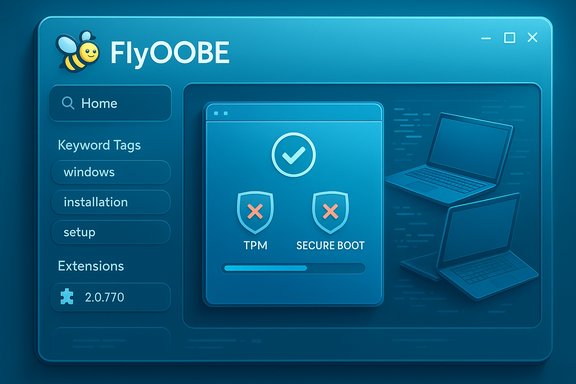
Flyby11 — rebranded as FlyOOBE — began life as a lightweight patcher aimed at removing Microsoft’s hardware checks during Windows 11 installation (TPM, Secure Boot, CPU generation checks, and certain RAM minima). Over time it evolved into a broader Out‑Of‑Box Experience (OOBE) toolkit that not only enables installations on older hardware, but also lets users customize the first‑boot setup flow: skip forced online account sign‑ins, remove promotional screens, and apply debloat tweaks early in the process. The project is open source and distributed through GitHub, with an active release cadence and community engagement. FlyOOBE 2.0.770 is presented as the culmination of that transition: a consolidated, modernized UI, a reworked extensions engine, improved async processing for smoother responsiveness, a new activity monitor, and a centralized Home dashboard with richer metadata and keyword search. The release notes also reiterate FlyOOBE’s core technical capability — using a Windows Server style setup flow to circumvent the standard client-side hardware checks — a method the developer documents and the community has widely tested.
Source: Neowin FlyOOBE 2.0.770
 Background
Flyby11 — rebranded as FlyOOBE — began life as a lightweight patcher aimed at removing Microsoft’s hardware checks during Windows 11 installation (TPM, Secure Boot, CPU generation checks, and certain RAM minima). Over time it evolved into a broader Out‑Of‑Box Experience (OOBE) toolkit that not only enables installations on older hardware, but also lets users customize the first‑boot setup flow: skip forced online account sign‑ins, remove promotional screens, and apply debloat tweaks early in the process. The project is open source and distributed through GitHub, with an active release cadence and community engagement. FlyOOBE 2.0.770 is presented as the culmination of that transition: a consolidated, modernized UI, a reworked extensions engine, improved async processing for smoother responsiveness, a new activity monitor, and a centralized Home dashboard with richer metadata and keyword search. The release notes also reiterate FlyOOBE’s core technical capability — using a Windows Server style setup flow to circumvent the standard client-side hardware checks — a method the developer documents and the community has widely tested. What’s in 2.0.770: Not just another incremental update
User interface and experience
- The app ships a modernized, simplified interface intended to lower the barrier for casual users while retaining depth for power users. The release emphasizes discoverability via keyword tags and a new Home dashboard.
- Major internal refactors move the app to primarily asynchronous processing, meaning search, filtering, and extension loading should no longer block the UI — a frequent gripe in earlier builds.
- An expanded back navigation stack and improved high‑DPI scaling round out the visual and UX polish, plus a new friendly bee icon to underline the rebrand.
Extensions, telemetry, and logs
- FlyOOBE’s extensions engine is rewritten: extensions now use a metadata index and a category dropdown for filtering. Extensions shipped with the app can be uninstalled just like user‑added ones.
- A native activity monitor logs actions in real time and can display contextual help for extensions — useful for troubleshooting complex setup scripts.
Core technical capabilities (what people actually use it for)
- FlyOOBE still provides the classic “upgrade / bypass” flow that:
- Bypasses TPM checks
- Bypasses Secure Boot enforcement
- Skips unsupported CPU generation checks
- Removes some minimum RAM enforcement during setup
Verifying claims: what I checked and where the facts line up
The release notes and the GitHub project page are the primary authoritative sources for FlyOOBE’s new features and purpose. The GitHub release entry for 2.0.770 contains the developer’s changelog and feature list, making it the canonical reference for what is officially shipped. Independent reporting and software coverage confirm the same core points:- Coverage from Windows Central and other outlets describes FlyOOBE (formerly Flyby11) as a tool that bypasses Windows 11 hardware checks and streamlines OOBE setup; this matches the project’s stated functions.
- Mainstream tech press (Tom’s Hardware, TechRadar, and others) have repeated the developer’s warning about a malicious mirror (flyoobe[.]net) distributing tampered copies — a supply‑chain risk the maintainer flagged prominently on GitHub. I cross‑checked that advisory with both the GitHub release notes and third‑party reporting. If you’re going to run any system‑level tool, this sort of cross‑validation is essential.
Why FlyOOBE still matters: practical use cases
- Rescue and refurbishment: Techs refurbishing older laptops or PCs find FlyOOBE useful for getting a current OS onto hardware that would otherwise be blocked by Microsoft’s minimum requirements. When hardware is otherwise functional, the tool helps avoid unnecessary replacements and reduce e‑waste.
- Bulk imaging for legacy fleets: Enthusiasts and small IT shops sometimes need a way to deploy Windows 11 images across mixed‑age hardware. FlyOOBE’s scripting/extension model can be incorporated into lightweight deployment workflows.
- OOBE customization for privacy or convenience: For organizations or users that prefer to avoid forced Microsoft Account sign‑ins or early promotional screens, FlyOOBE centralizes options to complete OOBE with local accounts, disable telemetry elements, and remove default store apps during the initial setup.
The risks and trade‑offs — security, updates, and support
Security and hardware protections
Bypassing TPM and Secure Boot removes layers of hardware‑anchored defenses. TPM is used for hardware‑backed cryptographic functions such as BitLocker key protection and Windows Hello credential storage. Without TPM, those protections fall back to less resilient modes (startup password or keyfile), increasing exposure to offline compromise and key extraction. Secure Boot blocks unsigned or tampered bootloaders; disabling or bypassing it increases risk from boot‑level malware. The developer and multiple community discussions explicitly acknowledge these downsides.Update entitlement and long‑term support
Microsoft’s public guidance has repeatedly warned that devices not meeting Windows 11’s minimum requirements “will not be entitled to receive updates,” a statement repeated across official documentation and reproduced by community and tech press coverage. That lack of guaranteed updates can include security updates and feature updates, which is a serious long‑term risk for any machine used in production or handling sensitive data. In practice some unsupported devices have continued to receive monthly updates, but this behavior is inconsistent and at Microsoft’s discretion — it can change without notice.Supply‑chain and tampering risks
Tools that perform system‑level changes naturally attract malicious actors who want to ship backdoored binaries. The FlyOOBE project maintainer has explicitly posted a SECURITY ALERT telling users not to download from an unofficial mirror at flyoobe[.]net, and several outlets have published warnings about a fake site distributing tampered copies. Running a compromised build during Windows setup can introduce persistent malware or ransomware deep in the system before security software is even configured. Always assume any third‑party installer is a potential supply‑chain vector unless verified.Legality and licensing considerations
FlyOOBE itself is distributed as open source, but bypassing enforced hardware checks could violate a device vendor’s warranty or Microsoft’s licensing expectations (particularly in enterprise managed scenarios). Using it on corporate assets without explicit approval is a compliance risk. Treat FlyOOBE as an administrator‑level tool and use within corporate environments only under approved exceptions or with appropriate governance.How to use FlyOOBE responsibly (recommended practice)
- Verify the binary
- Download only from the official GitHub Releases page for the builtbybel / FlyOOBE repository.
- Validate checksums or signatures if provided by the maintainer.
- Avoid third‑party mirrors or unfamiliar domains (for example, do not visit flyoobe[.]net if a developer warning is in place).
- Test in a sandbox
- Before touching production hardware, run the tool in a virtual machine and perform a full verification of the expected behavior and subsequent Windows Update status.
- Back up everything
- Take a full system image and export critical data before attempting any upgrade or bypass workflow.
- Keep mitigation for missing features
- If you bypass TPM, plan for alternative protection strategies (software BitLocker with a startup key stored separately, strong local account passwords, disk encryption best practices).
- Limit exposure
- Avoid using bypassed systems for high‑risk or sensitive tasks (online banking, corporate credential storage) until you can confirm update policy and mitigations.
- Monitor update behavior
- After installation, closely monitor Windows Update for the first several months. If monthly security updates stop arriving or the system begins to receive selective rollouts, prepare to remediate (either by re‑imaging to a supported configuration or by isolating the device).
The broader context: Microsoft tightening OOBE and the arms race of workarounds
Microsoft has been gradually tightening its OOBE and account‑creation workflows. Recent Insider builds and coverage from outlets like The Verge and Tom’s Hardware show Microsoft removing previously common local‑account bypass commands and methods, aiming to enforce Microsoft Account sign‑ins and online connectivity in some scenarios. Those changes directly affect how reliable OOBE bypasses are and increase the maintenance burden for projects that rely on those behavioral quirks. When Microsoft alters the setup flow in Insider or production builds, third‑party tools have to adapt quickly or break. This is an arms‑race dynamic: Microsoft modifies behavior to reduce avenues for bypassing policies; community tool authors create new workarounds; Microsoft subsequently patches or hardens the flow. That cycle makes any unsupported‑hardware strategy inherently brittle and something that must be revisited after major Windows releases. FlyOOBE’s evolution into a more robust extension platform is a response to that reality — the developer is adding more robust indexing, async processing, and modular extensions to keep the app flexible as setup internals shift.Balanced assessment: who should consider FlyOOBE, and who should not
Good fit
- Hobbyists, refurbishers, and home users who understand the risks and are comfortable maintaining a system that may require manual remediation.
- Small shops upgrading legacy hardware for personal or internal non‑critical use where procuring new machines is not feasible.
- IT professionals building one‑off lab machines or test rigs where convenience outranks strict compliance.
Not a good fit
- Corporate endpoints or machines processing sensitive data — there the guarantee of updates and hardware‑backed security is essential.
- Users who lack backups or who are not comfortable troubleshooting post‑install update issues.
- Environments with strict compliance or warranty requirements.
Final verdict: a powerful tool that demands informed use
FlyOOBE 2.0.770 is a meaningful technical and UX milestone for a project that has already earned a place in the toolbox of Windows enthusiasts. The developer’s work in modernizing the UI, reworking extension mechanics, and improving performance is real and useful — it lowers friction for legitimate use cases like refurbishing older hardware and customizing OOBE. The project’s GitHub presence and changelog make the developer’s intent and implementation transparent. At the same time, the core action FlyOOBE performs — enabling Windows 11 on unsupported hardware by bypassing TPM, Secure Boot, and CPU checks — necessarily reduces hardware‑anchored security guarantees and creates long‑term risk regarding updates and vendor support. Those are not theoretical concerns; Microsoft’s documentation and real‑world behavior demonstrate that unsupported installs may not receive critical updates and that Microsoft is actively tightening setup defenses such as local‑account bypasses. Combined with active supply‑chain threats (fake mirrors distributing tampered builds), the environment requires caution and technical literacy from users. If you decide FlyOOBE fits your scenario, follow strict download and verification steps, test in a VM, and maintain an aggressive backup and update monitoring regimen post‑install. If your priority is long‑term security, compliance, or minimal maintenance, the safer path is to procure supported hardware or adopt an officially supported upgrade path.Quick checklist before you run any bypass tool
- Download from the official GitHub Releases for builtbybel / FlyOOBE.
- Verify checksum/signature if available.
- Create a full disk image and store it offline.
- Test the process inside a VM or a sacrificial system first.
- Have a recovery plan if Windows Update stops or hardware features behave incorrectly.
- Avoid running the tool on corporate machines unless governance approves it.
- Keep anti‑malware and integrity monitoring active during and after setup.
Source: Neowin FlyOOBE 2.0.770
