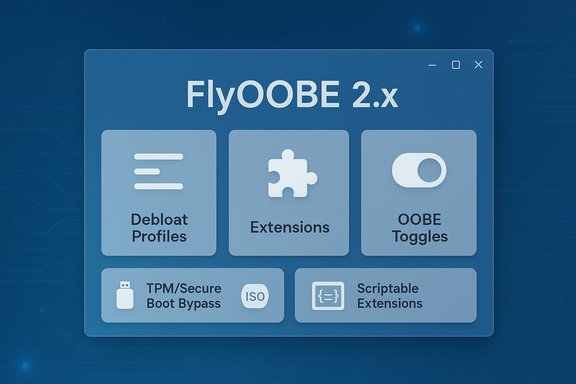
FlyOOBE’s latest public build tightens the project’s role as a compact technician toolkit for installing and customizing Windows on machines that Microsoft’s official installer might otherwise block, and the 2.1.790 wave continues that theme: clearer OOBE automation, expanded extension controls, and a renewed emphasis on download hygiene after the developer warned against unofficial mirrors.
FlyOOBE began life as Flyby11 — a focused community utility that automated the commonly used installer workarounds to bypass Windows 11’s compatibility gates (TPM 2.0, Secure Boot, and certain CPU/RAM checks). Over successive releases the author expanded the scope from “make Setup run” into a broader Out‑Of‑Box Experience (OOBE) manager: day‑one personalization, debloat profiles, and scriptable provisioning hooks for refurbishers and technicians. The project is distributed as a compact, portable executable and is published via GitHub Releases. Why this matters now: Microsoft’s official support lifecycle and the end of mainstream support for Windows 10 have driven many users and small IT operators to seek predictable upgrade flows for older hardware. With Windows 10 support ended, options include migrating to Windows 11 (if hardware supports it), paying for limited Extended Security Updates, or using community tooling to keep older machines current — each choice carries trade‑offs in security, update reliability, and vendor support. Microsoft’s own lifecycle documentation confirms the October 14, 2025 end‑of‑support date for Windows 10 editions.
FlyOOBE also wraps ViVeTool (a command‑line feature toggler) in a GUI module so less technical users can enable or disable hidden Windows feature IDs without manual command entries. That increases convenience but also concentrates privilege — another reason to insist on vetted extension sources and robust backups.
That said, community tooling is a blunt instrument. It shifts the maintenance burden from a vendor to the user or community: unsupported installs require vigilance, testing after updates, and a willingness to troubleshoot breakages. This can be acceptable for hobbyists and refurbishers but is anathema to regulated enterprises where warranties, compliance, and official support matter more than short‑term convenience.
FlyOOBE 2.1.790 is the latest stop on a logical trajectory: from a narrowly scoped compatibility patcher to a comprehensive OOBE and provisioning toolkit. The release sharpens usability and repeatability while the project’s open‑source nature and explicit warnings about mirrors help reduce some supply‑chain risks. That said, the fundamental trade‑offs remain: missing hardware features and the absence of hardware‑rooted protections cannot be solved by software, and unsupported installs always carry a longer maintenance tail. For technicians and power users who accept those trade‑offs and follow conservative security practices, FlyOOBE remains a practical, time‑saving tool.
Source: Neowin FlyOOBE 2.1.790
 Background
FlyOOBE began life as Flyby11 — a focused community utility that automated the commonly used installer workarounds to bypass Windows 11’s compatibility gates (TPM 2.0, Secure Boot, and certain CPU/RAM checks). Over successive releases the author expanded the scope from “make Setup run” into a broader Out‑Of‑Box Experience (OOBE) manager: day‑one personalization, debloat profiles, and scriptable provisioning hooks for refurbishers and technicians. The project is distributed as a compact, portable executable and is published via GitHub Releases. Why this matters now: Microsoft’s official support lifecycle and the end of mainstream support for Windows 10 have driven many users and small IT operators to seek predictable upgrade flows for older hardware. With Windows 10 support ended, options include migrating to Windows 11 (if hardware supports it), paying for limited Extended Security Updates, or using community tooling to keep older machines current — each choice carries trade‑offs in security, update reliability, and vendor support. Microsoft’s own lifecycle documentation confirms the October 14, 2025 end‑of‑support date for Windows 10 editions. What FlyOOBE 2.1.790 brings to the table
Core focus: OOBE automation and reliability
This release consolidates what FlyOOBE increasingly emphasizes — not merely bypassing preflight checks, but shaping first boot behavior so devices ship in a standardized, low‑bloat, privacy‑conscious state. Key user‑facing refinements reported around the 2.x preview series that are retained or expanded in 2.1.790 include:- Guided OOBE flows that let operators preset language, region, keyboard, taskbar alignment, wallpaper, and default browser choice.
- Account control to allow creation of local accounts during OOBE and to skip forced Microsoft account sign‑in.
- Network and region bypasses so setups complete without an active internet connection when required.
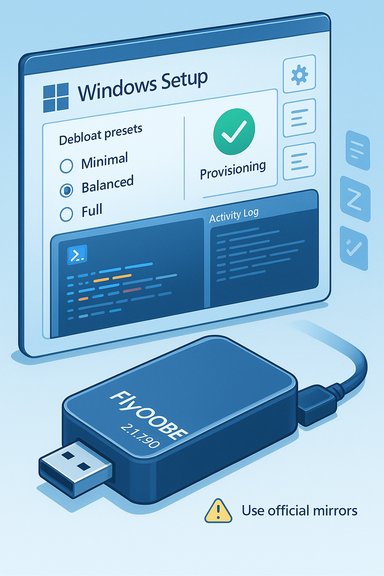
- Debloat presets (Minimal, Balanced, Full) that run during OOBE to unprovision Appx packages and OEM utilities.
- Scriptable PowerShell extensions that run at setup time to install drivers, apps or apply local policies.
Technical refinements and UI polish
The 2.x previews introduced a modernized UI, improved high‑DPI scaling, asynchronous extension loading to avoid UI blocks, a native activity log viewer, and an extensions metadata index that lists authors/sources for transparency. 2.1.790 builds on those changes with incremental polish: clearer primary actions, better progress reporting during long debloat or app unprovisioning tasks, and a reorganized Home dashboard for discoverability. These changes lower the barrier for less technical operators while preserving power functions for technicians.Installer technique: packaging, not hacking
It is crucial to be precise about how FlyOOBE achieves compatibility. The tool does not inject kernel exploits or fabricate hardware capabilities. Instead it automates two community‑documented approaches:- Server‑variant setup routing — steering Windows Setup into a code path historically associated with server SKU installers that perform fewer client‑side preflight checks; and
- LabConfig / registry edits and light media steering — setting well‑known registry flags or wrapping official ISOs so Setup ignores specific checks (BypassTPMCheck, BypassSecureBootCheck, BypassCPUCheck, etc..
Cross‑checked facts and verifications
- FlyOOBE’s GitHub Releases page documents the 2.0 preview lineage and hosts stable builds; the repository is the canonical location for downloads and changelogs.
- The developer has repeatedly published a security alert instructing users to avoid third‑party mirrors such as the impersonating domain that surfaced in November 2025; independent outlets reported the warning and the risk of tampered builds being distributed via unofficial sites.
- Microsoft’s lifecycle pages confirm Windows 10 reached its end of support on October 14, 2025, which is a primary contextual driver for the uptick in interest around upgrade and bypass tooling.
Practical anatomy: how a FlyOOBE‑assisted workflow typically runs
- Prepare: obtain an official Windows ISO (FlyOOBE can help orchestrate downloading and mounting).
- Validate: confirm the target device’s fatal CPU limits (instruction‑set checks) using the tool’s health checks.
- Run FlyOOBE: execute with elevated rights from a technician workstation or bootable USB; choose the upgrade or clean install flow.
- OOBE customization: pick debloat profile, account preferences, and any PowerShell extensions to run.
- Monitor and recover: use the built‑in logs and keep a recovery image or official restore media ready in case a rollback is required.
Strengths: why technicians and enthusiasts like FlyOOBE
- Portability and speed: FlyOOBE is a tiny, no‑install executable distributed in ZIP form; it’s convenient for USB toolkits and quick technician workflows.
- Repeatable provisioning: profiles and GitHub‑loadable extension sets let refurbishers produce consistent images across many devices.
- Day‑one user control: the tool surfaces OOBE options that Microsoft increasingly pushes as defaults (Copilot, Microsoft account nudges), letting operators opt out or defer those experiences at setup time.
- Open‑source transparency: code and release notes on GitHub reduce some classes of supply‑chain concern compared with closed, repackaged installers.
Risks, limitations, and honest cautions
No community tool can eliminate the trade‑offs of running Windows on hardware Microsoft considers unsupported. Key, immutable constraints and operational hazards include:- Hardware instruction limits: CPUs lacking instruction‑set requirements (for example, POPCNT or SSE4.2) may not be able to boot certain Windows 11 builds even if Setup completes. Software cannot synthesize CPU instructions. FlyOOBE includes health checks to surface these showstoppers; nevertheless, missing microarchitectural features are a hard limit.
- No hardware‑backed TPM or Secure Boot protections: bypassing checks does not create a TPM or restore firmware‑level cryptographic protections. Features relying on hardware attestation or measured boot will be weakened or unavailable.
- Update fragility and support disclaimers: Microsoft’s policy remains that unsupported devices are not guaranteed updates. While many community installs receive cumulative updates, Microsoft can and has changed servicing logic across feature updates, which can break bypass pathways. This is a probabilistic long‑term maintenance burden.
- Elevated script risk: FlyOOBE runs PowerShell extensions at high privilege during OOBE. Unvetted or third‑party scripts can introduce backdoors, remove crucial features, or render an image unbootable. Audit every script before running it in production.
- Supply‑chain exposure from mirrors: small unsigned executables that require admin rights are prime targets for tampering. The project’s developer posted an explicit security warning about unofficial mirrors; independent reporting amplified that advisory. Download only from the official releases page and verify checksums.
Security hygiene: a practical checklist before you run FlyOOBE
- Always download FlyOOBE from the project’s official GitHub Releases page and verify SHA‑256 checksums.
- Test the exact workflow in a VM or sacrificial machine before deploying to production hardware.
- Create full block‑level disk images and verify them — file‑level backups are not sufficient for rollback in case the upgrade fails.
- Start with conservative debloat profiles (Minimal or Balanced) and only escalate after verifying the consequences for BitLocker, virtualization, or vendor utilities.
- Audit and sign any PowerShell extensions you intend to run; prefer extensions authored by known community maintainers and documented in the repository metadata.
- Maintain a post‑update checklist to re‑audit whether disabled AI surfaces or toggles remain changed after cumulative updates.
How FlyOOBE compares with related tooling (Rufus and ViVeTool integration)
FlyOOBE and Rufus approach the installer problem from complementary angles. Rufus is primarily a fast, reliable media creation tool; recent Rufus releases added options to skip TPM/Secure Boot checks during USB creation. FlyOOBE focuses on the OOBE stage and scripted first‑boot customizations — debloat, account choices, and extensions. The recommended hybrid workflow is to use Rufus for standardized bootable media and FlyOOBE for per‑device provisioning once Setup has run.FlyOOBE also wraps ViVeTool (a command‑line feature toggler) in a GUI module so less technical users can enable or disable hidden Windows feature IDs without manual command entries. That increases convenience but also concentrates privilege — another reason to insist on vetted extension sources and robust backups.
Community and political context: a brief critical view
FlyOOBE’s evolution reflects a broader tension in modern OS ecosystems: vendors shipping increasingly opinionated defaults (AI features, telemetry, cloud account integration) versus user demand for control, privacy, and hardware longevity. Tools like FlyOOBE are a practical response to that demand: they restore immediate control, help extend the usable life of older machines, and enable refurbishers to deliver predictable, low‑bloat images.That said, community tooling is a blunt instrument. It shifts the maintenance burden from a vendor to the user or community: unsupported installs require vigilance, testing after updates, and a willingness to troubleshoot breakages. This can be acceptable for hobbyists and refurbishers but is anathema to regulated enterprises where warranties, compliance, and official support matter more than short‑term convenience.
Final assessment: who should use FlyOOBE 2.1.790?
FlyOOBE 2.1.790 is well suited to:- Refurbishers and small IT shops that need repeatable, fast provisioning on mixed hardware.
- Enthusiasts and hobbyists who understand the limits and want fine‑grained first‑boot control.
- Privacy‑minded users who want to remove or defer AI surfaces and vendor nudges from day one.
- Enterprises or regulated environments that require vendor‑backed support and hardware‑based protections.
- Users who cannot accept the added maintenance burden of potentially unsupported installs.
- Anyone unwilling to verify downloads, audit scripts, and maintain recovery images.
Quick reference: immediate steps for technicians considering FlyOOBE
- Download FlyOOBE only from the official GitHub Releases page and verify checksums.
- Test your planned profile and extensions in a VM or sacrificial device.
- Create a full disk image of any target machine before proceeding.
- Start with the “Minimal” or “Balanced” debloat profile and enable additional removals only after validating functionality.
- Keep recovery USBs and official Windows ISOs on hand in case you need to restore factory behavior.
FlyOOBE 2.1.790 is the latest stop on a logical trajectory: from a narrowly scoped compatibility patcher to a comprehensive OOBE and provisioning toolkit. The release sharpens usability and repeatability while the project’s open‑source nature and explicit warnings about mirrors help reduce some supply‑chain risks. That said, the fundamental trade‑offs remain: missing hardware features and the absence of hardware‑rooted protections cannot be solved by software, and unsupported installs always carry a longer maintenance tail. For technicians and power users who accept those trade‑offs and follow conservative security practices, FlyOOBE remains a practical, time‑saving tool.
Source: Neowin FlyOOBE 2.1.790