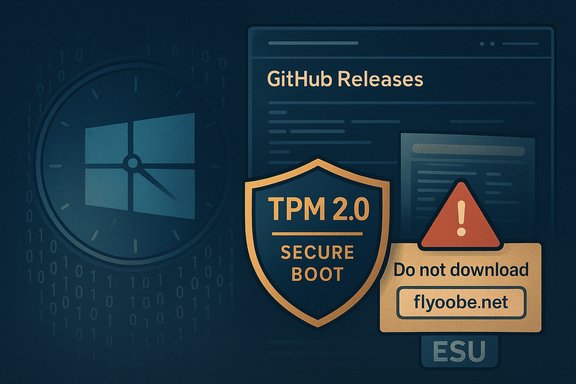
A recently discovered unofficial mirror hosting downloads of FlyOOBE — the community tool that evolved from the Flyby11 Windows 11 requirements bypass — has triggered an urgent developer warning and fresh debate about the risks of using third‑party installers to force unsupported machines onto Windows 11. The project's official release notes now carry a blunt SECURITY ALERT telling users to “DO NOT DOWNLOAD FROM FlyOOBE - FlyOOBE because the site is an unauthorised mirror that may host tampered or malicious builds, and the developer points users to GitHub Releases as the only trustworthy download source.
Windows 11’s tightened hardware baseline — notably TPM 2.0, Secure Boot, and processor family checks (and, in recent builds, explicit CPU instruction requirements such as POPCNT and SSE4.2) — has left many older but perfectly usable PCs ineligible for the official upgrade path. Microsoft’s policy makes this explicit: installing Windows 11 on devices that do not meet the minimum system requirements is not recommended and such devices are not guaranteed to receive updates. That gap created demand for small community tools that automate known workarounds. Flyby11 began as a simple bypass utility; it has since been reworked, renamed and expanded into FlyOOBE — a broader Out‑Of‑Box Experience (OOBE) customizer and debloat toolkit that still contains the upgrade bypass functionality as a standalone component. The project is open‑source and distributed via GitHub Releases, where the developer publishes changelogs and binary assets. Mainstream tech outlets and hands‑on guides have covered FlyOOBE and its predecessor extensively, describing the tool’s appeal (extend the life of old hardware, automate first‑boot choices, remove bloatware) as well as the practical technical caveats (driver issues, missing CPU instruction sets, update uncertainty).
The FlyOOBE developer’s security notice changes the conversation from a purely technical curiosity to a practical security problem: not because the tool is inherently malicious, but because any unsigned community binary duplicated by third‑party sites is an obvious vector for compromise. Treat this as a reminder to adopt strict provenance and verification practices for every utility that runs with elevated privileges on your systems. Conclusion
FlyOOBE remains an important tool in the community toolbox for extending the life of older PCs and streamlining first‑boot customizations — but the emergence of an unauthorised mirror hosting potentially tampered builds is precisely the kind of supply‑chain failure that turns convenience into risk. The developer’s recommendation is unequivocal: if you decide to use FlyOOBE, download only from the official GitHub Releases, verify what you can, test in isolation, and keep a full image backup ready. Ignoring those steps increases the chance that a “requirements bypass” becomes an unexpected infection vector.
Source: Neowin Unofficial Windows 11 requirements bypass download could infect your PC if you're careless
 Background
Windows 11’s tightened hardware baseline — notably TPM 2.0, Secure Boot, and processor family checks (and, in recent builds, explicit CPU instruction requirements such as POPCNT and SSE4.2) — has left many older but perfectly usable PCs ineligible for the official upgrade path. Microsoft’s policy makes this explicit: installing Windows 11 on devices that do not meet the minimum system requirements is not recommended and such devices are not guaranteed to receive updates. That gap created demand for small community tools that automate known workarounds. Flyby11 began as a simple bypass utility; it has since been reworked, renamed and expanded into FlyOOBE — a broader Out‑Of‑Box Experience (OOBE) customizer and debloat toolkit that still contains the upgrade bypass functionality as a standalone component. The project is open‑source and distributed via GitHub Releases, where the developer publishes changelogs and binary assets. Mainstream tech outlets and hands‑on guides have covered FlyOOBE and its predecessor extensively, describing the tool’s appeal (extend the life of old hardware, automate first‑boot choices, remove bloatware) as well as the practical technical caveats (driver issues, missing CPU instruction sets, update uncertainty). What FlyOOBE Does — A Technical Overview
FlyOOBE is not a single “exploit” but a packaged set of well‑documented installer routing and configuration techniques:- It can steer the Windows installation process through alternative setup code paths (for example, leveraging behavior in server‑variant setup flows) that historically perform fewer consumer hardware checks.
- It automates LabConfig‑style registry flags and small media or setup‑time edits that instruct Setup to skip certain preflight checks (TPM/CPU/Secure Boot) for the install session.
- It bundles powerful OOBE customization and debloat capabilities so you can:
- Remove or block provisioning of chosen built‑in apps (Copilot surfaces, Xbox components, Paint/Calculator, etc.
- Choose account type defaults (local vs Microsoft account) and privacy/telemetry options
- Run scripted PowerShell extensions during first boot to install drivers or other tooling
- The classic bypass element (previously Flyby11) has been decoupled so the upgrade logic can run as a standalone helper while FlyOOBE focuses on the OOBE and automation UI.
The Immediate News: An Unofficial Mirror and a Developer Warning
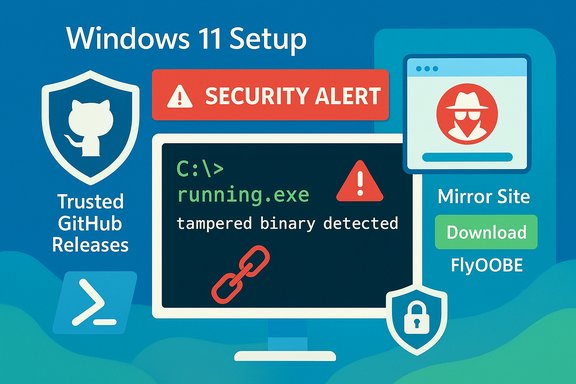
In its release page, the FlyOOBE developer has added a clear and prominent security notice: users must not download builds from an unofficial site (the mirror at flyoobe.net). The developer explicitly says that the mirror “may host tampered or malicious builds” and that it “has NO affiliation” with the project’s official pages — the only safe download location being the GitHub Releases for the repository. That warning appears alongside the 1.x release notes following continued development and packaging changes. Independent coverage flagged the same risk for readers: mainstream outlets reporting on FlyOOBE noted that, while the tool itself is valuable for certain audiences, distribution through unverified sources amplifies the chance of supply‑chain compromise. Unofficial distributions can bundle adware, install PUPs (potentially unwanted programs), or even carry malware. These are not hypothetical dangers — compromised community binaries have been documented across different projects in recent years. The mirror operator’s own FAQ (on the unauthorised site) tries to reassure users that downloads are “safe and secure,” but that self‑assertion cannot be trusted without independent verification — especially when the project maintainer explicitly warns otherwise. The only reliable defense is to use the official release assets and validate them where possible.Why Unofficial Mirrors Matter: Real Risks
- Distribution tampering and supply‑chain risk
Unofficial mirrors are attractive targets for malicious actors because users often trust the apparent familiarity of a project’s name. A tampered ZIP can insert a loader, a persistent backdoor, or simple adware — all of which may run with elevated privileges during an upgrade. The FlyOOBE developer’s warning is a direct acknowledgement of this risk: anyone running a downloaded executable without verifying its provenance is increasing the chance of infection. - Heuristic and behavior‑based AV detections (and false positives)
Small developer tools that modify system setup behavior or run scripts can be flagged by antivirus engines as PUAs, patchers, or suspicious “generic” detections. That leads to two practical issues: AV can block or quarantine the installer mid‑process (breaking the upgrade), and some detections are false positives that dissuade less technical users from using legitimate tools. Community reports show Flyby11/FlyOOBE have been flagged at times; that’s a reputation problem as much as a technical one. Users should assume some friction when running bypass tools and prepare to scan and verify binaries ahead of execution. - Loss of platform security guarantees
Bypassing TPM 2.0 and Secure Boot disables or weakens protections that Microsoft designed into the Windows 11 security model — protections that underpin features like hardware‑backed BitLocker and platform attestation. Even if an unsupported install works today, it may be excluded from future feature updates or security servicing. Microsoft’s official stance is unambiguous: unsupported installs are not guaranteed updates or support. - Scripted extensions as attack surface
FlyOOBE’s powerful extension mechanism (PowerShell scripts that run during OOBE) is a convenience for automation — and a vector for supply‑chain risk if third‑party scripts are bundled without audit. Running unsigned or third‑party scripts with elevated rights is inherently higher risk than a purely local configuration change. The project maintains a “Lite” approach possibility to avoid unnecessary script bundles; this is recommended for security‑conscious users.
What’s Verifiable — and What Isn’t
- Verifiable: The project’s official GitHub Releases page contains an explicit SECURITY ALERT telling users to avoid the flyoobe.net mirror and to use GitHub Releases. That alert is visible in the release notes and is controlled by the project maintainer.
- Verifiable: FlyOOBE (and Flyby11) implement installer‑routing and registry tweaks commonly used by the community to bypass Windows 11 hardware checks; numerous independent outlets and community tests explain the same methods. These are documented and observable in the project’s release notes and independent writeups.
- Provisional (time‑sensitive): Whether unsupported installs will continue to receive monthly security updates indefinitely is not verifiable as a long‑term guarantee. Community reports show some unsupported systems have received updates in the short term, but Microsoft’s policy reserves the right to change update behavior, and new enforcement actions in future builds can break current workarounds. Treat any statement that “updates will continue forever” as speculative.
- Unverifiable without forensic evidence: Claims by the unofficial mirror that its binaries are “completely safe and secure” are not verifiable without code signing, checksum validation by a trusted party, or independent multi‑engine scanning results. Those claims should be treated with caution until independently confirmed.
Practical, Step‑by‑Step Safety Guidance
If you are a power user or technician who understands the tradeoffs and still wants to evaluate FlyOOBE, follow this conservative checklist to reduce risk:- Download only from the project’s official GitHub Releases page. Do not trust third‑party mirrors.
- Verify binary integrity:
- If the maintainer provides checksums or signatures, verify them before execution.
- Run downloads through a multi‑engine scanner (VirusTotal or equivalent) before opening. Note that a single AV flag is not definitive, but multiple consistent detections are a red flag.
- Test in an isolated environment first:
- Run the tool in a virtual machine (snapshot first) or on sacrificial hardware to validate the workflow and confirm driver/boot behavior.
- Examine logs and observe any unexpected outbound network connections.
- Back up and image before you touch production systems:
- Create a full disk image (not just file copies) and prepare recovery media so you can roll back quickly if something fails.
- Inspect any bundled scripts:
- If you plan to use extensions, open and review PowerShell scripts line by line. Only run signed scripts if you can verify the author’s integrity.
- Minimize exposure:
- Temporarily isolate the machine on a segmented network or VLAN during the upgrade to limit potential data leakage if a binary is malicious.
- Be realistic about long‑term support:
- Plan for future updates: if the device lacks required hardware features, plan to migrate to supported hardware in the medium term or enroll in Microsoft’s official ESU program if eligible.
For IT and Enterprise Teams
Third‑party bypass tools are not recommended in managed fleets. The operational, legal and compliance risks are real:- Warranty and support: Vendor warranties may be affected if a device is altered outside supported configurations.
- Patch management: Unsupported installs may receive unpredictable updates and could fall out of automated management tooling.
- Auditability: Using unsigned third‑party tools complicates forensic preparedness and change tracking.
Alternatives and Complementary Tools
For readers seeking alternatives that avoid unsigned binaries or unofficial mirrors:- Use official Microsoft tools (Windows Update, Media Creation Tool, and Enterprise imaging workflows) whenever possible.
- For controlled imaging, use Rufus or trusted media‑creation tools that explicitly document how they bypass checks and source images from Microsoft; but remember that modified media also carries support risks.
- Consider a staged approach: create official ISO media, then use a trusted, audited configuration management system to perform OOBE customizations via signed scripts. This maintains image provenance while enabling automation.
Final Assessment — Strengths, Weaknesses and the Bottom Line
Strengths- FlyOOBE packages a mature, useful workflow: ISO handling, installer routing, OOBE customization and debloat in a single, portable UI that helps technicians and advanced users save time and reduce repetitive setup tasks. This is a real productivity gain for refurbishers and power users.
- The project is open and actively maintained on GitHub; that transparency lets experienced users and auditors inspect release notes and assets.
- Distribution via unofficial mirrors introduces acute supply‑chain risk. A tampered binary can deliver malware that runs with elevated privileges during setup; the project maintainer’s explicit SECURITY ALERT is a clear red flag.
- Running unsupported Windows 11 remains outside Microsoft’s recommended path. Long‑term update behavior is not guaranteed and may change; some CPU instruction checks are non‑bypassable and can make systems unbootable after an attempted upgrade.
- Antivirus and reputation issues are real; small developer tools that change system setup behavior are frequently flagged by behavior‑based engines, which complicates deployment for less technical users.
The FlyOOBE developer’s security notice changes the conversation from a purely technical curiosity to a practical security problem: not because the tool is inherently malicious, but because any unsigned community binary duplicated by third‑party sites is an obvious vector for compromise. Treat this as a reminder to adopt strict provenance and verification practices for every utility that runs with elevated privileges on your systems. Conclusion
FlyOOBE remains an important tool in the community toolbox for extending the life of older PCs and streamlining first‑boot customizations — but the emergence of an unauthorised mirror hosting potentially tampered builds is precisely the kind of supply‑chain failure that turns convenience into risk. The developer’s recommendation is unequivocal: if you decide to use FlyOOBE, download only from the official GitHub Releases, verify what you can, test in isolation, and keep a full image backup ready. Ignoring those steps increases the chance that a “requirements bypass” becomes an unexpected infection vector.
Source: Neowin Unofficial Windows 11 requirements bypass download could infect your PC if you're careless