

Microsoft’s small-community Windows 11 bypass tool FlyOOBE shipped a performance-minded update this week — and its developer didn’t hold back, publicly airing frustration with Microsoft’s priorities while also warning users about fake mirrors and the broader risks of running unofficial installer helpers on unsupported hardware. The release follows a steady stream of FlyOOBE improvements that expand the project beyond a one‑trick patcher into a full Out‑Of‑Box Experience (OOBE) toolkit, but it arrives amid fresh scrutiny: Windows 10’s end of servicing, an acknowledged Windows 11 Shell provisioning bug, and active supply‑chain impersonation attempts against the project.
FlyOOBE began life as Flyby11 — a compact, community‑driven utility to bypass Microsoft’s installer hardware checks (TPM, Secure Boot, and curated CPU lists) so technically capable but “unsupported” PCs could be upgraded to Windows 11. Over time the project evolved into FlyOOBE: a bundled OOBE customizer, debloat engine, and upgrade assistant that automates ISO handling, LabConfig-style registry edits, and an alternate setup routing that historically uses server‑variant install paths to avoid some client checks. The project is open source and distributed via GitHub Releases. The timing matters. Windows 10 reached the end of mainstream servicing for most editions in October 2025, driving an urgent wave of upgrades and leaving millions of machines caught between forced hardware minimums and the desire to stay patched. That demand has amplified both interest in community bypass tools and risk from opportunistic actors distributing tampered copies of popular utilities. FlyOOBE’s developer has issued an explicit SECURITY ALERT telling users to avoid unofficial mirrors and to download only from the project’s official GitHub Releases page. Mainstream outlets have repeated that warning after a counterfeit domain began circulating a potentially malicious build. At the same time Microsoft itself faces scrutiny over Windows 11 quality and performance. A documented provisioning regression tied to monthly cumulative updates — tracked in Microsoft’s support bulletin KB5072911 — shows XAML/AppX packages failing to register in time during first sign‑on for some Windows 11 24H2 updates, leaving Start, Taskbar, Explorer, and Settings affected in provisioning and non‑persistent VDI scenarios. That formal admission, and the visible impact it has on the OS shell, has fed community frustration about responsiveness and stability in recent Windows servicing cycles.
Moreover, community tooling thrives because of openness and the goodwill of maintainers. When those projects are impersonated, the broader ecosystem suffers — enthusiasts and novice users both get burned, and legitimate maintainers must divert time to damage control rather than engineering. That damage is a net loss for the Windows community.
That said, the central facts are stark and non‑ideological: bypassing vendor hardware checks changes the security and update guarantees of the platform, and malicious impersonation of popular tooling is an active and serious supply‑chain hazard. The safest path for most users remains vendor‑supported upgrades, ESU for temporarily extending patch windows, or migration to systems that meet the published requirements. For those who accept the tradeoffs, FlyOOBE provides robust automation — but its use should be accompanied by strict download hygiene, testing on non‑critical systems, and documented operational mitigations.
Source: Neowin Unofficial Windows 11 requirements bypass app developer is truly disappointed with Microsoft
 Background / Overview
FlyOOBE began life as Flyby11 — a compact, community‑driven utility to bypass Microsoft’s installer hardware checks (TPM, Secure Boot, and curated CPU lists) so technically capable but “unsupported” PCs could be upgraded to Windows 11. Over time the project evolved into FlyOOBE: a bundled OOBE customizer, debloat engine, and upgrade assistant that automates ISO handling, LabConfig-style registry edits, and an alternate setup routing that historically uses server‑variant install paths to avoid some client checks. The project is open source and distributed via GitHub Releases. The timing matters. Windows 10 reached the end of mainstream servicing for most editions in October 2025, driving an urgent wave of upgrades and leaving millions of machines caught between forced hardware minimums and the desire to stay patched. That demand has amplified both interest in community bypass tools and risk from opportunistic actors distributing tampered copies of popular utilities. FlyOOBE’s developer has issued an explicit SECURITY ALERT telling users to avoid unofficial mirrors and to download only from the project’s official GitHub Releases page. Mainstream outlets have repeated that warning after a counterfeit domain began circulating a potentially malicious build. At the same time Microsoft itself faces scrutiny over Windows 11 quality and performance. A documented provisioning regression tied to monthly cumulative updates — tracked in Microsoft’s support bulletin KB5072911 — shows XAML/AppX packages failing to register in time during first sign‑on for some Windows 11 24H2 updates, leaving Start, Taskbar, Explorer, and Settings affected in provisioning and non‑persistent VDI scenarios. That formal admission, and the visible impact it has on the OS shell, has fed community frustration about responsiveness and stability in recent Windows servicing cycles. What changed in the FlyOOBE update
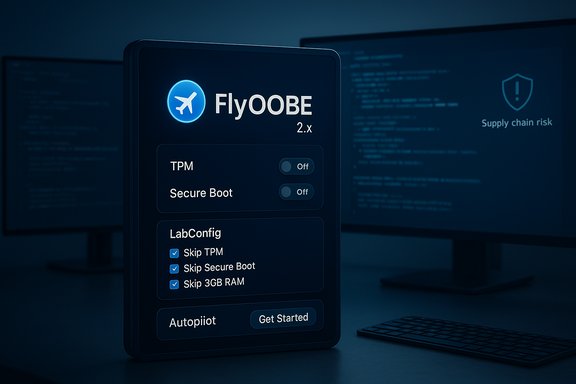
The latest FlyOOBE release (reported as a 2.x preview/2.2 milestone across community and release notes) emphasizes three themes: responsiveness, UX polish, and consolidation of the legacy Flyby11 upgrader into the main toolkit. The maintainers say they sped up app startup, trimmed memory usage, and tuned UI action buttons toward an icon-first compact mode that behaves more like native Windows 11 apps. The update also restores a classic Flyby11 visual mode inside the product and upgrades an Autopilot‑style assistant to guide installations more autonomously. Notably, the developer’s release notes and public comments include a candid aside about the design tradeoffs in modern Windows UI stacks, calling out XAML/WinUI elements as a performance liability in some Microsoft shells and lamenting what they perceive as the company prioritizing surface-level features (an additional Copilot button, for example) over real performance fixes. That sentiment — blunt and personal — was included in the public changelog and has become the headline many outlets and community threads highlight.Why this matters: benefits and practical capabilities
FlyOOBE is attractive because it packages repeatable automation for technicians, refurbishers, and technically confident consumers:- It automates the alternate setup route that historically bypasses front‑end compatibility gating, while still deploying an unmodified Windows 11 image.
- It adds OOBE automation so first‑boot choices (local vs Microsoft account, telemetry/privacy defaults, and debloat profiles) can be applied at scale.
- It bundles small, auditable hooks and PowerShell extensions to install drivers and common tooling after setup, saving hands‑on time for deployment teams.
- It provides built‑in checks to warn users about hard hardware limits that cannot be solved by software (for example, missing CPU instructions like POPCNT).
The risks — technical, security, and operational
Every convenience comes with tradeoffs. The FlyOOBE story exposes three overlapping risk domains:1) Supply‑chain and malware risk
Installer helpers run with elevated privileges and execute during a phase of setup where devices are most exposed. A trojanized FlyOOBE can bootstrap backdoors, credential harvesters, or ransomware before the user has created any accounts; that makes impersonation attacks especially dangerous. The FlyOOBE maintainer explicitly warned about a fake mirror (flyoobe.net) distributing tampered builds — a warning corroborated by security outlets. Users who download from unofficial sources risk irreversible compromise.2) Update fragility and long‑term support gaps
Microsoft’s stance is explicit: installing Windows 11 on unsupported hardware is not supported and devices are not guaranteed future updates. That means a machine upgraded via bypass techniques could later fail to receive feature or even security updates, or encounter an update that breaks because the OS now relies on hardware features the device lacks. The community‑documented limitations — and Microsoft’s own public guidance — make the approach operationally brittle for production environments.3) Security feature erosion
Bypassing TPM and Secure Boot removes hardware‑anchored protections that underlie features like measured boot, BitLocker key protection, and secure credential storage. Those protections are not cosmetic: they materially raise the bar against firmware and OS‑level attacks. Removing them increases exposure, especially on laptops and shared endpoints in enterprise networks. FlyOOBE warns users of these tradeoffs in its documentation; operators must treat those installs as deliberate compromises.The Microsoft context: shell regressions, performance complaints, and PR optics
The developer’s public frustration — a mixture of performance criticism and emotional disappointment — should be read against a broader backdrop. Independent and community testing of Windows 11's performance compared to Windows 10 has produced mixed results: some benchmarks and workloads show improvements in 24H2, while others still favor Windows 10 depending on workload, CPU architecture, and drivers. Meanwhile Microsoft has published data claiming improvements in update speed and reliability with 24H2, yet real‑world provisioning regressions tied to XAML/AppX registration (documented in KB5072911) have harmed admins and amplified skepticism. The combination of visible shell breakages, ongoing performance debates, and aggressive AI marketing (Copilot placement and messaging) has widened a trust gap that developers and power users feel acutely. That trust gap helps explain why a developer of an unofficial bypass tool would feel “let down” and vocal — it’s not merely about UI polish, it’s about a vendor‑user relationship where perceived engineering priorities shape the daily experience for power users and administrators alike. But it is also important to separate reasonable critique from sweeping claims: some reported regressions are real and documented; others are anecdotal or workload‑dependent, and the correlation between feature experiments and day‑to‑day snappiness can be complex. Where Microsoft has acknowledged a specific technical problem, it has published mitigations; where community evidence is mixed, interpretations should remain cautious and evidence‑driven.Practical guidance: how to evaluate FlyOOBE safely
For readers who still intend to experiment with FlyOOBE, a disciplined approach significantly reduces risk. The following steps are ranked by priority:- Download only from the official GitHub Releases page and verify checksums or signatures if the project publishes them. Do not trust third‑party mirrors.
- Test on non‑critical hardware first: use spare machines or virtualized environments to validate behavior before touching production devices.
- Create full, verified disk images and an offline rescue USB before attempting an upgrade — rollback should always be an option.
- Understand the limits: if a CPU lacks required instruction sets (POPCNT, SSE4.2, etc., the OS may not function reliably no matter what installer tricks are used. FlyOOBE’s compatibility checks will flag some of these hard failures.
- Segment upgraded machines from sensitive networks until you’ve validated security posture (for example, avoid using domain‑joined or high‑risk networks until the device is hardened).
- Maintain an explicit audit trail: document which devices were upgraded via bypass tools and what mitigations (additional endpoint controls, BitLocker alternatives, monitoring) were applied. This is essential if you’re managing a fleet.
Where Microsoft could — and should — focus
The FlyOOBE developer’s complaint — that Microsoft is prioritizing new UI elements and Copilot expansions over low‑level performance fixes — is blunt, but it highlights real levers Microsoft can pull to restore confidence:- Reprioritize regressions affecting the shell and provisioning workflows (the KB5072911 class of issues) with faster hotfixes and clearer communications for imaging/VDI teams. Enterprises need predictable imaging flows.
- Publish transparent performance telemetry and test workloads that reflect modern mixed workloads (developer tooling, single‑thread games, and typical office scenarios) so customers can evaluate upgrades with fewer surprises. Independent testing shows varying results; a richer vendor dataset would help.
- Harden update compatibility and communicate long‑term expectations for devices on the unsupported install path. If Microsoft wants to discourage bypasses, a clearer and more flexible transition path (e.g., affordable ESU mechanisms or clearer refurbs channel guidance) would reduce urgency and the incentives for risky workarounds.
Legal, ethical and ecosystem considerations
It’s worth noting the gray areas. Bypassing vendor‑published hardware requirements raises policy questions: while the technical methods are widely documented and can be framed as consumer choice, many vendor warranties, enterprise support contracts, and even certain regulatory assurances assume vendor‑approved configurations. Organizations must weigh legal and contractual exposure before officially endorsing unofficial upgrade paths for business assets. At a minimum, evaluations should be documented and risk‑acceptance formally approved.Moreover, community tooling thrives because of openness and the goodwill of maintainers. When those projects are impersonated, the broader ecosystem suffers — enthusiasts and novice users both get burned, and legitimate maintainers must divert time to damage control rather than engineering. That damage is a net loss for the Windows community.
What’s verifiable — and what remains speculative
- Verifiable: FlyOOBE exists as an open‑source project with recent 2.x preview releases; the developer has updated release notes describing performance, UI, and OOBE improvements; and the developer published a public warning about an unofficial mirror distributing potentially tampered builds. These facts are visible on the project’s GitHub and in mainstream reporting.
- Verifiable: Microsoft published support bulletin KB5072911 documenting provisioning‑time symptoms in Windows 11 24H2 where XAML/AppX packages may not register in time, producing Start/Taskbar/Settings/Explorer issues; Microsoft provided immediate mitigations and said it is working on a fix.
- Cautionary / speculative: Broader claims about a deliberate corporate choice to prioritize Copilot buttons over shell performance — while reflective of a community sentiment and visible marketing emphasis — are interpretative. The developer’s emotional framing captures a genuine frustration, but assigning motive to corporate prioritization decisions goes beyond what public documentation can prove. Those commentary points should be treated as opinionated critique, meaningful for context but not as hard technical causation.
Final assessment
FlyOOBE’s latest update is an incremental but meaningful evolution of a tool that has long occupied a contentious niche in the Windows ecosystem: it simplifies legitimate, repeatable installer flows for skilled operators while making the risks of bypassing vendor protections explicit. The developer’s public disappointment with Microsoft’s engineering choices resonates with a substantial segment of the Windows power‑user and admin communities who have seen intermittent regressions in the shell and who care deeply about performance and predictability.That said, the central facts are stark and non‑ideological: bypassing vendor hardware checks changes the security and update guarantees of the platform, and malicious impersonation of popular tooling is an active and serious supply‑chain hazard. The safest path for most users remains vendor‑supported upgrades, ESU for temporarily extending patch windows, or migration to systems that meet the published requirements. For those who accept the tradeoffs, FlyOOBE provides robust automation — but its use should be accompanied by strict download hygiene, testing on non‑critical systems, and documented operational mitigations.
Conclusion
The FlyOOBE update and the developer’s outspoken disappointment act as a condensed mirror of larger tensions in the Windows ecosystem: engineering tradeoffs, the pace of feature rollout, community stewardship, and the very real security implications of third‑party installers. The technical merits of the tool are real and useful for many scenarios — but so are the hazards when supply chain integrity and long‑term update compatibility are at stake. As Microsoft works to resolve documented provisioning regressions and the community contends with the consequences of Windows 10’s end of servicing, the best outcomes will come from clearer vendor signals, disciplined community practices, and responsible, evidence‑based decisions by users and IT operators.Source: Neowin Unofficial Windows 11 requirements bypass app developer is truly disappointed with Microsoft
