

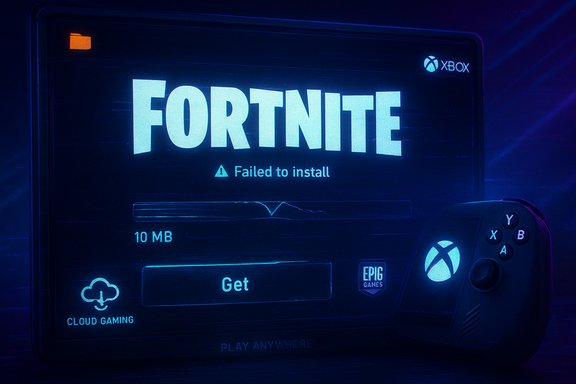
Fortnite players who tried to load the game from the new Xbox on PC client or on Xbox‑branded handhelds such as the ROG Xbox Ally on November 18, 2025 discovered something unexpected: the Xbox store was delivering only a tiny “stub” installer (around 10–12 MB) instead of the full Fortnite client, leaving many installations useless and preventing thousands of new Game Pass users from launching the game — and while sources inside the Microsoft Store told reporters a fix is incoming, that root cause has not been publicly confirmed by Epic or Microsoft at the time of writing.
The disruption unfolded the same week Microsoft and Epic completed a major distribution change for Fortnite: as of November 18, 2025 Fortnite was added to the Xbox on PC app and officially joined Xbox Play Anywhere, and Xbox Game Pass Ultimate subscribers were promised built‑in access to Fortnite Crew (monthly V‑Bucks and the Battle Pass). That strategic move — intended to reduce the need for the Epic Games Launcher on Windows, sync entitlements across Xbox consoles, PC and handhelds, and sweeten an unpopular Game Pass price adjustment — also exposed a fragile part of the distribution chain when something went wrong during the rollout. Fortnite’s v38.00 update (the Simpsons crossover release) drove a significant surge in concurrent installs and logins, and the timing collided with Xbox’s new PC storefront rollout. For many users installing Fortnite via the Xbox app on Windows or the Ally devices, the client reported a download that looked correct at first — then collapsed to a tiny package that could not actually launch the game. Community posts and troubleshooting threads began to accumulate within hours, and by midday many users reported the Xbox PC listing showing roughly 10.12 MB instead of the expected tens of gigabytes for Fortnite.
Strengths and potential advantages:
The good news is the problem appears localized to a distribution channel, and reliable workarounds exist (Epic Launcher, cloud). Microsoft’s reported quick response and the staged nature of the fix also suggest this will be resolved quickly — but the episode is a reminder that ecosystem trust is fragile. For players, the short advice is straightforward: use cloud or Epic while the Xbox client is fixed, take standard Store troubleshooting steps if you prefer to stay in Microsoft’s ecosystem, and keep account linking up to date so entitlements like Fortnite Crew follow you across platforms.
Conclusion
The Xbox on PC rollout for Fortnite — a headline partnership intended to simplify PC play and fold Fortnite Crew into Game Pass Ultimate — hit a distribution snag that left many players with a 10 MB “ghost install” and an unlaunchable client. Microsoft Store sources told reporters the issue appears to be on Epic’s end and that a fix was being prepared; community reporting and initial troubleshooting point to an erroneous store package or manifest replacement that removed the full content payload. While cloud streaming and the Epic Games Launcher remain effective fallbacks, the incident highlights the fragility of modern multi‑store deployments and the reputational stakes Microsoft faces as it pushes the Xbox PC store as a mainstream distribution path. Until an official engineering postmortem is published by Microsoft or Epic, vendor attribution remains a reported assessment rather than consolidated fact — and users should follow the simple mitigations above while waiting for a confirmed patch.
Source: Windows Central https://www.windowscentral.com/gami...ntly-broken-for-many-but-a-fix-is-on-the-way/
 Background / Overview
The disruption unfolded the same week Microsoft and Epic completed a major distribution change for Fortnite: as of November 18, 2025 Fortnite was added to the Xbox on PC app and officially joined Xbox Play Anywhere, and Xbox Game Pass Ultimate subscribers were promised built‑in access to Fortnite Crew (monthly V‑Bucks and the Battle Pass). That strategic move — intended to reduce the need for the Epic Games Launcher on Windows, sync entitlements across Xbox consoles, PC and handhelds, and sweeten an unpopular Game Pass price adjustment — also exposed a fragile part of the distribution chain when something went wrong during the rollout. Fortnite’s v38.00 update (the Simpsons crossover release) drove a significant surge in concurrent installs and logins, and the timing collided with Xbox’s new PC storefront rollout. For many users installing Fortnite via the Xbox app on Windows or the Ally devices, the client reported a download that looked correct at first — then collapsed to a tiny package that could not actually launch the game. Community posts and troubleshooting threads began to accumulate within hours, and by midday many users reported the Xbox PC listing showing roughly 10.12 MB instead of the expected tens of gigabytes for Fortnite. What happened (short technical summary)
- Users who installed Fortnite from the Xbox on PC client or the Microsoft Store saw the product listed as only ~10–12 MB after the update; attempting to run it produced missing‑file or “couldn’t start” errors.
- Community signals and reporting from an outlet covering Xbox platform issues indicate the problem stems from a broken store package/update that replaced the full client with a license stub or otherwise failed to deliver the full game payload. Microsoft Store sources told reporters they believe the issue is on Epic’s end and a patch was being prepared to restore the correct package delivery; however, at the time of publication there was no direct statement from Epic confirming that assessment.
- Practical workarounds for affected players include: switching back to the Epic Games Launcher (which still serves the full client), using Xbox Cloud Gaming to play immediately, or waiting for the Xbox Store/Xbox app update that Microsoft said was incoming. Many players reported cloud play as a reliable short‑term alternative while the native client remained broken.
Why the Xbox on PC rollout matters (context)
Fortnite is a unique case: it’s free‑to‑play, cross‑platform, and a genuine traffic magnet. For Microsoft the move to make Fortnite available through the Xbox on PC app and to fold Fortnite Crew into Game Pass Ultimate was both a policy and a strategic play:- It reduces friction for Game Pass subscribers who want to play without installing a second storefront (Epic Games Launcher).
- It binds a massive live service into Microsoft’s ecosystem and makes handheld devices such as the ROG Xbox Ally a more compelling, plug‑and‑play option.
- It serves as a marquee example of what Microsoft hopes Xbox on PC can be: a native PC storefront that, over time, can challenge Steam’s dominance in direct distribution and entitlements.
Deep technical analysis — what likely went wrong
The symptoms reported by players and the behavior observed by community troubleshooters point to a store‑side packaging or publishing failure rather than a client‑side bug on each user device. Here’s how that maps to the likely technical chain:- Microsoft Store / Xbox app downloads modern Win32 and UWP/APPX/MSIX packages using a combination of an entitlement (license) file and content payloads delivered by the store’s CDN and Delivery Optimization service. If the store receives an incorrect manifest or an update removes the payload references and replaces them with a license stub, the client will show a tiny install size even though the game’s executables and assets are absent. This pattern is consistent with community reports that the install initially looked like a normal update and then became a 10 MB package.
- The Xbox on PC app also carries game metadata for Play Anywhere entitlements and may coordinate with Epic’s account linking. A mismatched version — where the storefront version expects server components or a binary layout that doesn’t match what the CDN offers — can make the app fail to launch with CreateProcess or “missing file” errors because the expected binary paths aren’t present. Reddit posters documented exactly those errors: a significant portion of the local path resolved to a WindowsApps container but the game binary the launcher attempted to start didn’t exist or was the wrong version.
- Large live updates and cross‑store rollouts often use staged publishing to avoid global content‑delivery problems. If a scheduled update was cancelled or mispublished mid‑rollout (for example, a publisher pushes a metadata bump that removes the payload references to stop the deployment, and then the cancellation isn’t fully propagated), end users can be left with a package that only installs the entitlement and not the content. Community timelines and the Xbox Store listing behavior line up with this scenario.
- The Microsoft Store/Xbox app pipeline depends on a set of Windows platform components (AppX/MSIX, Store Broker, Gaming Services). History shows that partial failures in these subsystems produce cryptic errors and stalled installs; common remedies have included resetting Store caches and re‑registering packages, but in this case the underlying problem was the wrong package metadata on the store side and not an isolated local corruption.
Immediate impact and what users experienced
- Install size displayed as ~10–12 MB in the Xbox app (instead of the true multi‑GB client).
- Launch attempts failed with CreateProcess or missing executable errors, or the client would simply do nothing after the initial stub installed.
- Some users reported that the Xbox listing briefly showed the full size and then quickly changed to the small stub after an update. That behavior implies a server‑side publishing action that replaced the full payload.
- Consoles and other storefronts (Epic Games Launcher installations) were unaffected; the issue appears limited to the Xbox on PC / Microsoft Store distribution channel. Cloud play remained an effective workaround for many users who wanted to access Fortnite immediately.
How to mitigate this as a user (practical steps)
If you’re seeing the 10 MB install or an unlaunchable Xbox client on your Windows PC or Ally device, here are prioritized, pragmatic steps to get you playing again or to minimize disruption:- Try cloud play first (fastest workaround)
- Sign in to Xbox Cloud Gaming or xbox.com/play and run Fortnite from the browser or cloud client. This usually works even while the native app is broken. Many players reported immediate access to Crew benefits via cloud as well.
- Use the Epic Games Launcher if you already have it
- Uninstall the broken Xbox app copy and reinstall Fortnite via the Epic Games Launcher; that route still delivered the full client for most users and was the most reliable fallback. turn4reddit14
- Try standard Microsoft Store / Xbox app troubleshooting steps (if you prefer to wait for the Xbox client):
- Reset the Store cache: run wsreset.exe.
- Repair or Reset the Xbox app: Settings → Apps → Xbox → Advanced options → Repair / Reset.
- Repair Gaming Services via the Store or with the Gaming Services diagnostic tool.
- Re‑register Store packages (PowerShell, admin): Get‑AppxPackage -AllUsers WindowsStore | Foreach {Add‑AppxPackage -DisableDevelopmentMode -Register "$($_.InstallLocation)\AppXManifest.xml"} — use with caution and only if you are comfortable with PowerShell and have a restore point. These steps are standard for stuck downloads but won’t help if the store is genuinely pushing only a stub.
- Wait for the store update / patch if you want to keep the Xbox client
- Microsoft told reporters a fix was being prepared and should roll out shortly; if you prefer to stay in the Xbox ecosystem, waiting is a valid option, and cloud/Epic are valid short‑term alternatives. Note: statements attributing blame to Epic are currently reported and have not been independently verified by Epic in a public engineering post.
Platform analysis — what this reveals about Microsoft’s store strategy
This incident is a small but telling stress test of Microsoft’s ambitions for the Xbox on PC storefront.Strengths and potential advantages:
- Integrated entitlements (Play Anywhere) and Game Pass bundling are powerful incentives for users who prefer a single Microsoft‑centric ecosystem across PC, console and handheld. The Xbox on PC app can provide simpler account consolidation, achievements, and consistent cloud features.
- Having major live services (Fortnite, Minecraft, Roblox) available natively on Microsoft’s store is a meaningful credibility win for Xbox on PC and the Ally handheld positioning.
- Publishing complexity and fragility: modern store pipelines rely on correctly published manifests, CDN payloads, and staged updates. A single mispublish can leave millions with broken installs. This incident shows how fragile that chain can still be.
- Perception and discovery risk: first impressions matter — millions of Game Pass users and handheld buyers might equate the store’s failure with the platform’s maturity, hurting trust. Windows Central’s reporting and community uproar underline the reputational risk Microsoft faces when launch day glitches intersect with marketing messages.
- Developer relations and mutual dependencies: Microsoft must balance developer control with the need to coordinate store publishing. When a publisher (Epic) and a platform (Microsoft) must interoperate tightly — particularly for a free, constantly updated live service like Fortnite — any mismatch in process can cause major friction. Microsoft’s reliance on partners to adopt Play Anywhere and to publish correct store metadata highlights that the ecosystem depends on collaborative ops as much as engineering.
- Valve’s Steam platform has decades of operational maturity in packaging, discovery, and content delivery. Microsoft’s store improvements in recent years are real, but operational maturity for extremely high‑concurrency rollouts still trails Steam in some respects. The Xbox app’s strengths are tied to entitlements and Game Pass integration; its weaknesses remain in storefront reliability and developer uptake.
Business implications — for Microsoft, Epic and the player community
- For Microsoft: a single high‑profile failure like this is not catastrophic in isolation, but it highlights the importance of rigorous pre‑release coordination and rollback planning for store publishing. Given Microsoft’s push to justify a higher Game Pass price with added benefits such as Fortnite Crew, reliability matters more than ever.
- For Epic Games: the company benefits from reduced launcher friction if the Xbox client works smoothly, but it also cedes some control to a partner’s distribution pipeline — that can create operational risk on large joint rollouts. If the problem originated with Epic’s metadata or timing, it’s a reminder that publishers must rigorously test multi‑store deployments. If it originated on Microsoft’s end, the incident underscores the store’s remaining fragility. At this time, no definitive, public engineering blame has been confirmed.
- For players: the lead lesson is to remain flexible. Cloud gaming is a powerful mitigation for platform outages, and maintaining cross‑store account links (Epic ↔ Xbox) pays dividends for entitlement continuity. The event also raises awareness that a new storefront having a failure at launch is not just a nuisance — it can block access to live services that players rely on daily.
What to expect next (timeline and verification)
- Microsoft Store reporting indicated a patch was imminent — “a fix is coming down the pipeline and should be live in the coming day or two,” according to the reporting outlet that spoke with Store sources. Community signals suggest Microsoft temporarily pulled or updated the Xbox store listing while working with Epic to restore correct package metadata. Expect incremental rollouts and a small hotfix that restores the full payload and re‑associates the install manifest with the CDN assets. This timeline is contingent on the vendor fix and could take longer if the underlying root cause requires deeper coordination.
- Confirmation steps to watch for (public indicators of resolution):
- Microsoft or Epic publishes an engineering status update (FortniteStatus or Xbox status feed) confirming the cause and fix.
- Xbox on PC store listings revert to showing the full client size (tens of GB) and users can re‑install successfully.
- Community threads and Reddit reports across multiple regions show successful installs and normal launch behavior.
- If you need to verify for yourself: check the Xbox on PC store listing size for Fortnite, attempt a cloud session to confirm Crew entitlement, or use the Epic Games Launcher until the Xbox client is restored. If you administrate many endpoints or manage device fleets for others, treat this as a prompt to verify your update rollback and store publishing procedures and to ensure contingency plans (cloud/dedicated installers) exist.
Final analysis and takeaway
The incident is a painful but instructive example of the operational risks in modern game distribution: a single metadata/publishing misstep can convert a major strategic win (Fortnite on Xbox on PC + Game Pass Crew) into a launch day reputational problem. Microsoft’s ambition to bake a Steam‑like experience into Windows is still on track, but this outage makes clear that the technical and process plumbing for high‑volume, live‑service titles must be rock solid.The good news is the problem appears localized to a distribution channel, and reliable workarounds exist (Epic Launcher, cloud). Microsoft’s reported quick response and the staged nature of the fix also suggest this will be resolved quickly — but the episode is a reminder that ecosystem trust is fragile. For players, the short advice is straightforward: use cloud or Epic while the Xbox client is fixed, take standard Store troubleshooting steps if you prefer to stay in Microsoft’s ecosystem, and keep account linking up to date so entitlements like Fortnite Crew follow you across platforms.
Conclusion
The Xbox on PC rollout for Fortnite — a headline partnership intended to simplify PC play and fold Fortnite Crew into Game Pass Ultimate — hit a distribution snag that left many players with a 10 MB “ghost install” and an unlaunchable client. Microsoft Store sources told reporters the issue appears to be on Epic’s end and that a fix was being prepared; community reporting and initial troubleshooting point to an erroneous store package or manifest replacement that removed the full content payload. While cloud streaming and the Epic Games Launcher remain effective fallbacks, the incident highlights the fragility of modern multi‑store deployments and the reputational stakes Microsoft faces as it pushes the Xbox PC store as a mainstream distribution path. Until an official engineering postmortem is published by Microsoft or Epic, vendor attribution remains a reported assessment rather than consolidated fact — and users should follow the simple mitigations above while waiting for a confirmed patch.
Source: Windows Central https://www.windowscentral.com/gami...ntly-broken-for-many-but-a-fix-is-on-the-way/
