

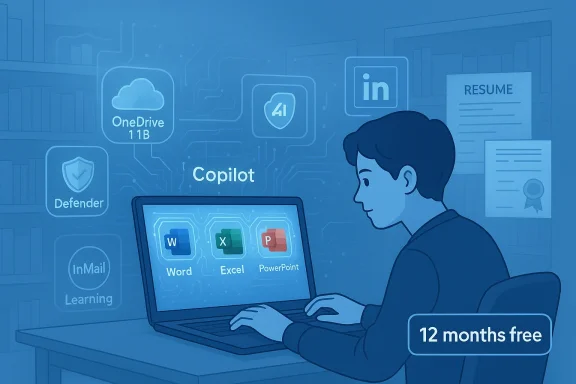
Microsoft is giving eligible collethe students a year of its newest AI-powered productivity suite alongside LinkedIn’s premium career tools — free — in a limited-time package that bundles Microsoft 365 Premium with LinkedIn Premium Career and aims to bridge classroom work with job readiness. This student promotion unlocks Copilot-enhanced Word, Excel, PowerPoint and OneNote features, 1 TB of OneDrive storage, advanced device and OneDrive security, plus LinkedIn’s recruiter insights, InMail credits and access to thousands of LinkedIn Learning courses for 12 months at no charge.
Microsoft introduced Microsoft 365 Premium in late 2025 as a consumer-focused, Copilot-integrated tier that brings expanded AI capabilities — including Researcher and Analyst agents — into the Office experience. The student promotion announced in January 2026 uses that product as the foundation for an education-focused offer, pairing it with LinkedIn Premium Career to create a single, study-to-career package aimed at higher-education users. The Microsoft 365 blog post outlining the student offer emphasizes Copilot-driven study workflows, expanded AI usage limits and integrated security protections, while LinkedIn’s guidance frames the career side as a way to stand out to recruiters and boost skills through LinkedIn Learning.
Microsoft’s public messaging positions this as part of a broader education initiative dubbed Microsoft Elevate for Educators, a program that adds skilling, teacher development and targeted grants to the company’s product commitments for schools and higher education. That initiative includes funding, educator credentials and a set of classroom AI features intended to mainstream trustworthy AI in teaching and learning. The Elevate investment and commitments are central to Microsoft’s rationale for the student promotion.
There is one practical detail that has caused confusion across outlets: the promotion’s publicly stated availability window. Tech press coverage noted an expiration that differs slightly from LinkedIn’s own updated FAQ. TechRadar reported that the offer expires March 1, 2026, while LinkedIn’s official promotional FAQ explicitly lists the end date as February 28, 2026 (or “while quantities last”). Microsoft’s blog does not publish a precise universal expiration date on the primary announcement page; instead it uses “limited time” language and points students to the sign‑up flow. Because of this discrepancy, students should follow LinkedIn’s FAQ and Microsoft’s sign-up flow for the definitive timing of availability in their region.
Key redemption and post‑promotion details to note:
However, a few details warrant caution:
However, the offer is not a universal panacea. Students and institutions must be attentive to the risks: data privacy for sensitive research, academic integrity implications, variable feature availability by region and device, and potential billing surprises after the promotional year ends. The practical value each student receives will depend on how thoughtfully they use the AI tools, how well campus policies adapt, and whether they maintain awareness of renewal and data-handling obligations.
For students ready to experiment with Copilot and to use LinkedIn more strategically, this is a strong short-term offer that can accelerate learning and job readiness. For educators and campus technologists, it’s a moment to define how generative AI integrates into pedagogy — not only to harness productivity gains, but to preserve learning outcomes and protect student data.
Microsoft’s own announcement and LinkedIn’s help pages are the authoritative places to confirm eligibility, features and exact sign-up timing; students considering the promotion should redeem through the official sign-up flow and keep a close eye on renewal settings in both accounts.
Conclusion: The student bundle is a clear, well‑packaged incentive that foregrounds AI in both study and career preparation. It offers substantial short‑term value — but realizing that value responsibly requires awareness of privacy, academic integrity and the administrative mechanics that follow a free trial.
Source: TechRadar Free Microsoft 365 Premium and LinkedIn Career sub available for students
 Background and overview
Microsoft introduced Microsoft 365 Premium in late 2025 as a consumer-focused, Copilot-integrated tier that brings expanded AI capabilities — including Researcher and Analyst agents — into the Office experience. The student promotion announced in January 2026 uses that product as the foundation for an education-focused offer, pairing it with LinkedIn Premium Career to create a single, study-to-career package aimed at higher-education users. The Microsoft 365 blog post outlining the student offer emphasizes Copilot-driven study workflows, expanded AI usage limits and integrated security protections, while LinkedIn’s guidance frames the career side as a way to stand out to recruiters and boost skills through LinkedIn Learning. Microsoft’s public messaging positions this as part of a broader education initiative dubbed Microsoft Elevate for Educators, a program that adds skilling, teacher development and targeted grants to the company’s product commitments for schools and higher education. That initiative includes funding, educator credentials and a set of classroom AI features intended to mainstream trustworthy AI in teaching and learning. The Elevate investment and commitments are central to Microsoft’s rationale for the student promotion.
What the bundle includes — the essentials
Microsoft 365 Premium: Copilot at the center
Microsoft 365 Premium is built around the Office apps students already use, but adds deeper Copilot integration and expanded AI agents. The student package advertises these capabilities:- Copilot in Word, Outlook, PowerPoint and OneNote for drafting, rewriting, summarizing and converting notes into presentations.
- Researcher and Analyst agents for multi-source exploration and data analysis inside Copilot and Excel.
- Enhanced AI usage limits and premium-only Copilot features not present in basic consumer plans.
- 1 TB of OneDrive cloud storage per student seat.
- Microsoft Defender advanced security for personal devices and OneDrive ransomware protection to help recover files after attacks.
LinkedIn Premium Career: career signals and outreach
LinkedIn Premium Career in the bundle focuses on job-search visibility and recruiter outreach:- Profile insights — see who’s viewed your profile and gain comparative metrics versus other applicants.
- Five InMail credits per month to message recruiters and hiring managers directly.
- AI-generated message drafts and profile recommendations to help craft outreach and polish résumés and cover letters.
- Access to LinkedIn Learning courses (Microsoft’s announcements reference more than 24,000 expert-led courses, while other pages sometimes list slightly different totals — see verification notes below).
- AI-powered company insights and job-skill guidance, including signals on where applicants would be a “top” candidate and coaching to strengthen profiles.
Eligibility, timing and the expiration question
Microsoft’s blog describes the promotion as a “limited-time offer” available to eligible higher-education students who verify with a valid college or university email address. That verification step is an important gating mechanism: in most cases students will need to sign up using their college-issued email for identity confirmation.There is one practical detail that has caused confusion across outlets: the promotion’s publicly stated availability window. Tech press coverage noted an expiration that differs slightly from LinkedIn’s own updated FAQ. TechRadar reported that the offer expires March 1, 2026, while LinkedIn’s official promotional FAQ explicitly lists the end date as February 28, 2026 (or “while quantities last”). Microsoft’s blog does not publish a precise universal expiration date on the primary announcement page; instead it uses “limited time” language and points students to the sign‑up flow. Because of this discrepancy, students should follow LinkedIn’s FAQ and Microsoft’s sign-up flow for the definitive timing of availability in their region.
Key redemption and post‑promotion details to note:
- You must verify eligibility with a valid college or university email during sign-up.
- The promotional period is limited and is listed as available through February 28, 2026 in LinkedIn’s FAQ; announcements from other outlets may use slightly different dates — treat LinkedIn’s FAQ as authoritative.
- After the 12 free months end, subscriptions automatically renew at standard pricing unless cancelled in both Microsoft and LinkedIn accounts. Students should proactively check renewal terms and consider scheduling a cancellation if they do not wish to continue.
Verifying the claims: what is consistent and what varies
When a vendor runs a cross-product promotion of this scale, small discrepancies in marketing copy are common. The central, load-bearing claims — that eligible students get 12 months of Microsoft 365 Premium with Copilot features and LinkedIn Premium Career access — are corroborated by Microsoft’s own announcement and LinkedIn’s promotional FAQ, making the core offer verifiable.However, a few details warrant caution:
- Expiration date: As noted above, third‑party reports (including TechRadar) cited March 1, 2026 while LinkedIn’s FAQ shows February 28, 2026. Use the sign‑up flow and LinkedIn’s help pages as the final authority.
- LinkedIn Learning course counts: Microsoft’s announcement names “more than 24,000 expert-led courses,” but some LinkedIn product pages use slightly different totals (for example “20,000+”); counts can shift rapidly as content libraries change, so treat headline numbers as approximate.
- Feature availability by region & device: Certain Copilot capabilities and multimodal features are deployed gradually by market and platform. The Microsoft announcement makes clear that specific Copilot features and agents may roll out differently based on ge students should check their account’s Copilot and Copilot agent availability after redeeming.
Why Microsoft is bundling productivity and career services
At a strategic level, the offer maps to a few clear objectives:- Ecosystem adoption: Students trained to work with Copilot-enhanced Office apps and who cultivate professional profiles on LinkedIn are more likely to continue using Microsoft and LinkedIn services after graduation, increasing lifetime customer value. The bundled promotion is a classic 'get them early' strategy.
- Study-to-career narrative: By pairing productivity AI with recruiter outreach and learning resources, Microsoft frames an integrated pathway from coursework to internships and jobs — useful marketing when education and employability are intertwined in messaging to students and institutions.
- Skilling and public affairs: The promotion sits inside the broader Microsoft Elevate initiative, which includes multi-billion-dollar commitments to upskilling and educator support. That larger program helps Microsoft position the free offer as part of a socially beneficial education push rather than a purely commercial play.
Strengths — what students and campus IT should like
- Access to advanced AI tools: For many students, Copilot and agent capabilities can materially speed up drata analysis tasks. That can improve productivity on projects, labs and capstone work. (microsoft.com
- Security and storage: The inclusion of 1 TB OneDrive storage and Defender protections addresses common student pain points — lost files and unsecured devices. Built-in OneDrive ransomware protection is a practical value add.
- Career advantages: LinkedIn Premium Career provides recruiter visibility signals, InMail credits and learning resources that can help students get noticed and prepare for interviews. AI-assisted message drafting lowers the barrier to contact recruiters professionalltps://www.microsoft.com/en-us/microsoft-365/blog/2026/01/15/college-students-now-get-12-months-of-microsoft-365-premium-and-linkedin-premium-career-on-us/?msockid=28f8a00dade16ded22d9b6eaacf46c19))
- Integrated skilling pathway: Coupling software access with Microsoft’s Elevate programs, Student Ambassadors and Applied Skills courses gives students avenues to convert tools into demonstrable, career-ready skills.
Risks, caveats and open questions
- Academic integrity and dependency: Widespread access to AI drafting tools raises genuine concerns about plagiarism and the erosion of formative learning. Campuses must update academic integrity policies and assessment design to account for generative AI. Students should treat AI outputs as assistive rather than authoritative and cite or verify AI-generated content where required by their institution.
- Data privacy and sensitive research: Students working with regulated data or sensitive research projects should be cautious about feeding proprietary or regulated content into cloud-based AI services. Microsoft’s Trustworthy AI messaging is not a substitute for institution-level data governance; researchers and faculty must confirm whether the student account and Copilot interactions meet institutional compliance needs.
- Vendor lock-in and tooling mismatch: The bundle strengthens Microsoft‑LinkedIn lock‑in. While that may be convenient, it can also create future switching costs for students who standardize on Microsoft’s formats, AI workflows and LinkedIn-reliant recruiting pathways.
- *Renewal and billing surprorget to cancel after the free 12 months, both Microsoft and LinkedIn subscriptions will renew at full price. Students must manage billing settings in both* accounts to avoid unexpected charges. LinkedIn’s FAQ highlights this renewal behavior.
- Feature and regional variability: Not all Copilot features or LinkedIn capabilities roll out uniformly. Students in certain regions or on particular devices may see different availability of agent functionality or Copilot features. Confirm what’s active post-redemption.
Practical checklist — how students should approach this offer
- Verify eligibility: Confirm that you can access the promotion using your institution-issued email address and that your institution doesn’t already provide equivalent licensing.
- Redeem quickly if interested: The promotion is limited; LinkedIn lists availability through February 28, 2026 (or while quantities last). If the offer matters to you, don’t wait.
- Read renewal terms: Check renewal prices and set a calendar reminder 10–14 days before expiration if you don’t plan to continue paying. Cancel in both Microsoft and LinkedIn accounts to prevent automatic charges.
- Audit feature availability: After activation, test which Copilot agents and features are present in your account and device, and note any regional differences before committing important or sensitive work to those workflows.
- Protect sensitive data: Avoid submitting regulated or proprietary data to AI prompts unless you’ve verified compliance with your institution’s data policies. Use local or institution-approved tools for regulated work.
- Plan for academic integrity: Use Copilot as a proofreading and brainstorming assistant, not as a source to copy verbatim. When in doubt, consult course policies and faculty guidance.
Recommendations for campus IT and instructors
- Update policies and training: Institutions should revise academic integrity policies and offer training for staff and students on responsible AI use, including expectations for attribution and acceptable assistance.
- Coordinate licensing: Campus IT should map this promotional offer against existing institutional licensing to avoid duplication and to clarify which tools students should use for institutional accounts versus personal accounts.
- Clarify data boundaries: Provide clear guidance about what constitutes sensitive data and set up institutional channels for secure processing of such information, rather than relying on personal Copilot accounts.
- Pilot and monitor: Run small-scale pilots to assess how Copilot affects student learning outcomes and detection of plagiarism before broad adoption, and monitor for misuse or workarounds that circumvent learning objectives.
Final assessment — is this a win for students?
On balance, Microsoft’s 12-month student promotion of Microsoft 365 Premium and LinkedIn Premium Career is a significant value proposition for eligible students who engage actively and responsibly. The package gives real, tangible tools — Copilot-enabled writing and research features, robust cloud storage, device and data protections, and recruiter access and learning content — that can materially help with assignments, research and internship searches. The program also plugs neatly into Microsoft’s broader Elevate initiative, which aims to pair tools with skilling and educator support.However, the offer is not a universal panacea. Students and institutions must be attentive to the risks: data privacy for sensitive research, academic integrity implications, variable feature availability by region and device, and potential billing surprises after the promotional year ends. The practical value each student receives will depend on how thoughtfully they use the AI tools, how well campus policies adapt, and whether they maintain awareness of renewal and data-handling obligations.
For students ready to experiment with Copilot and to use LinkedIn more strategically, this is a strong short-term offer that can accelerate learning and job readiness. For educators and campus technologists, it’s a moment to define how generative AI integrates into pedagogy — not only to harness productivity gains, but to preserve learning outcomes and protect student data.
Microsoft’s own announcement and LinkedIn’s help pages are the authoritative places to confirm eligibility, features and exact sign-up timing; students considering the promotion should redeem through the official sign-up flow and keep a close eye on renewal settings in both accounts.
Conclusion: The student bundle is a clear, well‑packaged incentive that foregrounds AI in both study and career preparation. It offers substantial short‑term value — but realizing that value responsibly requires awareness of privacy, academic integrity and the administrative mechanics that follow a free trial.
Source: TechRadar Free Microsoft 365 Premium and LinkedIn Career sub available for students
