• Thread Author
Zack Glaser’s conversation with Ben M. Schorr on the Lawyerist Podcast cuts through the hype and delivers a pragmatic roadmap for putting Microsoft Copilot to work in law firms today, emphasising immediate productivity gains, the critical role of tenant-aware governance, and the non‑negotiable need for human verification before any AI‑assisted material is relied upon or filed.

A man in a suit works on a laptop with floating data and compliance icons around him.Background / Overview​

Microsoft 365 Copilot is positioned as a productivity assistant embedded directly into the Microsoft 365 applications lawyers already use—Word, Outlook, Teams, SharePoint and OneDrive—so it can synthesize mail, calendar events and document content the same way a human employee would, subject to the same access permissions. That combination of deep app integration and tenant‑aware access is what makes Copilot practically attractive to law firms, and it is also what demands careful governance. Ben Schorr, an innovation strategist at Affinity Consulting Group and a former Microsoft content lead, frames Copilot as an aid for four everyday legal workflows: create/edit (drafting and co‑authoring), ask/summarize (rapidly priming a lawyer on a long or complex document), extraction (deadlines, clauses, obligations), and business‑of‑law tasks (inbox triage, meeting prep). His core message: use Copilot to accelerate first drafts and low‑risk tasks, not to replace lawyer judgment on legal research, filings or authoritative citations.

What the Podcast Shows — Clear, Verifiable Takeaways​

  • Copilot is Microsoft’s productivity AI built on Azure OpenAI models and integrated tightly with Microsoft Graph; it uses tenant data (what a user already has access to) to ground responses, rather than exposing firm content to arbitrary public LLM endpoints. This means Copilot inherits Microsoft 365 access controls and enterprise protections—but those protections must be configured correctly by the tenant admin.
  • Tenant data handling and retention are configurable but non‑trivial. Microsoft documents make explicit that prompts, retrieved data and generated responses are processed inside the Microsoft 365 boundary, use Azure OpenAI services, and are subject to retention and deletion policies the tenant can influence; some Copilot telemetry or derived data may be retained according to product policies unless explicitly configured otherwise. These are implementation details IT must confirm before subject matter data is used.
  • Practical value is immediate, measurable and role‑dependent. Routine, document‑heavy work—first drafts, summaries, transcription digestion, and triage—shows the most reliable time gains. Creative, discretionary legal research relying on proprietary services (Lexis, Westlaw) is still best done witsearch tools rather than Copilot alone.
  • Risk is real and consequential. Courts and commentators have documented multiple incidents where AI hallucinations produced fabricated authorities and led to court sanctions or disciplinary attention—this transforms AI hygiene from “nice to have” to an ethical, professional duty.
  • Governance and training are the primary levers that determine whether Copilot is an accelerant or an exposure. Tenant grounding, Purview labeling, Conditional Access/Entra policies, Endpoint DLP and exportable logs are foundational; human‑in‑the‑loop verification and role‑based competency gates are operationally essential.

Why Copilot Fits Law Firms — Strengths and Immediate Use Cases​

Deep Microsoft Stack Integration​

Copilot’s integration with Microsoft Graph and the Office applications means it can synthesize an attorney’s mailbox, meeting transcripts and matter files to produce context‑aware drafts, brief summaries and task lists without switching platforms. For firms already standardised on Microsoft 365, that reduces friction and amplifies value fast.

High‑Frequency, Low‑Risk Wins​

  • Rapid first drafts of letters, non‑substantive memos, client updates and internal status reports.
  • Meeting prep and post‑meeting minutes from Teams transcripts, with action items mapped to owners.
  • Inbox triage: prioritising and summarising email threads to accelerate time‑to‑response.
  • Extraction tasks: deadline tables, key obligation lists, and contract clause inventories.
Ben’s demos show that Copilot typically gets a lawyer from a blank page to a structured, editable draft in seconds—valuable for accelerating iterative work or parallel co‑authoring.

Democratization of Expertise​

Copilot can level the starting point for juniors by providing polished first drafts and syntheses that enable earlier, higher‑value reviews with partners. Firms that pair Copilot with verification training find juniors can add value faster—provided the firm redesigns learning so juniors still gain essential reasoning experience.

Where Copilot Must Be Treated with Caution​

Hallucinations and Fabricated Authorities​

Generative models can produce fluent but false facts—including invented case citations—that have led to real judicial fallout. Courts have rebuked or sanctioned lawyers for subake authorities; these incidents make verification an ethical and compliance issue, not merely a best practice. Relying on Copilot for primary legal research without cross‑checking against validated databases invites malpractice exposure.

Shadow AI and Data Exfiltration Risk​

Shadow or consumer AI use remains a persistent problem. Pet tools like free chatbots or personal AI subscriptions can be used by staff outside governance, creating uncontrolled data flows. Even with Copilot’s tenant protections, improper connector settings or lax DLP can expose sensitive matter data. Recent industry analysis also warns that many organisations expose millions of sensitive records through poor sharing practices—Copilot will surface and process that data if it is accessible.

Deskilling and Training Erosion​

When drafting and redlining become AI‑assisted, junior lawyers may lose formative experiences that build legal judgment and citation craft. Firms must intentionally redesign training curricula and create competency gates so automation augments learning rather than replacing it.

Cost and Consumption Surprises​

Copilot licensing and metered agent/message models can create unexpected costs if consumption is not monitored. Firms must model low/medium/high consumption scenarios during pilot and include agent/message costs and inference compute in TCO calculations.

Technical Verification: What IT Should Confirm Before Enabling Copilot on Matter Data​

The following claims are technical and must be verified against your tenant and contractual documentation before matter‑level use:
  • Copilot processes prompts and retrieved Microsoft 365 data within the Microsoft 365 service boundary and Azure OpenAI services; ensure your tenant settings, Purview policies and Copilot opt‑ins align with firm data protection rules.
  • Microsoft’s enterprise commitments state that Microsoft 365 Copilot won’t use customer content to train foundational models; nevertheless, telemetry and some session metadata have retention policies that vary by product—confirm deletion guaranteand whether any telemetry may be used for product improvement unless explicitly opted out.
  • Uploaded files used in some Copilot experiences may be stored in the tenant’s chosen workspace geo, but extracted content used during session generation can be stored and processed according to product retention policies—confirm this behaviour for the specific Copilot SKU you plan to deploy.
  • Agents and third‑party connectors can extend Copilot outside the tenant scope; review the privacy statements of any agents and enforce connector‑level controls for matter‑sensitive work.
IT and procurement must extract the siting from Microsoft or your reseller before you entrust matter data to Copilot at scale.

A Practical Implementation Roadmap for Law Firms​

Use a staged playbook that treatts Copilot as both a technical and people‑change project.

Phase 0 — Preparation (0–4 weeks)​

  • Establish a cross‑functional steering group: partners, IT/security, procurement, KM, ethics counsel and pventory content sources: SharePoint sites, Teams channels, OneDrive stores and their access lists; classify matters by sensitivity and client confidentiality.
  • Map legal/regulatory constraints for clients and jurisdictions (data residency, PD laws).
  • Confirm licensing needs with procurement.

Phase 1 — Pilot (4–12 weeks)​

  • Select 3–10 representative users and a single low‑risk workflow (meeting prep, transcript summarization or inbox triage).
  • Configure tenant controls: Conditional Access, Entra view sensitivity labels and Copilot grounding in admin console.
  • Enable Copilot in monitor‑only or read‑only mode where possible; collect prompts/responses for QA.
  • Require mandatory human sign‑off for any outward‑facing draft; document vthe matter file.

Phase 2 — Evaluate & Harden (3 months)​

  • Measure KPIs: average partner review time, time to first‑draft, error rate on AI‑assisted docs, and verification competency pass rates for associates.
  • Harden contracts: insist on no‑retrain/no‑use clauses for matter data, deletion guarantees, exportable logs and SOC/ISO attestations.
  • Build playbooks for common prompts and approved templates (approved prompt library).

Phase 3 — Scale (3–12 months)​

  • Expand to additional practices only after audit logs, telemetry and DLP meet security requirements.
  • Introduce role‑based competency gates so that only certified users may sign off on AI‑assisted filings.
  • Integrate Copilot telemetry with SIEM for anomaly detectintOps runbook with a kill switch for misbehaving agents.

Governance: Policies, Contracts and Auditing​

  • Policy must be explicit: Define permitted workflows, banned activities (unredacted PII into chats), mandatory human review points, and disciplinary steps for violations. Make policy part of onboarding and annual CLE.
  • Procurement redlines to insist on: no‑retrain/no‑use for matter data, deletion within defined windows, exportable prompts/responses logs, model version metadata and contractually stipulated breach notification and audit rights.
  • Audit trails: capture prompt tmp, model version and provenance references for any output used externally or relied upon in client advice. These artifacts will be essential for eDiscovery and regulatory enquiries.
  • Connector and agent governance: maintain an approved connectors list; no external web grounding for sensitive matters; require agent privacy reviews before production use.

Training, Competency and the Human‑in‑the‑Loop​

Training converts tool access into safe, productive use. Key elements:
  • Prompt hygiene and hallucination detection must be taught and tested in hands‑on labs.
  • Mandatory verification demonstrations: Associates should pass a competency check where they identify and correct hallucinations and document verification steps.
  • Role design: create AI verifier and prompt‑engineer roles to manage playbooks and QA; rotate juniors through authentic tasks to preserve experiential learning.
A recurring theme in the podcast is that Copilot is most valuable when paired with disciplined verification workflows—treat AI outputs as first drafts, not finished work.

Measuring Success: Concrete Metrics to Track​

iew time per class of document (pre‑AI vs post‑AI).
  • Turnaround time for first draft delivery.
  • Post‑submission correction rate attributable to AI‑assisted content.
  • Verification competency pass rate for junior lawyers within 90 days.
  • Consumption and cost telemetry (agent messages, Copilot seat usage) against budget scenarios.
Tie some KPIs to compensation and promotion decisions to avoid perverse incentives that prioritise speed over accuracy.

Real‑World Incidents: Why Caution Is Not Theoretical​

High‑profile incidents where AI generated fabricated citations and led to sanctions show the stakes. Multiple courts and disciplinary bodies have rebuked lawyers who failed to verify AI‑inserted authorities, underlining that courts expect the same professional diligence whether research was carried out by hand or AI. These events have pushed firms to implement stricter AI policies and deploy verification tooling. This legal reality validates Ben Schorr’s central emphasis: Copilot accelerates routine legal work, but human verification is an ethical requirement, not an optional guardrail.

A Short Checklist for Windows‑centric IT Leaders​

  • Inventory: Map SharePoint, OneDrive and Teams stores and apply Purview sensitivity labels before Copilot is enabled.
  • Identity: Enforce Entra Conditional Access and MFA for any Copilot use.
  • Endpoint: Apply Endpoint DLP policy to block copying of privileged content into non‑tenant chat sessions.
  • Logging: Route Copilot logs into SIEM; enable exportable prompt/response logs for high‑stakes matters.
  • Pilot: Start with a 30–90 day pilot, low‑risk workflows and explicit KPIs.
  • Contract: Require no‑retrain/no‑use and deletion guarantees in writing.

Final Assessment — From Hype to Practicality​

The Lawyerist episode with Ben Schorr offers a pragmatic, grounded approach: Copilot delivers credible business value today in document‑heavy workflows and meeting capture—but that value is conditional on solid governance, technical controls, procurement diligence and human verification. Firms that treat Copilot as just another productivity feature risk regulation, malpractice exposure and reputational harm. Firms that treat it as a governed capability—piloted, measured and taught—will likely reap durable time‑to‑value and new career paths for lawyers fluent in AI‑augmented workflows.

Conclusion​

Microsoft Copilot is not a silver bullet, nor is it vapor; it is a powerful productivity engine that lives where most law firms already work—inside Microsoft 365. Ben Schorr’s practical counsel is straightforward: start small, protect client data with tenant grounding and Purview, train your people on verification and prompt hygiene, harden contracts with vendors, and measure outcomes that matter (quality and speed, not hours saved as an abstract number). When those elements are in place, Copilot shifts from a hyped novelty to a dependable assistant that amplifies lawyer productivity without surrendering professional responsibility.
Source: Legal Talk Network From Hype to Practice: Using Microsoft Copilot in Your Law Firm, with Ben Schorr - Legal Talk Network

 

Microsoft’s cloud productivity stack suffered a high‑impact disruption across Microsoft 365 and Outlook in the North American region, leaving many users unable to send or receive mail, access admin portals, or complete searches in OneDrive and SharePoint during the incident window; Microsoft acknowledged the outage, moved to restore affected infrastructure and began re‑balancing traffic to alternate nodes as recovery progressed.

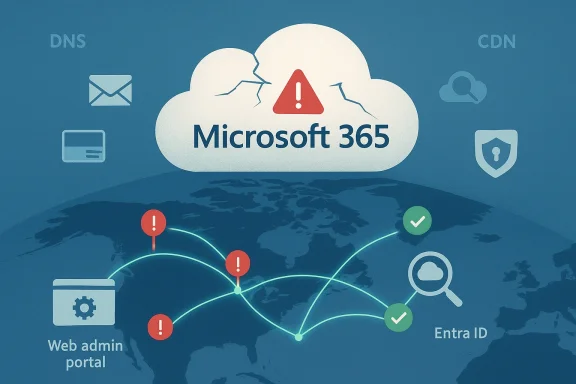
Microsoft 365 cloud with security alerts and global network connections.Background / Overview​

The disruption that surfaced in the U.S. workday produced a familiar pattern for large SaaS outages: user reports spiked on public outage trackers, Microsoft posted incident messages to its official status channels, and the company assigned an internal incident identifier while engineers worked remediation steps. Several public accountings of the incident indicate the outage primarily affected Exchange Online (Outlook inbound/outbound mail), Microsoft 365 admin portals, and search functionality in OneDrive/SharePoint, and was concentrated in the North America region.
This story synthesizes the public timeline, the immediate technical symptoms reported by admins and end users, and the likely architectural failure modes that make a cloud outage of this type so disruptive. It also lays out practical mitigation and recovery steps for IT teams, and examines the broader implications for organizations that rely on Microsoft 365 as a core productivity platform.

What happened — timeline and immediate symptoms​

Early detection and user impact​

Monitoring services and crowd-sourced outage trackers began registering a rapid rise in reports early in the businessess day. Users described common failure modes: Outlook could not send or receive mail; web admin consoles either failed to load or presented blank blades; searches in SharePoint and OneDrive sometimes failed to complete; and diagnostic errors like "451 4.3.2 temporary server issue" were encountered by message senders. Administrators experienced delays or failures when collecting message traces.
  • Primary user-facing symptoms:
  • Sending/receiving email failures (Exchange Online / Outlook).
  • “451 4.3.2 temporary server issue” errors for some transactions.
  • Microsoft 365 admin center and other portals failing to load.
  • Search failures in SharePoint and OneDrive.
  • Delayed or failed message trace reporting.

Microsoft’s public communications and recovery steps​

Microsoft posted ongoing updates through its service health channels and social accounts, indicating engineering teams had restored affected infrastructure to a healthy state and were rebalancing traffic to alternate infrastructure to mitigate impact and resume normal operations. That recovery step — restoring origin systems and then shifting traffic to healthy points of presence — is standard practice for edge/routing and control‑plane incidents.
Telemetry and public trackers indicated the number of reports fell over the following hours: Down Detector counts for Microsoft 365 and Outlook began to decline as traffic was rerouted and global caching/routing converged to healthy endpoints. However, residual “long‑tail” issues are common after such incidents while DNS, CDN caches, and ISP routing converge.

Why this looked so bad: the technical anatomy​

Centralized identity and edge routing make localized faults global pain​

Modern SaaS platforms like Microsoft 365 rely on layered infrastructure: global edge delivery (ingress), content/CDN caching, identity issuance (Entra ID / Azure AD), and backend services. When any of those shared layers degrade — especially the edge control plane or upstream transit — user clients can experience symptoms that look identical to application failures even if origin servers remain healthy. Analysis of prior Microsoft incidents shows the same pattern: edge or transit problems can break TLS handshakes, misroute requests, or prevent token issuance, resulting in mass authentication and app‑loading failures.
  • Edge/control‑plane failure effects:
  • TLS hostname or certificate mismatch at PoPs.
  • Misrouted or dropped HTTP(S) requests.
  • Token issuance failures when identity endpoints are fronted by the same edge fabric.
  • Blank management portal blades due to failed API calls from web consoles.

DNS, CDN caches, and the “long tail”​

Even after engineers fix the root cause (for example by reconfiguring an edge fabric or working with a third‑party ISP), global convergence takes time. DNS TTLs, CDN states, ISP cache entries and routing tables must all update. This produces a long tail of residual failures for some users and geographic pockets of trouble until propagation completes. Incident write‑ups of similar outages emphasize this propagation effect as the core reason why a declared fix does not instantly return service to every end user.

Third‑party transit and peering: upstream network faults​

In closely related incidents documented in the same timeframe, Microsoft attributed disruptions to an upstream third‑party Internet Service Provider that prevented subsets of customer traffic from reaching Microsoft endpoints. When transit or peering providers have routing anomalies, it can produce the same lockouts as an internal cloud failure because client requests never reach the correct Microsoft ingress point. Coordination between Microsoft and the transit provider is then required to restore reachability. Public post‑incident messaging and independent trackers corroborate this causal pattern in recent outages.

Scope of impact — who and what was affected​

The North American region bore the brunt of the incident, though cascading effects and routing asymmetries meant some users outside the region reported intermittent issues. The most commonly impacted functions were:
  • Exchange Online mail flow (inbound and outbound).
  • Outlook (web and, in some cases, synced client behaviours).
  • Microsoft 365 admin center and other service portals (Purview, Defender XDR).
  • Search within SharePoint Online and OneDrive.
  • Administrative operations such as collecting message traces and running diagnostics.
Down Detector and public outage aggregators captured tens of thousands of user reports at peak; while those site figures are not a definitive measure of customer count, they are useful trend indicators showing the scale of user‑facing pain during the peak of the event.

What administrators should do right now — triage checklist​

When Microsoft 365 or Exchange experiences a regional disruption, IT teams must move from troubleshooting to business continuity. The following practical checklist helps prioritize tasks and minimize operational impact.
  • Confirm scope and monitor Microsoft status channels.
  • Check the Microsoft 365 Service health in the Admin Center for incident identifiers (the admin center is the authoritative record for tenant‑level impact).
  • Communicate to stakeholders.
  • Notify affected teams and set expectations: explain that this is a service provider incident and provide an estimated next update time.
  • Use local/mail client fallbacks.
  • Encourage users to switch to desktop Outlook in cached mode or to mobile Outlook apps, which may remain functional for cached mail.
  • Implement temporary mail routing if necessary.
  • If inbound mail is critically time‑sensitive, consider temporary secondary MX routing or working with your managed email gateway to queue and retry messages.
  • Collect diagnostic evidence.
  • Preserve message headers, capture SMTP error strings (451 4.3.2 or other), and keep examples for Microsoft support if required.
  • Open a support ticket with Microsoft if your tenant shows admin‑center errors.
  • Provide timestamps, tenant IDs, and any message trace samples to accelerate triage.
  • Avoid mass re‑attempts that could exacerbate upstream queues.
  • Coordinate controlled resend attempts after the provider reports mitigation.
These steps emphasize business‑level mitigation while Microsoft performs infrastructure rebalancing and transit remediation.

Suggested technical mitigations to reduce future single‑vendor risk​

While no mitigation eliminates all risk, organizations can reduce the impact of large provider outages by planning for resilience and failover.
  • Implement email failover:
  • Configure secondary MX records and redundant mail gateways to accept or queue inbound mail during primary outages.
  • Adopt hybrid identity models:
  • Consider secondary authentication paths or short‑term fallback tokens where appropriate; ensure conditional access policies don’t entirely block cached authentication flows during transient Entra ID reachability issues.
  • Maintain alternate communications:
  • Keep a verified set of non‑Microsoft communication channels for incident coordination (secure Slack or Signal groups, documented phone trees).
  • Monitor BGP and transit health:
  • Use third‑party BGP monitoring and route‑reachability alerts to detect upstream peering or ISP issues early.
  • Test failover procedures:
  • Regularly run tabletop exercises that simulate control‑plane and transit outages, not only full compute failures.
  • Retain visibility into DNS & CDN states:
  • Maintain the ability to reduce DNS TTLs temporarily for rapid reconfiguration and understand CDN/edge caching behaviours in your architecture.
Historically, incidents involving Azure Front Door, CDN providers, or third‑party ISPs demonstrate how much of the outage surface is network‑and‑edge related rather than core compute failure; defenses that address routing, DNS, and multi‑path reachability yield disproportionate benefits during such events.

Business impact and risk analysis​

Productivity and operational risk​

Email and calendar disruptions directly affect scheduling, customer service responsiveness, and external communications. For client‑facing operations that rely on near‑real‑time messaging, even a few hours of degraded mail delivery can produce missed SLAs, billing delays, and reputational harm.

Financial and contractual implications​

Enterprises relying on Microsoft 365 for core operations should review Microsoft’s SLA and their contractual remedies. For critical services, consider whether multi‑vendor redundancy or contractual uptime credits are sufficient, or whether business interruption insurance and contingency agreements with MSPs are warranted.

Trust and vendor dependence​

Repeated high‑visibility outages, even when resolved quickly, raise questions about vendor lock‑in and the resilience of centralized SaaS models. Organizations must balance the operational efficiencies of a single integrated stack with the strategic risk of concentration — particularly for communication and identity services where a single failure can cascade across many productivity workflows. Historical patterns show recurring outage vectors; this should drive enterprise procurement and architecture discussions on risk diversification.

What to watch for in the coming days​

  • Final incident report and root cause details from Microsoft.
  • Microsoft usually publishes a post‑incident summary with a conclusive root‑cause attribution and remediation actions taken; read it carefully to understand whether the cause was a configuration error, third‑party transit fault, or control‑plane issue.
  • Residual mail flow issues.
  • Expect delayed message traces, intermittent delivery errors, and possible duplicate deliveries as queued mail is retried across the internet.
  • DNS and cache convergence.
  • If the incident involved edge re‑routing, lingering problems will resolve as DNS TTLs expire and caches update, but it can take hours to a day for full global consistency.
  • Security posture during the outage.
  • Be alert to phishing scams and social‑engineering attempts exploiting the outage; attackers often use the confusion window to run support scams.
Independent analyses of similar incidents show that Microsoft coordinates with upstream providers for transit faults and then publishes an internal tracking number and post‑incident summary once the root cause is confirmed. Those write‑ups have been relied upon in prior outages to verify that the immediate mitigation came from rebalancing traffic and addressing third‑party network issues.

Strengths demonstrated, and where the platform still shows fragility​

Notable strengths​

  • Rapid detection and public communication:
  • Microsoft’s incident posts and service‑health messages provide a clear public record and frequent status updates that help admins triage.
  • Robust global infrastructure:
  • When origin infrastructure is healthy, Microsoft can rehome traffic to alternate PoPs and recover large numbers of tenants quickly.
  • Ability to coordinate with upstream providers:
  • For transit routing faults, Microsoft has the operational relationships and tooling to work with third‑party providers on remediation.

Persistent fragilities​

  • Control‑plane and edge dependencies:
  • When shared edge fabrics or identity frontends fail, the blast radius includes many distinct services simultaneously, increasing user impact.
  • Long tail from DNS/CDN convergence:
  • Even after fixes, residual effects can persist for hours due to caching and routing convergence.
  • Concentration of trust:
  • Centralized identity plus centralized productivity services create an implicit binary dependence: if identity or ingress fails, many services fail together. Analysis of previous incidents shows this remains an architectural risk that needs operational mitigations.

Practical recommendations for end users and organizations​

  • End users:
  • Use the desktop Outlook app in cached mode if web Outlook is failing.
  • Keep the Outlook mobile app installed as a fallback.
  • If waiting for critical responses, use verified alternate channels (phone, SMS, verified third‑party messaging).
  • IT administrators:
  • Monitor the Microsoft 365 admin center and open a support case if tenant‑level features remain degraded after Microsoft marks the incident mitigated.
  • Preserve message headers and SMTP error messages for triage.
  • If mail flow is critical, implement or test secondary MX failover and ensure inbound gateways are configured to queue during primary outages.
  • Security teams:
  • Increase phishing awareness communications during and after outages.
  • Validate any unexpected support offers or emails; treat unsolicited guidance as suspect.

Why this matters for long‑term cloud strategy​

This incident underscores a central reality of cloud economics and operations: centralization yields efficiency but concentrates risk. Microsoft’s ability to restore a large portion of service quickly is a strength, but the repeated visibility of edge, CDN, and transit faults across multiple vendors demonstrates that enterprises must plan continuity for identity and communication services.
  • For governance and procurement: include outage scenarios in your SLA conversations and evaluate contractual remedies along with technical mitigation obligations.
  • For architecture: pursue hybrid and multi‑mailflow strategies, and assess the feasibility of split responsibilities between on‑premises and cloud for key identity and messaging paths.
  • For preparedness: document incident playbooks that specify communication channels, fallback messaging routes, and stakeholder notification criteria.
Independent incident reviews of similar events make clear that the most productive mitigation is a blend of contractual preparedness, architected redundancy for critical paths, and operational readiness to coordinate with vendor support teams.

Caveats and unverifiable details​

  • Attribution nuance:
  • Early incident messages often point to “dependent service infrastructure” or “third‑party provider” issues. While public trackers and some vendor posts corroborate third‑party transit involvement in similar incidents, final root‑cause statements sometimes change after in‑depth forensic analysis. Until Microsoft publishes a complete post‑incident report, any detailed causal narrative should be treated as provisional.
  • User‑submitted outage counts:
  • Aggregator sites’ report counts reflect the volume of user submissions, not absolute customer impact. They are useful for trend analysis but not definitive measures of affected tenant counts.

Conclusion​

The Microsoft 365 / Outlook disruption that affected North America exposed recurring hazard patterns in modern cloud stacks: shared edge fabrics, centralized identity, and third‑party transit all create sensitive single points that can convert routing or control‑plane faults into mass outages. Microsoft’s operational playbook — restore origin infrastructure, rehome traffic to healthy nodes, coordinate with upstream providers — reliably mitigates and recovers service for most tenants, but residual effects from DNS and cache propagation can linger and cause a long tail of disruption.
IT teams should treat this event as a reminder to harden their business continuity plans: validate alternate mailflows, maintain secondary communication channels, collect evidence during incidents, and test failover procedures. For organizations that depend on Microsoft 365 for mission‑critical operations, the practical steps listed in this feature — from immediate triage to longer‑term architecture adjustments — will materially reduce downtime and help maintain service continuity the next time an edge or transit fault arises.

Source: TechRadar https://www.techradar.com/news/live/microsoft-outlook-365-outage-january-22-2026/
 

Microsoft’s cloud experienced a significant service disruption on January 22, 2026, that left Outlook, Exchange Online, Microsoft Teams, Microsoft Defender XDR, Microsoft Purview, SharePoint Online, OneDrive and other Microsoft 3655 services degraded or intermittently unavailable for many users across North America; Microsoft reported it has “restored the affected infrastructure to a healthy state” but warned that further load balancing and traffic re‑routing are still in progress to prevent recurring interruptions.

Server room with glowing orange 502 error screens and arcs tracing global data routing.Background​

Microsoft 365 is the backbone for billions of daily productivity, collaboration, identity and security operations worldwide. When core infrastructure that supports mail routing, front‑end gateways or identity services fails, the effects cascade quickly: inbound and outbound mail can be deferred or rejected, admin portals and security consoles may return 500/502 errors, Teams presence and meeting operations can degrade, and telemetry and hunting tools in Defender/XDR can show blind spots. This incident followed that same symptom pattern and was recorded under Microsoft incident identifier MO1221364, with early impact concentrated in North America. Microsoft’s public status updates — echoed by news and outage trackers — described the immediate root cause as “a portion of dependent service infrastructure in the North America region [that] isn’t processing traffic as expected,” and the fix strategy they implemented focused on restoring the degraded components and directing traffic toward additional healthy infrastructure segments while applying incremental load‑balancing changes.

What happened: timeline and immediate symptoms​

Early signals and spike in reports​

  • The first public signals emerged in the early afternoon (US Eastern time) on January 22, 2026, when administrators and users began reporting mass failures in email delivery and portal access. Outage aggregators registered a steep spike in reports for Outlook and Microsoft 365 services within minutes of initial failures.
  • Community and MSP forums captured real‑time evidence: many orgs reported inbound mail queues filling at their perimeter appliances (Barracuda, Mimecast, Proofpoint), SMTP retries returning 451 4.3.2 Temporary server error responses, and intermittent blank or error pages when loading the Microsoft 365 admin center or security portals. These symptoms were consistent across multiple regions but concentrated in North America.

Microsoft’s official incident updates​

  • Microsoft acknowledged the incident via its public status channels and referenced incident MO1221364, initially classifying it as an investigation into a multi‑service issue.
  • As telemetry came in, Microsoft identified a portion of North America infrastructure not handling traffic as expected and began restorative work.
  • Later updates stated the affected infrastructure had been restored to a “healthy state,” but emphasized that additional load balancing and incremental traffic redistribution were required to fully stabilize services and prevent intermittent issues.

Symptoms by service: what admins and users actually saw​

Email and Exchange Online​

  • Widespread reports of inbound and outbound mail being deferred, with many senders receiving 451 4.3.2 SMTP replies indicating temporary server errors. That response code signals a transient server‑side rejection, which causes sending MTAs to queue and retry delivery rather than permanently bouncing messages. Multiple MSPs posted logs showing the exact 451 text and associated Exchange front‑end hosts.
  • Some organizations observed long queues building at third‑party mail gateways, while others reported sporadic delivery where a subset of messages trickled through and others were deferred — a pattern consistent with partial regional routing availability rather than a complete global outage.

Admin center, security portals and Defender XDR​

  • Administrators saw the Microsoft 365 admin center and security.microsoft.com intermittently return HTTP 500/502 errors, or load as blank pages. In several cases the status page itself became overloaded and responded with HTTP 429 (too many requests), making official incident details difficult to retrieve for impacted admins.
  • Defender XDR and Purview access were impaired for many tenants, preventing normal access to alerts, advanced hunting and compliance workflows. That degraded visibility is particularly consequential for security teams during an incident window.

Teams and collaboration services​

  • Users reported issues creating new chats, meetings, teams or channels; presence and location information sometimes failed to update; and in a smaller set of cases meeting join errors were observed. These effects are expected when identity, Exchange or routing infrastructure is impacted because Teams relies on all of those planes to provide a consistent collaboration experience.

Microsoft Fabric and labeled artifacts​

  • Some Fabric users encountered problems managing sensitivity labels and interacting with labeled reports and artifacts. That symptom again ties back to front‑end reachability and label‑management control planes relying on centralized services affected by the incident.

Technical analysis: likely cause and why the symptoms match​

When multiple, otherwise independent services show similar failure modes — SMTP deferrals with 4xx codes, 5xx admin portal errors, and intermittent Teams functionality — the failure often points to one or more of the following shared components:
  • Front‑end routing / edge gateways (Azure Front Door, load balancers, edge proxies): If a routing or edge termination fleet cannot accept or forward requests properly, clients see gateway errors and front‑door timeouts even if backend services are healthy. Multiple community posts specifically referenced 500/502 gateway errors.
  • Load balancing and ingress control plane: Over‑ or under‑provisioned or malfunctioning load balancing can cause traffic to concentrate on failing hosts; Microsoft’s status updates explicitly stated they were implementing further load balancing and directing traffic to healthy infrastructure segments, which aligns with this hypothesis.
  • DNS or reachability anomalies at scale: When MX and service CNAME records do not resolve correctly because of DNS propagation or edge caching divergence, sending servers receive transient failures or cannot locate the correct mail ingress endpoints; admins reported DNS anomalies and unresolved .onmicrosoft. entries during the outage.
  • Identity / token issuance delays: If Entra ID (Azure AD) or token front‑ends suffer delays, authentication flows to the admin center, Teams and other management portals will time out, producing broad symptom overlap. The observed inability to log in to admin portals is compatible with this scenario.
These hypotheses are consistent with the mix of symptoms and with Microsoft’s choice to rebalance traffic and reroute to healthy infrastructure segments — actions typically taken when edge, routing or load balancing segments are implicated. It’s important to note Microsoft’s posted statements described the situation as “investigating” during the early window; a final root‑cause determination would require Microsoft’s post‑incident analysis to confirm the definitive cause.

Scale and scope: how many users and where​

Outage trackers and news wires recorded thousands to tens of thousands of reports within the initial hours, with many of the complaints concentrated in U.S. time zones and Canada. Downdetector and aggregated trackers displayed steep spikes for Outlook and Microsoft 365, and news outlets relayed those metrics as evidence of broad impact. While exact counts are fluid during an incident, the scale of reports and the variety of services affected made this one of the more noticeable Microsoft 365 disruptions in recent months.

Microsoft’s response: restoration steps and messaging​

Microsoft followed a familiar operational playbook:
  • Acknowledge the incident publicly and open a Microsoft 365 incident record for admins to consult.
  • Use telemetry to identify degraded infrastructure segments and implement targeted restorations.
  • Apply traffic redistribution and incremental load balancing to move workload to healthy regions or host pools, while monitoring telemetry for re‑emergent errors. Microsoft’s updates explicitly referenced directing requests to “additional healthy sections of infrastructure” and continuing load balancing work.
This sequence — restore, redirect, rebalance — is intended to bring the service back gradually without overwhelming alternate host pools. The trade‑off is that users can see intermittent connectivity as traffic is shifted and caches repopulate, which Microsoft warned might persist until mitigation work concludes.

Immediate mitigation advice for administrators and IT teams​

When a platform provider experiences a regionally scoped or multi‑service outage, local administrators can still take practical steps to limit business damage and regain some control. The following checklist is targeted at Microsoft 365 admins and MSPs managing impacted tenants:
  • Check the Microsoft 365 service health dashboard and tenant admin alerts for the official incident identifier (MO1221364) and follow official updates — but be aware the public status page may itself be overloaded; rely on both the status page and admin center notices when available.
  • Monitor mail queues at your edge: verify whether messages are being deferred (4xx) versus bounced (5xx). For deferred mail, most MTAs will retry delivery; document key time windows for SLA and customer communications.
  • If you use third‑party MTA gateways (Mimecast, Barracuda, Proofpoint), ensure their retry and storage thresholds are sufficient to avoid permanent bounces and to prevent queue sprawl. Consider temporarily increasing retry windows if permitted by policy.
  • Communicate proactively with internal stakeholders and customers: note the nature of the failure (transient server errors and ongoing load balancing), expected behaviors (delayed delivery, intermittent admin portal access), and that the vendor is implementing traffic re‑routing. Keep messaging factual and timestamped.
  • For multi‑factor authentication (MFA) and identity‑dependent workflows: prepare backup authentication paths (e.g., temporary OOB codes, phone callbacks) where feasible and compliant with security policy to avoid lockouts that impede business continuity.
These actions do not fix provider infrastructure but reduce local operational pain and preserve data integrity while waiting for the cloud vendor to complete mitigations.

Business, security and compliance consequences​

  • Operational disruption: Organizations that depend heavily on email and Teams for customer communications, order processing, or incident responses faced delayed transactions and missed time‑sensitive interactions. For high‑volume customer service operations, even a few hours of deferred messages can cascade into SLA breaches.
  • Security signal gaps: When Defender and related security consoles are inaccessible, detection and response teams can lose real‑time telemetry. That increases blind spots for active threat monitoring and can delay reaction times to separate security incidents.
  • Compliance and audit risks: For regulated industries, gaps in email archiving, audit logs or Purview‑driven data controls can create temporary compliance risk. Organizations must document the outage and its operational impacts for regulatory records and potential audits.
  • Customer trust and reputational damage: Service interruptions affecting external communications can erode trust and require careful post‑incident customer outreach.

Strengths and weaknesses in Microsoft’s handling (critical analysis)​

Notable strengths​

  • Rapid acknowledgment and incremental updates: Microsoft posted incident notifications and used the MO incident mechanism to centralize tenant‑level visibility, which is the correct starting point for a multi‑tenant provider incident.
  • Targeted mitigations (traffic rerouting and load balancing): The restoration strategy focused on redirecting traffic off failing segments — a standard, effective technique to restore availability with minimal backend reconfiguration. Microsoft’s messaging indicated a pragmatic stepwise recovery plan rather than an all‑or‑nothing restart.

Risks and weaknesses​

  • Status page overload and transparency gaps: The status.cloud.microsoft page was itself reported as overloaded and returning 429 responses during the incident, making it harder for administrators to retrieve authoritative updates. That opacity increases friction for tenant teams who must coordinate user communications.
  • Concentrated systemic risk: Centralized identity, routing and telemetry control planes simplify operations — but they create a single point of failure that can amplify outages. This incident is a reminder that even large cloud vendors are vulnerable to regionally concentrated failures.
  • Potential latency in full recovery: Because the mitigation involved gradual traffic rebalancing, intermittent residual issues were expected. That approach reduces the chance of a bigger failure, but it also prolongs the window of partial impairment for users. Microsoft flagged that as an expected trade‑off.

Longer‑term lessons for organizations that rely on Microsoft 365​

  • Design for resilience with a provider‑aware continuity plan:
  • Assume cloud providers will occasionally suffer regional incidents; build playbooks that account for transient identity, mail and portal availability loss.
  • Where feasible, maintain layered defenses for email (buffering at gateway appliances, alternate MX paths, or staged failover to secondary delivery hosts).
  • Operational observability and third‑party monitoring:
  • Use independent synthetic checks, external monitoring and multi‑source health feeds so you can detect provider issues even when the vendor status page lags or is overloaded.
  • Contractual and SLA considerations:
  • Review contractual SLAs and incident response commitments. Understand what the provider will and won’t cover in terms of business interruption, and document additional mitigation responsibilities that remain with the tenant.
  • Security posture and failover for identity:
  • Create emergency access processes for identity‑bound admin tasks that don’t rely solely on the provider’s primary authentication path, while still maintaining secure controls.

Practical next steps for end users and small businesses​

  • Expect eventual delivery: For senders seeing 451 deferrals, most sending MTAs will retry and ultimately deliver once Microsoft finishes rerouting and accepts mail again; do not immediately resend unless you see an explicit permanent bounce.
  • Use alternative communications channels for urgent work: Temporary reliance on phone, SMS, or non‑Microsoft collaboration tools can bridge critical gaps during a prolonged or intermittent outage.
  • Preserve incident evidence: Keep timestamps, bounce logs and screenshots to support internal post‑mortems and, if needed, SLA claims. Document the window and effects precisely.

Final assessment and risk outlook​

The January 22, 2026 Microsoft 365 disruption was a meaningful reminder that even hyperscale cloud providers have single‑region or localized infrastructure failure modes that can ripple across multiple services. Microsoft’s corrective actions — restoring affected hosts and performing incremental traffic rebalancing — are standard and appropriate for routing/ingress problems, but they do leave a transient period of intermittent impact while alternate paths warm up.
From an enterprise risk perspective, the incident underscores the need for robust continuity planning: layered email delivery architectures, independent monitoring, fallback authentication procedures, and well‑rehearsed communication plans. For Microsoft, the event highlights the importance of status page resilience and transparent, high‑availability incident communications because customers rely on public telemetry to make rapid operational decisions.
Administrators should track the official incident updates until Microsoft declares full recovery and should perform internal audits to confirm data integrity, message delivery completeness and security telemetry fidelity for the outage window. Organizations that treat Microsoft 365 as mission‑critical must incorporate this outage into their business continuity planning and consider technical and contractual measures to lower exposure to similar single‑vendor failures.

Microsoft’s next official update was scheduled for January 22, 2026 at 23:00 UTC, and tenants should watch their Microsoft 365 admin center incident feed for the final determination and any post‑incident report Microsoft provides; until then, expect intermittent residual behavior in impacted regions as traffic is fully rebalanced and caches repopulate. Conclusion
This outage combined classic front‑end/routing symptoms — SMTP 451 deferrals, admin portal 5xx errors, and intermittent Teams and Defender telemetry gaps — with the practical consequences of a large, geographically concentrated user base. Microsoft’s mitigation path (restore, redirect, rebalance) is appropriate for the identified problem class, but the episode reinforces the operational truth: cloud scale reduces many risks but concentrates others. Organizations must pair cloud adoption with mature resilience playbooks to weather the inevitable, if infrequent, major provider incidents.
Source: Hindustan Times Microsoft email outage update: Are Outlook, Teams, Azure back up? Positive news amid downtime
 

A significant disruption to Microsoft 365 swept across North America on January 22, 2026, leaving thousands of users unable to send or receive email, access admin portals and security consoles, or use core collaboration features such as Microsoft Teams and SharePoint — an outage tracked in real time by Downdetector and acknowledged by Microsoft under incident identifier MO1221364.

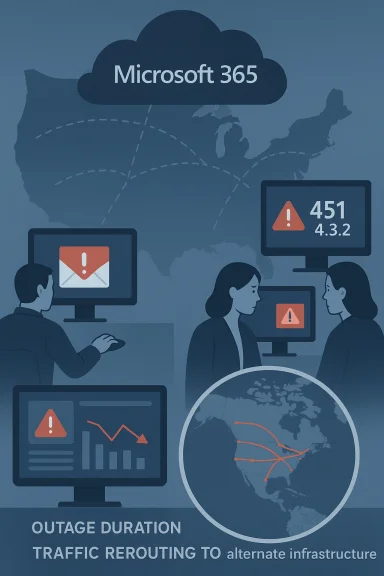
Microsoft 365 cloud outage prompts global traffic rerouting to alternate infrastructure.Background​

Microsoft’s official status channels reported that a portion of dependent service infrastructure in the North America region was “not processing traffic as expected,” which produced cascading failures across Exchange Online (Outlook), the Microsoft 365 admin center, Microsoft Defender and Purview portals, SharePoint Online, OneDrive, and some Teams features. Engineers said they were restoring infrastructure health and rebalancing traffic to achieve recovery. Outage trackers and major news outlets recorded the spike in complaints: at the outage’s high point public trackers showed reports in the low-to-mid tens of thousands, with snapshots ranging from roughly 8,600 to more than 15,700 reports depending on the minute captured. Most complainants reported problems with Exchange/Outlook and the Microsoft 365 admin center. This article summarizes what happened, verifies key technical claims against multiple independent sources, assesses the operational and security impact for businesses and admins, and presents practical mitigations and hardening steps IT teams should apply going forward.

What the official record shows​

The incident identifier and timeline​

Microsoft opened the incident as MO1221364 on January 22, 2026, with the initial alert logged in the Microsoft 365 admin center. The first public acknowledgements — a series of posts from the Microsoft 365 Status account — began in the early-to-mid afternoon Eastern Time and described a progressive investigation followed by targeted remediation actions (restoring affected infrastructure and traffic rebalancing). These updates were published publicly on X and mirrored by Microsoft’s admin-center advisory for tenant administrators. Community telemetry (forums, MSP feeds and outage trackers) places the first widely visible user impacts in the early afternoon Eastern Time on January 22, with peak complaint density and media attention occurring within an hour or two of Microsoft’s first post. The measured recovery window — when traffic was being rebalanced and infrastructure reported healthy — took place over the subsequent hours as Microsoft directed traffic to alternate infrastructure and applied incremental fixes.

Symptoms, error messages and affected functionality​

Administrators and mail gateways logged transient SMTP 4xx responses — most commonly a “451 4.3.2 Temporary server error” — when sending to Exchange Online mailboxes, indicating temporary server-side rejections and deferred deliveries. In parallel, tenants experienced intermittent failures or slowness in:
  • Email delivery (inbound mail queuing / delayed reception)
  • Message trace collection and message trace delays
  • Microsoft 365 admin center (timeouts, 500/502 responses)
  • Microsoft Defender XDR and Microsoft Purview portal access
  • SharePoint Online / OneDrive search and content retrieval
  • Teams chat/meeting creation, presence and calendar operations for some users
These symptoms are consistent across Microsoft’s advisory, technical forums and real‑time outage reports.

Geographic profile and user-facing impact​

Cities and regions most visibly affected​

Downdetector’s outage map and multiple press accounts highlighted clusters of reports in major U.S. metropolitan areas. Public reporting named cities such as Los Angeles, Minneapolis, Phoenix, Dallas, Houston, San Francisco and Seattle among the most-noted locations on the outage heat maps. While city-level visibility on crowd-sourced trackers is useful for spotting geographic concentration, it is not a substitute for provider telemetry and should be interpreted as an indicator of where users were actively reporting issues rather than a complete map of technical failures.

How organizations were affected​

For many businesses reliant on Microsoft 365 as their primary collaboration and identity stack, the impact was immediate and operational:
  • Marketing, sales and support teams experienced delayed or missed inbound emails and notifications, disrupting customer response SLAs.
  • IT teams were blind to some health signals because admin portals and security consoles were intermittently unreachable, complicating incident response.
  • Automation and orchestration tied to email triggers, subscription notifications and Fabric/Viva Engage alerts saw delays or failure.
  • Third-party email hygiene and routing services (for example, tenants using Mimecast or other gateway appliances) reported inbound queues growing as Microsoft’s front-end stack returned 451 rejections for external mail delivery attempts.

Cross-checking the key claims — verification and sources​

Trustworthy reporting requires cross-referencing each load-bearing claim. For this incident the crucial claims are: Microsoft’s acknowledgment, the error code and nature of the server error, Downdetector volumes and the regional scope.
  • Microsoft’s public posts acknowledging an investigation and naming the incident MO1221364 appear on the Microsoft 365 Status X account and are captured by multiple news outlets; this is the primary source for Microsoft’s own characterization of the issue (traffic not being processed by a portion of North American dependent infrastructure).
  • The specific SMTP error, 451 4.3.2, and its operational meaning (temporary server rejection / transient overload or maintenance) are documented in administrator advisories and explained in technical reporting by mainstream outlets — all of which indicate the root cause is server‑side, not a client misconfiguration. This interpretation aligns with standard SMTP semantics (4xx = temporary failure).
  • Downdetector and other public trackers recorded tens of thousands of user reports at peak. Independent outlets (Tech Yahoo, The Independent, USA TODAY and regional press) cited Downdetector numbers independent of Microsoft’s statements, providing corroboration for the scale of public reports. Crowd-sourced counts vary by minute but converge on the same story: a widespread incident with real user impact.
  • Reporting that other vendors (Mimecast, GoDaddy) appeared in outage maps or user logs is supported by community posts from administrators and third-party status pages that show user-reported incidents coincident with Microsoft’s problems, though those vendor pages do not universally show a confirmed major outage concurrent with Microsoft’s issue. In short: many third-party services saw secondary effects or user reports, but the central failure trace points to Microsoft infrastructure.
Where statements could not be independently verified — for example specific internal routing changes inside Microsoft’s closed infrastructure — this article flags those items as Microsoft-sourced claims rather than independently observed facts.

Technical analysis — what a “451 4.3.2 temporary server error” means in practice​

The SMTP numeric space communicates whether a problem is permanent (5xx) or temporary (4xx). A 451 4.3.2 code is a transient error typically returned by the receiving mail infrastructure when it is temporarily unable to accept a message (busy, overloaded, internal throttling or maintenance). For large cloud email platforms the practical implications include:
  • External MTAs (mail transfer agents) will queue and retry delivery based on standard SMTP retry policies, which mitigates permanent loss but causes delays and operational pain for time-sensitive deliveries (bounces are not immediate but delays accumulate).
  • Third-party mail gateways and security appliances may show queued messages and increase resource utilization while waiting for Microsoft endpoints to accept mail.
  • Admins cannot force remote MTAs to retry faster; the best course is to monitor queues, notify stakeholders and prepare for longer‑than‑usual delivery windows until the receiving infrastructure is restored.
Microsoft’s remediation approach — described in their posts — focused on restoring degraded internal components to a healthy state and rebalancing traffic by directing flows to alternate infrastructure while applying incremental fixes. That is a standard mitigation pattern for software-defined cloud services: repair or replace the faulty pipeline segment then redistribute load.

Third-party and ecosystem effects​

Email hygiene / gateway services (Mimecast, Proofpoint, Barracuda, etc.​

Managed gateways and filtering vendors reported heavy inbound queues where Microsoft’s front-ends returned retryable errors. Administrators across forums confirmed that inbound mail was “queued for delivery” at gateways like Mimecast, with successful internal delivery sometimes contrasted against failed external delivery. Those queues can grow quickly and require manual intervention only when retry windows are exceeded or storage limits are approached.

Domain hosting and mailbox providers (GoDaddy)​

Some users saw related or coincident reports to GoDaddy status tools and community trackers. Vendor status dashboards (e.g., GoDaddy’s public status page) did not universally show a confirmed global outage on the same timeline as Microsoft’s event, but there were isolated user reports and momentary spikes in complaints on user-led trackers — consistent with localized ripple effects rather than independent root cause. Exercise caution before assuming correlated complaints imply independent outages.

Cloud infrastructure providers (AWS)​

During the event some outlets referenced that Amazon Web Services reported normal operations while user complaint maps showed concurrent reports for other platforms. AWS has, in past incidents, emphasized that user reports are not the same as provider health telemetry; for this event, AWS publicly stated its services were operating normally while other providers saw user-side reports. That response is consistent with AWS’s practice of pointing customers to its health dashboard for authoritative status.

Operational risks and business impact​

The outage exposes several recurring risk categories for organizations that place core functions on a single major cloud vendor:
  • Single-vendor dependency: Organizations that rely exclusively on Microsoft 365 for email, identity, collaboration and security telemetry face a high blast radius should Microsoft experience a multi-service outage.
  • Visibility loss during incidents: Admin portals and security consoles being intermittently unavailable impedes incident response and forensic triage.
  • Supply-chain / third-party frictions: Managed services that route through Microsoft (email hygiene, identity federation, SaaS connectors) can experience queues or timeouts and shift failure modes into downstream systems.
  • Business continuity for time‑sensitive communications: Customer notifications, regulatory filings, and legal communications that require immediate delivery suffer under temporary rejections that become multi‑hour delays.
These are not merely theoretical: during the outage multiple organizations reported delayed notifications, failed 2FA emails and administrative blind spots — consequences that translate quickly into financial and regulatory exposure for high-dependency workloads.

Practical mitigations — what IT teams should do now​

When a major provider outage happens, preparation and clarity of playbooks matter. The recommended actions below are operationally focused and reflect both the technical nature of this incident and best practices for resilience.
  • Verify scope and impact immediately
  • Check Microsoft 365 Service Health and the admin-center advisory (MO1221364 or current incident IDs).
  • Cross-check public outage aggregators (Downdetector) and community channels (trusted technical forums) to calibrate the geographic and service scope.
  • Prioritize business-critical flows
  • Identify the systems that must remain operational (customer notifications, critical alerts, regulatory communications) and plan manual or alternate channels (SMS gateways, backup SMTP relays, cloud provider failover).
  • Manage email queues proactively
  • Monitor your perimeter queues (Mimecast, Proofpoint, Barracuda) for growth.
  • If outbound flows are impacted, consider delay notifications to stakeholders that rely on near-real-time delivery.
  • Alternate 2FA/identity methods
  • Where email-based 2FA is used, enable alternative methods (authenticator apps, hardware tokens, conditional access exceptions for critical accounts) to avoid lockouts during prolonged email delays.
  • Work with vendors
  • Open incident tickets with managed service providers; preserved logs and timestamps will be crucial for post-incident RCA and SLA claims.
  • Post-incident analysis and improvement
  • Perform an RCA workshop that includes cloud-provider status timelines, your perimeter telemetry and business impact metrics.
  • Re-evaluate multi‑vendor strategies for critical control planes (e.g., use diversified identity providers or secondary notification systems).
Implementing these steps before the next incident reduces response times and operational friction when centralized services hiccup.

Policy and architecture lessons​

The outage reinforces several enduring architectural principles for cloud-dependent organizations:
  • Assume failure and design recovery: Systems should be resilient to transient external failures — design mail retry policies, cached credentials and alternative user flows.
  • Diversify critical channels: For high-value notifications (legal notices, emergency communications), adopt multi-channel delivery (email + SMS + push).
  • Test incident runbooks frequently: Real outages reveal gaps in runbooks; tabletop exercises should include scenarios where admin portals are inaccessible.
  • Negotiate clear SLAs and communications plans: Understand your vendor SLA and ensure your contracts include timely post-incident reporting and transparent timelines for mitigation.
These are practical governance changes that can reduce the business cost of an unavoidable cloud failure.

What end users can do in the moment​

  • Use desktop and cached versions of Office apps where possible — local edits can continue and sync once services recover.
  • Switch to mobile (app-based) access: some web front-ends and portals are more affected than app clients.
  • If two-factor codes are delayed via email, use authenticator apps or recovery codes.
  • Inform customers proactively: if your organization depends on email for customer-facing communications, preemptively post notices on web and social channels to reduce confusion.
Media reporting and tech advisories emphasized these workarounds during the outage; administrators should codify the most effective steps into internal playbooks.

After-action: what Microsoft reported and remaining questions​

By late afternoon Microsoft indicated that it had restored the affected infrastructure to a healthy state and was directing traffic to alternate infrastructure while continuing load‑balancing activities. That operational description aligns with typical remediation steps for cloud infrastructure faults. Multiple media outlets and community forums recorded that complaint volumes fell as those fixes were applied. Open questions that remain for customers and evaluators se internal root cause beyond the high-level “portion of dependent infrastructure not processing traffic” (Microsoft’s public advisories are intentionally high-level for security and operational reasons).
  • The timeline for a full post-mortem and any mitigations or platform changes Microsoft will implement to reduce recurrence risk.
  • How Microsoft will improve admin center availability and status transparency during incidents where the admin portal itself is a point of failure.
Organizations with critical dependencies should map these questions to vendor engagement channels and request a formal RCA and mitigation plan through their Microsoft account teams.

Final assessment — strengths, weaknesses and the path forward​

This incident highlights both the strengths of modern cloud architectures and their systemic weaknesses.
  • Strengths: Microsoft’s ability to detect, communicate and remediate at scale allowed traffic to be redirected and services to recover within hours rather than days. The company’s public incident identifier and incremental updates gave tenant admins a consistent reference point.
  • Weaknesses: The breadth of services impacted and the admin portals’ intermittent unavailability revealed a significant blast radius where a single infrastructure problem rippled through multiple dependent products — leaving administrators temporarily blind while they needed the admin center most. Crowdsourced outage counts amplified the public perception of instability, which has reputational and contractual consequences for customers.
For IT leaders, the path forward is clear: treat provider outages as inevitable, strengthen multi‑channel resiliency, and ensure that critical communications and identity flows have tested backups. For Microsoft and other hyperscalers, continued investment in isolation of control planes, clearer incident telemetry for tenants, and improved portal availability during incidents will be essential to maintain trust among enterprise customers.

The January 22, 2026 disruption to Microsoft 365 served as a sharp reminder of how intertwined business operations are with a handful of platform providers. The immediate impacts were tangible and costly to organizations that depend on real-time email and collaboration; the broader lesson is operational: assume failure, practice recovery, diversify critical flows and demand clearer post-incident accountability and timelines from platform providers.
Source: Hindustan Times Microsoft 365 outage map: List of cities impacted the most by massive downtime
 

Back
Top