GDC 2026: Windows 11 Xbox Mode and DirectX ML for Next Gen Rendering

  • Thread Author
Microsoft used GDC 2026 to lay down a clear, cross‑stack roadmap for making Windows 11 the premier platform for PC game development — a combination of a console‑style user experience, deeper OS and API integration for shipping precompiled shaders at scale, faster asset streaming with modern compression, and a new generation of DirectX tooling built for ML‑enabled rendering. These announcements are practical and developer‑facing: Xbox Mode will begin rolling out to Windows 11 devices in April, Advanced Shader Delivery (ASD) and the DirectX Agility SDK provide a pipeline for precompiled shader distribution, DirectStorage gains Zstandard compression and a Game Asset Conditioning Library to simplify pipelines, and DirectX itself is being extended with linear‑algebra primitives and a preview of Windows ML model integration to accelerate neural techniques in real‑time rendering. Microsoft reinforced these platform moves with a major expansion of PIX and DirectX debugging — including DirectX Dump Files, DebugBreak() in HLSL, and Shader Explorer — with previews expected in May 2026. (devblogs.microsoft.com) (devblogs.microsoft.com) (windowscentral.com)

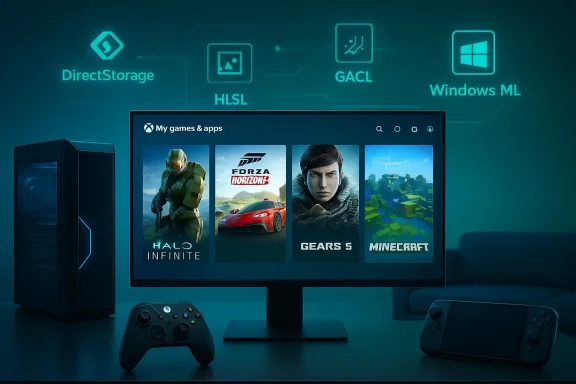
Xbox gaming desk with monitor showing Halo Infinite, Forza Horizon 4, Gears 5, and Minecraft.Background / Overview​

Windows has long been the default home for PC games, but the platform’s openness also brings fragmentation: multiple storefronts, varied hardware, and a legacy pipeline for shader compilation and asset streaming that can cause long first‑run load times and in‑game stutter. Microsoft’s GDC 2026 messaging reframes Windows 11 as a more opinionated, optimized foundation for game developers — while explicitly preserving choice across engines, hardware partners, and distribution channels. That balance is central to the announcement: these are platform primitives intended to be adoptable by studios, engines, and storefronts rather than a single proprietary lock‑in. (devblogs.microsoft.com)
Microsoft’s story at GDC was twofold: deliver immediate developer tools and OS features that remove friction (faster loads, predictable shader behavior, better debugging), and invest in the next wave of graphics: ML‑first rendering pipelines that can run efficiently on PC and (eventually) the next‑gen Xbox hardware Microsoft hinted at during GDC. The company doubled down on partnerships with AMD, NVIDIA, Intel, and Qualcomm — a necessary move given the hardware‑specific nature of many of these capabilities. (windowscentral.com)

Xbox Mode: what it is, what it isn’t, and why it matters​

What Microsoft announced​

  • Xbox Mode (rebranded from the earlier Full‑Screen Experience) will start rolling out in April to Windows 11 PCs in select markets and will expand across all Windows 11 form factors: laptops, desktops, tablets, and handhelds. The interface is controller‑first and full‑screen, designed to feel like a console dashboard while still allowing users to switch back to the Windows desktop. (windowscentral.com)
  • The feature is intended to unify the gaming UX across Xbox and Windows, giving players a quick, distraction‑free way to browse libraries, launch games, and use Game Bar features with a controller. Early internal previews on handheld devices indicated meaningful memory‑and‑background‑process reductions, which Microsoft says improve game performance on constrained devices.

Why this matters for developers​

  • Xbox Mode is an opportunity for studios to think beyond the keyboard‑and‑mouse UX: a single build can present both a desktop and a console‑style playback experience if the platform and store integration are correct. For studios targeting handheld Windows devices (ROG Ally, Lenovo Legion Go, etc.), this reduces friction for players who want living‑room or couch play. (windowscentral.com)
  • For publishers and storefronts, Xbox Mode provides a curated surface that can surface Game Pass, cloud titles, and curated content in a way that’s more discoverable to controller users — a commercial plus for subscription models.

Risks and tradeoffs​

  • A console‑style interface on Windows has UX implications: some PC gamers prize desktop flexibility and multiple launchers. Xbox Mode must avoid being perceived as a forced replacement and instead remain opt‑in, performant, and clearly reversible. Early messaging says users can switch back to the desktop anytime; how frictionless that switch is in real usage will dictate acceptance. (windowscentral.com)
  • Fragmentation remains possible if storefronts and third‑party launchers do not embrace the registration and delivery hooks Microsoft provides. Adoption by key stores will determine whether Xbox Mode becomes a universal UX or a Microsoft‑centric one.

Advanced Shader Delivery (ASD): a practical solution to shader stutter​

The problem​

Shader compilation during first runs or at new rendering paths is a perennial cause of stutter and long startup times on PC. Unlike consoles, where a single OS+driver combination allows vendor‑controlled precompilation, the PC ecosystem’s diversity has historically forced developers into best‑effort caches or per‑device fade‑in experiences.

Microsoft’s approach​

ASD is a multi‑part solution:
  • Developers collect pipeline state object inputs into a State Object Database (SODB) during development; the SODB can be compiled offline into a precompiled shader database (PSDB).
  • The DirectX Agility SDK provides APIs and tooling to author, collect, and register these SODBs/PSDBs.
  • Game installers or storefronts (starting with the Xbox PC app) can register PSDBs on target machines so drivers can use them as a source of precompiled shaders on day‑one. This yields far higher shader cache hit rates on first runs and can reduce first‑run launch time by factors claimed in partner examples. (devblogs.microsoft.com)
Microsoft showed ASD working on ROG Xbox Ally and Ally X devices where precompiled shaders could improve launch time and consistency; the Agility SDK release notes and developer guidance date back to late 2025 and are now being extended into a broader workflow for third‑party studios. Trials for third‑party studios are expected to start in May, and Microsoft is enabling game teams to self‑enable ASD via the Xbox Partner Center pipeline. (devblogs.microsoft.com)

Developer impact and adoption roadmap​

  • Engines will need to integrate SODB collection into nightly builds or asset baking steps. The Agility SDK already exposes command‑line tooling to capture PSOs during gameplay runs and pipeline tools for offline compilation. Expect changes to CI and nightly validation to incorporate PSDB generation/test workflows. (devblogs.microsoft.com)
  • IHVs (AMD, NVIDIA, Intel, Qualcomm) are providing offline compiler plugins to make PSDBs target multiple hardware families. This vendor cooperation is key: precompiled artifacts are only useful if offline compilation accurately matches runtime codegen across drivers. Microsoft’s Agility SDK and the IHVs’ offline compiler plugs are explicitly designed to solve that. (devblogs.microsoft.com)

Strengths​

  • Predictability: PSDBs move shader compilation out of player machines at runtime and into deterministic engineering pipelines.
  • Cross‑device benefit: If storefronts adopt PSDB registration, the same compiled shaders can be delivered to similar hardware, bringing console‑level startup consistency to PC.

Risks and open questions​

  • Scale and storage: Precompiled shader databases for a large game can be sizeable. Studios must balance PSDB size vs. storage and download budgets. Microsoft’s guidance and tooling aim to manage this, but studio pipelines will need to make tradeoffs.
  • Driver churn and OS/driver mismatch: PSDBs compiled against particular driver versions or offline compilers could mismatch runtime behavior after driver updates. Microsoft plans to update PSDBs via the Xbox PC app and storefront pipelines, but the cadence and automation required across thousands of titles will be nontrivial. Studio QA must include driver‑update regressions. (devblogs.microsoft.com)

DirectStorage: Zstandard, GACL, and faster streaming​

What’s new​

  • Zstandard (zstd) compression support is being added to DirectStorage, offering modern, faster, and more efficient compression for game assets than legacy formats in many cases. Zstd provides a configurable compression ratio vs. decompression speed tradeoff that can optimize streaming workloads. (devblogs.microsoft.com)
  • Microsoft is releasing a Game Asset Conditioning Library (GACL) — a pipeline toolset to standardize asset conditioning and compression across production systems, making it easier for studios to prepare assets for high‑throughput NVMe streaming with consistent results. (devblogs.microsoft.com)
  • Expanded high‑throughput streaming scenarios in DirectStorage aim to reduce I/O latency and increase sustained throughput for data‑heavy environments, without radically changing developer workflows. Together, zstd + GACL promise smaller compressed sizes, faster streaming, and simpler pipeline integration. (devblogs.microsoft.com)

Why this matters​

  • Real‑time open worlds and streaming textures/models at runtime benefit from both better compression and GPU/OS‑assisted decompression. Zstd’s strong CPU decompression and potential GPU assist (depending on ecosystem support) can increase effective read bandwidth and reduce CPU overhead. NVIDIA, AMD, and others have already worked with Microsoft on GPU‑decompression integration in previous DirectStorage iterations; zstd adds a modern, flexible codec to the toolbox. (devblogs.microsoft.com)
  • GACL lowers the engineering overhead for studios that previously had to cobble together bespoke conditioning scripts to match their compression targets and streaming patterns. Standardization can accelerate DirectStorage adoption because asset output will be more predictable across studios and engines. (devblogs.microsoft.com)

Practical caveats​

  • Many games ship with baked install‑time compression and archives; retrofitting DirectStorage and reprocessing assets for zstd will be most efficient at initial development or major remaster cycles rather than as a small post‑release patch.
  • Studio CI must validate streaming behavior across HDD, SATA SSD, and NVMe tiers, since DirectStorage’s benefits target NVMe devices. Microsoft’s guidance and samples historically emphasize NVMe and GPU‑decompression enablement — studios should measure the real user base before committing to zstd‑only pipelines. (devblogs.microsoft.com)

DirectX and the ML era: linear algebra in HLSL and Windows ML previews​

New capabilities​

  • Microsoft announced linear‑algebra primitives in HLSL — matrix and vector operations intended to make it easier to express neural operations and hardware‑accelerated ML workflows directly in shaders. The intent is to let developers run small models or lightweight ML ops in pixel/compute shaders without excessive host roundtrips. (devblogs.microsoft.com)
  • A preview of Windows ML models in graphics workloads was promised: developers will be able to embed or reference lightweight models directly in rendering pipelines, reducing the need for manually hand‑coding shader approximations where a learned model provides better fidelity or performance. (devblogs.microsoft.com)

Why this shifts the rendering playbook​

  • Neural rendering techniques (denoising, upscaling, material synthesis, temporal reconstruction) increasingly outperform hand‑coded approximations for certain workloads. By adding linear algebra primitives in HLSL and a path for WinML model integration, Microsoft is enabling engines to move neural stages closer to the GPU execution model. This can reduce CPU‑GPU synchronization and increase throughput for ML tasks that map well to shader execution. (devblogs.microsoft.com)
  • It also aligns with a broader industry trend: GPUs and consoles are adopting tensor and matrix‑acceleration hardware, and making those capabilities accessible in the shader language reduces friction for adoption of ML pipelines. Microsoft’s partnership messaging with IHVs is meant to ensure hardware acceleration lines up with the HLSL changes. (devblogs.microsoft.com)

Implementation guidance and caveats​

  • Start small: prototype small, bounded models (denoisers, micro‑detail upscalers) to assess latency and precision tradeoffs.
  • Measure memory and cache behavior: shader‑embedded models consume local memory and can change register/spill behavior.
  • Plan for model updating: shipping a model is not the end — plan for retraining and patching in storefront workflows or via Windows Update/installer mechanisms.
  • Beware of portability: different GPUs have different tensor/AI microarchitecture; validate across AMD, NVIDIA, Intel, and Adreno (mobile) targets. (devblogs.microsoft.com)

DirectX Dump Files, PIX improvements, and modern GPU tooling​

New tools and debugging workflow​

  • DirectX Dump Files: a standardized capture format for GPU crash and state data, with first‑class support in PIX and programmatic access for offline analysis. This brings the Windows PC ecosystem closer to consoles’ crash‑capture workflows. (devblogs.microsoft.com)
  • DebugBreak() in HLSL: shader‑level breakpoints that let developers pause execution at a shader instruction to inspect state, enabling far faster iteration for complex shader debugging. (devblogs.microsoft.com)
  • Shader Explorer: a new tool to inspect compiled shaders and (later in the year) perform deeper live analysis. Microsoft described this as an effort to bring console‑level GPU tooling to PC and to make shader behavior more transparent to engineers. (devblogs.microsoft.com)
  • PIX additions: Tile Mappings Viewer and hardware‑specific GPU counters in System Monitor to improve platform‑specific profiling. Microsoft said the largest wave of PIX additions in a decade was incoming, with preview availability starting May 2026. (devblogs.microsoft.com)

Why this is important​

  • These tools reduce the time to root cause performance regressions and crashes across a heterogeneous set of hardware. For large teams shipping AAA titles, deterministic captures and the ability to programmatically ingest GPU dumps will be a big win for remote QA and telemetry pipelines. (devblogs.microsoft.com)

Limitations and adoption notes​

  • Some hardware‑specific counters or behaviors may remain vendor‑specific; partnered IHVs are important for making per‑GPU counters usable at scale.
  • Using DirectX Dump Files and DebugBreak in production code requires careful gating: instrumenting shaders for debug can change timing and behavior if left in release builds. Use staged flags and validate performance parity. (devblogs.microsoft.com)

Ecosystem and partner dynamics​

Microsoft’s GDC messaging repeatedly emphasized partnership: AMD, NVIDIA, Intel, and Qualcomm were called out as collaborators in shader compilation workflows, offline compiler support, and hardware counters. This multi‑vendor alignment is the single most important factor in the success of ASD, DirectStorage advances, and ML shader acceleration. In short: these changes are only effective if IHVs deliver stable offline compilers, runtime drivers consume PSDBs predictably, and GPU vendors expose the necessary counters and acceleration to PIX and DirectX. (devblogs.microsoft.com)
Third‑party coverage and in‑market previews (Windows Central, Windows Latest) have already validated Microsoft’s announcements and provided hands‑on impressions of Xbox Mode and the new tools; but operationalizing these features across hundreds of titles will take time and careful engineering. (windowscentral.com)

Practical checklist for studios: how to prepare now​

  • Evaluate your install and streaming pipelines for DirectStorage opportunities:
  • Identify large or frequently streamed assets and test zstd compression vs. current codecs.
  • Add a DirectStorage test harness to CI to measure NVMe throughput and decompression latency. (devblogs.microsoft.com)
  • Plan for ASD adoption:
  • Integrate SODB collection into nightly builds or automated QA runs to capture real shader usage.
  • Work with your Microsoft/Xbox contact or the Xbox Partner Center to trial PSDB registration workflows when available. (devblogs.microsoft.com)
  • Prototype shader‑embedded ML:
  • Implement a small ML shader (denoiser or micro‑detail upscaler) using HLSL linear algebra primitives and measure GPU register pressure and frame latency across hardware families. (devblogs.microsoft.com)
  • Update debugging practices:
  • Begin planning to incorporate DirectX Dump File generation into crash telemetry and enable PIX capture flows in automated repro pipelines. (devblogs.microsoft.com)
  • QA and driver strategy:
  • Build driver‑update regression tests that include PSDB validation and shader cache hit‑rate checks.
  • Maintain a matrix of supported GPU driver versions and offline compiler versions for PSDB generation. (devblogs.microsoft.com)

Strengths, risks, and what to watch next​

Strengths​

  • Microsoft’s announcements are pragmatic and engineer‑facing: they provide API hooks, tooling, and store integrations that make a measurable difference to load times and stutter.
  • The Agility SDK + ASD model allows studios to manage shader compilation deterministically rather than relying on unpredictable first‑run compilation.
  • DirectStorage improvements and a standardized asset conditioning library lower the bar for asset streaming adoption.
  • DirectX’s ML additions reflect the industry move to neural rendering and bring the required primitives closer to where rendering happens.

Risks and unknowns​

  • Adoption velocity: major engines and third‑party storefronts must adopt PSDB registration and GACL for the full ecosystem benefit. This will take months to years for wide coverage.
  • Operational complexity: adding SODB collection, offline compilation, and PSDB registration increases CI complexity; small teams may find the tooling overhead nontrivial.
  • Driver/OS churn: PSDB robustness across driver updates, Windows versions, and IHVs is essential — mismatches could cause regressions if not properly tested.
  • Long tail of hardware: benefits concentrate on NVMe and relatively modern GPUs. Users with HDDs or older GPUs may see limited improvements unless studios bake fallback paths.

Signals to monitor​

  • Adoption by major engines (Unity, Unreal) and their pipeline guidance for SODB/PSDB.
  • IHVs’ rollout of offline compilers and their documented compatibility matrices.
  • Storefronts beyond the Xbox PC app (e.g., Steam, Epic) announcing support for PSDB ingestion and registration.
  • Early studio postmortems from May/June previews that demonstrate real‑world gains or integration pain points. (devblogs.microsoft.com)

Community reaction and immediate takeaways​

The developer and enthusiast communities reacted quickly: forum previews, hands‑on looks at Xbox Mode, and commentary on ASD and DirectStorage have already started circulating. Early takes praise the practicality of precompiled shader delivery and the promise of integrated ML pipelines, while also calling out the engineering surface area required to adopt these features in large codebases. If Microsoft’s timeline holds — previews and trials in May with broader availability through the year — studios that start integrating these primitives into production CI now will have a measurable advantage for late‑2026 releases.

Conclusion​

GDC 2026 marked an inflection point for Windows 11 as a gaming platform. Microsoft’s announcements are not vaporware: they come with SDKs, tooling, timelines, and explicit hardware partner cooperation. For developers, the message is clear: invest in the new platform primitives now — integrate SODB collection, experiment with zstd and GACL for streaming, and prototype ML in shaders — because these changes will reshape first‑run performance, streaming fidelity, and the very architecture of in‑game rendering over the next 12–24 months. The payoff is tangible: faster load times, reduced shader stutter, more predictable day‑one experiences, and a pathway to ML‑driven graphics that can push visual fidelity and efficiency forward on Windows 11. But getting there requires engineering discipline, updated CI and QA practices, and close collaboration with engine, driver, and store partners. If you ship a PC title this year or next, treat these announcements as a roadmap — not a menu — and start mapping your pipeline to it today. (devblogs.microsoft.com)

Source: Windows Blog GDC 2026: Announcing new tools and platform updates for Windows PC game developers
 

Microsoft used GDC 2026 to deliver a sweeping set of platform and tooling updates aimed squarely at PC game developers: a system-level, controller-first Xbox Mode for Windows 11 rolling out in April; the expansion of Advanced Shader Delivery (ASD) to accelerate first-run and runtime shader behavior; a major DirectStorage refresh with Zstandard compression and a new Game Asset Conditioning Library (GACL); explicit DirectX evolution to support machine learning in real-time graphics (including linear algebra in HLSL and Windows ML previews); and what the company calls the largest set of DirectX and PIX tooling additions in more than a decade—features such as DirectX Dump Files, DebugBreak() in HLSL, a new Shader Explorer, and improved PIX viewers and counters. These changes are tightly coupled—OS experience, asset streaming, shader delivery, GPU tooling, and ML-driven graphics are being pushed as a coherent stack intended to reduce friction and stutter while enabling new rendering paradigms. For game teams, this is both an opportunity and a set of practical adoption questions.

Neon-lit gaming concept featuring Windows 11 Xbox Mode and an Xbox controller.Background​

Microsoft’s announcements at GDC 2026 mark a deliberate push to make Windows 11 feel and behave more like a first‑party gaming platform while still supporting the heterogeneity of PC hardware and storefronts. Over the last several years Microsoft has been migrating a number of Xbox-originated features onto Windows—DirectStorage, PIX improvements, the Xbox PC app, and handheld-first UI experiments—and GDC 2026 ties these threads together with clearer developer workflows and tooling primitives.
At its core the strategy aims to solve two recurring pain points for PC game development:
  • Shader stutter and unpredictable first-run performance, caused by on-device shader compilation and cache misses.
  • Asset streaming complexity, where modern NVMe hardware promises huge throughput but game pipelines and compression strategies have not converged.
The new DirectX/PIX capabilities and the DirectX Agility SDK changes are meant to address both problems while also opening the door to machine learning-driven graphics workflows that move some logic out of hand-authored shader code into small, hardware-accelerated ML models.

Xbox Mode: a console-style shell for Windows 11​

What it is and how it behaves​

Xbox Mode is a full‑screen, controller-optimized shell for Windows 11 that boots into the Xbox app as the “home” environment and prioritizes game-first navigation, library aggregation, and low-friction launching. Microsoft will begin rolling Xbox Mode out to laptops, desktops, and tablets running Windows 11 in select markets starting in April 2026. Users can enter a dedicated gaming posture and switch back to the Windows desktop at any time.
The feature is effectively a system-level, optional UI posture designed for players and device makers that want a console-like experience on Windows devices—particularly handhelds, tablets, and any machine used frequently for controller play.

Why this matters for developers​

  • Xbox Mode reduces background noise from the OS and provides a predictable runtime environment for games that target controller-first input and full-screen usage.
  • It makes it easier for players to discover and launch titles via the Xbox PC app and can save resources on constrained devices (handhelds) by reducing Explorer/desktop overhead.
  • For developers, the tighter integration with Xbox storefront workflows (e.g., ASD packaging through the Xbox Partner Center) simplifies some deployment paths—if you opt into those storefront workflows.

Open questions and practical caveats​

  • Xbox Mode is opt-in for devices and limited to Windows 11 in select markets initially—expect a phased roll‑out and variable availability by region and OEM.
  • Players who prefer a traditional desktop experience or who use alternative storefronts may not adopt Xbox Mode, so developers should still design for the full diversity of PC workflows.
  • The UX is beneficial for controller-first games but has limited value for keyboard/mouse-heavy titles unless developers provide parity navigation and input mapping.

Advanced Shader Delivery (ASD): precompiled shaders at scale​

How ASD works​

Advanced Shader Delivery (ASD) enables developers to deterministically collect runtime shader inputs during development, package a precompiled shader database, and ship that alongside the game. On supported platforms and devices, the platform or storefront (via Xbox Partner Center workflows) can deliver the appropriate precompiled shader blobs to end-user devices ahead of runtime, which dramatically reduces the need for first‑run shader compilation and the associated stutter.
ASD integrates with the DirectX Agility SDK, where developers can hook into API-level collection tools in their engine builds to create these shader packages as part of their CI/publishing pipeline.

Benefits​

  • Faster game startup and significantly reduced first-run stutter for many titles, especially those that use large shader sets or have dynamic shader permutations.
  • Predictable performance across diverse hardware profiles when properly generated and distributed.
  • Easier QA: shipped shader blobs provide a reproducible baseline for regression testing across driver/patch cycles.

Limitations and implementation considerations​

  • ASD depends on accurate, deterministic shader collection. Any engine pipeline that generates shaders dynamically or applies runtime permutations must account for those in its collection process.
  • The initial distribution path through storefronts (Xbox PC app / Xbox Partner Center) raises compatibility questions for other distribution channels. If ASD packages are only available via a single storefront, games distributed primarily through third‑party platforms will need additional workflows to make use of ASD.
  • Device‑driver mismatches and platform-specific shader code paths remain a risk; shipping precompiled shaders increases the importance of rigorous cross‑GPU testing.
  • Developers must manage package size and update cadence: shader databases can be large and may need to be reissued after driver updates or game patches.

Timeline​

Microsoft indicated developer trials starting in May 2026, with wider availability later in the year. Teams should plan pilot integrations during preview periods rather than rushing to ship ASD for launch titles.

DirectStorage 1.4: Zstandard, Game Asset Conditioning Library, and streaming improvements​

What’s new​

DirectStorage is being updated to introduce Zstandard (Zstd) compression support and a new Game Asset Conditioning Library (GACL)—a pipeline toolset to standardize and simplify asset conditioning and compression across production systems. Microsoft also announced expanded high‑throughput streaming scenarios that aim to reduce I/O latency and increase throughput for data-heavy environments.
Zstd is a modern, high-performance compression codec that offers favorable decompression speed and compression ratios compared with traditional options commonly used in games. GACL provides tooling and recommended practices that make it easier for studios to prepare and condition assets to take full advantage of NVMe streaming and DirectStorage GPU/decompression paths.

Developer benefits​

  • Smaller on-disk asset sizes with faster decompression during runtime, which together reduce load times and I/O latency.
  • A common conditioning library reduces pipeline fragmentation across studios, helping publishers and hardware partners reason about performance characteristics more consistently.
  • Backwards-compatible integration: DirectStorage improvements are designed to slot into existing production workflows with minimal disruption.

Practical considerations​

  • Repackaging existing assets to use Zstd + GACL is most efficient when done during major updates, remasters, or initial shipping—reprocessing millions of assets for a mid‑cycle patch is costly.
  • Not all games will see linear benefits; performance gains depend on asset layout, streaming patterns, GPU/CPU balances, and cache strategies.
  • Hardware acceleration and driver support for GPU decompression paths vary by vendor; QA must include the specific GPU/driver combinations you intend to ship for.

DirectX for machine learning-driven graphics​

HLSL linear algebra and Windows ML previews​

Microsoft announced linear algebra support in HLSL, enabling matrix and vector primitives and operations that map efficiently to hardware-accelerated ML units. In tandem, Windows ML previews will allow developers to integrate compact models into gameplay and reduce some hand-authored shader logic.
This is a deliberate step toward supporting neural shaders—small ML models used to perform operations traditionally expressed in HLSL (denoising, upscaling, material blending, and other neural rendering tasks). Exposing linear algebra as first-class HLSL constructs provides a lower friction path to hardware-accelerated ML in graphics pipelines.

Opportunities​

  • Neural denoisers, temporal reconstruction, and learned upscalers can become more portable and performant if developers rely on standardized HLSL + ML primitives.
  • Embedding small models in shader workflows reduces iteration overhead for certain effects and opens new creative possibilities for dynamic, data‑driven rendering.
  • Hardware vendors can expose tensor/ML units for efficient execution of these workloads, improving power and performance for ML-based effects.

Risks and engineering caveats​

  • Portability: ML microarchitectures differ across vendors (NVIDIA tensor cores, AMD AI engines, Intel XPU designs, mobile Adreno variants). Models and HLSL ML code must be validated across these topologies.
  • Maintainability: Moving logic from explicit shader code to ML models can obscure behavior if teams lack model governance and robust testing pipelines.
  • Model updates: Shipping an ML model is not the end; teams must plan for retraining, versioning, and safe rollout (patches) when model behavior needs correction.
  • Debuggability: Traditional shader debugging is mature; debugging learned behavior in render pipelines is an emerging, more complex discipline. The new PIX and DirectX tooling address this gap but require developer investment.

The toolchain revolution: PIX and DirectX developer tooling​

Headline tooling features​

Microsoft announced a major wave of tooling updates—some of the most notable include:
  • DirectX Dump Files: a standardized capture format for GPU crash and state data, enabling first‑class capture, offline analysis, and parity with console crash workflows.
  • DebugBreak() in HLSL: shader-level breakpoints that allow authors to pause execution inside HLSL and inspect shader state.
  • Shader Explorer: a new tool to inspect and analyze compiled shaders with deeper live analysis coming later in 2026.
  • PIX improvements, including:
  • Tile Mappings Viewer for inspecting tiled memory and virtualized resources.
  • Hardware-specific GPU counters in the System Monitor view for more accurate vendor-aware profiling.
Most of these features were slated for preview availability starting in May 2026, with broader distribution later in the year.

Why these tools matter​

  • Faster iteration: DebugBreak() in HLSL and richer shader inspection reduce the cycle time for diagnosing rendering issues that previously required complex repros.
  • Console-grade telemetry on PC: DirectX Dump Files and more robust counters bring the PC debugging experience closer to consoles, where deterministic capture and reproduction are better supported.
  • Visibility into modern memory models: The Tile Mappings Viewer is particularly important for developers working with sparse/virtualized GPU memory and streaming large textures or geometry.

Integration with other changes​

These tooling updates are designed to dovetail with ASD, DirectStorage, and ML-enabled HLSL:
  • Shader Explorer and PIX can help identify which shaders should be collected for ASD and validate shader cache hits/misses.
  • DirectX Dump Files create a reproducible capture that includes the state necessary to debug ASD-related regressions or platform-specific anomalies.
  • New counters and viewers will help teams reason about ML workloads’ performance impacts and memory behavior.

Ecosystem and partner implications​

Hardware and driver partners​

Microsoft’s strategy requires close co‑operation with CPU/GPU vendors. Zstd and GACL tuning, GPU decompression, and ML acceleration must be co-engineered across Intel, AMD, NVIDIA, and mobile GPU vendors. Teams must validate across multiple vendors and drivers; some acceleration features are only available on newer GPU generations.

Store and distribution considerations​

ASD workflows are currently tied closely to storefront distribution mechanisms for delivering precompiled shader databases. That simplifies delivery for titles distributed through the Xbox PC app, but creates potential friction for:
  • Games distributed primarily via third‑party stores that may not yet support ASD packaging and delivery.
  • Multi-store releases where developers must maintain parallel pipelines or provide fallbacks for stores that do not ingest ASD packages.
Developers and publishers should plan for distributed shader delivery workflows early and avoid relying on a single storefront for critical runtime assets unless they are comfortable with that distribution constraint.

Community and player perception​

Shifting more platform control to Xbox-branded experiences on Windows can prompt community scrutiny around:
  • Perceived platform lock-in or preferential treatment for the Xbox storefront.
  • Privacy or trust concerns around delivery of binary shader packages or ML models.
  • The need to clearly document what Xbox Mode does and how players can opt in or out.
Clear communication, opt‑in design, and cross-platform parity for core gameplay will be critical for widespread adoption.

Practical guidance for developers: how to prepare​

  • Audit your shader pipeline
  • Identify deterministic shader compile paths versus runtime-generated shaders.
  • Add instrumentation to collect shader inputs during dev/CI so ASD packaging can be reproducible.
  • Plan DirectStorage adoption
  • Re-evaluate your asset pipeline: which assets benefit most from Zstd and GACL conditioning?
  • Prioritize remaster cycles or major updates where bulk repacking is feasible.
  • Prototype ML-driven shader components cautiously
  • Start with small, well-understood tasks (e.g., denoising, upscaling).
  • Maintain both model‑based and hand‑authored fallbacks for portability and safety.
  • Invest in cross-GPU QA
  • Add targeted tests for ASD-blessed shader sets on NVIDIA, AMD, and Intel driver stacks.
  • Test DirectX Dump File capture/replay for critical crash scenarios to validate tooling.
  • Adopt PIX and DirectX previews early but safely
  • Use preview tools in dev and staging environments—avoid relying on preview features in final release branches.
  • Provide feedback to tool teams to ensure vendor-specific counters and viewers reflect real-world needs.
  • Plan distribution and update workflows
  • If you expect to use ASD packaging, align with your distribution partners early to ensure they support ingest and delivery.
  • Define a model for updating shipped shader databases when drivers or game code change.

Risks, disadvantages, and areas that need scrutiny​

  • Vendor fragmentation and portability: ML acceleration and low-level optimizations will vary across GPU vendors. Developers must not assume uniform behavior and should budget QA accordingly.
  • Tooling maturity: Preview tooling is valuable but may change. Relying on preview features in release builds is risky; adopt them in staged ways.
  • Distribution dependence: ASD’s utility ties to storefront delivery mechanisms could disadvantage multi-platform or third-party-first titles unless alternate delivery paths are established.
  • Complexity and pipeline cost: Reconditioning assets and generating deterministic shader collections adds pipeline steps and potentially large artifacts to CI/CD. Teams must weigh runtime benefits against build and storage costs.
  • Model governance for ML shaders: Moving logic to models requires versioning, testing, and retraining strategies that many graphics teams are not set up to manage today.
  • Player expectations and perception: Xbox Mode may be welcomed by controller-first players but will raise questions about how Microsoft’s Xbox ecosystem integrates with existing PC freedom and storefront choice.

Final analysis: where this moves the industry​

GDC 2026’s announcements reflect a pragmatic, platform-oriented push by Microsoft: deliver predictable performance, reduce the most visible pain points for players (shader stutter and long load times), and enable new rendering paradigms using ML—while giving developers robust diagnostics to ship reliable builds. If executed well, the combined stack (Xbox Mode, ASD, DirectStorage 1.4, DirectX ML, and PIX enhancements) can materially improve the experience of playing and shipping games on Windows.
However, the impact will depend on adoption patterns across the ecosystem. The technical benefits are real—Zstd compression and GPU-accelerated decompression, deterministic shader delivery, first-class shader debugging, and expanded profiling capabilities all address long-standing pain points. The political and logistical hurdles—storefront parity, cross-vendor validation, pipeline complexity, and tooling stabilization—are where the fight will be won or lost.
For PC game developers, the sensible path is to treat these features as powerful options rather than defaults: pilot ASD on a subset of titles, adopt DirectStorage 1.4 in controlled remasters or updates, experiment with small ML shader components, and integrate PIX/DirectX tooling into CI to catch regressions earlier. Platform teams and publishers should coordinate with storefronts and hardware partners to ensure consistent delivery and broad reach.
The upshot is clear: Microsoft is betting on a tighter, more predictable Windows gaming platform that borrows what works from consoles while preserving the PC’s diversity. The technical toolkit announced at GDC 2026 gives developers real levers to squeeze smoother performance and to experiment with ML in graphics—but success will require careful engineering, robust QA, and clear distribution strategies. In short, the tools are now available; the responsibility for adoption and safe rollout rests with studios, platform partners, and the broader ecosystem.

Source: FoneArena.com Microsoft introduces new PIX and DirectX tools for PC developers at GDC 2026
 

Microsoft is bringing a console‑style, controller‑first gaming posture to Windows 11: the feature formerly known as the Xbox Full Screen Experience (FSE) has been rebranded Xbox Mode and will begin rolling out to Windows 11 devices in April 2026, turning eligible laptops, desktops, tablets and handhelds into a full‑screen, Xbox‑style play environment that boots into the Xbox PC app, trims desktop overhead, and surfaces a living‑room navigation model for PC gaming. ps://news.xbox.com/en-us/2025/11/21/the-full-screen-experience-is-available-for-xbox-insiders-starting-today/)

Cozy living room with a large Xbox screen showing Game Pass and a handheld console on the coffee table.Background / Overview​

Microsoft first trialed a console‑like, full‑screen shell for Windows on purpose‑built handheld hardware late in 2025 under the name Full Screen Experience (FSE). That iteration shipped as the default shell on certain handhelds where the device boots straight into the Xbox PC app and presents a controller‑navigable UI intended to feel more like an Xbox console than a traditional Windows desktop. The company has since expanded preview access through WinInsider programs as it tested broader device compatibility and developer integrations.
At GDC 2026 Microsoft used the broader developer stage to reframe that work as a platform‑level posture: the FSE will be rebranded Xbox Mode and rolled into Windows 11 as an optional session designed for living‑room and handheld play, and paired with a package of developer‑facing graphics tools intended to reduce load times and shader stut sits alongside Microsoft’s next‑generation console roadmap (Project Helix), signaling a deliberate push to align Xbox console design, PC tooling, and the Windows gameplay surface.

What is Xbox Mode?​

Xbox Mode is not a separate operating system; it is a session posture layered on top of Windows 11 that gives players a console‑like front door into their PC’s gaming experience.
  • Full‑screen, controller‑first UI: Xbox Mode presents the Xbox PC app and associated platform features in a full‑screen shell optimized for gamepad navigation rather than mouse and keyboard. This is the same experience that shipped on purpose‑built handhelds and will now be accessible on traditional PCs.
  • Boot or switch into a gaming session: On supported devr switch into a dedicated Xbox session that deprioritizes unnecessary desktop services and centers the experience on library browsing, Game Pass, cloud play, and game launching.
  • Preserves Windows underneath: Xbox Mode runs on top of Windows rather than replacing it; Windows remains the underlying OS, but Xbox Mode suppresses non‑essential background activity to reduce overhead and deliver a more predictable gaming posture.
  • Integrated Game Bar and platform services: Common PC features such as Game Bar overlays, achievements, social features, and cloud‑based services are surfaced inside the Xbox Mode shell, bridgess with console convenience.
Many commentators have noted immediate similarities to Valve’s Steam Big Picture Mode: Xbox Mode offers a living‑room UX that prioritizes controller navigation, large fonts and tiles, and a simplified launcher. Expect a similar use case (sofa play, TV output, handheld docked mode), but built and integrated directly into Windows and Microsoft’s Xbox ecosystem.

Feature set: What Microsoft is promising​

Micronts and developer documentation show Xbox Mode is more than a UI skin — it is being shipped packaged with a handful of platform changes that target game startup, rendering stability, and developer workflows.
  • Controller‑optimized UI and navigation, plus improved game catalog access and direct Game Pass integration. This is the visible face of Xbox Mode and the immediate user experieox.com]
  • Optimizations to reduce desktop overhead when playing: Xbox Mode intentionally deprioritizes or suspends non‑essential background services to free resources for gameplay and to reduce interference during sessions.
  • Graphics and runtime tooling designed to reduce load times and shader stutter, most notably an emphasis on distribution mechanisms such as Advanced Shader Delivery (ASD) and other DirectX‑centric delivery optimizations. These technologies aim to avoid stutters caused by runtime shader compilation by prepositioning shader content and better coordinating driver/runtime behavior.
  • Stronger developer integration via the Microsoft Game Development Kit (GDK) and aligned workflows that make it simpler to target Xbox and Windows simultaneously — an explicit strategic nudge from Microsoft telling studios to “build for PC” if they want to reach Xbox audiences.
  • Staged delivery and toggleable availability: Xbox Mode will be available through the Insider channels first in April, then progressively to selected markets and OEM‑enabled devices as Microsoft and partners validate compatibility.
These features combine to produce a console‑style front door intended to feel familiar to console players while remaining part of the PC’s open platform.

Availability and rollout plan​

Microsoft has stated that Xbox Mode will begin appearing on Windows 11 devices iged rollout. Early availability will target Windows Insiders and selected markets while handhelds that already shipped with the FSE remain supported and will see the rebrand and broader availability. The company has indicated OEM collaboration is part of the plan, meaning some manufacturers will ship or enable Xbox Mode on their gaming systems by default while others will provide it as an option.
Practical points about availability:
  • Insider previews: Windows and Xbox Insiders will get the earliest builds; if you want to test Xbox Mode before general rollout, enroll in those programs and look for the FSE/Xbox Mode options in Settings > Gaming.
  • Selected markets first: expect a geographically staged rollout; not every region will get the feature at exactly the same time. Microsoft typically phases feature releases to reduce scale risk.
  • OEM opt‑in: some devices — especially gaming handhelds and gaming laptops — may ship with Xbox Mode configured or enabled by default; other desktop systems may require you to enable it manually.

How Xbox Mode changes the player experience​

For players, Xbox Mode is designed to deliver a predictable, immediate return on power‑on: a console‑like launcher, controller‑first navigation, and tighter Game Pass/cloud play discovery.
  • Faster path to play: reduced load time and fewer menu hops between power on and game launch are the central UX benefits Microsoft emphasizes.
  • Consistent controller behavior: controllers are first‑class inputs inside Xbox Mode, with the UI optimized for directional navigation and gamepad buttons rather than mouse pointers.
  • Living‑room readiness: the UI scales to TV output and large screens, making the PC usable as a couch‑friendly gaming appliance.
  • Game Pass and cloud integration remain a focus: Xbox Mode is clearly designed to make subscription‑based discovery and streaming a native, streamlined pathway into play.
Benefits for casual players include lowered friction and a less intimidating interface when moving from console to PC. For power users who prefer desktop control, Xbox Mode is optional and should not remove the classic Windows desktop — at least not from Microsoft’s stated intent.

Developer implications: why Microsoft is pushing this​

Microsoft’s message to developers at GDC 2026 was explicit: a strong, shared PC target simplifies cross‑shipping to Xbox. Xbox Mode is a commercial and engineering lever in that strategy.
  • Unified workflows: The Game Development Kit (GDK) and integration with engine tooling aim to reduce friction for developers shipping titles on both PC and Xbox. Microsoft stressed tooling, APIs, and runtime libraries that make feature parity easier to maintain. ([developer.microsoft.com](GDC 2026: What's Changed in Xbox Development (and Why) and runtime improvements: Advanced Shader Delivery and related DirectX refinements are intended to reduce one of the most common sources of poor perceived performance on PC — shader compilation stutters — especially important for console parity and consistent frame pacing. Microsoft’s developer materials and GDC sessions detail these options for studios.
  • Platform incentives: Bringing the Xbox UI and store presence closer to the PC gameplay surface strengthens Microsoft’s ability to promote Game Pass titles and Xbox Store distribution while still operating within Windows’ open ecosystem. That tighter intse visibility for Xbox titles and Game Pass offerings.
For developers, the upside is clearer reach to both PC and console audiences with fewer platform divergences. The tradeoff is accepting Microsoft’s unified toolchain and platform rules that may shape release cadence and packaging choices.

Comparison with Steam Big Picture Mode and other console‑like shells​

Comparisons to Steam Big Picture Mode are inevitable and, in many ways, accurate. Xbox Mode and Steam Big Picture share the same high‑level goals: make PCs usable from a couch with a controller, offer large‑tile navigation and media‑style browsing, and simplify game launching.
Where Xbox Mode differs:
  • Deeper platform integration with Game Passs, and Microsoft’s ecosystem — this is not just a launcher but a full Xbox‑branded session layered onto Windows.
  • Tight coupling to Microsoft developer tooling and Xbox services, which may make the experience sed titles but could favor titles tied into Microsoft’s service ecosystem.
Steam Big Picture remains a cross‑store, platform‑agnostic launcher that integrates Steam’s Steamworks features and is neutral with respect to venervices. Xbox Mode’s strength is its ecosystem coherence; its risk is perceived platform favoritism.

Risks, open questions, and what to watch for​

Microsoft’s Xbox Mode is a strategic pivot with clear positives, but it carries practical and policy‑level risks that gamers, developers, and IT buyers should watch.
  • User choice and UI fragmentation: adding a second, highly prominent session posture for gaming risks confusing less‑technical users if OEMs ship different defaults. Microsoft must make opt‑out and toggling clear and simple to avoid friction.
  • Platform influence and discoverability: as Xbox Mode increases the visibility of Microsoft’s store and Game Pass, third‑party storefronts and legacy installers may get lower prominence when users default into the Xbox UX. This raises legitimate competition and discoverability questions for DRM‑free and indie titles.
  • Performance and driver stability: deprioritizing desktop services to favor the gaming shell is a nuanced engineering exercise. Incorrect priorities or poor device drivers could create regressions, especially on multi‑monitor or productivity‑heavy setups. The staged Insider rollout is intended to surface such issues early, but real‑world diversity on Windows hardware is a challenge.
  • OEM and driver support variability: Not all OEMs or GPU vendors will handle Xbox Mode the same way. Expect differences in feature availability, default settings, and performance tuning between manufacturers.
  • Privacy and telemetry concerns: richer platform services can collect more telemetry to tune experiences; Microsoft and OEMs must be transparent about what is collected and how it is used. Users and admins should verify settings and enterprise controls. (Note: this is a cautionary note — telemetry practices should be reviewed in the final builds and enterprise documentation.)
  • Market reaction and adoption: whether players and developers adopt Xbox Mode willingly — or treat it as an optional novelty — will determine its long‑term impact on Windows gaming. Early reactions on social and enthusiast forums are mixed between enthusiasm and skepticism.
Any claim about long‑term effects remains speculative until the feature ships broadly and Microsoft publishes adoption and telemetry numbers; treat near‑term promises as provisional and subject to revision.

Practical guidance for ters​

If you want to try Xbox Mode during the preview period or prepare a machine for the public rollout, consider these steps and tips:
  • Join the Windows Insider and Xbox Insider programs to receive early builds and FSE/Xbox Mode previews. Insider builds will be the first channel to receive Xbox Mode before general availability. (news.xbox.com)
  • On supported handhelds and OEM devices, check Settings > Gaming > Full Screen Experience (or Xbox Mode) to enable the shell as your device’s home experience. On desktop PCs you may need to enable the preview or update the Xbox app to expose the option.
  • Test common productivity scenarios before enabling Xbox Mode full‑time: multi‑monitor setups, mouse/keyboard hotkeys, background streaming, capture tools, and peripheral behaviors vary across systems. If you rely on background services for streaming or communication, validate they continue to function as expected.
  • Keep GPU drivers up to date and watch vendor driver notes: many of the runtime optimizations and shader distribution strategies depend on modern driver behavior. Expect vendor‑specific updates during the rollout.
  • Report issues through the Insider feedback channels so early problems with performance, input mapping, or app compatibility can be prioritized and patched. Microsoft’s staged approach relies on feedback loops to reach broader quality.

The broader strategy: Project Helix and a Windows‑rooted Xbox future​

Xbox Mode is part of a broader strategic picture Microsoft sketched at GDC: a future in which Xbox consoles and Windows PCs share tooling, platform services, and a convergent developer path. The next‑generation Xbox platform — codenamed Project Helix — was discussed alongside Xbox Mode; Microsoft framed Helix as a console that will “play your Xbox and PC games,” with alpha dev kits expected in 2027. That timeline and Project Helix’s ambitions make Xbox Mode feel less like an isolated UI experiment and more like the first public step in aligning console and PC product strategy.
Note of caution: specific hardware claims and final Project Helix specs remain subject to change. Public commentary so far suggests an AMD‑based custom SoC and new upscaling and rendering features, but exact performance characteristics, price, and developer cost of entry will be established only when Microsoft ships dev kits and final hardware. Treat early Project Helix claims as foirm product specs.

Final analysis: opportunity and tradeoffs​

Xbox Mode is a pragmatic, well‑targeted move by Microsoft to reduce friction between console and PC experiences. The strengths are clear:
  • Lowered friction to play: shorter path from power on to play, especially for casual and subscription‑led discovery.
  • Stronger Xbox ecosystem visibility: Game Pass and Xbox services gain a front‑row seat on Windows devices.
  • Developer alignment: unified tooling and shader delivery improvements can make multi‑platform shipping less painful and produce smoother player experiences.
But there are measurable risks and tradeoffs:
  • Perception of platform favoritism: as Microsoft raises the profile of its store and services within Xbox Mode, some developers and users will be wary of discoverability and distribution bias.
  • Fragmentation of the Windows UX: adding another highly visible session posture risks confusing less technical users and complicating enterprise management for mixed‑use devices.
  • Hardware and driver variability: Windows hardware diversity is both a strength and a headache; the benefits Microsoft promises will depend heavily on vendor cooperation and robust drivers.
The net effect will depend on execution. If Microsoft delivers a high‑quality, optional Xbox Mode that respects choice, preserves the underlying Windows experience, and meaningfully improves play quality without heavy-handed gatekeeping, this could be a major step forward for PC gaming discoverability and unity across Xbox and Windows. If, instead, the feature favors Microsoft‑branded services without clear opt‑outs or creates platform fragmentation, it will provoke understandable pushback from parts of the PC ecosystem.

Conclusion​

Xbox Mode transforms a console concept into a Windows system posture: a full‑screen, controller‑first session built to shorten the path to play while pairing new runtime and developer tools that aim to reduce stutter and speed startup. The April 2026 rollout marks a testing ground for Microsoft’s broader vision of a unified Xbox/PC platform tied to its GDK, Advanced Shader Delivery, and the longer‑term Project Helix strategy. Players and developers should treat the initial releases as early previews — join Insider programs to test and report issues — and watch carefully for OEM and driver support notes before treating Xbox Mode as a default environment for everyday use. The idea is compelling: make PC gaming as effortless as console play while preserving Windows’ openness. The challenge for Microsoft will be to implement that convenience without sacrificing choice, compatibility, or the rich diversity that defines the PC.

Source: heise online Windows 11 gets game-optimized Xbox Mode
Source: Digit Microsoft announces Xbox mode for Windows 11 PCs: What it is, features and expected release
Source: ProPakistani Windows 11 is Getting New Xbox Mode Exactly Like Steam's Big Picture Mode
 

Microsoft will begin folding a console‑style, controller‑first “Xbox Mode” into Windows 11 in April 2026, turning the Full Screen Experience that debuted on purpose‑built handhelds into a native, system‑level gaming posture for laptops, desktops, tablets and handhelds. ps://news.xbox.com/en-us/2025/11/21/the-full-screen-experience-is-available-for-xbox-insiders-starting-today/)

Windows 11 on a large screen with Xbox logo, game thumbnails, and an Xbox controller.Background / Overview​

Microsoft first introduced the idea of a console‑like, full‑screen gaming shell — originally called the Xbox Full Screen Experience (FSE) — on purpose‑built handheld devices such as the ROG Xbox Ally. That shell offered a simplified, controller‑centric UI, fhs and a trimmed Windows runtime footprint intended to reduce overhead during gameplay.
At GDC 2026 Microsoft confirmed that the FSE has been rebranded as Xbox Mode and that the company will begin a staged rollout to Windows 11 devices in April, with initial availability limited to select markets and Insider chaso tied the change to a broader developer push — including shader delivery and performance tooling — intended to make PC games feel closer to console experiences at launch.
This announcement marksrosoft’s multi‑year strategy to narrow the experience gap between Xbox consoles and Windows PCs: the operating system is being given an alternate session that behaves more like a living‑room console front end while still sitting on top of Windows rather than replacing it.

What Xbox Mode is — the technical and user surface​

A controller‑first, full Mode is a session posture rather than a new operating system. When engaged, the UI boots a full‑screen Xbox‑style interface — the Xbox PC app becomes the home screen — prioritizing game discovery, controller navigation, and a simplified navigation model built for “lean‑back” play. The experience aims to trim desktop background activity to reduce interruptions and latency during .com]​

Key user‑facing behaviors include:
Microsoft is rolling Xbox Mode out alongside developer‑facing graphics tooling. The company highlighted Advanced Shader Delivery (ASD) — a system to precompile and deliver shaders during game install — as a way to reduce shader compilation stutters that commonly plagces on PC. Precompiled shaders can be shipped with the game or delivered via the platform so the first playthrough is smoother. This is a significant technical plank in Microsoft’s message because shader compilation spikes are a common, visible nuisance for PC players.
Beyond shaders, Microsoft’s GDC messaging tied Xbox Mode to a broader “cross‑stack” workflow that includes the Xbox PC app, refined driver interactions, and an impliedx hardware. Those developer tools aim to make it easier to ship a consistent experience across PC and Xbox platforms.

What to expect in April 2026: rollout, availability, and OEM enablement​

Staged rollout and market restrictions​

Microsoft will roll Xbox Mode to Windows 11 devices starting in April 2026, initially in select markets and through targeted Insider previews before a broadExpectations are that Insiders in Dev and Beta will see early builds while general availability will strand out progressively as OEMs and regional testing completes. This staged approach mirrors how Microsoft has deployed other major UI and platform changes.

OEM partnerships and the ROG Xbox Ally lineage​

The ROG Xbox Ally family — a collaboration between ASUS and Microsoft that shipped with FSE preinstalled — served as the first showcase platform. OEMs are being given a e whether to ship devices with Xbox Mode enabled by default or offer it as an opt‑in feature via Windows settings. Early device enablement and firmware integrations (for example tailored power profiles on handheld hardware) will likely remain the domain of close OEM partners.

Insider previews and community ports​

Before the official mass rollout, enthusiasts and modders have already managed to run elements of the Full Screen Experience on a variety of Windows devices, and Microsoft’s Insider channels have been used to expose the build to testers on non‑h That streak of community tinkering is likely to continue; independent tools already exist that mimic or enable aspects of the FSE on standard Windows PCs. Microsoft’s staged approach reflects both the need to validate on diverse hardware and the company’s toleration of community experimentation during the preview phase.

Why Microsoft is doing thie​

Platform convergence and cross‑sell​

Microsoft’s long game here is clear: make Windows a better first‑class target for console‑style games while preserving Windows’ openness. Xbox Mode reduces friction for Game Pass, Xbox PC app features, and cloud streaming while also smoothing the pathway for developers who want t and behave more consistently across Xbox consoles and Windows PCs. This is part of a larger message unveiled at GDC linking Xbox Mode to Project Helix — Microsoft’s next‑gen Xbox effort — where the company is signaling an ambition to blur hardwar

Developer economics and technical alignment​

By coupling console‑like UX expectations with tools such as Advanced Shader Delivery, uce the "PC variability tax" that developers face: different drivers, GPUs, and runtime behaviors make first‑run performance inconsistent across PCs. Giving developers platform plumbing to precompile shaders and optimize launch paths can improve player retention and satkes Microsoft’s ecosystem — Xbox + Windows — more attractive to publishers who value consistent QA and player experience.

Strengths and potential wins​

  • Smoother first‑play experiences: Precompiled shader delivery and platform optimizations promise to reduce hitching and long initial load times that annoy players on PC. This could be a big UX win for triple‑A titles and for PC newcomers. (news.xbox.com)
  • Unified console‑style front door: Xbox Mode gives players a single, controller‑friendly hub for discovering and launching games regardless of storefront, which simplifies living‑room play on a PC connected to a TV or when using handhelds.
  • Stronger platform for Game Pass and cloud play: The mode channels players into the Xbox PC app and Game Pass ecosystem more naturally, which could increase engagement with subscription services and cloud streaming. That benefits Microsoft’odel.
  • Developer tooling and cross‑platform reach: If adopted by developers, precompiled shaders and consistent launch paths make it easier to ship games that behave similarly on Xbox and Windows, reducing QA complexity and developer support costs.

Risks, drawbacks, an​

User choice and surface area for platform lock‑in​

One core risk is perception and reality around platform centralization. When an alternate Xbox‑branded UI becomes a convenient, visible front door to games, users may experience pressure — explicit or implicit — to use that front door. Critics will watch whether Microsoft preserves easy opt‑out paths and whether third‑party storefronts remain equally supported and visible inside Xbox Mode. Early messaging emphasizes aggregation,etails will determine whether Xbox Mode truly respects multi‑store ecosystems.

Telemetry, privacy, and data concerns​

A full‑screen Xbox session that integrates social, achievements, and Game Pass brings additional telemetry vectors. Users and enterprise IT teams will want clarity about what data is collected during Xbox Mode sessions and how long telemetry is retained. Microsoft has historically collected diagnostic and usage data for Xbox services; the movement of those services deeper into Windows raises legitimate privacy questions that merit clear documentation and controls. Where the company is imprecise or silent, expect scrutiny from privacy advocates and compliance teams.

Compatibility and fragmentation across hardware​

Windows runs on a vast array of hardware. While Xbox Mode was designed with handhelds and partnered OEMs in mind, broader rollout risks uneven behavior across GPUs, drivers and peripheral stacks. The user experience depends heavily on drivers and GPU vendor cooperation; without wide vendor buy‑in, precompiled shader delivery and other optimizations may not work uniformly. Microsoft’s staged rollout and Insider previews are intended to catch these issues, but fragmentation remains a core technical risk.

Potential for performance regressions and bugs​

Any major change that alters how Windows schedules background tasks, sw changes driver expectations runs the risk of introducing regressions. For example, reducing desktop overhead aggressively could conflict with background recording or capture features, and precompiled shader pipelines could surface edge cases on niche hardware. Thorough testing across real‑world hardware remains essential.

What this means for gamers, developers and IT​

For gamers: how to approach Xbox Mode​

Gamers should treat the April rollout as an opt‑in opportunity to try a console‑like interface on their Windows machines. If you prefer keyboard/mouse woitasking, Xbox Mode won’t replace the desktop — it sits on top of Windows — and you should consider:
  • Testing Xbox Mode in an Insider or preview first if you’re curious; expect changes during early builds.
  • Verifying settings under Windows Gaming or the Xbox PC app to enable/disable the experience if you don’t want it active by default. Early reporting shows the feature can be toggled through Windows settings when exposed.
  • Backing up game save locations and sync settings before major changes, as platform overlays sometimes expose edge cases for local save paths or cloud syncs. (This is standard caution for any preview rollout.)

For developers: new opportunities and responsibilities​

Developers get a clearer path to deliver a console‑style first‑run experience on PC. Recommended actions:
  • Evaluate how precompiled shader pipelines (ASD) can be integrated into your content pipeline to reduce first‑run stutter.
  • Test games in Xbox Modnput mapping, UI scaling for controller navigation, and edge cases for overlays and notifications.
  • Monitor and opt into Microsoft’s developer tooling and guidance released around GDC 2026 to take advantage of platform delivery mechanisms.
Microsoft’s stated intent is compatibility and optionality, but developers should also be prepared for platform‑specific requirements if they want opbox Mode‑enabled devices.

For IT and system administrators​

IT teams and enterprise administrators will need clarity on policy controls:
  • Whether Xbox Mode can be disabled centrally via Group Policy or MDM.
  • What telemetry and diagnostic data are collected during Xbox Mode sessions and how retention is managed.
  • Whether Xbox Mode introduces new outbound network access, firewall exceptions or driver updates.
These are material operational questions; enterprises should ask vendors and Microsoft for precise admin controls before enabling broad rollout on managed fleets.

How to try or opt out (practical tips based on preview behavior)​

  • Ifthe experience as early as possible, join Windows Insider channels that carry FSE/Xbox Mode builds (Dev or Beta) and opt into Xbox Insider previews where available. Microsoft and Xbox Wire have already signposted where preview builds will appear.
  • Early reports indicate the Full Screen Experience toggle may appear under Windows Settings → Gaming or within the Xbox PC app preview settings; local OEM menus on handhelds can also offer dedicated enable/disable toggles. Look for options labelled Full Screen Experience, Xbox Mode or FSE in preview builds.
  • If you prefer to avoid Xbox Mode entirely, verify whether your system settor uninstall option for the Xbox PC app updates, and check for Group Policy templates or MDM configuration guidance from Microsoft as the feature moves from preview to production. At this writing, enterprise controls are a known area of concern and are likely to be clarified as rollout proceeds.

Unverifiable or uncertain claims — what to watch closely​

There are several statements that require continued verification as the rollout progresses:
  • Exact global availability date ranges beyond “April 2026” and the precise markets included in rosoft’s announcements specify April and “select markets,” but day‑by‑day availability will vary by region and OEM.
  • The degree to which third‑party storefronts will be surfaced equivalently inside Xbox Mode. Microsoft’s messaging emphasizes an aggregated library, but implementation details that affect discoverability and integration could change during the preview period. Expect changes and clarifications in follow‑up Microsoft documentation.
  • Administrative controls and telemetry specifics for enterprise deployment. Microsoft has shown privacy controls historically, but detailed enterprise policy templates and telemetry retention specifics are typically published with or after broad rollouts; administrators should demand clear documentation.
When a claim cannot be fully verified in public documentation or official changelogs we will flag it as tentative and update readers as Microsoft publishes more granular guidance.

Bigger picture: what Xbox Mode tells us about Microsoft’s platform strategy​

Xbox Mode is not just a UXinflection point in Microsoft’s cross‑platform calculus. The company is systematically knitting Xbox services, developer tooling, and a more deterministic runtime into Windows to reduce variance between console and PC experiences. This is tightly coupled with Project Helix messaging — Microsoft’s next‑generation Xbox architecture that the company frames as compatible with PC games — signaling a future where lines between console hardware and Wfurther.
For consumers, that can mean a smoother, more predictable gaming experience at the cost of increased platform stewardship by Microsoft. For developers, it means simpler cross‑platform testing but possibly more platform expectations. For competitors and regulators, it raises familiar questions about platform dominance and fair access to users. These are not hypothetical concerns; they al questions that arise whenever a dominant platform owner builds vertically integrated features that change user behavior.

Final assessment and practical recommendations​

Xbox Mode is a pragmatic, technically sensible response to long‑standing PC gaming pain points, especially those tied to shader compile stutters and inconsistent first‑run experiences. Microsoft’s approach — pairing a console‑style UI with concrete developer tooling like Advanced Shader Delivery — addresses real, measurable problems while offering an easier path to subscription and cloud services.
At the same time, the rollout surfaces predictable tensions:
  • Users and IT should monitor and demand opt‑out and admin controls.
  • Developers should adopt the tooling carefully and test across hardware.
  • Observers should verify how Microsoft surfaces third‑party storefronts to ensure the Windows ecosystem remains open.
Practical next steps:
  • Gamers: Back up save data, join Insider previews if curious, and look for the Xbox Mode toggle in Gaming settings.
  • Developers: Evaluate ASD and related delivery pipelines for your titles and test in Xbox Mode during previews.
  • IT/Admins: Request policy and telemetry guidance from Microsoft and prepare to manage the feature centrally when it reaches broad availability.
Xbox Mode arriving on Windows 11 in April 2026 is a deliberate, consequential step in Microsoft’s effort to converge console simplicity with PC openness. It promises tangible UX improvements and developer conveniences but will need transparent controls and careful execution to avoid creating new problems while solving old ones. The coming months of Insider previews and OEM enablement will be the critical proving ground — watch them closely.

In summary, Xbox Mode is more than a skin: it’s a coordinated product and platform movement that pairs a console‑grade front end with developer and delivery tooling. For players it offers a new, lean‑back way to use their Windows 11 PCs; for Microsoft it’s a strategic lever to bind subscription, cloud, and platform services closer to users. How smooth, optional, and respectful of ecosystem diversity Xbox Mode turns out to be will determine whether it’s seen as a helpful evolution of PC gaming or a heavyhanded nudge toward a single platform experience.

Source: KitGuru Xbox Mode officially comes to Windows PCs starting next month - KitGuru
 

Microsoft is bringing a console‑style gaming posture to Windows 11: beginning in April 2026 the company will roll out a rebranded, full‑screen, controller‑first "Xbox Mode" — the successor to the Xbox Full Screen Experience introduced on Windows handhelds — to eligible Windows 11 PCs, alongside a package of graphics and developer tooling intended to reduce shader stutter, shorten load times, and make the PC feel more like a living‑room gaming device. t.com]

Xbox gaming setup with neon DirectStorage signs, a large wall TV UI, and a handheld console on a wooden table.Background​

Microsoft quietly seeded a console‑first approach to Windows gaming in late 2025 when it shipped the Xbox Full Screen Experience (FSE) on purpose‑built Windows handhelds. That early iteration demonstrated a simple idea: let Windows offer a "lean‑back" sessio into the Xbox app, favors controller navigation, and trims desktop overhead so games run in a contained, responsive shell. The success and reception of that work have now been elevated to a system feature and a brand: Xbox Mode.
At the Game Developers Conference (GDC) Microsoft framed Xbox Mode as more than a UI change. It’s being positioned as one node in a wider strategy that pulls Windows and Xbox engineering closer together — an effort Microsoft argues will benefit developers shipping on both platforms. Microsoft paired the Xbox Mode announcement with broader updates to DirectX/DirectStorage and the availability of a shader‑management technology (Advanced Shader Delivery) that debuted on the ROG Xbox Ally handheld. Those underlying platform enhancements are the real lever behind performance claims.

What is Xbox Mode?​

Xbox Mode is a dedicated, fulure for Windows 11 designed for controller‑first interaction. At a glance, the major consumer‑facing elements are:
  • A full‑screen Xbox‑style interface that launches the Xbox PC app and aggregates games from multiple storefronts.
  • Controller‑first navigation throughout system surfaces: library browsing, launching games, Game Bar integration, and app switching.
  • A trimmed Windows runtime while the session is active — fewer background services and desktop components to reduce overhead.
  • A staged rollout beginning with Insiders and select markets before broader availability on Windows 11 devices in April.
Those features are aimed at delivering a living‑room experience on a PC: think of it as a mode that lets your laptop, desktop, or handheld behave more like a console while preserving access to the full Windows desktop when you want it.

Key UX characteristics​

  • Boot into Xbox app: Devices can start directly into the Xbox app without loading the full Windows shell by default, speeding access to games.
  • Controller‑optimized UI: Menus, lists, and store interfaces are reworked to be navigable with a gamepad rather than a mouse and keyboard.
  • Seamless app switching: Microsoft says players can move between the Xbox Mode shell and standard desktop apps, letting users balance lean‑back play with productivity.

How Xbox Mode works (under the hood)​

The consumer UI is the visible part of a larger set of platform adjustments. Microsoft presented Xbox Mode as a thin session shell that deliberately reduces desktop noise and exposes developer‑facing features to improve in‑game responsiveness.
  • Process and power prioritization: Xbox Mode defers non‑essential desktop services and reduces idle background load, which Microsoft claims produces measurable memory and power savings on handheld form factors. The original handheld FSE shipped with OEM partners and reported memory and power improvements during early testing.
  • Advanced Shader Delivery (ASD): One of the most consequential platform elements tied to Xbox Mode is ASD, a system for shipping precompiled shaders or shader blobs to reduce runtime shader compilation and stuttering. ASD originated on the ROG Xbox Ally and will be opened more broadly to developers via the Xbox store and platform tooling. This is a developer‑level fix for one of the persistent pain points of PC gaming: shader compilation hitches during gameplay.
  • DirectStorage and DirectX improvements: Microsoft is bundling improvements across DirectStorage and DirectX APIs to shorten load times, pipeline work, and resource streaming. These system improvements are intended to make native Windows games behave closer to the seamless experience consoles deliver.

Why ASD matters​

Shader compilation creates micro‑stutter because GPUs require compiled shader variants when new rendering paths are hit. ASD lets developers pre‑deliver these compiled shaders or have the platform fetch them ahead of execution, smoothing frame pacing in situations that traditionally produced hitching. For players this can translate to fewer mid‑match stutters and more predictable performance across different GPU drivers and hardware. Independent reporting and Microsoft’s dev materials reinforce ASD as the central technical lever being deployed alongside Xbox Mode.

Device and availability notes​

  • Timing: Microsoft announced a staged rollout starting in April 2026, with initial availability in select markets and to Xbox/Windows Insiders first. Broader availability is expected afterwards, region by region. This is not a single‑day flip; it’s a measured deployment.
  • Supported form factors: Xbox Mode targets all Windows 11 form factors — laptops, desktops, tablets, and handhelds — but OEMs and device makers will vary in how they present and ship the feature (some handhelds already included the earlier FSE).
  • Insiders first: Microsoft’s developer blog and partner documentation indicate that aspects of the Full Screen Experience (FSE) and Xbox Mode are being previewed to Insider channels and the PC Gaming Preview group prior to the April expansion. If you want to test the experience immediately, you’ll need to join the appropriate Insider rings.

Developer impact and what studios need to do​

Microsoft’s messaging at GDC was developer‑oriented: Xbox Mode is part of a cross‑stack proposition to make Windows a first‑class target for "console‑grade" player experiences.
  • Implement ASD: Developers who want consistent frame pacing should integrate Advanced Shader Delivery into their build pipeline and distribution workflow. ASD requires publishers to provide precompiled shaders or configure build outputs so the platform can distribute them with the game.
  • Follow handheld and compatibility guidelines: Microsoft is publishing guidance for handheld compatibility and controller‑first navigation; developers who wish to be featured in Xbox Mode experiences (or in the Xbox Mode store front) should follow those checklists.
  • Validate Xbox Mode’s aggregator approach (Xbox app collecting games from multiple storefronts) helps players find titles, but publishers must verify that their game’s distribution model — DRM, launchers, anti‑cheat — functions predictably in a trimmed Windows session. Some third‑party launchers and anti‑cheat systems behave differently when the desktop shell is limited, and that risk requires careful QA.

What Microsoft provides developers​

  • Platform APIs and samples: Microsoft is publishing implementation samples and tools to integrate ASD, tune DirectStorage usage, and implement controller‑first navigation patterns.
  • Certification and guidance: Handheld and Xbox Mode compatibility guidance will help studios ensure their games behave well when desktop services are deprioritized. This includes recommendations for resolution scaling, input fallback, and anti‑cheat compatibility checks.

User benefits: what players should expect​

  • Faster, cleaner game sessions: By trimming desktop overhead and enabling ASD, Microsoft aims to reduce loading times and in‑game stutter, especially on systems with less memory or slower storage. Players on handhelds and midrange laptops stand to gain the most.
  • Consistent controller experience: Users who prefer playing with a gamepad will find menus, store pages, and library navigation optimized for a single input method. That reduces friction when moving from console to PC-style titles.
  • Convenience of an aggregated library: The Xbox PC app continues to act as a centralized catalog for titles across services, simplifying launching and switching between games without hunting across multiple launchers.

Risks, unknowns, and reasonable skepticism​

Microsoft’s Xbox Mode brings clear advantages, but the architecture and business implications are non‑trivial. Here are the short‑ and medium‑term risks readers should weigh.
  • Fragmentation of PC expectations: One of the PC’s strengths is choice — choice of OS session style, launchers, and system configuration. Xbox Mode intentionally reduces that surface to deliver a console‑like experience. For users who prize multitasking, desktop utility, or custom shell mods, Xbox Mode is a different bridge to cross. Microsoft’s messaging says the desktop remains available; the concern is the emergence of competing experiences and feature flags that fragment support expectations across titles.
  • Store and discovery dynamics: Centralizing discovery in the Xbox app benefits users who prefer a one‑stop catalog, but it heightens the platform’s influence over what players see and how games are surfaced. Publishers and competing storefronts may push back or need new agreements to guarantee equal access and discoverability in Xbox Mode.
  • Anti‑cheat and third‑party tool compatibility: Trimming desktop services might cause unintended interactions with anti‑cheat systems, overlays, and launcher processes. Developers and platform partners must test these permutations; initial rollout snapshots may reveal friction points where certain titles fail or require special handling.
  • Regional and OEM variance: The experience will be staggered by market and OEM. Some devices that shipped the FSE as an OEM feature will transition smoothly; others may expose capability gaps or require firmware/driver updates. That means a mixed experience across the ecosystem during the rollout.

Claims that need close verification​

  • Hardware performance claims: Early developer and OEM claims about "2 GB memory savings" and "two‑thirds reduction in idle power consumption" came from initial handheld FSE testing and OEM statements. These figures are plausible on tightly constrained handhelds but should be treated cautiously when generalized across diverse Windows 11 hardware. Independent benchmarking across multiple hardware configurations will be required to validate those numbers for a given PC.
  • Project Helix hardware details: Microsoft used GDC to sketch a future Xbox platform ("Project Helix") and its relationship to Xbox Mode, but many detailed hardware claims circulating in reporting — such as precise SoC specs or proprietary upscaling modes — are early and should be considered provisional until Microsoft publishes formal technical documentation. Treat those claims as directional rather than final.

Security, privacy, and management considerations​

Enterprise and power users should ask targeted questions before enabling any new system session that fundamentally changes the OS posture.
  • System management and updates: Xbox Mode is a Windows 11 feature — it will be managed by Windows Update and the Xbox app's distribution model. IT admins controlling update policies should verify how the feature manifests on managed devices and whether it can be disabled or constrained through group policies or enterprise management tooling.
  • Telemetry and data flows: Any new shell and associated store/telemetry pathways should be reviewed for their data collection surface. Microsoft has published dev guidance for Xbox Mode and platform APIs, but administrators should evaluate telemetry settings as part of deployment plans.
  • Anti‑cheat and security agent compatibility: As noted earlier, anti‑cheat services often interact with low‑level system components. Enterprises running games in regulated environments (labs, esports arenas, or education labs) should ensure those components are compatible with a trimmed runtime and not blocked by security policy. ([gww.gamespot.com/articles/xbox-mode-formerly-xbox-full-screen-experience-finally-launches-on-windows-11-in-april/1100-6538723/)

How to try Xbox Mode (Insider preview steps)​

If you want to test Xbox Mode before the broad April rollout, Microsoft is previewing aspects of the experience through Insider channels. The following steps summarize the common path:
  • Join the Windows Insider Program and/or Xbox Insider Program using your Microsoft account.
  • Enroll the PC in the appropriate preview channel (PC Gaming Preview or similar Windows Insider flight that includes the Full Screen Experience).
  • Update the Xbox app to the preview version and check the app’s settings for the Full Screen Experience/Xbox Mode opt‑in. Some OEM handheld partners offered a device‑level toggle.
  • Test titles that are known to behave well in trimmed sessions (single‑exe, minimal external launchers) first; validate anti‑cheat or external launcher behavior before using heavily integrated games.
These steps reflect the preview path Microsoft outlined; the exact channel names and steps can vary by region and device.

Strategic implications: why this move matters​

Xbox Mode is the clearest signal yet of Microsoft’s intent to blur the lines between console simplicity and PC flexibility. The move advances several strategic goals simultaneously:
  • It makes Windows a more approachable gaming front end for mainstream players who favor the console UX.
  • It gives Microsoft a new vector to surface Xbox services, Xbox Game Pass, and store features within the Windows experience.
  • It provides technical leverage — ASD, DirectStorage optimizations, handheld guidance — to reduce platform friction for developers shipping cross‑platform.
For OEMs, Xbox Mode opens a new device differentiation path: manufacturers can ship PCs and handhelds with a built‑in living‑room mode that appeals to console players. For developers, it increases the incentive to follow Microsoft’s guidance so their games look and perform well in both desktop and Xbox Mode sessions.

Final analysis: a pragmatic outlook​

Xbox Mode is not a radical reinvention of Windows; it’s a strategic feature layer that packages a console‑style session with meaningful platform work behind it. The immediate wins are tangible: controller‑first UI, potential reductions in shader hitching via ASD, and a simplified player journey from power‑on to gameplay. The engineering work (ASD, DirectStorage tuning) is the important part—if implemented and adopted broadly, it will materially improve player experience across many titles.
That said, the rollout carries tradeoffs. Microsoft is intentionally nudging the ecosystem toward a more curated, console‑like experience in certain contexts. The long‑term implications for discoverability, third‑party launchers, and developer agreements will play out over months. Early adopters should treat OEM claims and performance numbers as optimistic until independent benchmarks across diverse hardware confirm them.
In short: Xbox Mode is a pragmatic, developer‑backed effort to give players a more reliable, console‑like session on Windows 11. For everyday players who want a simple, controller‑first experience, it will likely feel like a welcome addition. For power users, IT admins, and developers, the important work begins now — testing, integrating ASD, and validating compatibility — because the feature’s success depends as much on ecosystem buy‑in as on the polish of the shell itself.

If you want to try Xbox Mode right away, join the Insider previews and follow the published guidance from Microsoft; if you want to wait, plan for a measured April rollout and watch for independent testing that verifies the performance and compatibility claims discussed above.

Source: OC3D "Xbox Mode" is coming to Windows 11 next month - OC3D
 

Back
Top