

NVIDIA’s GeForce Game Ready Driver 528.49 is a legitimate, WHQL‑signed option that many owners of legacy notebook GPUs — including the GeForce 940M — can use on Windows 10 (64‑bit) and Windows 11, but it is not an automatic “best” choice for every setup; choosing the right driver for a 940M laptop still hinges on whether you prioritize the latest feature fixes, OEM‑tuned stability, or maximum system compatibility.
The GeForce 528.49 package was released as a WHQL Game Ready driver on 8 February 2023 and was published by NVIDIA as a combined Windows 10 (64‑bit) / Windows 11 installer with an approximate file size of 814.59 MB. The release targeted day‑one game fixes, DLSS/Reflex support for recent titles at the time, and a handful of stability corrections (for example, fixes for an Adobe Bridge regression and a Discord‑related GPU clock issue).
Independent download portals and driver aggregators that catalog driver-supported products clearly list the GeForce 940M in the GeForce 900M notebook family for the 528.49 package, confirming that NVIDIA’s installer contains the INF and kernel entries necessary to enumerate and drive a 940M GPU on modern Windows builds. This makes 528.49 a technically valid and vendor‑signed driver candidate for 940M systems where a generic NVIDIA notebook package is acceptable.
However, the right driver is not merely the one that recognizes the hardware — it’s the one that preserves the laptop’s power, thermal management, and vendor‑specific integrations. For that reason, OEM‑provided drivers remain the recommended first choice for most notebook owners. NVIDIA itself explicitly advises checking the laptop manufacturer first before installing a universal GeForce notebook package.
But there are three persistent risks that make a cautious approach essential:
That said, the “best” driver for any particular 940M laptop depends on what you value: the newest vendor fixes (528.49), the OEM’s tuned stability (OEM packages), or a Studio/production‑validated release (Studio drivers). Follow the safe installation checklist, verify the installer’s signature, and keep a rollback plan ready. If you found the Born2Invest mirror or other third‑party repackages mentioned online, treat those as unverified until you can confirm integrity; avoid running untrusted kernel‑level code.
If you need a concise, model‑specific checklist for your exact laptop (for example, a Dell Inspiron with GeForce 940M, an HP Pavilion, or an Acer Swift), provide your laptop model and current Windows build and I will produce a tailored, step‑by‑step driver selection and installation plan with the exact OEM driver page names, version comparisons, and rollback commands.
Source: Born2Invest https://born2invest.com/?b=style-230517812/
 Background / Overview
The GeForce 528.49 package was released as a WHQL Game Ready driver on 8 February 2023 and was published by NVIDIA as a combined Windows 10 (64‑bit) / Windows 11 installer with an approximate file size of 814.59 MB. The release targeted day‑one game fixes, DLSS/Reflex support for recent titles at the time, and a handful of stability corrections (for example, fixes for an Adobe Bridge regression and a Discord‑related GPU clock issue). Independent download portals and driver aggregators that catalog driver-supported products clearly list the GeForce 940M in the GeForce 900M notebook family for the 528.49 package, confirming that NVIDIA’s installer contains the INF and kernel entries necessary to enumerate and drive a 940M GPU on modern Windows builds. This makes 528.49 a technically valid and vendor‑signed driver candidate for 940M systems where a generic NVIDIA notebook package is acceptable.
However, the right driver is not merely the one that recognizes the hardware — it’s the one that preserves the laptop’s power, thermal management, and vendor‑specific integrations. For that reason, OEM‑provided drivers remain the recommended first choice for most notebook owners. NVIDIA itself explicitly advises checking the laptop manufacturer first before installing a universal GeForce notebook package.
What 528.49 Actually Delivers
Quick technical facts
- Version: GeForce Game Ready Driver 528.49 (WHQL).
- Release date: 8 February 2023.
- Supported OS: Windows 10 (64‑bit) and Windows 11.
- Typical file size: ~814.6 MB for the combined notebook package.
- Notable fixes/features: day‑0 game optimizations, DLSS/Reflex additions for selected titles, fixes for Adobe Bridge instability and a Discord‑related GPU memory clock regression.
Supported products: where the 940M fits
NVIDIA’s supported‑product listings for the 528.49 codeline include the GeForce 900M mobile family. Multiple independent driver catalogs and archive pages list GeForce 940M among the supported notebook GPUs for 528.49, which confirms the package contains the device support entries for that model. In short, 528.49 will usually identify and install for a 940M on Windows 10 (64‑bit) and Windows 11 when the system allows NVIDIA’s generic package to install.Strengths: Why 528.49 Is a Good Option for Many 940M Users
- Vendor signing and WHQL certification. 528.49 is WHQL‑signed and was distributed via NVIDIA’s official channel, which helps preserve driver integrity and reduce signature/compatibility surprises during install. This reduces the risk compared to third‑party or repackaged driver binaries.
- Modern packaging for Windows 10 and Windows 11. The driver is packaged as a DCH/WHQL build for modern Windows, meaning it follows contemporary packaging and deployment practices used by Microsoft and OEMs. That makes it easier to install on up‑to‑date Windows systems.
- Fixes and game readiness. For users who need a specific bug fix listed in the 528.49 changelog—such as the Adobe Bridge issue or the Discord GPU frequency regression—this driver is the logical place to begin troubleshooting. Game players looking for the particular day‑0 optimizations offered in this release may see tangible benefits.
- Proven community adoption. Multiple independent outlets and community archives document 528.49’s support across a wide ring legacy mobile chips — providing corroborating evidence that the package is broadly applicable to older notebooks.
Risks and Limitations: Why “Latest” Is Not Always “Best”
- OEM customization and vendor‑signed INF constraints. Laptops frequently ship with OEM‑certified drivers that include custom INF entries, power/thermal tuning, or special control‑panel integrations. Installing NVIDIA’s universal notebook package can overwrite these OEM INFs and may change fan curves, battery management, or other platform‑specific behaviors. For battery‑sensitive notebooks, this can lead to worse thermals or shorter runtime. OEM drafest first choice for most laptops.
- Possible regressions and edge‑case bugs. Even WHQL drivers can produce regressions on specific games, anti‑cheat systems, or software stacks. Community reports after many driver rollouts show that some users experience performance changes or new issues that require rollback. If your current driver “isn’t broken,” the classic advice holds: update only if you need a specific fix or feature.
- Third‑party mirrors and repackagers. Repackaged drivers or third‑party installers can alter INFs, bundle unwanted software, or remove digital signatures. If you sourced an installer from a blog or mirror (for example, a public post or a Born2Invest article that republishes links), you should treat that with caution: some of those copies cannot be independently verified and may be tampered with. The Born2Invest link supplied with the original query could not be validated reliably in archival checks; treat such links as unverified until you can confirm the file hash and digital signature.
- Compatibility with legacy OS policies and Windows servicing. For users remaining on older servicing channels or those using pinned driver versions in managed environments, a generic Game Ready driver may be unsuitable. Enterprise and creative workflows often prefer Studio or R‑series drivers that undergo extended multi‑app validation. 528.49 also shipped as a Studio variant for creators, but choose branches according to workload needs.
Practical Installation Guidance — Safe, Repeatable Steps
Follow this concise, step‑by‑step plan when evaluating or installing NVIDIA driver 528.49 for a GeForce 940M laptop.- Prepare: create a full backup or at least a System Restore point and note your current driver version (Device Manager → Display adapters → Driver tab).
- Verify OEM support: check your laptop manufacturer’s support page for a driver matched to your exact model and service tag. If your OEM supplies a newer, model‑specific driver, prefer that over thckage.
- Download safely: obtain the 528.49 installer from NVIDIA’s official driver download page (download record shows 814.59 MB for the international notebook package) or from your OEM site that explicitly lists that version. Avoid unknown mirrors unless you can verify the SHA‑256 file hash and the Microsoft/WHQL signature.
- Optional clean remhing driver families or troubleshooting persistent issues, use a trusted removal tool (like Display Driver Uninstaller in Safe Mode) to remove previous NVIDIA components before installing. This is optional but commonly used in the Windows community.
- Install with care: run the NVIDIA installer → choose Custom (Advanced) → check “Perform a clean installation” if you want to reset prior settings. Uncheck the GeForce Experience option if you want driver‑only installation. Monitor temperatures and battery behaviour after installation.
- Test and validate: run your typical workloads or a couple of representative games and creative apps. Use monitoring tools (for example, GPU‑Z or the NVIDIA Control Panel → System Information) to confirm driver version and clocks. If you see regressions, revert using the Windows rollback or reinstall your previous saved driver package.
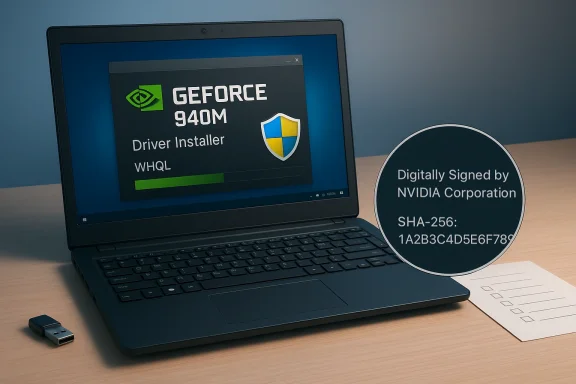
How to Verify a Driver Installer’s Integrity
- Check the file size reported by NVIDIA (expected ~814.6 MB for 528.49 notebook package) against the file you downloaded. Significant size discrepancies are a red flag.
- Validate the digital signature:aller → Properties → Digital Signatures. The signer should be NVIDIA Corporation and the signature must verify. If the signature is missing or altered, do not run the installer.
- Optionally compute the SHA‑256 hash and compare it against an official hash published by NVIDIA or a reliable mirror. If you can’t find an official hash, prefer downloading from the official download page or your OEM. (If a third‑party page is the only source, treat it cautiously.)
Special Notes for GeForce 940M Laptops
- The 940M is a mainstream mobile GPU (Maxwell‑generation mobile silicon) commonly found in a wide variety of budget and midrange notebooks. While it is supported by 528.49, driver updates will not materially change its raw performance potential; they primarily address stability, compatibilityl optimizations. Expect modest or no framerate gains for modern titles.
- Battery and thermal behaviour matters more on mobile than desktop. If you depend on long battery life, test power profiles before and after updating; consider rolling back if battery life or thermals degrade. OEM drivers often preserve the original thermal and power tuning.
- If your laptop enforces vendor‑signed INF files (seen on some modern platforms), a generic NVIDIA package may partially install or be b, the OEM’s driver is the only fully supported path.
Troubleshooting Common Post‑Update Issues
- Symptom: lower framerates or stuttering after updating.
Action: roll back the driver via Device Manager → Driver tab → Roll Back Driver, or reinstall the previous working installer you saved. If you didn’t save it, download an earlier WHQL driver from NVIDIA’s archive or your OEM site. Test both drivers to identify the most stable option. - Symptom: HDMI external monitor not detected after reinstall.
Action: perform a clean install or retry with a full DDU uninstall, then reinstall the driver. Check NVIDIA Control Panel and Windows Display settings after reboot. Some users reported fixes in later driver patches for HDMI detection issues; consult the 528.x family change logs if this mirrors your experience. - Symptom: installer refuses to run or gives INF signature errors.
Action: verify digital signature, confirm Windows is updated, and ensure Secure Boot/driver signature enforcement is not interfering. If the INF is rejected, the OEM driver may be required.
Critical Analysis: Strengths, Risks, and Where to Draw the Line
528.49’s main strength is its status as an official, WHQL‑signed driver that bundled a set of practical fixes and supported a broad range of GPUs — including legacy notebook parts like the 940M. For users who need a specific fix listed in the release notes or who run games/apps that benefited from 528.49’s targeted updates, it represents a solid, vendor‑supported option.But there are three persistent risks that make a cautious approach essential:
- OEM tuning often matters more than raw driver version for notebooks. Overwriting OEM tuning with a generic driver can have real consequences for thermal, acoustic, and battery behavior. If your laptop vendor provides a certified driver, prefer it.
- Community feedback shows that even WHQL drivers sometimes produce regression patterns across specific games or system builds. Always test after updating and keep a rollback plan ready.
- Third‑party mirrors and repackagers can be dangerous. Kernel‑level code from untrusted sources is a security risk. Only run NVIDIA or OEM‑distributed installers, and verify signatures and file sizes. The Born2Invest link included in the original prompt could not be validated in archival checks and should be treated as unverified until you can confirm the file hash and signer.
Recommended “Profiles” — Which Driver to Choose Based on Your Needs
- If you want the safest route for a daily‑driver laptop used for general productivity and battery‑sensitive workloads: use the OEM driver your laptop vendor provides.
- If you’re a casual gamer on a 940M and you need a specific fix or game profile listed in 528.49: consider 528.49 from NVIDIA, but install it with a System Restore point, use Custom → Clean Install, and test battery/thermal behaviour immediately afterward.
- If you use creative apps professionally: prefer the Studio driver branch or your OEM’s studio‑certified package, because Studio drivers receive extra multi‑app testing. 528.49 was also published as a Studio variant for creators; choose the branch matched to your workflow.
Final Verdict for GeForce 940M Owners
GeForce Game Ready Driver 528.49 is a valid, WHQL‑signed, vendor‑distributed driver that supports the GeForce 940M on Windows 10 (64‑bit) and Windows 11, and it contains a set of practical fixes and game optimizations that were relevant at release. Multiple independent archives and the official NVIDIA download record corroborate the release date, file size, supported OSes, and device support.That said, the “best” driver for any particular 940M laptop depends on what you value: the newest vendor fixes (528.49), the OEM’s tuned stability (OEM packages), or a Studio/production‑validated release (Studio drivers). Follow the safe installation checklist, verify the installer’s signature, and keep a rollback plan ready. If you found the Born2Invest mirror or other third‑party repackages mentioned online, treat those as unverified until you can confirm integrity; avoid running untrusted kernel‑level code.
If you need a concise, model‑specific checklist for your exact laptop (for example, a Dell Inspiron with GeForce 940M, an HP Pavilion, or an Acer Swift), provide your laptop model and current Windows build and I will produce a tailored, step‑by‑step driver selection and installation plan with the exact OEM driver page names, version comparisons, and rollback commands.
Source: Born2Invest https://born2invest.com/?b=style-230517812/
