

Google’s latest push into consumer AI is no longer an experiment: Gemini has matured into a full-fledged assistant that pairs advanced multimodal models with deep product integration across Search, Chrome, and Workspace — and the result is an assistant that is both remarkably useful and quietly worrying in equal measure.
Gemini began life as Google’s answer to the growing chatbot wave: an LLM-powered assistant that could be asked questions in plain language. Over the last year Gemini has shifted from being a search-first novelty to a broad productivity and creativity platform. It now aims to do everything from rapid web-grounded answers and in-depth research reports to image editing, video generation, and document analysis — and it does so with unusually tight integration into Google’s ecosystem.
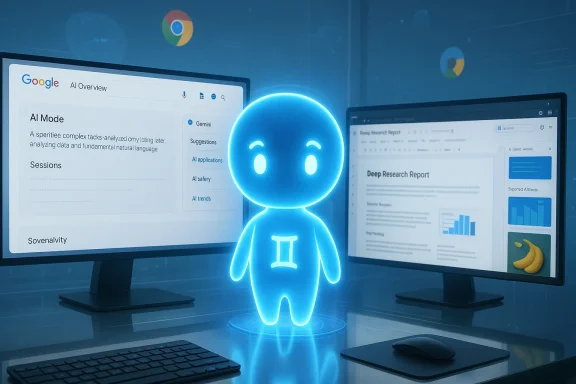
That integration is the defining story: Google doesn’t just surface Gemini in a single app. Gemini appears in Google Search as AI Overviews and AI Mode, in Chrome as a sidebar assistant, and inside Workspace apps (Gmail, Docs, Sheets, Drive, Photos, Calendar) where it more directly touches the daily workflows of millions of users. This breadth of distribution is a strategic advantage — it makes Gemini accessible at the exact moment users need help — but it also concentrates a lot of data and capability inside one vendor’s product family.
Key creative wins:
Two practical manifestations:
For many users, the AI Plus or AI Pro tiers represent the best value: they unlock practical integrations and higher quotas without the prohibitive cost of AI Ultra.
If you are in a regulated industry or handling highly sensitive data, enterprise contracts that explicitly forbid training on your organizational data and offer robust retention controls are essential. For individuals, the practical advice is simple: don’t upload unrecoverable secrets or personally identifying material unless you understand and accept the retention and usage settings.
At the same time, the flip side of that integration is concentrated data collection and new operational risks. Gemini is excellent for ideation, drafting, creative prototyping, and rapid research — but it is not a substitute for human judgment, fact-checking, or governance controls. Use it aggressively for convenience and creativity, but put safeguards in place for anything critical. In the coming year, Gemini’s trajectory will be shaped less by raw model benchmarks and more by how organizations and individuals govern, audit, and control that capability inside their own workflows.
Source: PCMag UK Google Gemini
 Background / Overview
Gemini began life as Google’s answer to the growing chatbot wave: an LLM-powered assistant that could be asked questions in plain language. Over the last year Gemini has shifted from being a search-first novelty to a broad productivity and creativity platform. It now aims to do everything from rapid web-grounded answers and in-depth research reports to image editing, video generation, and document analysis — and it does so with unusually tight integration into Google’s ecosystem.That integration is the defining story: Google doesn’t just surface Gemini in a single app. Gemini appears in Google Search as AI Overviews and AI Mode, in Chrome as a sidebar assistant, and inside Workspace apps (Gmail, Docs, Sheets, Drive, Photos, Calendar) where it more directly touches the daily workflows of millions of users. This breadth of distribution is a strategic advantage — it makes Gemini accessible at the exact moment users need help — but it also concentrates a lot of data and capability inside one vendor’s product family.
How Gemini works: models, variants, and the multimodal stack
Model lines and naming
Gemini’s product family is organized into several model lines tuned for different workloads:- Flash models: the conversational, fast-serving variants optimized for everyday chat and creative prompts.
- Pro models: focused on higher-fidelity reasoning and complex tasks such as coding, math, and long-form analysis.
- 3-series (Gemini 3): the most recent family that includes both Flash and Pro variants and introduces expanded multimodal and agentic capabilities.
- Nano Banana / Nano Banana Pro: the public nicknames for Gemini’s image-generation engines (2.5 Flash Image and 3 Pro Image, respectively).
- Veo (Veo 3.x): the video-generation models used by Gemini’s Flow tool.
Multimodality and context windows
Gemini 3 moves the product beyond text-only assistants. It supports images, audio, and video inputs and has been positioned for very large context windows in its higher tiers — a capability that aims to remove the need for artificial “sharding” of long documents. Those larger context windows matter: they let a single session reason across lengthy manuals, extensive codebases, or multi-hour transcripts without repeatedly fetching external context.What Gemini does well
1) Practical, daily productivity — inside Google apps
Anyone invested in Google Workspace notices Gemini's biggest, immediate benefit: it’s embedded where you already work. That means:- Drafting and rewriting email in Gmail with knowledge of prior conversations.
- Generating slide decks or speaker notes in Slides and Docs.
- Creating and exporting deep-research reports directly to Google Docs.
- Summarizing long threads, extracting deadlines, and converting meeting notes into action items.
2) Image generation and editing
Gemini’s image capabilities stand out. The Nano Banana Pro variant delivers strong photorealism, reliable multi-image fusion, and better inpainting/editing than many peers. In tests that mimic real creative workflows — photoreal interior shots, multi-panel comics, technical diagrams — Gemini’s images tend to be highly detailed, with fewer glaring artefacts than some competitors.Key creative wins:
- Higher-resolution outputs and good aspect-ratio fidelity when editing user photos.
- Stronger handling of complex illustration prompts (consistent characterization across panels).
- Useful text-in-image rendering for diagrams and labeled assets.
3) Deep research and long-form reporting
Gemini’s deep research feature can generate structured reports spanning dozens of pages and citing scores of sources. The reports include navigable menus, and the platform offers one-click exports to Google Docs and derivative artifacts such as flashcards, infographics, and quizzes. For research-heavy workflows — market overviews, competitive scans, or multi-document syntheses — Gemini’s deep-research pipeline is a real time-saver.4) Web grounding and Maps/Search handoffs
When Gemini is used via Google Search’s AI Mode or AI Overviews, its web grounding is naturally stronger than a standalone model that must bolt on retrieval. It can hand off to first-class services like Maps and Shopping, surface clickable product tiles with price tracking and reviews, and use Google’s rich web and local data to make answers more actionable.5) File processing and multimodal analysis
Gemini handles complex document types: multi-page PDFs, slides, images with reflections, and even some audio/video transcripts. Its ability to pull concrete facts from uploaded manuals and cross-reference them in answers is robust — useful for technical troubleshooting or administrative tasks like extracting product keys or configuration steps.Where Gemini still trips up
Hallucinations and sourcing problems
Despite improvements, Gemini is not immune to hallucination. Independent audits and hands-on tests have repeatedly shown that AI assistants can produce incorrect or poorly sourced statements, and Gemini is no exception. This is particularly risky when outputs are used without verification in news, legal, or safety-critical contexts.Two practical manifestations:
- Overconfident assertions that omit uncertainty or qualifiers.
- Weak provenance in some web-grounded answers (missing or thin links to primary reporting in a subset of cases).
Video generation is still iterative
Gemini’s Veo models produce impressive short clips, but the results reveal typical generative-video limitations: object persistence errors, timing mismatches, and audio-sync issues. You can get jaw-dropping frames, but production-quality video generally requires many iterations and hands-on post-processing. The credit cost model for video generation also constrains experimentation for many users.Agents and automation: promising, brittle
Agentic features (like Project Mariner or agentic browser pilots) sound transformative: have an AI browse, search, and perform multi-step tasks on your behalf. In practice, these agents frequently hit third-party protection mechanisms (CAPTCHAs, Cloudflare challenges) and stumble on complex, real-world workflows. Agents are improving, but they demand careful guardrails and realistic expectations.Tone and personalization
Gemini’s conversational tenor tends to be direct and formal. Some users prefer the looser, more personalized voice of other assistants (for instance, ChatGPT’s more adaptable persona). Gemini remembers some user details and integrates personal data via Personal Intelligence, but its memory features are not quite as extensive as the best-in-class customization available elsewhere.Pricing, tiers, and product packaging
Gemini is offered as a freemium product with multiple paid tiers designed to scale capability and storage:- Free tier: access to Gemini 3 Flash, limited 3 Pro access, voice chat (Gemini Live), limited deep research, Flow video generation usage, NotebookLM access, and 15 GB Drive storage.
- AI Plus (approx. $7.99/month): higher usage limits, Chrome and Workspace integrations, and 200 GB Drive storage.
- AI Pro (approx. $19.99/month): significantly higher usage caps, 2 TB Drive storage, Deep Search in Google Search’s AI Mode, and broader access to higher-tier models.
- AI Ultra (approx. $249.99/month): maximum usage limits, up to 30 TB Drive storage, experimental features like Deep Think and Gemini Agent, and additional perks (e.g., bundled media subscriptions in some markets).
For many users, the AI Plus or AI Pro tiers represent the best value: they unlock practical integrations and higher quotas without the prohibitive cost of AI Ultra.
Privacy, data collection, and governance — the hard tradeoffs
Gemini’s power stems from deep integration with Google’s services — and that is precisely what raises the largest privacy flags.- Google collects chat logs, uploaded files, location metadata, and related product usage by default. Chat data used for model improvement is retained under configurable windows (commonly 18 months by default, adjustable by the user).
- You can opt out of using your chat data to train models by disabling the relevant activity settings, but the default tends toward collection. For Workspace-integrated features, Google states that data coming from Workspace (Gmail, Drive, Docs) will not be used to train consumer models — but that guarantee is gated by plan and administrative controls.
- The convenience of letting Gemini read your emails, calendar, and Drive to produce tailored outputs is powerful — and potentially invasive. Granting those permissions centralizes very sensitive organizational and personal data inside a single assistant surface.
If you are in a regulated industry or handling highly sensitive data, enterprise contracts that explicitly forbid training on your organizational data and offer robust retention controls are essential. For individuals, the practical advice is simple: don’t upload unrecoverable secrets or personally identifying material unless you understand and accept the retention and usage settings.
Competitive landscape — how Gemini stacks up
Gemini succeeds where Google’s ecosystem gives it an edge: web grounding, maps/search handoffs, multimodal creative tooling, and seamless Workspace integrations. Compared with peers:- Microsoft Copilot: stronger for Windows/Microsoft 365 automation and tenant-grounded enterprise workflows where Microsoft Graph and Purview provide governance. Copilot wins at platform-specific scripting and enterprise admin controls.
- ChatGPT (OpenAI): excels at conversational polish, customization (custom GPTs), and a broad plugin ecosystem. ChatGPT often produces the most naturalistic creative writing and has flexible memory/customization options.
- Anthropic Claude: prized for long-form reasoning and safety-oriented responses, often used when provenance and a conservative tone matter.
- Perplexity and research-first tools: better when you need citation-forward, instantly verifiable research outputs.
Practical guidance: how to use Gemini wisely
- Start in a sandbox. Evaluate how Gemini handles your actual tasks (summaries, code review, doc analysis) before enabling broad deployment.
- Lock down sensitive data. Use least-privilege permissions for agent connectors and explicitly prohibit agent access to regulated folders.
- Verify everything that matters. Treat Gemini outputs as drafts — double-check facts and legal or compliance-sensitive assertions with primary sources.
- Budget creative iterations. Video and some image outputs often require multiple generations; plan credits and time accordingly.
- Use plan packaging to your advantage. Compare Google One storage bundles versus Gemini subscription tiers to get the best storage/AI value.
- Create governance playbooks. For organizations, manage agent creation, require approvals, and capture audit trails for agent actions.
Strengths, weaknesses, and the bottom line
Gemini’s evolution shows a clear design: combine best-in-class multimodal creativity with deep, practical integrations into Google’s services. That formula produces several observable strengths:- Fast, actionable answers when browsing or using Workspace apps.
- Industry-leading image editing and generation quality for many real-world tasks.
- Deep research and exportability into Google Docs and derivative learning artifacts.
- Useful multimodal document analysis and file processing.
- The very integrations that make Gemini powerful also concentrate personal and organizational data under Google’s control; defaults favor data collection unless users change settings.
- While image generation is excellent, video generation is still in the “iterative craft” stage and needs multiple passes to approach production quality.
- Agentic automation is promising but brittle; trust should be earned gradually with rigorous testing and approvals.
- Hallucinations and incomplete sourcing remain real risks, especially for news, legal, or fact-sensitive outputs.
Conclusion
Gemini is the most consequential consumer AI release from Google to date: an assistant built not just to answer questions but to live inside the apps you already use and to produce tangible artifacts — reports, images, videos, slides — that feed directly into work. That makes it a powerful productivity multiplier and a creative studio in one.At the same time, the flip side of that integration is concentrated data collection and new operational risks. Gemini is excellent for ideation, drafting, creative prototyping, and rapid research — but it is not a substitute for human judgment, fact-checking, or governance controls. Use it aggressively for convenience and creativity, but put safeguards in place for anything critical. In the coming year, Gemini’s trajectory will be shaped less by raw model benchmarks and more by how organizations and individuals govern, audit, and control that capability inside their own workflows.
Source: PCMag UK Google Gemini
