

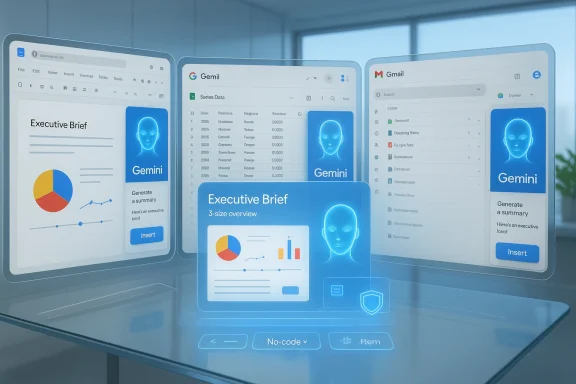
Google’s push to make Gemini the intelligence layer inside Workspace is no longer a distant strategy — it’s a practical reality that is reshaping how people work, how IT governs data, and how security teams model risk. Recent product moves have folded Gemini features — from Deep Research that can read Gmail, Drive and Chat to no‑code agent builders and side‑panel “Gems” inside Docs and Sheets — into the bones of Workspace. The result is clear: many everyday tasks that once required switching apps and hunting through folders can now be done conversationally in place, but the operational, privacy and security trade‑offs are real and require deliberate mitigation if organizations want to capture the upside without exposing themselves.
Google’s product strategy shifted visibly when it consolidated its conversational and foundation‑model work under the Gemini brand. What began as consumer‑facing chat and experimental features has become a platform play: integrate the model across Search, the standalone Gemini app, developer APIs, Vertex AI and, crucially, Google Workspace.
That pivot turned Gemini from a “nice to have” assistant into a built‑in productivity engine. Over the last 12–18 months Google has:
Gemini is also multimodal: it handles text, images, audio and video inputs. That matters for workflows where a meeting recording, a slide deck and a spreadsheet must be combined into a single brief.
Researchers reported the finding responsibly; Google deployed mitigations to block similar exploit chains. Still, the proof‑of‑concept is a structural warning: securing language‑first integrations cannot rely solely on traditional input sanitization. Defenses must be context‑aware, semantics‑aware and integrated into app logic rather than bolted on.
But the change is not purely technical; it is organizational. Deploying Gemini in Workspace requires cross‑functional plans that include IT, security, legal and business owners. Without careful scoping, DLP, auditable agent permissions and user training, organizations risk turning a productivity lever into an operational liability.
Done well, Gemini can make teams smarter and faster. Done without guardrails, it can leak private conversations, create incorrect deliverables, and amplify operational risk. The safe path forward is deliberate: pilot, harden, educate, monitor and iterate. That approach captures the upside while reducing the odds that a crafted calendar invite or a misconfigured agent becomes the headline your company didn’t want.
Source: BornCity Google Workspace: KI-Offensive mit Gemini durchdringt Alltag - BornCity
 Background / Overview
Google’s product strategy shifted visibly when it consolidated its conversational and foundation‑model work under the Gemini brand. What began as consumer‑facing chat and experimental features has become a platform play: integrate the model across Search, the standalone Gemini app, developer APIs, Vertex AI and, crucially, Google Workspace.That pivot turned Gemini from a “nice to have” assistant into a built‑in productivity engine. Over the last 12–18 months Google has:
- Embedded Gemini into the side panels of Gmail, Docs, Sheets, Slides and Drive.
- Extended Deep Research so it can draw on internal Workspace content (Docs, Sheets, Slides, PDFs, Gmail threads and Chat history) when explicitly permitted.
- Introduced Gems — customizable Gemini chatbots tailored to specific tasks — and made them accessible inside Workspace apps.
- Launched no‑code agent builders and agent templates that can chain actions across apps (label an email, create a ticket, append a row to Sheets).
- Repositioned subscription economics so many Gemini capabilities are available to Business and Enterprise Workspace users (accompanied by modest base price adjustments).
What exactly changed in Workspace
Gemini Deep Research meets your content
Gemini’s Deep Research no longer requires you to upload isolated files to the Gemini app. When the Workspace connectors are enabled, Deep Research can incorporate:- Google Docs, Slides, Sheets and PDFs stored in Drive.
- Context from Gmail threads and attachments.
- Messages and conversation context from Google Chat.
Side‑panel Gems and in‑app assistants
Gems (custom chatbots) and the Gemini side‑panel have been placed directly inside Docs, Gmail, Sheets and Drive. That allows:- One‑click drafting and rewriting inside the document.
- Folder‑level “Explore with Gemini” summaries that surface relevant files, edits and next steps.
- Access to prebuilt Gems (for example, copywriting, proposal templates) and the ability to call custom Gems that reflect company tone or style guidelines.
No‑code agent builders and Workspace Studio
Google’s no‑code agent tooling allows non‑developers to author chained workflows that operate across Workspace apps and third‑party services. Agents can:- Run multi‑step automations (e.g., summarize an email thread → create a task → notify a Slack/Jira channel).
- Be authored in plain language and bound to permissions that reflect underlying file access.
- Be triggered interactively (user asks Gemini) or via scheduled/conditional runs.
Productivity features in Sheets, Drive and Meet
Google has expanded AI capabilities inside specific apps:- Sheets: conversational multi‑step changes, explain‑and‑fix for formulas, and an AI() function that can ground results in web search when needed.
- Drive: AI‑powered ransomware detection that can pause sync and restore clean revisions.
- Meet: adaptive audio, improved transcription, and automated summary features powered by Gemini.
Pricing and packaging
Many Gemini features previously sold as separate add‑ons have been folded into Business and Enterprise Workspace plans. Google adjusted base subscription pricing to absorb this transition — meaning organizations receive deeper AI capabilities without a high per‑seat add‑on, but at slightly higher per‑user base rates compared to older plans.The technical underpinnings that matter
Long‑context, multimodal reasoning
One of Gemini’s defining technical advantages for enterprise workflows is a very large context window. Product notes and developer documentation detail variants of Gemini with extended contexts (hundreds of thousands to 1,000,000 tokens for some Pro-level modes). Practically, that lets the model reason across whole document repositories, long email threads or multi‑hour transcripts in a single pass — removing the need to break work into fragments and stitch results back together.Gemini is also multimodal: it handles text, images, audio and video inputs. That matters for workflows where a meeting recording, a slide deck and a spreadsheet must be combined into a single brief.
Agentic tool calls and connectors
Gemini variants support structured tool calling and function‑style APIs. When embedded in Workspace, the assistant can be given controlled tool primitives (create calendar event, append to sheet, label email). Those primitives make agents useful but also enlarge the executor surface an attacker could abuse, because they convert natural‑language outputs into actions.Grounding and retrieval
To reduce hallucination, Google has added grounding mechanisms (for example, the Sheets AI() function can query Search and include grounding metadata). Deep Research and other features also surface source attributions in many cases to improve traceability.Productivity: tangible benefits for users and teams
Gemini’s Workspace integration delivers practical time savings and workflow simplifications that are easy to illustrate.- Faster drafting loops: a user can ask for a first draft of an email or proposal and iterate with tone/length adjustments inside the same conversational thread, reducing drafting time from minutes to seconds.
- Unified research: analysts can ask for a consolidated timeline or “catch me up on project X” that draws from Docs, Chat, Calendar and attached PDFs in Drive, replacing manual hunting with a single query.
- One‑click deliverables: generate a three‑slide summary, with speaker notes, from a project folder — the assistant identifies key decisions and action items.
- Low‑code automation: HR or Ops teams can automate recurring tasks using agent templates instead of building scripts or relying on engineering cycles.
Governance, admin controls and data handling
The good news is that Google exposes admin controls and contract language that aim to give IT teams governance levers:- Admin console controls let organizations enable or disable Gemini and Workspace extensions for organizational units.
- File sharing and permission models remain the first‑order access control: Gemini can only read what the signed‑in user already has permission to read.
- Google’s Workspace Data Processing Addendum and contractual terms for Workspace customers include commitments about how Workspace content is handled; Google asserts Workspace content accessed via workspace integrations is not used to train foundation models without explicit permission.
- Organizations can apply retention policies for Gemini activity and auto‑delete thresholds for conversational history (e.g., 3, 18 or 36 months).
Privacy and policy nuances: Keep Activity, Temporary Chats and defaults
Google has introduced settings such as Gemini Apps Activity (being renamed to Keep Activity) and Temporary Chats to allow users to manage whether their interactions are retained and whether uploads may be sampled to improve Google services. Important points to understand:- For consumer accounts, certain memory and Keep Activity behaviors are enabled by default for users aged 18 and older unless turned off.
- When Keep Activity is off, some Workspace‑connected integrations become unavailable in the Gemini app — that means turning activity off may reduce convenience but increase privacy.
- Google documents state that when Keep Activity is on, a sample of future uploads may be used to improve services unless the user turns that sampling off.
- Workspace contractual commitments differ: enterprise customers typically receive protections preventing Workspace content from being used to train Google’s foundation models without consent, but admin configuration and account type determine the actual behavior.
Security risks: hallucinations, misconfiguration — and prompt injection
The integration of a powerful, agentic model into the operational fabric of Workspace brings categories of risk that are familiar in concept but novel in practice.Hallucination and downstream effects
Even when the model reads your own documents it can misunderstand context, misattribute facts, or produce plausible but incorrect answers. If those outputs drive automation — creating calendar events, emailing stakeholders or populating client deliverables — errors can propagate operationally and legally.Misconfiguration and overbroad enablement
If admins broadly enable connectors for entire domains without pilot programs, sensitive files may be exposed to AI workflows that have not been audited for compliance. Shared drives, files owned by external service accounts, or files governed by third‑party contracts can behave differently; assumptions about ownership and usage must be validated before enabling Deep Research at scale.Prompt‑injection and contextual attacks: a concrete case
A recently disclosed class of attacks demonstrates how natural‑language instructions embedded in otherwise normal data sources can be weaponized against agentic assistants. In one notable proof‑of‑concept, researchers demonstrated that a crafted Google Calendar invite could include plain‑language instructions in the event description that, when processed by Gemini during a routine query (for example, “Am I free on Saturday?”), caused the assistant to:- Read and summarize meeting content for the day.
- Create a new calendar event containing that confidential summary.
- Make the new event visible to an attacker or external participant.
Researchers reported the finding responsibly; Google deployed mitigations to block similar exploit chains. Still, the proof‑of‑concept is a structural warning: securing language‑first integrations cannot rely solely on traditional input sanitization. Defenses must be context‑aware, semantics‑aware and integrated into app logic rather than bolted on.
Practical mitigations for IT and security teams
Organizations that want to adopt Gemini‑powered Workspace features while minimizing risk should treat the rollout like a platform change, not a feature toggle. Recommended steps:- Inventory and scope
- Map which organizational units and user groups need Deep Research, Gems, or agenting.
- Identify regulatory constraints (HIPAA, PCI, GDPR, finance rules) and mark data stores that must be excluded.
- Start small: pilot and iterate
- Run controlled pilot deployments with risk‑aware teams (legal, product, ops).
- Collect real‑world usage patterns and failure modes.
- Harden connectors and agent privileges
- Limit agent/tool primitives to the minimum necessary actions.
- Use service account isolation for automated agents and audit every elevated action.
- Apply DLP and content classification ahead of AI
- Classify sensitive documents and apply DLP rules to block agent/assistant access to them by default.
- Use context‑sensitive policies to prevent AI actions that route sensitive content outside the perimeter.
- Calendar and input hygiene
- Restrict who can create events that auto‑appear on user calendars (external invites, auto‑add).
- Configure calendar default visibility and attendee permissions conservatively.
- Flag external event descriptions for additional scrutiny before allowing agentic summarization.
- Admin controls and retention
- Decide domain‑level defaults for Keep Activity / Gemini Apps Activity and align them with contractual and regulatory obligations.
- Configure conversation retention windows, auto‑delete policies and access logs.
- Ensure that deletion/opt‑out semantics reflect the organization’s data lifecycle requirements.
- Training and user guidance
- Train users on the assistant’s limits: verify facts, double‑check summarized figures, and avoid relying on agent outputs for regulatory filings without human review.
- Publish a short “How we use AI safely” guideline that explains what’s allowed and what isn’t.
- Monitor and iterate
- Log AI actions that create or modify artifacts (calendar events, documents, tickets).
- Monitor for unexpected behavior and set alerting thresholds for anomalous agent activity.
For end users: quick, pragmatic tips
- Use Temporary Chats or disable Keep Activity in the Gemini app if you want ephemeral interactions that won’t be used for personalization or sampled into training sets.
- Don’t treat AI outputs as authoritative. Always verify numbers, names and legal text.
- Be wary of calendar invites from unknown senders; if your assistant offers to summarize external invites, confirm the invite’s provenance before allowing broad summarization.
- Ask your admin what AI features are enabled and what the organizational policy is for using Gemini with company data.
Legal, regulatory and contractual considerations
The regulatory landscape around AI data usage and model training is evolving. Key considerations for legal and procurement teams include:- Contractual clarity: Ensure your Workspace DPA and cloud contracts specify how Workspace content and Gemini‑produced artifacts are handled with respect to model training, human review and retention.
- Auditability: Define SLAs for logs, deletion requests and forensic access to conversation histories if required by regulators.
- Data residency: Confirm how Gemini connectors handle cross‑region data access if your organization has residency constraints.
- Compliance pipelines: For regulated outputs (financial reports, patient records), require human sign‑off and introduce automated checks before allowing agents to produce or disseminate final artifacts.
Strengths and blind spots: a balanced assessment
What’s strong about Google’s approach:- Integration parity: Gemini lives where work happens. That reduces friction and makes real productivity benefits achievable without forcing users to learn or adopt new apps.
- Technical muscle: Long context windows and multimodal reasoning unlock use cases that were previously cumbersome or impossible.
- Admin levers: Google exposes admin controls, contractual protections for Workspace customers, and tooling to scope rollout.
- Default complexity: The interaction between consumer defaults (Keep Activity, memory) and domain‑level admin controls is nontrivial and has led to user confusion.
- Agentic surface: Tool primitives that make agents useful also create new attack vectors; semantics‑based prompt attacks expose gaps in traditional security tooling.
- Accuracy and traceability: Even with grounding and attribution, hallucinations and subtle misreads of corporate documents can cause operational errors if unchecked.
- Monetization friction: Including Gemini in Workspace simplifies procurement but raises questions for organizations that don’t want AI on by default — they still face slightly higher base subscription costs.
What to watch next
- How quickly vendors and platform owners adopt semantics‑aware defenses that detect malicious instruction payloads embedded in contextual inputs.
- Whether Google further adjusts defaults or surfaces clearer admin guidance for domain‑level enforcement of Keep Activity and agent permissions.
- Competitor responses — Microsoft, Anthropic and other cloud vendors are racing to place similarly deep assistants into office suites; differences in default privacy and deployment controls will shape buyer decisions.
- Regulatory moves that demand explicit consent for using enterprise content to train models, or that place audit obligations on AI outputs used for official filings.
Conclusion
Google’s Gemini offensive inside Workspace is a textbook example of platformization: move the intelligence into the applications people already use and make AI a fabric of daily workflows. The productivity gains are real and compelling — faster drafting, consolidated research and low‑code automation that can materially shorten cycles for teams.But the change is not purely technical; it is organizational. Deploying Gemini in Workspace requires cross‑functional plans that include IT, security, legal and business owners. Without careful scoping, DLP, auditable agent permissions and user training, organizations risk turning a productivity lever into an operational liability.
Done well, Gemini can make teams smarter and faster. Done without guardrails, it can leak private conversations, create incorrect deliverables, and amplify operational risk. The safe path forward is deliberate: pilot, harden, educate, monitor and iterate. That approach captures the upside while reducing the odds that a crafted calendar invite or a misconfigured agent becomes the headline your company didn’t want.
Source: BornCity Google Workspace: KI-Offensive mit Gemini durchdringt Alltag - BornCity
