

Google’s quiet rollout of a Gemini-powered “Create an event” suggestion inside Gmail is deceptively small — but it’s also a precise, strategic strike in the broader war for the enterprise desktop. What looks like a few fewer clicks when scheduling a meeting is actually an attempt to make Google Workspace the default productivity fabric people rely on every day, while forcing IT teams to weigh new trade-offs in governance, licensing, and risk.
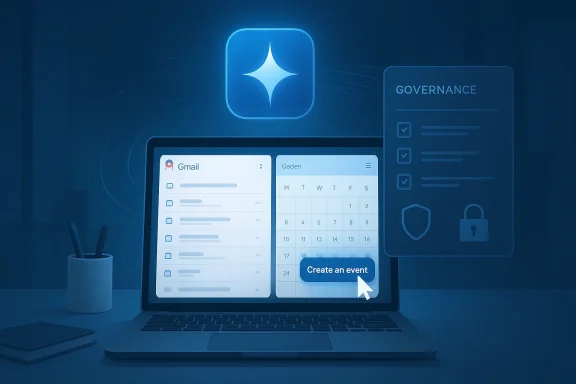
Google’s incremental AI play has always favored embedding intelligence into existing user flows rather than launching standalone apps. The new Gmail-to-Calendar capability surfaces a context-aware chip — labeled “Create an event” — when an email thread suggests a meeting. Click it, and Gemini pre-populates a draft calendar invite with title, attendees, and candidate times drawn directly from the conversation; the user still reviews and sends the invite. That human-in-the-loop design is intentional: it tucks intelligence into a familiar path while keeping ultimate control with the user.
This change is part of a broader pattern: Google has been embedding Gemini into Drive, Docs, Sheets, and other Workspace surfaces, often gating the most advanced behaviors behind paid tiers and admin controls. The aim is obvious — make the AI good enough and ubiquitous enough that switching platforms becomes a real cost, not just a theoretical one.
Competitive dynamics to watch:
Security researchers have also demonstrated semantic attack vectors that exploit assistant behaviors rather than software bugs. In proof‑of‑concepts discussed in enterprise security circles, a crafted calendar entry or email can contain instructions that appear benign but later trigger a model to perform actions (for example, create an event containing a meeting summary and accidentally expose data to an unintended attendee) when the assistant processes the content. These “semantic injection” patterns are dangerous because they weaponize the model’s helpfulness and tool access rather than exploiting a code vulnerability. Enterprises must consider intention provenance, output auditing, and permissioned action primitives as part of a layered defense.
For WindowsForum readers and IT professionals, the practical takeaway is twofold. First, pilot aggressively but instrument rigorously; measure both convenience and governance costs. Second, treat agentic features as expansions of your attack surface: design policies, audits, and human-in-the-loop controls early, not after a service is enabled enterprise-wide. The calendar may be small, but it touches everything — and in that intersection lies both the biggest productivity wins and the greatest governance challenges.
Source: WebProNews Google’s Calendar Gambit: How a ‘Simple’ AI Feature Escalates the War for the Enterprise Desktop
 Background
Google’s incremental AI play has always favored embedding intelligence into existing user flows rather than launching standalone apps. The new Gmail-to-Calendar capability surfaces a context-aware chip — labeled “Create an event” — when an email thread suggests a meeting. Click it, and Gemini pre-populates a draft calendar invite with title, attendees, and candidate times drawn directly from the conversation; the user still reviews and sends the invite. That human-in-the-loop design is intentional: it tucks intelligence into a familiar path while keeping ultimate control with the user.This change is part of a broader pattern: Google has been embedding Gemini into Drive, Docs, Sheets, and other Workspace surfaces, often gating the most advanced behaviors behind paid tiers and admin controls. The aim is obvious — make the AI good enough and ubiquitous enough that switching platforms becomes a real cost, not just a theoretical one.
Why the calendar matters
Calendars are deceptively powerful. They’re more than timekeepers; they encode who talks to whom, which projects are active, and where access boundaries exist. A calendar invite routinely contains agenda notes, links, attachments, and meeting join URLs — all of which are sensitive in an enterprise context. A small convenience that automatically reads email threads to construct calendar events therefore has disproportionate operational and security implications compared to, say, an auto-summarize feature in Docs. Several deep-dive analyses emphasize that the email→calendar surface is one of the most sensitive integration points for agentic assistants.The strategic play: proactive assistance as product lock-in
Google’s move is less about saving two clicks and more about converting passive productivity aids into proactive helpers. Historically, assistants waited for commands; now, they’re being trained to anticipate needs. That shift redescribes the assistant as a co-worker that nudges, drafts, and prepares work artifacts before the user even asks.- The new Gmail suggestion is proactive: it monitors a thread and raises a contextual offer.
- It’s native: it uses Gmail and Calendar — two of Google’s stickiest services — to reduce friction.
- It’s tiered: advanced Gemini features are packaged for paid Workspace plans or Gemini for Workspace add‑ons, reinforcing subscription differentiation.
The Microsoft factor: why every Google step is a Copilot test
No discussion of Workspace AI should ignore Microsoft’s response. Microsoft has aggressively woven Copilot across Microsoft 365 and Windows, with Outlook and Teams receiving AI capabilities focused on summarization, context-aware preparation, and agent-style actions in constrained scenarios. The two companies are converging on the same end-state — an assistant that not only helps but also acts — but they differ in where they place initial emphasis. Microsoft’s Copilot has prioritized summarization and prep workflows inside Outlook/Teams, while Google is leveraging native Gmail→Calendar synergies to automate creation of an event. Those are complementary but strategically distinct approaches.Competitive dynamics to watch:
- Feature parity versus experience depth — which suite offers the more seamless end-to-end flow for scheduling, preparation, and post-meeting actions?
- Licensing and entitlements — which vendor’s pricing makes seat-based AI cost-effective for large deployments?
- Governance controls — which platform provides the auditing, retention, and admin toggles enterprise security teams require?
Data, privacy, and the enterprise trust equation
Embedding an assistant into email and calendar raises three unavoidable questions:- What data does the assistant read?
- Where is that data processed and stored?
- Can admins and compliance teams audit, restrict, and revoke the assistant’s access?
Security researchers have also demonstrated semantic attack vectors that exploit assistant behaviors rather than software bugs. In proof‑of‑concepts discussed in enterprise security circles, a crafted calendar entry or email can contain instructions that appear benign but later trigger a model to perform actions (for example, create an event containing a meeting summary and accidentally expose data to an unintended attendee) when the assistant processes the content. These “semantic injection” patterns are dangerous because they weaponize the model’s helpfulness and tool access rather than exploiting a code vulnerability. Enterprises must consider intention provenance, output auditing, and permissioned action primitives as part of a layered defense.
What IT and security teams should do now
If your organization uses — or is evaluating — Workspace with Gemini (or Microsoft 365 with Copilot), the following checklist turns high-level concerns into operational steps:- Inventory entitlements and data surface
- Map which users have Gemini/AI add-ons and what that enables in Gmail, Drive, and Calendar. Confirm whether features are tenant-gated.
- Lock down minimal scopes
- Apply least-privilege OAuth scopes for agentic features. Disallow any agent from auto-scheduling or changing events until auditing and approval controls are in place.
- Pilot with telemetry
- Run limited pilots with a small set of power users. Capture outputs, timestamps, and retention behavior. Measure real productivity gains versus false positives and governance overhead.
- Require traceable human handoffs
- Ensure UIs highlight AI suggestions clearly and require an explicit human confirmation before any action that modifies a tenant service (creating invites, adding attendees, posting summaries). The current Gmail chip design that requires user approval is a good default to preserve.
- Test for semantic injections
- Deploy tabletop red-team exercises where threat teams craft plausible email content to probe whether the assistant would take unintended actions. Validate mitigation strategies such as intent provenance checks and action whitelists.
- Clarify contractual guarantees
- Demand written commitments around training data usage, retention, and residency. Vendors often publish high-level privacy commitments, but enterprises need contractually enforceable SLAs for regulated data.
The productivity ROI question: measurable gains versus soft benefits
Vendors promise time savings, but CFOs and procurement teams rightly demand a rigorous ROI model. For calendaring features, meaningful metrics include:- Reduced average time to schedule a meeting (time saved per user per week).
- Reduction in email exchanges or follow-ups required to finalize logistics.
- Increased meeting-attendance accuracy (fewer double-bookings or missing attendees).
Strengths and smart design choices
Google’s calendar suggestion has several clear strengths:- Low-friction UI: surfacing assistance inside Gmail eliminates context switches.
- Human oversight: the design requires the user to review and send invites, preserving human judgment.
- Platform leverage: owning Gmail and Calendar allows richer integration than a 3rd-party plugin could offer, making the feature feel native and fast.
Risks, limits, and hidden costs
But the same design choices introduce risks:- Operational lock-in: deep integration rewards Google’s ecosystem and raises migration costs for large organizations that might otherwise use hybrid stacks. Expect Microsoft and other competitors to respond with tighter cross-account connectors, but the default UX advantage will matter.
- Semantic attack surface: assistants that read, summarize, and create objects increase the chance of subtle data-exfiltration channels unless provenance and intent-modeling are robust. Proof‑of‑concepts show defenders must move beyond keyword filtering.
- Two-tier experience and fairness: gating the most advanced features behind paid subscriptions creates a differentiated user base where only some employees benefit, complicating training and support.
- Auditability and compliance overhead: feature rollout requires new logging, DLP integration, and legal review to keep discovery, retention, and e-discovery processes intact.
How this changes the buying decision: more than features
Whereas buyers traditionally compared Suites on features and ecosystem fit, the new battleground is the assistant experience and its governance story. Procurement must now evaluate:- The depth of integration (does the assistant actually reduce handoffs and app switching?).
- The governance toolkit (are there audit logs, admin toggles, DLP connectors, and contractual non-training commitments?).
- The cadence of vendor change (are experimental agent features behind labs and paid tiers, or pushed broadly?).
Practical guidance for WindowsForum readers and admins
- For small teams: experiment with Gmail’s AI suggestions on a pilot group to measure actual time savings. Keep the feature opt-in until audit logging meets your requirements.
- For mid-size enterprises: test multi-account behavior. Many teams run mixed environments (Exchange, Microsoft 365, Google Calendar). Confirm how the suggestion handles third-party calendars and delegate scenarios.
- For regulated industries: require vendor contractual commitments on training-data usage, retention, and auditable logs before enabling agentic features. Run semantic-injection threat models with your red team.
- For CIOs and security leaders: insist on a staged rollout plan, with telemetry and safety gates that let you roll back broadly agentic features if early pilots reveal privacy or hallucination problems.
The long view: small UX changes signal where the desktop is heading
This Gmail calendar suggestion is more signal than noise. It demonstrates a broader industry tendency:- Assistants will increasingly act as workflow fabric, not side tools.
- Vendors will monetize the best agent behaviors behind premium tiers.
- Governance, rather than raw model quality, will determine enterprise adoption speed.
Conclusion
A seemingly modest UI convenience — a “Create an event” chip inside Gmail — is a chess move in a multi-year contest for the soul of the enterprise desktop. It encapsulates the pressures enterprises face: the lure of real productivity gains versus the hard requirements of governance, auditability, and risk management.For WindowsForum readers and IT professionals, the practical takeaway is twofold. First, pilot aggressively but instrument rigorously; measure both convenience and governance costs. Second, treat agentic features as expansions of your attack surface: design policies, audits, and human-in-the-loop controls early, not after a service is enabled enterprise-wide. The calendar may be small, but it touches everything — and in that intersection lies both the biggest productivity wins and the greatest governance challenges.
Source: WebProNews Google’s Calendar Gambit: How a ‘Simple’ AI Feature Escalates the War for the Enterprise Desktop
