

Ghost Downloader 3 v3.8 arrives as one of those releases that looks incremental on paper but meaningfully broadens the project’s footprint in practice. The headline change is the new Ghost Downloader for Browser (GD4B) extension, which pushes task capture, media sniffing, and built-in FFmpeg-assisted merging directly into the browser workflow. Just as important, the release also patches two security issues, fixes platform-specific bugs, and tightens several small usability details that make the app feel more polished across Windows, macOS, and Linux. t Downloader 3 has been positioned as a cross-platform, multi-threaded downloader with a Fluent Design interface and an unusually aggressive performance story. The project description emphasizes high-performance download acceleration, intelligent segmentation, breakpoint resume support through .ghd files, proxy handling, clipboard monitoring, sparse file support, and task management options that range from batch additions to hash verification. That combination makes it feel less like a simple browser-helper utility and more like a fully formed download engine with a modern front end.
What made the proje3.8 was the emphasis on both speed and control. The app already promised dynamic thread allocation, global speed limiting, system tray integration, proxy detection, and Windows-specific visual touches such as Mica, Acrylic, and Aero-style effects. In other words, it was built to appeal not just to casual users chasing faster downloads, but also to power users who want to tune behavior, preserve unfinished transfers, and keep the tool out of the way until it is needed.
The browser-extension angle is the real The repository’s project description already describes Ghost Downloader 3 as a QUIC AI-boost fluent-design multi-threaded downloader and notes browser extension optimization in the project ecosystem, while the new Firefox and Chrome extension entries show that the browser-side capture layer has become a public-facing piece of the product rather than an auxiliary convenience. That matters because the browser is where most downloads begin, especially for media, downloads from authenticated sessions, and one-off files that users do not want to copy and paste into a separate application.
There is also a useful historical pattern here. Download manaeted on the same three promises: better speed, better recovery, and better visibility into what is actually being downloaded. Ghost Downloader 3 v3.8 extends that formula by trying to collapse the browser and the downloader into one workflow. That is a familiar software story, but the implementation details — resource sniffing, FFmpeg invocation, and advanced media controls — make this release feel more like a convergence update than a simple maintenance bump.
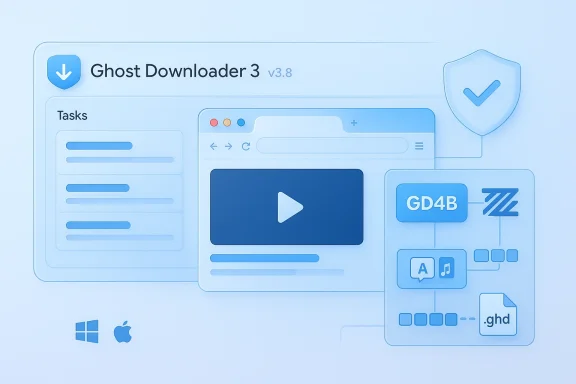
The biggest change in v3.8 is the release of Ghost Downloader for Browser (GD4B), a browser extension designed to unify task management inside the browser itself. The changelog says the extension supports unified management of all Ghost Downloader tasks, which means the desktop app no longer has to be the only place where downloads are discovered and handed off. That lowers friction, especially for people who live in web apps, stream sites, or content portals where the browser already has the authenticated session and the media context.
Resource sniffing is the second major addition. In plain terms, the extension can capture and download media resources directly from the browser, which makes the application more competitive with the many “video downloader” and “capture this stream” tools that clutter browser stores. The practical significance is not just convenience; it is that Ghost Downloader 3 is now trying to be present earlier in the content pipeline, before users even think about exporting a link to a desktop app.
The new “advanced media control” additions reinforce that direction. This is not just about grabbing a file faster; it is about managing the media lifecycle from sniffing to merge to c that means fewer manual steps. For the project, it means the browser extension is no longer a convenience layer but a significant part of the product architecture.
The wider implication is competitive: Ghost Downloader 3 is not merely competing with classic download managers, but with browser-native media capture workflows and the large ecosystem of add-ons that promg. That field is crowded, which means the extension’s value will depend on whether it remains reliable, fast, and secure over time.
This also broadens the audience. Traditional download managers mostly attract enthusiasts, power users, and administrators. A browser extension lowers the barrier for ordinary users who just want “download this video” or “capture that resource” without understanding thread counts, proxy settings, or file segmentation. That shift could be important for adoption, because the extension gives the product a more immediate first impression.
That architecture mirrors a broader software trend. Many utilities now try to move the “discovery” and “initiation” phase into the browser, then hand off heavier work to a desktop or cloud service. It is a pragmatic response to modern web apps, which are increasingly dynamic, scripted, and hostile to simple right-click saving. Txtension can interpret page structure, the more useful the entire product becomes. That is the real v3.8 story.
The challenge is scope creep. Every capability added to the extension creates more surface area to maintain, more browser compatibility issues to test, and more potential security concerns to audit. In other words, the extension is a strategic asset, but it also increases the project’s operational burden.
This kind of architecture matters because download managers win or lose on how they behave under real-world network conditions. Some files respond well to many simultaneous connections; others are throttled, segmented awkwardly, or protected by servers that dislike aggressive parallelism. A downloader that can dynamically rebalance thread counts has a better chance of maintaining throughput without making every tranng exercise.
Sparse file support is another underappreciated detail. By allocating disk space more efficiently on supported file systems such as NTFS, the downloader can reduce unnecessary storage overhead during partially completed downloads. For large files, that is not just a technical nicety; it can prevent waste and make room for multiple simultaneous tasks without forcing the drive to commit all space immediately.
The practical upshot is that Ghost Downloader 3 roduct designed by people who care about edge cases. That is a strength. Download managers live or die on how well they behave when the network drops, the remote server changes headers, or the user pauses and resumes later.
That sounds like a small change, but it can make a big difference. Many enterprise users do not want to hand-configure each application when the network already exposes standard environment variables. Better proxy detection means fewer failed downloads, fewer support complaints, and less confusion about why one app honors the organization’s routing rules while another ignores them.
The enterprise angle is especially relevant for administrators who need predictable behavior on locked-down netwoer that respects environment variables, supports secure SSL verification, and can be constrained with a global speed limit fits better into office environments than a tool that assumes unlimited consumer broadband. That does not make Ghost Downloader 3 an enterprise product in the formal sense, but it does make it easier to justify in a mixed-use setting.
There is still a trust issue, of course. Any download manager that handland browser-side media capture is touching sensitive user context. That is why the security fixes in v3.8 matter almost as much as the feature work.
The changelog also adds a macOS quality-of-life option to hide the Dock and app switcher menu, which is the sort of adjustment that makes a desktop utility easier to live with during sustained use. On a platform where users care deeply about window behavior and menu-bar clutter, that is not a minor tweak. It helps the app sit more comfortably inside the operating system’s conventions.
The Windows 10 acrylic fix also deserves attention. Visual effects are easy to market but hard to maintain across versions, especially when Microsoft’s platform behavior differs between Windows 10 and Windows 11. A fix like this may no but it directly improves perceived quality for users still on older systems.
The overall signal is that Ghost Downloader 3 is trying to stay aesthetically modern without abandoning compatibility. That is a smart strategy for a utility that wants to appeal to tinkerers, but also to users who care about a smooth desktop experience. Utility software still has to look and feel trustworthy.
Path traversy dangerous in a download context because they can affect where files are written or how extracted content is handled. Meanwhile, unauthenticated cleartext WebSocket transmission is a reminder that extension-backed desktop services can create unexpected channels between the browser and the local machine. Once that bridge exists, the security assumptions have to be airtight.
The project’s note about using v3.5.8-Portable on Windows 7 is also revealing. It shows the maintainers are still supporting legacy scenarios, but with a clear version line that separates older compatibility from current development. That kind of decision is often necessary in open-source utilities, where one code base has to satisfy both modern and aging environments.
Security-minded users shouler extension as something to evaluate carefully, not blindly install. That does not mean the extension is unsafe; it means the value proposition is now paired with enough power that due diligence is warranted. More capability usually means more responsibility.
The browser-extension release also hints at a more flexible platform strategy. The extension exists for browser-based capture, while the desktop app handles the heavy lifting. That is a cross-platform model that reduces dependence on any one OS, even if the visual polish varies by platform. It makes the project more portable in concept, if not perfectly identical in execution.
The project’s synchronized Crowdin translations add another layer of accessibility. Multilingual support is not a headline feature in the same way as media sniffing or FFmpeg merging, but it broadens the app’s reach and lowers friction for global users. For a utility that wants to feel modern and approachable, that matters a great deal.
The lesson here is simple: mature utilities win by making compatibility feel intentional rather than accidental. Ghost Downloader 3 is not trying to serve every legacy scenario forever. It is trying to keep a clean, modern mainline while still acknowledging users who need a slower migration path.
The extension ecosystem also creates room for growth in documentation, onboarding, and platform-specific guides. If the browser plugin is easy to install and clearly explained, it could become the most important adoption funnel for the entire project. In that sense, v3.8 is not just a release; it is a distribution strategy.
There is also the question of responsible use. Any app that can sniff resources from a browser and merge media should expect scrutiny around copyright, site terms, and extension permissions. That does not make the software suspect, but it does mean the project will need to be careful about the messaguardrails it provides. Powerful tools invite sharper questions.
The next few releases will probably reveal whether v3.8 is the start of a deeper platform shift. The changelog already suggests a movement toward richer browser integration, better network awareness, and more polished platform behavior. That is the right direction for a tool in this category, because the market increasingly rewards utiiction at the moment of action.
Ghost Downloader 3 v3.8 is therefore more than a routine point release. It is a signal that the project wants to be the place where web content becomes a finished local download with as little friction as possible. If the team can preserve the speed story while continuing to harden the browser extension and smooth the platform edges, this release may end up being remembered as the moment Ghost Downloader 3 grew from a capable utility into a much more ambitious download platform.
Source: Neowin Ghost Downloader 3 v3.8
What made the proje3.8 was the emphasis on both speed and control. The app already promised dynamic thread allocation, global speed limiting, system tray integration, proxy detection, and Windows-specific visual touches such as Mica, Acrylic, and Aero-style effects. In other words, it was built to appeal not just to casual users chasing faster downloads, but also to power users who want to tune behavior, preserve unfinished transfers, and keep the tool out of the way until it is needed.
The browser-extension angle is the real The repository’s project description already describes Ghost Downloader 3 as a QUIC AI-boost fluent-design multi-threaded downloader and notes browser extension optimization in the project ecosystem, while the new Firefox and Chrome extension entries show that the browser-side capture layer has become a public-facing piece of the product rather than an auxiliary convenience. That matters because the browser is where most downloads begin, especially for media, downloads from authenticated sessions, and one-off files that users do not want to copy and paste into a separate application.
There is also a useful historical pattern here. Download manaeted on the same three promises: better speed, better recovery, and better visibility into what is actually being downloaded. Ghost Downloader 3 v3.8 extends that formula by trying to collapse the browser and the downloader into one workflow. That is a familiar software story, but the implementation details — resource sniffing, FFmpeg invocation, and advanced media controls — make this release feel more like a convergence update than a simple maintenance bump.
 What v3.8 Actually Changes
The biggest change in v3.8 is the release of Ghost Downloader for Browser (GD4B), a browser extension designed to unify task management inside the browser itself. The changelog says the extension supports unified management of all Ghost Downloader tasks, which means the desktop app no longer has to be the only place where downloads are discovered and handed off. That lowers friction, especially for people who live in web apps, stream sites, or content portals where the browser already has the authenticated session and the media context.Resource sniffing is the second major addition. In plain terms, the extension can capture and download media resources directly from the browser, which makes the application more competitive with the many “video downloader” and “capture this stream” tools that clutter browser stores. The practical significance is not just convenience; it is that Ghost Downloader 3 is now trying to be present earlier in the content pipeline, before users even think about exporting a link to a desktop app.
Browser-side media handling
The most consequential browser-side enhancement is the ability to invoke Ghost Downloader’s built-in FFmpeg from the extension. According to the changelog, this supports audio and video merging, which is the kind of feature that turns separate tracks or segmented media streams into a single usable output. That matters because many modern delivery systems split media into pieces for adaptive playback, and a downloader that cannot reassemble them cleanly leaves users with half-finished files or incompatible fragments.The new “advanced media control” additions reinforce that direction. This is not just about grabbing a file faster; it is about managing the media lifecycle from sniffing to merge to c that means fewer manual steps. For the project, it means the browser extension is no longer a convenience layer but a significant part of the product architecture.
The wider implication is competitive: Ghost Downloader 3 is not merely competing with classic download managers, but with browser-native media capture workflows and the large ecosystem of add-ons that promg. That field is crowded, which means the extension’s value will depend on whether it remains reliable, fast, and secure over time.
- Unified browser-to-desktop task handoff
- Direct media resource sniffing
- Browser-triggered FFmpeg merge support
- More granular media control
- Reduced copy/paste friction for captured links
Why the Browser Extension Matters
The browser extension is the part of v3.8 that changes Ghost Downloader 3 from a good standalone app into a broader workflow platform. Browser extensions are where downloads become contextual: the extension can see the page, the session, and often the structure of embedded media in a way a standalone app cannot. That makes them especially useful for authenticated downloads, streaming pages, and media files hidden behind dynamic interfaces.This also broadens the audience. Traditional download managers mostly attract enthusiasts, power users, and administrators. A browser extension lowers the barrier for ordinary users who just want “download this video” or “capture that resource” without understanding thread counts, proxy settings, or file segmentation. That shift could be important for adoption, because the extension gives the product a more immediate first impression.
Desktop app versus browser-first workflow
The desktop app remains the engine room. It still provides the queueing, segmentation, resumption, proxy handling, and speed control that make Ghost Downloader 3 distinct from basic browser downloads. But the extension changes how users arrive at that engine room. Instead of manually passing URLs into the app, the browser can now serve as the capture layer and the desktop as the processing layer.That architecture mirrors a broader software trend. Many utilities now try to move the “discovery” and “initiation” phase into the browser, then hand off heavier work to a desktop or cloud service. It is a pragmatic response to modern web apps, which are increasingly dynamic, scripted, and hostile to simple right-click saving. Txtension can interpret page structure, the more useful the entire product becomes. That is the real v3.8 story.
The challenge is scope creep. Every capability added to the extension creates more surface area to maintain, more browser compatibility issues to test, and more potential security concerns to audit. In other words, the extension is a strategic asset, but it also increases the project’s operational burden.
- More natural capture from authenticated web sessions
- Better fit for streaming and media-rich sites
- Less manual link transfer between browser and app
- Stronger appeal to non-technical users
- More maintenance and security complexity
Performance and Download Engine
Even with the flashy browser work, Ghost Downloader 3 still sells itself on the core download engine. The project description continues to emphasize AI-Powered Acceleration, Intelligent Segmentation, and Dynamic Thread Allocation, with thread counts that can climb dramatically in pursuit of bandwidth saturation. Whether users buy the AI label literally or as a branding shorthand, the key idea is clear: the downloader tries to adapt aggressively to the structure of each transfer.This kind of architecture matters because download managers win or lose on how they behave under real-world network conditions. Some files respond well to many simultaneous connections; others are throttled, segmented awkwardly, or protected by servers that dislike aggressive parallelism. A downloader that can dynamically rebalance thread counts has a better chance of maintaining throughput without making every tranng exercise.
Intelligent segmentation in practice
The .ghd resume model is important here. Instead of relying only on the browser or the remote server to preserve state, Ghost Downloader 3 can store breakpoint information locally and resume unfinished transfers later. That is not a glamorous feature, but it is one of the most valuable things a download manager can do, especially for large installers, archives, or media libraries that may taSparse file support is another underappreciated detail. By allocating disk space more efficiently on supported file systems such as NTFS, the downloader can reduce unnecessary storage overhead during partially completed downloads. For large files, that is not just a technical nicety; it can prevent waste and make room for multiple simultaneous tasks without forcing the drive to commit all space immediately.
The practical upshot is that Ghost Downloader 3 roduct designed by people who care about edge cases. That is a strength. Download managers live or die on how well they behave when the network drops, the remote server changes headers, or the user pauses and resumes later.
- Resume support via .ghd files
- Segmentation for parallel transfer
- Thread rebalancing for faster segments
- Sparse file efficiency
- Disk and bandwidth awareness
Network, Proe
Ghost Downloader 3 v3.8 also deepens its usefulness in managed or semi-managed environments by refining proxy behavior. The changelog says system proxy retrieval is now optimized to read HTTP_PROXY, HTTPS_PROXY, FTP_PROXY, and NO_PROXY environment variables separately. That iement for users behind corporate gateways, VPN split tunnels, or shell-configured network environments where proxy state is not uniform.That sounds like a small change, but it can make a big difference. Many enterprise users do not want to hand-configure each application when the network already exposes standard environment variables. Better proxy detection means fewer failed downloads, fewer support complaints, and less confusion about why one app honors the organization’s routing rules while another ignores them.
Proxy handling across platforms
The project already supports SOCKS5, HTTP, and HTTPS proxies, along with system proxy detection acrod macOS. In that context, the v3.8 proxy update feels like a refinement of an existing strength rather than a new direction. It suggests the developers are paying attention to the mundane but essential details that make a cross-platform utility usable outside a home lab.The enterprise angle is especially relevant for administrators who need predictable behavior on locked-down netwoer that respects environment variables, supports secure SSL verification, and can be constrained with a global speed limit fits better into office environments than a tool that assumes unlimited consumer broadband. That does not make Ghost Downloader 3 an enterprise product in the formal sense, but it does make it easier to justify in a mixed-use setting.
There is still a trust issue, of course. Any download manager that handland browser-side media capture is touching sensitive user context. That is why the security fixes in v3.8 matter almost as much as the feature work.
- Honors standard proxy environment variables
- Fits better into corporate network setups
- Supports multiple proxy protocols
- Offers SSL verification options
- Works across Windows, Linux, and macOS
Windows, macOS, and Linux Polish
Ghost Downloader 3 has always tried to feel native on multiple platforms, and v3.8 continues that bject description highlights Fluent Design on Windows, including Mica, Acrylic, and Aero background effects, plus toast notifications and Windows 11 accent-color integration. Those details are cosmetic, but they matter because they help the app er than simply ported.The changelog also adds a macOS quality-of-life option to hide the Dock and app switcher menu, which is the sort of adjustment that makes a desktop utility easier to live with during sustained use. On a platform where users care deeply about window behavior and menu-bar clutter, that is not a minor tweak. It helps the app sit more comfortably inside the operating system’s conventions.
UI stability and input behavior
One of the more pragmatic improvements in v3.8 is the SpinBoxSettingCard change that reduces accidental mouse-wheel changes. This is exactly the kind of bug that drives users crazy because it feels randto notice until a configuration drifts. Fixing it improves reliability without changing the visible feature set, which is often the best kind of polish.The Windows 10 acrylic fix also deserves attention. Visual effects are easy to market but hard to maintain across versions, especially when Microsoft’s platform behavior differs between Windows 10 and Windows 11. A fix like this may no but it directly improves perceived quality for users still on older systems.
The overall signal is that Ghost Downloader 3 is trying to stay aesthetically modern without abandoning compatibility. That is a smart strategy for a utility that wants to appeal to tinkerers, but also to users who care about a smooth desktop experience. Utility software still has to look and feel trustworthy.
- Windows visual efentiator
- macOS clutter reduction improves usability
- Input handling is becoming less error-prone
- Older platform quirks are still being cleaned up
- Design consistency helps the app feel mature
Security Fixes and Trust
The security fixes in v3.8 are among the most important items in the release. The changelog says the prtraversal vulnerability in http_pack and an unauthenticated WebSocket cleartext data transmission security vulnerability** in the browser extension service. Those are not the kind of bugs users should treat casually, especially in software that handles downloads and browser-assisted task capture.Path traversy dangerous in a download context because they can affect where files are written or how extracted content is handled. Meanwhile, unauthenticated cleartext WebSocket transmission is a reminder that extension-backed desktop services can create unexpected channels between the browser and the local machine. Once that bridge exists, the security assumptions have to be airtight.
Why these fixes matter
The browser extension expands convenience, but it also expands the attack surface. Any tool that can sniff resources, merge media, and speak to a local downloader service must be designed with strict boundaries. The v3.8 security work suggests the maintainers are aware of that reality, and use it too.The project’s note about using v3.5.8-Portable on Windows 7 is also revealing. It shows the maintainers are still supporting legacy scenarios, but with a clear version line that separates older compatibility from current development. That kind of decision is often necessary in open-source utilities, where one code base has to satisfy both modern and aging environments.
Security-minded users shouler extension as something to evaluate carefully, not blindly install. That does not mean the extension is unsafe; it means the value proposition is now paired with enough power that due diligence is warranted. More capability usually means more responsibility.
- Path traversal was patched
- Browser service transmission issue was fixed
- Extension-dase attack surface
- Legacy compatibility remains available via older builds
- Power users should review permissions carefully
Cross-Platform Compatibility and Legacy Support
One of the more interesting details in the repository and release notes is the project’s willingness to support older operating systems through a specific compatibility path. The project states that users on Windows 7 should download v3.5.8-Portable, which implies that newer builds have moved beyond the constraints of the older platform. That is a reasonable trade-off, but it also tells you that the current release line is intentionally aimed at modern Windows and modern desktop conventions.The browser-extension release also hints at a more flexible platform strategy. The extension exists for browser-based capture, while the desktop app handles the heavy lifting. That is a cross-platform model that reduces dependence on any one OS, even if the visual polish varies by platform. It makes the project more portable in concept, if not perfectly identical in execution.
Compatibility as a product strategy
Compatibility is not just about “does it run?” It is about where the product is willing to invest in polish and where it is willing to draw a line. Ghost Downloader 3 appears to be saying that the modern feature set belongs to current Windows, recent macOS, and supported Linux environments, while older Windows users can still remain on a frozen branch if needed. That is a sensible compromise.The project’s synchronized Crowdin translations add another layer of accessibility. Multilingual support is not a headline feature in the same way as media sniffing or FFmpeg merging, but it broadens the app’s reach and lowers friction for global users. For a utility that wants to feel modern and approachable, that matters a great deal.
The lesson here is simple: mature utilities win by making compatibility feel intentional rather than accidental. Ghost Downloader 3 is not trying to serve every legacy scenario forever. It is trying to keep a clean, modern mainline while still acknowledging users who need a slower migration path.
- Modern builds focus on recent operating systems
- Windows 7 users have an older portable fallback
- Browser extension reduces OS dependence
- Translations improve global usability
- Compatibility is being managed, not ignored
Strengths and Opportunities
Ghost Downloader 3 v3.8 is strongest where it turns a good download manager into a more complete workflow tool. The browser extension, media sniffing, and FFmpeg handoff create a user experience that is more immediate than the classic “copy URL, paste into downloader” pattern. That gives the project a better chance of winning over casual users without abandoning the power-user audience tread control and resume support.- Browser capture is now first-class rather than bolted on.
- Media merging through FFmpeg removes a major post-download hassle.
- Cross-platform support keeps the project relevant outside Windows.
- Proxy handling is better aligned with real enterprise networks.
- Security fixes improve trust in a feature-rich release.
- Sparse file support is a useful efficiency feature for large downloads.
- Translation syncing broadens adoption in non-English markets.
The extension ecosystem also creates room for growth in documentation, onboarding, and platform-specific guides. If the browser plugin is easy to install and clearly explained, it could become the most important adoption funnel for the entire project. In that sense, v3.8 is not just a release; it is a distribution strategy.
Risks and Concerns
The most obvious risk is complexity. Ghost Downloader 3 now spans a desktop engine, browser extension, media sniffing logic, FFmpeg integration, proxy handling, and security-sensitive communication paths. That is a lot to maintain, and each added feature increases thessions, browser compatibility issues, or subtle security mistakes.- Security surface expands with the browser extension.
- Complex install paths may confuse less technical users.
- Browser-store scrutiny can become a distribution bottleneck.
- Media capture features may attract unwanted attention from websites.
- Legacy OS support fragments testing and support burden.
- Aggressive threading can be counterproductive on constrained networks.
- UI polish may not translate equally across all platforms.
There is also the question of responsible use. Any app that can sniff resources from a browser and merge media should expect scrutiny around copyright, site terms, and extension permissions. That does not make the software suspect, but it does mean the project will need to be careful about the messaguardrails it provides. Powerful tools invite sharper questions.
Looking Ahead
What comes next will likely depend on whether GD4B becomes a durable part of the product or merely a useful addon. If the extension is stable, easy to update, and secure under normal browsing conditions, Ghost Downloader 3 could carve out a stronger niche than many download managers manage to reach. If it feels fragile or permissions-heavy, the project may find that users keep the desktop app but hesitate to embrace the browser layer.The next few releases will probably reveal whether v3.8 is the start of a deeper platform shift. The changelog already suggests a movement toward richer browser integration, better network awareness, and more polished platform behavior. That is the right direction for a tool in this category, because the market increasingly rewards utiiction at the moment of action.
- Extension stability and permission design
- Browser compatibility across Chrome and Firefox ecosystems
- Continued hardening of browser-service communication
- Better documentation for media capture and FFmpeg use
- Ongoing fixes for platform-specific UI issues
Ghost Downloader 3 v3.8 is therefore more than a routine point release. It is a signal that the project wants to be the place where web content becomes a finished local download with as little friction as possible. If the team can preserve the speed story while continuing to harden the browser extension and smooth the platform edges, this release may end up being remembered as the moment Ghost Downloader 3 grew from a capable utility into a much more ambitious download platform.
Source: Neowin Ghost Downloader 3 v3.8
