

Glow 25.16 arrives as a compact, portable system information and troubleshooting utility that doubles down on accessibility and efficiency while adding new OS-level telemetry and repair conveniences — but several headline claims in the changelog deserve scrutiny before deployment in production environments.
Glow is a lightweight, portable system information and hardware reporting tool designed to give technicians and enthusiasts a rapid snapshot of a machine’s components and configuration. The app has been positioned as a compact alternative to bulkier tools: it reads CPU, motherboard, RAM, GPU, storage, network, drivers, battery and services, and exports full reports to plain text for easy sharing with support staff. Glow’s release cadence has favored small, targeted updates — adding device-level fields, small utilities and bug fixes over time — a development pattern seen in previous Glow updates that prioritized portability and deep device-level reporting for technicians.
Glow 25.16 is distributed as a small, open-source package (the Neowin announcement lists the download as roughly 1.6 MB) and runs without installation on 64-bit Windows 10 and Windows 11 systems. The developer emphasizes portability (unzip then run) and local reporting/export to plain text for troubleshooting workflows.
However, several developer-claimed metrics (40% startup improvement on Windows 11, CPU/power reductions, security benefits from being built with Visual Studio 2026) should be treated as developer-provided figures that need independent validation in the field. The new System Identity Creation Tool is powerful but also the riskiest feature from a privacy perspective; its exports should be treated as sensitive artifacts.
For technicians and help desks, Glow 25.16 is worth adding to the toolkit — but with a short test plan: verify behavior on a test machine, confirm .NET Framework availability, and audit exported reports for sensitive identifiers before sharing externally.
Glow 25.16 offers practical updates for day-to-day diagnostics: lean, portable, and focused on making hardware and OS-level information easier to gather and share. The release strikes a conservative balance between feature additions and polish, but organizations should weigh the convenience of built-in utilities against the privacy considerations of hardware fingerprinting and the need to validate developer performance claims in their own environments.
Source: Neowin Glow 25.16
 Background
Glow is a lightweight, portable system information and hardware reporting tool designed to give technicians and enthusiasts a rapid snapshot of a machine’s components and configuration. The app has been positioned as a compact alternative to bulkier tools: it reads CPU, motherboard, RAM, GPU, storage, network, drivers, battery and services, and exports full reports to plain text for easy sharing with support staff. Glow’s release cadence has favored small, targeted updates — adding device-level fields, small utilities and bug fixes over time — a development pattern seen in previous Glow updates that prioritized portability and deep device-level reporting for technicians.Glow 25.16 is distributed as a small, open-source package (the Neowin announcement lists the download as roughly 1.6 MB) and runs without installation on 64-bit Windows 10 and Windows 11 systems. The developer emphasizes portability (unzip then run) and local reporting/export to plain text for troubleshooting workflows.
What’s new in Glow 25.16 — quick summary
- Accessibility improvements for screen reader compatibility and other assistive technologies.
- Efficiency and power-usage optimizations claiming reduced CPU load and faster performance.
- Compiled with Visual Studio 2026’s “modern compiler” and targeting .NET Framework 4.8.1.
- Removal of x86 (32-bit) builds — Glow is now strictly 64-bit.
- Startup speed improvements on Windows 11 (claimed 40% faster).
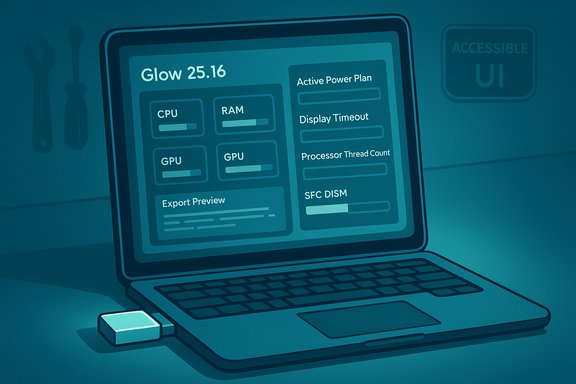
- New OS telemetry items: Active Power Plan, Active Power Plan GUID, Display Timeout (Plugged/Battery), Sleep Timeout (Plugged/Battery).
- Processor counters: Processor Thread Count and Processor Handle Count.
- Improvements to SFC/DISM automation (progress as percentage plus runtime timer).
- System Identity Creation Tool auto-start + timestamped reports; Cache Cleaning Tool improved to use system variables; Bluetooth tool updated with Bluetooth 6.2 support and faster reads on Windows 11.
- Various bug fixes around language files, multi-monitor reporting, BIOS URL handling, RAM speed reporting and Tab order navigation.
Why Glow still matters: strengths and practical benefits
Glow succeeds where a lot of tiny utilities do: simplicity, portability, and focused feature set. For field technicians, help-desk agents, refurbishers and power users, the following key strengths stand out:- Portable, no-install workflow. Unzip and run makes Glow suitable for USB stick toolkits or rapid troubleshooting sessions without administrative installation overhead.
- Plain-text export for support workflows. Text reports are easy to paste into tickets, remote-chat sessions, or archival records.
- Concise device-level telemetry. Adding INF filenames, driver dates, device GUIDs and similar fields in previous updates made Glow more useful for driver and compatibility troubleshooting; Glow 25.16 extends that approach with additional OS-level timeouts and active power-plan reporting.
- Small footprint. The tool is tiny (under a few megabytes) and intended to avoid heavy runtime memory use — useful in constrained repair environments.
- Practical built-in utilities. SFC/DISM automation with a progress display and runtime timer can reduce friction for less experienced users when running common Windows repair commands; the cache cleaner that resolves environment variable paths is a small but helpful convenience for support workflows.
Technical verification and context
Several of the changelog’s platform claims have broader platform context worth confirming.- Visual Studio 2026 is an official, recent Microsoft IDE release (General Availability announced in November 2025), billed as a major performance and AI-focused upgrade to the Visual Studio line. This validates the existence of a modern Visual Studio 2026 compiler as a build target.
- The .NET Framework 4.8.1 is a real, published Microsoft runtime and update stream; Microsoft published rollout information for .NET Framework 4.8.1 and guidance on availability via Windows Update and the Microsoft Update Catalog. That makes Glow’s targeting of .NET Framework 4.8.1 a realistic compatibility claim for Windows 10/11 builds that include or accept this framework.
- Bluetooth Core Specification 6.2 is an actual Bluetooth SIG specification (version 6.2 published in late 2025) and introduces new features for low-latency audio and protocol improvements. A claim that a local tool’s Bluetooth probe supports “Bluetooth 6.2” is plausible in the sense that the spec exists, but validating real-world device compatibility requires matching the host adapter, driver stack and the OS support level.
Critical analysis: what to trust, and what to verify
Glow’s changelog mixes tangible feature additions and small UI/UX adjustments with numeric performance claims and platform-level implications. Here’s how to separate the verifiable from the cautionary.Solid, verifiable additions
- New UI fields and menu reorganizations (Active Power Plan, GUID, timeouts, processor thread/handle counts) are straightforward UI data reads that can be inspected at runtime and confirmed by users.
- SFC/DISM automation improvements (percentage progress, timer) are measurable behavior changes when running the tool’s built-in repair flows.
- Accessibility updates that improve screen-reader responses are testable using a screen reader such as Narrator or NVDA.
Claims that need verification or context
- “Compiled with Visual Studio 2026’s modern compiler” — Visual Studio 2026 exists and provides new compiler toolchains, but the changelog’s broader claim that compilation “brings the latest security updates, bug fixes, and performance enhancements for .NET Framework 4.8.1” is overstated. The compiler used to build an application does not retroactively change the behavior or update the runtime kernel of the .NET Framework on target systems; compilation may enable newer code-generation behaviors, mitigations and tooling compatibility, but runtime security fixes for the .NET Framework come from the framework’s updates themselves. Treat the wording as marketing shorthand rather than a technical guarantee.
- Startup speed “improved by 40% on Windows 11” — this is a measurable claim but environment-dependent. Startup benchmarks vary wildly depending on hardware, background services, Windows build and installed drivers. Accept the claim as developer-measured improvement; validate locally if startup speed matters for your workflows.
- Power consumption / CPU usage reductions — again, dependent on hardware, telemetry polling intervals and what other system activity exists. These metrics are worth validating in your environment before making purchasing or deployment decisions.
- Bluetooth 6.2 support — the Bluetooth SIG published Core Specification 6.2 in late 2025, but whether Glow can read and parse new 6.2 metadata depends on the host adapter driver stack and Windows Bluetooth stack support. In practice, claiming support for a new Bluetooth core version in a small porting utility usually means the code enumerates spec-defined fields — but real-world compatibility requires testing with a Bluetooth 6.2-capable adapter and drivers.
Security and privacy caveats
- The System Identity Creation Tool (hardware fingerprinting) is the single biggest privacy risk in this release. A deterministic identity tied to hardware components is useful for asset tracking, refurbishment logs and change-detection — but these identity reports can also be abused for device tracking if shared indiscriminately.
- Treat identity reports as sensitive: they contain serials, device IDs and other persistent identifiers.
- Limit export, sharing and storage of identity reports to trusted channels.
- Consider hashing or redacting serials before archival when compliance or privacy is a concern.
- The SFC/DISM automation feature that runs administrative repair commands should be used carefully. Users may need admin privileges; these tools modify system files and the Windows image. Always:
- Inspect the commands Glow will run before confirming.
- Have a restore point or backup.
- Avoid running automated repairs on machines with sensitive or un-backed-up data.
Practical guidance: how to evaluate Glow 25.16 safely
- Verify the download source.
- Prefer the official project homepage or trusted package mirrors. For open-source projects check the upstream repository for signed releases and checksums.
- Run in a controlled environment first.
- Use a virtual machine or a test machine to validate startup, export behavior and utilities (SFC/DISM, Cache Cleaner, Identity Tool).
- Inspect exported reports before sharing.
- Plain-text exports are convenient but can contain serials, MAC addresses, GUIDs and other PII-like identifiers. Redact these when sending to public forums.
- Test accessibility changes with your assistive tech stack.
- Use Windows Narrator, NVDA or your organization’s standard screen reader to confirm the promised improvements.
- Validate Bluetooth 6.2 reads only with compatible hardware.
- If you rely on Bluetooth diagnostics, ensure the host adapter and Windows drivers actually expose 6.2 fields before relying on Glow for a 6.2 device audit.
Recommended use-cases and workflows
- Quick hardware snapshots for support tickets:
- Launch Glow (no install), click the sections you need (e.g., Processor, Memory, Graphics) and export the report as a plain text file for attachment to support tickets.
- Technician audits and refurbishment logs:
- Use the System Identity Creation Tool to generate timestamped, comparable identity reports when accepting trade-ins or performing RMA checks — but keep the results encrypted or restricted to internal systems.
- On-site troubleshooting with limited tools:
- Keep Glow on a USB toolkit for quick inventory, especially when network access is restricted or when installing tools is not possible.
Feature checklist (what to look for after installing)
- Does the app start reliably without installation on your target Windows 10 / Windows 11 x64 machine?
- Are the new OS fields present: Active Power Plan, Active Power Plan GUID, Display Timeout (Plugged/Battery), Sleep Timeout (Plugged/Battery)?
- Do Processor Thread Count and Processor Handle Count read sensible values?
- When running SFC/DISM automation, does the UI show:
- Per-command percentage progress?
- A timer showing runtime and final duration?
- Does the System Identity Creation Tool auto-start and timestamp reports correctly?
- Is the Cache Cleaning Tool respecting user directory variables and cleaning expected paths?
- For multi-monitor setups, verify that monitor information is assigned to the correct physical display and no fields are mixed up.
- If you rely on Bluetooth diagnostics, confirm the Bluetooth tool reads the adapter and device information reliably and compare against system Device Manager or vendor utilities.
Downsides and long-term considerations
- Dropping x86 (32-bit) means Glow is no longer usable on older 32-bit-only systems. That’s fine for modern desktops and recent laptops, but it removes support for legacy repair workflows in environments still operating 32-bit Windows images.
- Dependency on .NET Framework 4.8.1: while widely available on supported Windows versions, some locked-down enterprise systems may not have 4.8.1 installed. Glow’s portability helps, but .NET runtime availability is a consideration for broad deployment.
- Hardware fingerprinting tools raise compliance questions for regulated environments. If you manage devices subject to privacy or export regulations, consult legal/compliance before using the identity tool for bulk operations.
- Small utilities often lack the telemetry and incident response maturity of larger vendors. If you plan to use Glow in an enterprise-wide diagnostic standard, add it to a governance checklist (whitelisting, endpoint security review, test deployment).
Final verdict
Glow 25.16 is an incremental but useful update for technicians and power users who prefer a compact, portable system information tool with a handful of pragmatic utilities. The accessibility improvements and new OS-level telemetry fields add real usability and diagnostic value, and the SFC/DISM automation improvements reduce friction for common repair flows.However, several developer-claimed metrics (40% startup improvement on Windows 11, CPU/power reductions, security benefits from being built with Visual Studio 2026) should be treated as developer-provided figures that need independent validation in the field. The new System Identity Creation Tool is powerful but also the riskiest feature from a privacy perspective; its exports should be treated as sensitive artifacts.
For technicians and help desks, Glow 25.16 is worth adding to the toolkit — but with a short test plan: verify behavior on a test machine, confirm .NET Framework availability, and audit exported reports for sensitive identifiers before sharing externally.
Quick start: safe checklist for first-run
- Download Glow from the official project page or trusted mirror.
- Verify the release checksum if provided.
- Unzip to a local folder (do not run from within compressed archive).
- Run Glow with standard user privileges; elevate only when required for SFC/DISM or cache cleaning.
- Generate a sample plain-text report and inspect for sensitive data.
- Test SFC/DISM automation in a controlled environment (or run the commands manually if unsure).
- If deploying to an environment with accessibility requirements, test screen reader interactions with your standard assistive software.
Glow 25.16 offers practical updates for day-to-day diagnostics: lean, portable, and focused on making hardware and OS-level information easier to gather and share. The release strikes a conservative balance between feature additions and polish, but organizations should weigh the convenience of built-in utilities against the privacy considerations of hardware fingerprinting and the need to validate developer performance claims in their own environments.
Source: Neowin Glow 25.16
