

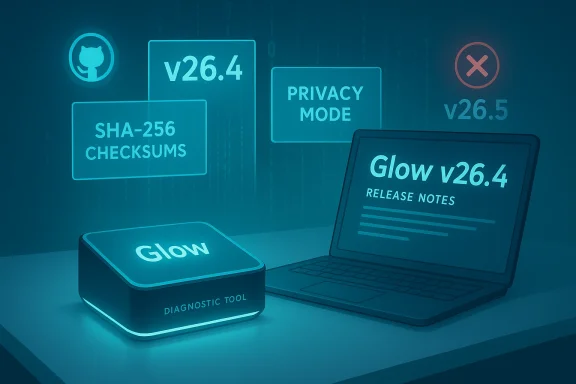
Glow’s name is back in the headlines — but the story is more about verification than surprise: a Neowin software post for a promised “Glow 26.5” appears to have circulated, yet the authoritative release trail still shows Glow v26.4 as the latest published build from the developer. What that means for technicians and power users is straightforward: the improvements touted in the recent v26.x cycle are real, measurable, and worth attention — but any claims specifically about a v26.5 drop must be treated as unverified until official assets appear on the project’s release channel. (github.com) ([]())
Glow is a compact, no-install Windows system‑analysis and diagnostics utility that has steadily evolved from a simple hardware-report tool into a broader toolbox for technicians, support desks, and power users. The project, maintained by Türkay Software and published openly on GitHub, emphasizes portability, low memory footprint, and a broad set of telemetry and repair utilities (file-exportable, generally local-first). It is commonly adopted by technicians who need to produce reproducible hardware and software inventories without installing heavyweight tooling on customer machines.
Over the past two years Glow’s release cadence moved through an aggressive incremental numbering scheme (24.x, 25.x, 26.x), each batch bringing UI polish, platform compatibility (Windows 10/11), and new small utilities — and, importantly, integration of timely .NET Framework fixes and platform security updates when appropriate. Neowin has long covered Glow’s incremental releases; many prior release posts (v24.x and v25.x) provide a useful historical baseline for what the project focuses on: stability, small binary size, accurate hardware reporting, and a set of targeted diagnostic tools.
At the same time, official channels (the project’s GitHub release list and the developer’s project page) show v26.4 as the latest published major release and have no tag for v26.5 at the time we checked the authoritative repository. The GitHub releases page and the turkaysoftware project site are the two points of truth we can confirm — neither has an accessible v26.5 release artifact or release tag to match the Neowin URL’s implied version. That strongly suggests one of three possibilities:
Glow’s steady, incremental engineering — faster loads, clearer disk and GPU reporting, local debug logs, and conservative privacy behavior — continues to make it a practical entry in any technician’s toolbox. But in software operations, verification beats headlines every time; check the release tag and artifact before you click “deploy.” (github.com)
Source: Neowin Glow 26.5
 Background / Overview
Glow is a compact, no-install Windows system‑analysis and diagnostics utility that has steadily evolved from a simple hardware-report tool into a broader toolbox for technicians, support desks, and power users. The project, maintained by Türkay Software and published openly on GitHub, emphasizes portability, low memory footprint, and a broad set of telemetry and repair utilities (file-exportable, generally local-first). It is commonly adopted by technicians who need to produce reproducible hardware and software inventories without installing heavyweight tooling on customer machines.Over the past two years Glow’s release cadence moved through an aggressive incremental numbering scheme (24.x, 25.x, 26.x), each batch bringing UI polish, platform compatibility (Windows 10/11), and new small utilities — and, importantly, integration of timely .NET Framework fixes and platform security updates when appropriate. Neowin has long covered Glow’s incremental releases; many prior release posts (v24.x and v25.x) provide a useful historical baseline for what the project focuses on: stability, small binary size, accurate hardware reporting, and a set of targeted diagnostic tools.
What the official changelog shows (the verifiable facts)
The canonical, verifiable changelog for the most recent major update available at the time of writing is the Glow v26.4 release notes published on the project’s release channel. That document lists a set of concrete, technical improvements and bug fixes that materially change how Glow behaves in diagnostic workflows. Highlights include:- Significant performance optimizations to the reading/processing pipeline: sections load up to 60% faster, memory usage reduced by ~20%, and average resident memory consumption pushed into the 50–60 MB range. These are non-trivial gains for a portable single‑executable tool and directly impact usability in repair carts and remote support sessions. (github.com)
- TS Preloader (startup helper) improvements reduce boot time markedly (quoted improvement: ~60% faster), addressing one of the most frequent minor complaints about portable tools (slow start on cold launch). (github.com)
- Disk subsystem rework: physical disks are reported as consolidated entities (multiple partitions combined under a single physical disk entry), BitLocker status consolidated, improved manufacturer detection, and ~75% improved performance for disk section reads. This reduces confusion for technicians who previously had to piece together partition-based entries manually. (github.com)
- CPU section rewrite to better support hybrid architectures and multi‑processor systems; more accurate cache calculations and an Active core count display were added — an important detail as hybrid cores and high core-count designs proliferate. (github.com)
- Graphics improvements include a detailed DirectX support summary and better multi‑GPU reporting (distinguishing identical‑name adapters as #1, #2, etc.), useful for game testing and compatibility triage. (github.com)
- New or improved tools: Cache Cleaning Tool enhancements, Bluetooth adapter detection speed-ups (via PowerShell improvements), and a Debug logging section that writes local logs (explicitly not uploaded remotely) to aid offline diagnostics. (github.com)
- Release artifacts include cryptographic checksums (SHA‑1 and SHA‑256) published alongside the release, enabling integrity verification of downloaded executables. This is an essential step for supply‑chain hygiene. (github.com)
Why these changes matter in daily troubleshooting
- Faster startup and reduced memory use directly improve workflow speed: when a technician boots a machine, launches a portable diagnostic tool, and needs a snapshot quickly — those seconds saved matter. The reduced memory footprint is especially welcome on older diagnostic PCs and virtual machines used for triage.
- Consolidating disk information and clarifying BitLocker status resolves a common source of human error during imaging and disk replacement work. When disk entries are split by partition, technicians can misinterpret which physical drive holds an OS image; this release’s consolidation reduces ambiguity. (github.com)
- Improved DirectX reporting and multi‑GPU naming help when validating gaming rigs or multi‑GPU compute nodes where driver configuration matters. A clear “maximum DirectX level” readout is practical when triaging rendering or driver issues. (github.com)
- The Debug logs being local-only and explicitly exportable aligns with many enterprise privacy policies that prohibit automatic uploads of user telemetry; that Glow documents this behavior and places logs locally is a measurable privacy-plus for admins. Still, admins should always validate the log contents before running on production endpoints. (github.com)
The Neowin item and v26.5: what we could and could not verify
You provided a Neowin software URL ostensibly pointing to a “Glow 26.5” write-up. When attempting to fetch that specific page for this piece, the page returned a bot‑verification / security enforcement response that blocked automated retrieval (HTTP 402 / Payment Required in our fetch attempt). In short: the Neowin page at the URL you supplied could not be retrieved automatically for quotation or cross‑verification during reporting. That makes it impossible for us to independently confirm the exact claims in that specific page at the time of writing. ([]())At the same time, official channels (the project’s GitHub release list and the developer’s project page) show v26.4 as the latest published major release and have no tag for v26.5 at the time we checked the authoritative repository. The GitHub releases page and the turkaysoftware project site are the two points of truth we can confirm — neither has an accessible v26.5 release artifact or release tag to match the Neowin URL’s implied version. That strongly suggests one of three possibilities:
- The Neowin link points to a premature or incorrectly labeled entry (e.g., a stub URL or editorial placeholder).
- A v26.5 build is in staged release but has not been published on the developer’s official channels yet.
- The Neowin page was created but is being served behind an access flow that prevented automated retrieval; meanwhile, the developer’s release channels still show v26.4 as the current official release.
Cross‑checking with community coverage and independent re forum write‑ups (including user reviews and Windows‑forum threads) corroborate the direction of the v26.x work: emphasis on startup speed, disk reporting, and small‑footprint stability improvements. A recent community review of v26.4 on Windows Forum highlighted many of the same practical changes (startup performance, improved disk and GPU readings, and privacy mode behavior) that the official changelog lists, which strengthens confidence that the changes are implemented and noticeable in everyday use. However, those community write‑ups do not substitute for the official release artifact and generally reference the same GitHub release notes. (github.com)
Feature deep‑dive: technical specifics you should know
Performance & memory
- The release notes claim up to 60% faster section loading and ~20% memory usage reduction; these are architecture‑level optimizations to reading/parsing code paths and the project’s preloader. For technicians, that means quicker throughput when triaging many machines in sequence. Always monitor real‑world memory consumption on representative hardware before including the new binary in a resource‑constrained toolkit. (github.com)
Disk and encryption reporting
- The disk subsystem now presents physical disk entries rather than partition‑first lists, and BitLocker is reported in a consolidated form. This is a design shift that reduces confusion but requires a brief retraining for teams used to partition‑centric displays. Expect fewer support cases due to misidentifying the system disk during image or clone operations. (github.com)
CPU & hybrid architectures
- Glow rewrote CPU detection logic to better handle hybrid cores (performance+efficiency clusters) and multi‑processor setups. Cache size and L1/L2/L3 calculations were updated — helpful when validating BIOS/firmware reporting mismatches on modern laptop SOCs and desktop CPUs. (github.com)
GPU & DirectX
- The Graphics Card section now reports supported DirectX versions and maximum supported DirectX level. This is useful not just for gaming diagnostics but also for certain professional applications that depend on DirectX feature sets. Multi‑GPU naming (via index suffixes) prevents misidentification when multiple identical adapters are present. (github.com)
Tools and privacy
- Cache Cleaning improvements and a local Debug log section (explicitly not uploaded) are intended to speed up common maintenance tasks while giving technicians exportable diagnostics for record keeping or vendor escalation. The release explicitly states logs are local-only, which is a positive privacy signal, but admins should still audit log contents to ensure no PII is captured by incidental tooling. (github.com)
Risk analysis and operational recommendations
No tool is risk‑free. Here’s a concise list of potential issues and mitigations when adopting Glow (or any portable diagnostic executable) in production troubleshooting workflows.- Supply‑chain integrity: although the project publishes SHA‑1 and SHA‑256 checksums for release artifacts, administrators should confirm checksums and, when possible, prefer signed binaries or vendor‑provided package repositories. If the binary is unsigned, consider running it in a non‑privileged account or test VM first. (github.com)
- Execution context: Glow requires administrative privileges for some features. Avoid running as an elevated domain admin on shared workstations; use local elevation patterns and auditable escalation paths.
- Telemetry & privacy: the project emphasizes local‑only logs in the latest release, which is positive, but always inspect exported logs before sending them to third parties and use Privacy Mode (or equivalent) to remove serial numbers and uniquely identifying fields. (github.com)
- Compatibility: Glow integrates .NET Framework updates into releases. Organizations still running older Windows builds or with locked .NET baselines should validate the executable’s runtime dependencies before rolling it out widely.
- Change management: whenever you update your diagnostic toolkit, apply updates in a staged manner (QA/VM → pilot group → general rollout) to catch environment‑specific differences (drivers, GPO blocks, PowerShell policy restrictions).
How to adopt Glow safely (practical checklist)
- Verify the release: always confirm the release tag exists on the official GitHub releases page and that checksums are published. (github.com)
- Download and validate: download the ZIP, extract on an isolated VM, compute the SHA‑256 locally, and compare against the published value. Reject mismatches. (github.com)
- Test in a VM: run Glow on representative Windows 10/11 images with your standard security tooling to ensure no false positives or harmful interactions.
- Review logs: enable Debug logs on the test instance and audit the saved log file to confirm no PII is captured and that the log format is compatible with your ticketing/escrow process. (github.com)
- Stage roll‑out: add Glow to your technician toolkit in a pilot group for at least one business day of active use before enterprise-wide deployment.
- Document usage: add a short SOP entry for Glow (how to launch, where logs are saved, what Privacy Mode hides) and keep the checksums in your release artifacts folder.
What to watch for next (and why v26.5 talk matters)
- If you’re following the Neowin headline or other secondary reporting claiming a v26.5 release, wait for a matching release tag or assets on the developer’s channels (GitHub / TurkaySoftware). Until then treat the Neowin URL as an item to verify, not the authoritative confirmation. Our automated fetch of the Neowin page was blocked by site verification, meaning the page could not be programmatically retrieved for corroboration during reporting; that is why we pivoted to the developer’s release page and community threads for confirmation. ([]())
- TurkaySoftware’s project page and GitHub release stream are the canonical sources for Glow’s official binary artifacts and checksums. TurkaySoftware maintainers have signaled planned features and timing for upcoming minor releases in their project notes and site copy — including references to Windows 10-targeted features that were intended for “version 26.5” in some developer planning notes — but those planning notes are not the same as published release artifactsent plans ≠ released builds**. Confirm the build exists on GitHub before acting.
Strengths, limitations, and verdict
Strengths
- Practical feature set: Glow focuses on pragmatic diagnostic improvements (disk clarity, DirectX reporting, faster load times) that genuinely help real workflows. (github.com)
- Portable and lightweight: Small executable, minimal footprints, and no installer make it easy to add to technician flash drives or orchestration scripts.
- Privacy-first documentation: Explicit statement that logs are local-only and exportable gives organizations clearer control over data exfiltration risk. (github.com)
Limitations and caveats
- Supply-chain hygiene required: As with any downloadable executable, verify checksums and monitor the project’s release channel for new tags. (github.com)
- Rapid changes require governance: Glow has frequent incremental updates; organizations should adopt staged rollout and change control to avoid surprise behavior changes in diagnostic scripts.
- Documentation gaps sometimes appear: Minor UI and localization quirks have been repeatedly patched; expect a few small regressions in fast-moving, small‑team projects. (github.com)
Final recommendations for readers and IT teams
- Rely on the developer’s GitHub releases and the official project page for authoritative release information and checksums; treat media reports as secondary until they are backed by a release tag and artifacts. (github.com)
- If you use Glow in production triage kits, update your SOP to validate checksums and stage updates; do not perform a blind enterprise rollout immediately after publication. (github.com)
- For individual technicians: test v26.4 in a local VM first, enable Debug logs if you need more visibility, and use Privacy Mode when sharing exports externally. (github.com)
- If you saw a Neowin post claiming v26.5 and it’s important to you, bookmark the developer’s GitHub and check for a matching release tag; once a tag and release assets appear, you can trust the changelog and checksums as the canonical truth. (github.com)
Glow’s steady, incremental engineering — faster loads, clearer disk and GPU reporting, local debug logs, and conservative privacy behavior — continues to make it a practical entry in any technician’s toolbox. But in software operations, verification beats headlines every time; check the release tag and artifact before you click “deploy.” (github.com)
Source: Neowin Glow 26.5
