

Google is rolling Gemini into Gmail with a slate of features that promise to read, summarize, and even answer questions about the contents of your inbox — and the result is a dramatic convenience-versus-privacy trade-off that every user and IT admin should understand before enabling the newest smart features.
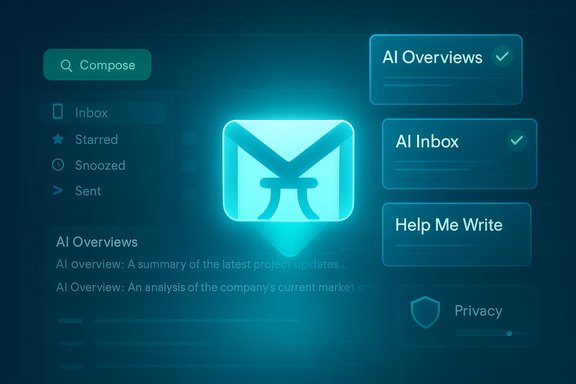
Google announced a major Gmail update on January 8, 2026, positioning the app “in the Gemini era” and introducing three headline capabilities: AI Overviews (thread summarization and natural-language answers drawn from your emails), a new AI Inbox (an experimental, AI‑organized view that highlights priorities and to-dos), and expanded writing assistants — Help Me Write, Suggested Replies, and Proofread. Google’s post says these features are powered by Gemini 3 and are rolling out in stages: conversation summaries are broadly available for free, while conversational search and advanced proofreading are restricted to paid Google AI tiers (Google AI Pro/Ultra). These changes are part of a larger push to fold large‑context, multimodal models into day‑to‑day productivity tools so Gmail does more than just store messages — it becomes an active assistant that surfaces facts, extracts action items, drafts messages, and reduces the time you spend hunting in your archive. Independent reporting confirms the core points Google framed in its announcement and adds useful context on rollout, entitlements, and privacy controls.
Google’s move to fold Gemini into Gmail changes the equation for how inboxes will be used. The convenience is tangible; the governance is non‑trivial. Adopt deliberately, govern strictly, and treat AI outputs as accelerants — not replacements — for human judgment.
Source: Windows Central Google’s Gmail AI wants to read your inbox so you don’t have to
 Background / Overview
Google announced a major Gmail update on January 8, 2026, positioning the app “in the Gemini era” and introducing three headline capabilities: AI Overviews (thread summarization and natural-language answers drawn from your emails), a new AI Inbox (an experimental, AI‑organized view that highlights priorities and to-dos), and expanded writing assistants — Help Me Write, Suggested Replies, and Proofread. Google’s post says these features are powered by Gemini 3 and are rolling out in stages: conversation summaries are broadly available for free, while conversational search and advanced proofreading are restricted to paid Google AI tiers (Google AI Pro/Ultra). These changes are part of a larger push to fold large‑context, multimodal models into day‑to‑day productivity tools so Gmail does more than just store messages — it becomes an active assistant that surfaces facts, extracts action items, drafts messages, and reduces the time you spend hunting in your archive. Independent reporting confirms the core points Google framed in its announcement and adds useful context on rollout, entitlements, and privacy controls. What’s new, in plain terms
AI Overviews: summaries and natural-language answers
- What it does: Condenses long email threads into concise summaries of the conversation’s key points and extracts action items. It also supports natural‑language questions about your inbox (for example: “Who gave me a quote for the kitchen remodel last May?”), and returns an AI‑generated overview with the answer.
- Availability: Thread summaries are rolling out to all Gmail users for free. The ability to ask your inbox follow-up questions using AI Overviews (i.e., conversational search across your personal emails) is gated behind Google AI Pro and Ultra subscriptions at launch.
Help Me Write, Suggested Replies, Proofread
- Help Me Write: AI-assisted drafting and editing of emails — now available to everyone for basic drafting and polishing.
- Suggested Replies: An evolution of Smart Replies that takes more context and tone into account; rolling out widely.
- Proofread: A Grammarly‑style feature for deeper grammar, clarity, and tone fixes; available to Google AI Pro and Ultra subscribers.
AI Inbox: an experimental, prioritized view
- What it does: AI Inbox is an alternate view that organizes unread messages into prioritized items (VIPs, urgent to‑dos) and “topics to catch up on,” effectively turning an inbox into a curated briefing that highlights deadlines, bills, and actionable items. Google is initially giving this to trusted testers before a broader launch.
Why this matters: productivity gains and behavioral changes
AI inbox assistants target one of the oldest time‑sinks: finding the right email or keeping track of commitments buried in long threads. For knowledge workers who triage dozens or hundreds of messages per day, a reliably accurate summary and an instant answer to a natural‑language query can shave minutes per search and compound into real time savings.- Fewer context switches: A single AI Overview replaces the manual process of opening multiple messages, scanning for dates, vendors, or numbers, and synthesizing that into an answer.
- Faster drafting: Help Me Write and Suggested Replies reduce the friction of composing consistent, polished replies.
- Better prioritization: AI Inbox can surface bills, RSVPs, or deadlines before they slip through the cracks.
The privacy and training question: what Google says — and what independent reporting found
Google’s public messaging is explicit and repeated: Gmail content is not used to train Gemini’s foundational models, and features that operate on personal content do so with privacy protections and admin controls for Workspace customers. The official Gmail product announcement asserts that summarization and prioritization “happens securely” and that user data remains “under your control.” At the same time, a broader chronology of recent events and documentation shows important nuance:- Google introduced the Gemini Apps Activity (renamed Keep Activity) control, which — when enabled — allows a sample of future uploads and interactions to be used to improve Google services. Google has documented this change, provided temporary‑chat options, and offered retention controls and deletion tools.
- Reporting from multiple outlets and security researchers during late‑2025 and early‑2026 created confusion: surfacing of these controls and changes in how they were shown to users led to viral claims that Google had started using Gmail as a feed to train Gemini. Google denied that it uses Gmail content to train Gemini and said it had not changed user settings; independent outlets updated their coverage and clarified the difference between long‑standing “smart features” (spam filtering, Smart Compose) and model‑training uses. Still, the presence of Keep Activity and the option to allow a sample to be used for product improvement remains a materially relevant setting.
- Workspace (paid) customers receive stronger contractual protections: Google documents that Workspace content accessed through admin‑controlled integrations is generally not used to train Google’s public models, and admins have controls to limit or disable Gemini access to tenant data. That said, public reporting and security analyses urge administrators to verify tenant entitlements and retention settings in the admin console before enabling agentic features.
Strengths: where Gmail's Gemini integration shines
- Immediate utility for triage and search. Summaries and conversational search reduce the need to remember keywords or email details, which is a practical win for anyone who searches their archive for vendor names, quotes, or dates.
- Integrated drafting and tone matching. Built‑in writing helpers and suggested replies that adopt the user’s tone mean fewer external tools, fewer cut‑and‑paste steps, and tighter integration with Gmail workflows.
- Enterprise controls and admin tools. For Workspace customers, Google advertises admin toggles, non‑training contractual clauses in enterprise agreements, and auditability that make careful, policy‑driven adoption possible. These are credible mitigations when implemented and audited.
- Multimodal potential. Gemini’s long‑context and multimodal abilities (reading attachments and images) promise summaries that include scanned PDFs or images — an important step beyond purely text‑based summarizers.
Risks and trade-offs: what keeps privacy and security teams up at night
- Accuracy and hallucination risk. Summaries are useful only when factual; generative models can omit nuance or invent details (hallucinations). Relying on an AI Overview for legal, financial, or contractual decisions without human verification is risky. Independent reporting and field tests caution that summaries should be treated as drafts or aids, not authoritative records.
- Data‑use ambiguity for consumers. The interplay between Gmail’s long‑standing Smart Features and the newer Keep Activity options created public confusion. While Google says Gmail content is not used to train Gemini models, enabling the Keep Activity sampling option — or other cross‑app personalization settings — can expose content to product‑improvement pipelines. That layered nuance matters for users of free Gmail accounts who do not have enterprise contractual protections.
- Default settings and discoverability. Past UI changes made some privacy controls more prominent and — according to multiple news reports — led to a perception that defaults had been changed. Whether a control is on by default or merely more visible can change the risk profile for non‑technical users. Admins should not assume users are aware of these settings.
- Prompt injection and poisoned context. When models ingest content from many messages, an attacker could place maliciously crafted messages in shared folders or group threads to change agent behavior (indirect prompt injection). Agents that act on behalf of users — creating tickets, changing documents, or sending messages — expand the threat surface beyond misinformation to operational incidents.
- Subscription gating and two‑speed UX. The most capable features (conversational Overviews, Proofread) are behind paid tiers, creating divergent experiences dependent on budget and entitlements. For organizations, this complicates procurement and makes pilot design and user expectations management essential.
Practical, actionable guidance for users and admins
For individual Gmail users (basic checklist)
- Review the new Gmail settings: Settings → General and Privacy/Personal Context options in the Gemini/Gmail settings. Turn off Keep Activity / Gemini Apps Activity if you prefer to avoid any sampling for product improvement. Use Temporary Chats when you need a guaranteed non‑persistent interaction.
- Treat AI Overviews as helper drafts, not facts. When details matter (contracts, billing, medical advice), open the original messages and verify dates, amounts, and names before acting.
- Keep sensitive accounts separate. If you use the same Google account for heavily personal matters, consider using separate accounts (or restricting Gmail’s AI access) for high‑sensitivity communication.
- If you opt out of AI features, be aware that doing so may also disable convenient services (smart compose, some suggestions). Balance convenience against your privacy needs.
For IT administrators and security teams (recommended steps)
- Inventory entitlements and plan pilots. Map which users have Google AI Pro/Ultra or Workspace tiers that enable deeper Gemini integration. Start with a small pilot group and a narrow scope (non‑sensitive folders).
- Confirm contractual protections. For regulated data, verify non‑training clauses in enterprise contracts and document retention/processing assurances in writing.
- Apply least‑privilege access. Limit Gemini/agent access to only the folders and accounts necessary; keep high‑sensitivity mailboxes out of AI processing until governance and logging are proven.
- Enable logging and audits. Require audit trails for any agentic actions (ticket creation, drafts sent) and integrate those logs with SIEM/EDR where possible.
- Human‑in‑the‑loop for high‑risk actions. For legal, finance, HR, or customer communications, require a human review step before AI‑generated outputs are finalized or acted upon.
- User education. Publish short, clear guidance about what AI Overviews can and can’t do, how to opt out, and how to flag incorrect summaries.
Where reporting and official claims diverge — and why that matters
Google’s product announcement paints a controlled picture: features are opt‑in, enterprise content does not train public models, and user controls exist. Independent reporting largely corroborates the feature set and rollout, but it also surfaced how UI changes and the Keep Activity setting produced confusion and a temporary wave of concern that required clarifying statements. Those two threads — product capability and privacy perception — are both true and both important. Treat official denials as part of the record, but verify settings and entitlements in your account console. A practical way to resolve this for most readers: consider the feature set desirable, but approach enablement defensively. That means piloting, auditing, limiting scope, and keeping humans accountable for decisions that affect legal, financial, or sensitive outcomes. The productivity wins are real; the governance challenge is operational and solvable — but only with proactive controls.The competitive and regulatory angle
Gmail’s Gemini rollout is part of a broader industry race: Microsoft is deepening Copilot in Outlook and Office, OpenAI’s tools are integrated in many clients, and other vendors are racing to add inbox assistants. Each vendor’s privacy model varies by product and region, and regulatory scrutiny — particularly in the EU — is tightening around default settings, data training, and human review. Organizations with cross‑border operations should map feature availability and defaults by region and review data residency and compliance implications before broad deployments.Final assessment and practical verdict
Gmail’s Gemini features are a meaningful step toward an inbox that helps you complete work instead of merely storing it. AI Overviews and Help Me Write will save time for routine tasks and make search more natural. AI Inbox promises to reduce cognitive load for busy users. At the same time, the privacy model has important caveats: Keep Activity/Gemini Apps Activity, past UI surfacing issues, and subscription gating create complexity and potential for misconfiguration.- For individuals who prioritize convenience and already use Google’s ecosystem, enabling summaries and writing helpers is a low‑friction win so long as you treat outputs as aids and verify high‑stakes facts.
- For organizations handling regulated or sensitive data, the right move is a staged pilot with strict admin controls, least‑privilege access, logging, and contractual verification for non‑training guarantees.
Quick reference: what to check now (step‑by‑step)
- Open Gmail settings and review Smart Features and Personal Context options. Turn off Keep Activity / Gemini Apps Activity if you do not want your uploads sampled for product improvement.
- For Workspace tenants: check the Admin Console for Gemini/Gmail entitlements and confirm non‑training clauses in enterprise contracts.
- Pilot AI Inbox and AI Overviews on a small user set with non‑sensitive data. Enable logging and require human verification of AI outputs for critical decisions.
- Educate users: what AI Overviews can do, how to opt out, and why validation matters. Keep a short FAQ and decision flow for when AI output is sufficient and when it needs human review.
Google’s move to fold Gemini into Gmail changes the equation for how inboxes will be used. The convenience is tangible; the governance is non‑trivial. Adopt deliberately, govern strictly, and treat AI outputs as accelerants — not replacements — for human judgment.
Source: Windows Central Google’s Gmail AI wants to read your inbox so you don’t have to
