

Google Cloud Storage quietly does the heavy lifting for countless businesses and projects — and if your stack is built on data, it deserves to be treated as infrastructure, not an afterthought.
Google Cloud Storage (GCS) is Google’s managed object storage service for unstructured data: blobs, backups, logs, media, model checkpoints and anything else that fits inside a file or object. On the surface it’s simple — create a bucket, upload objects, serve them via signed URLs or a CDN — but the platform is engineered for scale, durability and integration with Google’s data ecosystem. The service is designed for an annual durability target of 99.999999999% (eleven nines) and offers multiple storage classes, global location choices, lifecycle automation, and encryption options that suit everything from hot transactional content to long-term archives. This article breaks down what makes GCS reliable and usable, what costs and operational pitfalls teams should watch for, and how to map real-world workloads into a cost-effective, resilient architecture. It brings together Google’s documentation, community experience, and practical guardrails so you can make GCS an asset instead of a surprise bill.
Conclusion
Durability and integration are where Google Cloud Storage shines: it’s engineered to keep your files safe, to plug directly into data and AI services, and to scale without dramatic operational overhead. The tradeoffs — egress and retrieval fees, latency for interactive workloads, and key/retention governance — are real, but well-understood. With careful planning, lifecycle rules, and a small pilot to validate latency and billing, GCS is a pragmatic, production-ready choice for teams that need reliable, future-proof object storage.
Source: AD HOC NEWS Google Cloud Storage: The Unsung Hero Behind Every File You Never Want to Lose
 Background / Overview
Google Cloud Storage (GCS) is Google’s managed object storage service for unstructured data: blobs, backups, logs, media, model checkpoints and anything else that fits inside a file or object. On the surface it’s simple — create a bucket, upload objects, serve them via signed URLs or a CDN — but the platform is engineered for scale, durability and integration with Google’s data ecosystem. The service is designed for an annual durability target of 99.999999999% (eleven nines) and offers multiple storage classes, global location choices, lifecycle automation, and encryption options that suit everything from hot transactional content to long-term archives. This article breaks down what makes GCS reliable and usable, what costs and operational pitfalls teams should watch for, and how to map real-world workloads into a cost-effective, resilient architecture. It brings together Google’s documentation, community experience, and practical guardrails so you can make GCS an asset instead of a surprise bill.How Google Cloud Storage Is Built: Durability, Replication, and Location
Eleven nines durability — what it actually means
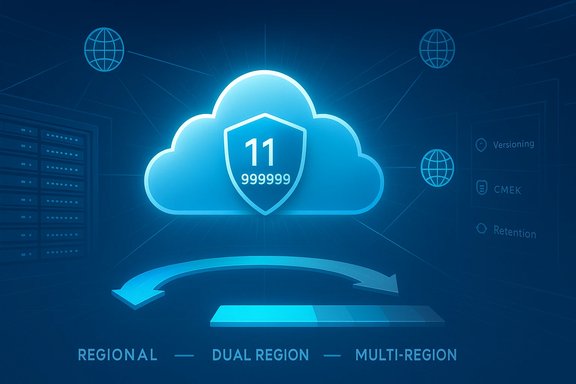
Google describes Cloud Storage as engineered for 11 nines of annual durability. That figure is the mathematical expression of low-probability data loss: at that durability, losing a single object is extremely unlikely even across billions of objects. In practice, GCS achieves this via erasure coding, cross-device redundancy, and continuous checksum verification and repair. The platform typically stores data redundantly across multiple devices and availability zones before acknowledging a write. This durability target is focused on protection against hardware failure, disk corruption and similar physical risks. It does not replace operational safeguards such as immutability policies, versioning, or retention locks for guarding against human error, ransomware, or misconfiguration — those remain the customer’s responsibility to configure.Location choices: region, dual-region, multi-region
GCS gives you clear choices about where data lives:- Regional — single Cloud region; lower cost and lower latency within that region.
- Dual-region — data replicated across two distinct regions you select for improved resilience and performance.
- Multi-region — automatic replication across a geographically broad area (for example, “US” or “EU”) for maximal availability.
Storage classes and lifecycle controls
GCS offers four primary object storage classes with a single API across them:- STANDARD — for hot data that needs immediate availability.
- NEARLINE — for infrequently accessed data (30‑day minimum).
- COLDLINE — for colder data (90‑day minimum).
- ARCHIVE — for long-term retention (365‑day minimum).
Developer Experience and Ecosystem Integration
Storage APIs, client tools, and interoperability
GCS exposes a straightforward REST/JSON API and a legacy XML API for interoperability. It also supports HMAC keys and an XML endpoint so many tools written for Amazon S3 or other object stores can be reconfigured to work with GCS — though some tooling differences remain and full S3 parity is not guaranteed. Modern CLI tooling, native client libraries (Python, Java, Go, .NET), and gsutil make day-to-day developer work simple. Many widely used data movement and sync tools (rclone, storage gateways, WordPress plugins, CI/CD systems) support GCS directly or via the XML/HMAC interop layer, but teams should validate the specific feature set (ACLs, listing semantics, multipart behaviors) before migrating large workloads.Tight integration with analytics and AI
Integration with Google’s analytics and ML stack is a standout strength:- BigQuery can query Cloud Storage objects as external tables (Parquet, ORC, CSV, NDJSON, Avro), enabling analytics without bulk ETL. BigQuery also supports BigLake and access delegation when deeper governance is needed.
- Dataflow (Apache Beam) reads and writes from gs:// URIs directly; enabling gRPC for GCS operations can speed large-scale reads for batch and streaming pipelines. This makes GCS an excellent landing zone for ingestion and preprocessing.
- Vertex AI and other training platforms read data directly from Cloud Storage, including mounts through Cloud Storage FUSE for distributed training, making it a natural home for model datasets and checkpoints.
Security, Encryption, and Governance
Encryption at rest and options
Cloud Storage encrypts data at rest by default using Google-managed keys. For teams that require control, Customer‑Managed Encryption Keys (CMEK) in Cloud KMS let you own and rotate keys, audit key use, and enforce cryptographic boundaries — but with tradeoffs (key location constraints, KMS quotas, and careful lifecycle management). Destroying the wrong key can render objects unrecoverable, so key governance is critical.Access control and least privilege
GCS supports IAM, bucket policies, ACLs, signed URLs, and access delegation models such as BigLake. IAM-first designs are recommended: create service accounts with minimal privileges, prefer IAM roles over ACLs, and use per-bucket IAM bindings for tight access boundaries. Misconfigured IAM is a common source of access errors and security exposure.Data protection primitives
Use object versioning, retention policies, object holds, and Bucket Lock for immutability and compliance. Combine these with CMEK and audit logging to meet legal and regulatory requirements. However, these features add operational complexity and cost (versioned objects count toward storage). Plan retention carefully.Pricing, Egress, and the Hidden Line Items
Core pricing model
GCS charges separately for:- Storage (per GB/month, varying by class and location).
- Operations (class A / B, API calls).
- Data retrieval fees for cold classes (Nearline, Coldline, Archive).
- Network egress (data leaving Google Cloud or crossing regions).
- Inter-region replication charges when writing to multi/dual-region buckets.
Network egress — the universal gotcha
Network egress (moving data out of Google Cloud to the public internet or other clouds) is charged per GB and varies by destination and region. These costs are a common surprise for migrations, backups, and multi-cloud operations. If you intend to move petabytes between clouds or out to end users without a CDN, model the egress charges carefully and consider caching/CDN strategies.Cost-control best practices
- Use lifecycle rules to automatically tier objects from STANDARD to cheaper classes when access declines.
- Enable Autoclass (if suitable) to have the platform auto-tier objects, reducing operational overhead.
- Model API operation costs (many small reads/writes can add up).
- Push heavy read patterns through an edge CDN (Cloud CDN or third parties) to reduce egress and speed delivery.
- Pilot with real workloads to capture p50/p95/p99 usage and bill impact rather than relying on raw storage rates. Community discussions and pilots repeatedly emphasize testing representative datasets before committing.
Real-World Feedback: What Engineers and Creatives Say
Community and forum conversations echo the same themes: GCS is rock-solid for durability and integration, but cost and latency tradeoffs matter in practice.- Engineers report that once data is in GCS it "just sits there and works", citing reliable durability and low incidence of corruption. The simplicity of client libraries and gsutil makes operational life easier.
- Media and creative workflows call out the latency tax — cloud-mounted editing can feel sluggish for high‑IOPS, metadata-heavy workflows, so hybrid designs (local NVMe scratch + cloud archive) are the pragmatic pattern. Practical migration pilots for media houses recommend keeping active working sets local and pushing archives into object storage.
- Cost surprises (egress, retrieval fees, and operations) are frequent in community threads; users urged careful modeling and periodic billing reviews before adopting large-scale cloud archives.
Alternatives and When to Choose Otherwise
Object storage is a crowded market. The obvious alternatives are:- Amazon S3 — the most mature ecosystem and tightest AWS integration. S3 may win when your stack is already AWS-native or you need certain S3-only ecosystem tools.
- Azure Blob Storage — best for Microsoft-centric stacks and when you want deep integration with Microsoft identity and Fabric/Power BI flows.
- Specialized providers (Backblaze B2, Wasabi, Cloudflare R2, MinIO on-prem) — often cheaper for archival workloads and simpler pricing models, but with fewer first‑party integrations for BigQuery-like analytics or Vertex AI.
- Close integration with BigQuery, Dataflow, Vertex AI, and Google’s analytics/ML stack.
- A consistent API and lifecycle behavior across storage classes.
- Google’s global network advantage when serving content internationally.
Practical Migration and Operational Checklist
- Map your workload:
- Identify active working sets (last X months), nearline, and true cold data.
- Measure object sizes and access patterns (many small objects vs few big files).
- Test a pilot:
- Move a representative dataset (5–20 GB) and measure p50/p95/p99 latencies, throughput, and real bills.
- For media, test open/restore cycles for large PSB/RAW workflows; simulate restores to quantify egress and time.
- Configure buckets:
- Choose location (region vs dual-region vs multi-region) based on compliance and latency.
- Set the default storage class and add lifecycle rules to transition objects automatically.
- Lock down security:
- Use IAM least privilege, enable audit logging, and consider CMEK only if you require cryptographic control and are prepared to manage key lifecycle.
- Plan for costs:
- Model storage, retrieval, operations and egress.
- Push static, high-volume reads through a CDN and use caching to reduce egress.
- Ensure governance:
- Enable versioning where required.
- Use retention policies and immutable locks where compliance demands.
- Validate backups and restores:
- Schedule periodic restore drills (file-level and full recovery) and test cross-region failure modes.
Strengths, Weaknesses, and Key Risks (Critical Analysis)
Strengths
- Industrial-grade durability and redundancy: The 11-nines durability target and erasure-coding design make GCS a trustworthy archive for critical data.
- Ecosystem integration: Native connectors and first‑class integration with BigQuery, Dataflow and Vertex AI reduce pipeline complexity and accelerate analytics/ML work.
- Single API across classes: Application code does not need to change when objects move between classes; lifecycle rules handle tiering.
Weaknesses / Risks
- Cost complexity: The mix of storage, operation, retrieval and egress charges means costs can be non-obvious. Egress in particular is a common surprise for migrations and multi-cloud architectures.
- Latency for interactive workloads: Cloud object stores are not a replacement for local NVMe for interactive, metadata-heavy editing. Hybrid architectures are required for a good UX in media workflows.
- Operational responsibility for metadata and keys: Choosing CMEK or retention locks creates new operational obligations; mismanaging keys or retention can make data unrecoverable.
- Interoperability gotchas: GCS offers XML/HMAC interoperability for many S3-style tools, but not all S3 semantics map one-to-one. Validate tooling and ACL semantics during migration.
Flagging unverifiable claims
Public marketing statements that imply GCS “powers” every consumer product or that an exact cost will be lower than all competitors are context-dependent and should be treated cautiously. Statements such as “GCS is the same storage Google uses for YouTube, Photos and Gmail” are commonly repeated but involve proprietary internal architectures; treat such claims as directional until independently confirmed in vendor documentation or engineering posts.Final Verdict — Who Should Use Google Cloud Storage?
Google Cloud Storage is an excellent default for teams that need:- High durability and a managed platform that removes hardware-level concerns.
- Tight integration into a Google-centric analytics and machine-learning pipeline.
- A flexible, policy-driven approach to tiering and lifecycle management.
Conclusion
Durability and integration are where Google Cloud Storage shines: it’s engineered to keep your files safe, to plug directly into data and AI services, and to scale without dramatic operational overhead. The tradeoffs — egress and retrieval fees, latency for interactive workloads, and key/retention governance — are real, but well-understood. With careful planning, lifecycle rules, and a small pilot to validate latency and billing, GCS is a pragmatic, production-ready choice for teams that need reliable, future-proof object storage.
Source: AD HOC NEWS Google Cloud Storage: The Unsung Hero Behind Every File You Never Want to Lose
