Google Gemini Tests Import AI Chats to Port Conversations Across Platforms

  • Thread Author
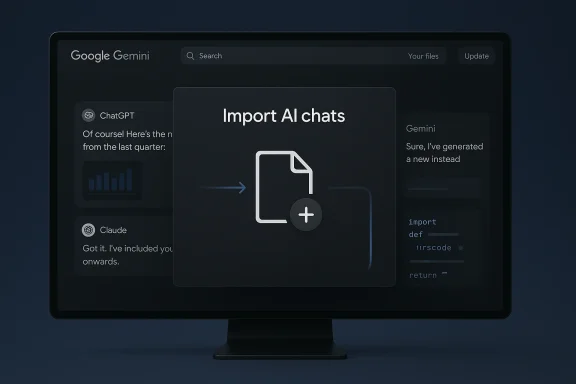
Google’s Gemini is quietly testing a feature called “Import AI chats” that — if it ships as shown in leaks — would let users upload exported conversation archives from other chatbots (ChatGPT, Claude, Copilot and others) and continue those threads inside Gemini without losing prior context or media. Early screenshots and hands‑on reporting place the control in Gemini’s attachment/“+” menu as a beta option; the import flow appears to ask users to download a chat archive from the origin service and then upload it into Gemini for ingestion.

Dark Google Gemini UI on a monitor, showing an Import AI chats dialog.Background / Overview​

The friction of lost conversational history has become a real productivity tax for many AI users. Long-running chat threads accumulate clarifications, system prompts, iterative edits, code samples, images, and project history — essentially forming a working memory for a given assistant. Moving between assistants today typically means starting over, re‑teaching the new model months or years of context. Google’s reported import test attempts to addre making conversation portability simple and first‑party.
TestingCatalog first documented the interface elements and workflow in internal/beta builds; the find has since been picked up by multiple outlets, which corroborate the basic flow and the presence of other experimental UI entries (notably a “Likeness” control tied to video verification and new 2K/4K image download presets). Those independent reports strengthen the claim that this is active engineering work inside Google rather than pure rumor.

Why portability matters: the cost of conversational inertia​

For power users, teams, and creators, chat history is not just chat — it’s a record of decisions, small‑staged edits, and institutional memory. Losing that context has three practical consequences:
  • Re‑execution cost: hours or days lost re‑establishing the state of a project.
  • Fragmentation: multiple assistants holding parts of a single project is inefficient.
  • Behavioral lock‑in: users remain with the assistant that “knows” them because switching is expensive.
Allowing users to import chats reduces these switching costs, making it easier to trial or migrate to Gemini. That’s both a user convenience and a strategic adoption lever for Google. Early reporting frames the importer as a product play designed to reduce ecosystem lock‑in.

What the leaked flow looks like​

Where the control appears and how the UI behaves​

According to the leaked screenshots and testers’ hands‑on notes, the import control lives in the Gemini web client under the attachment or plus menu (beta).”** Triggering it opens a popup instructing users to export their conversation from another assistant (for example: request an export/ZIP from ChatGPT) and then upload that file into Gemini. The popup reportedly warns that uploaded content will be stored inside the user’s Gemini activity and may be used to improve Google’s models.

The practical step sequence (as reported)​

  • Request or generate an export from the origin assistant (many services have export mechanisms that produce ZIPs containing JSON/HTML).
  • Open Gemini and choose Import AI chats from the attachment menu.
  • Upload the exported archive into Gemini.
  • Gemini ingests and attempts to reconstruct the thread so the user can continue the conversation in place.

What’s plausible and what remains unknown​

The basic engineering task — parsing exported conversation archives and mapping messages, timestamps, and attachments into Gemini’s conversation model — is technically feasible. Community tools already parse ChatGPT exports into searchable, structured formats, which demonstrates the core capability is achievable. But several critical unknowns determine whether imports will be genuinely useful:
  • Supported origins: The leaks show examples (ChatGPT, Claude, Copilot) but do not list a final, authoritative set of compatible platforms. Implementation will need to handle many exporters and schema differences.
  • Accepted formats: ChatGPT’s export is a ZIP containing JSON/HTML; other platforms ship different structures and proprietary bundles. Does Gemini accept ZIPs with embedded blobs, or will it require a standardized schema?
  • Fidelity guarantees: Will system prompts, hidden persona settings, plugin output, and branching/forked threads preserve their original semantics? The leaked flow suggests text and media are prioritized, but full fidelity is unconfirmed.
  • Media handling: Many exports reference file names rather than embedding blobs. How will Gemini handle missing binaries, expired links, or attachments stored behind origin access controls?
  • Scale and UX: Large archives (multi-GB) require resumable uploads, background ingestion, and progress reporting. The leaked UI shows a simple upload flow, but long‑running imports need robust client and server behavior to be reliable.
Because these details are not confirmed in the leaks, the import feature should be considered experimental until Google publishes official documentation. Reporters emphasize the beta label and the likelihood that behavior and scope will change before public release.

Technical challenges that will make or break the experience​

1) Schema variability and parsing complexity​

Exports from different assistants arrive in different shapes: nested JSON, HTML blobs, or proprietary archive formats. Building a tolerant importer requires either:
  • A library of parsers for each service’s export format, or
  • A robust mapping layer that can interpret varied schemas into Gemini’s canonical conversation model.
Either approach increases engineering surface area and must be maintained as origin services change their export shapes.

2) Thread reconstruction and metadata fidelity​

Reassembling chronology, nested replies, author metadata, and reaction/annotation markers is non‑trivial. If Gemini collapses threaded forks into linear chats, users will lose contextual cues that matter for debugging, editorial processes, or legal timelines. Preserving who said what, when is essential for trust and accuracy.

3) Media, attachments, and external references​

Images, audio files, PDFs, and code attachments are often stored separately from exported message text. A useful importer must either embed these blobs into the archive or handle graceful fallback (e.g., “attachment missing, original source requires login”). The user experience should surface these edge cases clearly.

4) Computational cost, privacy, and model usage​

Ingesting large archives likely involves processing for indexing, summarization, and attaching context to future prompts. The popup in leaked screenshots reportedly warns that uploaded data may be used to improve Google’s models. That raises policy questions for organizations and individuals concerned about intellectual property or regulated data. Any enterprise usage likely needs an export path that excludes training, or explicit contractual controls.

Privacy, governance, and legal considerations​

Moving chat archives between services is not purely technical — it’s a governance issue.
  • Sensitive content in chats: Conversations often contain names, contracts, client secrets, API keys, health data, or other regulated information. Uploading such content to a new provider can trigger compliance obligations and data‑processing limits.
  • Model training and data use: The leaked import popup reportedly states that uploaded content may be used to improve Google models. That’s a live legal and privacy concern: organizations will want explicit opt-outs, and regulators may expect clear disclosures and record‑keeping.
  • Provenance and audit trails: Good imports should preserve the origin label, timestamps, and hashable evidence so audits can demonstrate where content originated — crucial for legal defensibility and for tracking the lineage of generated artifacts.
  • Cross‑border data flows: If a user exports data from a region with strict data residency rules and then uploads to a provider hosting data in another jurisdiction, organizations must ee and contractual safeguards.
Because these are governance questions, enterprises should treat the feature as potentially useful but not yet production‑safe until Google publishes explicit processing terms and opt‑out mechanisms.

Strategic implications for competition and user choice​

If Gemini ships a robust import flow, it changes the competitive equation in two ways:
  • Lowering switching costs: By making migration inexpensive, Google removes a major friction that keeps users tethered to competing assistants. That could speed adoption for users already invested in other ecosystems.
  • Platform leverage: Once conversations migrate, Google can offer integrated experiences (Search, Workspace, Chrome, Android) that are harder to replicate if the user started elsewhere. In short, portability can be a growth lever rather than simply a concession.

That said, portability also raises an interesting paradox: the easier you make it to bring corm, the more attractive that platform becomes — and the more important it is to provide robust privacy controls so users and organizations feel safe moving​

Practical guidance for users who want to prepare now​

If you’re thinking about switching assistants or preserving threads, here are concrete steps to take today:
  • Audit chat content: Identify threads containing sensitive data (client information, credentials, personal data) and remove or redact those items before exporting. Treat chat history like any other sensitive file.
  • Use origin export tools: Most major assistants provide a data export mechanism (e.g., ChatGPT lets users request a downloadable ZIP containing conversations). Learn how to request and download that export now.
  • Preserve provenance: Keep a local copy of the original export and store metadata (timestamps, export hashes) to prove origin if provenance matters later.
  • Export modularly: When possible, export only the threads you need rather than entire archives. Smaller, focused uploads reduce risk and ease review.
  • Check platform policies: Before uploading, read the target platform’s data usage and training policies; look for opt‑out controls or enterprise contract clauses that restrict training on your content.

Enterprise and compliance checklist​

Organizations considering an assisted migration to Gemini should demand clarity on the following before any production transfers:
  • Does uploaded content become part of training data by default? Is there an explicit no‑training opt‑out for enterprise customers?
  • Can imports be restricted to accounts under an enterprise organization policy and stored in regionally designated storage?
  • Is there an audit log that preserves origin, timestamps, and a record of who imported what and when?
  • How are attachments and linked external resources handled to avoid accidental exposoes the importer include a scrub or redaction tool to remove sensitive fields automatically before ingestion?
Enterprises should treat the feature as promising but provisional. Negotiate contractual protections before moving sensitive conversational records.

Safety and misuse vectors​

Portability introduces new attack surfaces:
  • Exfiltration risk: Malicious insiders could export proprietary chat histories and upload them to another account or provider. Auditability and role‑based controls are essential.
  • Data leakage: Attachments or third‑party links included in exports can contain hidden credentials or PII that become unintentionally more widely distributed during import.
  • Model poisoning: If imported conversations are used to train production models without proper sanitation, adversaries could craft inputs that influence model behavior or leak confidential patterns.
Robust access controls, import previews, and pre‑ingestion sanitization can mitigate these threats. The leaked UI’s warning about model training is a helpful transparency signal, but operational controls are the real safeguard.

What to watch for (timeline and signals)​

Because the imports are currently labeled beta in internal builds, expect the following milestones and public artifacts before broad adoption:
  • Official documentation: A help page describing supported formats, limits, and privacy settings (this will be the single best indicator of production readiness).
  • Enterprise controls: Contractual or admin‑level toggles that restrict training usage or enforce data residency.
  • Progressive rollouts: A staged releasusers, then to mobile and enterprise consoles — matching the patterns seen with other Gemini feature rollouts.
  • Community tooling: Third‑party import helpers and open‑source converters that bridge exporter formats into a standard schema. Early community work often precedes or accompanies official importer launches.
If Google publishes the expected support matrix and clearly documents privacy controls, the importer will move from a curiosity to a practical utility.

Bottom line: pragmatic optimism with guarded caution​

The idea of a first‑party, user‑facing “Import AI chats” feature is a direct answer to one of the most persistent UX grievances of the AI era: losing conversational memory when switching platforms. In principle, it’s a good product idea that benefits users and lowers barriers to mctical value will hinge on execution. The important evaluation criteria are clear:
  • Fidelity — does the importer preserve thread structure, system prompts, and attachments?
  • Transparency — are users told how the uploaded data will be used, and can they opt out of training?
  • Safety and governance — are enterprise controls, audit trails, and redaction tools available before organizations attempt mass migrations?
If Google delivers high fidelity, robust privacy guarantees, and enterprise controls, the feature could meaningfully reshape how people choose and switch AI assistants: portability would no longer be a handshake of convenience but a standard expectation. If those elements are missing or underdeveloped, imports could become a UX band‑aid that invites confusion, data leakage, and legal headaches.

Actionable takeaway for WindowsForum readers​

  • If you are an individual power user: experiment cautiously. Export threads you care about, examine the archive structure, and wait for official documentation before bulk transfers.
  • If you manage IT or compliance: do not migrate enterprise conversations until Google provides firm contractual guarantees about training, data residency, and auditability. Draft a checklist for import readiness based on the questions in the Enterprise section above.
  • If you are a developer or creator: consider exporting and locally archiving your most valuable threads now; community tools already parse ChatGPT exports and will help you prepare clean, portable bundles.

The leaks show a deliberate attempt to tackle a genuine UX problem — and they reveal Google engineering an import flow that could be transformational if handled responsibly. The core promise is simple and powerful: resume where you left off across assistants. The core challenge is equally simple: to do that without sacrificing privacy, provenance, or enterprise trust. The coming weeks — when Google either publishes documentation or rolls the beta more widely — will tell us whether the feature is a pragmatic usability milestone or an undercooked convenience that creates more questions than answers.

Source: Trak.in Import Your ChatGPT Chat Thread To Gemini AI, Sealessly - Trak.in - Indian Business of Tech, Mobile & Startups
 

A sudden, widespread failure to download certain Windows 11 Insider ISOs — and reports that Microsoft’s servers were returning access denials that looked like an IP ban — has thrust a long-running conflict between power users, third‑party tooling, and platform gatekeeping back into the spotlight this week.

Two screens show a BLOCKED error and Windows 10 install progress, with a Rufus USB drive and glowing terminal icon.Background / Overview​

Over the last several days Windows Insider participants, independent testers, and users of the popular boot media utility Rufus reported that attempts to download freshly published Insider ISO images either failed outright or returned a server message indicating that some IP ranges, entities, or locations were blocked. A recurring identifier in affected sessions has been the error token shown during the download flow: message code 715‑123130.
The problem was first called out publicly by Insiders and community forums and then amplified after Rufus’ lead developer, Pete Batard, reported that the tool’s ISOs‑downloader — a small set of PowerShell helpers commonly known as the Fido scripts — suddenly stopped working against the affected Insider builds. Several tech outlets ran follow‑ups, and community threads show a consistent pattern: the same downloads that failed when scripted or performed by third‑party tools could often be completed when using Microsoft’s interactive web flow or the official Media Creation Tool (MCT).
Crucially, there is no official Microsoft announcement admitting an intentional, blanket policy shift to block third‑party downloaders. The allegation that Microsoft deliberately changed server behavior to prevent tools like Rufus from automating Insider ISO downloads is therefore plausible given the technical symptoms, but remains an unverified claim until Microsoft provides confirmation.

What exactly happened — the observable facts​

  • Multiple Windows Insider users reported being unable to download the newest Canary and Server preview ISOs; community threads specifically referenced builds such as Canary 28020.1611 and Server preview 29531.
  • A repeated server message and error token (commonly referred to as 715‑123130) appeared for affected users. The wording associated with the page suggests that Microsoft’s download service believed a request came from a banned or suspicious IP/entity or used anonymizing technologies.
  • The issue surfaced for users across different ISPs, and attempts through VPNs did not consistently solve the problem — indicating the block was not limited to a single carrier or geographic region.
  • The Rufus integrated downloader — which relies on the open‑source Fido PowerShell script to fetch Microsoft’s retail and preview ISOs — failed to fetch the new Insider images; the Rufus developer publicly noted that the script appeared to be getting deliberately detected and broken by the server-side changes.
  • Workarounds that many users confirmed in community threads: using the Media Creation Tool, generating an ISO link on a mobile device and opening it on a PC, or switching network paths (different ISP, mobile hotspot) often allowed the download to succeed.
These points are independently reproducible in community logs, Q&A posts, and the GitHub issue threads where Rufus and Fido are discussed.

Why this matters: the stakes for power users, admins, and tool maintainers​

For enthusiasts, system builders, and IT administrators, having programmatic or third‑party access to official ISOs is more than convenience — it’s a toolchain necessity:
  • Reproducible installs. System images created with official retail ISOs allow admins to perform controlled deployments and forensic validation of installs.
  • Automation. Tools like Rufus and scripted downloaders are used in automated provisioning, test labs, and build systems where interactive browser steps are impractical.
  • Integrity and verification. Third‑party tools can fetch unchanged retail ISOs and provide administrators with the ability to verify hashes and build trusted media independent of a single browser or interactive flow.
If a platform operator changes server validation to explicitly block scripted or out‑of‑context API calls, that raises operational friction for those legitimate use cases. Conversely, there are strong reasons a platform might harden download endpoints: abuse mitigation, rate limiting, IP reputation controls, and more aggressive blocking of anonymized traffic are all common defensive operations at scale.

How Microsoft’s download flow typically works — a technical primer​

Understanding why an automated script can succeed one week and fail the next means looking at the download flow in a little detail:
  • Microsoft’s ISO download process generally issues tokenized links after a user selects product, language, and architecture. Those tokens are time‑limited and tied to session context.
  • The interactive browser flow supplies referrer/origin headers, cookies, and telemetry that a scripted request may not replicate perfectly.
  • Servers and CDNs apply IP reputation checks and rate‑limits: requests from known VPN, cloud provider, or shared NAT ranges are more likely to be throttled or blocked.
  • Insider preview artifacts may have tighter gating than retail ISOs because they’re pre‑release and meant for a controlled testing population. That allows Microsoft to apply stricter checks — token lifetimes, telemetry expectations, or stricter header validation — to reduce accidental leakage or automated bulk retrieval.
A small script like Fido reproduces the web calls a browser would make but, by design, can't mirror every nuance of a browser session. When server-side validation is tightened — for example, by checking the presence and timing of ancillary calls to telemetry domains or enforcing stricter user-agent/referrer rules — script-based flows can break. Historically, similar hardening has previously affected Fido and Rufus, and maintainers patched around the server changes until the next iteration of hardening.

Rufus, Fido, and the history of scripted ISO downloads​

Rufus is a widely trusted utility for creating bootable USB media. To simplify the user experience, Rufus historically integrated an automated ISO downloader via a PowerShell helper known as Fido. Fido queries Microsoft’s public download endpoints and assembles the retail ISO links programmatically.
That integration has experienced friction before:
  • In mid‑2022 Microsoft tightened download endpoints and some scripted downloaders, including Fido, stopped working until maintainers adapted. The community solved many of those issues through iterative fixes.
  • Because Fido is open source, Microsoft can theoretically detect its exact request fingerprint — which is both the benefit and the risk: open code makes detection easier, but detection itself doesn't prove intent.
  • Rufus’ developer, Pete Batard, has historically been proactive in adapting the script when Microsoft’s endpoints change, and he has been vocal when server hardening breaks third‑party access.
The current incident mirrors those past cycles: the community sees server-side behavioral changes; maintainers observe failures that appear to be targeted at scripted flows; and users are forced to rely on alternate flows or patched tooling.

The allegation and what is verified vs. what is inference​

There are two distinct claims in play and they must be treated differently:
  • The verifiable claim: many users and tools (including Rufus) could not download certain Insider ISOs, and Microsoft’s download flow returned a block‑style message referencing banned IPs and technologies. This is established and corroborated across multiple community posts, Q&A threads, and developer comments.
  • The allegation: Microsoft intentionally changed server behavior specifically to block third‑party applications such as Rufus and its Fido scripts in order to force users toward its Media Creation Tool or controlled web flows. This is a reasonable interpretation given the technical evidence, but it is not confirmed by Microsoft and therefore remains an allegation rather than an established fact.
In short: the outage and the blocking behavior are documented; the motive — whether defensive hardening, abuse control, or an intentional product decision to centralize ISO delivery — is not publicly confirmed by Microsoft and should be considered speculative until Microsoft clarifies its intent.

Practical workarounds and what actually works today​

If you are affected by this download block, the community-verified options that most reliably bypass the problem are:
  • Use Microsoft’s Media Creation Tool (MCT) on a Windows machine to generate an ISO or create installation media. This flow uses a different server interaction that has repeatedly been a reliable workaround.
  • Try generating the ISO download link from a mobile browser (some users reported that producing the link via mobile and opening it on the desktop bypassed the block).
  • Use a different network path: home ISP, mobile hotspot, or a different geographic network to rule out IP‑range reputation issues.
  • Temporarily disable local DNS/host filtering (Pi‑Hole, AdGuard) or ad blockers that may interfere with ancillary calls the page expects.
  • For advanced users: use community tools that build ISOs from Windows Update payloads (tools like UUP‑based assemblers). If you go this route, always verify ISO hashes and exercise caution; these workflows are not officially supported.
For administrators and enterprise customers:
  • File a support case with Microsoft and include the full error text and message codes.
  • If multiple corporate endpoints are affected, escalate through business support channels to request IP whitelist guidance or remediation.
  • Avoid relying on undocumented scripted download flows for production provisioning; prefer Enterprise channels and Microsoft‑sanctioned distribution methods.

Risks, legal and policy implications​

This episode raises several policy and operational questions that matter beyond any single outage:
  • Platform control vs. user autonomy: If platform operators intentionally restrict non‑interactive download flows without providing documented APIs for automation, that increases operational burden for enterprise and power users.
  • Security vs. accessibility: Blocking scripted downloads can be a valid abuse‑mitigation choice, but without transparency it looks like gatekeeping. The correct balance is an explicit, documented automation API or an authenticated programmatic delivery channel for admins.
  • Trust and verification: If users are forced toward a single interactive download path, the community’s ability to independently verify ISOs — an important step for security-conscious deployers — is reduced unless Microsoft exposes signed checksums and robust verification tooling.
  • Dependence on brittle reverse‑engineered flows: Third‑party tools that rely on reverse‑engineered, undocumented endpoints are always at risk. When those endpoints change, maintainers must scramble to adapt. That dynamic is normal in the ecosystem but painful for end users.

What Microsoft could do (and what the community should ask for)​

If Microsoft’s aim is legitimate (e.g., to reduce abuse, stop mass scraping, or tighten distribution of pre‑release builds), there are constructive paths forward that preserve both security and user empowerment:
  • Publish a documented programmatic API or authenticated download channel for legitimate automation use cases: enterprise administrators, OEMs, and power users who need scriptable access should have a supported method.
  • Provide explicit guidance for third‑party tool maintainers about acceptable download patterns and rate limits so tools can be adjusted without guessing server behavior.
  • Offer a transparent whitelist process for trusted IP ranges (or enterprise tenants) when blocks are triggered by reputation heuristics.
  • Improve error messages: a clear, actionable reason and remediation steps reduce confusion and support load.
From the community side, the ask is simple: push for clarity. If blocks are intentional, Microsoft should say so and explain the supported alternatives. If blocks are accidental, Microsoft should diagnose and remediate quickly.

Recommendations for affected users (concise checklist)​

  • Try the Media Creation Tool first — it is the most reliable workaround.
  • If using Rufus or Fido, update to the latest releases and check the Rufus GitHub discussions for patches or guidance.
  • Temporarily disable local ad/DNS blockers, or try the download on a different network.
  • For enterprise environments, open a Microsoft support ticket with diagnostic traces and the exact error tokens (e.g., 715‑123130 plus any GUID presented).
  • If you must use alternate sources, always verify ISO integrity and hashes in an isolated test environment before deploying widely.

The bigger picture: control of platform distribution in 2026​

This incident is not an isolated technical quirk — it is symptomatic of a broader tension:
  • Major platform providers increasingly manage distribution flows to enforce compliance, telemetry, and anti‑abuse signaling.
  • The community of tooling authors and power users relies on predictable, programmatic access to official artifacts.
  • When those two needs collide without transparent, supported channels, friction and distrust grow.
The desirable outcome is pragmatic: Microsoft (or any platform owner) should maintain the ability to protect its services while also providing clear, supported, and documented automation paths for legitimate use cases. The community, in turn, should prioritize verified, auditable methods for obtaining software and avoid bypasses that weaken traceability or security.

Conclusion​

Multiple independent reports, developer statements, and community logs show that recent Windows 11 Insider ISO downloads were being blocked for many users and that the built‑in Rufus/Fido scripted downloader failed to retrieve those same images. The technical evidence is consistent with server‑side hardening or IP‑based blocking that treats scripted or out‑of‑context requests differently from interactive browser flows.
That said, the claim that Microsoft deliberately changed its servers to target Rufus and Fido — to funnel users toward the Media Creation Tool — remains an allegation until Microsoft publicly explains the change. The responsible journalistic posture is to present the verified symptoms, the plausible technical interpretations, and the practical mitigations, while highlighting the absence of a confirmatory statement from Microsoft.
For now, affected users should rely on Microsoft’s Media Creation Tool or alternate verified flows and follow Rufus’ and the community’s troubleshooting guidance. Longer term, the incident underscores the need for clearer programmatic download APIs and better communication between platform owners and the ecosystem that depends on their artifacts.

Source: Tom's Hardware Rufus developers blame Microsoft for blocking access to the latest Windows 11 ISOs — Windows Insiders met with an IP ban after attempting to download latest builds
 

Back
Top