

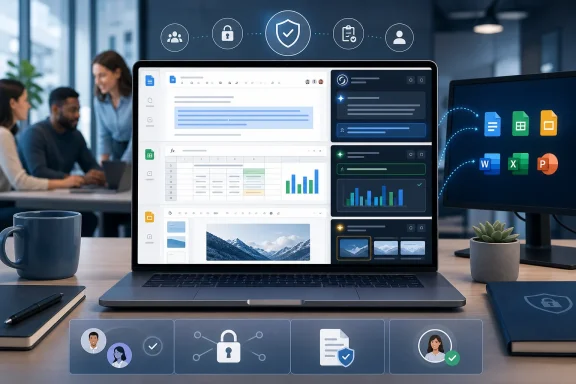
SpaceXAI has expanded Grok’s office-software ambitions with a free Google Workspace add-on for Docs, Sheets, and Slides, arriving shortly after companion integrations for Microsoft 365 applications. The move places Grok directly beside the files employees are already editing, signaling a sharper push to make the assistant a daily productivity layer rather than a destination chatbot.
For Windows users and mixed-platform organizations, the timing matters. Microsoft 365 remains central to much of the enterprise desktop, but Google Workspace is deeply embedded in schools, startups, distributed teams, and businesses that prioritize browser-first collaboration. By supporting both ecosystems, SpaceXAI is attempting to meet workers in the document, spreadsheet, presentation, and email tools where routine knowledge work actually happens.
The headline promise is familiar: less copy-and-paste between an AI chat window and a work file. The more consequential detail is that Grok is designed to produce native, editable changes in Google Docs, Sheets, and Slides. That distinction could make the integration far more useful than an assistant that merely generates a block of text or a static exported deck.
At the same time, a deeply embedded AI assistant brings meaningful governance, privacy, accuracy, and change-management questions. Organizations should view the Google Workspace release not simply as another add-on, but as an increasingly capable automation layer that can touch business documents, live models, presentation materials, and potentially connected organizational knowledge.
The Google Workspace add-on brings Grok into three core collaboration products:
This follows SpaceXAI’s recent expansion into Microsoft 365, where Grok has been positioned for Word, Excel, PowerPoint, and Outlook. The two launches form a clear strategic pattern: Grok is moving beyond stand-alone prompting and into the software environments where workers draft proposals, examine operating data, build financial models, create executive presentations, and manage communications.
For IT leaders, this cross-platform approach has an obvious implication. An organization may now encounter Grok in both its Microsoft and Google application estates, even when departments operate independently or use different collaboration standards.
That may be convenient for end users. It may also complicate decisions about AI policy, identity management, marketplace controls, document access, data retention, and acceptable use.
Grok’s intended role in Sheets is not limited to explaining a table. It is designed to answer questions about the active spreadsheet while pointing to the cells used to support its answer. That cell-level grounding is a meaningful feature in principle, because spreadsheet users need to verify where an interpretation, figure, or conclusion originated.
That convenience is real, but it must not be confused with guaranteed analytical correctness. A spreadsheet formula can be syntactically valid and still be conceptually wrong. A model can calculate perfectly while relying on a flawed assumption, an incomplete data range, or a misunderstood business rule.
Consider a simple operational model. A team may have revenue, staffing, pricing, inventory, margin, and growth assumptions spread across multiple worksheet tabs. Changing one input can require formula updates, new projections, chart changes, and explanation text for leadership.
An AI assistant that can identify the driver, revise the relevant calculations, refresh associated visuals, and explain the resulting changes could be valuable. It could make modeling more accessible to workers who are not spreadsheet specialists.
Yet this is also where the risks rise sharply.
Before relying on Grok-generated Sheets output, teams should verify:
Still, the availability of an Undo button is not a substitute for review. A mistaken forecast distributed to leadership, copied into a board deck, or used in a purchase decision may cause harm long before anyone realizes a formula was wrong.
The assistant is positioned to convert outlines into working presentations, research supporting material from the web or X, add diagrams or images where appropriate, expand existing decks, preserve the existing visual theme, and rewrite slide titles for better clarity.
For teams that regularly create customer briefings, project updates, training materials, sales presentations, or internal strategy decks, this could reduce a great deal of blank-page friction.
Editable content matters because real business presentations are rarely finished after the first draft. They need:
However, fast research is not necessarily reliable research.
Public web content can be stale, misleading, poorly sourced, promotional, satirical, or factually incorrect. Content from social platforms may be timely and useful for discovering trends, but it can also be incomplete, unverified, emotionally charged, or manipulated.
Organizations should establish a simple rule: AI-researched slide content must be checked at the claim level before it is presented as fact.
That rule is particularly important in presentations concerning:
A useful executive deck generally needs titles that communicate the conclusion, not merely the category. For example:
Grok can turn unstructured notes into a drafted document with headings, lists, and a more coherent structure. It can also perform inline grammar improvements and help maintain a consistent tone across a longer document.
For employees facing a chaotic mix of meeting notes, chat excerpts, bullet points, research snippets, and incomplete paragraphs, this may be a practical productivity gain.
But final-draft quality still depends on human review. AI can make prose cleaner while making meaning less precise. It can unintentionally smooth over uncertainty, invent connective language, flatten a nuanced point, or present an assumption with too much confidence.
That makes careful editing essential in documents that establish commitments, policy, commercial terms, legal positions, technical instructions, or public statements.
For example, a user might ask Grok to prepare a project update using the latest planning document, recent stakeholder emails, and a shared Drive folder. In theory, that can create a more complete first draft than a generic AI assistant working from a single pasted prompt.
The security challenge is obvious: the more useful the context, the more sensitive the permission model becomes.
Organizations should ensure that connected AI behavior respects existing access boundaries. A user should not be able to retrieve information from a document, mailbox, or shared drive simply because an AI assistant has been granted broader access than the user would normally possess.
Permission-aware access is therefore not a nice-to-have feature. It is a minimum requirement for enterprise deployment.
For WindowsForum readers, the Microsoft 365 side remains especially relevant. Windows desktops are often the primary environment for finance teams, enterprise administration, PowerPoint-heavy departments, and organizations standardized around Outlook and Office applications.
The key takeaway is that Grok is becoming an in-application AI assistant, not merely a website.
The availability of Grok in both ecosystems may reduce friction for users who move between them. It may also create a more consistent AI experience across departments that have historically used different collaboration tools.
Potential benefits include:
A cross-platform rollout must be evaluated platform by platform.
That simplicity may lead to rapid adoption. It may also lead to unmanaged adoption.
In enterprise software, “free” can mean several different things:
A marketplace approval decision is also a data-governance decision.
This is especially relevant for Grok because it is designed to act in context rather than only respond to isolated prompts.
Low-risk examples may include public marketing drafts, generic meeting agendas, internal templates, nonconfidential training outlines, and personal productivity tasks.
High-risk examples may include:
Its potential strength is workflow proximity.
When the assistant appears beside the live document, spreadsheet, or deck, it can theoretically understand the immediate task, operate on relevant content, and produce changes in the native application. That can reduce context switching and make AI feel like a practical collaborator rather than a separate destination.
This model has several benefits:
That is where embedded AI can be genuinely useful without taking too much control away from the person doing the work.
A strong-looking spreadsheet chart can conceal weak data. A concise executive summary can omit key caveats. A fluent document can misstate a fact. A well-designed slide can make an unsupported claim feel more convincing than it should.
This is not unique to Grok. It is a structural issue with generative AI in productivity software.
The solution is not to avoid the technology entirely. It is to establish an operating model where employees understand what AI is good at and where human judgment remains indispensable.
Microsoft has its own AI ambitions across its productivity stack. Google has its own AI capabilities embedded in Workspace. SpaceXAI’s Grok is now pursuing a more direct role across both major office ecosystems.
That makes the market more competitive, but it also makes the user experience more fragmented. Organizations may soon manage several embedded assistants with overlapping capabilities, different data practices, different commercial terms, and different administrative controls.
The winning product will not necessarily be the one that writes the most impressive paragraph. It may be the one that combines useful in-app actions, dependable permissions, transparent data handling, strong enterprise controls, and outputs that are easy to inspect and correct.
For individual users, the appeal is straightforward: faster drafts, less repetitive work, easier spreadsheet assistance, and fewer jumps between applications. For organizations, the picture is more complex. The same integration that improves convenience can expose new risks around access permissions, confidential data, hallucinated content, incorrect calculations, and unmanaged marketplace adoption.
The strongest early use cases will likely be bounded and reviewable: reorganizing notes, drafting non-sensitive documents, explaining worksheet data, generating initial formulas, creating first-pass presentations, and improving slide narratives. The weakest use cases will be those that treat AI output as final authority in high-stakes financial, legal, operational, or security decisions.
Grok for Google Workspace is not simply another chatbot shortcut. It is part of a larger shift toward AI that lives inside the productivity software people use all day. That shift can make office work faster and more approachable, but only if organizations match the technology’s growing access and automation capabilities with equally mature governance, review, and security practices.
For Windows users and mixed-platform organizations, the timing matters. Microsoft 365 remains central to much of the enterprise desktop, but Google Workspace is deeply embedded in schools, startups, distributed teams, and businesses that prioritize browser-first collaboration. By supporting both ecosystems, SpaceXAI is attempting to meet workers in the document, spreadsheet, presentation, and email tools where routine knowledge work actually happens.
The headline promise is familiar: less copy-and-paste between an AI chat window and a work file. The more consequential detail is that Grok is designed to produce native, editable changes in Google Docs, Sheets, and Slides. That distinction could make the integration far more useful than an assistant that merely generates a block of text or a static exported deck.
At the same time, a deeply embedded AI assistant brings meaningful governance, privacy, accuracy, and change-management questions. Organizations should view the Google Workspace release not simply as another add-on, but as an increasingly capable automation layer that can touch business documents, live models, presentation materials, and potentially connected organizational knowledge.
 Overview: Grok Moves Into the Productivity Suite
The Google Workspace add-on brings Grok into three core collaboration products:- Google Docs
- Google Sheets
- Google Slides
This follows SpaceXAI’s recent expansion into Microsoft 365, where Grok has been positioned for Word, Excel, PowerPoint, and Outlook. The two launches form a clear strategic pattern: Grok is moving beyond stand-alone prompting and into the software environments where workers draft proposals, examine operating data, build financial models, create executive presentations, and manage communications.
For IT leaders, this cross-platform approach has an obvious implication. An organization may now encounter Grok in both its Microsoft and Google application estates, even when departments operate independently or use different collaboration standards.
That may be convenient for end users. It may also complicate decisions about AI policy, identity management, marketplace controls, document access, data retention, and acceptable use.
Google Sheets Is the Most Important Part of the Release
Among the three Workspace applications, Google Sheets may be the most significant environment for Grok integration. Spreadsheets are where AI can move from producing text to influencing calculations, forecasts, decisions, and reporting.Grok’s intended role in Sheets is not limited to explaining a table. It is designed to answer questions about the active spreadsheet while pointing to the cells used to support its answer. That cell-level grounding is a meaningful feature in principle, because spreadsheet users need to verify where an interpretation, figure, or conclusion originated.
From Questions to Formula Creation
Users can ask Grok to inspect spreadsheet contents and perform tasks that otherwise require familiarity with formulas, functions, filters, or pivot-style analysis. Potential tasks include:- Explaining a budget variance
- Identifying the fastest-growing sales category
- Writing or filling formulas
- Creating charts from selected data
- Summarizing survey results
- Highlighting incomplete records
- Building scenario-based projections
- Reformatting a rough worksheet into a clearer reporting layout
SUMIFS, XLOOKUP, array formulas, forecasting logic, or conditional calculations may be able to express the desired outcome in natural language.That convenience is real, but it must not be confused with guaranteed analytical correctness. A spreadsheet formula can be syntactically valid and still be conceptually wrong. A model can calculate perfectly while relying on a flawed assumption, an incomplete data range, or a misunderstood business rule.
Scenario Modeling Without Rebuilding the Workbook
One of the most notable claims around the integration is Grok’s ability to run scenarios and rerun projections when an underlying assumption changes. This is the kind of feature that could save time in recurring planning workflows.Consider a simple operational model. A team may have revenue, staffing, pricing, inventory, margin, and growth assumptions spread across multiple worksheet tabs. Changing one input can require formula updates, new projections, chart changes, and explanation text for leadership.
An AI assistant that can identify the driver, revise the relevant calculations, refresh associated visuals, and explain the resulting changes could be valuable. It could make modeling more accessible to workers who are not spreadsheet specialists.
Yet this is also where the risks rise sharply.
The Spreadsheet Automation Risk
AI-generated spreadsheet changes should be treated as proposed work, not unquestioned truth. This is especially important for financial planning, payroll analysis, inventory forecasting, regulated reporting, and executive decision-making.Before relying on Grok-generated Sheets output, teams should verify:
- The selected data range
Confirm that the model includes all intended rows, columns, periods, and tabs. - Formula logic
Check whether formulas use the correct references, conditions, units, and error handling. - Assumptions
Make sure the assistant has not introduced an unsupported growth rate, cost assumption, conversion rate, or trend interpretation. - Model dependencies
Validate whether downstream charts, reports, and linked calculations reflect the revised figures. - Edge cases
Test blank cells, negative values, duplicates, outliers, and changes in date ranges.
Still, the availability of an Undo button is not a substitute for review. A mistaken forecast distributed to leadership, copied into a board deck, or used in a purchase decision may cause harm long before anyone realizes a formula was wrong.
Google Slides Could Turn Prompts Into Editable Presentations
Grok’s integration with Google Slides targets one of the most time-consuming forms of office work: turning a rough idea, a collection of notes, or a research request into a presentable slide deck.The assistant is positioned to convert outlines into working presentations, research supporting material from the web or X, add diagrams or images where appropriate, expand existing decks, preserve the existing visual theme, and rewrite slide titles for better clarity.
For teams that regularly create customer briefings, project updates, training materials, sales presentations, or internal strategy decks, this could reduce a great deal of blank-page friction.
Native Slides Matter More Than Generated Images
The strongest technical promise is not merely that Grok can create a presentation. Other AI tools already produce slide-like content, screenshots, or static layouts. The more useful goal is the creation of regular, editable Google Slides.Editable content matters because real business presentations are rarely finished after the first draft. They need:
- Brand review
- Legal and compliance checks
- Data validation
- Speaker-note revisions
- Localization
- Executive edits
- Accessibility improvements
- Last-minute number updates
Research Capability Brings a Citation and Trust Problem
Grok’s ability to draw from the web or X is likely to attract attention because it could accelerate presentation research. It may help users move from a topic prompt to a first-draft narrative with visual support much faster than traditional search-and-assemble workflows.However, fast research is not necessarily reliable research.
Public web content can be stale, misleading, poorly sourced, promotional, satirical, or factually incorrect. Content from social platforms may be timely and useful for discovering trends, but it can also be incomplete, unverified, emotionally charged, or manipulated.
Organizations should establish a simple rule: AI-researched slide content must be checked at the claim level before it is presented as fact.
That rule is particularly important in presentations concerning:
- Financial results
- Market conditions
- Competitors
- Healthcare
- Legal matters
- Cybersecurity
- Government policy
- Product specifications
- Public-company information
- Security incidents
- Customer commitments
Better Titles Are a Quietly Valuable Feature
Grok’s ability to refine slide titles may sound minor, but it addresses a persistent business communication problem. Many presentations use labels rather than messages: “Revenue,” “Timeline,” “Customer Feedback,” or “Market Overview.”A useful executive deck generally needs titles that communicate the conclusion, not merely the category. For example:
- “Revenue” becomes “Subscription revenue outpaced services growth in the second half.”
- “Timeline” becomes “The migration remains on track for a phased October rollout.”
- “Customer Feedback” becomes “Customers value faster setup but want clearer reporting controls.”
Google Docs Integration Targets Everyday Knowledge Work
The Google Docs component is likely to be the most broadly used part of the add-on. Writing, rewriting, formatting, summarizing, and organizing are universal tasks across nearly every business function.Grok can turn unstructured notes into a drafted document with headings, lists, and a more coherent structure. It can also perform inline grammar improvements and help maintain a consistent tone across a longer document.
For employees facing a chaotic mix of meeting notes, chat excerpts, bullet points, research snippets, and incomplete paragraphs, this may be a practical productivity gain.
A Better Starting Point, Not an Automatic Final Draft
The strongest use case for AI writing assistants is often the first workable draft. Starting from a structured draft is easier than starting from a blank document, especially for routine material such as:- Project status reports
- Meeting summaries
- Internal announcements
- Training guides
- Product briefs
- Process documentation
- Customer follow-ups
- Proposal outlines
- Policy drafts
- Performance-review inputs
But final-draft quality still depends on human review. AI can make prose cleaner while making meaning less precise. It can unintentionally smooth over uncertainty, invent connective language, flatten a nuanced point, or present an assumption with too much confidence.
That makes careful editing essential in documents that establish commitments, policy, commercial terms, legal positions, technical instructions, or public statements.
Connected Context Is Powerful—and Sensitive
The Docs integration becomes more consequential when Grok is connected to recent emails or Google Drive files. Contextual access could allow the assistant to produce more relevant drafts, draw on recent work, and help users avoid manually pasting information from multiple locations.For example, a user might ask Grok to prepare a project update using the latest planning document, recent stakeholder emails, and a shared Drive folder. In theory, that can create a more complete first draft than a generic AI assistant working from a single pasted prompt.
The security challenge is obvious: the more useful the context, the more sensitive the permission model becomes.
Organizations should ensure that connected AI behavior respects existing access boundaries. A user should not be able to retrieve information from a document, mailbox, or shared drive simply because an AI assistant has been granted broader access than the user would normally possess.
Permission-aware access is therefore not a nice-to-have feature. It is a minimum requirement for enterprise deployment.
The Microsoft 365 Connection Makes This a Cross-Platform Strategy
The Google Workspace release should not be viewed in isolation. SpaceXAI has also brought Grok into Microsoft Word, Excel, PowerPoint, and Outlook, creating a productivity integration story that spans the two dominant office software ecosystems.For WindowsForum readers, the Microsoft 365 side remains especially relevant. Windows desktops are often the primary environment for finance teams, enterprise administration, PowerPoint-heavy departments, and organizations standardized around Outlook and Office applications.
The key takeaway is that Grok is becoming an in-application AI assistant, not merely a website.
Why This Matters for Windows Organizations
Many companies run hybrid environments. A typical business may use Windows 11 devices, Microsoft Entra ID, Outlook, and desktop Office applications while also relying on Google Drive, Google Meet, Sheets, or Docs for specific teams.The availability of Grok in both ecosystems may reduce friction for users who move between them. It may also create a more consistent AI experience across departments that have historically used different collaboration tools.
Potential benefits include:
- Similar AI workflows across Microsoft 365 and Google Workspace
- Less switching between AI chat windows and work applications
- Faster first drafts for documents and presentations
- More accessible spreadsheet assistance
- Broader automation possibilities for nontechnical users
- A common assistant for teams working across platforms
A cross-platform rollout must be evaluated platform by platform.
Free Installation Does Not Equal Free Enterprise Deployment
The Google Workspace add-on is available as a free download, which lowers the barrier to experimentation. A user can install the add-on once and access it across Docs, Sheets, and Slides.That simplicity may lead to rapid adoption. It may also lead to unmanaged adoption.
In enterprise software, “free” can mean several different things:
- The add-on itself has no installation charge
- Basic functionality is free
- Advanced model access may require a separate account
- Usage limits may apply
- Business features may require licenses
- Administrative controls may depend on a higher-tier plan
- Capacity, speed, or feature access may vary by subscription
Marketplace Governance Is Essential
Google Workspace administrators should decide whether the add-on is:- Allowed for individual installation
- Blocked pending security review
- Approved only for a pilot group
- Deployed centrally to selected organizational units
- Restricted to non-sensitive accounts
- Governed through a formal AI acceptable-use policy
A marketplace approval decision is also a data-governance decision.
Privacy, Security, and Compliance Need to Lead the Conversation
The value of an AI assistant rises with its access to active documents, spreadsheets, presentations, cloud files, and communication history. So does the potential impact of a misconfiguration, a data-handling concern, or an overly broad permission grant.This is especially relevant for Grok because it is designed to act in context rather than only respond to isolated prompts.
Questions Every Organization Should Answer
Before authorizing Grok for Google Workspace or Microsoft 365, IT, security, legal, and compliance teams should have clear answers to the following questions:- What data can the assistant read?
Determine whether it can access the open file only, selected content, linked documents, Drive data, emails, attachments, or broader organizational resources. - What data can it modify?
Confirm whether Grok can insert formulas, change text, add slides, create charts, archive messages, or perform other actions. - How are permissions enforced?
Verify that the assistant respects the user’s existing Google Drive, Microsoft 365, mailbox, and shared-document permissions. - Is customer data used for training?
Review the applicable account terms and enterprise data protections rather than relying on assumptions. - What retention controls are available?
Understand how prompts, files, outputs, logs, and metadata are retained, deleted, or reviewed. - Can administrators audit usage?
Determine whether the organization can review installation, access, activity, and potentially risky usage patterns. - How are third-party sources handled?
Establish rules for web research, X-sourced content, images, diagrams, and external information pulled into documents. - What happens when employees leave?
Ensure access, connected accounts, generated content, and shared AI workspaces are governed through standard offboarding procedures.
Sensitive Data Requires a Deliberate Policy
Not every document should be treated equally. A general AI policy should distinguish between low-risk work and sensitive material.Low-risk examples may include public marketing drafts, generic meeting agendas, internal templates, nonconfidential training outlines, and personal productivity tasks.
High-risk examples may include:
- Customer personal information
- Healthcare records
- Payroll and compensation data
- Trade secrets
- Security credentials
- Source code
- Legal documents
- Mergers and acquisition material
- Financial forecasts
- Unreleased product plans
- Government-regulated information
Grok’s Strength Is Workflow Proximity
The core advantage of this release is not that Grok can write text, generate formulas, or create slides in isolation. Many AI tools can perform variants of those tasks.Its potential strength is workflow proximity.
When the assistant appears beside the live document, spreadsheet, or deck, it can theoretically understand the immediate task, operate on relevant content, and produce changes in the native application. That can reduce context switching and make AI feel like a practical collaborator rather than a separate destination.
This model has several benefits:
- It can reduce repetitive editing work.
- It can shorten the time from outline to draft.
- It can make complex spreadsheet functions more accessible.
- It can accelerate slide development.
- It can help employees structure information more clearly.
- It can preserve familiar application workflows.
- It can keep outputs editable and reviewable.
That is where embedded AI can be genuinely useful without taking too much control away from the person doing the work.
The Main Weakness: Confidence Can Outrun Reliability
Every AI productivity integration faces the same central tension. The assistant can generate highly polished work at speed, but polished output can create a false sense of reliability.A strong-looking spreadsheet chart can conceal weak data. A concise executive summary can omit key caveats. A fluent document can misstate a fact. A well-designed slide can make an unsupported claim feel more convincing than it should.
This is not unique to Grok. It is a structural issue with generative AI in productivity software.
The solution is not to avoid the technology entirely. It is to establish an operating model where employees understand what AI is good at and where human judgment remains indispensable.
A Practical Review Model
A sensible approach is to apply different levels of review based on the consequence of the work:- Low consequence: Review for readability and basic accuracy.
- Moderate consequence: Verify claims, calculations, and source material.
- High consequence: Require subject-matter review, approval workflows, and documented validation.
- Regulated or legally material: Treat AI output as draft assistance only and follow formal controls.
What the Release Means for the AI Productivity Market
The Google Workspace add-on reinforces a broader shift in enterprise AI. The competition is no longer only about which model gives the best answer in a browser chat interface. It is increasingly about which assistant can safely and effectively operate inside the systems workers already use.Microsoft has its own AI ambitions across its productivity stack. Google has its own AI capabilities embedded in Workspace. SpaceXAI’s Grok is now pursuing a more direct role across both major office ecosystems.
That makes the market more competitive, but it also makes the user experience more fragmented. Organizations may soon manage several embedded assistants with overlapping capabilities, different data practices, different commercial terms, and different administrative controls.
The winning product will not necessarily be the one that writes the most impressive paragraph. It may be the one that combines useful in-app actions, dependable permissions, transparent data handling, strong enterprise controls, and outputs that are easy to inspect and correct.
The Bottom Line
Grok’s arrival in Google Docs, Sheets, and Slides is a meaningful expansion of SpaceXAI’s productivity strategy, especially when paired with its Microsoft 365 integrations. The add-on brings the assistant closer to daily work, with capabilities that range from formula generation and scenario analysis to document drafting and presentation creation.For individual users, the appeal is straightforward: faster drafts, less repetitive work, easier spreadsheet assistance, and fewer jumps between applications. For organizations, the picture is more complex. The same integration that improves convenience can expose new risks around access permissions, confidential data, hallucinated content, incorrect calculations, and unmanaged marketplace adoption.
The strongest early use cases will likely be bounded and reviewable: reorganizing notes, drafting non-sensitive documents, explaining worksheet data, generating initial formulas, creating first-pass presentations, and improving slide narratives. The weakest use cases will be those that treat AI output as final authority in high-stakes financial, legal, operational, or security decisions.
Grok for Google Workspace is not simply another chatbot shortcut. It is part of a larger shift toward AI that lives inside the productivity software people use all day. That shift can make office work faster and more approachable, but only if organizations match the technology’s growing access and automation capabilities with equally mature governance, review, and security practices.
References
- Primary source: Asianet Newsable
Published: 2026-07-24T20:30:06+00:00
Loading…
newsable.asianetnews.com - Related coverage: techradar.com
Loading…
www.techradar.com - Related coverage: x.ai
Loading…
x.ai - Official source: workspace.google.com
Loading…
workspace.google.com - Related coverage: axios.com
Loading…
www.axios.com