

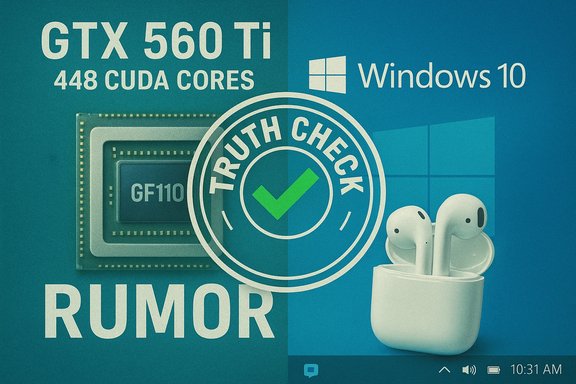
NVIDIA’s supposed “new” GTX 560 Ti with 448 CUDA cores and a Born2Invest how‑to on using AirPods with Windows 10 together underline two different but converging truths for Windows users: hardware and accessory stories are often recycled, repackaged, or incompletely sourced online, and practical compatibility—what actually works on a Windows PC—matters far more than rumor headlines. The GTX 560 Ti “448‑core” was not a future product in 2026; it was a limited‑edition refresh released in late 2011 built from GF110 silicon, while AirPods can pair with Windows 10 but carry real world caveats for teleconferencing apps such as Skype for Business and Microsoft Teams. This feature unpacks both items: it verifies the technical claims, cross‑references independent sources, flags unverifiable or obsolete claims, and gives Windows users clear, actionable guidance on compatibility and real‑world tradeoffs.
The two short items supplied for this feature take radically different forms. One — presented as a short tech rumor — asserts that “NVIDIA’s working on a new GTX 560 Ti with 448 CUDA cores.” The other is a product/how‑to roundup about using Apple AirPods with Windows 10, including mention of Skype for Business. Both claim practical outcomes (new GPU SKU; AirPods working on Windows) that affect Windows users, but they require verification: GPUs have precise specifications and product timelines, and Bluetooth accessories interact with Windows audio stacks and codecs in subtle ways.
A check against historical coverage and archival product pages shows the GTX 560 Ti 448‑core SKU was real — a limited edition produced in late 2011 and sold through NVIDIA partners and board vendors — not a forthcoming product. Multiple mainstream hardware outlets catalog its specs and regional release. For AirPods + Windows 10, mainstream how‑to guides consistently document the Bluetooth pairing steps and the basic outcome: yes, AirPods pair to a Windows 10 PC and appear as Bluetooth audio devices, but there are recurring issues when the AirPods are used as both headphones and a communications headset in voice apps like Skype for Business and Microsoft Teams. Microsoft and community threads document degraded microphone quality, codec misalignment, and intermittent problems with low volume or dropped voice channels.
Source: Born2Invest https://born2invest.com/?b=style-230013012/
Source: Born2Invest https://born2invest.com/?b=style-333414012/
 Background
The two short items supplied for this feature take radically different forms. One — presented as a short tech rumor — asserts that “NVIDIA’s working on a new GTX 560 Ti with 448 CUDA cores.” The other is a product/how‑to roundup about using Apple AirPods with Windows 10, including mention of Skype for Business. Both claim practical outcomes (new GPU SKU; AirPods working on Windows) that affect Windows users, but they require verification: GPUs have precise specifications and product timelines, and Bluetooth accessories interact with Windows audio stacks and codecs in subtle ways.A check against historical coverage and archival product pages shows the GTX 560 Ti 448‑core SKU was real — a limited edition produced in late 2011 and sold through NVIDIA partners and board vendors — not a forthcoming product. Multiple mainstream hardware outlets catalog its specs and regional release. For AirPods + Windows 10, mainstream how‑to guides consistently document the Bluetooth pairing steps and the basic outcome: yes, AirPods pair to a Windows 10 PC and appear as Bluetooth audio devices, but there are recurring issues when the AirPods are used as both headphones and a communications headset in voice apps like Skype for Business and Microsoft Teams. Microsoft and community threads document degraded microphone quality, codec misalignment, and intermittent problems with low volume or dropped voice channels.
Overview: What the supplied pieces actually say
- The GTX 560 Ti piece (Born2Invest) relays the headline that NVIDIA is “working on a new GTX 560 Ti w 448 CUDA Cores.” That framing fits the pattern of a rumor or early report rather than a finished product announcement. Historical records show such a GTX 560 Ti 448‑core product existed as a special/limited SKU based on GF110 silicon, not as a modern GPU development.
- The AirPods piece is a user‑oriented how‑to: “How to connect AirPods to a Windows PC or Laptop,” describing the standard Bluetooth pairing flow and referencing community reports about using AirPods for VoIP apps such as Skype for Business. Contemporary guides confirm the pairing steps and the basic functionality, while also warning about communications limitations.
GTX 560 Ti — verification and technical reality
What actually existed: the 448‑core GTX 560 Ti
Independent hardware outlets and board vendors documented the GTX 560 Ti “448 cores” SKU in late 2011 as a limited‑edition product. The card was based on the GF110 GPU (the same family as the GTX 570/580) and was positioned between the standard GTX 560 Ti (GF114, 384 cores) and GTX 570 (GF110, 480 cores). Reference and partner SKUs showed:- CUDA cores: 448 (a mid‑point between 384 and 480)
- Memory: 1,280 MB GDDR5 on a 320‑bit bus
- Clocking (reference ranges): roughly 732 MHz core, shader clocks in the 1.4–1.6 GHz equivalent region depending on partner overclocks
- SLI: support for 3‑way SLI due to GF110 lineage
- Positioning: limited/holiday edition targeted to select regions.
Why that matters to Windows users today
- The rumor wording “NVIDIA’s working on a new GTX 560 Ti w 448 CUDA Cores” would have been plausible before the 2011 launch; today it is stale. If that wording appears in a modern article without historical context, readers can be misled into thinking the card is a current or upcoming model rather than a decade‑plus old limited SKU.
- For Windows users running modern titles and drivers, the GTX 560 Ti 448 core is functionally obsolete compared with current GeForce architectures (Turing/Ampere/Ada/Blackwell). However, collectors, legacy gamers, and budget refurb projects sometimes still value these cards; knowing exactly what you’re buying and that the SKU was limited is critical. Contemporary driver support and Windows feature compatibility (DirectX versions, driver WHQL status) are the real concerns, not rumors of a “new” 560 Ti.
Strengths, limits, and risk analysis of the claim
- Strength: The underlying hardware claim (448 CUDA cores on a GTX 560 Ti limited SKU) is verifiable and historically accurate. Multiple independent technical outlets documented launch, specs, and partner SKUs.
- Risk: Presenting the claim as a current or forward‑looking NVIDIA project is misleading. A failure to date the claim or explain that the card was a 2011 limited edition risks confusing readers and influencing purchase decisions incorrectly.
- Practical takeaway: Always check a product’s release date and vendor pages before acting on headlines that sound like leaks. For historical or legacy hardware buys, rely on hardware database records and partner spec sheets to confirm exact SKUs and compatibility with modern Windows drivers.
AirPods with Windows 10 — verification, step‑by‑step, and pitfalls
Can you pair AirPods with Windows 10?
Yes. AirPods use standard Bluetooth profiles and appear to Windows 10 as Bluetooth audio devices. Pairing steps consistently described across independent how‑to sites are:- Open Windows Settings → Devices → Bluetooth & other devices.
- Select “Add Bluetooth or other device” → Bluetooth.
- Put AirPods in the case, open the lid, press and hold the setup button until the LED flashes white.
- Select “AirPods” (or their assigned name) when they appear in Windows. Confirmation reads “Your device is ready to go.”
What works well and what doesn’t
- Works well:
- Stereo audio playback (music, video) is generally reliable when AirPods are connected as the “Stereo” output device.
- Basic playback controls and automatic reconnection usually function as expected once paired.
- Known issues and limitations:
- When used for voice calls, Windows exposes AirPods in two Bluetooth profiles: a high‑quality “Stereo” audio sink and a low‑bandwidth “Hands‑Free/Headset” (HFP/HSP) profile for mic usage. When the hands‑free profile is active, audio quality can drop significantly to mono telephony levels. Users will see two devices in Windows for a single AirPods pairing.
- Teleconferencing apps (Skype for Business, older Skype desktop versions, and sometimes Teams) have historically had compatibility and certification gaps with AirPods. Microsoft’s certification lists and community threads show repeated reports of low call volume, muffled or unusable microphone audio, and general instability on Windows when AirPods are used for calls.
- Codec support: the default Bluetooth audio codec on many Windows 10 systems is SBC, not AAC. AirPods often prefer AAC on Apple devices; Windows added improved AAC support later (as a Windows 10 update), but system‑level codec behavior is still dependent on Bluetooth stack, hardware (adapter/chipset), and driver vendor. Where AAC is not available, Windows will fall back to SBC and performance can be different.
Practical step‑by‑step for best results on Windows 10
- Pair AirPods via Settings → Devices → Add Bluetooth, using the case setup button to make the AirPods discoverable.
- After pairing, verify in the system tray audio device chooser that the AirPods are set as the output device for media playback (Stereo role). Use the speaker icon to switch between devices.
- For voice calls, check the in‑app audio device settings (Skype/Teams) and Windows Sound Control Panel → Playback/Recording tabs. Windows may list both “Headphones (AirPods Stereo)” and “Headset (AirPods Hands‑Free Audio).” For best voice quality in calls you may need to select the “Headset” device despite its lower audio fidelity.
- If you need higher microphone quality for conference calls, consider dedicated Bluetooth headsets certified for Microsoft Teams or a wired USB headset; these devices generally provide more stable call quality than consumer earbuds designed for Apple ecosystems.
Strengths and risks of the Born2Invest AirPods guidance
- Strength: The how‑to instructions for pairing AirPods are widely corroborated and are simple enough that most Windows 10 users can follow them to achieve basic audio playback. Multiple independent guides repeat the same step sequence.
- Risks and caveats:
- The Born2Invest piece hinted at Skype for Business compatibility without fully warning users about limitations: inconsistent mic behavior, low volume reports, and possible recommendation from Microsoft to use certified headsets in enterprise settings. Community and Microsoft threads document those exact pain points. Users who only read a brief pairing guide may be surprised when their AirPods perform poorly in meetings.
- Some troubleshooting guidance — toggling Bluetooth power, reinstalling drivers, or resetting AirPods — helps but does not eliminate limitations rooted in Bluetooth profiles and codec mismatches.
Cross‑referencing and source validation
To ensure accuracy, the core claims were checked against multiple independent sources:- GTX 560 Ti “448 cores” launch and specs: TechPowerUp’s launch coverage and GPU database, TechSpot and HotHardware reviews, and EVGA partner pages. These sources converge on the same hardware facts: GF110 origin, 448 CUDA cores, 1280 MB on a 320‑bit bus, limited regional availability.
- AirPods + Windows 10 pairing and limitations: HelloTech, Lifewire, MakeUseOf, Windows Central, and HelpDeskGeek provide consistent pairing instructions; Microsoft community posts and Apple community threads document telephony and app compatibility issues. MacRumors and Microsoft posts note Windows codec updates (e.g., AAC support improvements) that change the quality landscape depending on Windows build and driver support.
Actionable guidance for Windows users
If you encounter a headline about a “new” or “revised” older GPU SKU:
- Verify the product release date in a hardware database or vendor product page. Look for vendor model pages and confirmed launch articles rather than single‑site rumors.
- Confirm driver support for your Windows version—older cards may be “legacy” in driver support terms and may lack modern Windows features (WDDM revisions, DirectX 12 feature levels).
If you want to use AirPods on a Windows 10 PC for general audio:
- Pair via Settings → Devices → Add Bluetooth — it works for playback. Set the AirPods as the default output device in the taskbar if needed.
- If you must join voice meetings, test the mic in the target meeting app. Expect the “Headset” (hands‑free) profile to have lower audio fidelity than the stereo profile.
If you need reliable conferencing audio on Windows:
- Prefer a device certified for Microsoft Teams/Skype for Business or a wired USB headset that exposes a standard high‑quality microphone device. Microsoft’s certification lists and vendor guidance will point to compatible products for enterprise calls.
- If you insist on AirPods, be prepared for tradeoffs: lower call mic quality in hands‑free mode, possible codec fallbacks, and intermittent issues reported widely in community forums. Have a fallback plan for calls.
Critical analysis: value, journalistic standards, and user risk
- Value of the supplied pieces: The Born2Invest items provide useful entry points for casual readers — a GPU rumor and an accessory how‑to — but they lack necessary editorial rigor. The GPU story reads like a rumor without dates; the AirPods how‑to is operationally correct but underplays the compatibility risks for business voice apps.
- Editorial shortcomings identified:
- Lack of dates and provenance: technical claims must include timestamps; hardware rumors must be cross‑checked with vendor statements or archived product pages to avoid recycling ancient news as new. The GTX 560 Ti claim needed clear context (release date and limited availability).
- Insufficient warning on enterprise compatibility: pairing guides should explicitly warn enterprise or frequent‑call users that consumer earbuds may not be suitable for mission‑critical communications due to Bluetooth profile and codec limitations. Microsoft community threads and Apple forum posts document recurring call issues.
- Reader risk: Following the GTX rumor as a present day buying cue or using AirPods as a default enterprise conferencing headset may cause wasted purchases or poor meeting experiences. The responsible approach is to validate product timelines and test hardware in the specific use case — gaming vs. music vs. conferencing — before committing to a purchase.
Conclusion
The two short Born2Invest pieces illustrate two common problems in tech publishing: the temptation to present old or partial information as new, and the omission of practical edge cases that matter to Windows users. The GTX 560 Ti “448 cores” story is verifiable and historic — a limited edition 2011 SKU based on GF110 silicon and not a current NVIDIA roadmap item — and modern readers must be told that up front. AirPods will pair with Windows 10 for media playback using standard Bluetooth workflows, and multiple reputable guides confirm the pairing steps. However, the devil is in the details for voice calls: telephony profiles, codec availability, and app certification (Skype for Business/Teams) create real limitations and user friction that are well documented in community and vendor forums. For reliable conferencing on Windows, certified headsets or wired USB solutions remain the pragmatic choice. Readers and editors should always verify hardware claims against vendor pages and respected technical outlets, and they should treat accessory how‑tos as incomplete unless they address enterprise‑grade compatibility issues. This approach protects users from obsolete rumors and from the day‑to‑day frustrations of mismatched hardware expectations on Windows.Source: Born2Invest https://born2invest.com/?b=style-230013012/
Source: Born2Invest https://born2invest.com/?b=style-333414012/
