

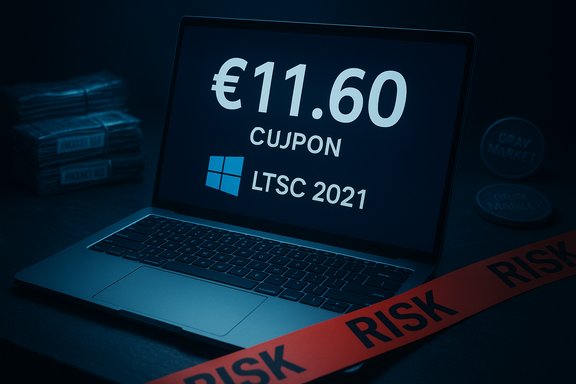
A time-limited Black Friday promotion aimed at Spanish buyers is again shining a spotlight on third‑party key marketplaces: GvGMall is advertising steep discounts on Windows and Office OEM keys — including a Windows 10 Enterprise LTSC 2021 key promoted at €11.60 when the checkout coupon GVGMM is applied — a price that can be enticing for users with older hardware or tight budgets, but one that demands careful scrutiny before purchase.
The deal as reported in promotional roundups and local outlets lists a broad catalog of OEM license keys at unusually low single‑purchase prices. Examples publicized include Windows 10 Enterprise LTSC 2021 for roughly €11.6, Windows 11 Enterprise LTSC 2024 for about €14.13, Windows 11 Home and Pro editions under €25 in many cases, and perpetual Office suites (2016 and 2019) and bundles at similarly discounted rates — all conditional on a site coupon (GVGMM) that the vendor says applies an additional discount.
These price points are dramatically below Microsoft’s retail pricing and the typical cost through authorized channels, which explains both the instant consumer interest and the caution you should apply before buying.
Source: russpain.com Hurry Up: Exclusive Discounts on Windows and Office Available Now — Details and Instructions
 Background / Overview
The deal as reported in promotional roundups and local outlets lists a broad catalog of OEM license keys at unusually low single‑purchase prices. Examples publicized include Windows 10 Enterprise LTSC 2021 for roughly €11.6, Windows 11 Enterprise LTSC 2024 for about €14.13, Windows 11 Home and Pro editions under €25 in many cases, and perpetual Office suites (2016 and 2019) and bundles at similarly discounted rates — all conditional on a site coupon (GVGMM) that the vendor says applies an additional discount.These price points are dramatically below Microsoft’s retail pricing and the typical cost through authorized channels, which explains both the instant consumer interest and the caution you should apply before buying.
What GvGMall claims and how the promotion is structured
- The vendor sells OEM and volume keys and positions them as legitimate, immediate‑delivery products.
- A checkout coupon (GVGMM) is promoted as applying up to a ~30% discount on posted prices.
- Keys are delivered via email quickly after payment and are advertised as providing “lifetime activation” on the target machine.
Why the prices are so low (and what that really means)
The large price gap between these offers and Microsoft RRP usually results from three factors: the product type (OEM and volume keys are cheaper than retail), distribution channels (gray‑market resellers may acquire keys through channels not intended for single retail resale), and the differing legal and support implications of each license type.- OEM keys are designed for system builders and pre‑installed hardware and are commonly sold at a lower price because they are intended to be bound to the first device they activate on.
- Volume/MAK/KMS keys are intended for enterprises and managed environments; improper resale or usage outside the intended channel often leads to activation problems or key revocation.
- Third‑party marketplaces aggregate keys from many sources; some keys are valid, some are resale of OEM keys, and some can be fraudulent or already consumed. Independent review platforms show a mixed picture of user experiences with sites like GvGMall. Some buyers report quick delivery and working keys; others report invalid keys or refunds denied.
Windows 10 LTSC: what it is, and how long it’s supported
Windows 10 LTSC (Long‑Term Servicing Channel) is a specialized branch of Windows intended for stable, long‑lifecycle deployments such as kiosks, medical devices, ATMs, and industrial appliances. It removes feature‑update churn and consumer features that are irrelevant in those contexts. Because of its stability and lack of frequent feature updates, LTSC builds are attractive to users who want a lightweight, ad‑free, stable Windows experience on older or dedicated hardware.- Windows 10 Enterprise LTSC 2021 follows Microsoft’s Fixed Lifecycle policy and receives mainstream security servicing through January 12, 2027.
- Windows 10 IoT Enterprise LTSC 2021 — the IoT/embedded variant used for specialized hardware — has a longer security servicing timeline and is listed individually for extended support through January 13, 2032. That makes it attractive for long‑lived, fixed‑function systems but does not change licensing characteristics.
Examining the “lifetime activation” claim
Sellers often use “lifetime activation” to mean that the key will keep the installed system activated for as long as that machine remains intact. That is technically accurate for many OEM keys — but it’s conditional:- An OEM/System Builder key is typically tied to the hardware where it was first activated and will stop activating if you replace the motherboard or if Microsoft detects the key has been used on multiple machines. Microsoft’s documentation and community answers explain that OEM licenses are generally non‑transferable.
- Retail/digital licenses bought directly from Microsoft or authorized retailers are designed to be transferred to new hardware (with some reactivation steps). If you want true transferability, insist on a retail license rather than an OEM key.
- Marketplaces that resell OEM keys will advertise the perceived benefit (low price and “lifetime” activation) but cannot lawfully grant you the transfer rights that Microsoft reserves for retail keys.
Reputation, safety and buyer protection: what users report
Independent review platforms show a mixed but cautionary picture for GvGMall and similar key resellers:- Trustpilot listings for GvGMall include many positive reviews describing fast delivery and responsive support, but also several negative and neutral notes about initial activation problems that were later resolved.
- Scam‑analysis aggregators flag the site with low trust scores and warning indicators, based on domain risk, historical complaints, or reported invalid keys. That doesn’t necessarily mean every transaction will fail, but it raises the risk profile.
Security and legality risks to weigh
Buying from resellers that operate outside Microsoft’s authorized retail channels introduces several layered risks:- Keys obtained through improper channels may be revoked or blacklisted, leaving a system unactivated or in a precarious licensing state. Microsoft’s anti‑counterfeit guidance and activation frameworks were created specifically to reduce the use of invalid keys, and Microsoft warns that counterfeit software can harbor malware and other problems.
- Some low‑cost keys are re‑sold OEM keys that were intended to be bundled with hardware, which means the buyer receives a key that is legally and technically limited to one original device and may break if hardware changes.
- Refund and dispute resolution policies on third‑party marketplaces vary widely. Some customers report smooth refunds when problems arise; others report difficulty getting reimbursements. Trust and dispute‑resolution history is therefore a critical factor to check before paying.
- For organizations and businesses, deploying suspect license keys can create compliance liabilities and audit exposure.
Technical verification: activation and installation — safe steps
If you buy a legitimate key and want to install Windows 10 LTSC (or another SKU), follow legal, safe procedures and rely on official ISOs and tools. Do not use unknown or mirrored ISOs from untrusted sites.- Download the installation media from Microsoft:
- Use Microsoft’s official Media Creation Tool or the Windows 10 disk image page to get the ISO or create bootable media. This ensures the installer is genuine and unmodified.
- Create a bootable USB:
- Use Rufus or Microsoft’s Media Creation Tool to write the ISO to an 8 GB (or larger) USB stick. Rufus is widely used and supports advanced options for UEFI/Legacy selection. It can also create media that bypasses hardware checks for Windows 11 on unsupported devices, but for Windows 10 LTSC you typically won’t need that. Follow the official Rufus guidance and be aware that Rufus modifies installer behavior only for certain compatibility scenarios.
- Install Windows:
- Boot from the USB and follow the standard installer prompts. Choose the proper edition (LTSC/Enterprise) if prompted; if you skipped entering a key during setup, you can enter it after installation from Settings > Activation. Use the precise edition that matches the key you purchased to avoid edition mismatch errors.
- Activate the product key:
- Open Settings > System > Activation (or the legacy Update & Security > Activation in some builds) and select “Change product key” to enter your 25‑character key. If the key is valid and has not been blocked or already used on too many devices, Microsoft’s activation servers should accept it within seconds. If activation fails, use the Activation Troubleshooter and — if needed — contact Microsoft support for manual reactivation instructions.
- Back up user data before performing a clean install.
- Download the ISO from Microsoft only; avoid unofficial bundles or torrents.
- Keep a recovery drive or system image in case you need to revert.
Practical buying guidance: how to minimize risk
If you decide the advertised savings are worth the risk, follow conservative practices to reduce the chance of an expensive mistake:- Prefer retail keys if you need transferability. Retail keys cost more but give you the legal right to move the license to a new machine.
- If an OEM key is acceptable (single machine, no planned motherboard changes), treat the purchase as a one‑time solution for a specific device.
- Use payment methods with buyer protection (major credit card, PayPal) and check refund policies in advance.
- Preserve all order confirmations, chat logs, and digital receipts.
- Test the key on a non‑critical machine or VM first when possible; confirm activation and ability to receive updates.
- If the vendor or coupon explicitly promises “lifetime” or wide transfer rights beyond what Microsoft’s license terms permit, treat that claim skeptically and ask for explicit documentation or an invoice showing a retail licensing channel.
What independent verification shows (cross‑checking key claims)
- Microsoft lifecycle documentation confirms that Windows 10 Enterprise LTSC 2021 receives servicing until January 12, 2027, and Windows 10 IoT Enterprise LTSC 2021 until January 13, 2032, underscoring that LTSC choices have long but SKU‑specific support windows. These are Microsoft‑published dates and should guide upgrade timing.
- Microsoft and community forums clearly explain that OEM licenses are generally tied to the first motherboard they activate on and are not the same as retail licenses that are transferable; buyers must choose a license type that aligns with their upgrade plans.
- Independent review platforms show mixed customer experiences with GvGMall: some buyers get working keys and prompt support, while others report invalid keys or disputes. Evaluate these reviews carefully and weigh the risk before purchasing.
Bottom line: who should consider these deals (and who should not)
- Consider these low‑cost OEM deals only if:
- You need an inexpensive way to make a specific older PC legitimate and you do not plan to move the license to other machines.
- You understand and accept the risk of potential activation issues and limited transfer rights.
- You use buyer‑protected payment methods and retain all transaction records.
- Avoid these deals if:
- You plan to upgrade the motherboard, build and rebuild PCs frequently, or require a transferable license.
- You run business or enterprise environments where license compliance is mandatory and audits are possible.
- You cannot tolerate the risk of a license being revoked or invalidated.
Quick checklist before clicking “Buy”
- Verify the SKU and edition match exactly (LTSC 2021 vs. Enterprise vs. IoT variants).
- Confirm the seller’s stated license type (OEM vs. retail).
- Read recent independent reviews and look for patterns of activation failures or refund problems.
- Prefer official ISO downloads from Microsoft when installing.
- Use payment with buyer protection and keep receipts.
Conclusion
The GvGMall Black Friday style promotion with a Windows 10 Enterprise LTSC 2021 key advertised at €11.6 — and other sub‑€25 Windows/Office SKUs — is a powerful example of why bargain tech offers attract both opportunity and risk. The advertised bargains are plausible because the marketplace sells OEM and volume keys, which are cheaper by design, but the practical value of those keys depends on your planned hardware lifecycle and tolerance for gray‑market risk. Microsoft’s official lifecycle pages confirm that LTSC variants have extended servicing windows (Enterprise LTSC 2021 through January 12, 2027; IoT Enterprise LTSC 2021 through January 13, 2032), which is a technical reason some buyers prefer LTSC for older hardware — but licensing and activation rules (especially OEM non‑transferability) are the decisive commercial constraints. If the price is irresistible, proceed with caution: validate the SKU, use secure payment with buyer protection, download install media only from Microsoft, and accept that “lifetime” in the offer most often means lifetime on that one device rather than a transferable perpetual right. For readers who need portability, auditability, or enterprise compliance, the safer — if more expensive — option remains purchasing retail licenses via authorized channels.Source: russpain.com Hurry Up: Exclusive Discounts on Windows and Office Available Now — Details and Instructions
