

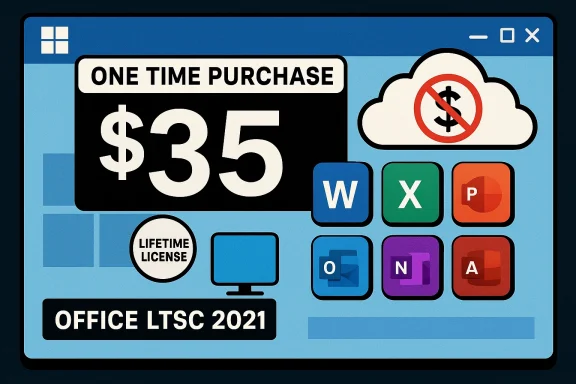
A rare bargain is back in the headlines: for a one-time payment that could be less than the cost of a single month of Microsoft 365, shoppers are being offered a perpetual license for Microsoft Office Professional 2021 for Windows — a “buy once, own forever” alternative to subscription fatigue that’s resurfaced on deal sites and in tech press this winter. The offer promises the full suite of core Office apps — Word, Excel, PowerPoint, Outlook, OneNote, Publisher, Access and, in some packages, Teams — installed on a single Windows PC with no recurring fees. The pitch is simple and compelling: stop renting productivity software and pay once instead of every month. This article verifies what the deal actually includes, cross-checks the technical claims with primary sources, analyses the real savings versus Microsoft 365, and outlines the key caveats you must weigh before clicking Purchase.
Microsoft’s shift toward subscription-based Office access via Microsoft 365 has been the dominant model for more than a decade, with consumers and businesses accustomed to paying yearly or monthly for feature updates, cloud storage, and cross-device access. A recent price reset for Microsoft 365 — the first consumer price increase in years — has re-energized interest in perpetual Office licenses. The price change and the emergence of discounted “lifetime” Office keys on third-party deal sites have spawned multiple articles and community threads highlighting an apparent opportunity to ditch recurring payments in favor of a single purchase. The editorial summary from a popular deal feature lays out the core appeal: ownership, offline use, and big short-term savings compared with an ongoing subscription. line “$35 and own Office forever” copy, there are important technical and licensing realities to verify: which Office package is being sold, how activation works, what “lifetime” actually means, whether cloud features and AI additions in Microsoft 365 are included, and what support and security coverage buyers can realistically expect. I cross-referenced the deal pages with Microsoft’s own documentation and independent reporting to separate the genuine value from potential risk.
Key retailer claims to note:
Important technical confirmations from Microsoft documentation:
But numbers alone don’t tell the entire story. Here’s how to evaluate the cost-benefit based on realistic use cases:
Different license types matter:
I explicitly flagged this because the advertised “lifetime” is seller-specified and not a Microsoft warranty of perpetual activation under any circumstance.
However, the crucial caveat is licensing provenance. Not all “lifetime” keys are created equal: many are retail-legal and safe; others originate from OEM or volume channels and come with reduced rights or higher deactivation risk. Community experience and consumer protection commentary strongly advise buyers to verify seller legitimacy, refund policies, and license type before purchase. If you require guaranteed long-term support, transferability, and cloud AI features, Microsoft 365 remains the safer, more flexible option despite higher long-term cost.
If you choose to buy:
Conclusion: yes, you can still “ditch app subscriptions” with a Microsoft Office lifetime license — and it may save you money — but buy wisely. Validate the SKU, the seller, and the activation terms, because the cheapest-looking key can cost you more in the long run if the license turns out to be non-transferable, unsupported, or subject to future revocation.
Source: Mashable Ditch app subscriptions with this Microsoft Office lifetime license
 Background / Overview
Microsoft’s shift toward subscription-based Office access via Microsoft 365 has been the dominant model for more than a decade, with consumers and businesses accustomed to paying yearly or monthly for feature updates, cloud storage, and cross-device access. A recent price reset for Microsoft 365 — the first consumer price increase in years — has re-energized interest in perpetual Office licenses. The price change and the emergence of discounted “lifetime” Office keys on third-party deal sites have spawned multiple articles and community threads highlighting an apparent opportunity to ditch recurring payments in favor of a single purchase. The editorial summary from a popular deal feature lays out the core appeal: ownership, offline use, and big short-term savings compared with an ongoing subscription. line “$35 and own Office forever” copy, there are important technical and licensing realities to verify: which Office package is being sold, how activation works, what “lifetime” actually means, whether cloud features and AI additions in Microsoft 365 are included, and what support and security coverage buyers can realistically expect. I cross-referenced the deal pages with Microsoft’s own documentation and independent reporting to separate the genuine value from potential risk.What the advertised deal actually is
The product: Microsoft Office Professional 2021 (perpetual license)
Multiple deal pages show the same product: a single-PC, one-time-purchase license for Microsoft Office Professional 2021 for Windows, often packaged as a digital redemption key plus download instructions and occasional bonus training bundles. The advertised price on StackSocial and syndicated deal pages has appeared at deeply discounted levels (examples at $34.97–$44.99 depending on timing), with the product explicitly labeled as a non-subscription one-time purchase for installation on a single Windows PC. These retailer pages list the included apps as Word, Excel, PowerPoint, Outlook, OneNote, Publisher, Access and sometimes Teams, and state system compatibility as Windows 10 or Windows 11.Key retailer claims to note:
- “Lifetime license” / “One-time purchase for 1 PC.”
- Instant digital delivery of a product key and download link.
- Redemption/activation deadline windows (these vary by vendor and deal).
- Limited refunds or return windows after redemption.
What Microsoft 2021 (perpetual) is — and what it is not
Microsoft’s non-subscription Office variants are published under the Long-Term Servicing Channel (LTSC) family (commonly “Office 2021” or “Office LTSC 2021” for volume licensing). Microsoft’s documentation confirms the main difference: these perpetual releases receive security and quality updates but do not get the continuous feature rollouts and AI-driven enhancements that Microsoft 365 subscribers receive. Office LTSC 2021 is supported on Windows 10 and Windows 11, but Microsoft warns it does not receive the same ongoing new features as Microsoft 365. The official guidance also makes clear that Office LTSC product lines are separate from Microsoft 365 and intended primarily for locked-down or disconnected environments.Important technical confirmations from Microsoft documentation:
- Office LTSC 2021 (the on-premises/perpetual release) includes desktop apps such as Word, Excel, PowerPoint, Outlook, Publisher, Access, and OneNote. Some variants historically included Teams in volume deployments but Microsoft’s deployment notes indicate Teams packaging and availability differs by SKU.
- Support lifecycle for the LTSC 2021 channel is limited compared with subscription plans (for example, fewer years of mainstream support and no continuous feature additions).
How the savings stack up: one-time price vs Microsoft 365 subscription
From a pure dollars-and-cents standpoint, the math is simple: a deeply discounted perpetual key at $34.97 is cheaper than a single year of Microsoft 365 Personal (official pricing changed in 2025). Microsoft publicly adjusted consumer Microsoft 365 prices in January 2025, bringing Personal to $9.99/month or $99.99/year and Family to $12.99/month or $129.99/year, as Microsoft explained when adding Copilot AI features to consumer tiers. That means the $35 perpetual key typically breaks even in a few months versus the subscription — an attraction hard to ignore for price-conscious buyers.But numbers alone don’t tell the entire story. Here’s how to evaluate the cost-benefit based on realistic use cases:
- For a user who only needs offline Word, Excel and PowerPoint on one machine and rarely or never needs OneDrive-based collaboration, the perpetual license can be the most economical long-term choice.
- For families, teams, or users who rely on cloud sync, 1 TB OneDrive storage per user, continuous feature updates (including AI features like Copilot), or frequent multi-device access, Microsoft 365 typically offers better value despite the recurring fee — especially when you factor in cross-device use and per-user licensing in Family plans.
- Cost of Office perpetual key at $34.97 = one-time.
- Cost of Microsoft 365 Personal at $99.99/year = ~$300 over three years.
If you plan to use Office on more than one device or require cloud features, the subscription’s extra services may justify the ongoing cost.
The legal and licensing nuance: what “lifetime” really means
The single-biggest point of confusion and risk is the word “lifetime.” Sellers use it to describe a license that does not require subscription renewals — but that does not necessarily mean lifetime support or that the specific product key cannot be revoked.Different license types matter:
- Retail (full) license: Purchased from Microsoft or an authorized retailer; transferable under Microsoft’s terms and clearly supported.
- OEM license: Tied to the original hardware; often non-transferable.
- Volume, MSDN, or enterprise keys: Intended for organizational deployments; resale outside the intended channel may breach Microsoft’s licensing terms and can be subject to revocation.
- Grey‑market / arbitrage keys: These are often sourced through regional/volume channels and resold; they may work initially but carry increased risk of later deactivation.
I explicitly flagged this because the advertised “lifetime” is seller-specified and not a Microsoft warranty of perpetual activation under any circumstance.
Technical compatibility and practical limits
Supported OS and end-of-support warnings
- Microsoft’s documentation confirms Office LTSC 2021 supports Windows 10 and Windows 11. That matches seller claims and the minimum compatibility specified on deal pages. However, Microsoft has set support timelines and platform migrations that buyers should consider: for instance, Microsoft has signaled changes around Windows 10 and the way Microsoft 365 apps will be supported on older OS releases, meaning long-term compatibility needs a plan.
Features you will and won’t get
- Perpetual Office (Office 2021 / LTSC) provides the core desktop experience: Word, Excel, PowerPoint, Outlook, OneNote, Publisher, Access. It receives security/quality updates, but not the continuous feature rollouts and advanced AI integrations that Microsoft is shipping to Microsoft 365 subscribers (e.g., integrated Copilot features, designer tools, and certain cloud-only collaborative experiences). Microsoft explicitly documents these differences.
Installation and activation behavior
- Deal pages often note that the license is linked to the device rather than a Microsoft account, and that licenses are single-PC installs. That’s consistent with OEM or device-tied redemption methods used by some third-party resellers. Retail keys purchased directly from Microsoft tend to be tied to your Microsoft account for easier transferability; third-party keys often are not. Read the seller terms carefully before purchase.
Real-world risks and user experiences
Community forums, consumer protection write-ups, and technical support blogs document real cases where low-cost keys:- Activated successfully and worked for years, or
- Were later deactivated (revoked) en masse because they were traced back to misused volume keys, or
- Required vendor intervention for returns, which was sometimes slow or problematic.
- Check seller reputation (reviews and forum posts).
- Confirm refund and redemption policies (can you get a refund if the key fails?).
- Note whether the license is labeled OEM/volume/retail and whether it is transferable.
- Understand that Microsoft support may refuse assistance for keys bought from unauthorized resellers.
Step-by-step buyer’s due diligence
If you are seriously considering the $35-style perpetual offer, here is a practical sequence to reduce risk:- Read the exact product description on the retailer page. Look for the SKU name (Office Professional 2021, Office LTSC, Home & Business 2021, etc.). If the SKU is “Professional Plus” or includes “volume” language, pause and investigate further.
- Confirm the seller’s refund policy and the deadline to redeem the key. Many sellers allow returns only until redemption; once you redeem a key with Microsoft, refunds are commonly denied.
- Search for independent reviews of the seller and the specific offer. Community forums often flag problematic resellers quickly.
- Inspect whether the license binds to a device or to your Microsoft account — device-bound licenses may be non-transferable.
- Consider the long-term needs: multi-device access, cloud sync, AI features, and support expectations. If any of those are critical, Microsoft 365 might be more appropriate despite the recurring cost.
- If in doubt, buy from an authorized retailer or directly from Microsoft to ensure transferability and support.
Installation and activation: what to expect
- After purchase you should receive a digital code and download instructions. The installation is the standard Office installer for 2021; activation may require entering the product key and, depending on the license, completing an online activation step.
- If the key fails activation, contact the seller immediately. If you cannot resolve the issue, escalate to your payment provider for a chargeback if the seller’s policy does not provide relief.
- Keep your receipts and email transaction history; they’re essential if you need refunds or dispute a charge.
The bottom line: who should buy and who should avoid
- Buy this kind of lifetime/perpetual license if:
- You use Office primarily offline on a single Windows PC.
- You do not need continuous AI or cloud collaboration features from Microsoft 365.
- You want the lowest upfront cost and accept the trade-off of limited future feature updates.
- Avoid if:
- You need multi-device access, 1 TB OneDrive per user, or Copilot-level AI features.
- You buy in a professional/business environment that requires clear, auditable licensing and vendor support.
- You are uncomfortable with the possibility (however small or large depending on vendor) of license invalidation from off‑channel keys.
Final verdict and practical recommendation
The headline deal — Microsoft Office Professional 2021 for a one-time, deeply discounted price — can be a great short-term value for the right user. The basic claims about included apps and Windows compatibility line up with both vendor product pages and Microsoft’s documented Office LTSC 2021 feature set. StackSocial and similar deal pages are offering these packages publicly, and Microsoft’s product documentation confirms that Office 2021/perpetusupport Windows 10 and 11.However, the crucial caveat is licensing provenance. Not all “lifetime” keys are created equal: many are retail-legal and safe; others originate from OEM or volume channels and come with reduced rights or higher deactivation risk. Community experience and consumer protection commentary strongly advise buyers to verify seller legitimacy, refund policies, and license type before purchase. If you require guaranteed long-term support, transferability, and cloud AI features, Microsoft 365 remains the safer, more flexible option despite higher long-term cost.
If you choose to buy:
- Prefer authorized channels where possible.
- Confirm redemption deadlines and get the refund policy in writing.
- Keep receipts and monitor activation status for at least several months.
Conclusion: yes, you can still “ditch app subscriptions” with a Microsoft Office lifetime license — and it may save you money — but buy wisely. Validate the SKU, the seller, and the activation terms, because the cheapest-looking key can cost you more in the long run if the license turns out to be non-transferable, unsupported, or subject to future revocation.
Source: Mashable Ditch app subscriptions with this Microsoft Office lifetime license
