

H&R Block’s DIY tax platform has quietly become a hybrid product: part traditional step‑through tax software, part human‑assisted service, and now — increasingly — an AI‑enabled assistant that aims to answer tax questions in plain English while you prepare your return. The company pairs an AI Tax Assist built on Azure OpenAI with unlimited access to live tax professionals on paid plans, adds a one‑click Direct Import for TurboTax users, and layers four money‑back and support guarantees on top — all while keeping a familiar, tiered pricing model that starts with a Free edition. This combination makes H&R Block a compelling middle ground for DIY filers who want more hand‑holding than basic free software but don’t want the cost of full service preparation.
H&R Block has been a major player in U.S. tax preparation for decades, evolving from in‑office services to a broad digital portfolio that includes in‑person, virtual, and DIY online products. Over the last two filing seasons the company has accelerated investments in generative AI and integrations that lower switching friction from competitors, while keeping the same guarantees — 100% Accuracy, Maximum Refund, No Surprise Pricing, and Audit Support — that are a central part of its consumer promise. The company publicly documents the availability of AI Tax Assist and emphasizes its network of tax professionals and The Tax Institute as the human knowledge source underpinning the AI.
Important constraint: these experts give guidance and help walk you through problems, but unless you purchase the Tax Pro Review add‑on, they typically do not sign, file, or take formal responsibility for the accuracy of the filed return. If you want a licensed preparer to sign and e‑file for you, the Tax Pro Review option (paid or promotional) is the route H&R Block uses. This split — guidance vs. filing responsibility — is a crucial practical distinction for cost‑conscious filers.
For self‑filers who want the confidence of expert backup without the cost of full‑service preparation, H&R Block hits the sweet spot — provided you read the fine print about state fees, verify price estimates at checkout, and treat AI answers as helpful counsel rather than filing authority. For those with complicated tax affairs, the platform’s guidance is valuable, but pairing the DIY process with a Tax Pro Review or an in‑office pro remains the safest route.
H&R Block has positioned itself as the practical, middle‑road option in the crowded online tax market: a trustworthy mix of technology, human expertise, and consumer protections that will suit many DIYers — especially those looking for low‑friction switching and on‑demand answers while preparing their own returns.
Source: Money Crashers H&R Block Review - Online Tax Filing Software for DIYers
 Background
H&R Block has been a major player in U.S. tax preparation for decades, evolving from in‑office services to a broad digital portfolio that includes in‑person, virtual, and DIY online products. Over the last two filing seasons the company has accelerated investments in generative AI and integrations that lower switching friction from competitors, while keeping the same guarantees — 100% Accuracy, Maximum Refund, No Surprise Pricing, and Audit Support — that are a central part of its consumer promise. The company publicly documents the availability of AI Tax Assist and emphasizes its network of tax professionals and The Tax Institute as the human knowledge source underpinning the AI. Overview: What changed this season
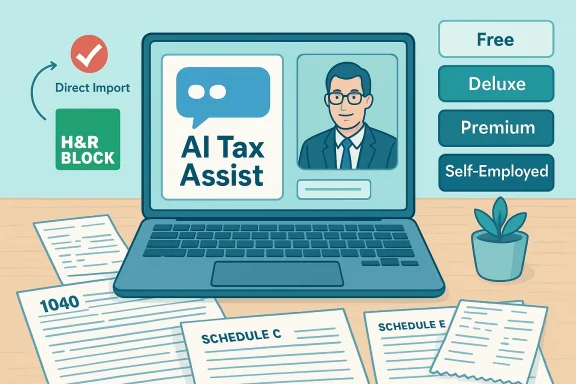
- H&R Block added AI Tax Assist, a conversational assistant built with Microsoft Azure OpenAI, to its Deluxe, Premium, and Self‑Employed online editions to deliver 24/7, plain‑English tax answers while you prepare. The implementation is explicitly framed as an aid to human expertise, not a replacement.
- The company launched Direct Import, a TurboTax migration feature that can pull up to 150 fields from a prior TurboTax return to reduce manual entry for switchers. This is available across H&R Block’s DIY online tiers at no extra cost.
- Pricing remains tiered, starting with a Free federal option for simple returns and moving through Deluxe, Premium, and Self‑Employed paid plans. State e‑filing is charged separately in most DIY scenarios (reviewers and H&R Block commonly cite a per‑state fee in the high‑$30s). H&R Block also offers the Tax Pro Review add‑on for those who want a licensed preparer to check and sign the return.
Plans and Pricing — how much you can expect to pay
H&R Block’s online product line is intentionally simple in structure but fluid in published pricing (promotions, seasonal discounts, and regional offers often change the visible price). At a functional level the four DIY tiers map to increasing tax complexity:- Free Online — for simple Form 1040 filers (W‑2 income, limited interest/dividends up to stated caps, claims like EITC, Child Tax Credit, student loan interest). H&R Block says roughly 52% of filers qualify for the Free edition. This is a meaningful claim for SEO keywords such as “free tax filing” and “best free tax software.”
- Deluxe — intended for filers who itemize deductions (mortgage interest, charitable donations) or claim child/dependent care credits.
- Premium — targets investors (capital gains, crypto) and rental property owners (Schedules D and E).
- Self‑Employed — tailored for freelancers and gig workers with Schedule C income, including business‑expense tracking and self‑employment tax calculations.
- Free filing covers a large share of simple filers, but the definition of “simple” excludes schedules for business, rental, and most investment activity.
- State returns are usually a separate charge in the DIY flow — add those per state to the federal cost. Review sites and H&R Block materials commonly show a per‑state fee in the $35–$40 range.
- Tax Pro Review (a full pro sign‑and‑file service) is available as an add‑on and can materially raise the cost if you choose it — but H&R Block also runs limited promotions that include a free review for new online clients. Always confirm the current add‑on price at checkout.
AI Tax Assist and expert access — the hybrid support model
What AI Tax Assist does
AI Tax Assist is a conversational assistant accessible from the right‑hand help panel during preparation. It is built with Azure OpenAI and trained on H&R Block’s internal tax knowledge base created by The Tax Institute (H&R Block’s team of CPAs, tax attorneys, and enrolled agents). It’s designed to:- Explain tax terms and rules in plain English
- Help you identify forms, deductions, and credits relevant to your facts
- Surface considerations for recently changed tax laws
- Answer questions about filing steps, IRS letters, and product usage
Human experts: unlimited help, with limits
Paid online tiers include unlimited access to H&R Block tax experts via chat or video screen‑share during set hours (extended seven‑days‑a‑week coverage during peak tax season). That access is valuable for interpretation or when the AI raises follow‑ups.Important constraint: these experts give guidance and help walk you through problems, but unless you purchase the Tax Pro Review add‑on, they typically do not sign, file, or take formal responsibility for the accuracy of the filed return. If you want a licensed preparer to sign and e‑file for you, the Tax Pro Review option (paid or promotional) is the route H&R Block uses. This split — guidance vs. filing responsibility — is a crucial practical distinction for cost‑conscious filers.
Direct Import: switching from TurboTax (why it matters)
H&R Block’s Direct Import is signaled as a switching accelerator: enter the phone number associated with your TurboTax account and H&R Block will import up to 150 fields from your prior year’s return. The feature is positioned to reduce the manual entry barrier that keeps many filers loyal to incumbent software. It’s available across the Free and paid DIY online tiers and is offered at no extra charge. This is one of H&R Block’s most pragmatic moves to capture users who want similar functionality but a different support model or price point. Practical tips for switching:- Use Direct Import to bring prior‑year figures (W‑2s, dependent details, AGI, itemized data) and then carefully verify transferred numbers against last year’s return.
- If you have a locally saved TurboTax desktop return, H&R Block provides upload options as an alternative to authenticated transfer.
- Keep in mind that year‑to‑year tax life changes (new property, business activity, crypto trades) still require you to enter current‑year details and may change the recommended product tier.
Guarantees and audit support — what you can expect
H&R Block’s guarantee suite is a major differentiator for risk‑averse users:- 100% Accuracy Guarantee: If H&R Block or its software makes an error, the company reimburses penalties and interest (desktop and office versions have slightly different terms). For online DIY users the guarantee has a stated cap (for software returns) and terms that exclude taxpayer‑supplied inaccuracies or law changes after a specified date.
- Maximum Refund Guarantee: If H&R Block’s error causes you to miss a larger refund or smaller liability you were entitled to, it will refund preparation fees and assist with an amended return within the stated timeframe.
- No Surprise Pricing: H&R Block promotes upfront transparent pricing and a price‑match program during promotional windows.
- Audit Support: Basic audit guidance (help understanding IRS notices and next steps) is included; in‑person representation and legal support are separate paid services.
Strengths — why many DIY filers will like H&R Block
- Hybrid support model: the combination of AI Tax Assist and live tax professionals gives filers layered, on‑demand help without committing to full‑service prices. This is especially useful for questions that are interpretive rather than purely mechanical.
- Low friction switching: Direct Import materially reduces the pain of moving from TurboTax and can save time and transcription errors.
- Clear guarantees: the 100% Accuracy and Maximum Refund guarantees reduce perceived risk for people who want DIY with backup.
- Transparent path to pro‑review: the Tax Pro Review add‑on creates an explicit pathway to get a licensed preparer to sign and file your return, which some competitors hide behind more ambiguous “help” packages.
Risks and limitations — what to watch for
- AI hallucination and limits: conversational AI can occasionally be confidently wrong. H&R Block’s implementation mitigates this by grounding AI Tax Assist in The Tax Institute and by offering live experts, but users should treat AI answers as guidance — not a substitute for professional review in complex situations. Tax recommendations and computed totals still require human verification.
- Expert help does not equal sign‑and‑file: unlimited access to tax experts is helpful, but unless you buy Tax Pro Review the experts will guide rather than take formal responsibility for the filed return. This can surprise filers who assume a human on chat equates to formal review.
- State fees add up: if you file in multiple states, per‑state charges multiply and erode the value of the base federal price. Compare total cost by factoring in every state you must file.
- Promotional pricing variance: many published dollar amounts reflect promotional or early‑season pricing. Do not assume an advertised figure is permanent; confirm the price at checkout.
Security, privacy, and compliance considerations
Using AI over tax data raises predictable governance questions. H&R Block built AI Tax Assist on Azure OpenAI and calls out enterprise‑grade controls and tenant safeguards. Nevertheless:- Confirm the vendor’s data handling and retention statements for AI interactions if you’re concerned about how conversational history is stored or shared.
- Prefer OAuth‑style authenticated import flows (H&R Block’s Direct Import and integrations) over manual copy/paste of sensitive documents.
- Keep in mind that no AI assistant is a licensed tax professional; for high‑stakes filings (audit risk, complex multi‑state business returns, significant investment transactions), maintain a human verification gate.
Who should choose H&R Block DIY
- Filers who want a middle path between pure free software and full‑service preparers.
- People comfortable doing their own filing but who value on‑demand help and a formal pro‑review option.
- Returnees from TurboTax or other platforms who want an easy import and a second opinion before filing.
- Self‑employed taxpayers with straightforward Schedule C activity (depending on the complexity, Tax Pro Review may still be advisable).
- Filers with highly complex business structures, multi‑state corporate returns, or unusual international tax exposure — these filers should seek full‑service preparers or CPA review.
- Cost‑sensitive multi‑state filers for whom per‑state fees will exceed competitive alternatives.
Practical checklist: getting the most from H&R Block DIY
- Start with the product selector and answer the life‑event questions to see your estimated tier and price before you input detailed data.
- Use Direct Import if you’re switching from TurboTax — then verify every imported field against last year’s return.
- Ask AI Tax Assist for plain‑English clarifications, but validate computed totals and complex positions (like QBI, depreciation, crypto cost basis) with an expert or the Tax Pro Review.
- If you’re close to the filing deadline and need sign‑and‑file assurance, purchase Tax Pro Review early — pro reviewers typically contact you within 24 hours and will sign and e‑file once you approve changes.
- Confirm the final price (federal + each state) before filing; promotions sometimes mask the fact that state returns are charged separately.
Final verdict
H&R Block’s DIY offering has matured into a pragmatic hybrid: AI‑assisted guidance, live expert help, easy switching, and a protective guarantee package that together lower the practical risk of do‑it‑yourself filing. The AI Tax Assist rollout, built on Azure OpenAI and backed by The Tax Institute, is a notable product evolution that delivers faster, conversational help; however, it is not a substitute for professional review when filings become complex. Direct Import removes a major friction point for switchers, and the structured pathways to Tax Pro Review give users an explicit upgrade path to full pro responsibility.For self‑filers who want the confidence of expert backup without the cost of full‑service preparation, H&R Block hits the sweet spot — provided you read the fine print about state fees, verify price estimates at checkout, and treat AI answers as helpful counsel rather than filing authority. For those with complicated tax affairs, the platform’s guidance is valuable, but pairing the DIY process with a Tax Pro Review or an in‑office pro remains the safest route.
H&R Block has positioned itself as the practical, middle‑road option in the crowded online tax market: a trustworthy mix of technology, human expertise, and consumer protections that will suit many DIYers — especially those looking for low‑friction switching and on‑demand answers while preparing their own returns.
Source: Money Crashers H&R Block Review - Online Tax Filing Software for DIYers
