
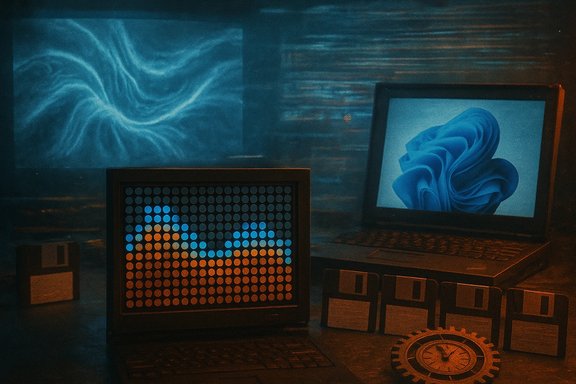
This week’s Hackaday Podcast episode distilled a week of elegant, oddball engineering into a brisk coffee‑shop conversation: a mystery “What’s That Sound?” that turned out to be a flip‑dot display, two distinct ways to visualize sound (one budget Schlieren setup and one hacker’s strobe trick), an entertaining but unscientific benchmarking run that shows Windows 11 performing poorly on a 12‑year‑old ThinkPad, floppy disks turned into magnetic pixel canvases, deliberate JPEG corruption for glitch art, a sober look at autopilot’s history and safety trade‑offs, and a nostalgic tour through the mechanics of the humble time clock.
The Windows benchmarking segment is a useful reminder that software progress isn’t uniformly beneficial when measured against legacy hardware: newer operating systems bring features and security that demand more capable platforms. Meanwhile, discussions about autopilot underscore a perennial truth — automation can increase safety, but only when its limits, failure modes, and human interactions are carefully designed and tested.
For builders and readers alike, the week’s projects offer concrete paths to learning: replicate a Schlieren setup to see sound, take apart a flip‑dot panel to hear how many small magnets can make a large visual statement, or experiment with databending to investigate file formats from the inside. Do it with copies, fuses, and a clear safety plan — and the results will be as educational as they are beautiful.
Source: Hackaday Hackaday Podcast Episode 352: Visualizing Sound, And Windows 11 Is A Dog
 Background
Why a podcast roundup matters to Windows and hardware enthusiasts
Hackaday’s podcast episodes are short, curated gateways into the projects and investigative stories that the maker community has latched onto each week. They’re a useful pulse check for interesting hacks, creative reuse of legacy hardware, and the odd empirical test that reveals how modern software behaves on older silicon. This episode is a compact example of that mix — practical tutorials (Schlieren imaging), artsy repurposing (floppy pixel art), format‑level tinkering (JPEG datamoshing), and system‑level critique (Windows benchmarking). The entries are intentionally eclectic, but the pattern is consistent: hands‑on, low‑barrier experimentation that exposes how devices and protocols behave in real life.What’s That Sound? — The flip‑dot reveal
The quick result
On the podcast’s “What’s That Sound?” segment the mystery audio was correctly identified as a flip‑dot (flip‑disc) display — that distinctive mechanical click of many tiny magnets flipping state — which won the listener a t‑shirt. Flip‑dot displays are electromechanical dot‑matrix panels where each pixel is a small disk with two colored faces; switching polarity flips the disk and changes the visible color. They were widely used in transit signage and large outdoor displays because they are readable in direct sunlight and consume power only during state changes.Technical snapshot: how a flip‑dot works
- Each pixel is a magnetized disc with a black face and a colored face.
- A small coil or electromagnet under the disc flips it by momentarily reversing a magnetic field.
- Early panels were driven with row/column scanning and pulse drivers; modern hobbyist controllers use microcontrollers (Arduino, ESP32) with driver chips or RS‑485‑style controllers.
Why the flip‑dot remains relevant to hackers
Flip‑dot hardware has a strong sonic signature, approachable voltage requirements, and a tactile presence that LED matrices lack. That makes them great for kinetic art, retro signage, and clocks. The community has reverse‑engineered controllers, built drivers for microcontrollers, and daisy‑chained panels for larger displays — classic maker fare. For anyone building public or outdoor displays, the flip‑dot’s low idle power and sunlight legibility remain attractive tradeoffs compared with LED and LCD solutions.Visualizing sound — two complementary hacks
Sound is pressure waves in air; visualizing those minute density variations is both scientifically useful and visually mesmerizing. The podcast highlighted two approaches: classic Schlieren imaging adapted to audible sound, and a low‑cost stroboscopic capture that syncs LED flashes to acoustic cycles.Schlieren photography: optics reveal pressure gradients
- Schlieren imaging uses a focused light path, a knife‑edge (or color filter/prism), and a camera to convert tiny refractive index gradients into visible contrast.
- Because sound is a traveling density wave, Schlieren setups can capture standing waves at high acoustic pressures and ultrasonic levitation fields; with strobing and careful timing, audible frequencies can also be frozen optically. This technique dates back to Toepler and is widely used for flow visualization in aerodynamics.
- High fidelity for density changes; reveals interference patterns and wavefronts.
- Works noninvasively and can show subvisual phenomena like heat plumes and shock fronts.
- Optics and alignment can be expensive and finicky; a decent parabolic mirror or matched lens pair is often required.
- Audible frequencies imply very small refractive changes; poor lighting or low SPLs will yield weak contrast.
- Strobing or synchronization circuitry is necessary for moving waves; amateur setups may overvolt LEDs or hack audio paths, which carries electrical risk without proper isolation.
A hacker’s low‑cost sound camera
Hackers have pushed Schlieren and strobe tricks into approachable budgets. One team built a sound‑wave camera for under $200 by combining:- A concave mirror or lens optimized for a small test area,
- A synchronized LED flash or overdriven strobe timed with the input waveform,
- Modified audio circuits to provide a trigger with precise phase alignment.
Windows 11 is a dog — benchmarking modern OSes on legacy hardware
The setup and headline result
A recent YouTuber experiment installed Windows XP, Vista, 7, 8.1, 10, and 11 on identical Lenovo ThinkPad X220 laptops (Intel Core i5‑2520M, 8 GB RAM, 256 GB HDD) and ran a suite of subjective and synthetic tests: boot time, RAM management (tab loading), storage footprint, battery drain, and media rendering. The informal result: Windows 11 finished last in most tests, while Windows 8.1 frequently led, and XP showed the smallest install size and lowest idle RAM but suffered from modern web compatibility. The tests are explicitly unscientific, but they illustrate how modern OS design and telemetry/background services can penalize older hardware.Interpreting the numbers — what they mean and what they don’t
Important caveats:- Windows 11 is not officially supported on the X220 platform; drivers, microcode expectations, and device firmware optimizations differ. Running an OS outside its supported platform often produces atypical performance results.
- The test machines used HDDs rather than SSDs or NVMe, which conspires with modern I/O patterns (background indexing, update services, transient I/O spikes) to amplify perceived sluggishness on new OS builds.
- Synthetic tests like single‑thread CPU benchmarks are sensitive to scheduler and power‑management behavior. Platform firmware, ACPI implementations, and driver quality can shift outcomes significantly between OS generations.
- If you plan to revive a 10‑ to 15‑year‑old laptop for web browsing or light tasks, expect better responsiveness from lighter OS builds (or tailored Linux distros) than from the latest Windows without hardware upgrades.
- Storage and RAM footprints have grown; modern Windows editions prefer SSDs and fast cores to mask background activity.
- Benchmarks must be interpreted in context: hardware support matrices and driver quality often dominate over nominal OS efficiency in cross‑era comparisons.
Floppy disk pixel art — pbm2track and magnetic painting
The technique
A creative developer built pbm2track, a tool that converts monochrome PBM images into magnetic flux timing patterns written onto floppy disks. Instead of just storing an image file on a floppy, this method intentionally writes flux transitions to the disk’s tracks so that when raw timing is visualized (for example with a flux reader or a waveform plot), the image appears as bands of timing variation — essentially painting using the disk’s magnetic medium. The effect is decorative and nostalgic rather than practical, but it’s a striking example of repurposing legacy storage as a physical art medium. Strengths:- Creative reuse of obsolete media; it makes the invisible structure of disk storage visible and artistic.
- Teaches low‑level magnetic storage concepts: flux transitions, track timing, and readhead interplay.
- The approach is fragile: read/write tolerances, head alignment, and mechanical drift create smearing and inconsistent reads.
- It’s mainly an art project; storing actual usable data in this format is awkward compared with simply saving an image on disk.
Messing with JPEGs — datamoshing, databending, and creative file corruption
The practice and tools
Editing a JPEG in a raw or text editor without understanding the format usually destroys the file. But using a binary editor to change specific bytes enables databending: controlled corruption that yields glitch art, color shifts, block artifacts, and surreal images. Tools and web interfaces exist to let artists experiment safely by selectively modifying compressed streams, segment markers, or quantization tables. This practice is usually called datamoshing for video and databending for still images. Why it’s appealing:- It’s low barrier: no need for complex image editing skills, just a hex editor and an aesthetic sense.
- The output is unpredictable and often visually compelling, used in contemporary digital art and music videos.
- Random edits can produce unreadable files; always work on copies.
- Beware of tools that sanitize or reencode files automatically (Windows Notepad will mangle line endings); use a true binary/hex editor.
- Malformed files may trigger vulnerabilities in image parsing libraries or older viewers; exercise caution when opening corrupted files from unknown sources.
Autopilot history and safety — from airliners to road vehicles
Aviation autopilot: proven, layered, but not invulnerable
Autopilot systems have a long, mostly successful history in aviation — Toepler‑level automation began in earnest in the mid‑20th century, and modern systems can perform takeoff, navigation, and approaches with complex redundancy. Hackaday’s coverage noted historical milestones and modern developments (including emergency autoland systems like Garmin’s) and discussed notable incidents that show automation failures are often systemic rather than purely software bugs. Strengths:- Automation reduces human workload and can respond faster and more consistently than fatigued pilots.
- Properly designed, layered systems and fallback procedures significantly increase safety for scheduled airline operations.
- Automation complacency: crews may become undertrained in manual handling, eroding response when systems fail (Air France 447 and other incidents have highlighted this).
- Sensor failures or misleading inputs (pitot icing, false GNSS) can cause autopilot disengagements or mode confusion that the crew must manage.
Road vehicle autopilot: a different problem domain
Automotive driver assistance is a fundamentally different challenge: the operating environment is unstructured, populated by unpredictable agents, and regulatory frameworks lag behind the technology. The US NHTSA has linked design and monitoring shortcomings in certain car autopilot systems to hundreds of crashes and several fatalities; the agency has criticized weak driver engagement systems and the risk that features designed as assistance are perceived as full autonomy. Consumer‑facing overpromises and the persistence of permissive marketing complicate safety outcomes. Practical guidance for practitioners:- Distinguish clearly between assisted driving and automated driving in documentation and UI prompts.
- Implement robust, multi‑modal driver monitoring (steering torque detection, camera‑based gaze detection, periodic lockouts) so the system only enables features when appropriate.
- Log telemetry and engagement metrics for post‑event analysis and continuous improvement.
The time clock — industrial rhythms and mechanical ingenuity
The podcast’s historical dip into time clocks revisits a Victorian‑era invention that shaped labor relations: Willard Le Grand Bundy’s punch‑clock family of machines. The evolution from key‑based Bundy machines to card‑based recorders, through consolidation into International Time Recording and eventually IBM, showcases an intersection of mechanical engineering and administrative control. The mechanical designs used cams, rack‑and‑pinion movements, and indexed cards to reliably mark the time — impressive engineering for 1888 and still legible in surviving units. Why it still matters:- Time clocks embody an enduring design constraint: an unambiguous, verifiable record of presence that’s simple, auditable, and offline.
- Modern systems (mag‑stripe, RFID, biometric) solve many convenience problems but reintroduce new privacy and spoofing concerns that the original mechanical systems avoided.
Critical analysis — strengths, gaps, and actionable recommendations
Strengths of the week’s hacks
- Hands‑on learning: The projects (Schlieren builds, flip‑dot controllers, pbm2track) all teach low‑level physical phenomena — optics, magnetics, and storage flux — in ways that reify abstract textbook concepts.
- Accessibility: Several projects prioritize low cost (the under‑$200 Schlieren camera, simple binary editors for JPEGs), making advanced experiments more democratic.
- Cross‑disciplinary inspiration: The lineup blends art and engineering; repurposing floppies and corrupting JPEGs highlight the creative scope of systems knowledge.
Risks, limitations, and caveats
- Safety and hardware risk: Overdriving LED flashes, modifying audio circuits, or hacking power rails for flip‑dot coils can present electrical hazards. Clear safety guidance is often absent in hobby writeups — always add insulation, current limiting, and fusing when experimenting.
- Experiment validity: The Windows benchmarking piece is entertaining and informative as a "what if" exercise, but its methodological limitations (unsupported hardware, HDD vs SSD, driver issues) mean its claims should not be generalized to modern, supported systems. Label such videos as illustrative not definitive.
- Security posture: Databending and file corruption are fun, but malformed images can expose bugs in image parsers. Never open untrusted corrupted files in high‑value systems or production environments.
Recommendations for makers and IT professionals
- When reproducing Schlieren or strobe projects, document and publish safe wiring diagrams, parts lists, and warnings about overvolting flash capacitors.
- For OS benchmarking, standardize hardware support matrices and repeat runs across storage types (HDD vs SSD) and driver versions before drawing broad conclusions.
- Art projects that touch legacy media (floppies, magnetic tapes) should include preservation‑minded notes: how to avoid irreversible damage, and how to read back data if desired.
- Autopilot discussions should emphasize human factors and regulatory controls; practitioners building assistance systems should implement conservative engagement logic and robust telemetry for auditing.
Conclusion
Episode 352 of the Hackaday Podcast is a compact exhibit of the maker world’s virtues: curiosity, playful tinkerism, and a pragmatic willingness to repurpose and probe everyday tech. From the tactile click of a flip‑dot to the ghostly wavefronts revealed by Schlieren optics, and from magnetic pixel art on floppies to the messy beauty of deliberately corrupted JPEGs, the stories underscore how much value remains in looking closely at the technologies others have stopped noticing.The Windows benchmarking segment is a useful reminder that software progress isn’t uniformly beneficial when measured against legacy hardware: newer operating systems bring features and security that demand more capable platforms. Meanwhile, discussions about autopilot underscore a perennial truth — automation can increase safety, but only when its limits, failure modes, and human interactions are carefully designed and tested.
For builders and readers alike, the week’s projects offer concrete paths to learning: replicate a Schlieren setup to see sound, take apart a flip‑dot panel to hear how many small magnets can make a large visual statement, or experiment with databending to investigate file formats from the inside. Do it with copies, fuses, and a clear safety plan — and the results will be as educational as they are beautiful.
Source: Hackaday Hackaday Podcast Episode 352: Visualizing Sound, And Windows 11 Is A Dog
