

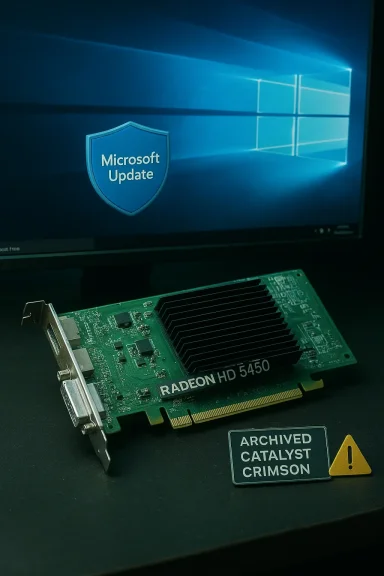
If you picked up a bargain Radeon HD 5450 and trawled driver pages or marketplace listings promising a “cheap Windows 10 driver,” here’s the short, practical truth: the HD 5450 is a legacy DirectX‑era card whose official driver story ended years ago, and the safest path to a working, secure system on Windows 10 is conservative — prefer Microsoft Update or your PC/OEM, use AMD’s archived Catalyst/Crimson packages only when necessary, and avoid third‑party “cheap driver” bundles that lack cryptographic checksums or signatures.
The AMD Radeon HD 5450 launched as an entry‑level desktop GPU in the late 2000s and was maintained through AMD’s Catalyst era. It is now in a legacy support category: AMD’s driver pages list archived Catalyst and Crimson packages for the HD 5000 family and explicitly state that no new driver releases are planned for this product line. The last feature and stability driver sets that broadly supported Windows 10 date from the mid‑2010s (examples include Catalyst 15.7.1 and Crimson 16.2.1), and those packages are intended to restore core functionality rather than deliver new features.
Two parallel changes shaped the current reality:
If you want, I can produce a compact, step‑by‑step checklist tailored to your exact Windows 10 build and system model (including the exact Device Manager hardware ID workflow and DDU instructions).
Source: Born2Invest https://born2invest.com/?b=style-231428912/
 Background / Overview
The AMD Radeon HD 5450 launched as an entry‑level desktop GPU in the late 2000s and was maintained through AMD’s Catalyst era. It is now in a legacy support category: AMD’s driver pages list archived Catalyst and Crimson packages for the HD 5000 family and explicitly state that no new driver releases are planned for this product line. The last feature and stability driver sets that broadly supported Windows 10 date from the mid‑2010s (examples include Catalyst 15.7.1 and Crimson 16.2.1), and those packages are intended to restore core functionality rather than deliver new features.Two parallel changes shaped the current reality:
- Microsoft moved Windows 10 to end‑of‑support status, which altered how vendors present compatibility in release notes and encouraged migration toward Windows 11.
- AMD consolidated its driver effort around the Adrenalin family for modern GPUs, leaving older PCIe legacy cards in an archived, manual‑support state.
What “latest update” actually means for the HD 5450
Legacy, not active development
- No new feature drivers — AMD treats the HD 5450 as a legacy product. The vendor’s support pages list final Catalyst and Crimson era files as the latest available for Windows 10, but they also state that no further releases are planned.
- Last practical driver families — packages you will commonly encounter are Catalyst 15.7.1, Crimson 16.2.1, and earlier Catalyst builds (14.x, 13.x) depending on the OS bitness and the specific mobility or desktop SKU. These were released in 2014–2016 and are archival.
- Windows 10 compatibility — archived catalyst/crimson packages were built before Windows 10’s long lifecycle concluded; they can and do run on Windows 10 in many installs, but they were not designed for the latest kernel updates or security model changes Microsoft added later.
Why modern Adrenalin releases matter (and don’t) for HD 5450
AMD’s modern Adrenalin driver family focuses on recent Radeon architectures. Recent Adrenalin release notes sometimes omit explicit “Windows 10” branding because Microsoft declared Windows 10 out of mainstream support, yet AMD clarified that many installers still operate on Windows 10. For the HD 5450 specifically, Adrenalin is not relevant — the last HD‑class packages predate Adrenalin and remain archived as Catalyst/Crimson.What you can expect from an HD 5450 on Windows 10
Realistic performance and capabilities
- The HD 5450 is a low‑power, DirectX‑11 era GPU intended for basic desktop acceleration, multi‑monitor support at modest resolutions, and older games at reduced settings.
- Expect reliable desktop compositing and basic video playback, but do not expect modern hardware acceleration for HEVC/AV1 or good performance in modern games.
- The card lacks modern codec offload and advanced driver features (e.g., modern Vulkan optimizations, Work Graphs, modern hardware video encoding).
Driver behavior you’ll likely see
- Windows Update often supplies a Microsoft‑signed fallback driver that gives a stable desktop experience — correct resolution, multi‑monitor output, and basic hardware acceleration. This route is the lowest risk.
- Installing archived Catalyst/Crimson drivers can restore AMD control utilities and older features but may require manual steps (INF verification) and could conflict with recent OS updates.
- “One‑click” third‑party bundles or repackaged installers sometimes report newer‑looking dates but are often repackaged, unsigned, or bundled with unwanted software. They are a measurable security and stability risk.
Verifiable technical facts (numbers and dates)
- Catalyst 15.7.1 and Crimson 16.2.1 are among the final AMD driver packages that listed Windows 10 compatibility in their release notes; these packages were published in 2015–2016 and are archived by AMD.
- AMD’s HD 5000 family pages explicitly mark the products as legacy with “no additional driver releases planned.”
- Windows 10 reached official end‑of‑support on October 14, 2025; that change influenced how vendors present OS compatibility in release notes and documentation.
Where to get the driver (trusted, ranked sources)
When hunting the correct driver for an HD 5450 on Windows 10, use this trust ranking:- Windows Update / Microsoft Update Catalog — First step. Often the safest, Microsoft‑signed fallback driver is sufficient for a usable desktop and avoids unsigned kernel code or repackaged installers.
- Your PC or system OEM (Dell, HP, Lenovo, ASUS, etc.) — If you have a branded PC, OEM pages sometimes provide platform‑tuned drivers containing additional power or hybrid graphics support the generic AMD package doesn’t include.
- AMD official support & archives — AMD hosts Catalyst and legacy packs; these are authoritative binaries. Use them when you need vendor control utilities or when Windows Update isn’t adequate. Verify the driver INF explicitly includes your GPU hardware ID before installing.
- Reputable technical archives (TechSpot, TechPowerUp) — secondary — Useful for historical release notes and downloads, but treat them as secondary: verify digital signatures and checksums.
- Avoid third‑party “cheap driver” shops, torrents, or repackaged marketplaces — These often lack signatures, checksums, or a clear provenance and have a track record of bundling added software or (worse) unsigned kernel modules.
Step‑by‑step safe installation workflow (Windows 10 x64)
Follow this conservative sequence. Stop when you reach acceptable functionality.- Inventory and prepare
- Record the GPU hardware ID: Device Manager → Display adapters → right‑click the device → Properties → Details tab → Hardware Ids (copy PCI\VEN_1002&DEV_xxxx).
- Create a System Restore point and, if possible, a full disk image. Driver changes to the display stack can render a system temporarily unusable.
- Make a note of the current installed driver version (Device Manager → Driver tab → Driver Version).
- Try Windows Update first (recommended)
- Settings → Update & Security → Windows Update → Check for updates → View optional updates → Driver updates.
- If Microsoft Update supplies a Radeon driver, install it, reboot, and validate: correct resolution, multi‑monitor behavior, and video playback.
- If Windows Update is insufficient, check OEM
- Search your system manufacturer’s support page for your exact model and Windows 10 drivers. Prefer their package if available.
- If you must use AMD archived drivers
- Download the AMD archive package intended for the HD 5450 (Catalyst/Crimson). Confirm the package contains an INF with a matching PCI\VEN_1002&DEV_xxxx entry for your device.
- Optional but recommended: run a clean uninstall first with a trusted removal tool (Display Driver Uninstaller — DDU is widely used by enthusiasts). Boot to safe mode before using DDU.
- Install the AMD package in Custom or Advanced mode if available, and avoid additional optional bundles or telemetry components you don’t need.
- Reboot and test.
- Troubleshooting if the driver fails to install
- If Device Manager shows “Microsoft Basic Display Adapter” or “No driver installed,” extract the driver package and manually point Device Manager → Update driver → Browse my computer → Let me pick from a list → Have Disk, then point to the extracted INF that contains your hardware ID.
- If the installation reports device‑ID mismatches, do not force the install. Either pick an OEM driver or use Windows Update fallback.
- If the screen is black after driver install, boot to safe mode, run DDU to remove the driver, and revert to Microsoft’s fallback driver.
Common failure modes and how to fix them
- “Driver not functioning properly” / Control Center error
- Cause: mismatch between installed driver components and OS update level, or partial installs from mixed packages.
- Fix: Uninstall AMD software, reboot, install Microsoft‑signed driver; if control utilities are required, install archived AMD package after clean uninstall.
- Device not detected or no display output
- Cause: UEFI/CSM mismatch for legacy GPUs on UEFI systems; BIOS may not initialize legacy option ROMs by default.
- Fix: Enable Compatibility Support Module (CSM) or set legacy boot options in UEFI, reseat the card, or test on an older BIOS board.
- Third‑party repackager issues (PUPs, unsigned kernel code)
- Fix: Wipe any suspect installers, run full system malware scans, restore from a clean system image if necessary — and avoid these sources in the future.
Buying advice: is a cheap HD 5450 worth it?
Short answer: Only for a very narrow set of needs.- Buy one if:
- You need a second video output on an old desktop for dual monitors and you’re on a tight budget.
- You’re rebuilding a vintage machine for legacy software testing or retro gaming at low resolution.
- Don’t buy if:
- You need modern codec offload (HEVC/AV1), smooth modern gaming, or long‑term driver support.
- You want a power‑efficient, secure, and fully supported Windows 10 / Windows 11 experience.
Security and privacy notes (cookie / site text you pasted)
You included a snippet about “The technical storage or access that is used exclusively for statistical purposes...”, which looks like standard cookie‑consent/Analytics wording (describing statistical cookies and legal limits on identifying users without additional data or legal processes). This text is unrelated to the driver itself—it’s site privacy boilerplate that describes how analytics cookies work and when data can be used to identify someone. In short:- That text does not provide driver information.
- It belongs to website privacy/cookie notices and should not be confused with technical driver metadata.
- When downloading drivers, focus on cryptographic integrity: verify digital signatures (Authenticode / WHQL) and SHA‑256 checksums where offered, and avoid installers that do not provide verifiable hashes.
Critical analysis: strengths, limitations, and risks
Strengths of the current driver landscape for HD 5450
- Proven, archived binaries: AMD and reputable archives still host the final Catalyst/Crimson installers; these are the authoritative artifacts for legacy support.
- Microsoft fallback: Windows Update’s signed drivers give you a low‑risk path to restore basic functionality quickly.
- Community knowledge: Numerous forum and archive threads document successful workflows and compatible package versions for specific hardware revisions.
Weaknesses and limitations
- No future feature updates: The HD 5450 will not receive new features or optimization fixes. Expect no modern codec acceleration or modern API parity.
- OS lifecycle friction: Windows 10’s end of support and changes in kernel and driver signing policies increase the risk of incompatibilities with archival driver packages.
- Installer fragility: Catalyst/Crimson installers were written for older kernels and may fail or partially install on newer Windows 10 builds without manual intervention.
Security and operational risks
- Third‑party repackagers: These installers may contain unwanted software, modified INFs, or unsigned kernel code — a direct security hazard.
- Unsigned or modified drivers: Avoid unsigned kernel components; these can defeat driver signing and may indicate tampering.
- System instability: A bad display driver can cause crashes, black screens, and boot failures. Always have a recovery plan (restore point, full image).
Practical recommendations (quick checklist)
- Try Windows Update first — if acceptable, stop.
- If you need AMD software features, prefer AMD’s official archived Catalyst/Crimson packages and verify the INF for your hardware ID.
- Avoid “cheap driver shop” installers unless you can verify a SHA‑256 hash and a valid digital signature.
- Use DDU (in safe mode) to remove old drivers before installing archived AMD packages.
- Keep backups and a System Restore point before making driver changes.
- Consider a modest hardware upgrade when modern media codecs or gaming performance is required — it’s usually cheaper and more secure in the long run.
Final verdict
The AMD Radeon HD 5450 still can work on Windows 10, but it is a legacy solution that demands caution. The latest official drivers available for the card are archived Catalyst/Crimson packages from the mid‑2010s; Windows Update or OEM drivers are the safest routes for most users. Do not trust third‑party “cheap driver” bundles without verification — the risk to system stability and security outweighs the convenience. If you need modern features or long‑term support, budget for a contemporary low‑end GPU or use integrated graphics instead.If you want, I can produce a compact, step‑by‑step checklist tailored to your exact Windows 10 build and system model (including the exact Device Manager hardware ID workflow and DDU instructions).
Source: Born2Invest https://born2invest.com/?b=style-231428912/
