

If you own a laptop that shipped with an AMD Radeon HD 7670M and you’re running—or planning to run—Windows 10, this is the definitive guide you didn’t know you needed: what the HD 7670M actually is, what to expect on modern Windows 10 systems, how to get the best possible drivers, and the practical tradeoffs when keeping a decade-old mobile GPU alive in 2026. This article distills vendor specs, community troubleshooting, and the current Windows lifecycle into a single, actionable resource for enthusiasts and maintenance-minded users.
The AMD Radeon HD 7670M launched in early 2012 as a mobile GPU option for mainstream laptops. It’s part of AMD’s TeraScale 2 family and appeared across dozens of OEM models, from consumer HP and Dell laptops to midrange business notebooks. Because it’s a mobile part it rarely appears as a discrete, full‑length card in retail shops—the chip is soldered to laptop PCBs or offered as partner-branded modules tuned by manufacturers. TechPowerUp’s GPU database records the HD 7670M as a 480‑core Thames/Whistler mobile GPU with modest clocks and a maximum 20 W TDP—numbers that explain its intended role as a battery‑friendly, entry‑level gaming/graphics option of its era. What this means in practice: the HD 7670M was never designed for modern AAA gaming at native 1080p or hardware‑accelerated workloads common today. Where it shines is legacy titles, desktop acceleration, and light media playback—if you can install a suitable driver and the laptop’s hybrid graphics (AMD + Intel) are configured correctly by the OEM. Community threads from long‑running Windows support forums make this clear: users commonly seek OEM drivers or rely on Windows Update’s Microsoft‑signed fallback drivers for stability rather than chasing full Catalyst/Adrenalin functionality.
Practical, prioritized takeaways:
If you need a compact checklist to follow right now:
Source: Born2Invest https://born2invest.com/?b=style-238762812/
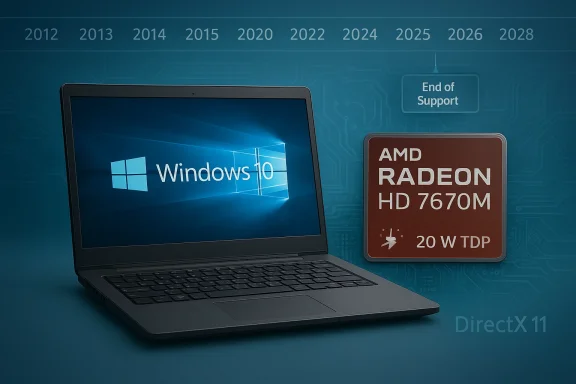 Background / Overview
The AMD Radeon HD 7670M launched in early 2012 as a mobile GPU option for mainstream laptops. It’s part of AMD’s TeraScale 2 family and appeared across dozens of OEM models, from consumer HP and Dell laptops to midrange business notebooks. Because it’s a mobile part it rarely appears as a discrete, full‑length card in retail shops—the chip is soldered to laptop PCBs or offered as partner-branded modules tuned by manufacturers. TechPowerUp’s GPU database records the HD 7670M as a 480‑core Thames/Whistler mobile GPU with modest clocks and a maximum 20 W TDP—numbers that explain its intended role as a battery‑friendly, entry‑level gaming/graphics option of its era. What this means in practice: the HD 7670M was never designed for modern AAA gaming at native 1080p or hardware‑accelerated workloads common today. Where it shines is legacy titles, desktop acceleration, and light media playback—if you can install a suitable driver and the laptop’s hybrid graphics (AMD + Intel) are configured correctly by the OEM. Community threads from long‑running Windows support forums make this clear: users commonly seek OEM drivers or rely on Windows Update’s Microsoft‑signed fallback drivers for stability rather than chasing full Catalyst/Adrenalin functionality.AMD Radeon HD 7670M: specs and architecture
Core specification snapshot
- GPU family / architecture: TeraScale 2 (Thames / Whistler variants).
- Stream processors (shader cores): 480.
- Texture units / ROPs: 24 TMUs / 16 ROPs (variant-dependent).
- Core clock: ~600 MHz (OEM partner clocks can vary).
- Memory: commonly 1 GB DDR3 or GDDR5 variants; bus width 128‑bit.
- Memory bandwidth: ranges depending on memory type (DDR3 ≈ 28.8 GB/s; GDDR5 ≈ 57.6 GB/s for GDDR5 variants).
- TDP: approximately 20 W (mobile profile).
What the silicon can (and can’t) do
The HD 7670M supports DirectX 11.x era features and OpenGL 4.x feature sets appropriate for its generation, including UVD (video decode) blocks that handle older codecs. It is not built for modern DirectX 12/Vulkan workloads or hardware ray tracing. In short: adequate for legacy games, desktop work, and software‑accelerated media; inadequate for modern gaming or GPU‑accelerated creative workloads. This is consistently reflected in bench and user reports from the era and later community testing.Windows 10 compatibility and the current driver landscape
The current reality: Windows 10 EOL and driver implications
Microsoft ended mainstream support for Windows 10 on October 14, 2025. That milestone changes the risk calculus for running legacy hardware: while Windows 10 systems continue to function, vendors and Microsoft no longer provide the same cadence of feature and security updates, and driver validation for older GPUs has largely moved into archival status. For owners of legacy mobile GPUs like the HD 7670M, that means drivers are either:- supplied by Microsoft via Windows Update as Microsoft‑signed legacy drivers (the safest option), or
- available as archived Catalyst packages from AMD or OEMs (these target older Windows kernels and may require manual methods), or
- distributed by OEM vendor download pages (preferred where available for hybrid laptop configurations).
Real-world user reports — what the community says
Forum threads spanning the last decade show recurring themes:- Hybrid graphics confusion: many laptops with HD 7670M also include Intel integrated graphics (e.g., Intel HD 4000). Users frequently report that Device Manager shows only the Intel driver or the Microsoft Basic Display Adapter after fresh installs; resolving this typically requires OEM drivers or manual INF installs.
- Windows Update often supplies the most stable, minimal working driver for legacy parts; it’s the safest first step before trying anything more adventurous.
- Manual installs using archived Catalyst packages work sometimes but can produce partial installs (Catalyst UI present while the display remains Microsoft Basic Display Adapter) or fail due to INF mismatches and signed driver enforcement. Community guides recommend DDU (Display Driver Uninstaller) cleanup before attempting a manual install and emphasize hardware ID verification in the extracted INF.
Step‑by‑step: safe driver workflow for HD 7670M on Windows 10
The following numbered workflow is ordered by safety first and then feature completeness. Follow it exactly; driver changes to the display stack can render a system unusable without a recovery image.- Inventory and backup
- Record your GPU hardware ID in Device Manager: Display adapters → right‑click the adapter → Properties → Details → Hardware Ids (copy the PCI\VEN_1002&DEV_xxxx string).
- Create a System Restore point and, if possible, a full disk image. Driver changes to display can block normal boot.
- Try Windows Update (recommended)
- Open Settings → Update & Security → Windows Update → Check for updates → view Optional updates. Allow Microsoft’s driver if offered and reboot to validate basic functionality. This is the lowest‑risk path and often adequate for desktop, playback and light gaming.
- Check the OEM / laptop vendor support page
- If your laptop is a Dell, HP, Lenovo or similar, download the vendor‑published driver for your exact model and OS. OEM drivers are typically tailored for hybrid graphics and power‑management behavior. Use these over generic Catalyst packages where available.
- Clean driver state before manual install (advanced)
- Boot to Safe Mode and run Display Driver Uninstaller (DDU) to remove remnants of old drivers. DDU lowers the chance of partial installs and file conflicts.
- Manual INF install from archived Catalyst packages (advanced; proceed only if INF matches)
- Download an archived Catalyst package (from AMD archives or your OEM), extract the package, open Display.Driver*.inf and search for your hardware ID. If present, use Device Manager → Update driver → Browse my computer → Let me pick → Have Disk and point to that INF. If INF does not list your ID, do not proceed unless you understand driver signing and INF editing risks.
- Suspend Windows Update temporarily
- If Windows Update keeps reverting your manual install, pause Windows Update while testing. Re‑enable it after the driver is validated.
- Rollback plan
- If the new driver breaks your display, have a recovery plan: boot into Safe Mode, run DDU, and restore the image or System Restore point. Do not continue without a tested rollback.
Troubleshooting: common failure modes and fixes
- Microsoft Basic Display Adapter remains after install
- Likely a partial or mismatched install. Run DDU in Safe Mode and retry the manual INF install after confirming the INF includes your VID/PID.
- Catalyst/Adrenalin UI appears but no driver functionality
- Symptoms of leftover driver artifacts or installer mismatch. Clean with DDU, then attempt an OEM installer. Avoid using the Catalyst UI as proof the driver works.
- Installer aborts with “device not supported”
- The packaged INF likely lacks your hardware ID. Inspect the extracted Display.Driver*.inf. If your ID is absent, don’t force an install unless you can re‑sign the driver securely.
- Windows Update insists on replacing manual driver
- Pause Windows Update during testing, or hide the device update while validating. Re‑enable updates after you’re done.
- Hybrid graphics problems (switchable graphics)
- Use OEM software and BIOS settings where available. Some laptops require vendor utilities to manage GPU switching correctly. If vendor utilities are not available for Windows 10, you may be limited to Intel iGPU or Microsoft’s fallback driver for stability.
Performance expectations and practical use cases
- Legacy gaming: Expect playable performance in games from the HD 6000/7000 mobile era and earlier (e.g., Skyrim, older RTS and MOBA titles) at 720p or medium settings. Modern AAA titles will be CPU‑bound or GPU‑constrained with low frame rates. Benchmarks from archived reviews and community tests confirm this behavior.
- Desktop productivity and playback: Good for office work, web browsing, and non‑HEVC video playback. Some modern codecs and hardware‑accelerated encode/decode paths added in recent years may not be supported, making software decode necessary for newer formats—this increases CPU load.
- Upgrades vs. maintenance: For users needing security and compatibility with modern applications, replacing the laptop or moving to a low‑cost modern discrete GPU (on a desktop) is usually cheaper and less time‑consuming than wrestling with legacy drivers for production use. This recommendation echoes community consensus: accept Windows Update driver for stability, or budget for a hardware refresh for modern workloads.
Buying used laptops with HD 7670M: what to look for
- Confirm the memory type (DDR3 vs. GDDR5) and VRAM size—GDDR5 variants will meaningfully outperform DDR3 models in bandwidth‑sensitive tasks. TechPowerUp entries and retail partner pages list these variants—use them to cross‑check seller listings.
- Ask sellers for photos of the actual PCB/vent area (look for heat damage) and confirm that the laptop’s hybrid graphics configuration is functioning (BIOS/OEM driver availability). Community posts repeatedly recommend short return windows and test guarantees for used video‑card equipped systems.
- Expect driver maintenance to be part of the ownership experience; factor that into the total cost of ownership. If you depend on modern drivers or security updates, plan to migrate off Windows 10 or buy a newer machine.
Security, lifecycle risks, and when to retire the HD 7670M
Windows 10’s end of support (October 14, 2025) changes the risk profile for legacy hardware significantly. Systems that continue to run Windows 10 after that date will not receive regular security updates unless enrolled in an Extended Security Updates (ESU) program, meaning kernel-level drivers—including display drivers—are operating in a higher‑risk environment. For machines handling sensitive data, financial work, or corporate use, continuing to rely on an archival driver layer is not recommended long term. Microsoft’s lifecycle guidance and community advisories converge on the same advice: migrate to a supported OS or hardware path when possible. Key cautions:- Avoid repackaged or unsigned drivers from third‑party driver hubs; these are frequent sources of instability and malware. Community threads show many failed attempts with repackaged “Windows 10” drivers that were unsigned or manipulated.
- Do not leave driver signature enforcement disabled on production machines. Doing so increases the attack surface dramatically and is not a safe long‑term configuration.
- If you require modern security and feature updates, the most practical long‑term move is to upgrade the hardware or migrate to a supported OS on hardware that receives regular driver updates.
Conclusion: a pragmatic roadmap for HD 7670M owners on Windows 10
The AMD Radeon HD 7670M still has life left as a legacy mobile GPU: it can deliver a usable desktop experience, legacy gaming, and light media playback when married to the right driver and a conservative installation workflow. But it lives in a fragile ecosystem: Windows 10’s support window has closed, vendor priorities have shifted toward newer platforms, and archived drivers require care to install safely.Practical, prioritized takeaways:
- For stability and security, start with Windows Update and OEM driver pages. This is the least risky path for everyday use.
- If you need extra features from Catalyst/Adrenalin, treat archived drivers as an advanced exercise: back up, use DDU, verify INF hardware IDs, and be prepared to roll back.
- Avoid unsigned, repackaged installers from third‑party driver hubs. Prefer Microsoft‑signed or OEM‑signed packages.
- If you rely on your machine for security‑sensitive tasks, schedule a hardware or OS migration; continuing to depend on legacy drivers in an unsupported OS increases risk.
If you need a compact checklist to follow right now:
- 1) Create a full backup and note your GPU hardware ID.
- 2) Let Windows Update install the Microsoft‑signed driver and validate.
- 3) If you must install a legacy Catalyst package, extract and check the INF for your ID before proceeding and use DDU to clean remnants.
- 4) Avoid unsigned third‑party packages and do not disable driver signature enforcement as a permanent fix.
Source: Born2Invest https://born2invest.com/?b=style-238762812/
