

For owners of mid‑2000s ATI cards — notably the Radeon X1600/X1650 families — the “driver question” has become less about performance and more about risk management: can you still run a usable, secure Windows 10 desktop with these legacy GPUs, and if so, how should you get and install drivers without exposing the system to instability or malware? The answer is: yes, you can often achieve a usable desktop experience, but only by following a conservative, documented workflow: prefer Microsoft’s signed drivers delivered through Windows Update, consult your OEM for system‑specific packages, treat archived AMD Catalyst installers as an advanced, last‑resort option, and avoid repackaged one‑click driver bundles. Community guides and technical audits show the same hierarchy of trust and the same practical steps for rescuing older ATI hardware on modern Windows systems. Where these cards came from and what they were built for
The Radeon X1600/X1650 families were mainstream, DirectX 9‑era GPUs released in the mid‑2000s, built on the RV530/RV535 silicon. Typical retail boards carried 256 MB of GDDR3 on a 128‑bit bus, ran at GPU clocks in the ~590–600 MHz range and were designed and validated for Windows XP/Vista/7 era driver stacks. These cards do not support modern graphics APIs like DirectX 11/12 or Vulkan, and they lack hardware features such as modern video‑codec offload (HEVC/AV1) that contemporary media workloads assume. The hardware details and published clock/memory figures are consistent across independent GPU databases.
AMD moved R500/RV5xx‑era products into a legacy support model long ago. The practical upshot is that AMD stopped active feature development and security updates for these families years before Windows 10’s lifecycle changes. Vendors and community archives still host the last functional Catalyst packages, but those installers were created for older kernels and were never engineered around today’s driver‑signing and Secure Boot environment. Community audits emphasize: vendor archives are the authoritative source for archived packages, but they’re intended for manual, experienced use — not foralls.
Cross‑checking vendor release notes with independent driver archives and community posts is good practice. When both the vendor and reputable archives (TechSpot, TechPowerUp) corroborate a driver’s filename and build number, the risk of tampering is lower. When only oddball aggregator sites carry a file, assume it’s untrustworthy until proven otherwise.
Legacy Radeon cards like the X1600/X1650 can still serve useful roles — as secondary displays, lightweight desktop GPUs, or as parts of restoration projects — but the path to a stable, secure driver installation is conservative and deliberate: start with Microsoft, prefer OEM, consult AMD archives only with preparation, and never trust repackaged “one‑click” installers. Follow the checklist above, verify INF identity, back up before you change the display stack, and if your needs have real multimedia or security requirements, budget for modern hardware instead. The community has refined this playbook over many years, and the same cautious principles that protect stability also reduce the real security risk of running decade‑old kernel code on an effectively legacy operating system.
Source: Born2Invest https://born2invest.com/?b=style-231705012/
The Radeon X1600/X1650 families were mainstream, DirectX 9‑era GPUs released in the mid‑2000s, built on the RV530/RV535 silicon. Typical retail boards carried 256 MB of GDDR3 on a 128‑bit bus, ran at GPU clocks in the ~590–600 MHz range and were designed and validated for Windows XP/Vista/7 era driver stacks. These cards do not support modern graphics APIs like DirectX 11/12 or Vulkan, and they lack hardware features such as modern video‑codec offload (HEVC/AV1) that contemporary media workloads assume. The hardware details and published clock/memory figures are consistent across independent GPU databases.
 How vendor support evolved
AMD moved R500/RV5xx‑era products into a legacy support model long ago. The practical upshot is that AMD stopped active feature development and security updates for these families years before Windows 10’s lifecycle changes. Vendors and community archives still host the last functional Catalyst packages, but those installers were created for older kernels and were never engineered around today’s driver‑signing and Secure Boot environment. Community audits emphasize: vendor archives are the authoritative source for archived packages, but they’re intended for manual, experienced use — not foralls. Overview: The current driver landscape for legacy Radeon cards
The trust hierarchy — where to get drivers
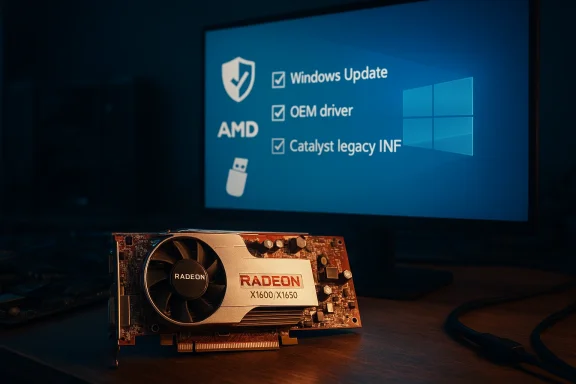
When you need a working driver for an X1600/X1650 on Windows 10 x64, treat driver sources in this order — it’s the community consensus and the safe, conservative recommendation:- Microsoft Update / Windows Update (first, lowest risk). Microsoft’s signed fallback driver provides a stable desktop experience (2D accsolutions, video playback) and preserves kernel signature protections. Start here.
- OEM / system vendor packages (second). Branded laptops and prebuilt desktops often ship with vendor‑tuned drivers that resolve switchable graphics and power management quts a Windows 10 driver for your exact service tag, prefer it.
- AMD’s archived Catalyst / legacy packages (advanced). These are the canonical installers and sometimes contain INF entries for X‑series device IDs, but they were written for Windows 7 / 8 kernels and may require manual extraction and “Have Disk” installs. Use them only if you know how to verify INF entries, run DDU, and recover from a failed install.
- Third‑party repackagers and one‑click updaters (not recommended). These packages are convenient but often untrustworthy: altered INFs, unsigned binaries, bundled extras, and missing checksums are common dangers. Community veterans repeatedly warn against them.
What a legacy driver will and won’t give you
Be realistic: a legacy driver will usually restore a usable desktop and basic video playback; it will not make the GPU suddenly “modern.” Expect:- You will get 2D desktop acceleration, correct resolutions, and basic video playback on archived or Microsoft drivers.
- You will likely not get modern codec hardware assist (HEVC/AV1), modern power/thermal optimizations, or current game optimizations.
- Catalyst Control Center features and full 3D optimizations are hit‑or‑miss; some features depend on OEM modifications and are unavailable on generic installs.
The safe, practical workflow (step‑by‑step)
Follow this conservative sequence — stop at the point where acceptable functionality is achieved.Preflight (do this before any driver surgery)
- Inventory the GPU hardware ID: Device Manager → Display adapters → right‑click → Properties → Details → Hardware Ids. Save the PCI\VEN_1002&DEV_xxxx string to a text file.
- Make a full backup or at minimum a. If the machine is important, image the disk — display driver changes can render systems unbootable.
- Note the current driver version and create a recovery p Safe Mode, use Device Manager to roll back drivers, and have a bootable rescue USB ready.
1) Try Windows Update first (recommended)
- Open Settings → Update & Securitheck for updates → View optional updates → Driver updates and accept any offered display driver. This installs Microsoft‑signed legacy drivers without disabling signature enforcement. It is the least risky path and is usually adequate for desktop use.
2) If you have a branded PC, check the OEM
- For laptops and branded desktops, verify the vendor’s support page for Windows 10 drivers matched to your service tag or model number. OEM packages often address ACPI, hotkeys, and switchable graphics that generic AMD packages do not.
3) Advanced: manual install of an archived AMD Catalyst package (only if INF lists your device)
This is an advanced procedure and sly after you’ve backed up and tested Windows Update/OEM options.- Preflight checklist: confirm the AMD archive contains an INF with your exact PCI\VEN_1002&DEV_xxxx string. If the INF doesn’t list your hardware ID, do not proceed unless you are prepared to re‑sign an edited INF (unsafe for most users).
- Steps (numbered):
- Download the AMD legacy package that targets your family (Catalyst 15.x is the widely cited final unified legacy family for many HD‑ecksums if present.
- Run the installer to let it self‑extract (commonly C:\AMD or C:\ATI). If the installer refuses to run, note the extracted folder or use a file archiver to inspect the package.
- Boot to Safe Mode and run Display Driver Uninstaller (DDU) to remove previonants. This reduces the chance of incomplete installs. Reboot to normal mode.
- In Device Manager, right‑click the display adapter → Update driver → Browse my computer → Let me ve Disk… → point to the extracted *.inf that contains your hardware ID. Follow prompts and reboot.
- If Windows warns about unsigned drivers or refuses the install, do not permanently disable signature enforcement on prstrict such tests to isolated lab systems, and re‑enable enforcement afterward.
Troubleshooting common failure modes
- Device Manager still shows Microsoft Basic Display Adapter: extract the AMD package and use Device M pick the driver INF manually. Confirm the INF contains your VID/PID.
- Installer reports “unsupported OS” or refuses to run: extract the package and use manual INF installation as above; avoid emotional editing of INFs without re‑sidate keeps reverting your manual install: pause Windows Update during testing, validate the manual driver, then decide whether to keep it — remember Microsoft’s signed driverm choice.
The important technical specifics to verify before installing
- Confirm the GPU’s Device ID (PCI\VEN_1002&DEV_xxxx) and match it to the INF in any legacy package before attempting an install. Do not names alone.
- Know which AMD package family covers your GPU. For many HD‑era parts, Catalyst 15.7.1 is the final unified WHQL Catalyst package that lists Windows 7/8.1/10 compatibility and contains Display Driver 15.20.1062 — it is frequentllast broadly compatible vendor package. Verify the package’s release notes and compatibility list before installing.
- Do not use Boot Camp‑targeted installers for Apple contexts; AMD release notes have explicit platform notes and warnings.
Security, lifecycle and long‑term considerations
Windows 10 end of support changes the calculus
Microsoft officially ended free support for Windows 10 on October 14, 2025. That decision matters: vendors are less likely to validate older drivers against new kernel changes, Microsoft no longer issues security patches for Win10 outside ESU programs, and the long‑term security posture of a machine running an unsigned or archived display driver is weakened. If you rely on these aging GPUs in production or on Internet‑connected workstations, the safer course is to migrate to supported hardware or enroll eligible devices in consumer Extended Security Updates (ESU) as a time‑limited bridge.Kernel‑level risk of unsigned drivers
Drivers run in ring‑0. Installing unsigned or modified drivers — especially repackaged installers from unknown sources — increases the risk of kernel exploits and instability. Community guidance strongly discourages disabling signature enforcement or leaving test modes enabled on machines that handle sensitive data. Always re‑enable driver signature enforcement and Secure Boot after experimental installs.Marketplace and reseller claims — buyer beware
Marketplace listings and “works on Windows 10” claims are often marketing copy. Sellers frequently reuse model keywords for search optimization; the presence of “Windows 10” in a listing headline does not prove compatibility. If a seller provides a driver ZIP or a download link, insist on an OEM or AMD archive link and cryptographic checksums, and if possible, request a Device Manager screenshot or GPU‑Z readout to verify the card’s identity before purchase. Community moderation records show many such claims are unverified.What the vendor archives actually contain (and how to treat them)
AMD’s legacy release notes and archived packages remain the canonical source for older drivers. For example, the AMD Catalyst 15.7.1 release notes list the package’s display driver version, operating system compatibility, and included features; they also contain platform‑specific caveats (for instance, Boot Camp caveats). Use vendor release notes to cross‑check what device families are included and to confirm the specific Display.Driver version shipped in a package before you attempt an install.Cross‑checking vendor release notes with independent driver archives and community posts is good practice. When both the vendor and reputable archives (TechSpot, TechPowerUp) corroborate a driver’s filename and build number, the risk of tampering is lower. When only oddball aggregator sites carry a file, assume it’s untrustworthy until proven otherwise.
Practical alternatives: when to stop fighting the driver and buy new hardware
If your needs include modern media (HEVC/AV1), recent gaming, or a secure OS baseline, a modest hardware refresh is usually the cheapest, safest option in the medium term. Cheap modern GPUs or current integrated GPUs deliver vastly better feature support, current driver maintenance, and far fewer compatibility headaches than continued driver surgery on R500‑era parts. Community consensus is clear: for day‑to‑day productivity and security, plan a migration path rather than relying on brittle driver hacks long‑term.The MacRumors / OS X Yosemite and Born2Invest references — why they’re not relevant here
Your original query included disjointed fragments referencing “OS X Yosemite on Unsupported Macs” and a Born2Invest URL. Those items appear unrelated to ATI Radeon X1600/X1650 Windows driver recovery and, in the case of the Born2Invest link, community audits flagged it as unverifiable for driver‑download authority. In short: a MacRumors thread about unsupported Mac OS builds and a Born2Invest marketing page are not reliable sources for Windows display drivers; treat them as distractions and focus on vendor archives, Microsoft Update, and reputable technical archives. If you want a Mac‑specific guide (for example, legacy ATI drivers on older Mac hardware or Boot Camp concerns), open a separate request and include the exact Mac model and Boot Camp scenario.Critical analysis — strengths, risks and what vendors aren’t saying clearly
Strengths of the archival approach
- The archived Catalyst packages are complete snapshots of what AMD supported and therefore restore the original feature set for that era. When they work — and when the INF contains your VID/PID — they can recover full Catalyst functionality and era‑appropriate hardware acceleration. That archival completeness is valuable for hobbyists and restoration projects.
Practical risks and gaps
- Vendor archives were not written for modern kernels and driver‑signing policies. Manual installs often require DDU cleanup, INF verification, and temporary signature workarounds — each increases risk. Community posts document repeated failure modes (Microsoft Update reversion, black screens, unsigned kernel modules).
- Windows 10’s end of support on October 14, 2025 changes the long‑term calculus: even an intact legacy driver installed today may become brittle as the OS diverges and as security patches cease for the platform itself. For production or Internet‑exposed systems, that shift materially increases the security cost of keeping these configurations in service.
- Third‑party repackagers are a documented vector for malware and hidden modifications to INFs and kernel code. Community experts strongly discourage their use and encourage checksum/signature verification for any non‑vendor binary.
What vendors aren’t saying clearly
- AMD’s archived release notes list compatibility and driver build numbers, but they do not help you match a specific OEM laptop’s hybrid graphics quirks. OEM pages often contain the real, working driver for switchable‑graphics laptops. That nuance gets lost in broad vendor release notes. Community threads make this distinction repeatedly: generic Catalyst = OKEM drivers = often required for laptops.
Final recommendations — a concise decision matrix
- You want maximum safety and security: Accept Microsoft’s Windows Update driver and stoended first step.
- You have a branded laptop/prebuilt: Use your OEM’s driver package matched to your model/service tag. It usually solves hybrid graphics and hotkey issues better than generic installers.
- You need Catalyst features and you are an advanced user: Back up fully, run DDU in Safe Mode, verify the AMD INF contains your exact PID/VID, then use Device Manager → Have Disk to install the extracted display driver. Treat unsigned installs as temporary tests and re‑enable signature enforcement afterward.
- You are maintaining a production system or care about security: Plan a hardware refresh or migrate to a supported OS and hardware stack. Consider Extended Security Updates only as a temporary bridge.
Legacy Radeon cards like the X1600/X1650 can still serve useful roles — as secondary displays, lightweight desktop GPUs, or as parts of restoration projects — but the path to a stable, secure driver installation is conservative and deliberate: start with Microsoft, prefer OEM, consult AMD archives only with preparation, and never trust repackaged “one‑click” installers. Follow the checklist above, verify INF identity, back up before you change the display stack, and if your needs have real multimedia or security requirements, budget for modern hardware instead. The community has refined this playbook over many years, and the same cautious principles that protect stability also reduce the real security risk of running decade‑old kernel code on an effectively legacy operating system.
Source: Born2Invest https://born2invest.com/?b=style-231705012/
