

Heartopia launched as an unpretentious, cross-platform life sim that prizes cozy aesthetics and social play—but before you dive into decorating, pet-raising, and farming, you need to know whether your machine can actually run it. This deep-dive system requirements guide verifies the published minimum and recommended specs across PC and mobile, calls out discrepancies between storefronts, and gives practical optimization and troubleshooting advice so you can play Heartopia smoothly on the platform you prefer. Key claims below are verified against official storefront listings and independent community guides to help you plan installs, upgrades, and play sessions with confidence.
Heartopia is a free-to-play, cross-platform life-simulation game developed by XD Entertainment that combines farming, home design, pet care, and multiplayer town-building. The title released to mobile and PC (initially via TapTap and later appearing on Steam) in early January 2026; the App Store listing records a major update and the App size there, while Steam and community guides publish the PC requirements players will most often reference. The game’s design favors accessibility: developer messaging and storefront metadata emphasize modest install sizes and compatibility with a wide range of devices, while also noting that online features and cross-platform multiplayer require a broadband connection.
This guide breaks the requirements into platform-specific sections, explains what each number means in practice, highlights where storefronts disagree, and provides actionable tuning and upgrade advice for Windows players and mobile users alike.
Heartopia’s system requirements show a conscious effort to keep the game playable on a wide range of hardware while still recommending mid-range components for the best experience. The biggest real-world concerns for players are controller input limitations, variable Android behavior, and the inevitable increase in disk usage as the live game evolves. If you prepare by freeing up storage, installing on an SSD when possible, and keeping drivers and OS builds current, you’ll minimize friction and maximize your time crafting a cozy life in Heartopia.
Source: GAM3S.GG Heartopia System Requirements Guide | GAM3S.GG
 Background / Overview
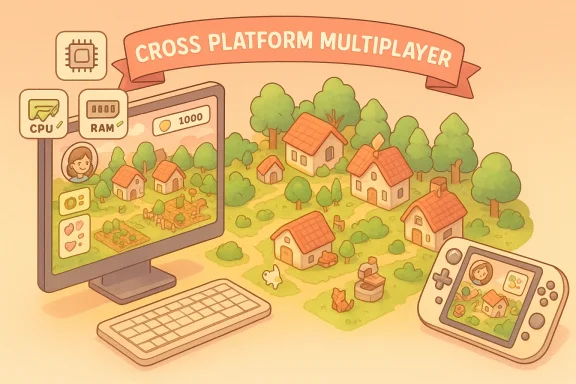
Heartopia is a free-to-play, cross-platform life-simulation game developed by XD Entertainment that combines farming, home design, pet care, and multiplayer town-building. The title released to mobile and PC (initially via TapTap and later appearing on Steam) in early January 2026; the App Store listing records a major update and the App size there, while Steam and community guides publish the PC requirements players will most often reference. The game’s design favors accessibility: developer messaging and storefront metadata emphasize modest install sizes and compatibility with a wide range of devices, while also noting that online features and cross-platform multiplayer require a broadband connection. This guide breaks the requirements into platform-specific sections, explains what each number means in practice, highlights where storefronts disagree, and provides actionable tuning and upgrade advice for Windows players and mobile users alike.
What platforms support Heartopia?
- Windows PC (TapTap client at launch; a Steam product page is live and lists system requirements).
- iOS devices running iOS 12.0 or later (App Store lists compatibility and package size).
- Android phones and tablets (storefronts and community guides list Android 7.0–8.0+ ranges and various SoC/RAM guidance).
PC system requirements: minimum and recommended explained
Heartopia’s official PC specs listed on the Steam storefront and mirrored by community guides make the game approachable for modest hardware while still offering a smoother experience on mid-range rigs.Minimum (playable)
- OS: Windows 10 (64-bit)
- CPU: Intel Core i5‑2500 or AMD FX‑4350 class
- RAM: 8 GB
- GPU: NVIDIA GTX 660 Ti / AMD R9 270 (DirectX 11)
- Storage: ~10 GB available space
- Network: Broadband required (online features).
Recommended (comfortable)
- OS: Windows 10 / 11 (64-bit)
- CPU: Intel Core i5‑6500 or AMD Ryzen 3 class (or modern equivalent)
- RAM: 16 GB
- GPU: NVIDIA GTX 1060 / AMD RX 480 or better
- Storage: 10 GB available (SSD recommended)
- Network: Broadband for multiplayer.
PC installation and storage: what to prepare
- Reserve at least 10 GB for the base install on PC, but plan extra buffer for cached assets, updates, and screenshots. The Steam storefront lists 10 GB, and community guides echo that headline.
- Install on an SSD when possible. Even a SATA SSD reduces hitching and load times; NVMe is overkill for pure load times here but beneficial if you capture video and want the fastest asset streaming.
Mobile requirements: iOS and Android
Mobile builds list different install sizes and OS compatibilities across storefronts. Carefully check your device before installing.iOS (App Store)
- Requires: iOS 12.0 or later (iPhone/iPad/iPod touch compatibility listed).
- App size on App Store: ~4 GB (App Store lists 4 GB; some community guides round to ~3.9 GB).
- Notes: the App Store changelog shows version 0.4.5 published January 7, 2026, and the listing emphasizes compatibility back to iOS 12.0.
Android
- Community and wiki listings consolidate Android guidance in SoC + RAM classes rather than strict OS-only fields. Community guides suggest minimums in the Snapdragon 600/700 low-mid range and recommend 3–4 GB RAM for basic play; other aggregated guides list Android 7.0–8.0+ as practical minimums. The Heartopia system page references a modest mobile hardware baseline (Snapdragon 665 / Dimensity 700 equivalents and ~3 GB RAM recommended).
Mobile data usage and storage
- Playing on mobile network: estimates in the community guidance and the Heartopia system page put data usage at roughly 50–100 MB per hour—WiFi is recommended for extended play and updates.
- Storage: iOS listing shows ~4 GB; Android listings and the game’s support pages indicate roughly 2–5 GB depending on platform and post-install asset unpacking—allow extra space for updates and caches.
Controller support, Steam Deck, and input caveats
- Official controller support is not available at launch. The game was designed primarily for keyboard/mouse on PC and touch on mobile; community workarounds exist for Android (virtual button mapping via third-party apps) and Steam Deck users may attempt control remapping through Steam Input, but results vary significantly.
Performance optimization: PC and mobile tuning
Heartopia scales well across machines, but a few targeted steps will make the biggest difference.PC optimization checklist
- Update GPU drivers through NVIDIA GeForce Experience, AMD Adrenalin, or Intel Driver & Support Assistant. Updated drivers often fix rendering regressions and improve performance for new titles.
- Install the game on an SSD to reduce streaming hitching; prefer NVMe only if you regularly capture or stream high-bitrate video.
- Close background apps (web browsers, Discord, streaming software) to free RAM and CPU cycles.
- In-game: lower shadows, post-processing, and texture quality first—these settings have the biggest GPU/VRAM impact. Reduce draw distance if you see stutters when approaching dense decoration clusters.
- Enable Windows Game Mode (Settings > Gaming > Game Mode) to reduce background interruptions and prioritize game threads.
Mobile performance tips
- Use WiFi for updates and long play sessions to avoid data throttling; playing on cellular also risks packet loss or latency that can affect sync with online servers.
- Close background apps and disable battery saver modes while playing to avoid aggressive CPU/GPU throttling.
- Lower resolution / graphics presets and disable post-processing on older phones to improve sustained frame rates.
Common installation and runtime problems (and fixes)
- Installation fails: Ensure you have extra storage (add 5–10 GB buffer beyond the listing), run the installer or launcher with elevated privileges on Windows, and temporarily disable overzealous antivirus during install.
- Lagging or stutters: Update GPU drivers, close background tasks, lower in-game shadows/textures, and check for thermal throttling (clean fans, ensure ventilation).
- Sudden FPS drops: Check for background Windows updates, reduce background capture or streaming settings, verify the game files through your launcher, and watch CPU/GPU temps for throttling.
- Controller mapping issues: Use Steam Input mapping or third-party Android mapping tools as a stopgap; expect inconsistent behavior in UI-heavy screens.
Cross-checks, discrepancies, and what to watch
While the major storefronts and community guides line up on the broad strokes, several small discrepancies are worth noting and verifying prior to download:- App size for iOS: the official App Store lists 4 GB, while some third-party system pages and guides round this to ~3.9 GB—this is a trivial difference but relevant if you’re tight on storage. Always trust the store listing on your device for the most accurate download size.
- Android minimum: some community pages list Android 7.0 as a nominal floor while the consolidated Heartopia system page emphasizes Android 8.0+ in broader copy—this comes down to how community guides extrapolate SoC classes from OS levels. If your phone runs Android 8 or newer and has 3–4 GB RAM, you’re in the safe zone.
- PC storefront vs. TapTap vs. Steam timings: Heartopia initially launched PC access via TapTap around the global mobile launch, with the Steam product page appearing soon after; Steam shows system requirements and a Free-to-Play listing. If you prefer Steam for updates and easy controller mapping, check the Steam page for the latest notes on control schemes and required drivers.
Strengths, risks, and final analysis
Notable strengths
- Broad accessibility: Minimum PC and mobile specs keep the entry bar low; Heartopia’s optimization lets many users play on modest hardware. The Steam minimum (8 GB RAM and a decade-old GPU class) and iOS compatibility back this up.
- Cross-platform multiplayer: Social play across PC and mobile is a major win for friends who don’t share the same devices—this reduces fragmentation and increases the active player pool.
- Modest base install footprint: The 10 GB PC headline and 4 GB App Store mobile package lower the initial download burden for many users.
Potential risks and caveats
- Input and control limitations: Lack of official controller support is a functional risk for players who prefer gamepads or want plug-and-play Steam Deck compatibility. Community workarounds exist but are imperfect.
- Storage growth over time: Live-service updates, seasonal content, and cached assets will expand the on-disk footprint—plan extra free space beyond the advertised minimums.
- Android fragmentation: Because Android performance depends on OEM thermal tuning and driver support, two phones with the same SoC may behave differently in long sessions. Expect more variance on Android than on iOS.
Quick upgrade and launch checklist (Actionable)
- Confirm OS and free storage on your target device via the store listing (Steam, App Store, Google Play/TapTap).
- Update GPU drivers (PC) and OS to the latest stable build (mobile and PC).
- Install on an SSD if using PC; keep 10–20 GB extra free for updates.
- Close background apps and disable battery-saving modes for the first play session.
- If you rely on controllers, experiment with Steam Input or Android mapping apps but expect imperfect results—plan for keyboard/mouse or touch as the default.
Heartopia’s system requirements show a conscious effort to keep the game playable on a wide range of hardware while still recommending mid-range components for the best experience. The biggest real-world concerns for players are controller input limitations, variable Android behavior, and the inevitable increase in disk usage as the live game evolves. If you prepare by freeing up storage, installing on an SSD when possible, and keeping drivers and OS builds current, you’ll minimize friction and maximize your time crafting a cozy life in Heartopia.
Source: GAM3S.GG Heartopia System Requirements Guide | GAM3S.GG
