

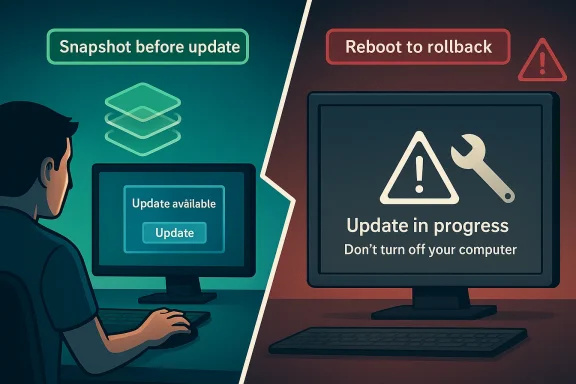
There is a reason so many Linux users stop flinching at the sight of an update prompt: filesystem snapshots turn software updates from a gamble into a reversible action. Instead of hoping a patch lands cleanly, the system can preserve a working state first and let you roll back in minutes if anything goes wrong. That is a much more comforting model than the one most Windows users are still stuck with, where recovery often feels like an emergency procedure rather than a routine safeguard. Linux does not eliminate update failures; it makes them cheap to undo.
For decades, operating system updates carried a quiet psychological tax. Even when people trusted their hardware and software, they still knew that an update could change driver behavior, alter boot configuration, or disturb a feature that had worked perfectly the day before. That hesitation was not irrational. It came from experience, and experience taught users that “update” sometimes meant “risk.”
Windows users have especially felt that tension because recovery has historically been a patchwork of tools with uneven results. Microsoft’s System Restore can revert system files, registry settings, and installed programs to a previous point in time, but it is not a full-system snapshot and it is usually treated as a troubleshooting tool rather than a normal daily safety net. Microsoft also distinguishes between restore, backup, and recovery, which reinforces the idea that these are separate rescue options rather than one unified rollback workflow.
Linux took a different route by building update safety into the storage layer itself. On distributions that use Btrfs with Snapper, a snapshot can be created before changes are applied, and the system can boot from that earlier state if the update misbehaves. SUSE’s documentation describes rollback with Snapper on Btrfs and explains that booting an old snapshot lets users return to a last working state, with
That difference sounds technical, but the user experience is what matters. Windows tends to ask, “How do we repair this?” Linux snapshots ask, “Why repair what you can simply replace with the version that already worked?” That is a profound shift in mindset, and it is the reason snapshots feel less like a support feature and more like insurance.
The underlying storage model is also why snapshots can feel almost magical. With copy-on-write file systems, only changed blocks need to be written when something is modified, so a snapshot does not require copying an entire disk’s contents. That makes snapshot creation fast enough to happen automatically and often invisible enough that users barely notice it until they need it. The result is a safety net that is always there instead of one you remember to create only after the damage is done.
The psychology of that setup matters. If rollback feels complicated, people postpone updates, and postponed updates create their own security risk. That is the trap many Windows users know too well: update now and risk disruption, or delay and risk exposure. Neither option feels great.
That is why even stable systems produce anxiety when the update dialog appears. People are not asking for perfection. They are asking for confidence that if something breaks, the fix will not consume an afternoon.
That is sensible engineering, but it is not the same as a seamless rollback model. The difference is the emotional burden: one approach feels like maintenance, the other feels like surgery.
The real power is not that snapshots exist. The real power is that they make updates routine. When rollback is easy, the cost of trying an update drops, and users become less hesitant about patching promptly. That has obvious security benefits, but it also lowers day-to-day friction.
This matters because a feature that is expensive or slow tends to be used rarely. A feature that is quick enough to automate becomes part of the operating system’s rhythm.
That distinction is why snapshots feel so elegant: they target the exact problem most users face after updates. If your new graphics driver or package update makes the system unstable, a snapshot is the shortest path back to normal.
Automation is the real leap. Before a system update, the distribution can create a snapshot without asking the user to think about it. That means the safety net is present even when the user is distracted, rushed, or unaware that a particular change might be risky. A good protection system should work in the background, not only after someone reads a manual.
That shifts reliability from user habit to system design. In practical terms, that is often the difference between a feature that is theoretically useful and one that actually saves the day.
That boot-time availability is what changes the experience from “recovery” to “choice.” Instead of repairing a broken system, you simply decide which version of the system you want to run.
That matters because proof beats theory. Plenty of operating systems have recovery concepts on paper. Fewer integrate them so deeply that ordinary update workflows benefit from them by default.
That is an extremely attractive model for system integrity. Users do not need to understand every implementation detail to appreciate the outcome: either the update lands cleanly or the previous state remains intact.
That honesty is useful. It reminds us that snapshots are powerful but not magical. They are a practical safeguard, not a universal time machine.
If Windows wants users to update more confidently, it needs a rollback model that feels immediate, visible, and routine. That would mean something closer to Linux snapshots: automatic checkpoints before system changes, simple selection from boot or recovery, and a rollback path that does not require the user to become a support technician.
A more Linux-like approach would normalize the idea that the system is always a few clicks or a reboot away from a previous known-good state. That kind of reassurance changes behavior.
Yes, restore points can be created automatically and manually. Yes, they can roll system files and registry settings back to an earlier point. But the feature’s integration is not as transparently tied to every update workflow as Linux snapshots are in snapshot-friendly distributions.
That is not fatal, but it is not elegant either. A better rollback system should feel obvious the moment an update fails.
When a safeguard is easy to understand, people trust it more. When people trust it more, they use it more. That is how the feature turns into a culture.
Linux’s snapshot model aligns well with the way businesses think about continuity. The goal is not to eliminate change; the goal is to ensure change does not create a prolonged outage.
A known-good state gives IT a clean first response. That is valuable even when the final fix is more complicated, because it buys breathing room and restores productivity.
Snapshot rollback is more decisive. It says, in effect, “go back to the last working system and regroup from there.”
That control is not abstract. It is the difference between installing security updates on a whim and hesitating until the weekend. It is the difference between taking a risk and knowing you have a way back.
It also reduces the superstition that often surrounds updates. People stop treating patch Tuesday like a gamble and start treating it like routine hygiene.
A useful operating system is one that earns trust. A rollback-capable operating system earns that trust by being forgiving.
That does not diminish the idea. It just means the feature is powerful because it solves a specific, common problem really well, not because it is an all-purpose solution.
This is an important nuance because it prevents overconfidence. Snapshots are a shield, not an excuse to stop thinking about data protection.
Good systems reduce work, but they do not eliminate the need to manage resources.
If Microsoft were serious about copying the right parts of Linux, it would not stop at abstract recovery tools. It would make rollback an everyday expectation, tied directly to updates and visible to ordinary users. That would not just improve reliability; it would change the emotional contract between people and their PCs.
What to watch next is whether operating systems continue moving toward transactional, atomic, and reversible updates as the default rather than the exception. The path is already visible.
Source: MakeUseOf This Linux feature is why I’m not scared of updates anymore (and Windows should copy it)
 Background
For decades, operating system updates carried a quiet psychological tax. Even when people trusted their hardware and software, they still knew that an update could change driver behavior, alter boot configuration, or disturb a feature that had worked perfectly the day before. That hesitation was not irrational. It came from experience, and experience taught users that “update” sometimes meant “risk.”Windows users have especially felt that tension because recovery has historically been a patchwork of tools with uneven results. Microsoft’s System Restore can revert system files, registry settings, and installed programs to a previous point in time, but it is not a full-system snapshot and it is usually treated as a troubleshooting tool rather than a normal daily safety net. Microsoft also distinguishes between restore, backup, and recovery, which reinforces the idea that these are separate rescue options rather than one unified rollback workflow.
Linux took a different route by building update safety into the storage layer itself. On distributions that use Btrfs with Snapper, a snapshot can be created before changes are applied, and the system can boot from that earlier state if the update misbehaves. SUSE’s documentation describes rollback with Snapper on Btrfs and explains that booting an old snapshot lets users return to a last working state, with
snapper rollback making that snapshot the default on the next reboot.That difference sounds technical, but the user experience is what matters. Windows tends to ask, “How do we repair this?” Linux snapshots ask, “Why repair what you can simply replace with the version that already worked?” That is a profound shift in mindset, and it is the reason snapshots feel less like a support feature and more like insurance.
The underlying storage model is also why snapshots can feel almost magical. With copy-on-write file systems, only changed blocks need to be written when something is modified, so a snapshot does not require copying an entire disk’s contents. That makes snapshot creation fast enough to happen automatically and often invisible enough that users barely notice it until they need it. The result is a safety net that is always there instead of one you remember to create only after the damage is done.
Why Updates Feel Dangerous on Windows
Windows updates are not uniquely unreliable, but they are uniquely visible when something goes wrong. A failed driver installation, a boot issue, or a feature regression tends to become the user’s problem immediately, often with no obvious path back to a clean state. Microsoft does provide tools such as System Restore and “uninstall an update,” but the workflow is still reactive and often requires several recovery steps.The psychology of that setup matters. If rollback feels complicated, people postpone updates, and postponed updates create their own security risk. That is the trap many Windows users know too well: update now and risk disruption, or delay and risk exposure. Neither option feels great.
The problem is not just failure; it is uncertainty
A failed update is annoying. An uncertain update is worse. Users do not merely fear catastrophe; they fear the possibility of catastrophe, especially when the timing is bad and the computer is needed for work.That is why even stable systems produce anxiety when the update dialog appears. People are not asking for perfection. They are asking for confidence that if something breaks, the fix will not consume an afternoon.
Recovery should be a normal action, not a rescue mission
Windows recovery is often framed as a special case. You enter recovery mode, troubleshoot, select a restoration path, and hope the system returns in a usable condition. Microsoft’s own guidance treats System Restore as one option among several, including reinstalling Windows, using a recovery drive, or rolling back a version update.That is sensible engineering, but it is not the same as a seamless rollback model. The difference is the emotional burden: one approach feels like maintenance, the other feels like surgery.
- Windows recovery can require multiple reboot stages.
- Some fixes depend on whether a restore point exists.
- Recovery paths vary depending on the exact failure.
- Users may need to decide between restore, repair, reinstall, or rollback.
- The process often feels opaque when time matters most.
How Linux Snapshots Change the Mental Model
Snapshots change the meaning of the update button. On a snapshot-enabled Linux system, clicking update does not mean accepting irreversible change; it means advancing the system while preserving a known-good checkpoint. That is a subtle distinction, but it changes how people feel about maintenance.The real power is not that snapshots exist. The real power is that they make updates routine. When rollback is easy, the cost of trying an update drops, and users become less hesitant about patching promptly. That has obvious security benefits, but it also lowers day-to-day friction.
Copy-on-write is the hidden enabler
The technical foundation is a copy-on-write file system such as Btrfs. Instead of duplicating everything, Btrfs tracks changes efficiently, which is what makes snapshots fast and space-efficient enough for practical use. SUSE’s documentation and openSUSE material both treat Btrfs snapshots as the core mechanism behind rollback and transactional updates.This matters because a feature that is expensive or slow tends to be used rarely. A feature that is quick enough to automate becomes part of the operating system’s rhythm.
Snapshots are not backups, but they solve a different problem
It is important not to confuse snapshots with backups. Backups protect you against hardware failure, accidental deletion, and long-term data loss. Snapshots primarily protect you against recent system changes that broke something.That distinction is why snapshots feel so elegant: they target the exact problem most users face after updates. If your new graphics driver or package update makes the system unstable, a snapshot is the shortest path back to normal.
- Snapshots preserve a point-in-time system state.
- They are optimized for rollback after recent changes.
- They are not a substitute for external backups.
- They are especially valuable for system files and configuration.
- They reduce the need for manual troubleshooting after updates.
Snapper, Btrfs, and the Automation Advantage
The snapshot idea would be far less compelling if users had to manage it manually every time. What makes Linux impressive is that distributions can wire the process into the update flow. Snapper is the best-known example in the SUSE ecosystem, and openSUSE documentation describes it as a tool for managing Btrfs snapshots with built-in integration for recovery and rollback.Automation is the real leap. Before a system update, the distribution can create a snapshot without asking the user to think about it. That means the safety net is present even when the user is distracted, rushed, or unaware that a particular change might be risky. A good protection system should work in the background, not only after someone reads a manual.
Why automation matters more than the snapshot itself
Many users technically know how to create backups or restore points, but they do not do it with enough discipline. Automatic snapshots eliminate that human weakness. The system remembers for you.That shifts reliability from user habit to system design. In practical terms, that is often the difference between a feature that is theoretically useful and one that actually saves the day.
Boot-time rollback is the killer feature
The most elegant part is boot integration. SUSE documentation explains that GRUB can boot from Btrfs snapshots, allowing users to select an older snapshot at startup and then make that state the default with rollback. openSUSE’s own guidance recommends booting from a snapshot and usingsnapper rollback when needed.That boot-time availability is what changes the experience from “recovery” to “choice.” Instead of repairing a broken system, you simply decide which version of the system you want to run.
- Automatic snapshot creation reduces human error.
- Boot menus can expose multiple recoverable states.
- Rollback can be fast enough to feel nearly instantaneous.
- The update path becomes less emotionally risky.
- The system remains usable even after a bad patch.
The OpenSUSE Approach as a Real-World Proof Point
If you want evidence that this model works, openSUSE is the clearest case. The distribution’s documentation explicitly describes rollback with Snapper on Btrfs, and it treats booting from snapshots as a practical recovery path. openSUSE’s own FAQ points users toward rollback with Snapper if an update causes trouble, which is about as direct an endorsement as a distro can give.That matters because proof beats theory. Plenty of operating systems have recovery concepts on paper. Fewer integrate them so deeply that ordinary update workflows benefit from them by default.
Transactional thinking improves trust
openSUSE also documents transactional update behavior, where updates are designed to be atomic rather than partially applied. The wiki notes that on openSUSE this is achieved with Btrfs snapshots and rollback, with the update process structured so either the change is fully applied or nothing changes.That is an extremely attractive model for system integrity. Users do not need to understand every implementation detail to appreciate the outcome: either the update lands cleanly or the previous state remains intact.
The limitations are honest, not hidden
SUSE also documents caveats. For example, older snapshots may not preserve every possible service state if a new data format has already been introduced, and not every element of the system is rolled back in the same way.That honesty is useful. It reminds us that snapshots are powerful but not magical. They are a practical safeguard, not a universal time machine.
- openSUSE makes rollback part of the expected workflow.
- Btrfs is the storage layer that makes the model feasible.
- GRUB integration lowers the barrier to recovery.
- Transactional updates reduce the chance of half-applied changes.
- Documented caveats make the system more credible, not less.
Why Windows Should Copy This Model
Windows already has pieces of the puzzle, but they are not assembled into the same seamless experience. System Restore is helpful, but Microsoft positions it as one of several recovery tools rather than as the first-line rollback mechanism users see every time they update. The fact that Windows guidance splits restoration, backup, and recovery into separate workflows shows how fragmented the experience still is.If Windows wants users to update more confidently, it needs a rollback model that feels immediate, visible, and routine. That would mean something closer to Linux snapshots: automatic checkpoints before system changes, simple selection from boot or recovery, and a rollback path that does not require the user to become a support technician.
Windows has the pieces, but not the default behavior
Microsoft already knows how to build recovery tools. The problem is that the tools are not yet composed into a default trust model for updates. Users should not have to learn several separate recovery concepts before they feel safe pressing Update.A more Linux-like approach would normalize the idea that the system is always a few clicks or a reboot away from a previous known-good state. That kind of reassurance changes behavior.
Enterprise and consumer users both benefit
For consumers, the value is obvious: fewer ruined evenings and fewer “why did this update break my audio?” moments. For enterprises, the case may be even stronger because rollback means less downtime, fewer desk-side interventions, and lower support costs.- Consumers want instant escape from bad updates.
- Small businesses want fewer support calls.
- Enterprises want faster incident recovery.
- IT admins want predictable rollback procedures.
- Everyone benefits when updates become less disruptive.
System Restore Is Not the Same Thing
It is tempting to say Windows already has this feature, so what is the fuss? But that comparison glosses over the user experience. System Restore is not a full Linux-style snapshot system, and Microsoft frames it primarily as a way to revert configuration changes rather than as a unified daily update strategy.Yes, restore points can be created automatically and manually. Yes, they can roll system files and registry settings back to an earlier point. But the feature’s integration is not as transparently tied to every update workflow as Linux snapshots are in snapshot-friendly distributions.
Restore points are useful, but they are not a guarantee
System Restore depends on the existence and timing of restore points. If the one you want is missing, the experience becomes less certain. Microsoft’s instructions even include a “show more restore points” step, which is a tiny but telling detail: the process already assumes users may have to hunt a little.That is not fatal, but it is not elegant either. A better rollback system should feel obvious the moment an update fails.
The interface matters as much as the engine
A rollback feature can be technically capable and still feel weak if it is buried behind multiple recovery screens. Linux snapshots benefit from a very direct path: select snapshot, boot snapshot, rollback snapshot. That simplicity is a huge part of the appeal.When a safeguard is easy to understand, people trust it more. When people trust it more, they use it more. That is how the feature turns into a culture.
The Enterprise Case for Snapshot-Style Rollback
Enterprises are often the most obvious beneficiaries of snapshot-based updates because the cost of failure scales quickly. A bad driver, a broken policy, or a bad package update on a fleet of machines can consume hours of labor and create support bottlenecks. If rollback is fast and deterministic, the organization saves both time and reputation.Linux’s snapshot model aligns well with the way businesses think about continuity. The goal is not to eliminate change; the goal is to ensure change does not create a prolonged outage.
Why support teams care
Support teams are punished by ambiguity. If they cannot quickly distinguish between a temporary issue, a software regression, and a bad update state, they lose time chasing symptoms. Snapshots collapse that uncertainty.A known-good state gives IT a clean first response. That is valuable even when the final fix is more complicated, because it buys breathing room and restores productivity.
Why rollback beats endless repair
Repair workflows can become messy in mixed environments. Drivers, line-of-business apps, and user profiles all interact. A restore or recovery process may solve the immediate issue but leave uncertainty about what else changed.Snapshot rollback is more decisive. It says, in effect, “go back to the last working system and regroup from there.”
- Less downtime for end users.
- Shorter incident response cycles.
- Better update confidence in pilot rings.
- Reduced pressure on help desks.
- Cleaner separation between testing and production states.
Consumer Experience: The Emotional Win
The most underrated part of snapshots is emotional. Computers are supposed to feel dependable, and updates often undermine that feeling by introducing uncertainty into the one task users do not want to think about too hard. Snapshots restore a sense of control.That control is not abstract. It is the difference between installing security updates on a whim and hesitating until the weekend. It is the difference between taking a risk and knowing you have a way back.
Updates become routine instead of stressful
When rollback is painless, users stop delaying maintenance. That means fewer stale systems, fewer unpatched vulnerabilities, and fewer moments where a simple update has turned into a day-long project. In other words, the feature helps both safety and sanity.It also reduces the superstition that often surrounds updates. People stop treating patch Tuesday like a gamble and start treating it like routine hygiene.
The confidence effect is real
Confidence changes behavior. A system that can be rewound invites experimentation, faster patching, and less avoidance. That is why snapshots do more than fix failures; they change the user’s relationship with maintenance.A useful operating system is one that earns trust. A rollback-capable operating system earns that trust by being forgiving.
Where the Linux Model Still Has Friction
Snapshot systems are impressive, but they are not frictionless. Storage overhead, configuration complexity, and compatibility issues can still trip people up, especially when snapshots are expected to cover everything. SUSE documentation notes that rollback has boundaries and that some directories or service states may not fully return to the old configuration in every case.That does not diminish the idea. It just means the feature is powerful because it solves a specific, common problem really well, not because it is an all-purpose solution.
Not every workload rolls back cleanly
Some services evolve in ways that snapshots cannot perfectly reverse. If an application writes data in a new format, reverting the OS may not automatically reverse the data evolution. That is why snapshots and backups must coexist.This is an important nuance because it prevents overconfidence. Snapshots are a shield, not an excuse to stop thinking about data protection.
Storage planning still matters
Because snapshots preserve change history, they consume space, and space is not infinite. openSUSE’s documentation includes disk-space guidance and snapshot management advice, which is a reminder that convenience still depends on good housekeeping.Good systems reduce work, but they do not eliminate the need to manage resources.
- Snapshot retention needs policy.
- Disk usage can grow if older snapshots accumulate.
- Application data may not revert perfectly with the OS.
- Some rollback effects have boundaries.
- Advanced setups still require administrative discipline.
Strengths and Opportunities
Linux snapshots succeed because they make rollback boring, and boring is exactly what users want from a safety mechanism. The more invisible the protection, the more it feels like the system is on the user’s side. That creates a strong model that Windows could absolutely borrow, especially as update frequency and complexity keep increasing.- Fast rollback turns failed updates into temporary annoyances.
- Automatic snapshots reduce reliance on user memory.
- Boot-menu recovery makes restoration easy to discover.
- Copy-on-write storage keeps overhead practical.
- Transactional updates reduce half-finished system states.
- Lower update anxiety encourages timely patching.
- Enterprise continuity improves when rollback is predictable.
Risks and Concerns
The biggest risk is confusing snapshots with backups and assuming one solves everything. That misunderstanding can leave users exposed to data loss even while their operating system is protected. Another concern is that snapshot-heavy designs require thoughtful storage management and may not always restore every service or app state exactly as expected.- Snapshots are not backups, so external data protection is still required.
- Storage usage can rise if snapshots are retained too long.
- Application data formats may not roll back cleanly.
- User overconfidence can lead to weak backup habits.
- Complex configurations may reduce the simplicity advantage.
- Partial rollback semantics can surprise less experienced users.
- Platform fragmentation makes rollout harder on Windows than on Linux.
Looking Ahead
The best future for desktop operating systems is not one where updates never fail. It is one where failure is no longer a crisis. Linux snapshots already prove that a system can be designed to assume things may go wrong while still making recovery feel immediate and humane.If Microsoft were serious about copying the right parts of Linux, it would not stop at abstract recovery tools. It would make rollback an everyday expectation, tied directly to updates and visible to ordinary users. That would not just improve reliability; it would change the emotional contract between people and their PCs.
What to watch next is whether operating systems continue moving toward transactional, atomic, and reversible updates as the default rather than the exception. The path is already visible.
- More widespread snapshot integration in desktop distros.
- Better UI exposure for rollback options.
- Tighter integration between update engines and storage layers.
- More enterprise-grade transactional update workflows.
- Improved education about snapshots versus backups.
Source: MakeUseOf This Linux feature is why I’m not scared of updates anymore (and Windows should copy it)
