

I rebuilt my offline music library from the ground up, and after months of living with it I can say this with confidence: owning a curated collection of DRM‑free files is quieter, faster, and more reliable than streaming — and it also restores a sense of ownership and control most listeners have forgotten they had.
Streaming changed how we listen: instant access to millions of tracks, cross‑device sync, and algorithmic discovery made subscriptions feel like an obvious trade. But those conveniences come with hidden costs — silent removals of tracks, region and licensing restrictions, encrypted offline caches, and a reliance on continuous connectivity. Rebuilding an offline library flips the model: you buy or license files you control, store them in standard formats, and choose players and workflows that respect your preferences and privacy. The practical steps to do that are simple; the rewards are resilience, portability, and — for many people — a better listening experience.
This feature pulls together the best legal sources for downloadable music, the modern players that make local collections pleasurable, the technical trade‑offs you must accept, and a step‑by‑step plan to build a futureproof offline music library you’ll use every day.
Rebuilding your offline collection is not a wholesale rejection of streaming; it’s a choice to own a core of music you truly care about. That core becomes the soundtrack you can always count on — and once you have it, streaming becomes what it should be: an exploratory tool, not a lease on the music you love.
Source: MakeUseOf I rebuilt a real offline music library — and it’s better than streaming
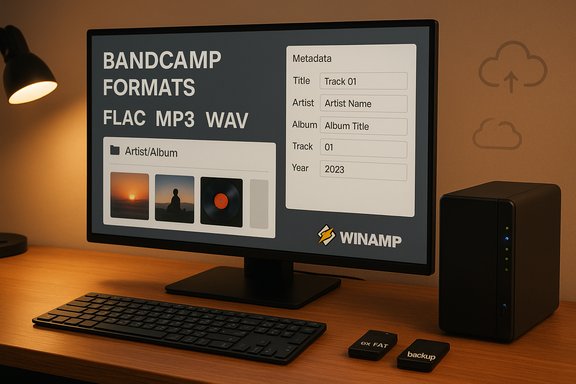 Background / Overview
Streaming changed how we listen: instant access to millions of tracks, cross‑device sync, and algorithmic discovery made subscriptions feel like an obvious trade. But those conveniences come with hidden costs — silent removals of tracks, region and licensing restrictions, encrypted offline caches, and a reliance on continuous connectivity. Rebuilding an offline library flips the model: you buy or license files you control, store them in standard formats, and choose players and workflows that respect your preferences and privacy. The practical steps to do that are simple; the rewards are resilience, portability, and — for many people — a better listening experience.This feature pulls together the best legal sources for downloadable music, the modern players that make local collections pleasurable, the technical trade‑offs you must accept, and a step‑by‑step plan to build a futureproof offline music library you’ll use every day.
Why rebuild an offline library now?
- No buffering, no buffering‑induced anxiety. Local files start immediately; you're never at the mercy of flaky cell coverage or congested Wi‑Fi.
- Permanent access to what you own. Streaming licenses can expire and catalogs change; purchased, DRM‑free files stay with you.
- Privacy and control. Local players can be truly offline and avoid the tracking baked into many streaming clients. Musicolet, for example, intentionally runs without network permission on Android.
- Creative control. You choose exact bitrates, formats (MP3, FLAC, ALAC), and metadata, and can edit tags and artwork as you please. This is ownership in a practical sense.
The best legal places to buy or download DRM‑free music
You can’t legally own everything you stream, but there are established marketplaces and services that sell or allow DRM‑free downloads.Bandcamp — the artist‑friendly hub
Bandcamp remains the single best destination for buying DRM‑free files directly from artists. You can purchase individual tracks or entire albums and download them in multiple formats — MP3, FLAC, ALAC, WAV, and more — choosing the quality you want. Bandcamp publishes its revenue model: the platform takes a modest cut (15% on digital items), while payment processing fees are extra; the typical artist share is in the ballpark of 80–85% of the sale. That model makes Bandcamp both a pragmatic and an ethical place to start your offline library.Online stores and digital retailers
- Amazon Music historically sold MP3s you could download and keep; purchased files are ordinary MP3s you can copy, back up, and play anywhere. The key distinction is between purchases (which you own) and subscription‑driven offline caches (which are encrypted and tied to your account). If you buy, download the MP3 and back it up immediately.
- iTunes / Apple Music Store (where still available in some regions) sells tracks as DRM‑free AAC files that can be kept locally and converted if needed.
Indie / niche and legal free sources
If you want to explore outside mainstream catalogs:- Jamendo, Free Music Archive, and SoundCloud host Creative‑Commons or direct‑download content. Jamendo offers a lot of artist‑provided downloads and licensing options, with a long history as a hub for indie and CC‑licensed music. These platforms are excellent for discovery and for building a complimentary collection of interesting, legal tracks.
Practical note on legality
Buying music and downloading it for personal use is legal and ethical; redistributing purchased music without permission is not. Treat local copies as your private library — share mixes only if you have explicit permission or the material is licensed for redistribution.Modern players that make local libraries feel silky‑smooth
A great offline experience depends on the software you use. Local players today are far more capable than the old days: they support gapless playback, high‑resolution formats, metadata editing, and clean interfaces.Winamp (modern relaunch)
Winamp makes a conscious bet on local ownership and artist monetization. The relaunch positions Winamp as a cross‑platform player that supports local files, lossless formats, and a creator marketplace called Fanzone, which allows artists to run tiers, sell exclusives, and receive tips inside the app. The official Winamp documentation explains how Fanzone functions and lists expected revenue splits for creators on different plans. Winamp’s modern mobile and desktop builds prioritize file ownership while layering optional cloud conveniences.MusicBee — the Windows power user’s weapon
For Windows collectors who want deep metadata control, format conversion, device sync, and advanced DSP, MusicBee remains one of the best options. It supports WASAPI/ASIO outputs, gapless playback, smart playlists, and an extensible plugin/skin ecosystem that scales from light to pro workflows. If you’re organizing thousands of files, MusicBee’s auto‑tagging, batch edits, and library monitors pay for themselves quickly.Musicolet and Poweramp (Android)
- Musicolet is an offline‑first Android player famous for its privacy posture: no internet permission, no ads, local‑only functionality, and extremely efficient, lightweight design. It’s ideal if you want a fully offline phone music player.
- Poweramp offers powerful organization, an advanced equalizer, and strong tag handling; it also automates the download of missing artwork and supports a huge range of codecs. Poweramp is aimed at users who want polish and audio customization on Android. Community threads show it handles large collections well but sometimes needs rescans to update metadata.
VLC, foobar2000, Sayonara, Kodi (cross‑platform)
- VLC is a reliable fallback: it plays virtually any format and runs everywhere, but library management is basic.
- foobar2000 excels for extreme customization and component‑based workflows.
- Kodi is overkill for many users, but if you want a living‑room music server that also handles movies, it’s an option.
Storage formats, filesystems, and compatibility — what you must know
A local library depends on physical storage somewhere: an SSD, NAS, or pocketable USB sticks. Two technical issues dominate compatibility: audio file formats and filesystem limits.Audio file formats
- MP3: universally compatible, small file sizes. Use it for portable sticks, low‑capacity devices, and older car stereos.
- FLAC / ALAC: lossless options for audiophiles. FLAC is widely supported on desktop and many high‑end devices; ALAC is Apple’s lossless format and plays well in their ecosystem.
- WAV: uncompressed and large; consider only when device compatibility is certain.
Filesystems: FAT32, exFAT, NTFS
- FAT32: maximum file size is ~4 GB — a hard technical limit. It’s the most backward‑compatible for older devices and many car stereos, but that 4‑GB ceiling can be an issue for long, high‑resolution recordings. Recent Windows builds relaxed arbitrary partition formatting limits, but the 4‑GB per‑file limit remains a FAT32 constraint.
- exFAT: supports very large files and is broadly compatible with modern operating systems and newer devices. It’s the best choice when you want large files (lossless albums) and good device support.
- NTFS: strong for Windows desktops and NAS backends but less portable for portable players that expect FAT32/exFAT.
The trade‑offs: what you gain and what you’ll pay for it
No approach is perfect. Building an offline library has clear costs and obligations.Upsides
- Permanence and resilience. Files you buy remain available regardless of catalog changes.
- No subscription dependency. Cancel the streaming service and your tunes are still yours.
- Better privacy. Local playback avoids telemetry and scrobble tracking unless you opt in.
- Creative control. Edit tags, artwork, and playlists without algorithmic interference.
Costs and inconveniences
- Upfront time or money. Buying albums, ripping CDs, and cleaning metadata take time. For a large library this can be a substantial project.
- Storage and backups. You must manage backups or risk losing your collection to disk failure. A small NAS and scheduled backups are inexpensive insurance.
- Discovery loss. Streaming services excel at discovery and algorithmic curation; rebuilding a library requires manual exploration or reliance on curated tastemakers.
- Device compatibility and maintenance. Some devices have quirks (filesystem support, codec limits). The craft‑box USB method is charming but requires careful formatting and labeling.
Practical, step‑by‑step plan to leave streaming behind
These steps take you from zero to a robust offline collection, while minimizing friction and future headaches.- Audit what you already own
- Create a spreadsheet or use a media manager to list what you have (rips, purchased MP3s, downloads). Identify gaps and duplicates.
- Start with targeted purchases
- Buy albums you care about from Bandcamp (choose FLAC for archival, MP3 for portability) and Amazon or other DRM‑free vendors for mainstream hits. Immediately download and verify files locally.
- Rip CDs and DVDs safely
- Use a reliable ripper that supports error correction (Exact Audio Copy or dBpoweramp on Windows). Rip to FLAC for archival quality and keep a second copy. Embed metadata and cover art before you copy files to other devices.
- Organize and tag
- Use a tagger (MusicBrainz Picard, MusicBee’s Auto‑Tag) to standardize Artist → Album → Track numbering. Adopt a file structure such as Artist/Album/Disc # - Track # Title to keep folders predictable for players.
- Pick the right player(s)
- Use MusicBee on Windows for deep library work, Musicolet or Poweramp on Android for portable listening, and Winamp if you want a cross‑platform local player with creator support. For multi‑room needs, consider Kodi or a NAS+DLNA solution.
- Format storage appropriately
- Use exFAT for portability and large file support; choose FAT32 only for devices that lack exFAT support and when files will be <4 GB. Keep a copy of your master archive on mirrored internal storage or a NAS.
- Backups and redundancy
- Keep at least two separate backups: a local mirrored copy (RAID1 or simple periodic clones) and an off‑site copy (cold storage, cloud backup of your archival FLAC folder). Replace USB sticks used for distribution every few years; flash media degrades.
- Maintain discoverability
- Supplement your owned library with curated playlists from the web, Bandcamp’s recommendations, and occasional streaming for discovery. When you find a song you love on a streaming service, buy the file if you want permanent access.
Advanced tips and power‑user hacks
- Keep your master archive in FLAC for quality and convert to MP3 320 for mobile using batch converters when needed.
- Use MusicBee or similar to export playlists as M3U with relative paths; this makes migrating between devices trivial.
- If you frequently share mixes, create a “distribution” set of files you have explicit permission to hand out (public domain, Creative Commons, or mixes you produced).
- For portable physical collections, adopt the “craft‑box” method: copy albums to labeled USB sticks and store in a small organizer. It’s tactile, fast, and useful in low‑signal situations — but remember compatibility caveats.
Risks and things to watch
- Cloud‑only illusions. Don’t assume purchased tracks will always be downloadable from a given vendor’s new apps; download and keep local copies immediately after purchase. Amazon’s ecosystem is a cautionary example where purchased libraries can be harder to manage via modern apps — desktop downloads are the reliable route.
- Platform vendor promises. When a service advertises “offline downloads,” verify whether those files are DRM‑free or app‑locked caches. Streaming offline caches are not ownership.
- Creator monetization snares. New creator platforms (Winamp’s Fanzone, for example) can be tempting for artists, but check published fee schedules and payment terms before relying on them as income streams. Winamp publishes Fanzone documentation outlining revenue share mechanics for creators.
- Filesystem limits. Always check the target playback device for filesystem support; FAT32’s 4‑GB limit remains a hard constraint for individual files.
Final verdict — is offline better than streaming?
For day‑to‑day casual listeners who prize discovery and zero friction, streaming retains its edge. But for anyone who values durability, control, and frictionless playback regardless of network conditions, a local, DRM‑free library is superior in many real‑world ways.- Reliability: Offline files play anywhere, anytime — flights, commutes through tunnels, rural roads.
- Ownership: You possess the audio in transferable, editable files.
- Privacy and focus: No autoplay algorithms, no engagement‑first design nudges, and fewer third‑party trackers.
Quick checklist to get started today
- Pick five albums you absolutely want to own.
- Buy them on Bandcamp (choose FLAC for the archive).
- Install MusicBee (Windows) or Musicolet (Android) to manage and play them.
- Format a USB stick as exFAT and copy MP3 versions for portable use.
- Create a redundant backup (external drive or NAS) and schedule a monthly check.
Rebuilding your offline collection is not a wholesale rejection of streaming; it’s a choice to own a core of music you truly care about. That core becomes the soundtrack you can always count on — and once you have it, streaming becomes what it should be: an exploratory tool, not a lease on the music you love.
Source: MakeUseOf I rebuilt a real offline music library — and it’s better than streaming
