Windows 10 How to Successfully Convert a New Hard Drive to Full Capacity

NettleWarbler

Banned
Joined
Mar 25, 2016
Messages
636
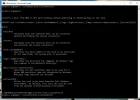
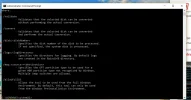
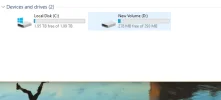
evening all , I recently bought a new harddrive , I tried to convert using this method as it said the conversion rate was rapid taking only seconds . I must have done it wrong because my drive still shows 1.99TB and 2.93MB can someone please tell me how to complete the conversion . thank you .
 

Attachments

  • Drives.webp
    Drives.webp
    10.2 KB · Views: 418
  • 1st part.webp
    1st part.webp
    62 KB · Views: 365
  • 2nd part.webp
    2nd part.webp
    44.7 KB · Views: 404

Neemobeer

Windows Forum Team
Staff member
Joined
Jul 4, 2015
Messages
8,998
Are C and D separate disks?
 

Neemobeer

Windows Forum Team
Staff member
Joined
Jul 4, 2015
Messages
8,998
Well you need spaces between your arguments
 

NettleWarbler

Banned
Joined
Mar 25, 2016
Messages
636
Well you need spaces between your arguments Neemobeer , I don't know what you mean .
 

Neemobeer

Windows Forum Team
Staff member
Joined
Jul 4, 2015
Messages
8,998
The arguments are each word that begins with a / in your screen shot.
 

NettleWarbler

Banned
Joined
Mar 25, 2016
Messages
636
I had another try at converting to GPT using Command Prompt Admin , this time I got this message at the end . before the new system can boot properly you need to switch the firmware to boot to Uefi mode . Windows\system32> Under that , so I still don't know how to solve it .
 

Neemobeer

Windows Forum Team
Staff member
Joined
Jul 4, 2015
Messages
8,998
Switching to UEFI mode can't normally be done in Windows. When the computer firsts boots you should see an option to enter setup. Common keys are F2,F10,F12 and DEL. The layout of UEFI will be different, but you'll want to look for boot or mode and make sure it is NOT set to legacy. The terminology can vary between systems as well

You can also just google "<your model enable UEFI boot"
 

NettleWarbler

Banned
Joined
Mar 25, 2016
Messages
636
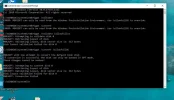
My latest sorry attempt failed again in the photo it says disk sector size is 512 bytes . I don't know if that's got owt to do with it failing . The boot mode is UEFI .
 

Attachments

  • Conversiopn failed IN UEFI mode.webp
    Conversiopn failed IN UEFI mode.webp
    62.9 KB · Views: 323

Neemobeer

Windows Forum Team
Staff member
Joined
Jul 4, 2015
Messages
8,998
You'll need to look in the logs for the reason

Logs
Four log files are created by the MBR2GPT tool:

  • diagerr.xml
  • diagwrn.xml
  • setupact.log
  • setuperr.log
 

Neemobeer

Windows Forum Team
Staff member
Joined
Jul 4, 2015
Messages
8,998
Look in the above mentioned logs for error messages
 

NettleWarbler

Banned
Joined
Mar 25, 2016
Messages
636
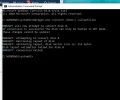
I get exactly the same result ,
 

Attachments

  • failure.webp
    failure.webp
    31.3 KB · Views: 419

NettleWarbler

Banned
Joined
Mar 25, 2016
Messages
636
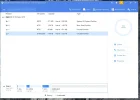
I went on the new harddrive that's where I am now , its been a while so I searched for something to convert from Mbr to Gpt . I downloaded EaseUS® Partition Master . When I ran the programme I got 4 drives ( partitions ) . One is showing 7.09TB and it shows GPT at the top so something must have worked , when I was trying t convert it before . Is it in the GPT format , and can I join the partitions together . Thank you.
 

Attachments

  • GPT.webp
    GPT.webp
    53.3 KB · Views: 235
Back
Top