

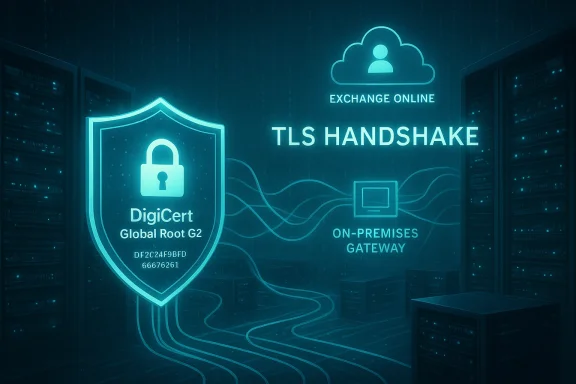
Microsoft is urging organizations that send or receive mail with Exchange Online to make sure the DigiCert Global Root G2 root certificate (and its subordinate CAs) is trusted on any systems that perform full certificate-chain validation — failure to do so may interrupt mail flow and TLS-based connections if a client or gateway cannot build a trust chain.
This advisory highlights a practical, time-sensitive operational risk for hybrid Exchange estates, third‑party mail appliances, embeds and legacy runtimes, and any custom software that performs explicit root or intermediate validation. The DigiCert Global Root G2 SHA‑1 thumbprint Microsoft published is DF3C24F9BFD666761B268073FE06D1CC8D4F82A4, and the serial number was published in Microsoft’s CA details documentation.
Microsoft and CA vendors have been shifting public TLS certificates to new roots and dedicated TLS hierarchies to meet evolving browser root program policies. DigiCert’s migration to single‑purpose TLS roots and Microsoft’s associated intermediate changes mean services such as Exchange Online, Microsoft Entra and other Microsoft 365 endpoints may present certificate chains anchored to DigiCert Global Root G2 (or newer DigiCert TLS roots). If your systems, appliances, or custom runtimes do not trust that root, TLS handshakes will fail and mail relay or retrieval operations will break.
A few related facts you should accept up front:
If you have a deadline referenced in a blog post or advisory (for example, an Exchange Online advisory asserting a specific April 30, 2026 cutoff), treat that as an operational target but cross‑check it in the Microsoft 365 Message Center or the Exchange Team’s official posts: Microsoft sometimes uses service‑specific message center posts (MC‑IDs) that are the authoritative admin notice for your tenant. If you cannot locate a matching Message Center entry for an Exchange‑specific cutoff, use the broader CA/CA vendor timelines (DigiCert’s May 15, 2026 revocations) and the Entra/other Microsoft service dates to prioritize action, and raise a support ticket for clarification. If you need confirmation for Exchange Online-specific enforcement dates, open a tenant support case or consult Message Center entries scoped to your tenants.
(Important: where a public advisory in your management plane differs or is ambiguous, rely on the Message Center entry in the admin portal for your tenant — this is the authoritative customer-facing schedule.)
If you need a short scriptable checklist or a staged GPO rollout plan for a large estate, treat this as an urgent operations item: inventory, test in pilot OUs, deploy via GPO or configuration management, and monitor mail queues and message traces for any STARTTLS/UntrustedRoot failures during and after the rollout. For final verification, cross‑check the DigiCert thumbprint (DF3C24F9BFD666761B268073FE06D1CC8D4F82A4) and the CA chains listed in Microsoft’s Azure CA details and DigiCert Knowledge Base before you mark the task complete.
Source: Microsoft Exchange Team Blog Trust DigiCert Global Root G2 Certificate Authority to Avoid Exchange Online Email Disruption | Microsoft Community Hub
This advisory highlights a practical, time-sensitive operational risk for hybrid Exchange estates, third‑party mail appliances, embeds and legacy runtimes, and any custom software that performs explicit root or intermediate validation. The DigiCert Global Root G2 SHA‑1 thumbprint Microsoft published is DF3C24F9BFD666761B268073FE06D1CC8D4F82A4, and the serial number was published in Microsoft’s CA details documentation.
 Background / Overview
Microsoft and CA vendors have been shifting public TLS certificates to new roots and dedicated TLS hierarchies to meet evolving browser root program policies. DigiCert’s migration to single‑purpose TLS roots and Microsoft’s associated intermediate changes mean services such as Exchange Online, Microsoft Entra and other Microsoft 365 endpoints may present certificate chains anchored to DigiCert Global Root G2 (or newer DigiCert TLS roots). If your systems, appliances, or custom runtimes do not trust that root, TLS handshakes will fail and mail relay or retrieval operations will break. A few related facts you should accept up front:
- Root trust is binary: if the root is not in the trust store (or an intermediate cannot be fetched during handshake), the entire chain is untrusted.
- Modern Windows builds update their trusted root Certificate Trust List by default; many organizations therefore will not need to act. But if your CTL updater is disabled, or you run non‑Windows or air‑gapped systems, you must take steps.
- DigiCert has a published transition timeline that includes revocation/rotation events (notably mid‑May 2026 revocations for some intermediates); treat those dates as drivers for urgency.
Why this matters to Exchange admins and mail gateways
TLS and STARTTLS are widely used between mail servers and between clients and servers. When Exchange Online or an on‑premises server presents a certificate whose chain roots at DigiCert Global Root G2, the connecting peer must be able to validate that chain. If it cannot, you will likely see one or more of the following operational symptoms:- Exchange Online message traces show failed delivery with errors such as “450 4.4.317 Cannot establish session with remote server [Message=451 5.7.3 STARTTLS is required to send mail]” or related
UntrustedRootconditions during connector verification. These strings commonly appear when TLS negotiation fails or when the remote side refuses unencrypted fallback. - On‑premises SMTP logs or client SMTP sessions report “451 5.7.3 STARTTLS is required” or “must issue STARTTLS first” where the client refused the handshake or the server refused cleartext fallback.
- OpenSSL diagnostics (for example,
openssl s_client -starttls smtp -connect <host>:25) or other TLS testing tools may report verification errors such as “unable to get local issuer certificate” or “verify error:num=20:unable to get local issuer certificate” when the chain cannot be built locally. This is a common, well‑documented OpenSSL behaviour when the trust anchor or intermediates are missing.
Key technical facts to verify (thumbprint, serial, authoritative references)
Microsoft’s Azure certificate authority list and DigiCert’s documentation are the canonical references most administrators should check. Two independent references confirm the DigiCert Global Root G2 SHA‑1 thumbprint and certificate details:- Microsoft’s Azure Certificate Authority details lists DigiCert Global Root G2 and shows the SHA‑1 thumbprint DF3C24F9BFD666761B268073FE06D1CC8D4F82A4.
- DigiCert’s certificate listings and public certificate downloads also show the same SHA‑1 fingerprint and certificate subject CN=DigiCert Global Root G2. Use these to cross‑verify any thumbprint before importing.
Who must act — and who likely does not
- Systems that likely do NOT need action:
- Domain‑joined Windows servers and clients that have not disabled the Windows Root CTL AutoUpdate feature. Windows automatically syncs the Microsoft trusted root list by default. Most Windows servers will therefore receive the DigiCert root automatically when Microsoft updates the AuthRoot CTL.
- Systems that MUST be checked and potentially updated:
- Machines where the Windows CTL Updater is explicitly disabled (for example, via Group Policy redirecting AuthRoot, or registry policies such as HKEY_LOCAL_MACHINE\SOFTWARE\Microsoft\SystemCertificates\AuthRoot\DisableRootAutoUpdate). If you manage your own trust store via GPO, you may need to publish the new root.
- Legacy application runtimes and vendor appliances that maintain their own CA stores (legacy Java runtimes like older JDK/JRE, embedded Linux images, networking appliances, load balancers, mail gateways). These often do not inherit OS trust and therefore require vendor guidance or manual cert bundle updates.
- Air‑gapped systems or devices with firmware‑embedded trust anchors that do not receive root updates.
- Third‑party email appliances (security gateways, anti‑spam), where vendor support or firmware updates are required to add the new root to their appliance trust stores. Contact vendors and schedule updates or test endpoints.
- Custom code that uses static pinning — either pins to DigiCert G1 or to explicit intermediate thumbprints. Remove or update pin sets to include G2‑anchored intermediates where required.
How to check (quick verification) — Windows, OpenSSL/Linux, Java
Windows (local machine / domain servers)
- Check whether DigiCert G2 is already trusted in the Local Machine Trusted Root store:
- Open an elevated PowerShell prompt and run:
Get-ChildItem -Path Cert:\LocalMachine\Root\ | Where-Object { $_.Thumbprint -eq "DF3C24F9BFD666761B268073FE06D1CC8D4F82A4" }
- Confirm Windows CTL AutoUpdate is functioning (will trigger on‑demand synchronization if not disabled):
- In an elevated Command Prompt, run:
certutil -verifyctl AuthRoot | findstr /i "lastsynctime"
certutil -verifyctl Disallowed | findstr /i "lastsynctime"
- If you manage trust via Group Policy, publish the root certificate to domain machines via a GPO to ensure machine‑wide install at scale. Microsoft’s guidance on configuring trusted roots shows the recommended keys and approaches for domain distribution.
Linux / OpenSSL / Containers
- OpenSSL does not read the Windows root store; it relies on configured CA bundles. Use the OpenSSL client to test connectivity:
openssl s_client -starttls smtp -connect <tenant>.mail.protection.outlook.com:25 -showcerts
If you see errors like “verify error:num=20:unable to get local issuer certificate” or “unable to get local issuer,” the local CA bundle lacks the required trust anchor or an intermediate is missing on the server side. Update the system CA bundle (for Debian/Ubuntu: copy the root PEM into /usr/local/share/ca-certificates/ and run update-ca-certificates; for RHEL/CentOS: use update-ca-trust) or configure your application with an explicit CAfile that includes DigiCert G2.
Java runtimes (JRE/JDK)
- Older Java keystores may lack modern roots. Use keytool to inspect:
keytool -list -keystore $JAVA_HOME/lib/security/cacerts -storepass changeit | findstr /i "DigiCert"
If missing, import the DigiCert root into the Java keystore used by the application (use keytool -importcert). Avoid modifying the system JRE unless you have a tested rollout plan for all Java apps.
What to do if the root is missing — step‑by‑step remediation
The following steps are ordered from least intrusive to broad scale, but your environment and policies determine the correct path.1) Verify the requirement and scope (inventory)
- Inventory endpoints that perform TLS validation to Exchange Online: Exchange servers, SMTP relays, archiving/journaling appliances, third‑party mail gateways, containers, embedded devices and any custom applications that use pinned trust stores.
- For each device, record: operating system, TLS stack, whether Windows CTL Updater is enabled, and where the trust store is managed (OS, application, firmware).
- Prioritize internet‑facing SMTP endpoints and critical relays.
2) For domain‑joined Windows machines (scale via GPO)
- If the Windows CTL Updater is disabled in your environment, publish the DigiCert Global Root G2 certificate to the domain via Group Policy (Computer Configuration → Policies → Windows Settings → Security Settings → Public Key Policies → Trusted Root Certification Authorities).
- Alternatively, import the Microsoft‑supplied PKCS#7 certificate bundle (recommended when Microsoft publishes an M365 root bundle) to the LocalMachine\Root store.
- Download the Microsoft 365 root certificate bundle (PKCS#7 .p7b) from Microsoft’s published collection (verify the bundle SHA/manifest).
- Run:
certutil -addstore Root "C:\path\to\m365_root_certs.p7b" - Confirm presence with the PowerShell command shown earlier. Microsoft documents using certutil and the PKCS#7 import flow for installing root bundles in offline or managed environments.
3) For individual Windows servers (ad‑hoc / emergency)
- If you must import a single root quickly (non‑domain), open the certificate file, then right‑click → Install Certificate → Local Machine → Place in the Trusted Root Certification Authorities store, or use certutil/certlm for scripted installs.
4) For Linux / OpenSSL / containers
- Add the DigiCert root PEM to your system CA bundle:
- Debian/Ubuntu:
- Place DigiCertGlobalRootG2.crt (PEM) into /usr/local/share/ca-certificates/
- sudo update-ca-certificates
- RHEL/CentOS:
- Copy to /etc/pki/ca-trust/source/anchors/
- sudo update-ca-trust extract
- For applications with bundled CAtrust (Go binaries, Python virtualenvs, node apps), you may need to configure application‑level CA files or rebuild container images with the updated CA bundle.
5) For Java apps
- Import the root into the keystore used by the app:
keytool -importcert -alias digicert-g2 -file DigiCertGlobalRootG2.crt -keystore $JAVA_HOME/lib/security/cacerts -storepass changeit
6) Third‑party appliances and firmware‑locked devices
- Contact the vendor immediately and request a support/firmware bulletin — many vendors published updates in 2024–2026 to add DigiCert G2 to appliance trust stores (Intune/NDES posts and vendor KBs document appliance procedures). If vendor updates are unavailable, the practical options are:
- Place a temporary fallback MX or relay that you control and which trusts the Exchange Online chain (ensure that this does not create SPAM/relay risks).
- Replace or upgrade the appliance if it cannot be updated.
- Use cross‑signed intermediates on your server side only where vendor devices expect legacy anchors (vendor guidance required — do not attempt ad‑hoc cross‑sign installs on public internet endpoints).
Test and validate after changes
- Use OpenSSL / s_client to test SMTP TLS:
openssl s_client -starttls smtp -connect <tenant>.mail.protection.outlook.com:25 -CAfile /path/to/ca-bundle.pem -showcerts
Expectation: no "unable to get local issuer" verify errors and a successful verify return code. - For Exchange connectors, run connector validation from the Exchange Online Admin Center and attempt a test message trace. If connectors report TLS errors, examine connector security restrictions and TLS logs.
- Monitor for SMTP rejection strings in Exchange Online message traces (450/451 STARTTLS or UntrustedRoot). Keep sample logs for vendor support or Microsoft support escalations.
- Validate client apps (Outlook, mobile) and automation (backup scripts, archivers) that perform SMTP/IMAP/POP TLS connections.
Practical 30‑/60‑/90‑day playbook (recommended schedule)
- Immediate (days 0–7)
- Inventory all mail‑related endpoints and identify owners.
- Run the PowerShell/Certutil checks on representative Windows servers.
- Contact appliance vendors for trust‑store bulletins and schedule firmware updates where necessary.
- Prepare and verify the Microsoft root bundle in a test OU / test machine.
- Short term (weeks 1–4)
- Publish the trusted root via Group Policy for domain machines that do not auto‑update.
- Update Linux container images and package builds with the new root bundle, redeploy test instances.
- Reissue/replace any internal client or server certs that rely on deprecated intermediates (if vendor or CA guidance mandates).
- Medium term (weeks 4–12)
- Finish appliance upgrades and validate hybrid connectors end‑to‑end.
- Remove or relax any static certificate pinning in application code; switch to dynamic trust validation or pin multiple valid anchors if absolutely necessary.
- Add chain and anchor checks into your certificate inventory and monitoring (do not only monitor leaf expiry; monitor chain anchor and intermediate validity and presence).
- Long term (90+ days)
- Shift to automated certificate lifecycle management with chain awareness.
- Remove legacy roots from pinned lists and simplify trust management.
Risks, trade‑offs, and vendor dependencies
- Importing roots into trust stores is a security decision. Only import verified certificates and check thumbprints from authoritative sources; do not blindly trust third‑party distributions. Always verify the thumbprint with Microsoft and DigiCert published values before mass import.
- Vendor timelines vary. Some appliances or firmware‑locked devices may never receive updates; you must plan for replacement or constrained architecture changes in those cases. It’s common to need to reissue internal certificates or deploy intermediary relays for legacy devices.
- Removing pinning or changing pin lists is operationally risky if not tested; but static pinning causes outages when root anchors change. The long‑term recommendation is to avoid rigid pinning in favor of secure, dynamically updated trust models.
- DigiCert’s own timeline includes revocations for certain intermediate CAs on May 15, 2026; this is separate from Microsoft enforcement windows and is a critical date for customers relying on particular intermediates. Plan for this event as a further reason to complete migration and trust updates well before that date.
On the published deadlines: verify and prioritize
You will see several Microsoft enforcement dates across services (for example, Microsoft Entra had a published migration date of January 7, 2026 for Entra services to G2, and DigiCert has a mid‑May 2026 revocation plan for certain intermediates). These public dates are authoritative for their respective services and should drive your prioritization. See Microsoft’s message center notices and Azure CA details for service‑specific timelines.If you have a deadline referenced in a blog post or advisory (for example, an Exchange Online advisory asserting a specific April 30, 2026 cutoff), treat that as an operational target but cross‑check it in the Microsoft 365 Message Center or the Exchange Team’s official posts: Microsoft sometimes uses service‑specific message center posts (MC‑IDs) that are the authoritative admin notice for your tenant. If you cannot locate a matching Message Center entry for an Exchange‑specific cutoff, use the broader CA/CA vendor timelines (DigiCert’s May 15, 2026 revocations) and the Entra/other Microsoft service dates to prioritize action, and raise a support ticket for clarification. If you need confirmation for Exchange Online-specific enforcement dates, open a tenant support case or consult Message Center entries scoped to your tenants.
(Important: where a public advisory in your management plane differs or is ambiguous, rely on the Message Center entry in the admin portal for your tenant — this is the authoritative customer-facing schedule.)
Final checklist for Exchange administrators (concise)
- Run the PowerShell thumbprint check on representative Windows servers and the certutil -verifyctl checks to confirm whether automatic CTL updates are functional.
- Inventory all mail‑related endpoints and third‑party appliances, flagging anything that does not use the OS trust store.
- For Windows machines that cannot auto‑update, import the Microsoft/DigiCert PKCS#7 root bundle into LocalMachine\Root (or publish via GPO).
- For Linux/container/Java, update CA bundles or keystores and rebuild/redeploy images.
- Test TLS connectivity using OpenSSL and Exchange connector validation; watch for 450/451 STARTTLS and “unable to get local issuer” errors.
- Contact appliance vendors and ensure firmware/trust‑store updates are scheduled and tested.
- Remove or update any explicit certificate pinning that points to legacy DigiCert G1 anchors or single intermediates.
Conclusion
Root‑store churn is an operational constant in 2024–2026: browser root‑store policies and CA vendor transitions are driving changes that can silently break TLS‑based integrations unless administrators inventory, test and remediate proactively. For Exchange Online mail flow, the practical mitigation is straightforward: confirm that DigiCert Global Root G2 is trusted where certificate chain validation happens, and update any systems that do not inherit or receive Microsoft’s automatic CTL updates. Use the PowerShell and certutil checks as your first diagnostic steps, import Microsoft‑supplied root bundles or deploy via GPO where necessary, and treat vendor appliances and embedded devices as first‑class citizens in your remediation plan.If you need a short scriptable checklist or a staged GPO rollout plan for a large estate, treat this as an urgent operations item: inventory, test in pilot OUs, deploy via GPO or configuration management, and monitor mail queues and message traces for any STARTTLS/UntrustedRoot failures during and after the rollout. For final verification, cross‑check the DigiCert thumbprint (DF3C24F9BFD666761B268073FE06D1CC8D4F82A4) and the CA chains listed in Microsoft’s Azure CA details and DigiCert Knowledge Base before you mark the task complete.
Source: Microsoft Exchange Team Blog Trust DigiCert Global Root G2 Certificate Authority to Avoid Exchange Online Email Disruption | Microsoft Community Hub
