

Windows Still Wins Because It Refuses to Start Over
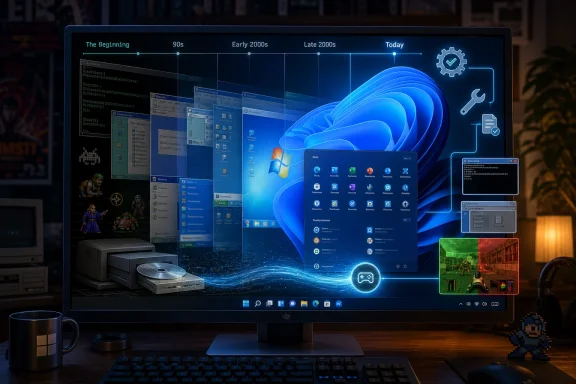
Microsoft’s greatest gaming advantage has never been a storefront, a subscription, or even DirectX. It has been inertia. Windows won the PC gaming market by becoming the default target for developers, and it has kept much of that advantage by avoiding the clean breaks that operating-system designers often dream about.
That is why a Windows 11 PC can still feel oddly hospitable to software written for Windows XP or Windows 7. The machine may have a many-core CPU, a GPU architecture no one in 2001 could have imagined, and security rules that would have baffled the authors of early CD-ROM installers. Yet the executable may still launch, the menus may still draw, and the soundtrack may still play after only a small compatibility tweak.
Compatibility Mode is the most visible part of that bargain. Right-click an old game’s executable, open its properties, and Windows can pretend—imperfectly but often usefully—to be an older version of itself. It can adjust privilege expectations, color modes, display scaling behavior, and other assumptions that older software made about the desktop.
But Compatibility Mode is not magic. It does not turn Windows 11 into Windows 98, nor does it restore ancient graphics drivers, obsolete copy-protection schemes, or hardware access models that modern operating systems deliberately block. It is a diplomatic translator, not a time machine.
The Old PC Game Was Never One Thing
The phrase “old PC game” hides several different technical eras under one nostalgic blanket. A DOS game from 1993, a Windows 95 game from 1997, a DirectX 8 title from 2002, and a Windows 7-era Steam release from 2011 all fail for different reasons when placed on a modern Windows 11 system.
DOS games are the cleanest case because they generally require an environment Windows no longer provides natively. The answer there is DOSBox, which emulates the DOS-era world closely enough that many classics can run without asking Windows 11 to become something it is not. For many users, DOSBox is invisible because storefronts bundle it behind a launcher.
Windows 95 and Windows 98 games are messier. They often expect old installers, 16-bit components, deprecated video modes, registry behavior from another era, or copy-protection drivers that modern Windows will not load. The game itself may be 32-bit and theoretically runnable, while the installer that gets it onto the machine is the actual historical artifact blocking the door.
Then come the Windows XP and Windows 7 games, which are close enough to feel modern but old enough to break in irritating ways. These are the titles most likely to benefit from Compatibility Mode, administrator settings, community patches, widescreen fixes, and graphics API wrappers. They are also the games that remind users how much of “compatibility” depends on the boring middle layer between the executable and the hardware.
GOG and Steam Have Become Accidental Archivists
The News.Az summary correctly points to GOG and Steam as major players in keeping classic games playable, but their roles are not identical. Steam is the default PC gaming library for much of the market, while GOG built a large part of its identity around making older games convenient, DRM-free, and preconfigured for modern systems.
This matters because most people do not want a preservation project. They want to click “Play.” A re-release that bundles DOSBox, includes a known community patch, fixes launch parameters, and avoids obsolete disc checks is not merely a commercial repackaging. It is a quiet act of maintenance.
The irony is that the storefront often gets credit for what is really a stack of preservation labor. Some of that labor comes from rights holders, some from hobbyist modders, some from emulator projects, and some from store engineers packaging everything into a shape ordinary users can tolerate. The user sees a launcher; underneath it is a negotiated truce between old code and new assumptions.
This is also why ownership remains complicated. A boxed copy on a shelf may be emotionally satisfying, but the easiest version to run in 2026 is often the one sold again through a digital store. Physical media preserves the artifact; patched digital editions preserve the experience.
The Community Patch Is the Real Compatibility Layer
If Windows compatibility is the foundation and storefront packaging is the front door, the community patch is often the thing that makes the house livable. PC gaming’s preservation story is full of unofficial fixes for resolution limits, broken mouse input, frame-rate bugs, audio glitches, missing codecs, and graphics calls that no longer behave as expected.
Wrappers such as dgVoodoo and similar tools exist because many older games were built for graphics APIs and GPU behaviors that have faded from modern driver support. A wrapper translates those old calls into something a modern system can understand. In practice, that can mean the difference between a black screen and a perfectly playable classic.
This is where PC gaming differs sharply from console nostalgia. Console preservation often revolves around fixed hardware targets. PC preservation has to reconstruct an ecosystem: operating system, drivers, APIs, codecs, input devices, display assumptions, CPU timing, and sometimes online services that no longer exist.
That complexity is frustrating, but it is also why the PC remains uniquely resilient. Because the platform was never one closed box, it developed a culture of fixes. The same fragmentation that made old PC gaming chaotic also gave later enthusiasts room to repair it.
Copy Protection Is the Villain Nobody Misses
Many old games do not fail because the game code is too old. They fail because the copy protection is. Disc checks, kernel-level drivers, and authentication systems built for earlier Windows versions can become the most brittle part of the package.
Modern Windows is right to be suspicious of old low-level drivers. Security expectations have changed, and the operating system should not load ancient components just because a 2004 game insists on them. The problem is that the legitimate buyer is often punished long after the commercial threat of piracy has become irrelevant.
This is one reason DRM-free re-releases matter. Removing obsolete copy protection is not just a consumer-friendly gesture; it is a preservation requirement. A game locked to a dead activation server or an unsafe driver is not preserved in any meaningful sense, even if the files still exist.
There is a lesson here for today’s industry. The services and launchers of 2026 can become tomorrow’s broken dependencies. If publishers want their games to outlive a platform cycle, they need to design end-of-life plans for activation, multiplayer, and ownership verification before those systems become archaeology.
Windows 11 Is Friendly to the Past, But Not Loyal to It
It is tempting to read Windows 11’s backward compatibility as proof that Microsoft is committed to preserving every era of PC gaming. That overstates the case. Microsoft is committed to maintaining enough compatibility that businesses, developers, and consumers can move forward without revolt.
That distinction matters. Windows keeps old software working when doing so does not impose unacceptable costs on security, performance, architecture, or supportability. When those costs rise too high, the past is expected to move into emulation, virtualization, or community-maintained tools.
For gamers, this means Windows 11 is often the best mainstream operating system for running old Windows games, but it is not a museum. It will not preserve every installer, every driver model, or every abandoned middleware dependency. The closer a game sits to unsafe system behavior, the more likely it is to be exiled from native compatibility.
That is not necessarily a failure. A secure modern OS should not behave like Windows 98. The challenge is that users often discover the boundary only when a beloved game refuses to launch.
Nostalgia Now Depends on Technical Literacy
The romantic version of retro gaming says we are rediscovering the classics. The practical version says we are learning to maintain them. On Windows 11, that maintenance can be as simple as toggling Compatibility Mode or as involved as configuring DOSBox, applying fan patches, replacing renderers, and hunting for a working installer path.
This creates a divide. Users who buy curated versions from GOG or Steam may experience retro gaming as effortless. Users with original discs, obscure titles, regional releases, or games tangled in old DRM may encounter a hobby that looks more like sysadmin work than leisure.
That divide is not going away. The PC catalog is too vast, too inconsistent, and too dependent on vanished middleware for one universal solution. The best future is not one magic compatibility button; it is a better map of which tool belongs to which era.
The Real Story Is Bigger Than One Compatibility Toggle
The most useful conclusion from the latest round of retro-gaming advice is not that “Windows 11 runs old games.” It is that Windows 11 sits at the center of a layered preservation stack. Each layer solves a different part of the historical problem.
A user trying to revive an old favorite should think less like a consumer and more like a diagnostician. First identify the era. Then identify the failure. Only then pick the tool.
A DOS game belongs in DOSBox. A late-1990s Windows title may need installer workarounds, compatibility flags, or wrappers. A 2000s game may need a widescreen patch, a no-longer-official update, or a fixed renderer. A digital re-release may already contain all of that labor, hidden behind a modern Play button.
The Classics Survive Because Everyone Cheats a Little
The lesson for WindowsForum readers is refreshingly concrete: the old library is still worth trying, but expectations should be calibrated. Windows 11 is a strong host for retro PC gaming precisely because it does not have to do the whole job alone.
- Windows 11 Compatibility Mode remains the first stop for many older Windows games, especially titles from the XP, Vista, and Windows 7 eras.
- DOSBox is still the standard answer for DOS-era games because it recreates the environment those games actually expect.
- GOG and Steam often provide the easiest path because many classic releases arrive prepatched, preconfigured, or bundled with emulation.
- Community patches and graphics wrappers are frequently essential for fixing display, input, frame-rate, and renderer problems on modern hardware.
- Original discs are historically valuable, but they are not always the most practical way to play because old installers and copy-protection systems can be harder to preserve than the games themselves.
- The most stubborn failures usually come from obsolete dependencies, not from Windows 11 being hostile to games as a category.
The happy ending is that the PC’s messiness has become its preservation strategy. Windows 11 can still run many of the games people grew up with, but the deeper achievement belongs to a wider ecosystem of emulators, storefront maintainers, modders, wrapper developers, and stubborn players who refuse to let old executables become inert files. As Microsoft keeps hardening Windows and the industry keeps moving toward service-bound games, the next preservation fight will be less about getting Doom or Diablo II to launch and more about making sure today’s always-online libraries do not become tomorrow’s unreachable ruins.