

HP’s refreshed OmniBook family is an unmistakable signal that the student laptop market has shifted from raw CPU clocks and discrete GPUs to a new buying checklist anchored on battery endurance, on‑device AI acceleration, and convertible versatility—making the OmniBook X, OmniBook Ultra (and Ultra Flip 14), OmniBook X Flip 14, and OmniBook 5 the most relevant HP Windows 11 choices for Hong Kong college students right now.
Windows 11’s Copilot+ era has changed what “best for college” means. Students now need machines that not only run Office and Zoom but also accelerate local AI features—Recall, Click‑to‑Do, and on‑device Copilot experiences—using dedicated NPUs (neural processing units). HP’s OmniBook family is positioned around three clear vectors: endurance (ARM Snapdragon X-series SKUs), convertible productivity (Flip models with stylus support), and NPU‑heavy compute (Intel Core Ultra and AMD Ryzen AI SKUs with high TOPS ratings).
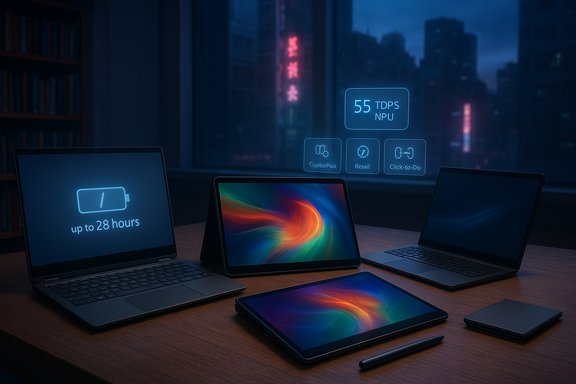
Two technical realities matter when assessing these claims. First, TOPS (trillions of operations per second) describe theoretical NPU throughput—useful for comparing hardware ceilings but not a direct measure of end‑user speed in specific apps. Second, vendor battery figures such as “up to 28 hours” or “up to 34 hours” are lab results (often local video playback under controlled settings) and should be treated as comparative best‑case numbers rather than guaranteed mixed‑use runtimes. Independent coverage and hands‑on reviews confirm both the promise of on‑device NPUs and the gap that often exists between marketing figures and real‑world mixed‑use performance.
What to expect in real use:
Caveats:
Why this matters on campus:
Real‑world guidance:
Source: HP Best HP OmniBook Windows 11 Laptops for College Students
 Background / Overview
Windows 11’s Copilot+ era has changed what “best for college” means. Students now need machines that not only run Office and Zoom but also accelerate local AI features—Recall, Click‑to‑Do, and on‑device Copilot experiences—using dedicated NPUs (neural processing units). HP’s OmniBook family is positioned around three clear vectors: endurance (ARM Snapdragon X-series SKUs), convertible productivity (Flip models with stylus support), and NPU‑heavy compute (Intel Core Ultra and AMD Ryzen AI SKUs with high TOPS ratings).Two technical realities matter when assessing these claims. First, TOPS (trillions of operations per second) describe theoretical NPU throughput—useful for comparing hardware ceilings but not a direct measure of end‑user speed in specific apps. Second, vendor battery figures such as “up to 28 hours” or “up to 34 hours” are lab results (often local video playback under controlled settings) and should be treated as comparative best‑case numbers rather than guaranteed mixed‑use runtimes. Independent coverage and hands‑on reviews confirm both the promise of on‑device NPUs and the gap that often exists between marketing figures and real‑world mixed‑use performance.
What HP is promising — and what students should verify
HP’s marketing highlights are clear and practical for campus life:- OmniBook X: maximum battery life and strong AI integration — Snapdragon and x86 options with battery endurance claims up to ~28 hours on select configs and 3K OLED options on higher SKUs.
- OmniBook Ultra / Ultra Flip 14: premium convertible for heavy creators — AMD Ryzen AI 300 or Intel Core Ultra processors with NPUs reported up to ~55 TOPS on some SKUs and 3K OLED displays for color‑accurate work.
- OmniBook X Flip 14: flexible 2‑in‑1 convertible — mid‑to‑high NPU counts, stylus support, suitable for note taking and presentations.
- OmniBook 5: best value and maximum battery for budget students — Snapdragon X Plus/X Elite SKUs balanced for endurance and Copilot+ capability, with vendor claims of very long local playback times on certain SKUs.
- Confirm whether the specific SKU you’re looking at is ARM (Snapdragon) or x86 (Intel/AMD). Some campus lab software or legacy tools are still optimized only for x86; if your program requires specific lab software, test compatibility first.
- Check HP’s battery testing methodology and compare it to independent mixed‑use reviews for realistic expectations.
- Verify local warranty and service availability in Hong Kong—and factor in accidental damage protection if you commute frequently.
OmniBook model deep dives
OmniBook X — the battery champion for mobile students
The OmniBook X is the headline pick when battery life and mobility come first. Configurations include Qualcomm Snapdragon X‑class SKUs and x86 Intel Core Ultra options; HP advertises up to ~28 hours on some Snapdragon configurations and offers high‑resolution OLED screens on higher tiers. For Hong Kong’s campus cycle—morning lectures, library sessions, evening group meetings—this translates to fewer mid‑day charging anxieties and greater flexibility in study location.What to expect in real use:
- Real‑world mixed workloads (browser tabs, Wi‑Fi, video calls, active NPU features) will reduce that “up to” number significantly compared with lab playback. Plan for roughly 50–75% of vendor “up to” claims under heavy mixed use.
- Snapdragon SKUs typically run cooler and use less power than high‑TDP x86 chips, a genuine advantage in Hong Kong’s subtropical summer.
OmniBook Ultra / OmniBook Ultra Flip 14 — for creative & demanding majors
The Ultra series aims at students whose courses demand raw local AI and display fidelity: architecture, multimedia, engineering simulations, and medical imaging. High‑end OmniBook Ultra SKUs use Intel Core Ultra 9 or AMD Ryzen AI 9 families, and HP lists NPUs up to roughly 55 TOPS on certain AMD variants—among the highest on consumer Windows laptops—paired with 3K OLED 14″ panels on Flip models. That combination benefits local image processing, higher‑quality camera and transcription handling, and GPU/NPU‑accelerated creative tasks.Caveats:
- Higher TOPS numbers are enticing, but the real advantage depends on software that actually calls the NPU—application integration and driver maturity matter. Independent reviewers note strong hardware potential but recommend checking software support for the specific workloads you need.
OmniBook X Flip 14 — convertibility and stylus utility
The X Flip 14 is the balanced convertible for students who alternate between typed notes, stylus sketches, and presentations. The 2‑in‑1 design supports tablet mode for note taking, tent mode for group viewing, and laptop mode for longer assignments. It’s ideal for design students sketching concept boards, medical students annotating diagrams, and general students who want flexible input methods.Why this matters on campus:
- Convertible form factors are often more useful in cramped lecture halls or small study carrels, where sharing the screen or turning the device into a collaborative whiteboard is practical and fast.
OmniBook 5 — the value, battery‑first choice
The OmniBook 5 is HP’s value play: Snapdragon X Plus/X Elite chips, long battery claims (HP cites significant local playback times on selected SKUs), and Copilot+ support at an accessible price. For students balancing budget constraints and long campus days, this model delivers the best battery/performance trade for general coursework and hybrid learning.Real‑world guidance:
- If most of your work is browser‑based, Office suites, video lectures, and light coding, the OmniBook 5 will provide excellent uptime and a smooth Copilot experience—so long as required department software is compatible with Windows on ARM.
How AI features (Copilot+, Recall, Click‑to‑Do) change student workflows
AI built into Windows 11 and accelerated on NPUs isn’t just a gimmick—when used well it reduces friction across common student tasks:- Copilot+ can summarize academic articles, draft and refine essays, and provide structured checklists for project timelines—saving time during intensive revision and research.
- Recall creates an activity timeline that helps find previously viewed content—handy when juggling multiple modules and sourcing citations mid‑essay.
- Click‑to‑Do turns on‑screen elements into quick actions (copying figures, extracting text from slides, or generating practice questions), which can meaningfully reduce repetitive manual work during group projects and presentation prep.
Use cases mapped to OmniBook choices
- Engineering, architecture, CAD-heavy programs:
- Recommended: OmniBook Ultra or OmniBook 7 with Intel Core Ultra or AMD Ryzen AI. Prioritize 16–32 GB RAM, a fast SSD, and verify GPU and driver compatibility for CAD and simulation tools.
- Creative majors (video editing, design, media):
- Recommended: OmniBook Ultra Flip 14 or OmniBook X Flip 16 for 3K OLED color‑accurate displays, stylus support, and NPU acceleration in supported creative apps.
- Computer science, data science, multitaskers:
- Recommended: OmniBook X (x86 or Snapdragon depending on app compatibility) or OmniBook 7 for greater multitasking RAM and SSD capacity.
- General studies, business, humanities (battery + portability):
- Recommended: OmniBook 5 or a battery‑optimised OmniBook X configuration for long lecture days and dependable all‑day use.
Durability, thermals, and Hong Kong climate considerations
Hong Kong students face high humidity, hot summers (often above 30–35°C), and the occasional extreme weather event. HP’s OmniBook marketing highlights improved thermal management and corrosion‑resistant materials, while SSDs and sealed storage help resist shock and humidity better than spinning drives. In practice:- Snapdragon SKUs usually run cooler and are less subject to thermal throttling under light/medium loads—advantageous in humid, high ambient temps.
- High‑TDP x86 configurations (Core Ultra, Ryzen AI) give more sustained performance but require better ventilation and may run louder under heavy load—plan for fan noise during long render jobs or simulations.
- Choose protective plans if you commute frequently on crowded transport or live in shared housing; accidental damage is common in student life.
Connectivity, ports, and campus ecosystems
OmniBook laptops support modern wireless standards (Wi‑Fi 6/6E and Bluetooth 5.x), and many offer a flexible port selection (multiple USB‑C, at least one USB‑A, and HDMI/DisplayPort options on larger SKUs). For Hong Kong’s digital learning ecosystem:- Strong Wi‑Fi compatibility matters in dense lecture halls and student residences where hundreds of devices contend for bandwidth.
- Ports matter for external displays in labs and for connecting lab instruments or external drives during project work—verify the exact port list on your SKU before buying.
Financing, student discounts and where to save
Buying a new laptop is a major expense for many students. HP Hong Kong and educational partners commonly offer:- Student discounts and seasonal promotions,
- Installment financing through local banks and credit cards,
- Departmental bulk purchases or campus deals in some universities.
Risks, limitations and realistic expectations
Buying into the OmniBook family brings tradeoffs. Key risks to weigh:- Spec inflation vs. real life: “Up to” battery and TOPS claims can be misleading in mixed use. Expect lower day‑to‑day battery life than lab numbers suggest.
- ARM (Snapdragon) compatibility: Some legacy academic and lab applications may not run optimally on Windows on ARM. If your course mandates specialized software, prefer x86 configurations or confirm compatibility with campus IT.
- Driver and firmware maturity: New NPUs and platform drivers may experience teething issues early in a model’s lifecycle—keep the device updated and check for hands‑on reviews that highlight driver stability before purchase.
- Cost for top‑end models: Ultra and high‑TDP OmniBook 7 models are premium purchases—factor in repair costs and local service availability.
Step‑by‑step buying checklist for Hong Kong students
- Confirm course/software requirements with your department or campus IT.
- Decide priority: battery endurance, convertible form factor, or raw AI/compute horsepower.
- Pick an architecture: ARM Snapdragon for extreme battery, x86 (Intel/AMD) for the broadest compatibility.
- Verify RAM (16 GB minimum recommended for heavy multitasking; 32 GB for engineering/creative majors), SSD size (512 GB baseline; 1 TB+ for media work), and exact CPU/GPU/NPU SKU.
- Check realistic battery benchmarks from independent reviews; don’t rely on vendor “up to” numbers alone.
- Check HP Hong Kong warranty coverage, service center locations, and student discount options.
- If buying a convertible, test stylus latency and palm rejection in store if possible; these tactile details matter for note‑taking and sketching.
Maximizing OmniBook features for study efficiency
- Use Copilot+ for drafting, revising, and creating structured study notes; let Recall help you find key references quickly during bibliography hunting.
- Turn off continuous NPU background features (like live camera enhancements) during battery‑sensitive sessions; enable them selectively during presentations or when improved audio/video quality matters.
- Keep critical project files backed up to cloud storage or an external SSD; while modern SSDs are reliable, accidental damage or theft can derail submissions.
- Maintain Windows and driver updates on ARM devices to catch ARM performance and compatibility improvements as they arrive.
Final verdict — which OmniBook for which student?
- Best all‑round battery + AI blend: OmniBook X (recommended for students who move across campus all day and prize battery life).
- Best premium convertible for creatives and engineers: OmniBook Ultra / Ultra Flip 14 (top TOPS, 3K OLED display, stylus-ready).
- Best budget convertible: OmniBook X Flip 14 (stylus support, versatile for lecture note taking and presentations).
- Best value + maximum battery: OmniBook 5 (Snapdragon X Plus for long uptime and Copilot+ basics at a student‑friendly price).
Conclusion
HP’s OmniBook lineup is a coherent, modern answer to what college students need in 2025: long battery life, Windows 11 AI integration, and convertible flexibility—packaged across price tiers to suit generalists and specialists alike. For Hong Kong students navigating humid summers, crowded MTR commutes, and packed library hours, the practical benefits are clear: fewer mid‑day charges, faster on‑device AI for summarizing and organizing research, and convertible modes that suit cramped classrooms and group presentations. The choice ultimately comes down to workload and compatibility: prioritize OmniBook 5 or OmniBook X for endurance and daily reliability; choose OmniBook Ultra or OmniBook 7 when you need the absolute best local NPU horsepower and display quality for creative or engineering coursework. Verify the specific SKU’s OS architecture, battery test methodology, and local service options before committing—and use Copilot+, Recall, and Click‑to‑Do selectively to get the most study time out of every charge.Source: HP Best HP OmniBook Windows 11 Laptops for College Students
