

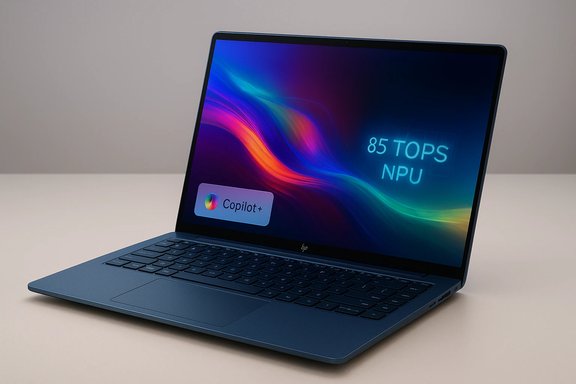
HP’s OmniBook Ultra 14 is less a single product and more a statement: a supremely thin, Copilot+‑ready ultraportable that pairs Qualcomm’s latest Snapdragon X2 Elite silicon (in an HP‑exclusive variant) with a high‑fidelity 2,880 × 1,800 OLED panel, an integrated vapor‑chamber cooling system, and an NPU rated as high as 85 TOPS — numbers and features that position this laptop as an explicit challenger to the MacBook Air and Microsoft Surface lines. The OmniBook Ultra 14 is important for two reasons: it shows how aggressively OEMs are chasing Microsoft’s Copilot+ classification (which places on‑device NPUs and RAM/storage minimums at the center of hardware differentiation), and it crystallizes a practical trade-off in 2026 laptop design — thinness and premium materials vs. sustained power delivery and upgradeability. This hands‑on and spec‑level feature pulls together what HP is promising, what the silicon vendors have delivered, and what independent outlets and platform documentation reveal about the real limits and payoffs of this approach.
Microsoft’s Copilot+ initiative set the terrain: Windows laptops that meet a baseline of local AI capability get preferential access to low‑latency, on‑device features. The practical hardware minimums Microsoft describes include an NPU able to run at least 40 TOPS, plus at least 16 GB of RAM and 256 GB of storage — thresholds that separate devices that must rely more on cloud inference from those that can do meaningful AI work locally. Qualcomm’s Snapdragon X2 family — and the X2 Elite tier in particular — is a direct response to that policy. OEMs like HP are pairing X2 Elite SKUs with carefully engineered chassis to claim Copilot+ readiness; HP’s OmniBook Ultra 14 (in the Qualcomm configuration) advertises an NPU ceiling of 85 TOPS, a figure that both widens the headroom for local AI and signals a new competitive axis for Windows ultraportables. Independent coverage and HP’s own briefings corroborate HP’s 85 TOPS claim for specific Qualcomm‑based SKUs. At CES 2026, HP positioned OmniBook as a broad family — from value and endurance models to full‑fat Ultra machines — and framed Ultra 14 as the consumer flagship: high‑grade materials, a slimmer footprint than previous models, and explicit Copilot+ positioning as a selling point. While HP promises broad improvements across battery life, display fidelity, and on‑device AI, the real world will depend on firmware, power‑limits, and software that actually uses the NPU.
For Windows power users who want a premium, AI‑first ultraportable now, OmniBook Ultra 14 appears to be one of the most interesting choices on the market — provided you choose your SKU carefully and accept the tradeoffs in upgradeability. For conservative buyers who prioritize long‑term upgrade paths or absolute application compatibility today, an x86 Copilot+ machine or a more serviceable laptop may still be the safer bet. Either way, HP has pushed the bar for Copilot+ laptops — and the industry will now have to prove that high TOPS and thin chassis can coexist in everyday hands.
Source: PCMag With the 2026 HP OmniBook Ultra 14, I See a New Bar Being Set for Copilot+ PCs
 Background / Overview
Microsoft’s Copilot+ initiative set the terrain: Windows laptops that meet a baseline of local AI capability get preferential access to low‑latency, on‑device features. The practical hardware minimums Microsoft describes include an NPU able to run at least 40 TOPS, plus at least 16 GB of RAM and 256 GB of storage — thresholds that separate devices that must rely more on cloud inference from those that can do meaningful AI work locally. Qualcomm’s Snapdragon X2 family — and the X2 Elite tier in particular — is a direct response to that policy. OEMs like HP are pairing X2 Elite SKUs with carefully engineered chassis to claim Copilot+ readiness; HP’s OmniBook Ultra 14 (in the Qualcomm configuration) advertises an NPU ceiling of 85 TOPS, a figure that both widens the headroom for local AI and signals a new competitive axis for Windows ultraportables. Independent coverage and HP’s own briefings corroborate HP’s 85 TOPS claim for specific Qualcomm‑based SKUs. At CES 2026, HP positioned OmniBook as a broad family — from value and endurance models to full‑fat Ultra machines — and framed Ultra 14 as the consumer flagship: high‑grade materials, a slimmer footprint than previous models, and explicit Copilot+ positioning as a selling point. While HP promises broad improvements across battery life, display fidelity, and on‑device AI, the real world will depend on firmware, power‑limits, and software that actually uses the NPU.Design and Build: Where thin meets durable
HP claims an anodized, forged aluminum chassis that’s impressively light and thin for a 14‑inch consumer laptop: about 2.8–2.81 pounds and reported thickness near 0.42–0.55 inches depending on which measurement is cited — numbers that put it squarely into the ultra‑portable category while still promising MIL‑STD durability. Multiple outlets confirmed the weight and thinness claims and noted HP’s use of high‑end finishes such as Stone Blue for Qualcomm variants and alternate colorways for Intel SKUs. HP’s finish is more than cosmetic: the company emphasises rigidity (reduced flex), an anti‑fingerprint coating, and a hinge aesthetic that incorporates the OmniBook name into the rear hinge plate. Those details matter in this price band — they transform the laptop from a mere spec sheet into something that competes on perceived quality with Apple’s MacBook Air and Microsoft’s Surface designs. But thinness also raises the thermal and serviceability questions we’ll examine later.Ports and connectivity
HP simplified the external I/O to three USB‑C ports and a 3.5 mm audio jack. The OEM distinguishes the Intel SKUs by enabling full Thunderbolt 4 on those models; Qualcomm variants use USB4/40Gbps ports with DisplayPort and USB power delivery but not Thunderbolt 4. Wi‑Fi 7 and optional 5G modem configurations are available depending on the silicon choice. For many buyers this is a pragmatic layout — modern docking relies on USB‑C hubs — but the Thunderbolt distinction is important for pros who need the absolute widest external GPU and storage compatibility.Display & Input: OLED, 120Hz, and the tactile top end
HP fits the OmniBook Ultra 14 with a 14‑inch OLED touch panel at 2,880 × 1,800 (often called 1800p) behind edge‑to‑edge Gorilla Glass, supporting a variable refresh rate up to 120 Hz and claimed brightness figures of ~500 nits for SDR content and up to 1,000 nits for HDR peaks. Early hands‑on reporting praised the color fidelity and smoothness of the 120 Hz refresh, calling it a strong asset for creators and frequent multi‑taskers. The keyboard is intentionally serviceable (HP has made removal and replacement easier across the current OmniBook line) while still delivering a stable, satisfying typing feel. The haptic glass touchpad includes edge gestures for quick control over volume and brightness — a small but thoughtful UX touch that reduces friction for frequent adjustments. Those tactile choices make the Ultra 14 feel like a complete package rather than a spec‑first experiment.Silicon and AI: Snapdragon X2 Elite, NPUs, and what “85 TOPS” means
HP’s Stone Blue configurations use a Qualcomm Snapdragon X2 Elite SKU — specifically reported as an X2E‑90‑100 variant in early materials — with an NPU capable of up to 85 TOPS in HP’s pairing. Qualcomm’s X2 family and HP’s device briefing both position the Hexagon NPU as the central enabling component for local Copilot+ experiences: on‑device summarization, low‑latency live translation, camera effects and other perceptual AI features no longer reliant on cloud roundtrips. Independent reporting confirms that X2 Elite parts target the ~80+ TOPS class and that OEM bins can push the effective SKU to 85 TOPS in device configurations. Crucial context: TOPS is a hardware throughput metric, not an application performance guarantee. It defines a ceiling for matrix multiply operations at a specific precision and data layout (commonly INT8). Actual application speed depends on many other factors: model quantization, runtime optimizations, memory bandwidth, thermal headroom, and whether the software stack is written to call the NPU rather than defaulting to CPU/GPU/cloud. Microsoft’s Copilot+ guidance uses 40+ TOPS as the baseline for many features — HP’s 85 TOPS claim is meaningful because it doubles that baseline and creates headroom for simultaneous, heavier local workloads. The OmniBook Ultra 14 also offers Intel Core Ultra variants for buyers who prioritize x86 compatibility; those models carry different display finishes and have Thunderbolt 4 support. HP has signalled that both silicon families will be sold side‑by‑side so buyers can choose between the battery and AI characteristics of the Qualcomm path and the application compatibility and ecosystem maturity of x86 silicon.Cooling and sustained performance: the vapor chamber question
To prevent the Snapdragon X2 Elite from hitting thermal walls, HP integrated a compact vapor chamber into the Ultra 14 chassis — a rare inclusion in a laptop this slim and an explicit engineering choice to improve sustained clocks under heavy workloads. Vapor chambers spread heat more evenly than traditional heat pipes and can greatly reduce hot‑spot throttling when tuned properly. Early hands‑on coverage called the vapor chamber HP’s first for the OmniBook line and one of the reasons the company believes it can sustain higher NPU and CPU performance for longer periods. That said, the effectiveness of any cooling approach depends on chassis volume, fan acoustics, and firmware limits. A vapor chamber in a 0.5‑inch chassis can only do so much; if HP sets conservative power limits to preserve surface temperatures or battery life, the peak TOPS number may be achievable only in short bursts or in lab conditions. The real indicator will be sustained performance curves and the laptop’s ability to keep NPU and CPU clocks elevated during long inference tasks — something that will require independent benchmarking.Memory, storage, and repairability — real tradeoffs
HP equips the OmniBook Ultra 14 with up to 64 GB of LPDDR5x memory and up to 2 TB PCIe Gen5 NVMe storage, but the memory is soldered to the board on the typical SoC‑based configurations, making post‑purchase upgrades impossible. That soldered memory design is common on compact Arm‑based designs and improves power efficiency and density, but it forces a long‑term decision at purchase time for power users who might want to expand memory later. Independent hands‑on notes and HP’s documentation both highlight this as a practical buyer constraint. HP also leans into serviceability on some product lines (removable panels in enterprise SKUs), but the Ultra’s thin profile and SoC integration constrain repair and upgrade paths compared with thicker, user‑serviceable laptops. Consider the trade‑off: a slimmer, lighter machine with excellent battery and NPU headroom vs. a thicker, more repairable chassis where you can upgrade RAM and storage later.Battery & charging: claims and the reality check
HP fits a 70 Wh battery in the OmniBook Ultra 14 and includes a compact 65 W GaN USB‑C adapter with fast‑charging that — per HP’s claims — can reach 50% charge in roughly 45 minutes. HP has not published end‑to‑end mixed‑use battery numbers for every SKU; some OmniBook family members carry aggressive lab numbers (ranging widely across the line, with a few models claiming multi‑day playback in tightly controlled scenarios). Independent reporting reiterates that HP’s lab playback numbers are best‑case and will not reflect mixed‑load usage with browser tabs, video calls, and active NPU workloads. Expectations should be calibrated: Qualcomm‑based designs historically excel at light‑load battery life (browsing, video playback), but heavy AI inference will pull power and shorten runtimes. The OmniBook Ultra 14’s real appeal is the possibility of balanced battery life while still offering significant local AI throughput — if HP’s thermal and power tuning lets the silicon run efficiently for extended periods. That’s the hinge upon which the product’s day‑to‑day usefulness will pivot.Copilot+ features on‑device: what you’ll actually get
HP ships the OmniBook Ultra 14 with Windows 11 and the Copilot experience baked in; as a Copilot+‑capable device (when configured with sufficient NPU/RAM), it unlocks a set of enhanced on‑device experiences:- Local text summarization, Recall, and fast context-aware assistance that minimize cloud roundtrips.
- AI noise reduction and webcam studio effects during calls, with lower latency thanks to on‑device inference.
- HP‑specific camera and gesture features such as Look to Move (head and eye tracking to keep the cursor near your point of focus) and Camera Gesture (media control via camera gestures) — features HP demoed in its hands‑on previews.
Strengths — where HP’s approach pays off
- Class‑leading on‑device AI headroom: the Qualcomm variant’s 85 TOPS figure gives developers and Microsoft extra room to run larger or concurrent models locally.
- Premium display and tactile design: a 2.8K OLED at 120 Hz and a serviceable keyboard/touchpad combination make this a pleasure for content creation and long typing sessions.
- Thin, durable build: forged anodized aluminum and MIL‑STD claims combine portability with confidence.
- Thoughtful cooling for the form factor: the vapor chamber is an explicit attempt to preserve sustained performance in a very thin chassis — a necessary engineering choice to make the NPU useful.
Risks and caveats — what could blunt the promise
- TOPS ≠ real‑world speed: without optimized runtimes and software that uses the NPU, a high TOPS number won’t translate into faster workflows. Application support and runtime maturity matter.
- Soldered memory limits long‑term flexibility: buyers must choose a memory configuration at purchase or live with the constraints for the device lifetime.
- Thermal reality vs. marketing peaks: a vapor chamber helps, but OEM power limits and surface temps can still force throttling; sustained AI workloads are the real test.
- Battery variance under mixed loads: HP’s lab playback numbers are useful comparisons but should not be taken as everyday mixed‑use runtimes. Expect notable drop when NPU, Wi‑Fi, and sustained CPU work are combined.
Who the OmniBook Ultra 14 is for — and who should look elsewhere
This is a compelling pick if you are:- A content creator who needs a color‑accurate OLED screen and wants on‑device AI for camera effects, transcriptions, and local model acceleration.
- A professional who values battery‑friendly Arm designs for light‑to‑moderate workloads and also wants the latest Copilot+ features with minimal latency.
- Someone who prefers buy‑right‑now configurations and does not plan to upgrade RAM later.
- Expandable RAM or storage over time; the soldered RAM limits future proofing.
- Maximum GPU performance for high‑end gaming or discrete‑class GPU compute; the integrated Adreno GPU is optimized for efficiency, not high‑end titles.
- A fully serviceable chassis where internal upgrades and easy repairs are a must.
What to test in a full review — prioritized checklist
- Sustained NPU throughput: measure sustained TOPS under prolonged inference workloads and chart thermal throttling vs. time.
- Mixed‑use battery life: real‑world loop combining browser multitasking, video calls, and periodic NPU tasks (transcription/translation).
- Thermals and skin‑temperature profiling at the keyboard and base during peak workloads.
- Copilot+ latency tests: local transcription, Look to Move responsiveness, and other on‑device features vs. cloud fallback timings.
- App compatibility: native Arm app behavior, x86 emulation overheads, and driver maturity for key creative apps.
- External I/O behavior: bandwidth and reliability across USB4 vs Thunderbolt 4 (Intel vs Qualcomm SKUs).
- Repairability and upgradeability: disassembly, replacement options and OEM firmware update cadence.
Final analysis — a pragmatic verdict
HP’s OmniBook Ultra 14 is a bold and well‑executed entry into the Copilot+ era: it combines an eye‑catching OLED, a thin aluminum chassis, and a high‑headroom NPU that together create a machine built for today’s AI‑aware workflows. HP’s use of a vapor chamber and careful finish choices show engineering attention to both form and function, and the 85 TOPS headline is a meaningful differentiator on paper and in early demos. But the launch is also a reminder that hardware ceilings do not equal user experience. Sustained performance under real loads, the maturity of NPU runtimes and drivers, and the breadth of software that actually calls the NPU will determine whether the OmniBook Ultra 14 is an incremental spec upgrade or a genuinely new class of AI ultraportable. Buyers should treat HP’s claims as directional and wait for independent sustained NPU and battery benchmarks before assuming the 85 TOPS figure will produce day‑to‑day productivity gains for their specific workflows.For Windows power users who want a premium, AI‑first ultraportable now, OmniBook Ultra 14 appears to be one of the most interesting choices on the market — provided you choose your SKU carefully and accept the tradeoffs in upgradeability. For conservative buyers who prioritize long‑term upgrade paths or absolute application compatibility today, an x86 Copilot+ machine or a more serviceable laptop may still be the safer bet. Either way, HP has pushed the bar for Copilot+ laptops — and the industry will now have to prove that high TOPS and thin chassis can coexist in everyday hands.
Source: PCMag With the 2026 HP OmniBook Ultra 14, I See a New Bar Being Set for Copilot+ PCs
