

Huddly’s argument — voiced by CEO Rósa Stensen in a recent interview — is simple and urgent: the next wave in collaboration technology is agentic, AI-native collaboration that amplifies human intelligence in the room rather than automating people out of the loop. Her company’s roadmap, she says, has been deliberately incremental — from edge AI cameras to networked systems to an on-device AI director that edits meetings in real time — and now up to a vision where cameras, on-device agents and cloud-based agents form a single intelligence fabric that actively participates in decision-making. This is an important moment for IT teams and procurement leaders: Huddly is betting that meeting rooms will become intelligent collaboration nodes — and that organisations that stitch those nodes into cloud memory (for example, Microsoft Teams + Copilot) will unlock new productivity gains. The technical and organisational implications are wide-ranging, from device selection and governance to privacy, user experience and long-term vendor lock-in.
Huddly’s product strategy has long focused on embedding intelligence at the edge. Its small-room camera, the Huddly IQ, combines a high-resolution sensor and on-device neural compute to provide features such as group framing, portrait lighting and real-time dewarping, all without sending raw video into the cloud. The device is presented as an on-device, privacy-conscious platform for enhanced meeting equity. For larger rooms the company ships the Huddly L1, a 6K-capable camera designed for medium-to-large spaces and — crucial for Huddly’s thesis — the building block for multi-camera systems. Huddly’s more ambitious product, Huddly Crew, bundles multiple L1 cameras into a modular, networked system whose onboard AI director chooses shots, switches angles and produces a live “TV-style” edit for remote attendees. Huddly has described Crew as a first-of-its-kind AI-directed multi-camera system and has earned industry recognition for the idea. Rósa Stensen frames Huddly’s evolution as one of layering capabilities: edge AI then network connectivity, then distributed agents that can perceive the room and coordinate across cameras to direct meetings in real time. The next step, she argues, is AI-native collaboration rooms in which on-device perception and cloud agents (which hold organisational memory) operate together to shape decisions as they happen.
Conclusion
Huddly’s narrative — that agentic AI should amplify human intelligence rather than replace it — is well-aligned with its product design and go-to-market choices. The company has shipped edge AI cameras (Huddly IQ), room-scale hardware (Huddly L1) and an AI-directed, multi-camera system (Huddly Crew) that together demonstrate the practical building blocks for AI-native collaboration rooms. But the leap from production-quality live editing to true agentic collaboration that materially shifts organisational productivity requires disciplined governance, careful UX engineering and measurable pilots with explicit success metrics. For IT leaders, the near-term decision is pragmatic: evaluate the technology on the merits of privacy controls, fail-safes, Teams/agent integration and operational support — and treat Huddly’s agentic vision as a tested set of capabilities to pilot, not an instant panacea.
Source: Technology Record Huddly’s Rósa Stensen on amplifying human intelligence
 Background / Overview
Huddly’s product strategy has long focused on embedding intelligence at the edge. Its small-room camera, the Huddly IQ, combines a high-resolution sensor and on-device neural compute to provide features such as group framing, portrait lighting and real-time dewarping, all without sending raw video into the cloud. The device is presented as an on-device, privacy-conscious platform for enhanced meeting equity. For larger rooms the company ships the Huddly L1, a 6K-capable camera designed for medium-to-large spaces and — crucial for Huddly’s thesis — the building block for multi-camera systems. Huddly’s more ambitious product, Huddly Crew, bundles multiple L1 cameras into a modular, networked system whose onboard AI director chooses shots, switches angles and produces a live “TV-style” edit for remote attendees. Huddly has described Crew as a first-of-its-kind AI-directed multi-camera system and has earned industry recognition for the idea. Rósa Stensen frames Huddly’s evolution as one of layering capabilities: edge AI then network connectivity, then distributed agents that can perceive the room and coordinate across cameras to direct meetings in real time. The next step, she argues, is AI-native collaboration rooms in which on-device perception and cloud agents (which hold organisational memory) operate together to shape decisions as they happen.What Huddly actually ships today: hardware, on-device intelligence and networked cameras
Huddly IQ and L1 — the edge building blocks
- Huddly IQ is a compact camera for small and medium rooms with a wide-angle lens, 12 MP sensor, real-time dewarping and on-device neural processing. Features such as Genius Framing and portrait lighting run on the device, and the product emphasises local processing to avoid sending raw sensor data to external inference services. This is core to the company’s privacy and latency story.
- Huddly L1 is Huddly’s 6K-capable camera for larger rooms. It is explicitly designed to be used as part of multi-camera deployments and exposes an on-device “Huddly Director” capability: the L1s exchange metadata and make framing and switching decisions without necessarily relying on a central cloud service.
Huddly Crew — a multi-camera system with an on-device AI director
Huddly Crew is the company’s flagship demonstration of its thesis: three (or more) L1 cameras form a distributed camera crew that uses onboard AI to produce live editing choices — e.g., speaker shots, listener reactions, and wide overviews — in the style of television production. Huddly launched Crew publicly at ISE 2023 and has since pushed certifications, awards and software upgrades, including Teams certification for multi-camera configurations and a 2025 update that adds 3D spatial awareness to make framing and speaker selection more accurate. Independent industry recognition (Frost & Sullivan, Red Dot, InfoComm awards) corroborates that Crew is both novel and well-engineered. Huddly’s public materials describe Crew as platform-agnostic and emphasise ease of installation (PoE wiring, modular add-on cameras, USB plug-and-play for the host endpoint). In practice, Crew is sold as an enterprise AV/IT product: deployments look and behave more like AV systems than consumer webcams.How the “AI director” works — a technical breakdown
Inputs and signals
- Vision: Each L1 captures wide-angle video, performs real-time dewarping and runs person detection and pose estimation locally.
- Audio: Directional audio or microphone arrays feed voice-activity detection and source localisation, allowing the system to correlate who is speaking with where they sit.
- Metadata exchange: Cameras share lightweight metadata (e.g., speaker confidence, positions) across the local network so the director can reason across viewpoints.
- Spatial modelling: Newer software releases add an explicit 3D mapping layer so cameras know their positions and relative angles inside the room; this improves accuracy of listener and speaker shots.
On-device decision loop
- The director runs an on-device decision loop that selects candidate shots (speaker close-up, reaction pan, wide overview), scores them for context and continuity, and issues the active shot as the output stream.
- Because decisions are made locally, switching latency is low and privacy-sensitive organisations can keep raw video on-premises rather than streaming it to a cloud editing service.
Why this matters technically
- Latency and reliability: On-device inference avoids round trips to cloud inference, making camera switching feel smooth and dependable.
- Privacy posture: By processing video on-device (or within the local network), organisations retain more control over raw media.
- Resilience: If cloud connectivity is intermittent, a local director can continue to operate, offering continuity for hybrid meetings.
Integration with Microsoft Teams and the “shared data spine” thesis
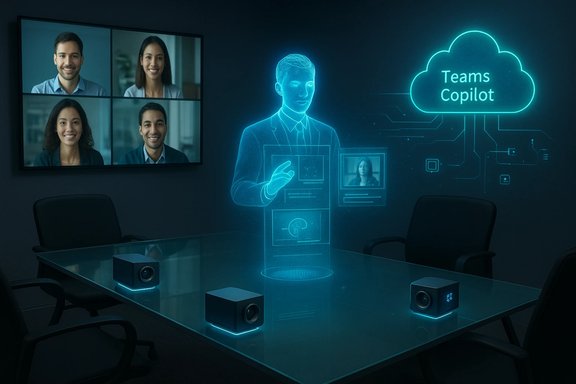
Stensen’s interview places strong emphasis on combining on-device sensing with cloud-based organisational memory — most commonly, Microsoft Teams and Copilot — to make agents aware not only of what is happening in a room but why it matters to the organisation. That integrated architecture contains three parts:- Physical context (what the camera sees right now).
- Organisational context (meeting history, documents, CRM records and workflow state held in a cloud platform).
- Agentic overlay (agents such as Teams’ Facilitator that create notes, summarise outcomes, and maintain shared memory).
Practical benefits Huddly and advocates promise
- Better meeting equity: automated framing and dynamic shot selection ensure every in-room participant is represented visually, reducing “mirror anxiety” and visibility bias for remote participants.
- Reduced cognitive load: specialised agents will handle repetitive, attention-consuming tasks (camera switching, note-taking) so humans can focus on deliberative thinking.
- Faster alignment: with integrated agents summarising decisions in real time and recording action items into the shared cloud workspace, teams can close loops faster.
- Higher production value for remote participants: live editing mimics TV production techniques, making remote participants feel more present and engaged.
Risks and limits — what organisations must consider
1) Privacy and compliance
Even when processing is done on device or on a local network, policy and transparency are essential. Cameras that capture faces, gestures and proximity create sensitive metadata that must be governed tightly (retention, access controls, consent). Edge processing reduces cloud exposure but does not eliminate the need for clear policies, signage and legal review.2) Hallucination and context errors
Cloud agents add organisational memory to in-room perception, but integrating these two systems adds new failure modes: misaligned context, incorrect attribution of statements to people, or overconfident summaries that omit provenance. Teams’ Facilitator docs and Microsoft’s Copilot governance controls underline that agents are preview features with limits and governance settings — organisations must treat agent outputs as assistive rather than authoritative.3) UX friction and user trust
Automated shot switching or active editing can feel intrusive if not tuned to user preferences. Problems like “hyper-gaze” (camera always focusing on a nervous speaker) or frequent disruptive cuts will erode trust. Vendors and IT should provide transparent controls — opt-in features, easy disabling and simple indicators that show when AI is active.4) Vendor lock-in and data portability
When meeting systems stitch device metadata into cloud memories (agents, Copilot), organisations must ask how portable that metadata is across vendors. A worker switching platforms or a company migrating collaboration stacks may find that their agents, memories and custom workflows are not easily moved.5) Accessibility and bias
Automated framing and attention detection must be inclusive by design: camera algorithms trained on narrow demographic datasets risk biased framing or speaker detection. Procurement teams should ask about dataset diversity, evaluation metrics and accessibility testing.Operational and governance checklist for IT leaders
- Define the use cases: Decide whether the goal is improved remote experience, automated note-taking, or meeting analytics — the device and integration strategy differs for each.
- Privacy-first configuration: Default to minimal data retention, local processing where feasible, and explicit consent mechanisms for participants.
- Agent governance: Control who can create and share agents in your Copilot/Copilot Studio environment and apply tenant-level constraints where needed. Microsoft’s admin controls for agent sharing are an explicit recognition of this need.
- Pilot with measurement: Run pilot deployments that measure participant satisfaction, note accuracy, and the incidence of disruptive behaviour (too many camera switches, missed speakers).
- Fallback and human override: Ensure there are easy ways to pause AI editing and to route raw feeds if post-production or compliance requires it.
- Interoperability testing: Validate that the camera system plays well with your chosen meeting platform(s), room codecs and AV control systems — certification (e.g., Certified for Microsoft Teams) is a good start but not a substitute for site testing.
Competitive and market context
Huddly’s approach sits within a broader category of “intelligent collaboration hardware” that includes offerings from Logitech, Poly, Microsoft (Surface Hub and associated cameras), and a wave of specialised AV integrators that embed local AI. The distinguishing factor for Huddly is the combination of:- a camera-first hardware portfolio designed to run on-device neural inference,
- a modular multi-camera system with a distributed director, and
- a tight product narrative around amplifying — not replacing — human intelligence. Industry awards and multiple certifications have validated product engineering and commercial positioning.
- Total cost of ownership (hardware, support, cloud credits for agentic services).
- AV services and installation needs — Crew is closer to an AV deployment than a webcam roll-out.
- Roadmaps for long-term software support and device OS updates.
When the hype meets the reality: a cautious verdict
Huddly’s vision of AI-native collaboration rooms is ambitious and internally consistent: edge perception, distributed coordination and cloud memory are complementary technologies that, when integrated well, can materially improve hybrid meetings. The company has shipped tangible products that embody this thesis (IQ, L1, Crew) and has earned third-party recognition for innovation and design. At the same time, some of the larger claims about agentic AI — that small teams can achieve what once required hundreds by “working as one” with agents — remain aspirational. These outcomes depend on enterprise governance, data quality, user adoption, and careful engineering of agent behaviour. Organisations should treat these results as measurable targets for pilots, not guaranteed benefits delivered by mere purchase. Where predictions are speculative or hinge on future integrations, treat them with cautious optimism and require empirical validation before large rollouts.Final thoughts: how to think about “amplifying human intelligence” in practice
- Treat the meeting room as a sensor hub that can feed useful metadata into organisational memory — but design the hub with the same rigour you apply to email, identity, and file-sharing systems.
- Prioritise human-centred controls: visible indicators when AI is active, easy opt-out, and clear retention rules for recordings and metadata.
- Start small: pilot Crew or a multi-camera system in settings where the value is obvious (executive briefings, client demos, training rooms) and measure remote engagement, note accuracy and follow-up completion.
- Demand interoperability: require your vendors to document APIs and data portability paths for camera metadata and agent outputs.
Conclusion
Huddly’s narrative — that agentic AI should amplify human intelligence rather than replace it — is well-aligned with its product design and go-to-market choices. The company has shipped edge AI cameras (Huddly IQ), room-scale hardware (Huddly L1) and an AI-directed, multi-camera system (Huddly Crew) that together demonstrate the practical building blocks for AI-native collaboration rooms. But the leap from production-quality live editing to true agentic collaboration that materially shifts organisational productivity requires disciplined governance, careful UX engineering and measurable pilots with explicit success metrics. For IT leaders, the near-term decision is pragmatic: evaluate the technology on the merits of privacy controls, fail-safes, Teams/agent integration and operational support — and treat Huddly’s agentic vision as a tested set of capabilities to pilot, not an instant panacea.
Source: Technology Record Huddly’s Rósa Stensen on amplifying human intelligence
