

Microsoft used its Ignite 2025 stage to turn a long‑running emergency response effort into productized tooling: the latest Windows recovery roadmap now pairs Quick Machine Recovery (QMR) and a connected Windows Recovery Environment (WinRE) with new enterprise controls — including WinRE networking, Intune remote recovery, Autopatch QMR management, and two headline capabilities called Point‑in‑Time Restore (PITR) and Cloud Rebuild that aim to cut device downtime and eliminate many hands‑on rebuilds. These announcements, summarized in vendor coverage and the Ignite briefings provided to press and partners, mark a decisive shift from image‑and‑reinstall playbooks toward orchestrated, cloud‑enabled recovery flows for both individual PCs and managed fleets.
The new recovery features are being rolled out as part of Microsoft’s broader Windows Resiliency initiative — a program launched after high‑profile update incidents in 2024 that made clear large fleets could be vulnerable to faulty drivers and update chains. Microsoft framed the direction at Ignite as reducing mean time to repair (MTTR) by providing pre‑boot, cloud‑aware recovery actions and tighter integration with Intune, Autopatch, Autopilot, OneDrive, and Windows Backup. That integration is designed to allow IT to move from manual reimaging to remote, policy‑driven remediation, while keeping control points, telemetry, and approvals in the management plane. QMR, already shipping with recent Windows 11 builds, is the centerpiece: when a device fails to boot repeatedly, it can enter WinRE, connect to the network, upload diagnostics, and query Microsoft’s cloud remediation catalog for a targeted fix that can be applied from pre‑boot. In effect, QMR turns WinRE into a first‑line repair channel capable of applying vetted remediations without human touch — a significant operational improvement for remote, distributed, and frontline fleets. Microsoft documents QMR configuration and management options for enterprises, and Windows Insider channels have been used to test and validate behavior.
That said, the shift also brings concentration risk: centralizing recovery actions into cloud and management planes means outages in those control planes, or misconfigurations, could have broader consequences. The prudent path is staged adoption: pilot, validate, harden policy and logging, and keep conventional recovery materials and expertise ready until the new flows consistently prove reliable across your hardware, network, and compliance constraints.
Microsoft’s documentation and Ignite materials give a clear direction; operational realities will determine how fast organizations can safely realize the benefits. Administrators should begin testing QMR and WinRE integration now, enable telemetry responsibly, and treat PITR and Cloud Rebuild as preview tools to be validated before relying on them as primary recovery options.
This briefing summarized the Ignite 2025 recovery announcements and cross‑checked Microsoft’s technical documentation and public posts with independent coverage and Insider releases to verify key behaviors and limits. Where timelines or service limits remain fluid, the guidance above flags uncertainty and recommends conservative, pilot‑first adoption.
Source: Petri IT Knowledgebase Windows 11 Adds New Recovery Tools to Minimize Downtime
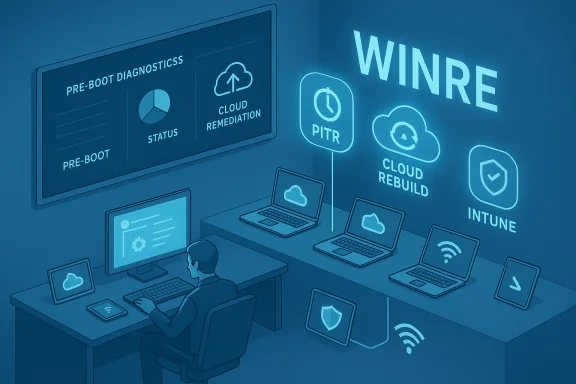 Background / Overview
The new recovery features are being rolled out as part of Microsoft’s broader Windows Resiliency initiative — a program launched after high‑profile update incidents in 2024 that made clear large fleets could be vulnerable to faulty drivers and update chains. Microsoft framed the direction at Ignite as reducing mean time to repair (MTTR) by providing pre‑boot, cloud‑aware recovery actions and tighter integration with Intune, Autopatch, Autopilot, OneDrive, and Windows Backup. That integration is designed to allow IT to move from manual reimaging to remote, policy‑driven remediation, while keeping control points, telemetry, and approvals in the management plane. QMR, already shipping with recent Windows 11 builds, is the centerpiece: when a device fails to boot repeatedly, it can enter WinRE, connect to the network, upload diagnostics, and query Microsoft’s cloud remediation catalog for a targeted fix that can be applied from pre‑boot. In effect, QMR turns WinRE into a first‑line repair channel capable of applying vetted remediations without human touch — a significant operational improvement for remote, distributed, and frontline fleets. Microsoft documents QMR configuration and management options for enterprises, and Windows Insider channels have been used to test and validate behavior. What Microsoft announced at Ignite 2025
Quick Machine Recovery: improvements and enterprise readiness
- QMR continues to rely on a connected WinRE that can:
- Detect repeated boot failures and automatically enter recovery mode.
- Establish network connectivity from the recovery environment.
- Upload targeted diagnostic telemetry and query a cloud remediation service.
- Download and apply a remediation package, then reboot to attempt normal startup.
WinRE networking: from Ethernet to enterprise Wi‑Fi
One of the practical pain points for pre‑boot recovery flows has been connectivity. Microsoft will read network configuration from the full Windows OS so WinRE networking no longer needs to be configured separately, starting with Ethernet support and moving to Enterprise Wi‑Fi (WPA2/WPA3 with device certificates). The goal is to allow WinRE to reuse known good credentials and authentication methods so recovery actions work even in locked or headless scenarios. Microsoft’s blog and technical docs specify supported networking modes today and detail planned expansion for enterprise Wi‑Fi. Practical reality check: current QMR docs state that wired Ethernet and WPA/WPA2 password‑based Wi‑Fi are supported; WPA2/3 Enterprise and certificate‑based Wi‑Fi support are being added in stages. Administrators must evaluate network topology, 802.1X and certificate distribution strategies, and the potential need to inject drivers into WinRE for certain Wi‑Fi chipsets that lack on‑boot driver support.Intune remote recovery via WinRE (and the WinRE plug‑in model)
Ignite clarified that Intune will surface devices that enter WinRE, and from the Intune console administrators will be able to:- Monitor the device while it’s in recovery mode (connection state, logs).
- Push custom recovery scripts or remediation actions directly into the WinRE session.
- Trigger recovery flows remotely (including point‑in‑time restores or cloud rebuilds where supported).
Autopatch QMR management and update readiness
Autopatch now integrates with QMR: Autopatch can manage and approve QMR remediations alongside other Windows updates. Microsoft also announced Autopatch update readiness in preview — a reporting and remediation readiness dashboard inside Intune/Autopatch that gives IT visibility into which devices are ready for updates and which have policy or telemetry issues blocking them. This is intended to reduce surprise failures by surfacing blockers before an update roll‑out. The Autopatch client broker and readiness flows were highlighted in management briefings leading up to Ignite. Operational impact: Autopatch’s readiness telemetry can let administrators pause or remediate the underlying issue (for example, missing diagnostic settings, BitLocker key escrow problems, or feature‑flag conflicts) before deploying updates that would otherwise trigger mass recoveries.Point‑in‑Time Restore (PITR) and Cloud Rebuild: new recovery actions
Microsoft announced two new recovery actions IT will be able to trigger from Intune:- Point‑in‑Time Restore (PITR) — will roll a PC back to a previous known‑good system state to recover from update failures, driver conflicts, or configuration regressions. Microsoft said PITR would appear in Windows Insider previews immediately after Ignite to let testers try rollback flows. This is described as faster than reimaging and broader in scope than OS‑only restores: Microsoft aims to include apps, settings, and local data where applicable.
- Cloud Rebuild (preview) — allows IT to trigger a remote, zero‑touch reinstall of Windows 11 that reprovisions the device via Autopilot and Intune, restoring apps, policies, and user data through OneDrive and Windows Backup. The stated benefit is to remove the need for shipped‑in or on‑site reimaging when a device is too corrupted to repair. Microsoft described this as a preview capability, with rehydration handled by Autopilot, Intune, OneDrive, and backup services.
Deep dive: how each feature will change IT operations
1) QMR in the wild — what IT must pilot now
QMR reduces the need for site visits and manual reimaging, but it introduces operational dependencies:- Dependencies and preconditions:
- Reliable WinRE networking (Ethernet or pre‑provisioned Wi‑Fi credentials).
- Devices must be enrolled and manageable via Intune (or other MDM) to apply settings at scale.
- Telemetry and diagnostics must be enabled so cloud remediation can select the right fix.
- Recommended pilot checklist:
- Identify a pilot cohort (diverse hardware vendors and network segments).
- Validate WinRE networking for each chipset and inject drivers where WinRE lacks them.
- Confirm BitLocker/TPM recovery key escrow and test recovery paths.
- Simulate boot failures in a controlled environment and review diagnostics and remediation packages.
- Risks to monitor:
- Network reliance: QMR requires internet access to query remediation catalogs — air‑gapped and highly restricted networks will need fallback processes.
- Privacy & telemetry: diagnostic data flows to Microsoft during the process; organizations should verify corporate policy and compliance impacts.
- Remediation coverage: QMR is “best‑effort” — there is no guarantee a targeted remediation will be available for every failure type.
2) WinRE networking: technical realities and gotchas
WinRE networking enables many of the new flows, but administrators should expect practical configuration work:- Today’s support set:
- Wired Ethernet (fully supported).
- WPA/WPA2 pre‑shared key Wi‑Fi (supported with preconfigured credentials).
- Many Wi‑Fi chipsets may require additional drivers injected into WinRE for connectivity to work reliably.
- Upcoming improvements:
- Microsoft intends to add support for WPA2/WPA3 Enterprise networks using device certificates and 802.1X, but this is rolling out in stages; confirm timelines with Microsoft before relying on enterprise Wi‑Fi for recovery at scale.
- Operational guidance:
- Pre‑provision Wi‑Fi profiles via Intune where possible, and test WinRE login to enterprise SSIDs with certificate authentication.
- For high‑risk or air‑gapped devices, maintain a documented local recovery plan and physical media fallback.
3) Intune remote recovery and the WinRE plug‑in model
Intune’s WinRE integration converts recovery from a local event into a managed incident:- What it enables:
- Visibility that a device has entered recovery mode.
- Remote pushes of scripts or diagnostic captures while the device is in WinRE.
- Triggering of PITR or Cloud Rebuild flows from the same console used for day‑to‑day management.
- Why the plug‑in model matters:
- Third‑party EMMs and endpoint vendors can build WinRE plug‑ins to control recovery actions — which broadens vendor choice and allows existing management ecosystems to adopt the same pre‑boot recovery rails. Microsoft says the model extends to Windows Server VMs through Azure control plane integration.
- Governance and auditability:
- Treat pre‑boot recovery actions as high‑privilege operations. Require approvals, detailed logging, and role separation for actions that trigger destructive workflows like Cloud Rebuild.
4) PITR and Cloud Rebuild: restoring state vs. returning to factory
- Point‑in‑Time Restore (PITR):
- Benefits: fast rollback to a known good state, preserves user apps and files in many scenarios, lower RTO than reimaging.
- Unknowns to verify: retention window (how far back restores can go), storage location for snapshots (local vs. cloud), encryption and integrity guarantees, and behavior for firmware‑level changes or third‑party kernel drivers that write off‑device state. Early reporting and Microsoft test docs advise treating PITR as preview until full service limits are published.
- Cloud Rebuild:
- Benefits: remote reinstall that reprovisions via Autopilot and rehydrates apps/policies via Intune and OneDrive, reducing hands‑on time.
- Operational caveats: bandwidth consumption (full OS images over network), consistent backups (OneDrive/Windows Backup must be healthy), and driver coverage for legacy hardware. Also, Cloud Rebuild assumes device can reach the internet and the OEM/Windows update driver sources can supply required drivers.
- Recommended approach:
- Use PITR for quick, targeted rollbacks where snapshots exist and retention windows meet business needs.
- Reserve Cloud Rebuild for devices that can’t be repaired with QMR or PITR and where a remote reinstall is preferable to a service desk engagement.
Strengths, risks, and recommended adoption plan
Strengths
- Lower MTTR: QMR and the new recovery actions can dramatically shorten repair windows for boot failures and regressions.
- Centralized control: Intune and Autopatch integration mean admins can see, approve, and orchestrate recovery through existing consoles.
- Reduced onsite labor: Cloud Rebuild and remote recovery reduce freight, help desk trips, and the time to reprovision devices.
- Vendor and partner extensibility: The WinRE plug‑in model allows third‑party EMMs and tools to integrate, broadening options for organizations with diverse management stacks.
Risks and limitations
- Network dependency: Many flows require a stable internet connection from WinRE; air‑gapped and constrained networks will need special handling.
- Driver and chipset gaps: Some Wi‑Fi chipsets and specialized hardware may lack WinRE drivers; injecting drivers or maintaining local recovery media is still necessary in some environments.
- Telemetry and privacy: QMR transmits diagnostic data to Microsoft during recovery; organizations must reconcile this with privacy, compliance, and logging requirements.
- Preview timelines and uncertain GA dates: PITR and Cloud Rebuild are preview features; timelines previously reported to target the first half of 2026 are tentative until Microsoft publishes firm GA dates. Treat these as preview capabilities and test in isolated environments.
Recommended phased adoption plan
- Pilot QMR with a narrow hardware and network cohort; validate WinRE networking and driver coverage.
- Enable WinRE telemetry and test a few live recovery remediations in a controlled setting with user/IT notification policies.
- Turn on Intune WinRE visibility for a limited support group and practice pushing scripted remediation during pre‑boot.
- Add Autopatch update readiness checks to your update planning workflow and remediate blockers before broad deployment.
- Evaluate PITR and Cloud Rebuild in lab and pilot groups only; maintain local recovery processes as a safety net until the services are fully documented and GA‑ready.
How to prepare technically and operationally
- Verify recovery key escrow and BitLocker key management now — pre‑boot recovery is useless without accessible recovery keys.
- Pre‑provision WinRE network profiles via Intune, and validate Wi‑Fi on common hardware platforms. Be prepared to inject drivers into WinRE images for problematic devices.
- Confirm your OneDrive and Windows Backup policies for user data rehydration; Cloud Rebuild depends on consistent cloud backup health.
- Review and tighten management plane security — Intune, Autopatch, and Azure portals now hold more remediation power. Use role‑based access control, approval gates, and change auditing for recovery actions.
- Update runbooks and SLA definitions to include QMR/PITR/Cloud Rebuild flows, and educate service desk staff on expected behavior and escalation paths.
Final assessment — what this means for Windows operations
Ignite 2025’s recovery announcements represent a meaningful pivot: Microsoft is making recovery a managed capability rather than an afterthought. The combination of QMR, richer WinRE networking, Intune WinRE integration, Autopatch readiness, PITR, and Cloud Rebuild promises to make device recovery faster, more auditable, and less dependent on physical interventions. For IT operations, that promise translates to reduced downtime, lower support costs, and fewer disruptions — if the features behave as designed and the organization invests in the enabling work: networking, driver management, backup discipline, and governance.That said, the shift also brings concentration risk: centralizing recovery actions into cloud and management planes means outages in those control planes, or misconfigurations, could have broader consequences. The prudent path is staged adoption: pilot, validate, harden policy and logging, and keep conventional recovery materials and expertise ready until the new flows consistently prove reliable across your hardware, network, and compliance constraints.
Microsoft’s documentation and Ignite materials give a clear direction; operational realities will determine how fast organizations can safely realize the benefits. Administrators should begin testing QMR and WinRE integration now, enable telemetry responsibly, and treat PITR and Cloud Rebuild as preview tools to be validated before relying on them as primary recovery options.
This briefing summarized the Ignite 2025 recovery announcements and cross‑checked Microsoft’s technical documentation and public posts with independent coverage and Insider releases to verify key behaviors and limits. Where timelines or service limits remain fluid, the guidance above flags uncertainty and recommends conservative, pilot‑first adoption.
Source: Petri IT Knowledgebase Windows 11 Adds New Recovery Tools to Minimize Downtime
