

Since I bought my first MacBook Air in 2015, I’ve been using Apple computers for more than a decade, and for a long time that loyalty made perfect sense: the design, battery life, screen quality, and overall system stability of the MacBook Air line delivered a consistently polished work experience. But the Windows laptop market has changed fast, especially in the thin-and-light segment, and the article argues that new Intel Core Ultra machines now offer enough performance and efficiency to make a serious switch feel rational rather than risky. The tradeoff, as the author discovers over a week of daily use, is that Windows 11 still carries enough friction, bugs, and ecosystem inconsistency to make returning to macOS feel tempting again. That tension—between stronger compatibility and gaming on one side, and lingering system instability on the other—is the real story here.
The piece is not really a generic Apple-versus-Windows comparison. It is a personal field report about what happens when a long-time Mac user tries to make a Windows laptop the primary work machine for the first time in years. That matters because the author is not approaching Windows as a fanboy, a gamer, or an enterprise admin; they are approaching it as someone who spends most days in content creation, messaging, browsing, and general productivity. That kind of user is often the most sensitive to small annoyances because the device is part of a daily rhythm, not an occasional tool.
The article’s strongest argument is that modern Windows laptops have become much more compelling at the hardware level. The combination of better performance-per-watt, competitive price pressure, and localized OEM features means that, on paper, a Windows ultrabook can now look like a legitimate alternative to a MacBook Air. The author is clearly impressed by the new Intel Core Ultra platform, especially the efficiency gains and the fact that even thin laptops can now run some AAA games smoothly.
But the article also argues that hardware progress does not erase platform friction. The complaints are old-fashioned in the best and worst ways: flaky Wi‑Fi, unreliable sleep behavior, Microsoft Store problems, and app notification gaps that make the whole system feel less integrated than macOS. In that sense, the article is not just saying “Windows is bad.” It is saying that Windows 11 has improved enough to be attractive, but not enough to feel trustworthy.
That trust issue is important because it colors everything else in the piece. A laptop can have decent battery life, strong app compatibility, and better gaming support, yet still feel worse in practice if the operating system repeatedly gets in the user’s way. The author’s conclusion is not that Windows is unusable. It is that Windows 11 still makes users work around the system more often than they should have to.
A final layer of context is ecosystem maturity. The article points out that Chinese PC brands and software layers are increasingly stepping in where Microsoft’s own platform feels incomplete. That includes better app stores, phone-computer interconnectivity, and more tightly integrated companion utilities. In other words, Windows is no longer winning purely on being Windows; it is winning because OEMs and local ecosystems are filling some of its gaps.
The emotional part of the switch is just as important as the technical part. After ten years on MacBook Air models, the author is not simply comparing specs; they are comparing habits, expectations, and muscle memory. That is why small workflow differences feel so large. A missing gesture, a slower Wi‑Fi handshake, or a broken notification pattern becomes a reminder that the computer is no longer behaving like the one they know best.
That combination is revealing. It implies this was not a speculative hobby purchase. It was a response to market timing, platform momentum, and a belief that Windows laptops have become good enough to justify the risk. The author did not buy into Windows out of enthusiasm; they bought into it because the value proposition suddenly looked plausible.
This is also where the article becomes most relatable to long-time Windows users. The complaints are specific and mundane, which makes them more credible. It is not a dramatic crash or a rare incompatibility issue; it is the sense that the OS is always one step behind the user’s intent.
The Microsoft Store episode is even more revealing. The user wanted to install a third-party tool to mimic a Mac-like three-finger gesture workflow. Instead of a direct download, the app routed through the Store, where access failures and stalled download progress turned a small task into a frustrating ordeal.
That paints a broader picture of Windows friction:
Battery management also becomes a trust issue. The MacBook Air, even with more than 80% battery health, still delivered about five hours in offline work scenarios according to the author’s experience. The Windows laptop, by contrast, offered decent active-use battery life but behaved less predictably in sleep states.
But battery life is not the whole story. A laptop that drains too much in sleep or wakes unexpectedly is more annoying than one with slightly worse raw runtime. That is because sleep reliability is part of user confidence, and confidence is what makes a portable machine feel portable.
This is a good example of how ecosystem maturity matters more than app availability. WeChat exists on Windows, yes, but it does not behave as well as the author expects from a modern desktop app. That makes the experience feel technically compatible but functionally incomplete.
That creates a subtle but important cost:
That fragmentation can be tolerable in enterprise environments where standardization is the goal. But for a single-user productivity machine, it makes the desktop feel less like a controlled environment and more like an arrangement of partial solutions. The author’s reaction is not that Windows lacks tools; it is that the tools are often not joined up enough.
The deeper issue is system behavior during idle, sleep, and light multitasking. Apple’s power management has long been one of its most dependable strengths, and that shows up not only during active use but during the long pauses between active use. Windows often struggles more in exactly those “nothing is happening” moments.
The article’s battery observations are therefore split in two:
This is one of the article’s key themes: Windows hardware has improved faster than Windows behavior. That gap is especially visible to users moving from Apple’s vertically integrated ecosystem, where hardware, firmware, and OS are tuned together more tightly.
That expectation is toxic for an operating system. Even a good update can feel suspicious if people have learned to brace for trouble every time.
The recurring fear leads to behaviors like:
That is why the bug problem matters strategically, not just technically. Every weird failure becomes evidence for critics who say Windows is still too loose, too inconsistent, or too dependent on vendor-specific fixes. In that sense, reliability bugs are not just defects—they are a narrative Microsoft has to overcome.
That is not a trivial advantage. It is one reason Windows continues to dominate the PC market in the first place.
This is especially important for:
That creates a paradox. The Mac feels smoother most of the time, but when it does get in the way, it can feel unusually paternalistic. Windows, by contrast, is often more willing to let users proceed even when the setup is messy. For some workflows, that freedom is worth the noise.
This is where the Intel Core Ultra machine in the article becomes symbolically important. It shows that an ultrathin laptop can now do more than spreadsheets and Slack. It can run games that, not long ago, would have been absurd on a thin chassis.
This matters because it changes the category:
That is the difference between benchmark success and lived experience. Windows wins because the games are there, the launchers are there, and the platform assumptions are there. Apple may have closed the hardware gap, but it has not closed the content gap.
This is an important shift because it means the Windows experience is becoming more fragmented at the platform level but more differentiated at the OEM level. In other words, users are not just buying Windows; they are buying a specific interpretation of Windows.
The benefits are obvious:
The article’s larger point is that Windows succeeds partly because others compensate for its weaknesses. That is not the strongest possible foundation for an operating system, but it is a workable one. It also helps explain why Windows remains dominant even when its own UX is under criticism.
But if the same old bugs keep returning, the case for switching away from Mac will remain strong only for users who absolutely need Windows’ compatibility and gaming advantages. Everyone else will keep asking the same question: why tolerate the friction if the alternative is smoother?
A few things will matter most:
In the end, the article’s message is practical rather than ideological: Windows now has the hardware and ecosystem depth to compete seriously, but it still has to earn trust every day. Until that changes, the MacBook Air remains tempting not because it is perfect, but because it is reliably less exhausting.
Source: 36 Kr A 10-Year Apple Fan Switches to Windows: Better Compatibility and Gaming, but System Bugs Make a Return Tempting
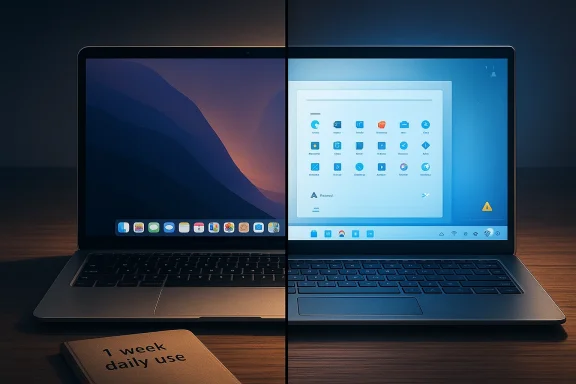 Overview
The piece is not really a generic Apple-versus-Windows comparison. It is a personal field report about what happens when a long-time Mac user tries to make a Windows laptop the primary work machine for the first time in years. That matters because the author is not approaching Windows as a fanboy, a gamer, or an enterprise admin; they are approaching it as someone who spends most days in content creation, messaging, browsing, and general productivity. That kind of user is often the most sensitive to small annoyances because the device is part of a daily rhythm, not an occasional tool.The article’s strongest argument is that modern Windows laptops have become much more compelling at the hardware level. The combination of better performance-per-watt, competitive price pressure, and localized OEM features means that, on paper, a Windows ultrabook can now look like a legitimate alternative to a MacBook Air. The author is clearly impressed by the new Intel Core Ultra platform, especially the efficiency gains and the fact that even thin laptops can now run some AAA games smoothly.
But the article also argues that hardware progress does not erase platform friction. The complaints are old-fashioned in the best and worst ways: flaky Wi‑Fi, unreliable sleep behavior, Microsoft Store problems, and app notification gaps that make the whole system feel less integrated than macOS. In that sense, the article is not just saying “Windows is bad.” It is saying that Windows 11 has improved enough to be attractive, but not enough to feel trustworthy.
That trust issue is important because it colors everything else in the piece. A laptop can have decent battery life, strong app compatibility, and better gaming support, yet still feel worse in practice if the operating system repeatedly gets in the user’s way. The author’s conclusion is not that Windows is unusable. It is that Windows 11 still makes users work around the system more often than they should have to.
A final layer of context is ecosystem maturity. The article points out that Chinese PC brands and software layers are increasingly stepping in where Microsoft’s own platform feels incomplete. That includes better app stores, phone-computer interconnectivity, and more tightly integrated companion utilities. In other words, Windows is no longer winning purely on being Windows; it is winning because OEMs and local ecosystems are filling some of its gaps.
The Mac-to-Windows Switch Is No Longer a Joke
For years, switching from Mac to Windows often meant accepting obvious compromises in build quality, battery life, and display consistency. The article argues that this gap has narrowed enough that the old joke no longer fully applies. Windows ultrabooks now look and feel much more modern than they did a decade ago, and the author’s interest in a new machine was driven partly by the sense that the hardware market had finally caught up.The emotional part of the switch is just as important as the technical part. After ten years on MacBook Air models, the author is not simply comparing specs; they are comparing habits, expectations, and muscle memory. That is why small workflow differences feel so large. A missing gesture, a slower Wi‑Fi handshake, or a broken notification pattern becomes a reminder that the computer is no longer behaving like the one they know best.
Why the upgrade decision happened now
The article suggests three forces pushed the purchase over the edge. First, the new Intel Core Ultra models looked genuinely strong on efficiency and everyday performance. Second, subsidies and launch discounts made the pricing more attractive than it might otherwise have been. Third, the author had a more practical concern: future PC price increases could make delaying the upgrade expensive.That combination is revealing. It implies this was not a speculative hobby purchase. It was a response to market timing, platform momentum, and a belief that Windows laptops have become good enough to justify the risk. The author did not buy into Windows out of enthusiasm; they bought into it because the value proposition suddenly looked plausible.
What changed in the laptop market
The article’s subtext is that thin-and-light Windows laptops have stopped being second-rate placeholders. Many domestic brands have improved their industrial design, battery tuning, and software stacks. In some cases, they now match or surpass what casual buyers used to expect from premium ultrabooks.- Better chip efficiency has made fanless or near-fanless designs more usable.
- Battery life is no longer the automatic Apple advantage it once was.
- OEM tuning now matters almost as much as the base hardware.
- Price promotions can shift the perceived value dramatically.
- Consumers are now evaluating ecosystems, not just devices.
Windows 11 Still Feels Like the Weak Link
The most forceful criticism in the article is aimed not at the laptop’s hardware, but at Windows 11 itself. The author calls the experience a letdown, and that is not just about style preferences. It is about repeated failures in basics that should be invisible: networking, sleep, system integration, and software delivery. That kind of friction can ruin an otherwise good machine.This is also where the article becomes most relatable to long-time Windows users. The complaints are specific and mundane, which makes them more credible. It is not a dramatic crash or a rare incompatibility issue; it is the sense that the OS is always one step behind the user’s intent.
Network reliability and the Microsoft Store problem
The author describes situations where the laptop appeared connected to Wi‑Fi but could not access the internet. The workaround was simple but telling: restart the computer. That is the kind of fix users tolerate once, then resent the second time.The Microsoft Store episode is even more revealing. The user wanted to install a third-party tool to mimic a Mac-like three-finger gesture workflow. Instead of a direct download, the app routed through the Store, where access failures and stalled download progress turned a small task into a frustrating ordeal.
That paints a broader picture of Windows friction:
- Basic connectivity can fail in ways that feel mysterious.
- Recovery often depends on restarts rather than self-healing.
- The Microsoft Store still feels unreliable compared with competing software channels.
- Users outside China report similar Store issues, which suggests a platform problem rather than a regional one.
- A simple productivity enhancement can become a troubleshooting project.
Sleep, wake, and power management
Sleep behavior is where Windows notebooks often reveal their maturity, and here the article is especially critical. The author notes that the laptop does not always enter sleep properly after the lid is closed and that touching the mouse can wake the system unexpectedly. That sounds minor until you realize it changes how you can carry and store the device.Battery management also becomes a trust issue. The MacBook Air, even with more than 80% battery health, still delivered about five hours in offline work scenarios according to the author’s experience. The Windows laptop, by contrast, offered decent active-use battery life but behaved less predictably in sleep states.
The sleep problem in practice
In the author’s account, the machine’s real-world endurance was acceptable, but not exceptional. Under indoor work conditions—high brightness, Wi‑Fi on, WeChat open, and several Chrome tabs—the battery dropped by about 15% in an hour and roughly one-third in two hours. That suggests around six hours of practical use, which is respectable for a thin-and-light Windows machine.But battery life is not the whole story. A laptop that drains too much in sleep or wakes unexpectedly is more annoying than one with slightly worse raw runtime. That is because sleep reliability is part of user confidence, and confidence is what makes a portable machine feel portable.
Messaging and App Integration Still Trailing the Mac
One of the more interesting complaints in the article is about WeChat notification previews on Windows. The author points out that the Windows version of WeChat does not connect properly to Windows’ notification system, meaning new messages often appear only as a flashing icon without preview content. For a content creator or anyone juggling multiple work groups, that is a real usability loss.This is a good example of how ecosystem maturity matters more than app availability. WeChat exists on Windows, yes, but it does not behave as well as the author expects from a modern desktop app. That makes the experience feel technically compatible but functionally incomplete.
Why notifications matter more than they seem
Notifications are not just alerts; they are a filter for attention. The ability to glance at a message preview lets the user decide, in seconds, whether to interrupt deep work or defer the response. Without that preview, every notification becomes an uncertainty that demands attention.That creates a subtle but important cost:
- You lose the ability to triage messages quickly.
- The desktop feels more distracting.
- Work flow interruption becomes more frequent.
- The system appears less context-aware.
- The app feels detached from platform-level behavior.
Mac polish versus Windows fragmentation
macOS has long benefited from the sense that the operating system and the default apps speak the same language. Even when Apple frustrates users with restrictions, the system usually feels internally coherent. On Windows, the burden of coherence often falls on individual apps, OEM utilities, or third-party workarounds.That fragmentation can be tolerable in enterprise environments where standardization is the goal. But for a single-user productivity machine, it makes the desktop feel less like a controlled environment and more like an arrangement of partial solutions. The author’s reaction is not that Windows lacks tools; it is that the tools are often not joined up enough.
Battery Life Is Good, but Efficiency Is More Than Runtime
The article gives Windows some credit on battery life. The tested machine has a 72Wh battery, which is larger than the 49.9Wh battery in the older M1 MacBook Air the author used before. Even so, the Windows laptop is not dramatically better in practice. That is a reminder that battery capacity alone does not determine battery experience.The deeper issue is system behavior during idle, sleep, and light multitasking. Apple’s power management has long been one of its most dependable strengths, and that shows up not only during active use but during the long pauses between active use. Windows often struggles more in exactly those “nothing is happening” moments.
Why sleep behavior defines portable computing
The most useful laptop is not always the one with the biggest battery. It is the one that wastes the least energy when you are not actively using it. A machine that drains while closed or wakes accidentally is effectively shortening your day without permission.The article’s battery observations are therefore split in two:
- Active-use life is decent and workable.
- Sleep behavior is less trustworthy.
- Lid-close state management needs improvement.
- Wake-from-mouse bugs are still a problem.
- Power efficiency is not the same as power discipline.
Hardware progress still needs software discipline
The author does not deny that the Windows laptop performs well for its class. In fact, they imply that modern chip efficiency has made thin-and-light Windows devices much more usable than before. But good hardware can only do so much if the OS mishandles low-power states.This is one of the article’s key themes: Windows hardware has improved faster than Windows behavior. That gap is especially visible to users moving from Apple’s vertically integrated ecosystem, where hardware, firmware, and OS are tuned together more tightly.
Bugs Are Becoming a Brand Problem
A large part of the article’s tone comes from the idea that Windows 11 bugs are no longer isolated annoyances; they have become part of the platform’s reputation. The author cites a string of examples from online reports, including update-related shutdown issues, touchpad problems after Windows 11 24H2, and network controller failures after emergency updates. Whether each specific bug affects every user is less important than the broader pattern: users expect updates to be risky.That expectation is toxic for an operating system. Even a good update can feel suspicious if people have learned to brace for trouble every time.
Updates as a gamble
The article makes a strong emotional claim here: every Windows 11 update feels like a gamble. That is not simply an exaggeration for effect. It reflects a long-running trust deficit around Windows servicing, where users often worry that a patch will fix one thing while breaking another.The recurring fear leads to behaviors like:
- Delaying or disabling updates.
- Avoiding new versions until others test them first.
- Treating security maintenance as a source of anxiety.
- Searching forums before clicking restart.
- Assuming bugs are normal rather than exceptional.
The irony of platform scale
The article’s implicit argument is that Windows should not be this fragile given its enormous market share. If an operating system runs on the majority of PCs, users naturally expect it to be boringly reliable. When it is not, the disappointment is amplified.That is why the bug problem matters strategically, not just technically. Every weird failure becomes evidence for critics who say Windows is still too loose, too inconsistent, or too dependent on vendor-specific fixes. In that sense, reliability bugs are not just defects—they are a narrative Microsoft has to overcome.
Windows Still Wins on Compatibility
Despite all the complaints, the author does not claim Windows is obsolete. In fact, they are clear that Windows is still more comprehensive than macOS in several important ways. The biggest of these is compatibility. Windows 11 can still run software that is more than a decade old, and installation freedom is far less restricted than on the Mac.That is not a trivial advantage. It is one reason Windows continues to dominate the PC market in the first place.
Legacy software and freedom of installation
The article notes that older software remains usable on Windows 11, while upgrading a MacBook Air to macOS 15 can break or limit access to older apps. That points to a real tradeoff: Apple’s tighter control can make the platform cleaner, but it can also reduce the lifespan of software users depend on.This is especially important for:
- Business tools that never received modern rewrites.
- Niche utilities that still work well enough.
- Older installers that remain important in specialty workflows.
- Power users who need fewer platform restrictions.
- Users who value long-tail compatibility over design purity.
Why Mac convenience can become Mac friction
The article also mentions Mac restrictions around third-party software, including permission prompts and administrator verification. Those safeguards are not necessarily bad—they are part of Apple’s security posture—but they can feel more obstructive when a user is trying to move quickly.That creates a paradox. The Mac feels smoother most of the time, but when it does get in the way, it can feel unusually paternalistic. Windows, by contrast, is often more willing to let users proceed even when the setup is messy. For some workflows, that freedom is worth the noise.
Gaming Is Still Windows’ Strongest Counterargument
If compatibility is Windows’ historical strength, gaming is its modern trump card. The article emphasizes that Apple’s M-series chips are no longer weak in raw graphics terms, but the gaming ecosystem around macOS remains thin. Windows still has the catalog, the developer support, and the hardware optimization pipeline to make gaming feel native rather than improvised.This is where the Intel Core Ultra machine in the article becomes symbolically important. It shows that an ultrathin laptop can now do more than spreadsheets and Slack. It can run games that, not long ago, would have been absurd on a thin chassis.
Real gaming on a thin-and-light laptop
The author cites Cyberpunk 2077 running at around 50 frames per second at low quality and 1200p resolution. That is not flagship gaming performance, but it is impressive for a slim notebook. It reflects how far integrated graphics and modern power management have come.This matters because it changes the category:
- Thin-and-light no longer means “not for games.”
- Integrated graphics are finally meaningful for casual 3D play.
- Ultra-portables can be multipurpose rather than strictly work devices.
- Users can expect some AAA capability without a dedicated GPU.
- The boundary between office laptop and entertainment machine is blurring.
Why Apple still loses in practice
The author is fair enough to note that the M4’s GPU performance is not weak. The problem is software support. If game developers do not target macOS, then strong silicon is only half the story. A fast engine without fuel is still just a fast engine.That is the difference between benchmark success and lived experience. Windows wins because the games are there, the launchers are there, and the platform assumptions are there. Apple may have closed the hardware gap, but it has not closed the content gap.
OEM Software and Local Ecosystems Matter More Than Ever
One of the article’s more modern observations is that domestic PC makers are no longer just hardware assemblers. They are increasingly shipping software layers that improve the overall experience in ways Microsoft’s own system often does not. That includes app stores, phone-computer integration, and built-in tools that make the laptop feel part of a broader ecosystem.This is an important shift because it means the Windows experience is becoming more fragmented at the platform level but more differentiated at the OEM level. In other words, users are not just buying Windows; they are buying a specific interpretation of Windows.
Xiaomi, Huawei, and the value of ecosystem glue
The article cites Xiaomi Computer Manager and Huawei’s mobile app engine as examples of this trend. These tools go beyond basic device management. They create continuity between phone and PC, which is exactly the kind of convenience modern users notice quickly.The benefits are obvious:
- File transfer becomes easier.
- Phone mirroring or control can save time.
- App distribution can feel more approachable.
- Localized services fit regional usage patterns better.
- The laptop feels less isolated from the rest of the user’s digital life.
Microsoft’s gaps become OEM opportunities
The more Microsoft leaves unresolved, the more opportunity exists for hardware partners to differentiate. That is good for consumers in some ways, because it encourages innovation. But it can also mean uneven quality, since not every vendor will deliver the same level of software polish.The article’s larger point is that Windows succeeds partly because others compensate for its weaknesses. That is not the strongest possible foundation for an operating system, but it is a workable one. It also helps explain why Windows remains dominant even when its own UX is under criticism.
Strengths and Opportunities
The article is not a simple indictment of Windows. It also makes a compelling case that the platform is still improving in ways that matter, especially for users who need flexibility, compatibility, and broader device choice. The opportunity is not to make every Mac user switch tomorrow, but to give practical buyers a more convincing reason to consider Windows again.- Stronger compatibility remains one of Windows’ greatest advantages.
- Gaming support is still far better than on macOS.
- Thin-and-light hardware has improved dramatically in efficiency and thermals.
- OEM-added tools can fill gaps Microsoft leaves behind.
- Better price competition can make Windows laptops feel like smarter purchases.
- Local ecosystem integration is becoming a real differentiator.
- Users who need legacy software have more freedom on Windows.
Risks and Concerns
The article’s caution is equally strong: a better chip or a more attractive price does not erase the underlying frustrations that make Windows feel inconsistent. The biggest risk is that users interpret the progress in hardware as proof that the software is equally mature, when the author’s experience suggests that is not yet true.- Sleep and wake bugs still undermine trust.
- Microsoft Store reliability remains a weak point.
- Notification behavior can be inconsistent across key apps.
- Update-related regressions continue to shape user expectations.
- Performance bugs can make users fear routine maintenance.
- Ecosystem fragmentation can create a patchwork experience.
- Platform strength in theory does not always translate into daily comfort.
Looking Ahead
The article ends on an intentionally unfinished note: Windows 11 may be getting better, but each update still feels like a gamble. That unresolved tension is likely to define the next phase of the platform. If Microsoft can show that its updates are safe, its sleep behavior is reliable, and its core apps are better integrated, the narrative could begin to shift.But if the same old bugs keep returning, the case for switching away from Mac will remain strong only for users who absolutely need Windows’ compatibility and gaming advantages. Everyone else will keep asking the same question: why tolerate the friction if the alternative is smoother?
A few things will matter most:
- Whether Wi‑Fi and sleep bugs are reduced in real use.
- Whether Microsoft Store reliability improves.
- Whether major apps like WeChat integrate more cleanly with Windows notifications.
- Whether OEM software continues to outpace Microsoft’s own platform glue.
- Whether future updates prove safer than past ones.
In the end, the article’s message is practical rather than ideological: Windows now has the hardware and ecosystem depth to compete seriously, but it still has to earn trust every day. Until that changes, the MacBook Air remains tempting not because it is perfect, but because it is reliably less exhausting.
Source: 36 Kr A 10-Year Apple Fan Switches to Windows: Better Compatibility and Gaming, but System Bugs Make a Return Tempting
