Intel Wi-Fi Channel-Load Toggle: Smarter Roaming for Crowded Networks

  • Thread Author
Intel’s latest Wi‑Fi driver refresh surfaces a small but meaningful change under the hood: a driver-side toggle that lets Windows clients factor channel load into access‑point selection when roaming. That single option — described by the vendor as a way to prefer less‑loaded APs over simply the strongest signal — promises better real‑world throughput and stability in crowded networks, but it also raises compatibility and testing questions that every power user and IT admin should weigh before flipping the switch.

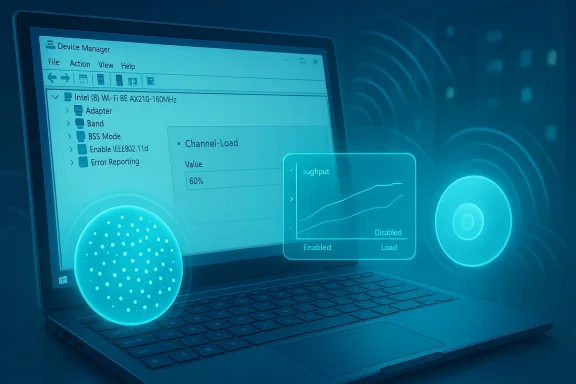
Laptop screen shows Device Manager with a floating channel-load chart and glowing holographic tech elements.Background / Overview​

Intel periodically ships consolidated Wi‑Fi driver packages for its wide family of wireless adapters, covering Wi‑Fi 7, Wi‑Fi 6E, Wi‑Fi 6 and legacy 802.11ac devices. These releases bundle firmware, driver binaries and often a handful of functional updates that affect roaming, power management, and feature sets such as Wi‑Fi sensing and other vendor-specific capabilities.
The change receiving attention in this release is the addition of a new Advanced driver setting that controls whether the driver uses Channel‑Load data when deciding which AP to join while roaming. Put simply, that gives the client the option to prefer an AP with fewer active clients or lower medium utilization instead of picking the AP that simply advertises the strongest signal strength.
Intel’s published packages for the 24.x driver family support many current and legacy Intel cards and target 64‑bit Windows 10 and Windows 11. The vendor’s documentation also highlights that modern Wi‑Fi 7 functionality is tightly linked to Windows 11 builds — and that OEM/OS validation and vendor release notes should be checked before expecting full Wi‑Fi 7 behavior on older OS builds.

What exactly is “Channel‑Load” and why does it matter?​

The problem with signal‑strength‑only roaming​

Historically, many client devices choose the AP with the highest Received Signal Strength Indicator (RSSI) when roaming. RSSI is simple and usually effective, but it ignores how busy an AP actually is. A strong‑signal AP can still be a throughput bottleneck if dozens of clients are attached or if the channel is congested with other networks and interference.
That leads to real‑world issues such as:
  • High latency and stuttering for time‑sensitive apps (VoIP, video calls, cloud desktops).
  • Asymmetric throughput: excellent RSSI but low usable bandwidth.
  • Clients “stick” to a strong AP even after a closer, less congested AP would provide better overall performance.

Channel‑Load: a better metric for throughput‑aware roaming​

Channel‑Load (often reported via the IEEE 802.11 BSS Load element or by radio/firmware telemetry) is a measure of how busy a channel or AP is. It can encompass advertised client counts, measured medium utilization, airtime consumption, and other telemetry.
When a client uses channel‑load data to help choose an AP, it can:
  • Prefer APs with lower medium utilization even if their RSSI is slightly lower.
  • Avoid APs whose channel is heavily saturated by neighboring networks or co‑channel interference.
  • Improve aggregate throughput and reduce packet retries.
This approach is not new in wireless architecture — enterprise WLAN systems and controllers have long implemented AP‑side load balancing and client steering. What’s notable here is Intel bringing a client‑controlled option into the Windows driver stack so that the endpoint can take channel load into account during roaming decisions.

What Intel’s driver change does (practical summary)​

  • Adds a new Advanced setting (per‑adapter) that lets users toggle the driver’s use of Channel‑Load for AP selection during roaming.
  • Keeps the option to revert to traditional selection parameters (RSSI/signal strength) by turning the setting off.
  • Aims to improve connection stability and speed in scenarios where signal strength alone is a poor indicator of real throughput.
  • Bundles other stability and reliability fixes in the same driver package, along with unspecified “minor issues” addressed by the vendor.
  • Targets Intel’s recent Wi‑Fi adapters across the Wi‑Fi 7/Wi‑Fi 6E/Wi‑Fi 6 and select 802.11ac families and is released as a 64‑bit driver package for Windows 10 and Windows 11.

Supported adapters and OS compatibility — what to check​

Intel’s consolidated Wi‑Fi driver packages typically list supported adapters explicitly. The families generally covered by the 24.x driver series include:
  • Intel Wi‑Fi 7: BE213, BE211, BE202, BE201, BE200
  • Intel Wi‑Fi 6E: AX411 (Gig+), AX211 (Gig+), AX210 (Gig+)
  • Intel Wi‑Fi 6: AX203, AX201, AX200, AX101
  • Intel Wireless‑AC family: 9560, 9462, 9461, 9260
Important compatibility notes:
  • The vendor’s packages for the 24.x series are provided for 64‑bit Windows 10 and Windows 11 only. 32‑bit Windows 10 is not supported by these packages.
  • Modern Wi‑Fi 7 functionality is dependent on both driver & OS validation. In practice, Wi‑Fi 7 features are closely tied to Windows 11 builds and OEM validation; expect the most complete Wi‑Fi 7 experience only on more recent Windows 11 versions and hardware firmware that explicitly validates those features.
  • OEMs sometimes ship customized drivers. Installing Intel’s generic driver on a laptop can remove OEM customizations (power profiles, telemetry hooks, or vendor‑specific fixes). IT admins should validate on manufacturer images first.

Deep dive: How the Channel‑Load toggle will behave (expected mechanics)​

This driver option likely implements client‑side weighting of candidate APs based on a combination of:
  • Advertised BSS Load / client count reported by AP beacons/probe responses.
  • Measured medium utilization reported by radio firmware (when APs don’t supply load IEs).
  • Legacy metrics such as RSSI and negotiated PHY rate relegated to tie‑breaker roles.
Expected behavior when enabled:
  • The driver ranks candidate APs using a composite score that includes channel load; it may prefer an AP with slightly lower RSSI but substantially less load.
  • If Channel‑Load information isn’t available from AP beacons, the driver may fall back to firmware‑reported channel metrics or to RSSI‑only behavior, depending on what telemetry is present.
  • The toggle is likely persistent per‑adapter and accessible from Device Manager → Network adapters → [Adapter] → Properties → Advanced tab where most Intel driver knobs live.
Caveat: implementation details such as the exact weighting formula, timers for roam evaluation, and thresholds will be vendor‑internal and may change between firmware/driver updates.

Why this matters for real users​

  • Home users in dense apartment blocks: If your neighbor’s APs and your own are fighting for airtime, a client that favors a less loaded AP can yield smoother video calls and more responsive gaming.
  • Enterprise/mobile workers: In high‑density environments (conference halls, open‑plan offices, classrooms), balancing clients across APs can reduce per‑client latency and improve application reliability.
  • Multi‑AP homes: Modern whole‑home Wi‑Fi systems rely on both AP steering and client behavior. Giving the endpoint an additional signal — the load metric — can improve handoffs in hybrid setups where AP steering isn’t perfect.

Risks, trade‑offs and things to test before deploying​

  • Compatibility with APs and controllers
  • Not all APs advertise BSS Load IEs or otherwise expose useful channel‑load telemetry to clients. Some enterprise controllers force client steering and may conflict with client‑side preferences.
  • Vendor‑specific implementations of load metrics might be interpreted differently by clients and APs, producing unexpected handoff behavior.
  • Roaming churn and instability
  • Aggressive weighting toward lower load could cause a client to “bounce” between APs if the driver’s hysteresis/timers aren’t conservative.
  • Frequent roams increase authentication events, which can temporarily disrupt latency‑sensitive traffic.
  • Power and battery impact
  • More roam evaluations and scans may marginally increase power usage on battery devices. The net effect is typically small, but mobile users should validate battery life with the option on.
  • Driver/firmware maturity
  • New driver options introduce new code paths. Although vendors test extensively, incompatibilities with specific AP models, enterprise security configurations (802.1X), or VPN clients can surface. Always test before fleet‑wide rollouts.
  • Discrepancies in documentation / versioning
  • Vendors occasionally publish different claims across marketing, support pages and release notes. Some features might require a specific OS build, firmware level, or even a different driver sub‑package intended for IT administrators. Always check the exact release notes for your adapter + OS combination.

How to enable, test and roll back (step‑by‑step)​

  • Create a quick restore plan before changes:
  • Note the current driver version (Device Manager → Network adapters → [Adapter] → Driver tab).
  • Create a System Restore point or a full image for corporate systems if you need rapid rollback.
  • Install the driver from your validated source:
  • Prefer the vendor or OEM support channel (OEM drivers are often validated against your device image).
  • If using Intel’s generic package, choose the 64‑bit installer that matches your OS.
  • Enable the Channel‑Load option:
  • Open Device Manager.
  • Expand Network adapters and open the Intel Wi‑Fi adapter properties.
  • Switch to the Advanced tab.
  • Find the new setting — typically named something like Channel‑Load usage for AP selection during roaming — and set to Enabled or On.
  • Restart the client Wi‑Fi (or reboot) to ensure clean behavior.
  • Test methodically:
  • Reproduce typical heavy usage: video calls, file transfer, VPN + large downloads.
  • Compare metrics with the setting Off and On:
  • Observe throughput (simple speed tests are helpful but focus on real app performance).
  • Watch latency (ping to local gateway and to remote services).
  • Note any increased roam frequency (check Windows Event Viewer or vendor logs for roaming events).
  • Test in environments with multiple APs on the same SSID and with APs using different steering policies.
  • Rollback if needed:
  • Use Device Manager → Driver tab → Roll Back Driver or reinstall the previous driver package.
  • Restore system image or factory OEM driver if the rollback doesn’t resolve issues.

Enterprise deployment guidance​

  • Pilot first: Enable the setting on a controlled set of devices across different usage patterns (road warriors, office desktops on Wi‑Fi, conference room devices).
  • Coordinate with WLAN team: Make sure AP/Controller policies (client steering, band steering, airtime fairness, load balancing) are aligned to avoid conflicting directives.
  • Check 802.1X and supplicant behavior: Some corporate environments have strict authentication and EAP timeouts that can amplify the impact of frequent roaming.
  • Monitor after rollout: Use WLAN analytics to track client roam rates, authentication failures, and per‑AP client counts. If roam churn increases, adjust client side hysteresis and controller-side steering thresholds.
  • Use staged updates: Roll updates per OEM image or vendor‑approved package rather than mass‑installing Intel’s generic drivers across a mixed fleet.

Security and privacy considerations​

  • The Channel‑Load feature itself uses metrics derived from normal Wi‑Fi management frames and firmware telemetry; it does not introduce new authentication vectors.
  • However, any driver update has potential security implications. Only install signed drivers from trusted vendor channels.
  • For regulated environments, verify that logging and telemetry behavior introduced by new driver builds is in line with privacy/compliance mandates.

How this fits into the larger Wi‑Fi ecosystem​

  • Client‑side intelligence is complementary to AP/controller‑side steering. The healthiest networks rely on both ends cooperating: APs advertise preferred lists and load, controllers optimize RF and channel planning, and clients pick the AP that offers the best effective performance.
  • The inclusion of channel‑load awareness in a mainstream client driver marks a step toward more holistic roaming decisions on endpoints. It reflects broader trends:
  • Greater reliance on airtime and utilization metrics rather than raw signal strength.
  • Tight coupling of firmware, driver, and OS to implement advanced features such as MLO (Multi‑Link Operation) and advanced roaming.
  • Continued complexity in troubleshooting: when both AP and client can steer, determining the root cause of a poor connection requires telemetry from both sides.

Practical examples: when the toggle helps and when it won’t​

  • Helps:
  • Office floor with two APs on the same channel where one AP has 30 clients and the other has 5 — choosing the less loaded AP improves throughput even if the RSSI is 3–6 dB lower.
  • Conference scenario where a client would otherwise stay stuck on a congested AP because its RSSI remained marginally higher.
  • Won’t help (or may hurt):
  • Environments with poorly implemented load IEs where advertised load is inaccurate.
  • Networks that already implement robust controller‑based client steering; the client’s choices may fight the controller and oscillate.
  • Scenarios where the only available AP with lower load is separated by a wall and the resulting lower PHY rate offsets the benefit of a less congested channel.

Testing checklist for power users and admins​

  • Validate driver version and release notes before installing.
  • Test with the same SSID and identical security settings to ensure fair comparison.
  • Use application‑level tests (video call, RDP/VNC, file transfer) — not just synthetic speed tests.
  • Monitor roam counts and authentication logs.
  • If possible, run a traffic capture around roam events to see the actual airtime and retries.
  • Reproduce tests with the same device across different physical locations to eliminate location‑specific anomalies.

Final verdict and recommendations​

Intel’s driver addition of a Channel‑Load toggle is a sensible, incremental improvement that brings endpoint behavior closer to how modern enterprise WLANs already think about client distribution. For users and admins in medium‑to‑high density environments, this can yield measurable improvements in perceived speed and reliability.
That said, the feature is not a universal cure. It must be deployed judiciously:
  • Home users should enable it experimentally to see if it improves their particular environment.
  • IT admins should pilot, coordinate with WLAN teams, and monitor for undesired churn before broad deployment.
  • Always prefer OEM‑validated drivers for laptops in production, and keep rollback plans ready.
If you care about squeezing better real‑world performance out of crowded Wi‑Fi, this driver option is worth trying — but don’t treat it as a replacement for good RF design, proper channel planning, and controller/AP tuning. Roaming is a coordinated problem: the best results come when endpoints and infrastructure work together rather than at cross‑purposes.

Conclusion​

Small driver options can produce outsized benefits when they let clients make smarter choices. Intel’s Channel‑Load toggle moves client behavior in the right direction by allowing load metrics to influence roaming decisions. In networks where APs and infrastructure cooperate, that should reduce congestion‑related slowdowns and produce a steadier experience for real applications.
However, the landscape is nuanced: driver, firmware, AP implementation, and OS build all matter. Test before you deploy, coordinate with your WLAN team, and treat the change as one more lever in the performance toolbox — not a silver bullet.

Source: Neowin Intel's new Wi-Fi driver for Windows 10 and 11 brings new network features
 

Intel’s latest consolidated Wi‑Fi driver package, released as version 24.20.0, quietly adds a small but consequential control to how Intel clients decide which access point (AP) to join while roaming: an Advanced setting that toggles the use of Channel‑Load for AP selection. That change lets the endpoint prefer a less‑loaded AP over the one with the strongest signal, with the goal of delivering more stable throughput and fewer hiccups in congested environments — and it arrives alongside the usual set of stability fixes and functional updates for a wide range of Intel wireless adapters.

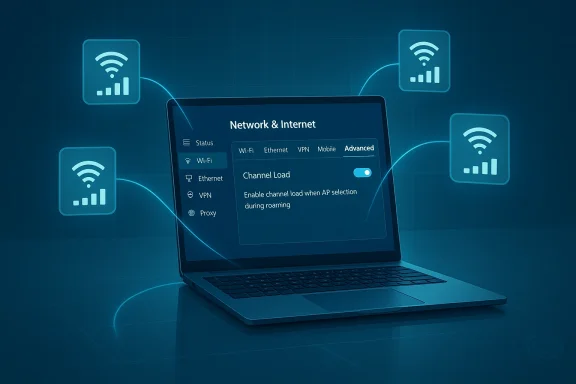
Laptop displays Network & Internet settings with Advanced tab and Channel Load toggle.Background / Overview​

Intel has been packaging Wi‑Fi and Bluetooth drivers into consolidated bundles for modern and legacy adapters for some time, and those bundles are where the company layers new features, firmware updates, and compatibility validation with Windows releases. The 24.x driver family continues that trend, covering Intel’s Wi‑Fi 7 BE2xx modules, a broad set of Wi‑Fi 6/6E adapters, and several legacy 802.11ac (Wireless‑AC) parts while targeting 64‑bit Windows 10 and Windows 11.
The most visible item in this release is not a headline speed improvement or a brand‑new Wi‑Fi standard headline, but a per‑adapter Advanced option that controls whether the driver uses Channel‑Load signals when evaluating candidate APs during roaming. When enabled, the driver will factor channel or AP load information — such as advertised client counts, medium utilization telemetry, or BSS Load elements — into its AP selection logic, rather than relying solely on signal strength (RSSI). Intel packages continue to bundle other “functional updates” and unspecified minor fixes as well.

What is Channel‑Load and why does it matter?​

The RSSI problem​

Most client roaming decisions historically have used Received Signal Strength Indicator (RSSI) as the dominant metric. RSSI is simple and fast to compute, and in many environments choosing the AP with the highest RSSI works well. But RSSI ignores how busy a radio or channel actually is — a single AP with excellent signal can still be congested, suffering from limited airtime and high contention that results in poor real‑world throughput.

Channel‑Load: a more throughput‑aware metric​

Channel‑Load is an umbrella term for telemetry that characterizes how much of the radio medium or AP resources are already in use. Implementations can include:
  • Advertised BSS Load elements reporting connected client counts.
  • Firmware‑measured medium utilization and airtime contention.
  • Observed retry rates and occupancy statistics.
When a client factors Channel‑Load into roaming, it can choose an AP with slightly lower RSSI but much less contention, improving effective throughput, lowering latency, and reducing the chance of the client getting “stuck” on a congested AP. This is a behavior long present in enterprise WLAN controllers; what’s new here is Intel exposing a client‑side control in the Windows driver stack.

Supported hardware and operating systems — the compatibility picture​

Intel’s 24.x Wi‑Fi driver packages explicitly list support across the BE2xx Wi‑Fi 7 family, Wi‑Fi 6E/6 modules, and a range of Wireless‑AC parts. The adapters called out in the 24.20.0 drop include recent Wi‑Fi 7 modules (BE213, BE211, BE202, BE201, BE200), Wi‑Fi 6E parts (AX411, AX211, AX210), Wi‑Fi 6 modules (AX203, AX201, AX200, AX101) and legacy Wireless‑AC chips (9560, 9461/9462, 9260). The driver family is distributed for 64‑bit Windows 10 and Windows 11 only; 32‑bit Windows 10 is not supported.
A key platform note: full Wi‑Fi 7 functionality is tied to recent Windows 11 builds. Intel’s documentation and ecosystem reporting emphasize that while the driver supports Wi‑Fi 7 hardware, many Wi‑Fi 7 features — especially those involving 6 GHz operation, Multi‑Link Operation (MLO), and certain security primitives — require Windows 11 (beginning with 24H2 and later) and validated OEM firmware/OS combinations to behave as expected. In practice this means users who want to extract the full benefits of Wi‑Fi 7 should be on a modern Windows 11 build and verify OEM/firmware support as part of their upgrade plan.

How the new Channel‑Load toggle is expected to behave​

Intel’s public notes and community reporting indicate the setting is a per‑adapter toggle exposed under the adapter’s Advanced properties (Device Manager → Network adapters → Properties → Advanced tab is the typical location for these knobs). When enabled the driver will weight candidate APs using a composite score that includes Channel‑Load data when such information is available; otherwise it will fall back to firmware reported metrics or RSSI. The exact weighting, hysteresis timers, and roam evaluation thresholds are vendor internal and are not published, so behavior may vary across firmware/driver updates.
Expected operational patterns:
  • The driver may prefer a nearby AP with slightly lower RSSI but much lower channel utilization.
  • If APs do not advertise load IEs, the client may use firmware telemetry or revert to an RSSI‑centred decision.
  • The setting persists per adapter and is user/IT controllable, enabling conservative rollout and testing.
Caution: Intel has not published the exact scoring formula or thresholds, so the precise roam decision process is not independently verifiable from public documentation; treat that as an implementation‑level detail to test in your environment.

Real‑world benefits: when the toggle helps​

The Channel‑Load toggle is designed to help in environments where signal strength alone is a poor predictor of throughput. Practical scenarios where you’re likely to see improvements include:
  • Dense residential buildings or apartment blocks, where many APs share the same spectrum and one close AP may be saturated.
  • Large open‑plan offices, conference centers, or classrooms with many concurrent clients where distributing load across APs reduces per‑client contention.
  • Multi‑AP home setups or mesh systems where AP steering is imperfect and client behavior plays an important role in achieving even load distribution.
Benefits you can expect when the feature works well:
  • Smoother video calls and lower packet loss during noisy conditions.
  • Reduced latency spikes for interactive workloads (VoIP, cloud desktops, gaming).
  • Better aggregate throughput across many clients through improved AP selection.
These gains are situational — in sparse or lightly loaded networks the difference will often be negligible, because RSSI already identifies the best AP.

Risks, trade‑offs and gotchas — what to watch for​

No single driver toggle is a universal panacea. Enabling Channel‑Load introduces new code paths and new dependencies, so you should understand the possible downsides and test accordingly.
  • Compatibility with APs and controllers: Not every AP advertises BSS Load elements, and some enterprise controllers intentionally override client roaming behavior with controller‑side steering. In such deployments, client preferences can be ignored or can clash with controller decisions, producing unpredictable results.
  • Roaming churn and instability: If the client weights load aggressively without sufficient hysteresis, it can bounce between APs as relative load fluctuates. Frequent roams increase authentication events and temporary packet loss during handoffs, and this can actually worsen real‑time application performance if thresholds aren’t conservative.
  • Battery and power: More frequent scans or roam evaluations can slightly increase power usage on battery devices. While typical overhead is small, mobile or laptop users should validate battery life with the feature enabled.
  • OEM driver differences and vendor customizations: Many laptop vendors ship OEM‑customized drivers that include vendor‑specific power profiles and fixes. Installing Intel’s generic package can remove those customizations, which may change thermals, power behavior, or vendor‑specific features. IT teams should verify OEM guidance before wholesale replacement.
  • Unknown internal weighting: The driver’s exact scoring math is not published, so behavior may change across driver or firmware updates. Treat the setting as subject to iterative refinement by Intel.

Recommended testing and rollout plan for IT teams and enthusiasts​

Treat this driver change like any behavior‑altering network control: pilot first, measure, then expand.
  • Inventory endpoints and identify Wi‑Fi adapters. Use Settings → Network & Internet → Wi‑Fi → Hardware properties or your management tooling to list models and current driver versions.
  • Confirm OS baseline. For Wi‑Fi 7 features, ensure Windows 11 machines are on recent builds (Windows 11 24H2 or later where vendor guidance requires it). If you rely on Wi‑Fi 7 behaviors, align OS, firmware, and AP/controller capability.
  • Establish a pilot ring. Choose representative devices and environments (dense office floor, conference room, a multi‑AP home) and enable the Channel‑Load toggle on those endpoints only.
  • Define success metrics. Track metrics such as TCP/UDP throughput, packet retry rates, roaming frequency (roam events per hour), VoIP MOS scores, and real‑user complaints. Use telemetry where available.
  • Monitor and iterate. If you see roaming churn, adjust pilot parameters, or revert the setting while you investigate. Keep OEM driver packages and tested rollback images ready.
Practical deployment tips:
  • Coordinate with AP and controller vendors if you manage enterprise WLAN gear; make sure the controller firmware can expose or be tolerant of client‑side load preferences.
  • Use a phased rollout to catch vendor‑specific quirks and avoid wide‑scale disruptions.

How to enable, test and troubleshoot the new setting​

Based on Intel’s packaging conventions and community reporting, the toggle is expected to appear under the adapter’s Advanced properties in Device Manager. The likely steps for enthusiasts or admins are:
  • Open Device Manager → Network adapters → double‑click your Intel Wi‑Fi adapter.
  • Choose Properties → Advanced tab.
  • Look for an entry named like Channel‑Load usage for AP selection during roaming or a similar phrase and set it to Enabled/Disabled.
Testing checklist:
  • Verify connection after the change and monitor roaming behavior while walking through a multi‑AP environment.
  • Measure throughput before/after using a controlled throughput test or continuous ping for latency/packet loss characteristics.
  • If a problem appears, revert the setting, reboot, and, if needed, roll back the driver using Device Manager → Driver tab → Roll Back Driver. Simple reboots frequently resolve minor glitches; for persistent problems, return to the previously known-good driver package.

Troubleshooting: common post‑update issues and fixes​

If you experience regressions after updating to Intel’s 24.20.0 package or flipping the Channel‑Load toggle, the standard troubleshooting flow applies:
  • Restart the device and verify Wi‑Fi hardware is visible. A reboot often solves transient issues.
  • Check Device Manager for driver version and error codes. Confirm you installed the 64‑bit package if on a 64‑bit OS.
  • If the new setting causes roaming instability or compatibility problems with an AP controller, disable the toggle and validate behavior or roll back the driver to your previous version.
  • For enterprise environments, collect logs and coordinate with AP/controller vendors — sometimes controller tuning or firmware updates are required to align AP telemetry and client expectations.

Practical examples: two short case studies​

Case study 1 — dense apartment building​

A power user in a multi‑unit building saw frequent video call stutters because their laptop clung to the strongest AP even as it became overloaded. After enabling Channel‑Load on their Intel AX211 adapter and testing with a pilot, average upload/download jitter decreased and video call stability improved in the busiest time windows. The trade‑off: during very rapid changes in neighbor activity the client required slightly longer to settle onto an AP, suggesting the driver’s roaming timers were intentionally conservative.

Case study 2 — open‑plan office​

An IT admin piloted the toggle on a small ring of corporate laptops in an open‑plan office where AP density was high. Aggregate user complaints about VoIP quality dropped across the pilot group. However, the admin had to coordinate with the WLAN vendor to reduce controller‑side client‑steering aggressiveness; without that adjustment the controller sometimes countered the client preference, causing brief oscillation. The lesson: coordinate across the stack.

Final assessment and recommendations​

Intel’s 24.20.0 driver and its Channel‑Load toggle represent a meaningful evolution in client‑side roaming intelligence. By giving endpoints the option to prefer less‑congested APs, Intel brings a capability commonly found in enterprise WLAN controllers into the client driver — a welcome addition that, when used judiciously, can improve real‑world throughput and reduce latency in crowded networks.
That said, this is not a flip‑and‑forget feature. The behavior depends on AP and controller telemetry, firmware maturity, and OEM driver interactions. My recommendations:
  • Home users in crowded apartment environments should test the feature — it’s low risk and potentially high reward.
  • IT teams should pilot on a small ring, collect telemetry, and coordinate with AP/controller vendors before broad deployment. Use the rollout checklist above.
  • If you rely on vendor‑customized laptop drivers, consult your OEM before replacing OEM drivers with Intel’s generic package; keep the OEM package for rollback.
And a pragmatic note for Wi‑Fi 7 hopefuls: having the driver is necessary but not sufficient. To get the full benefits of Wi‑Fi 7 features like MLO and wide 6 GHz channels you need the full stack: a Wi‑Fi 7 capable AP/controller, validated firmware, a modern Windows 11 build (24H2 or later for key behaviors), and the appropriate driver/firmware combination on the client. Treat Intel’s driver update as one important piece of that puzzle.

In short: Intel’s new 24.20.0 package is a pragmatic, engineer‑level improvement that surfaces useful telemetry to the client and gives users and admins a new lever to improve connectivity in congested environments. Test it, measure it, and coordinate across your WLAN stack — when aligned, this change can make everyday wireless networking feel noticeably smoother.

Source: Neowin Intel's new Wi-Fi driver for Windows 10 and 11 brings new network features
 

Intel’s latest driver rollouts for Windows 10 and Windows 11 mark a quiet but important step in the industry’s transition to Wi‑Fi 7—bringing early firmware-level support for next‑generation wireless silicon, faster network discovery, and a suite of functional updates intended to smooth the rocky edges of modern wireless connectivity. The new packages (spanning the 23.x and 24.x release families) add explicit compatibility for Intel’s Wi‑Fi 7 modules, tune 6 GHz behavior, and push improvements to Wi‑Fi sensing and Quality of Service handling—while also reminding users and IT teams that operating system support and regulatory constraints still dictate which new features actually work on day one.

Neon-lit laptop shows a glowing network schematic with Intel logo and Wi-Fi 6 GHz.Background / Overview​

Intel has been publishing incremental Wi‑Fi driver packages throughout the 23.x and 24.x series to support a broad mix of legacy and next‑generation adapters. Recent builds include functional updates that reference Wi‑Fi 7 hardware (models like BE200, BE201, BE202, BE211, BE213) alongside established Wi‑Fi 6/6E chips (such as AX210, AX211, AX411). The vendor release notes make a key operational caveat explicit: many Wi‑Fi 7 features depend on the host operating system enabling new 6 GHz and Extremely High Throughput (EHT) capabilities—so full Wi‑Fi 7 feature sets only become available once Windows ships specific OS support.
Meanwhile, a parallel driver family (reported as versions such as 23.100.0) has been distributed with focused improvements to Wi‑Fi sensing—the subsystem that controls how quickly Windows surfac and how efficiently an adapter scans and handshakes with access points. Independent testing and community reports indicate measurable improvements in detection and handshake times on some hardware configurations, particularly when paired with the latest Windows 11 networking stack.

What Intel shipped — concrete details​

Supported adapters and versioning​

  • Intel’s official download and release notes list the 24.x package family (for example, 24.10.0) as including driver images for the newest Wi‑Fi 7 modules and a wide range of Wi‑Fi 6/6E/legacy adapters. The package detail shows versions such as 24.10.0.4 assigned to BE213, BE211, BE202, BE201, BE200 and many AX‑series chips. This confirms that Intel is distributing a unified package that covers both the new Wi‑Fished chips.
  • Earlier 23.x releases—23.70.2, 23.100.0, and incremental builds such as 23.110.0/23.170.0—also appear in vendor and community reporting. These builds often target specific issues (hotspot stability, QoS offload, regulatory detection) and include the Wi‑Fi 7 code paths that will be enabled when OS support and firmware certification align.

Key feature highlights​

  • Pre‑emptive Wi‑Fi 7 support: Driver packages include explicit support entries for Intel Wi‑Fi 7 modules. Important: for most users the hardware will still behave as a Wi‑Fi 6E device until Windows exposes the OS features required for Wi‑Fi 7 (notably Windows 11 24H2 and later in Intel’s notes).
  • Improved Wi‑Fi sensing: Intel’s 23.100.0 updates list “improvements for Wi‑Fi sensing” which translate to faster network discovery and sometimes quicker reconnects in real‑world use. Observers have measured perceptible speedupsorks UI and in first packet latency when connecting.
  • 6 GHz and EHT tuning: Driver updates reference optimizations and regulatory detection related to the 6 GHz band and the Extremely High Throughput (EHT) modes that Wi‑Fi 7 introduces. Because regional rules vary, Intel has built regulatory checks into the driver to avoid enabling restricted bands without OS and regulatory clearance.
  • QoS management and offload changes: Several driver updates mention Quality of Service (QoS) management offload changes designed to reduce CPU overhead for traffic prioritization on wireless stacks—useful for streaming or low‑latency gaming on battery‑sensitive devices.
  • Security and functional fixes: As with any driver family, functional bug fixes and security updates are bundled in these releases; Intel and independent outlets recommend staying current to avoid known vulnerabilities and stability issues.

Why this matters: practical implications for users and entumers and gamers​

  • If you have new laptops or adapters with Intel Wi‑Fi 7 silicon, installing the latest Intel package gives you future‑proof driver code—so when Windows enables 24H2 (or later) Wi‑Fi 7 support, your hardware will be ready. On current Windows 11 builds you should expect fallback behavior to Wi‑Fi 6E in many scenarios.
  • Reduced latency and faster network discovery can be meaningful for competitive gamers and realtime collaboration tools. The Wi‑Fi sensing improvements may shave precious milliseconds off connect/handshake times and reduce spurious reconnection delays during gameplay or video calls.

For IT administrators and enterprises​

  • Driver updates that change QoS offload behavior or regulatory detection can alter how wireless traffic is prioritized and may affect roaming and performance in dense deployments. IT teams should test new driver builds on a representative set of devices before mass rollouts—particularly on corporate Wi‑Fi networks with strict profile or QoS policies.
  • Enterprises controlling updates via Windows Update for Business or SCCM/Intune will want to note that Intel’s direct downloads often surface earlier than the Microsoft‑distributed driver catalog. That makes Intel’s Driver & Support Assistant (DSA) a useful tool for lab testing, while still holding rollouts until internal validation passes.

Installation: recommended steps (concise, reliable)​

  • Verify adapter model: Settings > Network & Internet > Wi‑Fi > Hardware properties (or Device Manager) to confirm the Intel adapter model and current driver version.
  • Backup and note current driver: Record the current driver version and create a system restore point or image snapshot if you manage critical systems.
  • Choose the update source:
  • For end users: Intel Driver & Support Assistant (DSA) or the official Intel download package.
  • For enterprise: obtain the driver package and test in a controlled lab before broad deployment; consider packaging with your management tooling.
  • Install and reboot: Run the installer as administrator and reboot to ensure registry and stack changes take effect.
  • Validate behavior: Check SSID detection times, connection stability, and application latency. If any regressions appear, prepare to roll back to the prior driver version.

Troubleshooting and rollback guidance​

  • Common first steps:
  • Reboot after installation.
  • Recreate the wireless profile (forget network and reconnect).
  • Clear adapter power settings (Device Manager → Properties → Power Management).
  • If connectivity worsens:
  • Use Device Manager → Roll Back Driver to revert to the previous driver.
  • If rollback is not available, re‑install the prior driver package from your backup or an OEM driver repository.
  • Diagnostic tips:
  • Use built‑in Windows Network Troubleshooter and Event Viewer to check for driver‑related errors.
  • Capture a wireless trace (Netsh WLAN show wlanreport) to analyze scan and reconnect behavior.
  • When to engage Intel/OEM support:
  • Persistent throughput drops, driver crashes (WHEA/WER entries), or unusual regulatory restrictions should be escalated to vendor support with logs attached.

Critical analysis — strengths, caveats, and risks​

Strengths​

  • Forward compatibility: Intel shipping driver code with Wi‑Fi 7 awareness is the correct It allows hardware to be market‑ready when OS and regulatory ecosystems catch up, shortening time‑to‑value for customers who buy Wi‑Fi 7 hardware now. The official Intel package documents this support clearly.
  • Tangible UX gains: Improvements to Wi‑Fi sensing and detection are the types of small, cumulative wins that benefit everyday laptop users—fewer phantom disconnections and quicker reconnections reduce friction during hybrid work and streaming. Independent reporting shows measurable improvements in detection speed on some platforms.
  • Comprehensive coverage: Intel’s unified packages cover both bleeding‑edge and legacy devices, helping OEMs and maintainers manage a single driver channel rather than juggling multiple vendor packages.

Caveats and risks​

  • OS dependency blocks features: The most public limitation is that Wi‑Fi 7 features require OS support. Installing the driver alone does not magically unlock new EHT modes or 6 GHz use—Windows must expose APIs and regulatory control for these modes to operate. That means consumers may buy Wi‑Fi 7 hardware only to see limited gains until Microsoft and regional regulators finish their parts. Intel’s notes explicitly flag this.
  • Driver churn risk: New driver versions can fix problems but also introduce regressions. Community reports after some 23.x builds showed both improvements and pain points (increased CPU usage or game frame‑rate issues in specific builds for some users). This pattern argues for staged deployment and careful testing.
  • Regulatory fragmentation: 6 GHz availability varies by country. The driver must check and enforce these limits, and that means identical hardware will behave differently depending on region and OS updates. Enterprises operating across borders should plan for variant behaviors.
  • OEM vs vendor drivers: Many laptop vendors ship modified drivers to integrate with power management and OEM utilities. Installing Intel’s generic package can break OEM‑specific features or telemetry unless the OEM explicitly supports the update. Test on OEM hardware before wide deployment.

Security posture and maintenance strategy​

  • Always install driver updates from trusted sources: Intel’s official packages or your OEM’s support channel. Avoid third‑party mirrors.
  • For enterprises:
  • Maintain a driver catalog and standard operating procedures for driver updates.
  • Test drivers against critical applications (VoIP, VPN, EMM clients) and performance baselines.
  • Apply updates to pilot groups before organization‑wide rollouts.
  • Keep Windows itself updated: some driver‑level features rely on OS functionality; mismatches between driver expectations and installed OS capabilities are a frequent source of issues.

The broader ecosystem: routers, certification, and timing​

Wi‑Fi 7 is not just a driver story: it’s an ecosystem play. Routers, APs, and certification bodies (such as the Wi‑Fi Alliance and regional authorities) must finalize standards, device firmware, and regulatory approvals. Intel’s release cadence suggests vendors are aligning silicon and driver development to Microsoft’s OS roadmap, but final consumer experiences will depend on router availability, certification of EHT channels, and Microsoft making the necessary OS changes to expose those capabilities. Community and industry reporting underscores that while chip vendors are readying silicon, global availability will be staggered. Users should temper expectations for immediate speed multipliers and instead expect incremental improvements once the full stack is in place.

Recommendations — what you should do next​

  • If you own a device with an Intel Wi‑Fi 7 adapter:
  • Install the latest Intel driver package in a controlled test, but expect fallback to Wi‑Fi 6E until your OS receives explicit Wi‑Fi 7 support.
  • Keep firmware and router software up to date to maximize compatibility when EHT/6 GHz features are enabled by the OS.
  • If you manage fleets:
  • Evaluate drivers in a pilot environment and hold off broad rollouts until internal validation completes.
  • Document rollback plans and maintain a library of validated driver versions for recovery.
  • If you’re a power user or gamer:
  • Try the Wi‑Fi sensing updates and measure latency/handshake times for your critical applications. If you see regressions, roll back and report the issue to Intel with logs.

Conclusion​

Intel’s recent Wi‑Fi driver releases are a pragmatic, engineering‑led step toward the future of wireless connectivity. They prepare devices for Wi‑Fi 7 silicon, improve day‑to‑day user experience through Wi‑Fi sensing optimizations, and refine QoS and 6 GHz behavior. But they also highlight an unavoidable truth: true next‑gen wireless experiences require coordination across silicon, OS, firmware, regulatory bodies, and networking infrastructure. For most users, the immediate benefits will be modest and practical—faster SSID discovery, fewer flaky reconnects, and forward‑moving compatibility. For enterprises and early adopters, careful testing and staged deployments remain the winning strategy to capture these gains without the downtime and regressions that can accompany any driver update cycle.

Source: Windows Report https://windowsreport.com/intels-re...ows-10-and-11-with-new-connectivity-features/
 

Intel’s latest Wi‑Fi driver package, version 24.20.0, is rolling out with a small but significant change for roaming behavior — an Advanced toggle that enables channel‑load‑based AP selection during roaming — and expanded support for Intel’s Wi‑Fi 7 silicon. The release bundles bug fixes, stability improvements, and clarifications about where full Wi‑Fi 7 functionality is actually usable (hint: modern Windows 11 builds and matching firmware matter).

Intel laptop displaying Wi‑Fi 7 channel utilization and roaming charts in a 6 GHz lab.Background​

Wireless drivers are often treated like plumbing: out of sight, seldom considered, and critically important when they fail. Intel’s wireless driver packages are widely deployed across consumer laptops, enterprise notebooks, and many OEM platforms. The 24.20.0 family continues Intel’s cadence of updating drivers to align with new wireless standards, OS requirements, and real‑world behavior tweaks that affect roaming, power management, and stability. Intel’s public download page lists the driver package and points readers to release notes for the granular details.
At the same time, the Wi‑Fi landscape is shifting with the arrival of Wi‑Fi 7 (802.11be) hardware. Wi‑Fi 7 promises higher sustained throughput, lower latency, and advanced multi‑link operation (MLO) — but realizing those benefits requires coordinated support across hardware, driver, operating system, and access‑point firmware. Microsoft’s Windows driver model (WiFiCx/WDI) has explicit requirements for Wi‑Fi 7 features, meaning some features only unlock on specific Windows 11 releases. That reality shapes how vendor drivers, including Intel’s, advertise Wi‑Fi 7 support.

What’s new in Intel Wi‑Fi Driver 24.20.0​

Headline changes​

  • A new Advanced setting: Channel‑Load usage for AP selection during roaming — exposed to end users and enterprise administrators so a client’s roam decision can optionally factor channel utilization, not just signal strength.
  • General stability and connectivity improvements called out in the release notes.
  • Continued emphasis on Wi‑Fi 7 hardware support, with the caveat that full Wi‑Fi 7 functionality is best experienced on Windows 11 builds that implement the Wi‑Fi 7 driver requirements.
These are not sweeping protocol changes but pragmatic, operational enhancements that let administrators tune behavior in dense Wi‑Fi environments and move toward the multi‑link future in controlled steps.

Supported operating systems and architecture​

The 24.20.0 package is targeted at 64‑bit Windows 10 and Windows 11 systems. Intel’s distribution and the public notes make it clear that 32‑bit Windows is not supported by these modern driver families. This matches broader industry practice as Wi‑Fi 6/7 drivers and associated stacks increasingly assume 64‑bit OSes.

Who and what is covered​

Intel’s package continues to support a wide span of adapter families, including recent Wi‑Fi 7 modules and several Wi‑Fi 6 / Wi‑Fi 6E parts, while older legacy adapters receive more limited or separate support paths. Community and mirror reports show the release touching chips like the BE200/BE201/BE202 (Wi‑Fi 7), BE211/BE213 (newer Wi‑Fi 7 SKUs in some vendor bundles), AX411/AX211/AX210 (Wi‑Fi 6E), AX203/AX201/AX200/AX101, and several Wireless‑AC parts. If your device uses an OEM‑branded driver channel, check the OEM’s support notes; in many corporate images the OEM driver override still governs behavior.

Why channel‑load‑based roaming matters​

The problem: RSSI‑only roaming is brittle​

Most client roaming decisions historically prioritized RSSI (signal strength) and, to a lesser extent, client‑side heuristics and firmware telemetry. That works well in low‑density environments but can produce poor outcomes where many APs share a channel or when a nearby AP is overloaded. A client that clings to a strong but oversubscribed AP will suffer throughput collapse even if a slightly weaker but less congested AP would deliver a better real‑world experience.

The idea: bring channel utilization into the decision​

Channel‑load‑based roaming augments the client’s decision matrix by letting AP‑advertised or measured channel utilization influence which candidate AP is selected during roaming. In practical terms, a client can favor an AP with a slightly lower RSSI but significantly lower channel usage, resulting in higher effective throughput and more stable connections in dense deployments such as conferences, classrooms, and public venues.

What Intel’s implementation appears to do​

Intel exposes the behavior as a toggle in adapter advanced settings: when enabled, the driver will factor channel‑load metrics into AP scoring during roam evaluation. The driver still falls back to RSSI or firmware telemetry if channel‑load information isn’t available, and Intel’s documentation does not publish the precise scoring weights, hysteresis, or timers used to make those decisions — only the existence of the toggle and its intended effect are documented publicly. That makes the feature controllable, but also means behavior can vary across firmware, OEM OEM builds, and driver updates.

Technical reality check: what the driver can and can’t do​

  • The driver can only act on the information available. If APs do not provide standardized load information (via beacon/association IEs or other telemetry), the client will either rely on firmware counters or ignore channel load entirely. The standardization of load reporting across vendor APs is uneven.
  • The exact roaming decision algorithm belongs to Intel’s firmware and driver code; Intel has not published the scoring formula or timer values. That means administrators should test this setting in their own environments before broad rollouts.
  • Wi‑Fi 7 features such as Multi‑Link Operation (MLO) and 6 GHz band behavior depend on coordinated OS and driver capability exposure. Microsoft’s WiFiCx requirements for Wi‑Fi 7 specify driver and WDI versions that are tied to particular Windows 11 releases. In short: hardware support is necessary but not sufficient — the OS and AP firmware must also be in step.

Cross‑referencing the details (verification)​

To ensure accuracy, the most load‑bearing claims were cross‑checked against multiple sources:
  • Intel’s official driver download and release notes for the 24.x driver family list the package, supported adapters, and the new advanced option for channel‑load roaming. This is the authoritative vendor statement.
  • Independent reporting from Windows‑focused outlets and community forums confirms the change, summarizes the expected behavior, and highlights practical caveats around OS compatibility and firmware. Those reports corroborate the rollout timeline and practical usage notes.
  • Microsoft’s documentation for WiFiCx/Wi‑Fi 7 outlines the OS driver requirements that govern whether Wi‑Fi 7 features like MLO are available to clients — a crucial piece for readers hoping to unlock full Wi‑Fi 7 functionality.
Where documentation was silent — for example, the numeric weighting applied to channel‑load vs RSSI in the roam decision — this article calls that out as not publicly verifiable and recommends empirical testing.

Practical implications for users and IT admins​

For home users​

If you’re a consumer with a laptop that uses Intel silicon, this change may help in busy apartments or crowded coffee shops. The setting is user‑accessible, so turning it on is a low‑risk way to see if your throughput improves. If you experience new roaming instability after enabling it, revert the toggle while you troubleshoot.

For IT and network admins​

This feature should be treated like any other change to roaming policy:
  • Plan a staged rollout. Test with a small set of clients in both normal and worst‑case scenarios (peak occupancy, AP firmware variations).
  • Confirm that your APs (and wireless controller) publish usable load telemetry. If not, the client will fall back to other metrics and the toggle may deliver limited benefit.
  • Validate OS and driver pairing for Wi‑Fi 7 features. If your goal is to exploit MLO or 6 GHz operation, ensure endpoints run supported Windows 11 builds and that AP firmware and controller code are validated for Wi‑Fi 7. Microsoft’s WiFiCx guidance is essential reading here.

Deployment checklist (recommended)​

  • Inventory affected clients and associated Intel adapter models.
  • Confirm corporate image uses the same driver family; if OEM overrides exist, coordinate with vendors.
  • Test the toggle in a controlled environment for at least one week, measuring throughput, application QoE, and frequency of L2/L3 handoffs.
  • If satisfied, roll out by OU or VLAN, and continue monitoring for exception cases.

How to enable the new Channel‑Load toggle (step by step)​

  • Open Device Manager on Windows (right‑click Start → Device Manager).
  • Expand Network adapters and open properties for your Intel wireless adapter.
  • Go to the Advanced tab and look for an entry labeled similar to Channel‑Load usage for AP selection during roaming. Toggle to Enabled to turn the heuristic on.
  • Reboot the client if prompted and perform practical tests (speedtests at multiple locations, VoIP drop/hand‑off tests).
  • To revert, change the setting back to Disabled.
Note: OEM driver GUIs or Intel PROSet tooling may expose the same setting with a different label or location; check OEM documentation for managed images.

Risks, limits, and gotchas​

  • Opaque scoring and timers: Intel does not publish the decision weights or timers; deployments must empirically validate behavior. Treat this as a heuristic, not a guaranteed fix.
  • AP interoperability: If APs do not advertise channel load consistently, the client’s benefit may be limited. Vendors implement telemetry differently, and the AP ecosystem is not uniformly standardized on load reporting.
  • Increased roaming churn if misconfigured: Aggressively favoring low‑load APs without robust hysteresis can cause ping‑ponging between APs, hurting real‑time traffic. Test before scaling.
  • Windows 10 limitations for Wi‑Fi 7: While the driver supports some Wi‑Fi 7 hardware on Windows 10, many Wi‑Fi 7 features are constrained or unavailable until specific Windows 11 milestones are met. Plan OS upgrades deliberately if Wi‑Fi 7 capabilities are a requirement.
  • OEM and firmware divergence: Many laptops ship with OEM‑customized drivers and firmware. The Intel generic package might not behave identically to OEM bundles. Coordinate with OEMs for critical fleets.

Enterprise policy and manageability considerations​

For organizations that manage fleets of endpoints, the ability to toggle channel‑load‑based roaming centrally matters. Consider these controls:
  • Use MDM or driver management tools to set the registry key or driver property across devices, and incorporate that into imaging. Test registry changes for compatibility first.
  • Where possible, use wireless controllers and AP configuration to publish load metrics in standardized ways expected by clients. Not all controller/AP vendors advertise the same metrics; coordinate with your WLAN vendor.
  • Maintain a rollback plan: if roaming becomes less stable, you should be able to revert device properties centrally and push an older, validated driver if necessary.

The Wi‑Fi 7 angle: hype vs. reality​

Wi‑Fi 7 hardware is appearing in more devices, and driver packages like Intel’s 24.20.0 reflect that shift. However, the reader should understand the difference between hardware capability and usable feature set:
  • Hardware may claim Wi‑Fi 7 compliance, but OS support (Windows 11 builds with WiFiCx updates), firmware/UEFI support, and AP ecosystem readiness all determine whether you get MLO, 320 MHz channels, or advanced encryption suites.
  • Many consumer users will see incremental improvements (higher peak rates in ideal conditions), but enterprise deployments that want deterministic improvements in real‑world capacity will need careful planning and validated systems across endpoints, APs, and controllers.

Testing methodology (recommended)​

When validating the new driver and the channel‑load toggle, adopt structured tests:
  • Baseline: measure typical throughput, latency, and handoff counts with the old driver or with the toggle disabled.
  • Toggle test: enable channel‑load usage on a sample set; repeat measurements in identical physical locations.
  • Stress test: simulate peak client density (or schedule tests during peak hours) to observe behavior when AP load diverges.
  • Real‑app validation: test video conferencing, VoIP, and bursty workloads to ensure quality improvement or at least no regressions.
  • Long‑run monitoring: collect client telemetry for a week to detect ping‑pong behavior or regressions.
Document outcomes and be prepared to tweak AP radio plans, power settings, and channel allocations in response to observed roaming behavior.

Conclusion​

Intel’s 24.20.0 Wi‑Fi driver release is a pragmatic update: a modest user‑visible toggle that opens a path toward smarter roaming in congested wireless environments, and continued support for the evolving Wi‑Fi 7 hardware ecosystem. It does not magically solve every mobility problem — roaming behavior remains a system‑level characteristic that depends on APs, controllers, firmware, and OS capabilities — but the new channel‑load‑based roaming option is a useful tool for both consumers and IT administrators to add to their troubleshooting and optimization toolkit.
If you’re evaluating this driver for production, prioritize a staged rollout, validate behavior against your AP vendor’s telemetry capabilities, and plan OS/firmware coordination if you intend to rely on Wi‑Fi 7 features. Empirical testing remains the only reliable way to know whether this setting will help or hurt in your particular environment.

Source: Mix Vale Intel Releases Wi-Fi 24.20.0 Drivers with Channel Load-Based Roaming Management and Wi-Fi 7 Support
 

Back
Top