

Hybrid work isn’t just a change in where people work — it has erased the old network perimeter and shifted the battleground for security into the devices and services people use every day, demanding protection that is felt as absence rather than seen as interruption. Microsoft’s recent framing of “invisible IT” — security that works quietly in the background so employees experience seamless access while threats are neutralized before they ever appear — crystallizes a bigger trend: modern IT must make protection invisible to users while making attack surfaces visible and manageable to defenders.
Hybrid work removed the perimeter
The mass move to hybrid work has been confirmed by multiple industry studies: Forrester reported that roughly 43% of workers were operating in hybrid models in 2024 — a level that has since shaped expectations for continuous, on-demand access from airports, cafés, and home offices alike. That shift means most enterprise traffic no longer traverses a single trusted corporate network; instead it originates from myriad networks and devices. What employees now expect
Employees expect instant, uninterrupted access: no repeated passwords, no long waits, a meeting that starts when they do. When that experience succeeds, the business reward is productivity preserved. But the real value to the organization lies in the failures that never happen — the phishing message that never reached the inbox, the suspicious login that was automatically verified, the file that remained encrypted and useless to an attacker on public Wi‑Fi. Microsoft calls this the economy of invisible work: the unseen prevention that preserves business continuity and trust.
Why this matters now
Two technical revolutions make invisible IT practical at scale: widespread device-level hardware roots of trust (TPM, Pluton, secure enclaves) and AI-driven detection and orchestration (SIEM/XDR with ML and graph analytics). Together they let organizations shift detection left — to the endpoint and the cloud — and automate responses without constant human intervention. Microsoft and security vendors are positioning integrated offerings (device attestation, Defender XDR, Microsoft Sentinel) as the operational front line for this model.
But achieving invisibility requires work: baseline hardware, centralize telemetry, tune ML, and — crucially — make automation auditable and reversible. The most successful adopters will be those that pair technical investments with cultural and procedural changes: clear communication with users, role-based training, and vendor contracts that demand transparency and resilience.
In practical terms, invisible IT’s promise is real, measurable, and attainable — provided leaders treat it as an engineering journey, not a checkbox on a procurement brief. The invisible systems that stop attacks quietly are the ones that, in the end, deliver the most visible results: uninterrupted business, preserved reputation, and lower operational risk.
Source: Microsoft The IT edge: How invisible systems drive visible results
 Background
Hybrid work removed the perimeterThe mass move to hybrid work has been confirmed by multiple industry studies: Forrester reported that roughly 43% of workers were operating in hybrid models in 2024 — a level that has since shaped expectations for continuous, on-demand access from airports, cafés, and home offices alike. That shift means most enterprise traffic no longer traverses a single trusted corporate network; instead it originates from myriad networks and devices. What employees now expect
Employees expect instant, uninterrupted access: no repeated passwords, no long waits, a meeting that starts when they do. When that experience succeeds, the business reward is productivity preserved. But the real value to the organization lies in the failures that never happen — the phishing message that never reached the inbox, the suspicious login that was automatically verified, the file that remained encrypted and useless to an attacker on public Wi‑Fi. Microsoft calls this the economy of invisible work: the unseen prevention that preserves business continuity and trust.
Why this matters now
Two technical revolutions make invisible IT practical at scale: widespread device-level hardware roots of trust (TPM, Pluton, secure enclaves) and AI-driven detection and orchestration (SIEM/XDR with ML and graph analytics). Together they let organizations shift detection left — to the endpoint and the cloud — and automate responses without constant human intervention. Microsoft and security vendors are positioning integrated offerings (device attestation, Defender XDR, Microsoft Sentinel) as the operational front line for this model.
The invisible stack: what’s running under the hood
Hardware-backed trust: the root beneath the roots
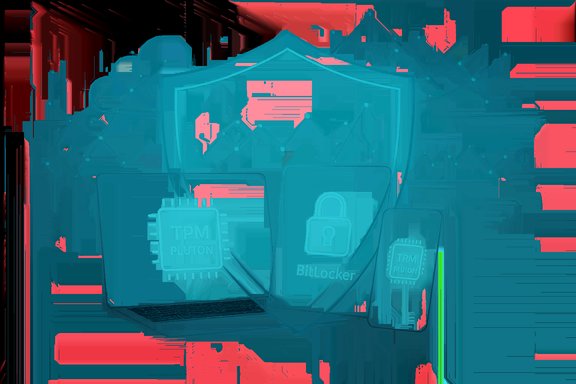
Modern Windows-based deployments increasingly require a hardware root of trust such as TPM 2.0 or CPU-integrated security silicon like Microsoft Pluton. These elements protect keys, attest device health, and allow features such as BitLocker and Windows Hello to provide cryptographic guarantees that software-only approaches cannot match. Microsoft’s own security guidance and Windows 11 certification emphasize this hardware baseline as foundational to “security by design.” Key hardware-backed components- Trusted Platform Module (TPM 2.0) for secure key storage and attestation.
- CPU or SoC-integrated security (Pluton, Secure Enclave equivalents) for cryptographic isolation.
- Hardware-enforced virtualization and kernel isolation (VBS, HVCI) to reduce exploit surface.
These capabilities reduce the blast radius of credential theft and enable Zero Trust policies that tie access decisions to device health.
AI and analytics: the brain that sees patterns
AI and machine learning now power core detection and correlation engines in modern security stacks. SIEM/XDR platforms ingest telemetry at cloud scale, use ML to baseline behavior, and surface high‑fidelity anomalies to analysts — or take automated actions when configured. Microsoft Sentinel and Defender XDR are explicit examples of this paradigm: they unify signals, apply graph and ML reasoning, and offer automated playbooks to contain threats quickly. What AI changes operationally- Faster detection: anomalies and low-signal patterns are elevated earlier.
- Reduced noise: ML reduces false positives and prioritizes high-risk activity.
- Automated response: playbooks or agentic response can revoke credentials, isolate endpoints, and quarantine data without human-in-the-loop latency.
These features make “invisible” protection operationally possible — threats are stopped or contained before users are affected.
Data protection & crypto: making the data useless to attackers
Encryption — at rest and in transit — remains fundamental. Hardware-based key protection (TPM/secure enclave) strengthens encryption by ensuring keys never leave protected hardware. Combined with rights-management, per-file encryption, and cloud-backed data governance, these protections keep content safe even when devices connect to public networks. The result: a stolen laptop or a man-in-the-middle session is far less likely to yield exploitable plaintext.Real-world outcomes: what invisible IT delivers
Measurable business benefits
- Reduced incident volume and mean time to remediate (MTTR) because automation contains threats early.
- Lower operational friction: employees are not interrupted by repeated MFA prompts or security roadblocks.
- Better compliance posture: device attestation and audit trails create evidence for governance frameworks and regulatory obligations.
These are the outcomes Microsoft highlights when framing invisible IT as a measurable driver of productivity and risk reduction. The business case becomes easier to justify when prevented incidents and avoided downtime are counted as returns.
Case study impulses: what the internal evidence shows
Large tech organizations that shifted to cloud-native operations and embedded AI into their IT workflows report both cultural and operational changes: fewer user-facing interruptions, faster incident response, and stronger baseline security that supports Zero Trust. Microsoft’s own digital transformation narrative describes moving employee-facing services into cloud-managed platforms and embedding AI across device and network telemetry — a practice that yields the kind of invisible protections being touted externally.Strengths: why invisible IT is persuasive
- User-centricity: invisible IT aligns security with productivity by minimizing disruptive prompts and interruptions while delivering protection.
- Scale: cloud-native telemetry and AI scale to billions of signals, enabling defenders to correlate attacks across tenants and time.
- Device-integrated trust: hardware-backed security reduces the effectiveness of credential theft and many remote exploit chains.
- Operational efficiency: playbooks and automated remediation reduce alert fatigue and let small security teams operate like larger ones.
Risks, blind spots and realistic limits
Over-reliance on automation and AI
Automation and ML reduce human workload but are not perfect. Models can be blind to novel attacker tactics (zero-day techniques), and excessive automation can produce destructive remediation if not carefully tuned. Treat AI as an amplifier of human analysts, not a full replacement: validated escape hatches and human review for high‑impact actions remain critical.Vendor concentration and single‑point systemic risk
Centralizing telemetry and enforcement in a small set of cloud vendors (identity, endpoint, SIEM) improves correlation but also increases systemic exposure when providers suffer outages or misconfigurations. Recent cloud provider incidents remind us that reliability and post‑incident transparency must be part of vendor assessments. Organizations should design for multi-path resilience in critical flows.Privacy, auditability and provenance
Invisible helpers — whether device attestation or AI-summarized decisioning — must be auditable. For regulated industries, the provenance of automated decisions (what triggered a block, why a file was reclassified) is essential. Policies must require logs, model introspection where possible, and clear retention practices to pass compliance reviews. Treat marketing claims about “invisible” protections with healthy skepticism until they are backed with auditable controls.Organizational and cultural challenges
Invisible IT can backfire if employees feel monitored or if controls disrupt workflows in subtle ways. Heavy-handed or opaque enforcement drives shadow IT and workarounds. Effective invisible IT requires partner-like engagement with business units, role-based training, and visible affordances (micro‑learning, UI indicators) that explain what’s happening and why.Cross‑checking vendor claims: what to believe and what to verify
Microsoft and other vendors have compelling marketing narratives about invisible protection, but not every claim is equally verifiable. Here are practical rules when evaluating vendor promises:- Verify baseline specifications: require TPM 2.0, VBS, HVCI, or equivalent hardware requirements in procurement documents and confirm device attestation mechanisms function in your environment. Microsoft’s hardware‑first guidance for Windows 11 is explicit on TPM and hardware-enforced protections.
- Audit AI outcomes: insist on test datasets and measurable metrics for ML-based detection (false positive/negative rates, mean time to detect). Vendor-provided efficacy claims should be supplemented by independent pilot evaluations.
- Demand provenance: controls that act automatically must leave a trace — inputs, model versions, and decision reasons — for forensics and compliance review.
- Require resiliency plans: outages and misconfiguration risks mean vendors should provide clear runbooks, SLA commitments, and multi-path failovers for critical authentication and device management services. Recent discussions across enterprise forums emphasize this as a hard lesson.
Human factors: make the invisible visible where it matters
Invisible protections should be invisible to end users but visible to impacted stakeholders. Practical design patterns include:- In‑app indicators: short UI notices that say “This document is protected” or “AI-suggested content” help maintain user trust and avoid surprise.
- Microtraining: short, contextual nudges inside Teams or email reduce risky behaviors without forcing separate classroom sessions. WindowsForum research suggests role-based, scenario-driven microsessions are more effective than one-size-fits-all training.
- Error transparency: when automatic actions are taken (credential revocation, quarantining), provide clear remediation steps and a fast path to support so legitimate business work isn’t stalled.
How smaller organizations can adopt invisible IT without an enterprise budget
The good news in Microsoft’s narrative is that many invisible components are now available to smaller organizations through SaaS and managed services. Practical steps:- Inventory and baseline:
- Identify endpoints, OS versions, and hardware capabilities (TPM, VBS support).
- Classify data by sensitivity.
- Enable hardware-backed features:
- Require device encryption (BitLocker or platform equivalents) with TPM-backed keys.
- Enforce modern authentication (MFA with conditional access tied to device state).
- Consolidate telemetry affordably:
- Use cloud-native SIEM/XDR trials (e.g., Microsoft Sentinel free tiers) and a smaller set of prioritized connectors to avoid cost blowouts. Sentinel and Defender XDR position AI-assisted detection for hybrid stacks.
- Start with high‑value automation:
- Automate containment for common scenarios: credential compromise, ransomware indicators, or anomalous lateral movement flagged by baseline ML.
- Use playbooks that are well-tested in staging and include human review gates for escalations.
- Consider managed services:
- If in-house SOC capability is limited, select an MDR/MSSP that can integrate with your Microsoft stack — many vendors now offer managed Defender integrations. Sophos, Vectra and others provide managed threat response solutions built on top of vendor telemetry.
- Iterate with measurement:
- Track KPIs like blocked phishing attempts, incidents averted, MTTR, and employee friction metrics to show tangible value.
Practical checklist for IT leaders: deploy invisible IT responsibly
- Hardware baseline: mandate TPM 2.0 or equivalent for managed devices; enable VBS/HVCI where supported.
- Identity hygiene: enforce MFA, conditional access, and device‑aware policies.
- Data posture: apply encryption-at-rest, per-file rights management, and endpoint DLP tuned to workflows.
- Telemetry & analytics: centralize essential logs and set up ML-enhanced correlation rules; pilot Sentinel or other SIEM options.
- Response playbooks: create and rehearse automated containment playbooks; include rollback and human‑review phases.
- Transparency & training: deploy in-app indicators and role-based microlearning to keep users informed and engaged.
- Vendor governance: require audit rights, incident communication SLAs, and proof of model behavior and data handling for AI-driven features.
- Resiliency engineering: design multi-path authentication and critical service fallbacks to reduce single‑vendor outages’ impact.
Critical analysis: marketing vs. operational reality
Microsoft’s framing — “seamless access built on invisible protection” — captures a compelling proposition. Hardware-backed security and AI-driven detection do make many threats easier to detect and contain, and they reduce direct friction to end users when implemented correctly. However, there are concrete caveats:- Claims about “enterprise security without complexity” gloss over practical realities: hardware attestation, telemetry ingestion, playbook testing and compliance auditing require non-trivial engineering and governance effort. Organizations should budget for implementation engineering and ongoing tuning.
- AI improves detection but is not infallible: models must be continuously validated, and adversaries adapt. The goal is to reduce risk and remove low-signal noise, not to achieve perfect prevention.
- Visibility and audit trails must accompany automation: “invisible” actions must be explainable for compliance, litigation, and user trust.
Conclusion
Invisible IT is not a slogan — it’s an operational design goal that marries hardware-backed device trust, AI-assisted detection, and cloud-based orchestration to prevent incidents before they interrupt users. For organizations grappling with hybrid work and an expanded attack surface, that proposition is powerful: reduce user friction, stop threats earlier, and create audit trails that support governance and compliance.But achieving invisibility requires work: baseline hardware, centralize telemetry, tune ML, and — crucially — make automation auditable and reversible. The most successful adopters will be those that pair technical investments with cultural and procedural changes: clear communication with users, role-based training, and vendor contracts that demand transparency and resilience.
In practical terms, invisible IT’s promise is real, measurable, and attainable — provided leaders treat it as an engineering journey, not a checkbox on a procurement brief. The invisible systems that stop attacks quietly are the ones that, in the end, deliver the most visible results: uninterrupted business, preserved reputation, and lower operational risk.
Source: Microsoft The IT edge: How invisible systems drive visible results
